Evo Evolution Systems
Product Information
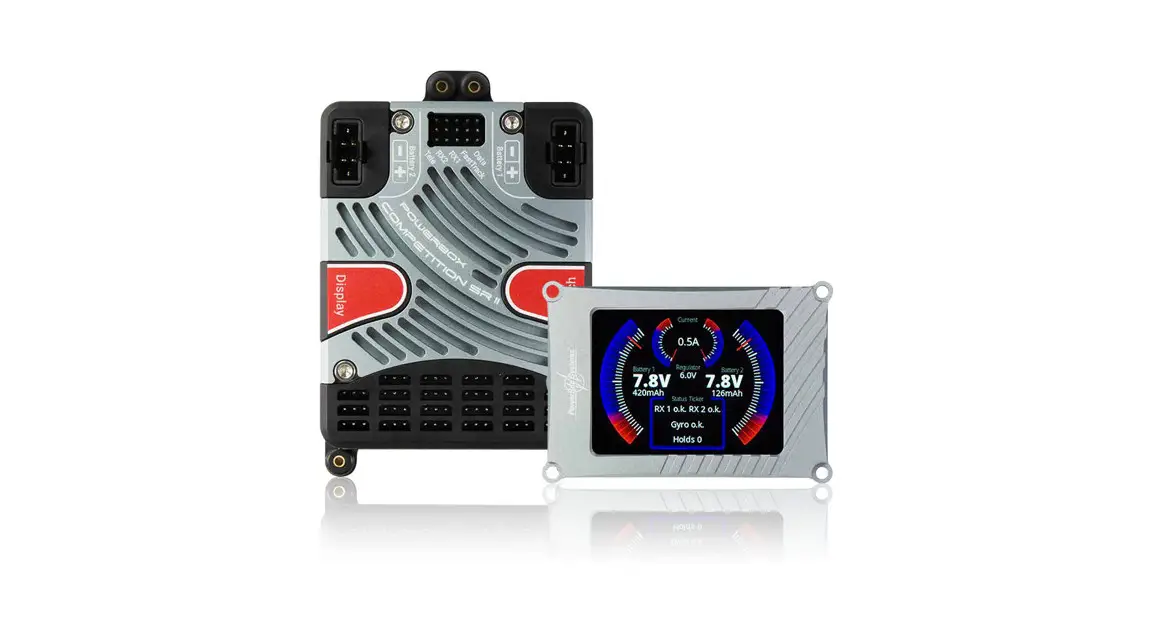
The PowerBox Evo is an ultra-compact dual power supply featuring
7 channels, regulated output voltage, and telemetry. It has 10
outputs assigned to the 7 inputs, allowing two servos to be
controlled in parallel on each of the 3 channels without requiring
additional Y-leads. The servo outputs have integral signal
amplification and are protected against servo feedback currents.
The PowerBox Evo supports all current telemetry systems.
The PowerBox MicroSwitch, included in the set, is not subject to
wear and operates electronic switches reliably. It is also used to
set the output voltage and the battery type. The high-performance
voltage regulators deliver a default value of 6.0V but can be
easily changed to 7.4V, 7.8V, or no regulation at all using the
PowerBox MicroSwitch. The machined aluminum heat-sink ensures a
high continuous load capacity.
The PowerBox Evo allows convenient monitoring of both batteries’
voltage from the transmitter and provides the ability to read off
the state of charge using the two tri-color LEDs.
Product Usage Instructions
Installation and Connections
a) Mounting: Connect the PowerBox MicroSwitch to the socket
marked Switch on the side of the PowerBox Evo. Secure the ribbon
cable at a minimum of one additional point to prevent it from
working loose due to severe vibration.b) Receiver: Connect the receiver using the seven patch leads
supplied in the set. Power is fed to the receiver through these
leads. Connect the telemetry patch lead to the appropriate
Telemetry input on your receiver based on the telemetry system you
are using (PowerBox, Jeti, Futaba, Spektrum, Graupner, Multiplex,
or JR). No further adjustments are necessary as the telemetry
system is detected automatically.c) Batteries: Connect the batteries to the MPX sockets on the
backer. It is recommended to use PowerPacks 2.5 x 2. Ensure correct
polarity when connecting batteries; connecting a battery with
reverse polarity will destroy the backer’s regulators.Switching On
Follow the manufacturer’s instructions to switch on the PowerBox
Evo.Setting the Battery Type
Refer to the LED display to set the battery type. The LED
display does not correspond to battery voltage linearly but
provides a percentage display based on an average discharge curve
of different battery types. Use the appropriate setting for LiPo,
LiIon, LiFe, or NiMh batteries.
Instruction Manual www.modelsport.sk
Powerbox evo
The PowerBox Evo is an ultra-compact dual power supply featuring 7 channels, regulated output voltage and telemetry. The 7 inputs are assigned to 10 outputs, allowing two servos to be controlled in parallel on each of 3 channels, without requiring additional Y-leads. All servo outputs have integral signal amplification and are protected against servo feedback currents.
The PowerBox MicroSwitch included in the set is not subject to wear, and operates both electronic switches reliably. It is also used to set the output voltage and the battery type.
By default the two high-performance voltage regulators deliver 6.0V, but that value can easily be changed to 7.4V, 7.8V or no regulation at all using the PowerBox MicroSwitch. The machined aluminium heat-sink ensures a high continuous load capacity.
The PowerBox Evo supports all current telemetry systems: PowerBox, Jeti, Futaba, Multiplex, Graupner, Spektrum and JR, which means that the voltage of both batteries can be monitored conveniently from the transmitter. It is also possible to read off the state of charge of the batteries at any time using the two tri-colour LEDs.
Features:
· 7 channels · 10 outputs · High-performance battery backer with high continuous load capacity · All power electronics duplicated · Redundant electronic switch · Four selectable output voltages: 6.0V, 7.4V, 7.8V or unregulated
2
PowerBox-Systems – World Leaders in RC Power Supply Systems
· Telemetry data for PowerBox P²BUS, Futaba S.BUS2, Jeti Ex-BUS, Spektrum SRXL2, Multiplex M-Link, JR X-BUS and Graupner HoTT
· All features can be controlled from PowerBox and Jeti transmitters · Signal amplification for all 10 outputs · Voltage indication by means of tri-colour LEDs · Supports four battery types: LiPo, LiIon, NiMh/NiCd, LiFe · Servo feedback current suppression · Machined high-performance heat-sink for optimised heat dissipation · Machined, anodised aluminium switch case · Compact format
1. INSTALLATION, CONNECTIONS
a) Mounting
The Evo should be attached to a robust sub-structure using the four screws, rubber grommets and brass sleeves supplied in the set; the switch should be mounted in the fuselage side. We recommend reinforcing the switch aperture on the inside of the fuselage with a layer of wood to protect the unit from severe vibration; this is particularly important in models with a GRP fuselage. An external switch is often undesirable on a scale model, and for such applications we offer the PowerBox MicroMag as an alternative. However, please note that – unless you are using a PowerBox or Jeti system – the PowerBox MicroSwitch is required for programming the battery type and the output voltage.
The PowerBox MicroSwitch is connected to the socket marked Switch on the side of the PowerBox Evo. In models where severe vibration is likely to occur, we recommend that the ribbon cable should be secured at a minimum of one additional point
www.powerbox-systems.com
3
to avoid the plug working loose. If the ribbon cable were to fall out, it would have no effect on the backer’s switched state, but would make it impossible to switch the system off.
b) Receiver
Start by connecting all the servos to the appropriate channels; the assignment is entirely up to you. For example: input 4 corresponds to output 4, but whether you connect the aileron servo or the throttle servo is a matter of your choice. Channels 3 4 5 each have two outputs, allowing you to connect two servos without a Y-lead. But please note: the PowerBox Evo does not feature servo matching, so the servos must be adjusted mechanically for equal travel if both are connected to the same control surface.
Connect the receiver using the seven patch leads supplied in the set. Power is fed to the receiver through these leads. Connect the telemetry patch lead to the Telemetry input on your receiver as follows:
PowerBox: Jeti: Futaba: Spektrum: Graupner: Multiplex: JR:
P²-BUS EX-BUS S.BUS2 SRXL2 Hott Sensor Sens
The telemetry system is detected automatically, so you do not have to make any further adjustments.
4
PowerBox-Systems – World Leaders in RC Power Supply Systems
c) Batteries
The final step is to connect the batteries to the MPX sockets on the backer. We recommend that you use our PowerPacks 2.5 x 2.
Caution: If you intend to use other makes of battery, or packs you have assembled yourself, please take great care to maintain correct polarity – better to check twice! Connecting a battery just once with reverse polarity will always destroy the backer’s regulators. The unit does not feature polarity protection, in order to minimise power losses. The + indicator is engraved on the heat-sink.
2. SWITCHING ON
The push-button switch operates in the same way as all PowerBox systems: hold the button pressed in until the LED starts to flash green at a high rate. Briefly release the button, then press it again. The LED now lights up a constant green, indicating that the unit is switched on. Repeat the procedure to switch off. If you are using a PowerBox MicroMag, hold the magnet against the switch until the PowerBox Evo turns itself on. The LED lights up blue as soon as a magnet is detected. The LED turns red to indicate the end of the switching process; after this the LED glows green to indicate that it is switched on.
www.powerbox-systems.com
5
3. SETTING THE BATTERY TYPE
It is important to set the battery type, otherwise the LED battery indicator cannot work properly. This is the procedure: first switch the PowerBox on, then hold the button pressed in again. After about five seconds the LEDs go out, and a sequence of different colours commences, each colour corresponding to one battery type. Release the button when the LEDs light up in the colour corresponding to your battery type. Both LEDs flash white to confirm the setting, and the battery type is then stored.
LiPo
LiIon
LiFe
NiMh
Information on the LED display: the display does not correspond to battery voltage in a linear manner. We have measured different battery types in current use to produce an average discharge curve. This discharge curve is used in order to provide a percentage display. The LED display corresponds to the battery capacity in the following way:
80 100 % 60 80 %
40 60 %
20 40 %
0 20 %
PowerBox and Jeti users can also carry out this adjustment directly at the transmitter. You will find the setting in the EVO Telemetry menu on PowerBox transmitters, and in the JetiBox application with a Jeti system.
6
PowerBox-Systems – World Leaders in RC Power Supply Systems
4. SETTING THE OUTPUT VOLTAGE
The PowerBox Evo can be set to four different output voltages: on the one hand to 6.0V for conventional servos, on the other to 7.4V, 7.8V or completely unregulated for HV servos. If you intend using the last named setting, please ensure that all components connected to the system are safe for use on high voltage. The advantage of regulating the voltage at 7.4V or 7.8V, instead of simply allowing the full battery voltage through, is that it reduces the high battery voltage which is present immediately after charging. A constant voltage is then fed to the system right from the outset, ensuring consistent servo speed and power over a long period.
To change the output voltage, connect one of the batteries whilst holding the button pressed in. The LED will initially light up green, then turn orange after three seconds, then violet after six seconds, and finally red after a further nine seconds. The output voltage is set in accordance with the LED colour when you release the button. The output voltage assignment is as follows:
6.0 V
7.4 V
7.8 V
non-regulated
Finally the LED flashes white to confirm that the setup procedure is complete. Disconnect the battery, and repeat the procedure with the second battery socket.
PowerBox and Jeti users can also change this setting directly at the transmitter. You will find the setting in the EVO Telemetry menu on PowerBox transmitters, and in the JetiBox application with a Jeti system.
www.powerbox-systems.com
7
5. SPECIFICATION
Operating voltage: Power supply: Current drain, operating:
Current drain, standby: Continuous load capacity: Dropout voltage:
Output voltage: Channels: Servo outputs: Supported telemetry systems:
Dimensions: Weight: Weight of Sensor Switch: Temperature range:
4.0V – 9.0V 2S LiPo, 2S Lilon, 2S LiFePo, 5S NiMH 66mA
8A 2 x 10 A (<30s 2 x 40A) 0.3V
6.0V, 7.4V, 7.8V, unregulated 7 10 P²BUS, S.BUS2, EX-Tele, SRXL2, M-Link, Hott, JR
89 x 55 x 18mm 69g 8g -30°C to +105°C
6. SET CONTENTS
· PowerBox Evo · MicroSwitch · 8x patch leads · 6x fixing screws · 4x rubber grommets and brass sleeves · Operating instructions
8
PowerBox-Systems – World Leaders in RC Power Supply Systems
7. DIMENSIONS
www.powerbox-systems.com
9
8. SERVICE NOTE
We are anxious to offer good service to our customers, and to this end we have set up a Support Forum which deals with all queries concerning our products. This relieves us of a great deal of work, as it eliminates the need to answer frequently asked questions time and again, and it gives you the opportunity to obtain help quickly all round the clock – even at weekends. All the answers are provided by the PowerBox Team, guaranteeing that the information is correct.
Please use the Support Forum before you telephone us. You will find the forum at the following address:
www.forum.powerbox-systems.com
9. GUARANTEE CONDITIONS
At PowerBox-Systems we insist on the highest possible quality standards in the development and manufacture of our products. They are guaranteed “Made in Germa- SERVICE ADDRESS ny”!
PowerBox-Systems GmbH That is why we are able to grant a 24 month Ludwig-Auer-Straße 5 guarantee on our PowerBox EVO from the 86609 Donauwoerth initial date of purchase. The guarantee covers Germany proven material faults, which will be corrected by us at no charge to you. As a precautionary measure, we are obliged to point out that we reserve the right to replace the unit if we deem the repair to be economically unviable.
10
PowerBox-Systems – World Leaders in RC Power Supply Systems
10. LIABILITY EXCLUSION
We are not in a position to ensure that you observe our instructions regarding installation of the PowerBox Evo, fulfil the recommended conditions when using the unit, or maintain the entire radio control system competently.
For this reason we deny liability for loss, damage or costs which arise due to the use or operation of the PowerBox Evo, or which are connected with such use in any way. Regardless of the legal arguments employed, our obligation to pay damages is limited to the invoice total of our products which were involved in the event, insofar as this is deemed legally permissible.
We wish you every success using your new PowerBox Evo.
Donauwoerth, February 2023
www.powerbox-systems.com
11
02/2023
PowerBox-Systems GmbH
Ludwig-Auer-Straße 5 86609 Donauwoerth Germany
+49-906-99 99 9-200 +49-906-99 99 9-209 www.powerbox-systems.com
 Login - PowerBox-Systems | Support
 IMI-HOBBY-MODELÁRSTVO-MODELSPORT-MODELLBOLT-SLOVAKIA-NITRA
 PowerBox Systems - Home