
User Manual
CQ63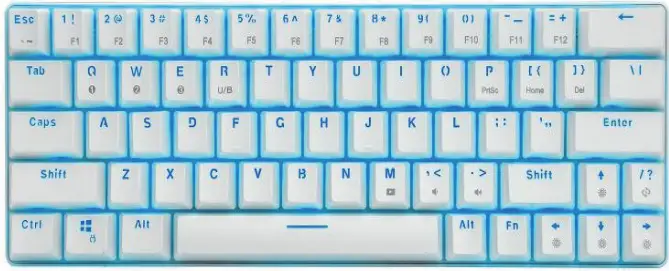
Keyboard
Characteristic
- Support system: vs,rinXPI Win7/ Win81 Win10/Android/Apple all operating systems.
- Support the Apple system opening process, press ALT to enter the system selection interface.
- Bluetooth mode supports any 6 keys without conflict, USB mode supports all keyboards without conflict, and supports booting into BIOS.
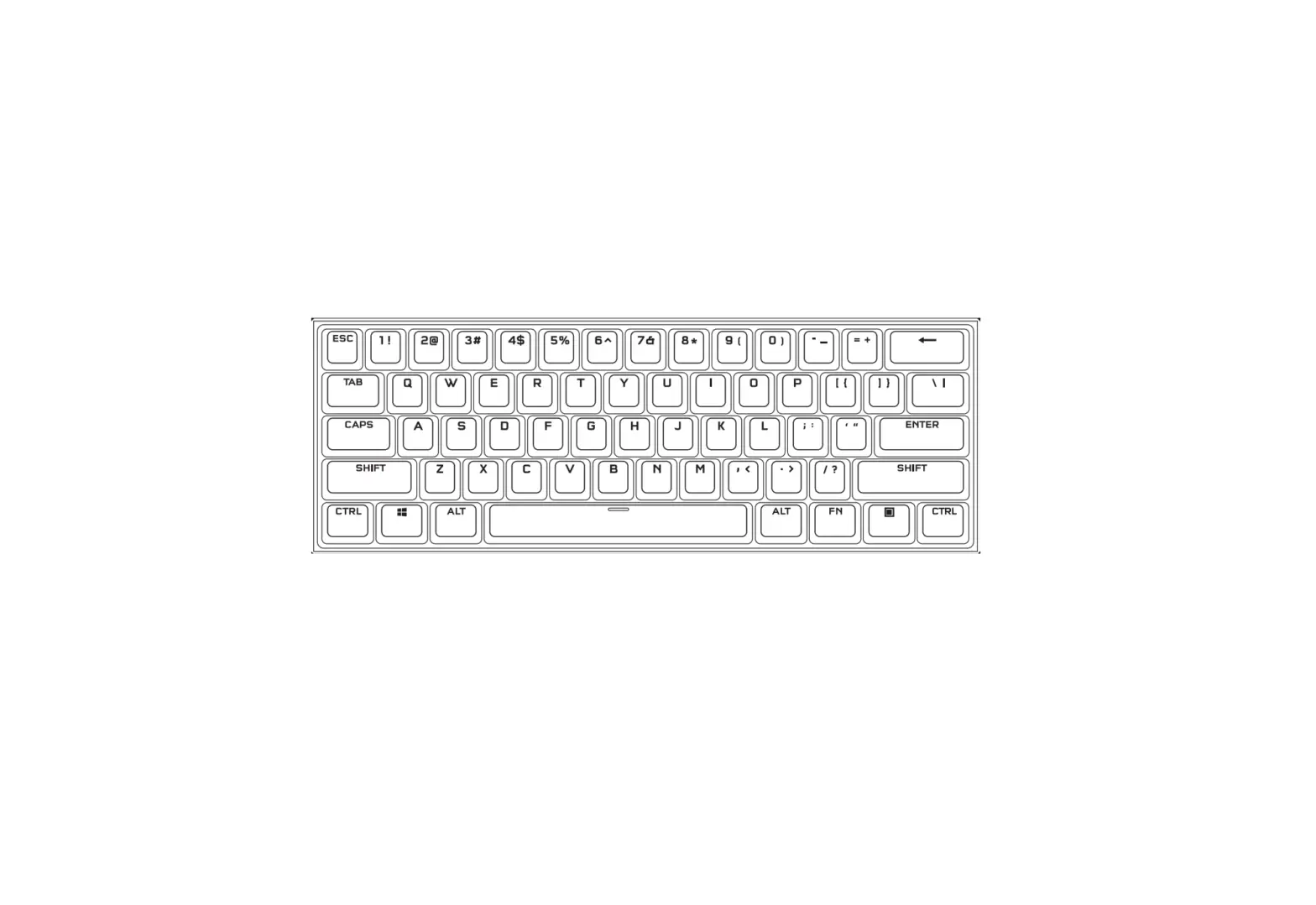
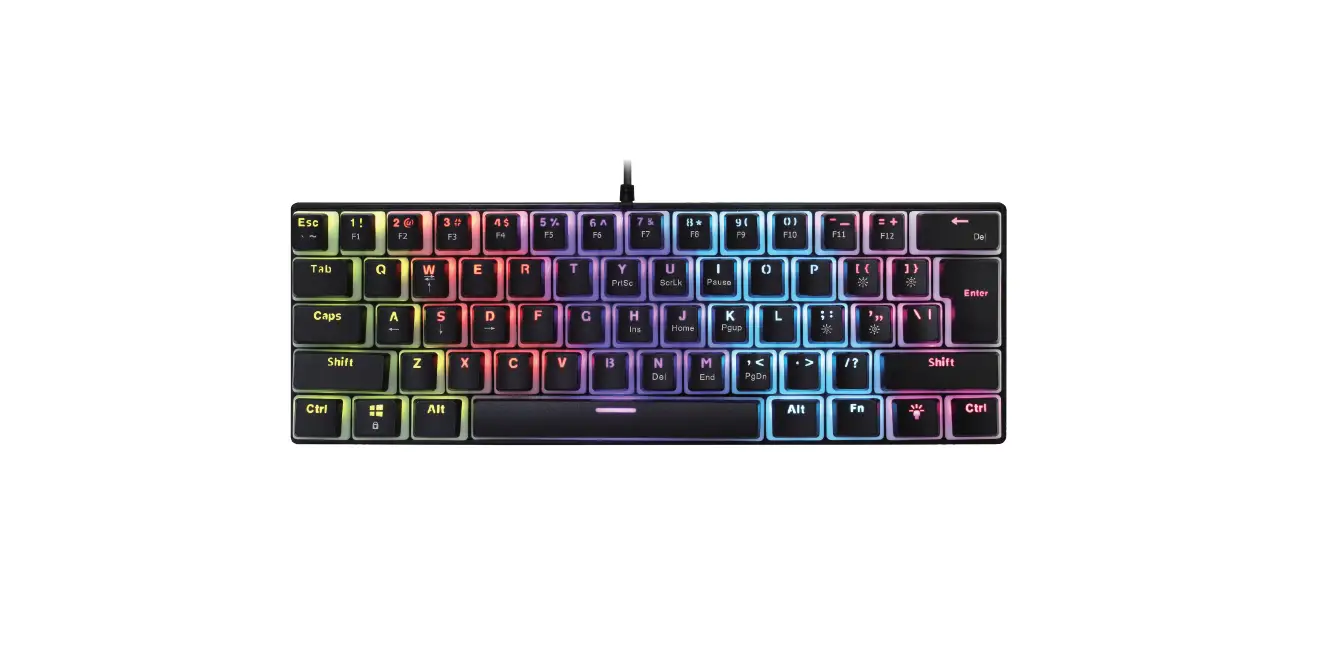
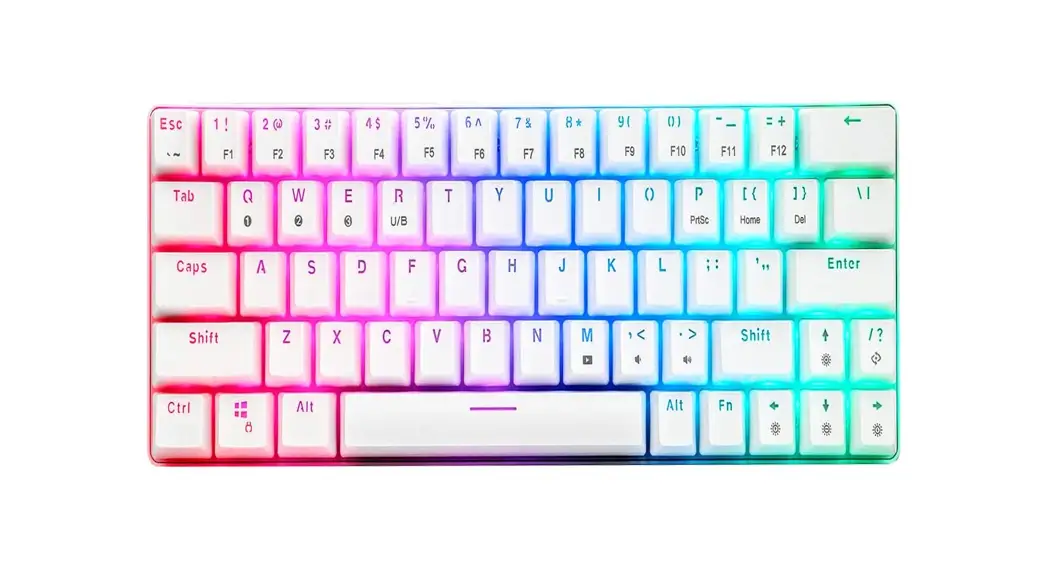
FN combination key function
| FN + | Keys | Function | Description |
| 1 | = | Fl | |
| 2 | F2 | ||
| 3 | F3 | ||
| 4 | F4 | ||
| 5 | F5 | ||
| 6 | F6 | ||
| 7 | F7 | ||
| 8 | F8 | ||
| 9 | F9 | ||
| o | F10 | ||
| – | Ell | ||
| =+ | F12 | ||
| ESC | ‘- | ||
| P | |||
| [{ | HOME | ||
| }] | DELETE | ||
| LEFT | speed + | five levels-default third level | |
| RIGHT | speed – | five levels-default third level | |
| UP | brightness + | five levels-the brightest by default | |
| DOWN | brightness – | five levels-the brightest by default | |
| ?/ | Floating with the flow, rippling, running away from the dust, stepping on the snow without a trace, grid, breathing, constant light, horse racing. | ||
| /I | Switch to custom mode |
| FN + | CTRL_L | CTRL_L CAP and CTRL_L interchange | |
| SPACE | pause mode | Lighting effect pause | |
| ENTER | color switch | ||
| Win L | Windows lock | lock Win L . APP | |
| A | Custom recording | Long press 3S to start recording, Mashes; press A again, recording is complete | |
| S | Custom recording | ||
| C) | Bluetooth device connection, and device switching | Long press 3S to connection, short press to switch devices | |
| W | Bluetooth device connection, device switching | Long press 3S to connection, short press to switch devices | |
| E | Bluetooth device connection, device switching | Long press 3S to connection, short press to switch devices | |
| R | Working mode switch | Switch to USB mode, Bluetooth mode | |
| T | Bluetooth single carrier test mode | Low frequency | |
| Y | Bluetooth single carrier test mode | Medium frequency | |
| U | Bluetooth single carrier test mode | High frequency | |
| Reset | At the same time ESC and BACKSPACE and CTRL_L+ and direction right 3S to open the reset | ||
Increase FN+ M=Multimedia FN+<=Volume decrease FN+>=Volume increase
BLE Bluetooth mode
The keyboard supports a total of 3 host devices for connection, and the host device needs to support Bluetooth 4.0 or higher protocol, Switch to use by “device button FN+x” (x=CAW1E), the device names are HUOJI,
Charging instructions.
When the USB cable is plugged in, SPACE lights up in blue to remind the user that the battery is charging. (The bottom switch can be opened or closed)
Warning:
Changes or modifications to this unit not expressly approved by the party responsible for compliance could void the user’s authority to operate the equipment.
NOTE: This device complies with part 15 of the FCC Rules. Operation is subject to the following two conditions: (1) This device may not cause harmful interference, and (2) this device must accept any interference received, including interference that may cause undesired operation.
FCC Statement:
This equipment has been tested and found to comply with the limits for a Class B digital device, pursuant to part 15 of the FCC Rules. These limits are designed to provide reasonable protection against harmful interference in a residential installation. This equipment generates, uses, and can radiate radio frequency energy and, if not installed and used in accordance with the instructions, may cause harmful interference to radio communications. However, there is no guarantee that interference will not occur in a particular installation. If this equipment does cause harmful interference to radio or television reception, which can be determined by turning the equipment off and on, the user is encouraged to try to correct the interference by one or more of the following measures:
- Reorient or relocate the receiving antenna.
- Increase the separation between the equipment and receiver.
- Connect the equipment into an outlet on a circuit different from that to which the receiver is connected.
- Consult the dealer or an experienced radio/TV technician for help.
RF exposure compliance statement: This device has been evaluated to meet the general RF exposure requirement