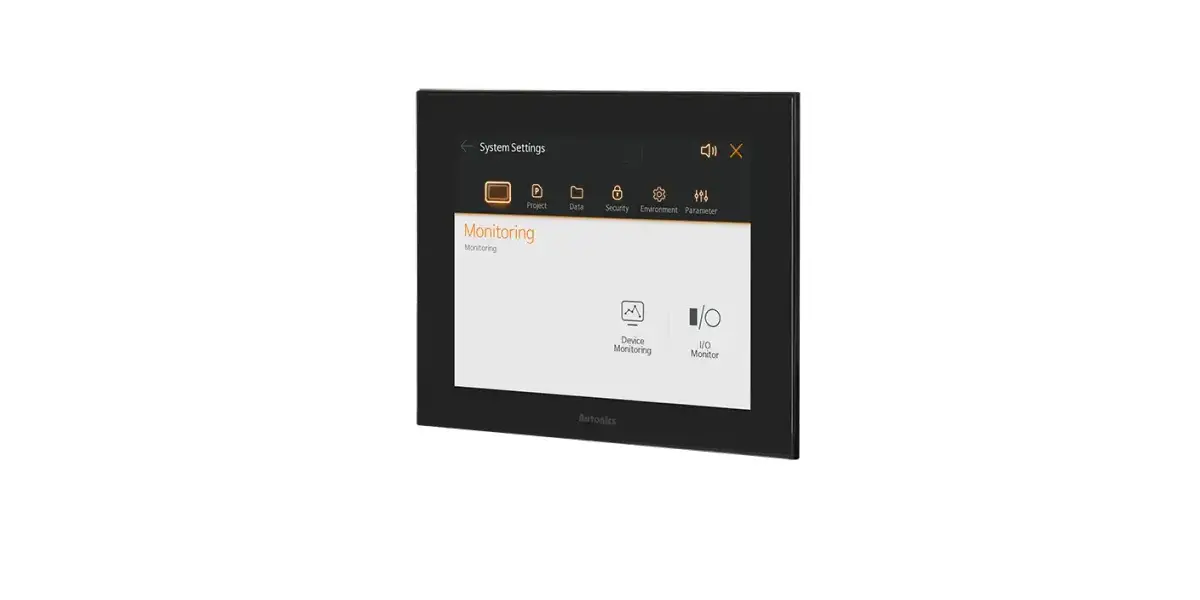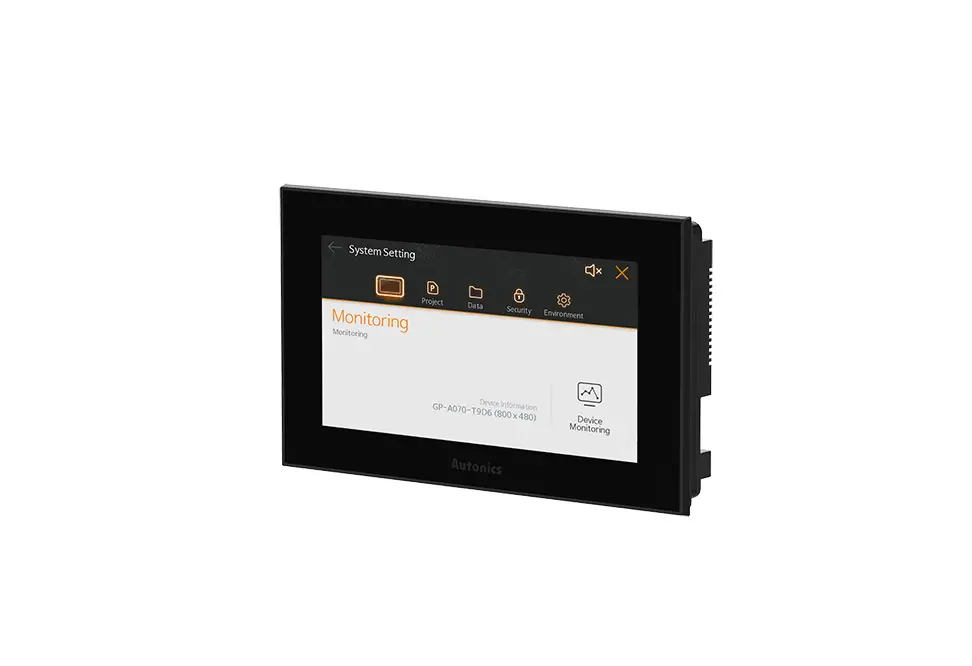
Autonics TCD210069AC GP-A Series Color LCD Graphic Panel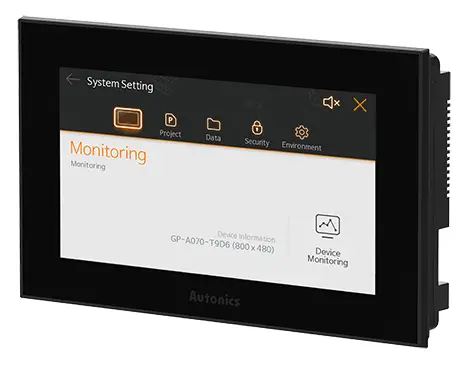
INTRODUCTIONS
Thank you for choosing our Autonics product.
Read and understand the instruction manual and manual thoroughly before using the product.
For your safety, read and follow the below safety considerations before using.
For your safety, read and follow the considerations written in the instruction manual, other manuals and Autonics website.
Keep this instruction manual in a place where you can find easily.
The specifications, dimensions, etc. are subject to change without notice for product improvement. Some models may be discontinued without notice.
Follow Autonics website for the latest information.
Safety Considerations
- Observe all ‘Safety Considerations’ for safe and proper operation to avoid hazards.
 symbol indicates caution due to special circumstances in which hazards may occur.
 Warning Failure to follow instructions may result in serious injur y or death.
01. Fail-safe device must be installed when using the unit with machiner y that may cause serious injury or substantial economic loss. (e.g. nuclear power control, medical equipment, ships, vehicles, railways, aircraft, combustion apparatus, safety equipment, crime/disaster prevention devices, etc.)
Failure to follow this instruction may result in personal injur y, economic loss or fire.
02. Do not use the unit in the plac e where flammable/explosive/corrosive gas, high
humidity, direct sunlight, radiant heat, vibration, impact, or salinity may be present.
Failure to follow this instruction may result in explosion or fire.
03. Use the unit within the rated specifications.
Failure to follow this instruction may result in fire or shortening the life cycle of the product.
04. Do not connect, repair, or inspect the unit while connected to a power source.
Failure to follow this instruction may result in fire.
05. Check ‘Power Wiring’ and ‘Serial Interface’ before wiring.
Failure to follow this instruction may result in fire.
06. In preparation for product damage, communication error, or malfunction, install
external limit switch, emergency stop switch, or other protection circuit.
Failure to follow this instruction may result in personal injur y, economic loss or fire.
07. Since Lithium battery is embedded in the pr oduct, do not disassemble or burn the
unit.
Failure to follow this instruction may result in fire.
08. Do not disassemble or modify the unit .
Failure to follow this instruction may result in fire.
09. Please contact to us for battery replacement.
Using an unauthentic battery may result in fire or product damage.
Caution Failure to follow instructions may result in injury or product damage.
01. Use dry cloth to clean the unit, and do not use water or organic solvent.
Failure to follow this instruction may result in electric shock or fire.
02. When connecting the power input, use AWG 23 cable or over and tighten the terminal screw with a tightening torque of 0.5 to 0.8 N.m.
Failure to follow this instruction may result in fire or malfunction due to contact failure.
03. Keep the product away from metal chip, dust, and wire residue which flow into the
unit.
Failure to follow this instruction may result in fire or product damage.
04. Do not touch the front LCD screen over 2 points at the same time.
Failure to follow this instruction may result in malfunction.
05. Do not put any heavy object on the front screen.
Failure to follow this instruction may result in malfunction due to deformation of LCD and touch panel.
Cautions during Use
- Follow instructions in ‘Cautions during Use’. Otherwise, it may cause unexpected accidents.
- Power supply should be insulated and limited voltage/current or Class 2, SELV power supply device.
- Install a power switch or circuit breaker in the easily accessible place for supplying or disconnecting the power.
- Operate the product after supplying power to the product, input/output equipment, and load. If operate product before supplying power, it may result in output error or malfunction.
- Use a USB cable within 2 m.
- Keep away from high voltage lines or power lines to prevent inductive noise. Do not use near the equipment which generates strong magnetic force or high frequency noise.
- Make a required space around the unit for radiation of heat, and do not block ventilation openings.
- Do not push the touch panel with a hard and sharp object or push the panel with excessive force. It may result in fire or malfunction.
- When skin is smeared with liquid crystal from the broken LCD, rinse with running water for over 15 minutes. If it gets into the eyes, rinse eyes with running water for over 15 minutes and contact a doctor.
- When changing the battery, contact Autonics service center to change it. Using unauthentic
battery may result in fire or product damage. - This unit may be used in the following environments.
- Indoors (in the environment condition rated in ‘Specifications’)
- Altitude max. 2,000 m
- Pollution degree 2
- Installation category II
Cautions during Wiring
- Do not apply power before power line connection.
- Check power polarity.
- For power supply, use the wire of which cross section is at least 0.75 mm² and use the wire of which cross section is at least 1.25 mm² for grounding
- Use ring crimp terminal with at least 3 mm of internal diameter and less than 6 mm of external diameter.
- Tighten the terminal screw with 0.5 to 0.8 N.m torque.
- Ground resistance should be less than 100 Ω and ground it separatel
Product Components
- Graphic panel + built in battery
- Sold separately: communication cable
- 4.6 / 5.7 / 7.0 inch: 4 fixing brackets
- 10.4 inch: 6 fixing brackets, CAN connector
Software
Visit Autonics web site to download software and manuals.
atDesigner
atDesigner is a dedicated screen editor software used to create, edit, and monitor the screen data of LP/GP-A devices. All data arrangement, layout, shapes, properties can be edited using atDesigner. The screen data, project admin account, security level, language, and script can all.
Firmware
Please refer to ‘GP-A Series user manual’ for firmware upgrade.
Manuals
For the detailed information and instructions, please refer to the manuals, and be sure to follow
cautions written in the technical descriptions.
Visit Autonics website to download manuals.
- GP-A Series user manual It describes general information about installation and system of GP-A Series.
- atDesigner user manual It describes how to design user screen and how to use HMI function.
- GP/LP user manual for communication It describes how to connect with external devices such as PLC.
Ordering Information
This is only for reference, the actual product does not support all combinations.
For selecting the specified model, follow the Autonics website.

- Screen size
046: 4.6 inch
057: 5.7 inch
070: 7.0 inch
104: 10.4 inch - Display color
8: 262,144 color
9: 16,777,216 color - Interface
| Model | ❸ | RS232C | RS422 | CAN | Micro SD | USB Host | USB Device | Ethernet |
| GP-A 046/057/070 | 6 | 1 | 1 | – | – | 1 | ||
| 7 | 2 | – | – | – | 1 | 1 | ||
| GP-A104 | 8 | 1 | 1 | 1 | 1 | |||
| 9 | 2 | – | 1 | 1 |
| Model | GP-A046 | GP-A057 | GP-A070 | GP-A104 |
| Screen size | 4.6 inch | 5.7 inch | 7.0 inch | 10.4 inch |
| LCD type | TFT Color LCD | |||
| Resolution | 800×320 pixel | 640×480 pixel | 800×480 pixel | 800×600 pixel |
| Pixel pitch (W×H) | 0.13 × 0.13 mm | 0.18 × 0.18 mm | 0.19 × 0.19 mm | 0.26 × 0.26 mm |
| Display area | 108×43.2 mm | 115.2×86.4 mm | 154.4×93.44 mm | 211.2×158.4 mm |
| Display color | 16,777,216 colors | 262,144 colors | 16,777,216 colors | 16,777,216 colors |
| LCD view angle (top/bottom/left/ right) | Within 75°/70° /80°/80° of each | Within 70°/70° /80°/80° of each | Within 50°/60° /65°/65° of each | Within 60°/70° /80°/70° of each |
| Backlight | White LED | |||
| Backlight life cycle | ≥ 50,000 hours 01) | |||
| Luminance adjust- ment | Adjustable by software | |||
| Touch | Analog resistive film method | |||
| Touch panel resolution | 800 × 320 cell | 640 × 480 cell | 800 × 480 cell | 800 × 600 cell |
| Touch panel life cycle | ≥ 1 million times | |||
| Sound | Magnetic buzzer (≥ 85 dB) | |||
| Approval | ᜢ ᜣ ᜫ | |||
| Unit weight (packaged) | ≈ 272 g (≈ 382 g) | ≈ 489 g (≈ 644 g) | ≈ 520 g (≈ 706 g) | ≈ 1.07 kg (≈ 1.62 kg) |
Supportive interface can be different up to model. For the detailed information, refer to ‘Ordering Information’.
| Serial interface | RS232C, RS422 (Half Duplex) |
| USB interface | Host: USB 2.0 (Type A) × 1 , Device: USB 2.0 (mini-B) × 1 |
| USB HOST power supply | 5 VDCᜡ ±5% |
| USB HOST output current | 500 mA |
| USB comm. distance | Host: < 2 m , Device: < 2 m |
| Ethernet interface | Ethernet: IEEE802.3(U), 10/100Base-T, connector: RJ45 |
| CAN interface | 24V CAN transceiver |
| External storage | Micro SD max. 32GB (FAT16/32) |
| Printer | PCL3 GUI protocol (USB Host) |
| Processor | ATMEL ARM Cortex-A5 Single core (536 MHz) |
| RAM | DDR2 133 MHz 256 MB |
| Flash | 256 MB |
| Backup memory | SRAM 1MB (lithium battery(1/2 AA)) |
| Backup type | Logging/alarm, non-volatile device |
| Battery life cycle | 5 years at 25℃ |
| Clock | RTC embedded |
Supportive interface can be different up to model. For the detailed information, refer to ‘Ordering Information’.
| Memory for user screen | 64MB | ||||||||||
| Number of user screen | 100 pages | ||||||||||
| System menu language | Korean, English | ||||||||||
| Font | Bitmap font: 8 × 8, 8 × 16, 16 × 16, 32 × 32 pixel Vector font: 5 to 625 pixel | ||||||||||
| Font magnification | Bitmap fonts: 1 to 8 times width / height | ||||||||||
| Number of display characters (character × line) | Characters | Pixel | GP-A046 | GP-A057 | GP-A070 | GP-A104 | |||||
| English / Numbers | 6 × 8 | 133 × 40 | 106 × 60 | 133 × 60 | 133 × 75 | ||||||
| 8 × 8 | 100 × 40 | 80 × 60 | 100 × 60 | 100 × 75 | |||||||
| Korean / Chinese characters | 16 × 16 | 50 × 20 | 40 × 30 | 50 × 30 | 50 × 37 | ||||||
| Power supply | 24 VDCᜡ | ||||||||||
| Allowable voltage range | 90 to 110% of power supply | ||||||||||
| Allowable momentary outage time | ≤ 10 ms | ||||||||||
| Power consumption | GP-A046 | GP-A057/070 | GP-A104 | ||||||||
| Power consumption | ≤ 4.8 W | ≤ 7.2 W | ≤ 8 W | ||||||||
| Excluding external supply power | ≤ 4 W | ≤ 6 W | ≤ 7 W | ||||||||
| Backlight OFF (standby mode) | ≤ 3.3 W | ≤ 4.5 W | ≤ 5 W | ||||||||
| Backlight ON (based on 20% brightness) | ≤ 3.5 W | ≤ 5 W | ≤ 5.5 W | ||||||||
| Inrush current | ≤ 20 A | ||||||||||
| Insulated resistance | Between all terminals and case: ≥ 100 MΩ (500 VDCᜡ megger) | ||||||||||
| Surge voltage | ± 500 V | ||||||||||
| Ground | 3rd grounding (≤ 100 Ω) | ||||||||||
| Cooling method | Natural air cooling | ||||||||||
| Noise immunity | The square wave noise(pulse width: 1㎲) by the noise simulator± 0.5 kV | ||||||||||
| Static discharge endurance | Contact discharge ± 5 kV | ||||||||||
| Dielectric strength | 500 VACᜠ 50/60 Hz for 1 minute (between all terminals and case) | ||||||||||
| Vibration | 0.75 double amplitude at frequency of 10 to 55 Hz in each X, Y, Z direction for 1 hour | ||||||||||
| Vibration (malfunction) | 0.5 double amplitude at frequency of 10 to 55 Hz in each X, Y, Z direction for 10 minutes | ||||||||||
| Shock | 147 m/s² (approx. 15 G) in each X, Y, Z direction for 3 times | ||||||||||
| Shock (malfunction) | 100 m/s² (approx. 10 G) in each X, Y, Z direction for 3 times | ||||||||||
| Ambient temperature | 0 to 50℃, storage: -20 to 60℃ (a non freezing or condensation environment) | ||||||||||
| Ambient humidity | 35 to 85%RH, storage : 35 to 85%RH (a non freezing or condensation environment) | ||||||||||
| Protection structure | IP65 (front panel, IEC standard) | ||||||||||
| Material | Case: ABS flame retardant | ||||||||||
Dimensions
- Unit: mm, For the detailed dimensions of the product, follow the Autonics web site.
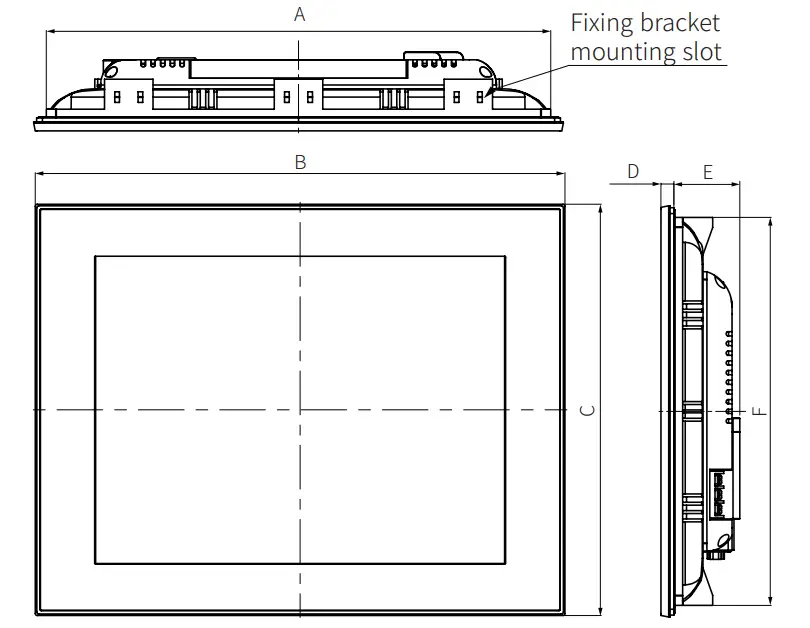
| A | B | C | D | E | F | |
| 4.6 inch | 135 | 143.5 | 75.5 | 6.5 | 36 | 67 |
| 5.7 inch | 160 | 168.5 | 128.5 | 6.5 | 36 | 120 |
| 7.0 inch | 185 | 194 | 134 | 6.5 | 28.5 | 125 |
| 10.4 inch | 260 | 273 | 212 | 7.2 | 34 | 200 |
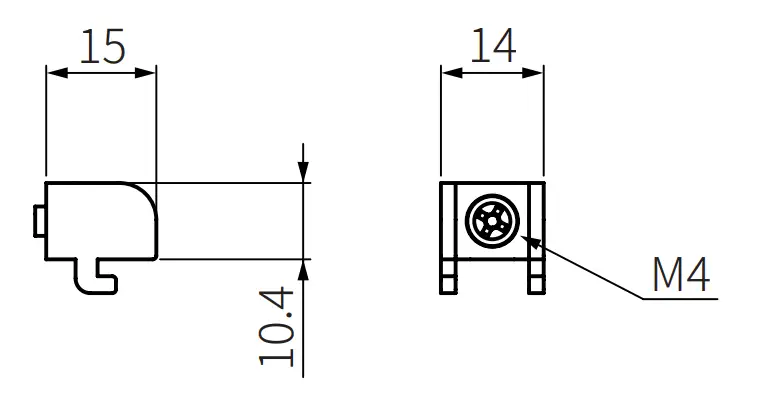
- Fixing bracket

A B C 4.6 inch 135.5+1.1 0
67.5+1.1 0
≤ 4-R3 5.7 inch 160.5+1.0 0
120.5+1.0 0
≤ 4-R3 7.0 inch 186+1.1 0
126+1.0 0
≤ 4-R3 10.4 inch 260.5+1.1 0
200.5+1.0 0
≤ 4-R3
Installation
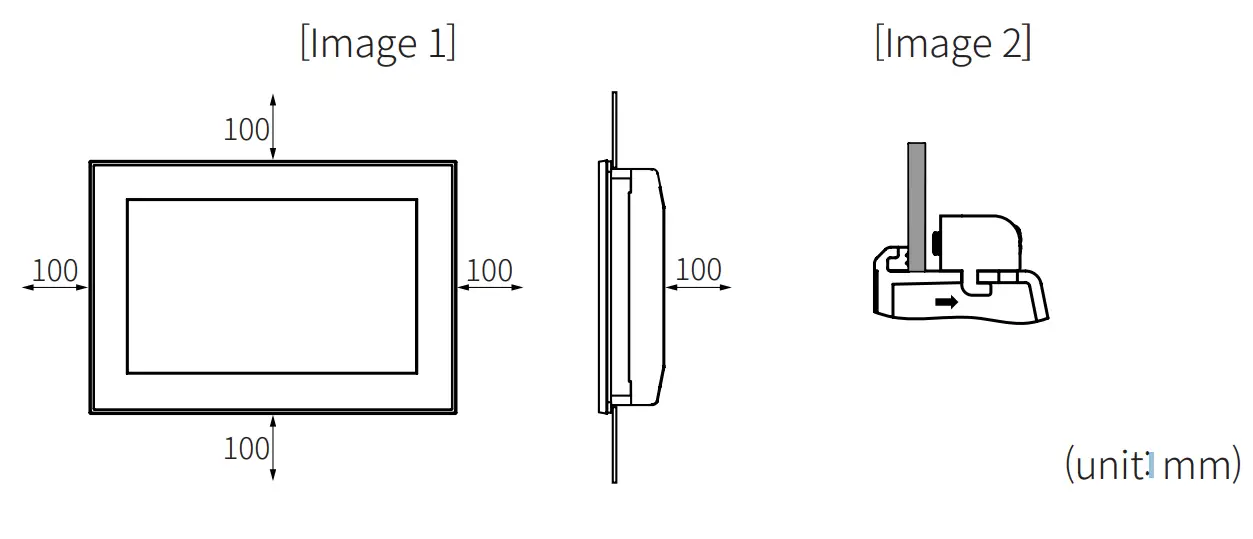
- Set the product in panel. (panel thickness: ≤ 4mm) When installing GP-A104 on panel, make 100mm of space from upper, lower, right, left side of the product on the panel and back side of panel. It is for preventing effect of electromagnetic waves and heat from other controllers. [Image 1]
- Set fixing brackets in the fixing bracket mounting slots. [Image 2]
- Tighten the fixing bracket with M4 Screw driver and tightening torque is 0.5 to 0.6N·m.
18, Bansong-ro 513Beon-gil, Haeundae-gu, Busan, Republic of Korea, 48002
www.autonics.com | +82-2-2048-1577 | [email protected]
 autonics.com