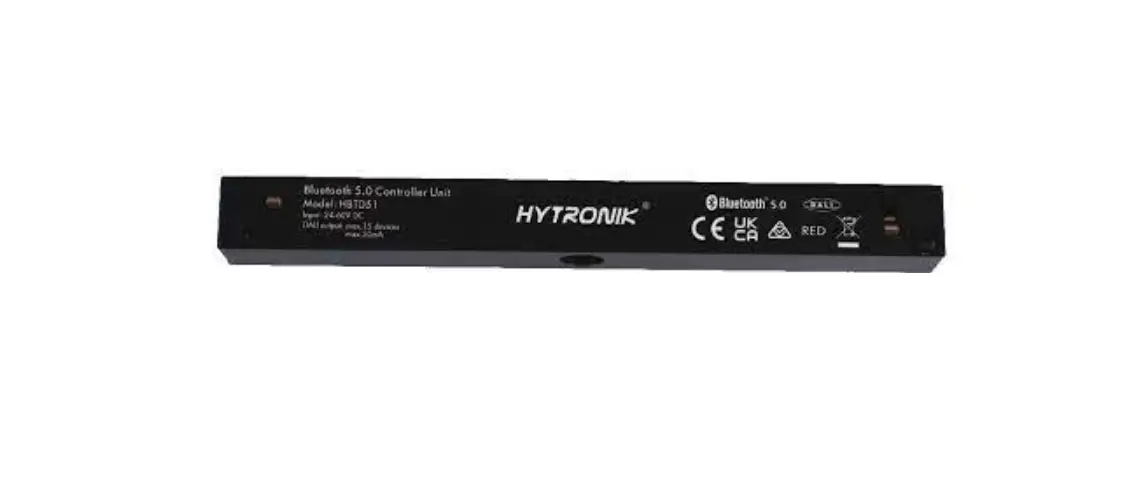
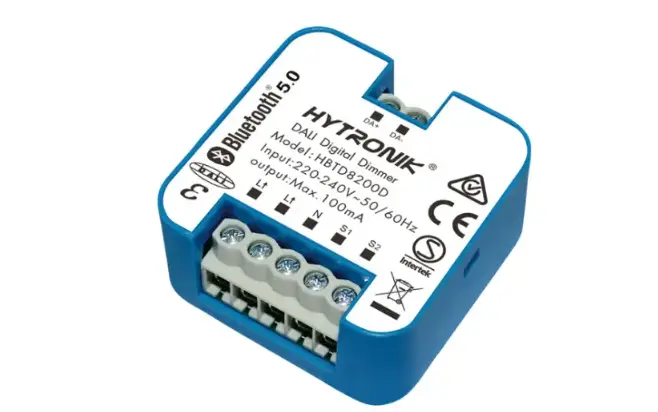
HBEM8200D/F Built mIn DALI to Bluetooth Converter Translator Module
Product Description
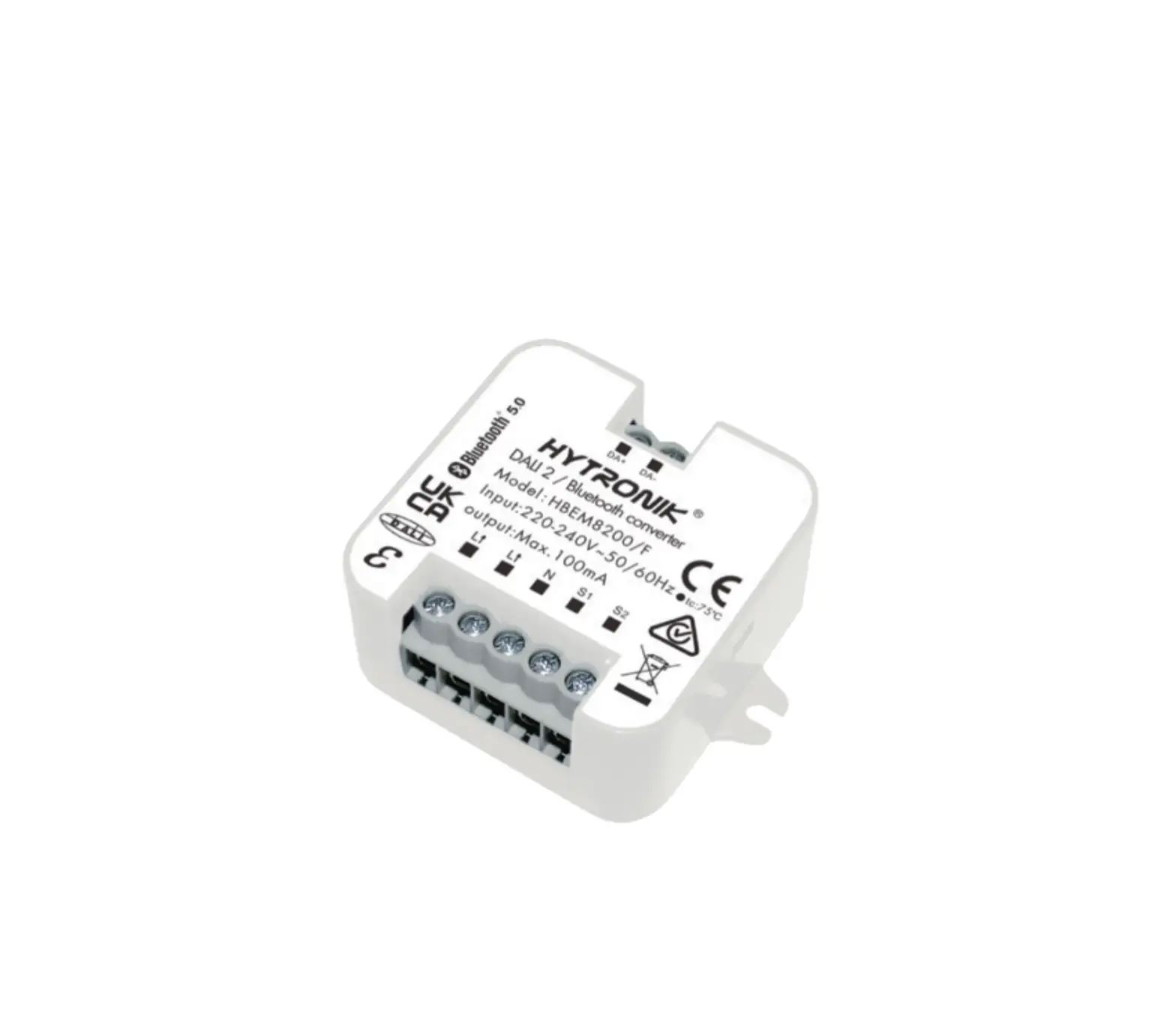
HBEM8200D/F is a DALI/Bluetooth convertor that allows you to
convert a standard DALI/DALI2 emergency driver output to Bluetooth
output. This enables you to manage and view the emergency system
through the high-end Koolmesh platform. You can enjoy all the
powerful and convenient features in Koolmesh platform, such as
scheduling a monthly self-test, checking the DALI/DALI2 emergency
drivers’ status, automatic email notification upon detecting fault,
and automatic monthly/yearly (functional/duration test) emergency
report generation. All the settings and parameters can be set in
both Koolmesh app and Koolmesh IOT platform.
App Features
- Floorplan feature to simplify project planning
- Grouping luminaires via mesh network
- DScenes Push switch configuration
- Schedule to run scenes based on time and date
- Astro timer (sunrise and sunset)
- Device firmware update over-the-air (OTA)
- rPower-on status (memory against power loss)
- Offline commissioning a Different permission levels via
authority management - Network sharing via QR code or keycode
- Remote control via gateway support HBGW01
- Interoperability with Hytronik Bluetooth product portfolio
- Compatible with EnOcean BLE switches
Hardware Features
- 100mA DALI broadcast output for up to 50 LED drivers
- Compact design
- 2 Push inputs for flexible manual control
- Short-circuit protection
- Overload protection
- 5-year warranty
Technical Specifications
- Bluetooth Transceiver:
- Operation frequency: 2.4 GHz – 2.483 GHz
- Transmission power: 4 dBm
- Range (Typical indoor): 10~30m
- Protocol: 5.0 SIG Mesh
- Environment:
- Operation temperature
- DCase temperature (Max.)
- Storage temperature
- Relative humidity
- IP rating
- Insulation
- Mechanical Structure & Dimensions:
- Operating voltage
- Stand-by power
- Load rating: 220~240VAC 50/60Hz
Note
Point to Point Control: 1pc HBEM8200D/F convertor for 1pc 3rd
party DALI/DALI2 emergency driver. Remote Control and Monitoring:
with Bluetooth gateway HBGW01, users can remotely control and
monitor emergency system via Koolmesh mobile/tablet app & web
app platform. HBEM8200D/F & 3rd Party standard DALI/DALI2
emergency driver does not need to connect to central DALI PSU.
HBEM8200D/F provides power supply to the 3rd party standard
DALI/DALI2 emergency driver.
Product Usage Instructions
Follow the below instructions to use HBEM8200D/F:
- Connect the HBEM8200D/F convertor to a standard DALI/DALI2
emergency driver. - Turn on the power supply for the HBEM8200D/F convertor and the
emergency driver. - Download and install the Koolmesh app on your smartphone or
tablet device. - Open the Koolmesh app and log in to your account.
- Pair your smartphone or tablet device with the HBEM8200D/F
convertor via Bluetooth. - You can now manage and view the emergency system through the
Koolmesh platform using your smartphone or tablet device.
Built-in DALI-to Bluetooth Converter/Translator Module
HBEM8200D/F
DALI
RED
Product Description
HBEM8200D/F is a DALI/Bluetooth convertor, which converts a standard DALI/DALI2
emergency driver output to Bluetooth output, so that user can view, edit and manage the
emergency system though high-end Koolmesh platform. User can then enjoy all the
powerful and convenient features in Koolmesh platform, such as scheduling a monthly self
test or annually self test in the app, checking the DALI/DALI2 emergency drivers’ status,
including automatic email notification upon detecting fault, automatic monthly/yearly (functional/duration test) emergency report generation etc. All the settings and parameters can be set in both Koolmesh app and Koolmesh IOT platform.
App Features Floorplan feature to simplify project planning Grouping luminaires via mesh network
DScenes Push switch configuration Schedule to run scenes based on time and date Astro timer (sunrise and sunset) Device firmware update over-the-air (OTA) rPower-on status (memory against power loss) Offline commissioning a Different permission levels via authority management Network sharing via QR code or keycode Remote control via gateway support HBGW01 Interoperability with Hytronik Bluetooth product portfolio f t Compatible with EnOcean BLE switches
Hardware Features 100mA DALI broadcast output for up to 50 LED drivers Compact design 2 Push inputs for flexible manual control Short-circuit protection Overload protection 5-year warranty
Continuous development in progress…
* Certain scenes which require external photocell can be achieved by using together with Hytronik Bluetooth sensors,such as HBIR29, HCD038/BT + sensor head etc.
5.0 SIG mesh
iOS
Android
for iOS
for Android
Smartphone app for both iOS & Android platform
for iPad Koolmesh Pro app for iPad
Fully support EnOcean self-powered switch module PTM215B (HBES01/W & HBES01/B)
Web
for Web Web app/platform: www.iot.koolmesh.com
Subject to change without notice.
Edition: 26 Oct. 2022 Ver. Draft Page 1/4
Note
Point to Point Control: 1pc HBEM8200D/F convertor for 1pc 3rd party DALI/DALI2 emergency driver.
Remote Control and Monitoring: with Bluetooth gateway HBGW01, users can remotely control and monitor emergency system via Koolmesh mobile/tablet app & web app platform.
HBEM8200D/F & 3rd Party standard DALI/DALI2 emergency driver does not need to connect to central DALI PSU. HBEM8200D/F provides power supply to the 3rd party standard DALI/DALI2 emergency driver.
Technical Specifications
Bluetooth Transceiver
Input & Output Characteristics
Operation frequency Transmission power Range (Typical indoor) Protocol
2.4 GHz – 2.483 GHz 4 dBm 10~30m
5.0 SIG Mesh
Environment Operation temperature
DCase temperature (Max.)
Storage temperature Relative humidity IP rating Insulation
Ta: -20°C ~ +50°C Tc: +75°C
-20°C ~ 60°C 20 ~ 90% IP20 Class II
rMechanical Structure & Dimensions
DA +
a DA —
22
Operating voltage Stand-by power Load rating
220~240VAC 50/60Hz <0.5W
100mA,16VDC (max. 50 devices)
Safety & EMC
EMC standard (EMC)
EN55015, EN61547 EN62479, EN61000
Safety standard (LVD)
IEC/EN 61058, AS/NZS 61058
Radio Equipment (RED) EN300 328, EN301489-1/-17, EN62479
Certification
Semko, CB, CE , EMC, RED, RCM
Wire Preparation
0.75 – 4mm 8mm
46 52.1 58
f L t L N
S1 S2
3.1 46
To make or release the wire from the terminal, use a
screwdriver to push down the button.
Wiring Diagram
DA
L
LED
N
LED
DA L L N S1 S2
DA L L N S1 S2
L
DA
N
LED LED
S1 S2
Subject to change without notice.
Edition: 26 Oct. 2022 Ver. Draft Page 2/4
Normal Mode
It is the mode in which mains supply is available, with the battery charged or charging. In this mode, HBEM8200D/F is a standard Bluetooth dimmer with DALI broadcasting function, also with ability to create scenes and controllable by motion sensor, Push switch, schedules and app.
Emergency Mode
It is the mode in which mains supply has failed and whilst the control gear is powered by the battery until deep discharge point. In this mode, HBEM8200D/F is unable to be controlled by motion sensor, Push switch, schedules and app. However, some emergency parameters can still be conjured via the app, such as time scheduled for self-test, duration for extended emergency mode etc.
Rest Mode
It’s the mode in which the luminaires are intentionally off whilst the control gear is powered by the battery. To enter this mode, the prerequisite is that there is no mains supply. In this mode, the luminaires will be turned off automatically and HBEM8200D/F is powered by the battery. If the luminaires are forced to turn on in this mode, HBEM8200D/F will then be adjusted to emergency mode. When mains supply is recovered, HBEM8200D/F will return to normal mode.
Inhibit Mode
DIt is the mode in which HBEM8200D/F is powered from mains but prevented from going into emergency mode in the event mains failure. Please
enter this mode only in special applications whereby emergency functions is not needed, such as when electricians need to cut off power supply when doing examinations and maintenance work of HBEM8200D/F.
rExtended Emergency Mode
It is the mode in which the control gear continues to operate the luminaires in the same way as in emergency mode for the programmed prolong time after the restorations of the mains supply. When this mode is enabled, HBEM8200D/F will remain in emergency mode even when mains supply is recovered. In this mode, the user must set the time extended for emergency mode; when the time extended elapses, HBEM8200D/F will
a return to normal mode.
Self test (Monthly)
f HBEM8200D/F carries out routine test on emergency lighting based on pre-programmed time via the app & web app platform or after receiving t manual commands from the app & web app platform. During the self test process, tests for load connections (such as open circuit, short-circuit) and
battery connections (such as open circuit, short-circuit, polarity reversal etc.) will be carried out.
All the DALI emergency drivers Self Test feedbacks, results and related Events (Such as the open circuit and short circuit of the load connection, open circuit and short circuit for battery connection) are generated by the driver itself, the HBEM8200D/F convertor will only retrieve the data from the emergency driver and translate the DALI feedback into Bluetooth Mesh data correctly and accurately and display to the end user interface (App and Web app Platform). It will not contain any Emergency Self Test circuit in the products itself.
Self test (Annually)
The test is carried out mainly to check the battery level. The user must make sure that the battery for DALI emergency driver is fully charged before HBEM8200D/F carries out annual test. Also, the battery lifetime statistics will be analysed and displayed on a chart basis.
Push switch function
Users can connect Push switch to HBEM8200D/F to achieve multiple functions such as manually trigger monthly self test, annually self test, invalid and back to normal mode. Those options can be selected in Koolmesh app Push swich settings.
Subject to change without notice.
Edition: 26 Oct. 2022 Ver. Draft Page 3/4
Dimming Interface Operation Notes
Switch-Dim
The provided Switch-Dim interface allows for a simple dimming method using commercially available non-latching (momentary) wall switches. Detailed Push switch configurations can be set on Koolmesh app.
Switch Function Push switch Simulate sensor Emergency Self-Test Function
Action Short press (<1 second)
* Short press has to be longer than 0.1s, or it will be invalid.
Double push
Long press (1 second)
/ Short press (<1 second)
* Short press has to be longer than 0.1s, or it will be invalid.
Long press (1 second)
Descriptions
– Turn on/off – Turn on only – Turn off only
– Recall a scene – Quit manual mode – Do nothing
– Turn on only – Turn off only – Recall a scene
– Dimming – Colour tuning – Do nothing
– Quit manual mode – Do nothing
– Upgrade a normal on/off motion sensor to a Bluetooth controlled motion sensor
– Start Self test (Monthly) – Start Self test (Annually)
– Stop Self test
– Invalid
– Start Self test (Monthly) – Start Self test (Annually)
– Stop Self test
– Invalid
Additional Information / Documents
1.To learn more about detailed product features/functions, please refer to www.hytronik.com/download->knowledge ->Introduction of App Scenes and Product Functions
2. Regarding precautions for Bluetooth product installation and operation, please kindly refer to www.hytronik.com/download ->knowledge ->Bluetooth Products – Precautions for Product Installation and Operation
3. Data sheet is subject to change without notice. Please always refer to the most recent release on www.hytronik.com/products/bluetooth technology ->DALI-to Bluetooth Converter/Translator Module
4. Regarding Hytronik standard guarantee policy, please refer to www.hytronik.com/download ->knowledge ->Hytronik Standard Guarantee Policy
Subject to change without notice.
Edition: 26 Oct. 2022 Ver. Draft Page 4/4
 Catalogue_Hytronik
 iot.koolmesh.com