 Installation and Instruction Manual
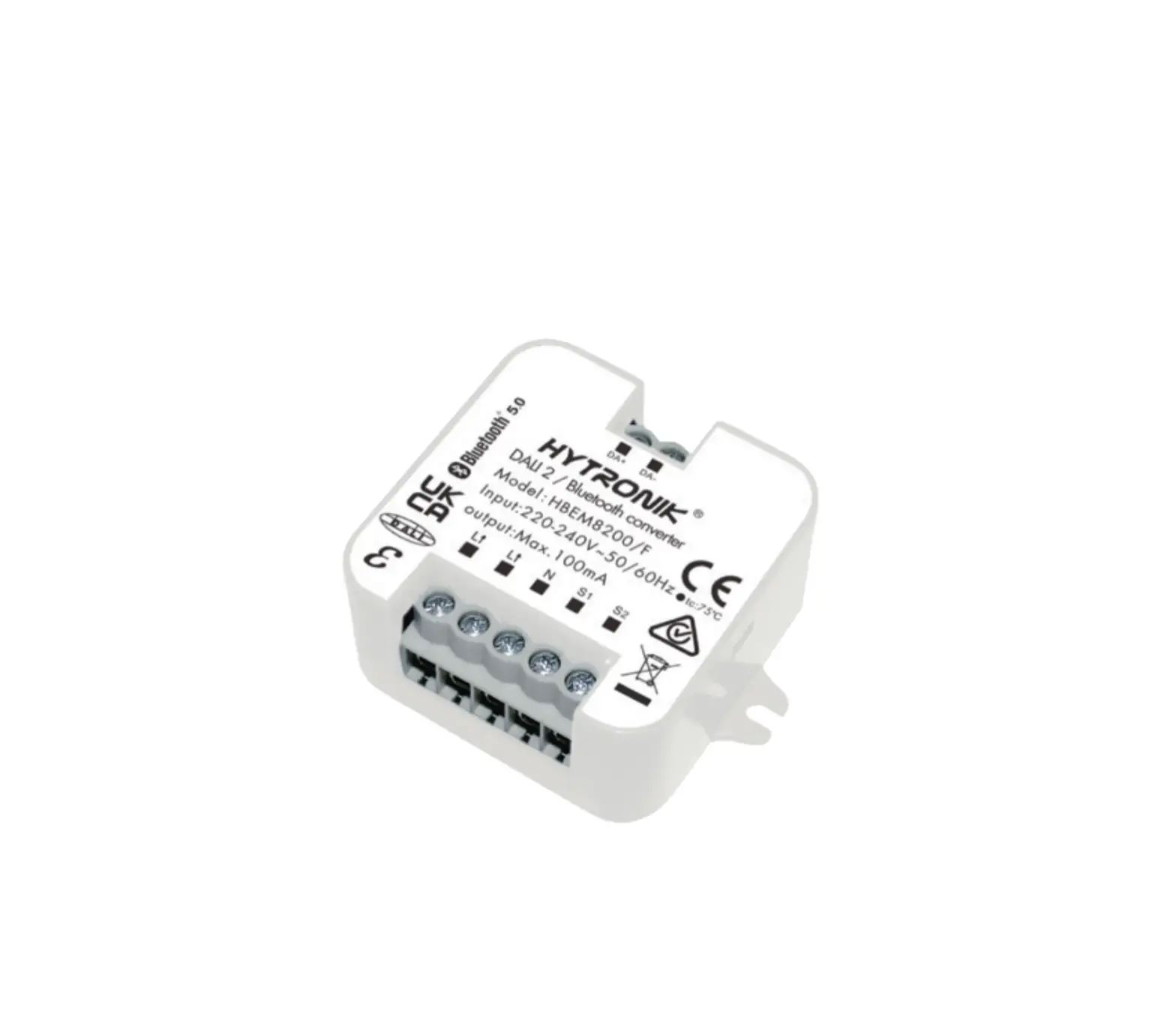
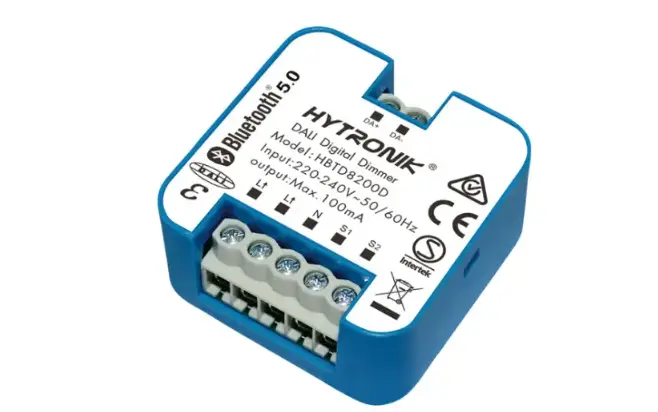
DALI-to-Bluetooth Converter / Translator Module
HBEM8200D/F
Technical Specifications
| Product type | Max.100mA, 50 devices |
| Mains voltage | Built-in DALI-to-Bluetooth Converter / Translator Module |
| Rated load | 220~240VAC 50/60Hz |
| Operation frequency | 2.4 GHz – 2.483 GHz |
| Transmission power | 4 dBm |
| Range (Typical) | 10 ~ 30m |
| Protocol |  5.0 SIG Mesh 5.0 SIG Mesh |
| Operation temperature | Ta: -20°C ~ +50°C |
| Case temperature (Max.) | Tc: +75°C |
| Storage temperature | -20°C ~ +60°C |
| Max. relative humidity | 20 ~ 90% |
| IP rating | IP20 |
| Impulse withstand voltage | 2.5KV |
| Duty type | PTI material group IIIa |
| Insulation material | S1 |
| Glow wire | level 3, 850°C |
| Protection | Built-in protection provide |
| Insulation | Class II |
| EMC standard (EMC) | EN55015, EN61547, EN61000-3-2, EN61000-3-3 |
| Safety standard (LVD) | IEC 61058-1, EN 61058-1, IEC 61058-1-2 EN 61058-1-2, AS/NZS 61058.1 |
| Radio Equipment (RED) | EN300 328, EN301489-1, EN301489-17, EN62479 |
Download the App
Free App for set-up and commissioning
 Smartphone app for both iOS & Android platform
https://apps.apple.com/cn/app/koolmesh/id1483721878
https://play.google.com/store/apps/details?id=com.koolmesh.sig Koolmesh Pro app for iPad
https://apps.apple.com/cn/app/koolmesh/id1570378349 Web app/platform: www.iot.koolmesh.com
Installation
 Warnings:
- Installation must be carried out by a qualified engineer in accordance with local regulations.
- Disconnect power supply before installing.
- Ensure environmental conditions are suitable for electronic equipment.
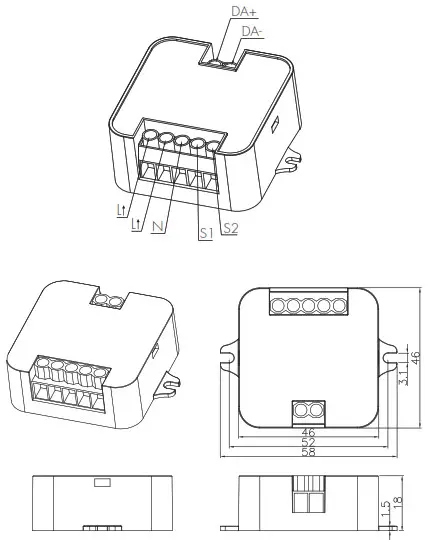 Wire Preparation
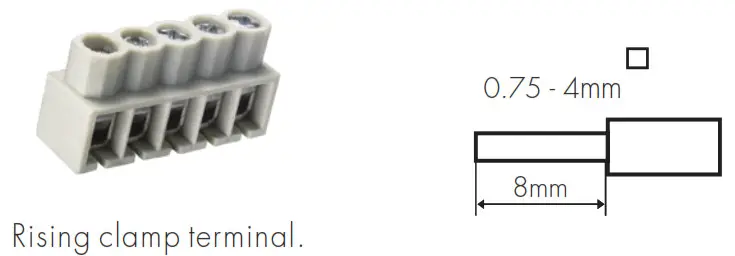 To make or release the wire from the terminal, use a screwdriver to push down the button.
- 200 metres (total) max. for 1mm² CSA (Ta = 50 ℃)
- 300 metres (total) max. for 1.5mm² CSA (Ta = 50 ℃)
Wiring Diagram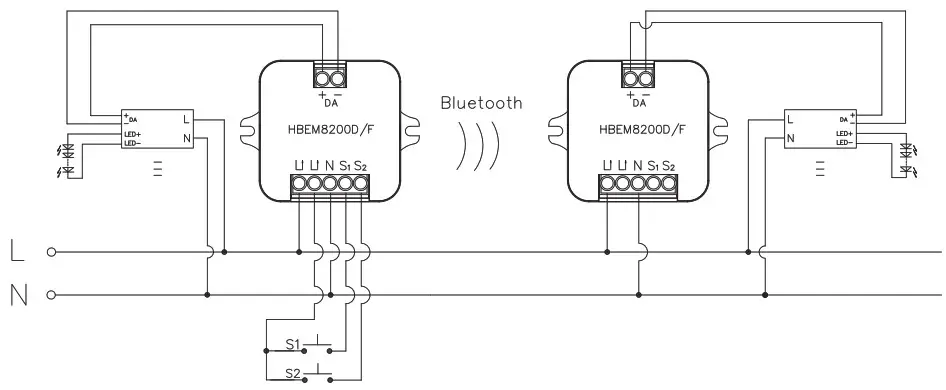
Dimming Interface Operation Notes
Switch-Dim
The provided Switch-Dim interface allows for a simple dimming method using commercially available non-latching (momentary) wall switches. Detailed Push switch configurations can be set on Koolmesh app.
| Switch Function | Action | Descriptions |
| Push switch | Short press (< 1 second’) * Short press has to be longer thon 0.1s, or it will be invalid. | – Turn on/off – Recall a scene – Turn on only – Quit manual mode – Turn off only – Do nothing |
| Double push | – Turn on only – Quit manual mode – Turn off only – Do nothing – Recall a scene | |
| Long press (1 second) | – Dimming – Colour tuning – Do nothing | |
| Sensor-link | / | – Upgrade a normal on/off motion sensor to a Bluetooth controlled motion sensor |
| Emergency Self-Test Function | Short press (c 1 second’ * Short press has to be longer than 0.1s, or it will be invalid. | – Start Self test( Monthly) – Start Self test (Annually’ – Stop Self test – Invalid |
| Long press (11 second) | – Start Self test (Monthly) – Start Self test (Annually) – Stop Self test – Invalid | |
| Fire Alarm (VFC signal only) | Refer to  App User Manual V2.1 App User Manual V2.1 | – Able to connect the Fire Alarm system – Once the fire alorm system is triggered, all the luminaries controlled by the Push Switch will enter the preset scene (normally it’s full on’, after the fire alarm system gives the ending signal, all the luminaries controlled by this Push Switch will revert back to normal status. |
Functions
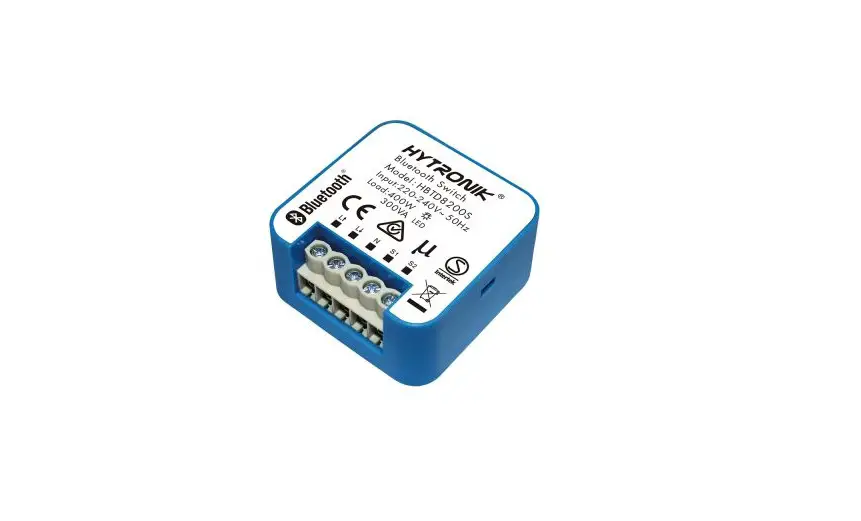
Point to Point Control: 1pc HBEM8200D/F convertor for 1pc 3rd party DALI/DALI2 emergency driver. This module converts a standard DALI/DALI2 emergency driver output to Bluetooth output, so that user can view, edit and manage the emergency system through high-end Koolmesh platform. User can then enjoy all the powerful and convenient features such as scheduling a monthly self test or annually self test in the app, checking the DALI/DALI2 emergency drivers’ status, including automatic email notification upon detecting fault, automatic monthly/yearly (functional/duration test) emergency report generation etc. All the settings and parameters can be set in both Koolmesh app and Koolmesh IOT platform.
Remote Control and Monitoring: with Bluetooth gateway HBGW01, users can remotely control and monitor emergency system via Koolmesh mobile/tablet app & web app platform.
* HBEM8200D/F & 3rd Party standard DALI / DALI2 emergency driver does not need to connect to central DALI PSU. HBEM8200D/F provides power supply to the 3rd party standard DALI/DALI2 emergency driver.
* Users can use Koolmesh app to control their standard DALI/DALI2 emergency driver and set the parameter configuration in the app such as monthly test, annually test. In Koolmesh app, there are four modes which allow users to switch the status of the emergency device and carry out self test for all the emergency devices on the network level.
More details, please refer to www.koolmesh.com/app-highlights -> Emergency User Manual
Additional Information / Documents
- To learn more about detailed product features/functions, please refer to www.hytronik.com/download ->knowledge ->Introduction of App Scenes and Product Functions
- Regarding precautions for Bluetooth product installation and operation, please kindly refer to www.hytronik.com/download ->knowledge ->Bluetooth Products – Precautions for Product Installation and Operation
- Data sheet is subject to change without notice. Please always refer to the most recent release on www.hytronik.com/products/bluetooth technology ->Bluetooth Sensor ->Receiver Nodes
- Regarding Hytronik standard guarantee policy, please refer to www.hytronik.com/download ->knowledge ->Hytronik Standard Guarantee Policy
WWW.HYTRONIK.COM
HBEM8200D/F-20230221-A0
 Catalogue_Hytronik
 iot.koolmesh.com
 App customization | Koolmesh