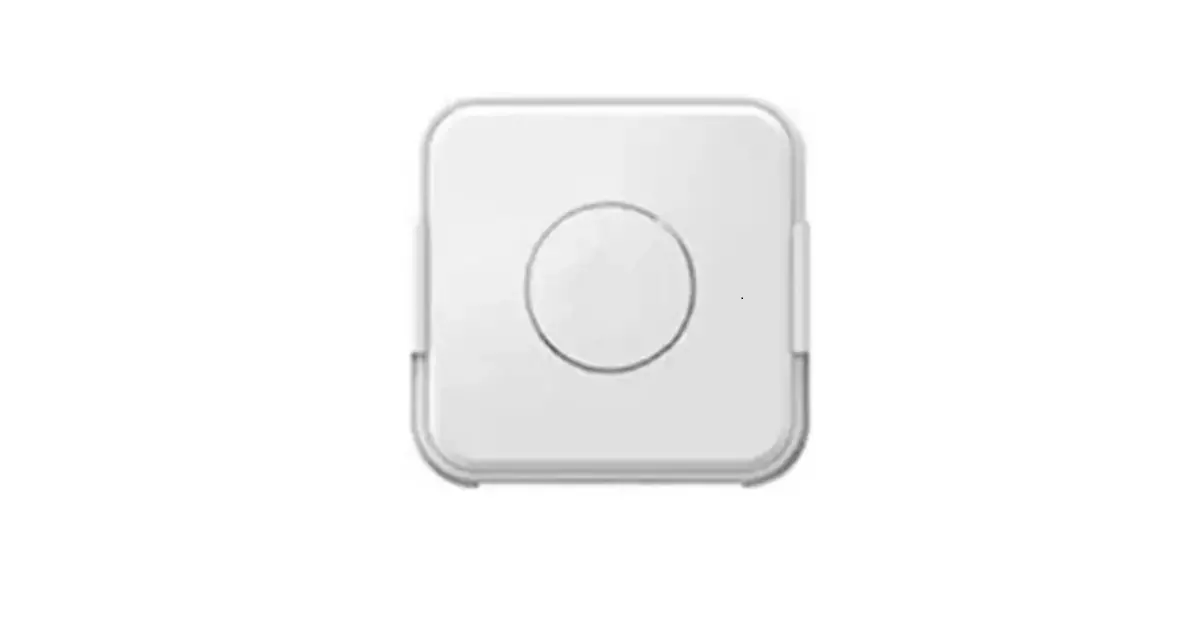
MCF-LW06010 4 Channel 0-10V To LoRaWAN Interface
Product Information
| Product Name | MCF-LW06010 |
|---|---|
| Description | MCF-LW06010 is a device that can read 4 analog inputs ranging from 0-10V with a resolution of 12 bit. The inputs are insulated at 1000Vdc with respect to the power supply and are protected against polarity inversion. |
| Manufacturer | m2m Germany GmbH |
| Manufacturer Address | Am Kappengraben 18-20, 61273 Wehrheim |
| Manufacturer Contact | 06081 5873860 |
Product Usage Instructions
1. Installation
1.1 Power Connection as Stand-Alone Device
Please refer to the following connections:
| Pin | Name | Description |
|---|---|---|
| J3.9 | GND | Negative power supply (BLACK) |
| J3.10 | VDD | Positive power supply range [10-36Vdc] (RED) |
Power can also be supplied by USB.
1.2 Power Connection with DIN Rail Option
Please refer to the following connections:
| Pin | Name | Description |
|---|---|---|
| J3.9 | GND | Negative power supply (BLACK) |
| J3.10 | VDD | Positive power supply range [10-36Vdc] (RED) |
2. Analog Inputs
| Pin | Name | Description | Range | Resolution |
|---|---|---|---|---|
| J1.1AI1 | Analog input 1 | 10-10V | 12 bit | |
| J1.3AI2 | Analog input 2 | 0-10V | 12 bit | |
| J1.5AI3 | Analog input 3 | 30-10V | 12 bit | |
| J1.7AI4 | Analog input 4 | 0-10V | 12 bit |
Input resistance: Voltmetric (0-10V) 20K
Absolute maximum value: 12V
Max error: Insulation
Caution: Inputs are not galvanically isolated
from each other.
3. Configuration
Before connecting the device for the first time, please install
LoRaBridge applications and drivers from
iot.mcf88.cloud/LoRaWeb.
Validate your settings by reading data after the write. enginko
provides user manuals, JavaScript examples, downlink generator,
uplink decoder, firmware updates, and different tools upon free
registration.
4. Setup
4.1 Period
Period is the interval (in minutes) between each measurement.
The sensor sends one measurement for every transmission. The value
can be set between 15 and 65535 minutes (default: 30 minutes). The
period interval can be set using LoRaWEB or with a downlink
command.
4.2 Thresholds
On the MCF-LW06010, it is possible to set 4 thresholds for each
channel:
- Th+: Threshold High Rising
- Th-: Threshold High Falling
- Tl+: Threshold Low Rising
- Tl-: Threshold Low Falling
When target values are rising and exceed the positive
thresholds, the device sends an uplink with the latest measurement.
When values are falling below the negative thresholds, the device
sends a new uplink with the latest measurement. Thresholds can be
enabled, disabled, and changed via USB with LoRaWEB or with
downlinks.
5. Firmware Update
To update the firmware, save the new firmware file (.exe) on
your PC. Run the file, select the USB FW port, and start the
update. Wait for the end message.
Table of Contents
MCF-LW06010 Operating Manual
Important safety information Read this manual before attempting to install the device! Failure to observe recommendations included in this manual may be dangerous or cause a violation of the law. The manufacturer will not be held responsible for any loss or damage resulting from not following the instructions of this operating manual. Do not dismantle or modify in any way.
Avoid mechanical stress Do not use any detergent or alcohol to clean the device. Disposal information for users
Pursuant to and in accordance with Article 14 of the Directive 2012/19/EU of the European Parliament on waste electrical and electronic equipment (WEEE), and pursuant to and in accordance with Article 20 of the Directive 2013/56/EU of the European Parliament on batteries and accumulators and waste batteries. The barred symbol of the rubbish bin shown on the equipment indicates that, at the end of its useful life, the product must be collected separately from other waste. Please note that the lithium batteries must be removed from the equipment before it is given as waste and disposed separately. To remove the batteries refer to the specifications in the user manual. For additional information and how to carry out disposal, please contact the certified disposal service providers.
1. Description
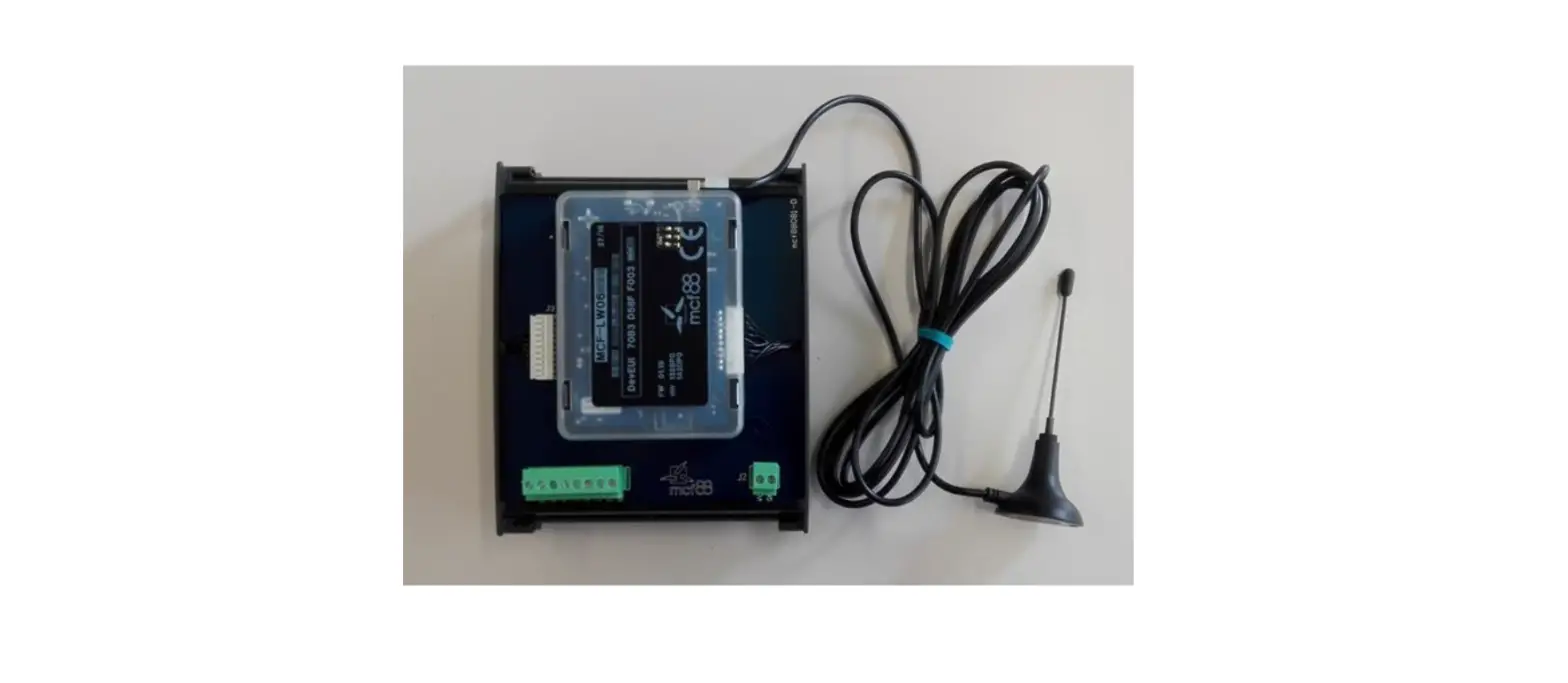
MCF-LW06010 is able to read 4 analog inputs 0-10V with a resolution of 12 bit. The inputs have an insulation of 1000Vdc with respect to the power supply, and are protected against polarity inversion.
m2m Germany GmbH | Am Kappengraben 18-20 | 61273 Wehrheim | 06081 5873860
MCF-LW06010 is available with DIN rail option (MCF-DIN105):
2. Overview
2.1 Technical data CPU Cortex M4 RTC EEProm 32KB Flash 1MB Encryption AES 128 bit LiPo 800mAh rechargeable battery Class C LoRaWAN® stack EU868, AS923, AU915, US915 1000Vdc isolated analog inputs 4 analog voltage inputs 0-10V 12bits 4programable thresholds for each channel USB On The Go IoT node setup ad firmware upgrade via USB interface Power supply 10÷36Vdc Storage temperature range -20°C ÷ +80°C Working temperature range -10°C ÷ +70°C Dimensions L x H X P: 81 x 60 x 50mm
3 Installation
3.1 Connection 3.1.1 Power connection as stand-alone device Please refer to following connections:
m2m Germany GmbH | Am Kappengraben 18-20 | 61273 Wehrheim | 06081 5873860
pin Name Description J3.9 GND Negative power supply (BLACK) J3.10 VDD Positive power supply range [10-36Vdc] (RED) Power can also be supplied by USB. 3.1.2 Power connection with DIN rail option Please refer to following connections:
Power supply: Pin Name Description J2.1Vdc Positive power supply range [10-36Vdc] J2.2GND Negative power supply Power can also be supplied by USB. 3.1.3 Antenna The magnetic antenna must be positioned on ametal body. It should preferably be vertical and at least 30 cm away from other metal bodies. The installation must take place in a place where the LoRaWAN® signal coverage is good (SF=7 optimal, SF=12 weak). Use the provided clip to hold the antenna connector in place, as in the picture:
3.2Analog inputs
m2m Germany GmbH | Am Kappengraben 18-20 | 61273 Wehrheim | 06081 5873860
Pin Name Description Range Resolution
J1.1AI1 Analog input 10-10V 12bit J1.2GA Common
J1.3AI2 Analog input 2 0-10V 12bit J1.4GA Common
J1.5AI3 Analog input 30-10V 12bit J1.6GA Common
J1.7AI4 Analog input 4 0-10V 12bit J1.8GA Common
Input resistance
Voltmetric (0-10V) 20K
Absolute maximum value 12V
Max error Insulation
±0.1% 1000Vdc
Caution: inputs are not galvanically isolated from each other.
3.3 Configuration
To deploy the sensor, use LoRaWEB online tool, to setup LoRaWAN® credentials and other preferences (only available for Windows®) :
(iot.mcf88.cloud/LoRaWeb) Before connect the device the first time, please install LoRaBridge applications and drivers:
Validate your settings reading data after the write. enginko provides, upon free registration, user manuals, javascript examples, downlink generator, uplink decoder, firmware updates and different tools :
3.4 System led
LoRaWAN® not configured Joining Sending
Receiving
Slow flashing Quick flashing Quick flashing
Quick flashing
m2m Germany GmbH | Am Kappengraben 18-20 | 61273 Wehrheim | 06081 5873860
Data error Connection error
Fixe Flashing 2 seconds Flashing 1 second
3.5 Firmware update Save the new firmware file (.exe) on the PC, run the file, select the USB FW port and start the update:
and waiting for the end message.
4. Setup
4.1 Period
Period is the interval (in minutes) between one measure and the next one. The sensor sends one measures for every transmission. Value can be between 15 and 65535 minutes (default: 30 minutes). Period interval can be set with LoRaWEB or with downlink command. 4.2 Thresholds
m2m Germany GmbH | Am Kappengraben 18-20 | 61273 Wehrheim | 06081 5873860
On the MCF-LW06010 is possible to set 4 thresholds for each channel: Th+ = Threshold High Rising Th- = Threshold High Falling Tl+ = Threshold Low Rising Tl- = Threshold Low Falling
When target values are rising and exceed the positive thesholds, the device sends an uplink with the the latest measure. Whenvalues are falling below the negative thresholds, the device sends anew uplink with the latest measure. Thresholds can be enabled, disabled and changed va USB with LoRaWEB or with downlinks:
m2m Germany GmbH | Am Kappengraben 18-20 | 61273 Wehrheim | 06081 5873860
4.3 Other settings
DST: set to change DST (default: none). Time sync uplink: set to disable time synchronization request (default: enabled).
Normally sensor asks for atime sync at every power on (uplink starting with 01) or once aweek. If no or wrong reply received, it will retry after 1 week. Ifnot handled in the right way can generate unnecessary traffic on the network.
Please check chapter 2.1
.
Confirmed Uplinks: set for unconfirmed uplinks (default: confirmed uplink).
Single join/day: set for to allow only one join per day (default: multiple join allowed). LED working: Set OFF to turn off the diagnostic led.
USB: Internal use.
5. Diagnostic
m2m Germany GmbH | Am Kappengraben 18-20 | 61273 Wehrheim | 06081 5873860
Press Check to see the analog values.
6 LoRaWAN network
The sensor is compliant with LoRaWAN® specification 1.0.2, regional 1.0.2b.
6.1 Activation The device supports the following activations on a LoRaWAN® network:
1. NONE: sensor not activated 2. OTAA: the JoinEUI and the AppKey not setted, must be written to the device; 3. OTAA MCF88: Over the air activation, fixed keys: JoinEUI = 904e915000000002, AppKey on request; 4. OTAA ENGINKO: Over the air activation, fixed keys: JoinEUI = 904e915000000002, AppKey on request; 5. ABP: requires writing to the device of NwkSkey, AppSkey, DevAddr.
m2m Germany GmbH | Am Kappengraben 18-20 | 61273 Wehrheim | 06081 5873860
The device exits factory activated with NONE mode. On request devices can be shipped aleady activated. Note: in OTAAAppKey iswrite only, in reading the field will always be empty, even if set. 6.2 Other settings Network settings: pleasekeep “Any” settings. Change it only if Objenious network isused (default_ any). Network type: LoRa syncword can be setted as “private”(0x12) instead “public” (0x34), butthe NS must be setted accordingly(default: public). Band: select the right LoRaWAN ® band settings accodingly to country requirements.
7 Passwords
The device can be protected by passwords, to avoid unauthorized persons to read data or modify parameters. As default passwords are equal to 0. Allowedvalues range from 0 to 999999999 (only numbers). To change the passwords, set the new values with LoRaWEB:
Once the passwords are setted, to gain access from LoRaWEB to the sensor, set the right values before reading from the device:
m2m Germany GmbH | Am Kappengraben 18-20 | 61273 Wehrheim | 06081 5873860
To bring back the sensor to factory default and reset the passwords, a reset code must be requested to enginko (please provide the DevEUI of the sensor when you ask for that code).
8 General configuration file
WIth LoRaWEB is possible to configure the device using an XML file, instead to manually adjust the parameters (for details about the file format please ask to enginko). This is very useful especially in case of multiple devices configuration. With “Save” button an XML file with the actual configuration of the sensor will be generated. This is useful to store or clone the configuration, or to send it to enginko’s support if needed.
8.1 Multi devices configuration WIth LoRaWEB is possible to configure many devices in an easy way. For multi-configuration is needed at least one XML file with the parameters to set. Settings on this file will be applied to all the sensors. With an additional XLS file is possible to load different LoRa configuration parameters (Activation Type, AppKey, AppEUI, NetKey, DevAddress, Band, Private option) for each sensor, based on DevEUI. XLS is prevailing on the XML, so if both files are enabled, if the DevEUI of the device matches one of the DevEUIs in the XLS file, LoRa parameters will be setted from this one. These configuration can be done in the in the Settings:
Use of the general configuration by file; Use of the specific configuration by file.
m2m Germany GmbH | Am Kappengraben 18-20 | 61273 Wehrheim | 06081 5873860
For details on files format please ask to enginko.
9 Payload
For payload descriptions, uplinks and downlinks format and available commands please refer to this document:
10 Ordering code
Code
Description
MCF-LW06010 0-10V to LoRaWAN® interface EU863-870
MCF-LW06010-AS 0-10V to LoRaWAN® interface AS920-925
MCF-LW06010-US 0-10V to LoRaWAN® interface US902-928
MCF-LW06010-AU 0-10V to LoRaWAN® interface AU915-928
For payload descriptions, uplinks and downlinks format and available commands please refer to this document:
11 Declaration of conformity
Hereby, enginko Srl declares that MCF-LW06010 complies with the essential requirements and other relevant provisions of Directive 2014/53/EU.
12 FCC compliance for MCF-LW06010-US
This device complies with part 15 of the FCC Rules. Operation is subject to the following two conditions: (1) This device may not cause harmful interference, and (2) this device must accept any interference received, including interference that may cause undesired operation. This equipment has been tested and found to comply with the limits for a Class B digital device, pursuant to part 15 of the FCC Rules. These limits are designed to provide reasonable protection against harmful interference in a residential installation. This equipment generates, uses and can radiate radio frequency energy and, if not installed and used in accordance with the instructions, may cause harmful interference to radio communications. However, there is no guarantee that interference will not occur in a particular installation. If this equipment does cause harmful interference to radio or television reception, which can be determined by turning the equipment off and on, the user is encouraged to try to correct the interference by one or more of the following measures:
Reorient or relocate the receiving antenna. Increase the separation between the equipment and receiver. Connect the equipment into an outlet on a circuit different from that to which the receiver is connected. Consult the dealer or an experienced radio/TV technician for help. Any changes or modifications not expressly approved by the party responsible for compliance could void the user’s authority to operate this equipment. Contains FCC ID: 2AWAL409810
13 Contacts
m2m Germany GmbH | Am Kappengraben 18-20 | 61273 Wehrheim | 06081 5873860
enginko Srl Via Roma 3 I-28060 Sozzago (NO) T : +39 0321 15 93 088 E :[email protected] PEC:[email protected] W:enginko.com rev.0
m2m Germany GmbH | Am Kappengraben 18-20 | 61273 Wehrheim | 06081 5873860
 Home - Enginko