
enginko MCF-LW06CNT LoRaWAN Interface
DESCRIPTION
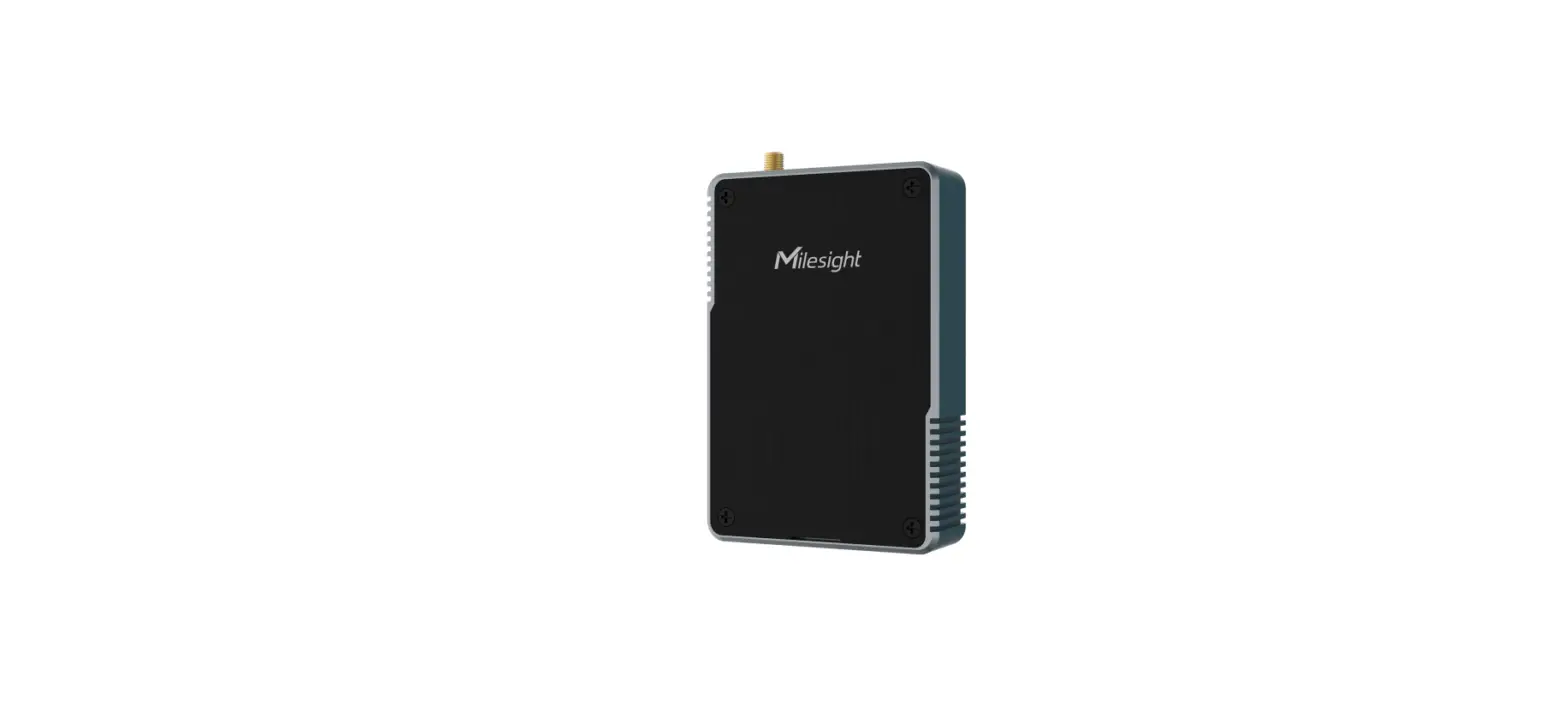
MCF-LW06CNT is a LoRaWAN™ interface with one optoisolated digital input that can be used to count pulses or to measure a frequency, up to 2KHz, from 5V to 36V. This allows to read any devices with pulse output interface or measure frequency or speed, like a tachometer.
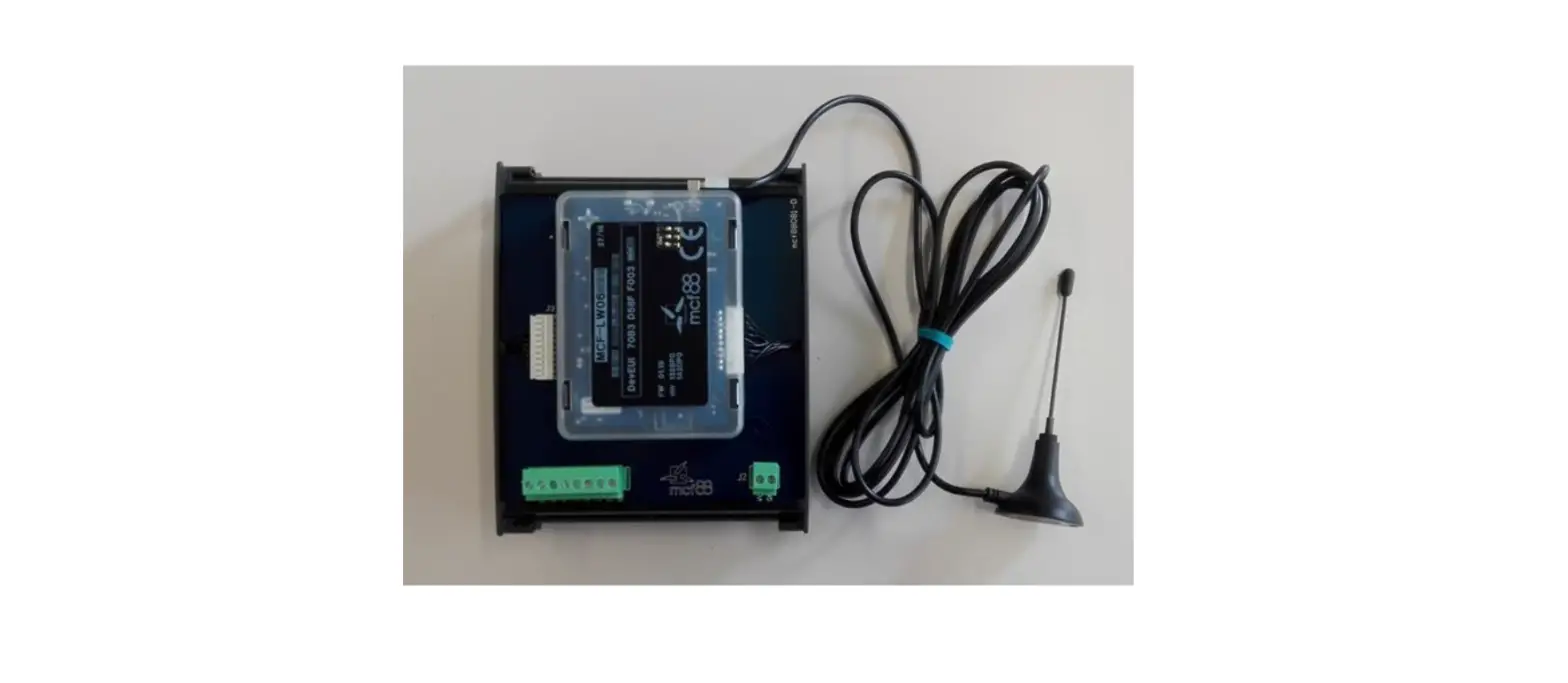
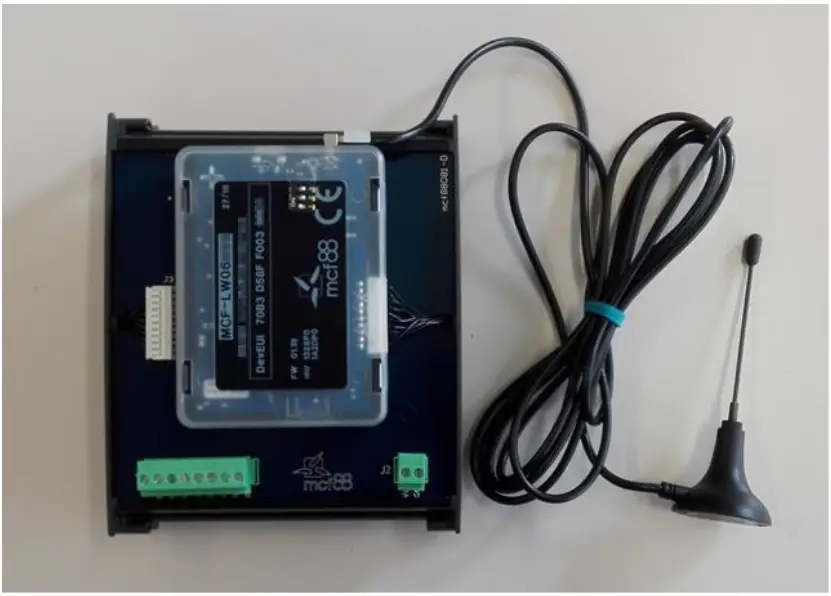
MCF-LW06CNT is available with DIN rail option as follow:
CONNECTION OF THE DEVICE
Connection as stand-alone device: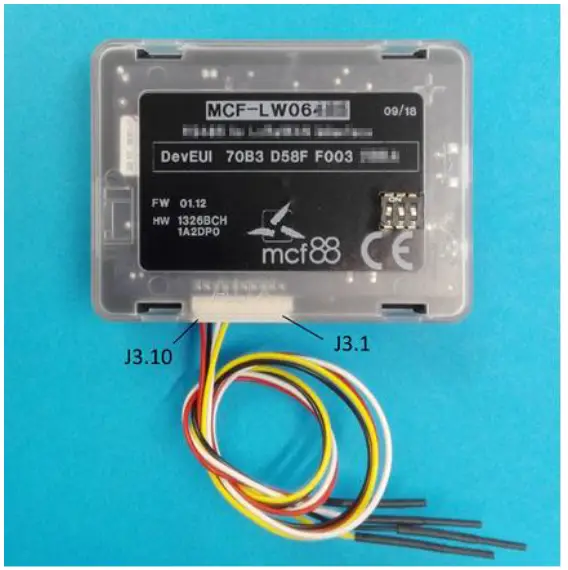
| Pin | Name | Description |
| J3.1 | ||
| J3.2 | ||
| J3.3 | ||
| J3.4 | ||
| J3.5 | ||
| J3.6 | ||
| J3.7 | IO5 | Input positive – yellow wire (5V to 36V) |
| J3.8 | IO6 | Input negative – white wire |
| J3.9 | GND | Negative power supply |
| J3.10 | VDD | Positive power supply range [10-36Vdc] |
Power can also be supplied by USB.
Connection with DIN rail option: 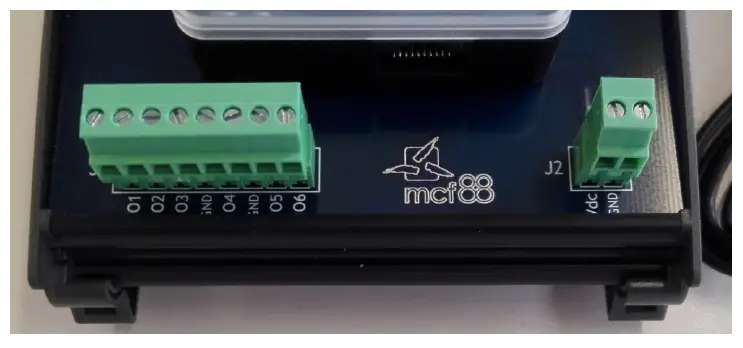
Input:
| Pin | Name | Description |
| J1.1 | ||
| J1.2 | ||
| J1.3 | ||
| J1.4 | ||
| J1.5 | ||
| J1.6 | ||
| J1.7 | IO5 | Input positive (5V to 36V) |
| J1.8 | IO6 | Input negative |
Power supply:
| Pin | Name | Description |
| J2.1 | VDD | Positive power supply range [10-36Vdc] |
| J2.2 | GND | Negative power supply |
Input characteristics:
| Maximum frequency (Dip 1 OFF) | 2200Hz* |
| Maximum frequency (Dip 1 On) | 150Hz* |
| Optoinsulation | 300V |
| Off voltage | 0÷2V |
| On Voltage | > 4V |
| Maximum input voltage | 40V |
| Maximum reverse voltage | 40V |
| Input resistance | 6600Ω |
| Internal voltage drop | 2V |
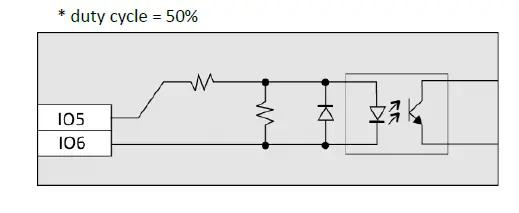
Dip switches: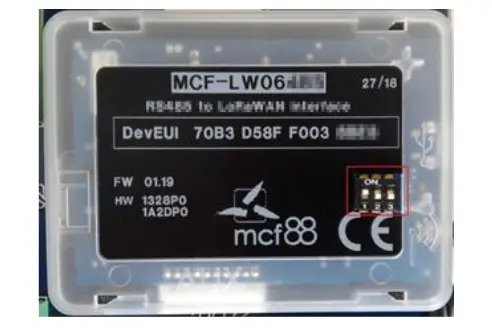
- dip1 ON/OFF = hardware filter 100Hz/1KHz
- dip2 ON/OFF = Internal polarization to 5V
- dip3 ON/OFF = Internal polarization to 3V
Avoid dip2 and dip3 ON at the same time.
LORAWAN™ ACTIVATION
The device supports the following activations on a LoRaWAN ™ network:
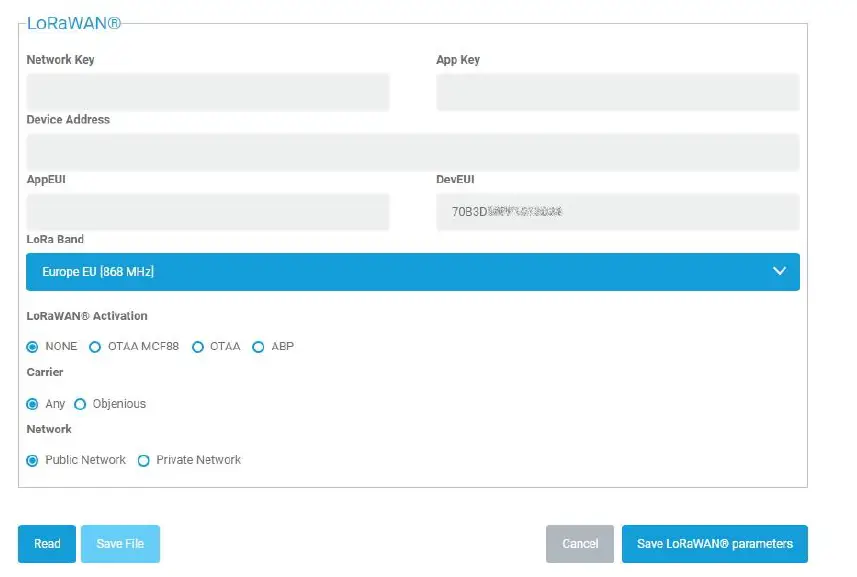
- NONE: sensor not activated
- OTAA: needs settings of appkey and appEUI
- OTAA MCF88: Over the air activation according to mcf88 specifications
- ABP: needs settings of NwkSkey, AppSkey, DevAddr
The device exits factory activated with NONE mode. The devEUI of the device is shown on the product label. MCF-LW06CNT is a Class A LoRaWAN ™ device.
DEVICE CONFIGURATION
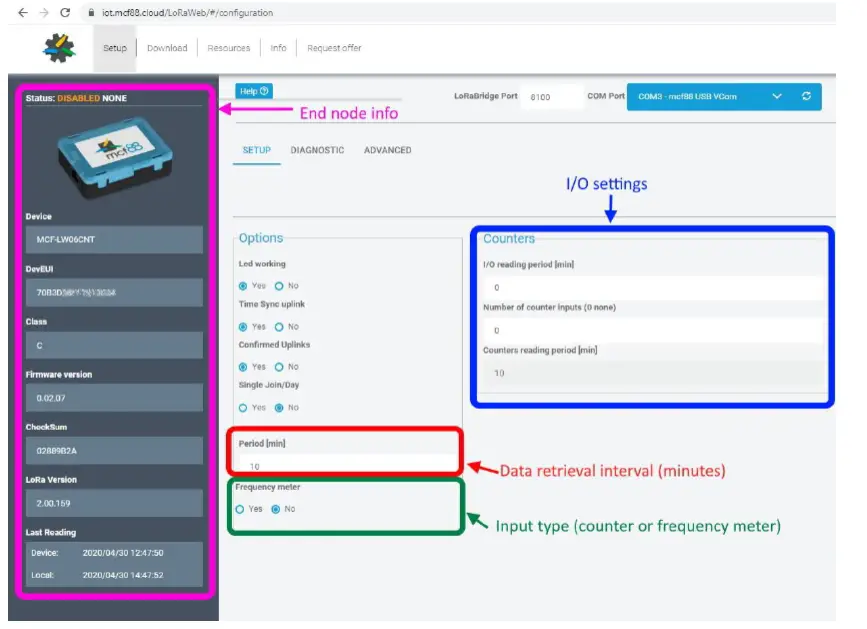
The activation parameters and the device settings can be read and modified via USB using the appropriate “LoRaWEB” desktop application (https://iot.mcf88.cloud/LoRaWeb/#/configuration):
INSTALLATION
- The magnetic antenna must be positioned on a metal body. It should preferably be vertical and at least 30 cm away from other metal bodies.
- The installation must take place in a place where the LoRaWAN ™ signal coverage is good (SF=7 optimal, SF=12 weak).
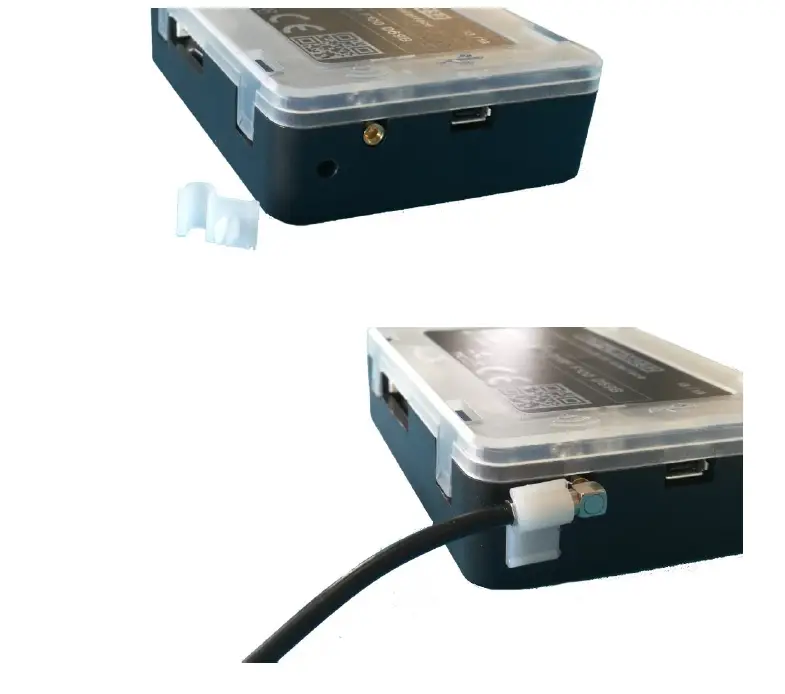
- Use the provided clip to hold the antenna connector in place, as in the pictures:
ORDERING CODE
| Ordering Code | Description |
| MCF-LW06CNT | Counter/Frequency to LoRaWAN interface EU863-870 |
| MCF-LW06CNT-AS | Counter/Frequency to LoRaWAN interface AS923 |
 IoT & Wireless - ime mobile solutions GmbH +49 6821 91900
 LoRaWeb