MCF-LW06485 Modbus to LoRaWAN Interface
Product Information
The MCF-LW06485 is a device manufactured by m2m Germany GmbH,
with its address at Am Kappengraben 18-20, 61273 Wehrheim, and
contact number 06081 5873860. The device is available with a DIN
rail option, and it is used for Modbus communication. The device
has LED indicators for sending, receiving, data error, and
connection error. The firmware of the device can be updated through
a USB connection. The device can be used with LoRaBridge
applications and drivers.
Product Usage Instructions
- Important Safety Information: Before
attempting to install the device, read the operating manual
carefully. Failure to observe recommendations included in this
manual may be dangerous or cause a violation of the law. Do not
dismantle or modify the device in any way. - Connection: The device can be connected as a
stand-alone device or with a DIN rail option. For stand-alone
connection, refer to the following connections:- IO5 Modbus A (+) yellow wire, connected to pin J3.7
- IO6 Modbus B (-) white wire, connected to pin J3.8
- GND negative power supply, connected to pin J3.9
- VDD positive power supply range [10-36Vdc], connected to pin
J3.10
Power can also be supplied by USB. For connection with DIN rail
option, refer to the connections for dip1, dip2, and dip3 as
mentioned in the user manual. - System LED: The device has LED indicators for
sending, receiving, data error, and connection error. The LED
indicators have different flashing patterns for different
states. - Firmware Update: To update the firmware of the
device, save the new firmware file (.exe) on the PC, run the file,
select the USB FW port, and start the update. Wait for the end
message. - Setup: The period is the interval (in minutes)
between one measure and the next one. The sensor sends one measure
for every transmission. The value can be between 15 and 65535
minutes (default: 30 minutes). The period interval can be set with
App or with downlink command. The Modbus settings can be configured
for baud rate and parity through the user manual. The device can be
used with LoRaBridge applications and drivers.
Table of Contents
MCF-LW06485 Operating Manual
Important safety information Read this manual before attempting to install the device! Failure to observe recommendations included in this manual may be dangerous or cause a violation of the law. The manufacturer will not be held responsible for any loss or damage resulting from not following the instructions of this operating manual. Do not dismantle or modify in any way.
Avoid mechanical stress Do not use any detergent or alcohol to clean the device. Disposal information for users
Pursuant to and in accordance with Article 14 of the Directive 2012/19/EU of the European Parliament on waste electrical and electronic equipment (WEEE), and pursuant to and in accordance with Article 20 of the Directive 2013/56/EU of the European Parliament on batteries and accumulators and waste batteries. The barred symbol of the rubbish bin shown on the equipment indicates that, at the end of its useful life, the product must be collected separately from other waste. Please note that the lithium batteries must be removed from the equipment before it is given as waste and disposed separately. To remove the batteries refer to the specifications in the user manual. For additional information and how to carry out disposal, please contact the certified disposal service providers.
1. Description
This device can be interfaced to any Modbus RTU RS485 device to read and write any register of the connected device (up to 31 slaves or 512 bytes of data for every message) through the LoRaWAN® platform. Configuration is simply made using a configuration file uploaded to the interface via USB or with downlinks.
m2m Germany GmbH | Am Kappengraben 18-20 | 61273 Wehrheim | 06081 5873860
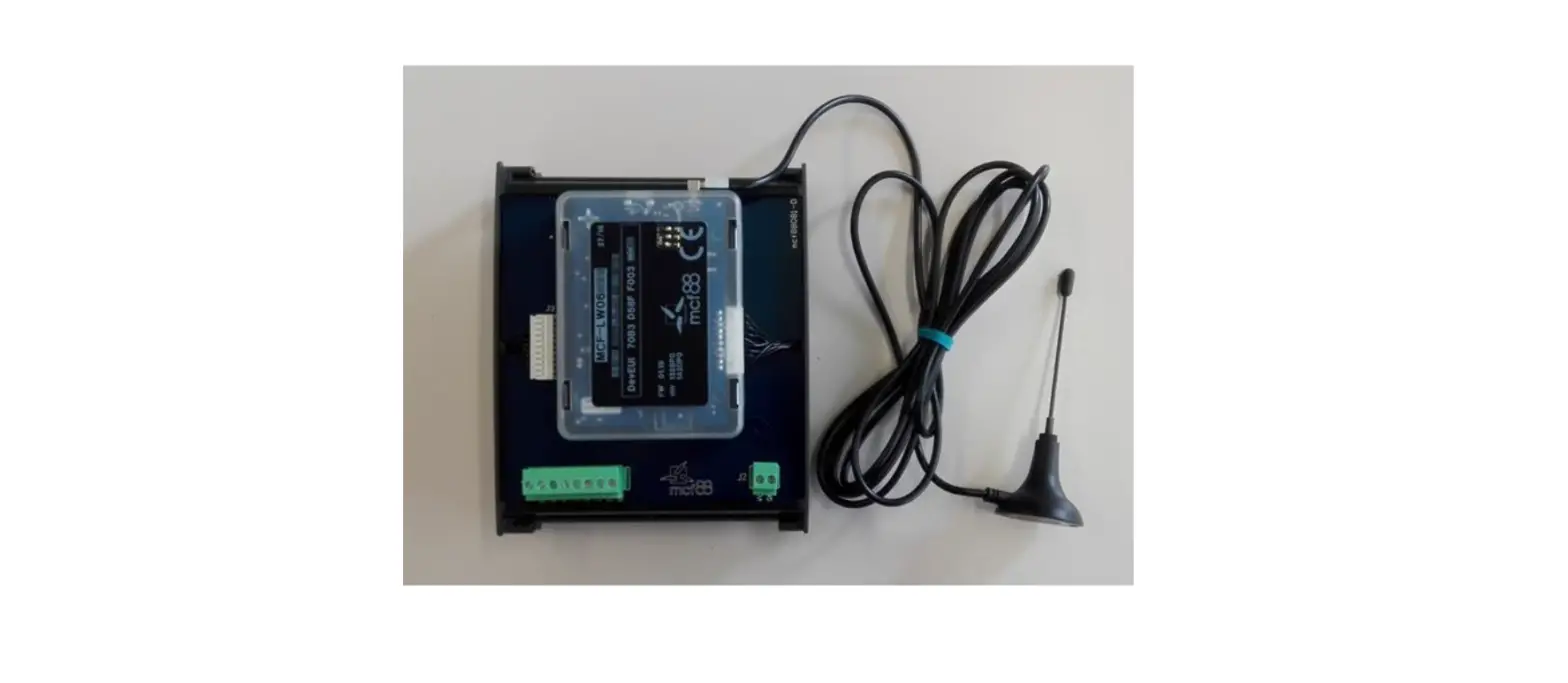
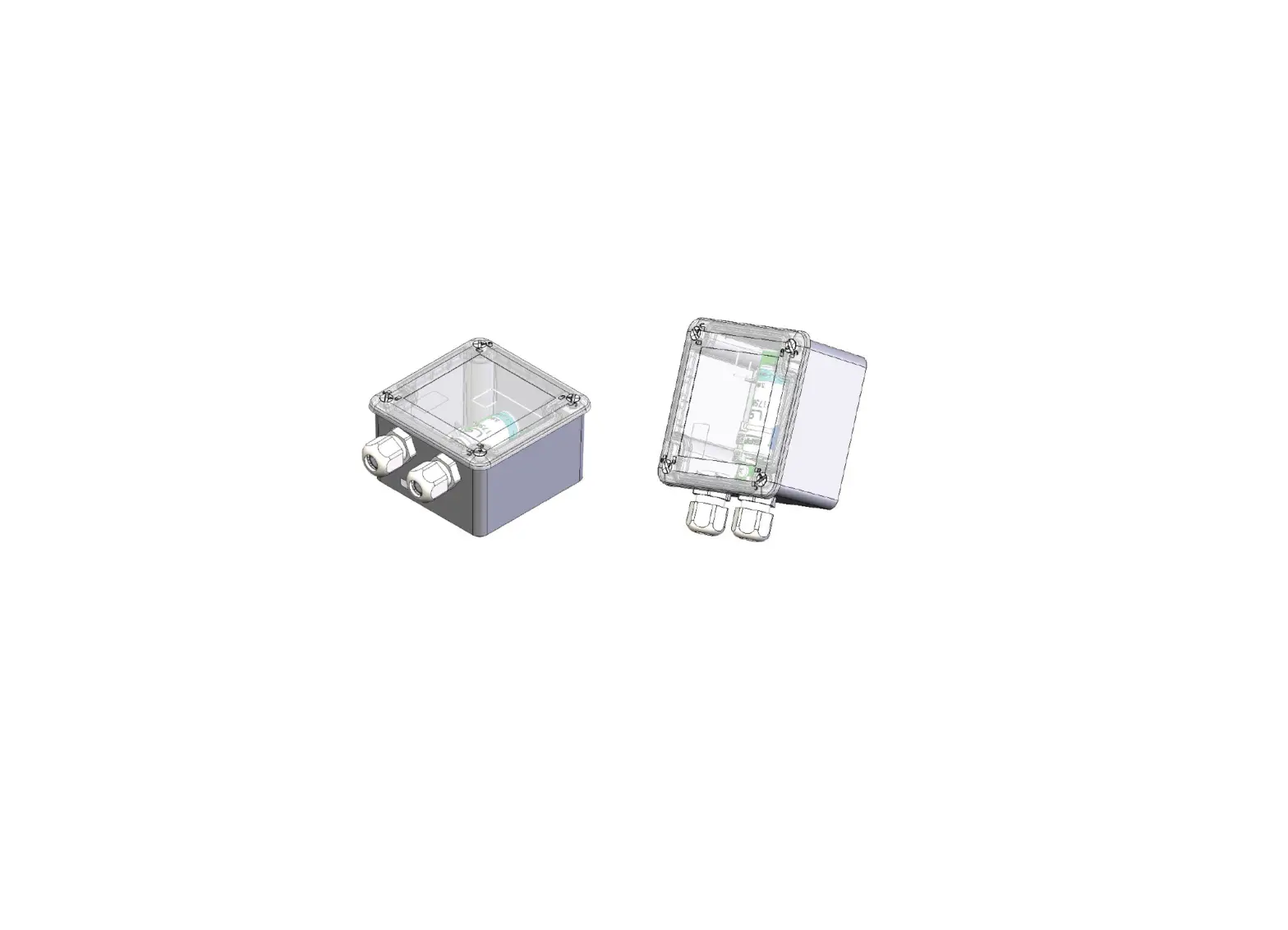
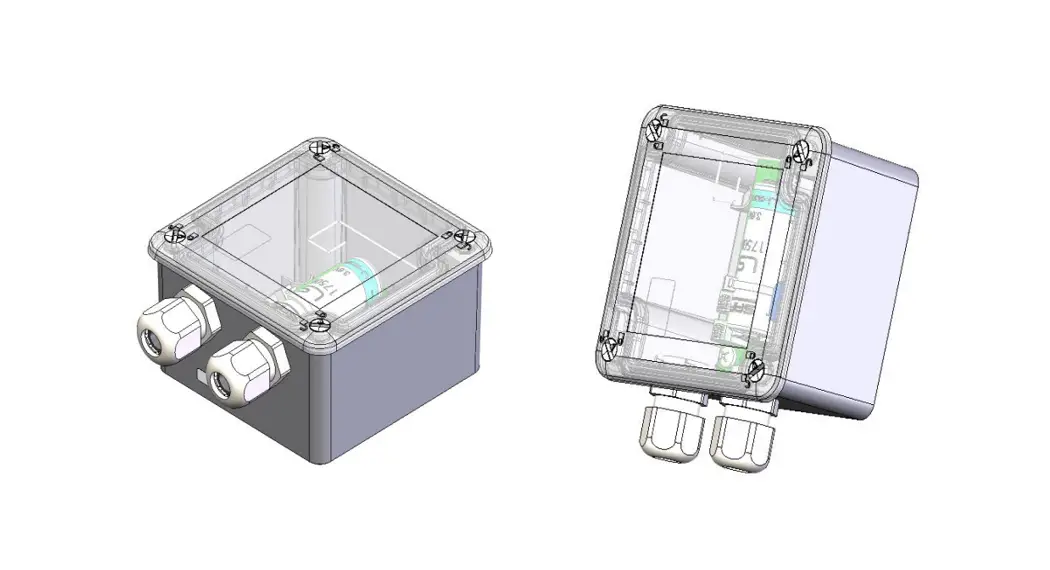
MCF-LW06485 is available with DIN rail option (MCF-DIN105):
2. Overview
2.1 Technical data CPU Cortex M4 RTC EEProm 32KB Flash 1MB Encryption AES 128 bit LiPo 800mAh rechargeable battery Class C LoRaWAN® stack EU868, AS923, AU915, US915 Modbus RTU RS485 Integrated termination and polarization resistors USB On The Go IoT node setup ad firmware upgrade via USB interface Power supply 10÷36Vdc Storage temperature range -20°C ÷ +80°C Working temperature range -10°C ÷ +70°C Dimensions L x H X P: 81 x 60 x 24mm
3 Installation
3.1 Connection 3.1.1 Connection as stand-alone device Please refer to following connections:
m2m Germany GmbH | Am Kappengraben 18-20 | 61273 Wehrheim | 06081 5873860
pin Name Description J3.7 IO5 Modbus A (+) yellow wire J3.8 IO6 Modbus B (-) white wire J3.9 GND Negative power supply J3.10 VDD Positive power supply range [10-36Vdc] Power can also be supplied by USB. 3.1.2 Connection with DIN rail option Please refer to following connections:
Modbus data lines: Pin Name Description J1.7IO5 Modbus A (+) J1.8IO6 Modbus B (-) Power supply: Pin Name Description J2.1Vdc Positive power supply range [10-36Vdc] J2.2GND Negative power supply Floor consumption (included termination and polarization resistors): 425mW Note: add 600mW for a duration of 2 seconds for every LoRaWAN transmission (in the worst case), and/or 150mW for the duration of the ModBus communication. Power can also be supplied by USB. 3.1.3 Termination/Polarization *Polarizations are available only if MCF-LW06485 is 10-36Vdc supplied. Please note dip2 and dip3must have same status.
dip1 ON/OFF = 120 OHM termination on Modbus INSERTED/NOT INSERTED dip2 ON/OFF = Modbus B line polarization INSERTED/NOT INSERTED* dip3 ON/OFF = Modbus A line polarization INSERTED/NOT INSERTED*
m2m Germany GmbH | Am Kappengraben 18-20 | 61273 Wehrheim | 06081 5873860
3.1.4 Antenna The magnetic antenna must be positioned on ametal body. It should preferably be vertical and at least 30 cm away from other metal bodies. The installation must take place in a place where the LoRaWAN® signal coverage is good (SF=7 optimal, SF=12 weak). Use the provided clip to hold the antenna connector in place, as in the picture:
3.2 Configuration To deploy the sensor, use LoRaWEB online tool, to setup LoRaWAN® credentials and other preferences (only available for Windows®) :
(iot.mcf88.cloud/LoRaWeb) Before connect the device the first time, please install LoRaBridge applicarions and drivers: Validate your settings reading data after the write. enginko provides, upon free registration, user manuals, javascript examples, downlink generator, uplink decoder, firmware updates and different tools :
3.3 System led
LoRaWAN® not configured Joining
Sending
Slow flashing
Quick flashing Quick flashing
Receiving
Quick flashing
m2m Germany GmbH | Am Kappengraben 18-20 | 61273 Wehrheim | 06081 5873860
Steady state Data error Connection error
Fixed Flashing 2 seconds Flashing 1 second
3.4 Firmware update Save the new firmware file (.exe) on the PC, run the file, select the USB FW port and start the update:
and waiting for the end message.
4. Setup
4.1 Period Period is the interval (in minutes) between one measure and the next one. The sensor sends one measures for every transmission. Value can be between 15 and 65535 minutes (default: 30 minutes). Period interval can be set with App or with downlink command. 4.2 Modbus settings 4.2.1 Serial line settings
Baudrate [bps]: set the baudrate for the serial line (defalt = off).
m2m Germany GmbH | Am Kappengraben 18-20 | 61273 Wehrheim | 06081 5873860
Parity: set the Modbus frame parity. Note: when saving these parameters, the system asks if you want to save only or to save and load the Modbus configuration file.
4.2.2 Registers map configuration
Basic configuration is made through an .XLS file containing, for every row, the parameters of the register(s) to be read or write.
Template file can be downloaded here:
File can be uploaded via USB or sent with LoRaWAN® dowlinks.
Due to the radio regulation, the amount of data that the interface can send during a period of time can vary, and depends also from duty cycle, spreading factor and data rate.
For example, with EU868 band, the MCF-LW06485 can send from 1KB (SF = 12) to 30KB (SF = 7) every hour. In case of periodic transmission, you have to set the readingperiod related to the amount of data you have to send for every reading from the slaves.
4.2.3 Configuration file format
Label: mnemonic label of the register.
Modbus address: slave address (expressed as decimal value)
Modbus function:
Function Code Register Type
1
Read Coil
2
Read Discrete Input
3
Read Holding Registers
4
Read Input Registers
5
Write Single Coil
6
Write Single Holding Register
15
Write Multiple Coils
16
Write Multiple Holding Registers
Dec address: register starting address (expressed as decimal value), without offset.
Note: please check
Modbus length:
lenght (in word) of the register to be read or write.
AIntcteansetioonf:”inWcraitseeMofu”lWtiprlieteCSoiinlsg”l,eLCeongil”th,
length must be 1, and data 00 (disable) or 01 (enable). is the number of coils, and data must be n byte long, with
n
=
(length
+
7)
/
8.
Data: in case of write command, data to be write, hexadecimal values formatted as string. Alwaysuse ` (single quote) before the digits).
Baudrate (bps):
serial line baudrate,only needed if different from the settings in LoRaWEB. Allowedvalues: 1200, 2400, 4800, 9600, 19200. 38400, 57600, 115200.
Parity/stop:
serial line parity/stop,only needed if different from the settings in LoRaWEB. Allowedvalues: 8-n-1, 8-n-2, 8-e-1, 8- o -1 for none, even or odd
Examples: reading a 2 byte holding register, starting from address 10001 of slave 1
Label Modbus addressModbus functionDec addressModbus length Data Baudrate (bps)Parity/stop
Input status 1
3
10001
1
writing a 2 byte holding register (with value 1000h), starting from address 53 of slave 2:
Label
Modbus addressModbus function Dec addressModbus length Data Baudrate (bps)Parity/stop
Analog output 1 2
6
53
1
1000
4.2.4 Configuration with downlinks
m2m Germany GmbH | Am Kappengraben 18-20 | 61273 Wehrheim | 06081 5873860
MODBUS to Downlink converter: convert the .XLS configuration file in one or more downlink payload to be sent to the device instead using USB port-.
Temporary Downlink: the configuration file is executed and then discarded. Configuration Downlink: the configuration file is saved in memory and executed periodically.
4.3 Other settings
Delay for reading [ms]: delay added between the reading of one Modbus register and the one (default = 0). DST: set to change DST (default: none).
Time sync uplink: set to disable time synchronization request (default: enabled).
Normally sensor asks for atime sync at every power on (uplink starting with 01) or once aweek. If no or wrong reply received, it will retry after 1 week. Ifnot handled in the right way can generate unnecessary traffic on the network.
Please check chapter 2.1
.
Confirmed Uplinks: set for unconfirmed uplinks (default: confirmed uplink).
Single join/day: set for to allow only one join per day (default: multiple join allowed). LED working: Set OFF to turn off the diagnostic led.
USB: Internal use.
5. Diagnostic
m2m Germany GmbH | Am Kappengraben 18-20 | 61273 Wehrheim | 06081 5873860
Press Check to verify the correct communication betweet the LoRaWAN® interface and the slave(s).
6 LoRaWAN network
The sensor is compliant with LoRaWAN® specification 1.0.2, regional 1.0.2b.
m2m Germany GmbH | Am Kappengraben 18-20 | 61273 Wehrheim | 06081 5873860
6.1 Activation The device supports the following activations on a LoRaWAN® network:
1. NONE: sensor not activated 2. OTAA: the JoinEUI and the AppKey not setted, must be written to the device; 3. OTAA MCF88: Over the air activation, fixed keys: JoinEUI = 904e915000000002, AppKey on request; 4. OTAA ENGINKO: Over the air activation, fixed keys: JoinEUI = 904e915000000002, AppKey on request; 5. ABP: requires writing to the device of NwkSkey, AppSkey, DevAddr.
The device exits factory activated with NONE mode. On request devices can be shipped aleady activated. Note: in OTAAAppKey iswrite only, in reading the field will always be empty, even if set. 6.2 Other settings Network settings: pleasekeep “Any” settings. Change it only if Objenious network isused (default_ any). Network type: LoRa syncword can be setted as “private”(0x12) instead “public” (0x34), butthe NS must be setted accordingly(default: public). Band: select the right LoRaWAN ® band settings accodingly to country requirements.
7 Passwords
The device can be protected by passwords, to avoid unauthorized persons to read data or modify parameters. As default passwords are equal to 0.
m2m Germany GmbH | Am Kappengraben 18-20 | 61273 Wehrheim | 06081 5873860
Allowedvalues range from 0 to 999999999 (only numbers). To change the passwords, set the new values with LoRaWEB:
Once the passwords are setted, to gain access from LoRaWEB to the sensor, set the right values before reading from the device:
To bring back the sensor to factory default and reset the passwords, a reset code must be requested to enginko (please provide the DevEUI of the sensor when you ask for that code).
8 General configuration file
With LoRaWEB is possible to configure the device using an XML file, instead to manually adjust the parameters (for details about the file format please ask to enginko). This is very useful especially in case of multiple devices configuration. With “Save” button an XML file with the actual configuration of the sensor will be generated. This is useful to store or clone the configuration, or to send it to enginko’s support if needed.
8.1 Multi devices configuration WIth LoRaWEB is possible to configure many devices in an easy way. For multi-configuration is needed at least one XML file with the parameters to set. Settings on this file will be applied to all the sensors. With an additional XLS file is possible to load different LoRa configuration parameters (Activation Type, AppKey, AppEUI, NetKey, DevAddress, Band, Private option) for each sensor, based on DevEUI. XLS is prevailing on the XML, so if both files are enabled, if the DevEUI of the device matches one of the DevEUIs in the XLS file, LoRa parameters will be setted
m2m Germany GmbH | Am Kappengraben 18-20 | 61273 Wehrheim | 06081 5873860
These configuration can be done in the in the Settings:
Use of the general configuration by file; Use of the specific configuration by file.
For details on files format please ask to enginko.
9 Payload
For payload descriptions, uplinks and downlinks format and available commands please refer to this document:
10 Ordering code
Code
Description
MCF-LW06485 ModBus RTU RS485 to LoRaWAN® interface EU863-870
MCF-LW06485-AS ModBus RTU RS485 to LoRaWAN® interface AS920-925
MCF-LW06485-US ModBus RTU RS485 to LoRaWAN® interface US902-928
MCF-LW06485-AU ModBus RTU RS485 to LoRaWAN® interface AU915-928
For payload descriptions, uplinks and downlinks format and available commands please refer to this document:
11 Modbus overview
11.1 Modbus RTU basics
Modbus RTU is based on an RS485 bus:TIA/EIA-485 (RS-485) is a single differential balanced line (half duplex). It provides a robust communication interface which is inherently noise tolerant since it uses differential as opposed to ground referenced signals. It can be cheaply deployed & the cabling is simple, a single pair of wires plus a ground wire. Up to 32 devices can be daisy-chained together in a network.
11.2 Modbus RTU basics: termination resistors
In order to avoid signal reflections, a 120 Ohm termination resistance must be fitted on each end of the main cable:
Ifthe data rate is low or cables are short, termination may be unnecessary. As data rates and/or cable lengths increase, which is most cases, termination becomes mandatory. If the total length of the main cable is less than 50m termination resistances can be avoided at the ends of the main cable.
m2m Germany GmbH | Am Kappengraben 18-20 | 61273 Wehrheim | 06081 5873860
Note: Since is a differential line, the cable to be used is a shielded twisted pair.
The cable shield must be earthed only in one point. Normally, this connection is made at one end of the main cable. 11.3 Modbus RTU basics: bias resistors With RS485 networks, there are periods of time when no driver is actively driving the bus (tri-state) And the termination resistors collapse the differential bus voltage to 0V, which is an undefined input level for many RS485 receivers.
The objective of biasing is to make sure that the RS485 line remains in a known, non-fluctuating state when no devices are transmitting. Polarization of the pair must be implemented at one location for the whole serial bus. Biasing the entire network requires a single pair of polarization resistors: a pull-up resistor to +5V attached to the “+” signal line, and a pull-down resistor to ground attached to the “-” signal line.
11.4 Modbus RTU basics: data format
The format for each byte ( 11 bits ) in RTU mode is :
1 start bit 8 data bits ( least significant bit sent first) 1 bit for parity completion 1 stop bit
Even parity isrequired, other modes (odd parity, no parity )may also be used. In order to ensure amaximum compatibility with other products, it isrecommended to support also No parity mode. The default parity mode must be even parity.Remark:the use of no parity requires 2 stop bits.
11.5 Modbus RTU basics: registers addressing
Modbus registers by definition are associated with a function, and an offset within that function. The two common (16-bit) data register types are commonly known
as “Holding Registers” and “Input Registers” (function 03 and function 04 respectively). The specific register within the function is referenced by an offset (starting at 0). This is the actual data which is transmitted during the data query.
At some point, certain PLC manufacturers starting using a “3xxxx” or “4xxxx” reference designation in an attempt to provide an absolute address to the register (ie: whichwould reference both the function and the register). Some device manufacturers start their “4xxxx” references at 40001, and some start at 40000. The starting register corresponds to offset “0” within the given function.
Modbus “Standard” 4xxxx (base 1)4xxxx (base 0)
Function 3, Offset 0 40001
40000
Function 3, Offset 1 40002
11.6 Modbus RTU addressing
40001
The types of registers referenced in Modbus devices include the following:
Coil (Discrete Output) Discrete Input (or Status Input) Input Register Holding Register
m2m Germany GmbH | Am Kappengraben 18-20 | 61273 Wehrheim | 06081 5873860
Whether a particular device includes all of these register types is up to the manufacturer. It is very common to find all I/O mapped to holding registers only. Coilsare 1-bit registers, are used to control discrete outputs, and may be read or written. Discrete Inputsare 1-bit registers used as inputs, and may only be read. Input registersare 16-bit registers used for input, and may only be read. Holding registersare the most universal 16-bit register, may be read or written, and may be used for a variety of things including inputs, outputs, configuration data, or any requirement for “holding” data.
11.7 Modbus summarized Use a twisted pair cable (shielded, if possible) Check the polarity of the wires (different names for different manufacturers: A, B, D+, D-…) Alwaysplace at least 1 termination resistor (at the end(s) of the bus) Don’t leave the termination resistor(s) without polarization. Place the bias resistors only in 1 point of the bus:
Avoid stubs:
Double check the addressing of the registers (standard, absolute, offset base 1, offset base 0…)
12 Declaration of conformity
Hereby, enginko Srl declares that MCF-LW06485 complies with the essential requirements and other relevant provisions of Directive 2014/53/EU.
13 FCC compliance for MCF-LW06485-US
This device complies with part 15 of the FCC Rules. Operation is subject to the following two conditions: (1) This device may not cause harmful interference, and (2) this device must accept any interference received, including interference that may cause undesired operation. This equipment has been tested and found to comply with the limits for a Class B digital device, pursuant to part 15 of the FCC Rules. These limits are designed to provide reasonable protection against harmful interference in a residential installation. This equipment generates, uses and can radiate radio frequency energy and, if not installed and used in accordance with the instructions, may cause harmful interference to radio communications. However, there is no guarantee that interference will not occur in a particular installation. If this equipment does cause harmful interference to radio or television reception, which can be determined by turning the equipment off and on, the user is encouraged to try to correct the interference by one or more of the following measures:
Reorient or relocate the receiving antenna. Increase the separation between the equipment and receiver. Connect the equipment into an outlet on a circuit different from that to which the receiver is connected. Consult the dealer or an experienced radio/TV technician for help. Any changes or modifications not expressly approved by the party responsible for compliance could void the user’s authority to operate this equipment. Contains FCC ID: 2AWAL409810
14 Contacts
enginko Srl Via Roma 3 I-28060 Sozzago (NO) T : +39 0321 15 93 088
m2m Germany GmbH | Am Kappengraben 18-20 | 61273 Wehrheim | 06081 5873860
E :[email protected] PEC:[email protected] W:enginko.com rev.1
m2m Germany GmbH | Am Kappengraben 18-20 | 61273 Wehrheim | 06081 5873860
 Home - Enginko