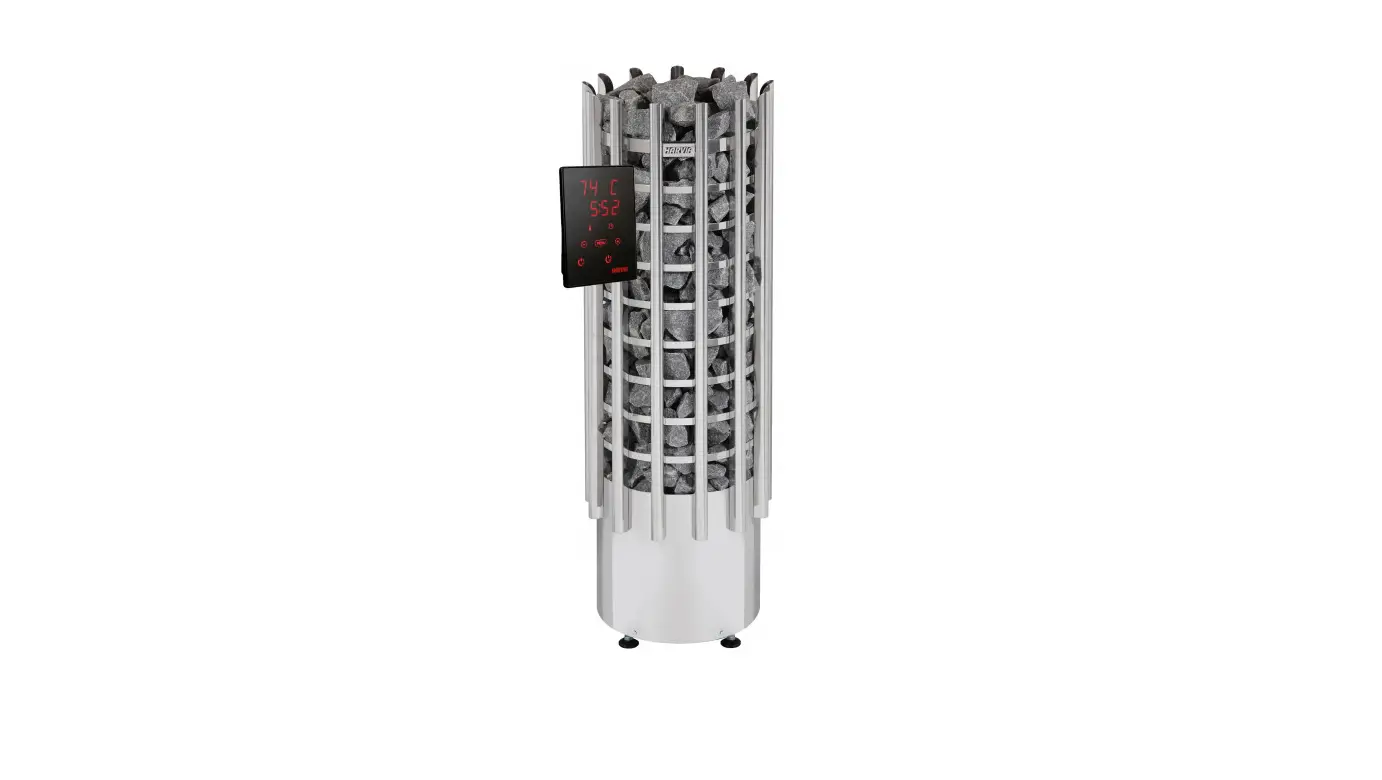
WC4-B-D/W/S Electric combi sauna heater control
Product Information
The Sauna Controller is a product designed for controlling the
operation of a sauna. The specific model is wave.com4 11 kW.
The product features include:
- Basic module with control unit
- Available in dark wood, black, and white
- Multiple language options
- Various operating modes for the sauna and sensor
- Optional accessories for expanded functionality
- Installation and connection diagrams provided
- User-friendly operating and display unit
- Multiple settings and customization options
- Easy cleaning and maintenance
Product Usage Instructions
To use the Sauna Controller, follow these steps:
- Install the power unit, main switch, cabin light, expansion
board (if applicable), control unit, heater sensor F1, bench sensor
F2 (optional), humidity sensor WC4-H-H (optional),
humidity/temperature sensor FTS2 (optional), and other optional
accessories according to the provided installation
instructions. - Connect the power supply cable, heater, evaporator (optional),
control unit, external main switch, light, external light switch,
fan (optional), heater sensor F1, humidity/temperature sensor FTS2
(optional), bench sensor F2 (optional), humidity sensor WC4-H-H
(optional), dummy sensor (optional), power booster (optional), and
remote start device according to the provided electrical connection
instructions. - Perform testing as described in the manual to ensure proper
functionality. - Refer to the connection diagrams for reference.
- Use the operating and display unit to control the Sauna
Controller. - Switch on the Sauna Controller and set the desired heating
time. - Adjust the language settings if necessary.
- Switch on the light for cleaning purposes.
- Select the desired operating mode, such as FIN sauna mode or
combined HUM mode. - Start or stop the selected operating mode as needed.
- Adjust other settings, such as the timer, light dimming, preset
time, ECO mode, standby for remote operation, remote start release,
additional control unit activation, acoustic signal settings,
rolling display activation, and post-drying program settings. - Switch off the sauna controller when not in use.
- Regularly clean and maintain the Sauna Controller as instructed
in the manual. - Dispose of the product responsibly when no longer needed.
- Refer to the troubleshooting section for assistance with any
issues that may arise.
Sauna controller
wave.com4 11 kW
INSTRUCTIONS FOR INSTALLATION AND USE English
WC4-B-D/W/S
wave.com 4 basic module 11 kW wave.com 4 control unit, dark wood wave.com 4 control unit, black wave.com 4 control unit, white
Version 03/21
WC4-B-11
EN DE FR IT NL SV FI
1-049-633 / WC4-B-11
RU
1-008-128 / WC4-B-D 1-010-433 / WC4-B-S 1-010-433 / WC4-B-W
Ident no. 1-050-755
Table of Contents
1. About this instruction manual
5
2. Important information for your safety
6
2.1. Intended use
6
2.2. Safety information for the installer
7
2.3. Safety information for the user
8
3. Product description
9
3.1. Scope of delivery
9
3.2. Not supplied
9
3.3. Optional accessories
9
3.4. Product features
10
3.5. Sauna operating modes
11
3.6. Sensor operating modes
11
4. Installation
13
4.1. Installing the power unit
13
4.2. Installing the main switch
13
4.3. Installing the cabin light and the light switch
13
4.4. Installing the expansion board (optional)
14
4.5. Installing the control unit
14
4.6. Installing the heater sensor F1 with overheat cut-out
15
4.8. Installing the bench sensor F2 (optional)
16
4.9. Installing the humidity sensor WC4-H-H (optional)
16
4.7. Installing the humidity/temperature sensor FTS2 (optional)
16
5. Electrical connection
17
5.1. Connecting the power supply cable and heater
18
5.2. Connecting the evaporator (optional)
18
5.3. Connecting the control unit
18
5.4. Connecting an external main switch
19
5.5. Connecting the light
19
5.6. Connecting an external light switch
19
5.7. Connecting a fan (optional)
19
5.8. Connecting the heater sensor F1
20
5.9. Connecting the humidity/temperature sensor FTS2 (optional) 20
5.10. Connecting the bench sensor F2 (optional)
20
5.11. Connecting the humidity sensor WC4-H-H (optional)
21
5.12. Connecting a dummy sensor (optional)
21
5.13. Connecting a power booster (optional)
21
5.14. Connecting a remote start device
21
5.15. Finishing the installation
22
6. Testing
7. Connection diagram
7.1. Connection diagram of basic module 7.2. Connection diagram for the expansion board (optional)
22
23 EN
23 24
8. Operating and display unit
25
9. Operation
26
9.1. Switching on
26
9.2. Setting the heating time
26
9.3. Setting the language
26
9.4. Switching on the light (cleaning light)
27
9.5. Selecting the operating mode
27
9.6. Starting FIN sauna mode
27
9.7. Switching off FIN sauna mode
28
9.8. Starting combined HUM mode
28
9.9. Switching off combined HUM mode
28
9.10. Stopping the post-drying programme
29
9.11. Setting the timer
29
9.12. Dimming the light
29
9.13. Setting the preset time
30
9.14. ECO mode
30
9.15. Activating standby for remote operation
31
9.16. Remote start release
31
9.17. Activating an additional control unit
32
9.18. Setting the acoustic signal
32
9.19. Activating the rolling display
33
9.20. Setting the post-drying programme
33
9.21. Switching off the sauna controller
34
10. Cleaning and maintenance
34
10.1. Cleaning
34
10.2. Maintenance
34
11. Disposal
34
12. Troubleshooting
35
12.1. Error messages
35
12.2. Fuses
36
12.3. Temperature correction
36
13. Technical data
37
Instructions for installation and use
p. 5/38
1. About this instruction manual
Read these installation and operating instructions carefully and keep them within reach of the sauna controller. This ensures that you can refer to information on safety and operation at any time.
These installation and operating instructions can also be found in the downloads section of our website: www.sentiotec.com/downloads.
Symbols used for warning notices
In these instructions for installation and use, a warning notice located next to an activity indicates that this activity poses a risk. Always observe the warning notices. This prevents damage to property and injuries, which in the worst case may be fatal.
The warning notices contain keywords, which have the following meanings:
DANGER! Serious or fatal injury will occur if this warning notice is not observed.
EN
WARNING! Serious or fatal injury can occur if this warning notice is not observed.
CAUTION! Minor injuries can occur if this warning notice is not observed.
ATTENTION! This keyword is a warning that damage to property can occur.
Other symbols This symbol indicates tips and useful information.
Instructions for installation and use
p. 6/38
2. Important information for your safety
The wave.com4 11 kW sauna controller has been manufactured according to the applicable safety regulations. However, hazards may arise during use. You should therefore adhere to the following safety information and the specific warnings in the installation and operating instructions. Also observe the safety information for the devices connected.
2.1. Intended use
The wave.com4 11 kW sauna controller is designed solely for operating and controlling the functions described in the technical data.
The sauna controller may only be used for operating and controlling three heating circuits with a maximum output of 3.7 kW per heating circuit.
When using the optional wave.com4 expansion board (WC4-H-PCB), the maximum evaporator output is 3.0 kW.
According to EN 60335-2-53 sauna remote control units may only be used to regulate and control a sauna heater that passes the cover test according to paragraph 19.101. Alternatively, an appropriate safety measure (e.g.: safety shutdown, door contact…) must be installed.
Any use exceeding this scope is considered improper use. Improper use can result in damage to the product, severe injuries or death. The warranty is void if the device is not used as intended.
Instructions for installation and use
p. 7/38
2.2. Safety information for the installer
The electrical connection may only be performed by a qualified electrician or similarly qualified person. Please note that in the event of a guarantee claim, a copy of the invoice issued by the electrician performing the work must be presented.
Work on the sauna controller may only be performed when the power has been disconnected.
A fully disconnecting all-pole isolating device compliant with overvoltage category III must be fitted on site.
The power unit of the wave.com4 11 kW (WC4-B-11) must be installed in accordance with the technical data.
The control unit can be installed inside or outside the sauna, however it must be mounted according to the installation and operating manual provided.
Also comply with the regulations applicable at the installation EN location.
For your own safety, consult your supplier in the event of problems that are not explained in sufficient detail in the installation instructions.
Instructions for installation and use
p. 8/38
2.3. Safety information for the user
The sauna controller must not be used by children under 8 years of age.
The sauna controller may be used by children over 8 years of age, by persons with limited psychological, sensory or mental capabilities or by persons with lack of experience/knowledge, but only if:
They are supervised.
They have been shown how to use the device safely and are aware of the hazards that could occur.
Children must not play with the sauna controller. Children under 14 years of age may only clean the sauna con-
troller if they are supervised.
For health reasons, do not use the sauna when under the influence of alcohol, medication or drugs.
Make sure that no flammable objects have been placed on the sauna heater before the sauna controller is switched on.
Make sure that no flammable objects have been placed on the sauna heater before activating the preset time function or the standby mode for remote start.
For your own safety, consult your supplier in the event of problems that are not described in sufficient detail in the user instructions.
Instructions for installation and use
p. 9/38
3. Product description
The wave.com4 11 kW is a two-piece sauna controller. In order to function, a basic module with power unit (WC4-B-11), a control unit (WC4-B-S, WC4-B-D or WC4B-W) and a heater sensor (WC4-B-F1D or WC4-B-F1H) are always required.
3.1. Scope of delivery
Power unit (1-049-633 / WC4-B-11) Installation and operation manual
3.2. Not supplied
Main switch (standard 230 V switch)
Light switch (standard 230 V switch)
Dark wood control unit (1-008-128 / WC4-B-D)
or black control unit (1-010-389 / WC4-B-S)
or white control unit (1-010-437 / WC4-B-W)
EN
Light wood heater sensor (1-013-651 / WC4-B-F1H), 5 m sensor cables
or dark wood heater sensor (1-003-479 / WC4-B-F1D), 5 m sensor cables
3.3. Optional accessories
Expansion board for humidity, bench sensor (1-003-472 / WC4-H-PCB) Dark wood WC4 bench sensor (1-003-295/WC4-H-F2D), 5 m sensor cables Light wood WC4 bench sensor (1-013-662/WC4-H-F2H), 5 m sensor cables Dark wood humidity sensor (1-003-364 / WC4-H-HD), 5 m sensor cables Light wood humidity sensor (1-013-669 / WC4-H-HH), 5 m sensor cables Humidity/temperature sensor (1-010-081/O-FTS2), 6 m sensor cables Dark wood sensor housing for FTS2 (1-041-521 / SC-FTS2-D) Light wood sensor housing for FTS2 (1-041-520 / SC-FTS2-D) Y-adapter RJ10 4-pin (1-028-167 / WC4-C-ADY) Power booster (1-008-779 / O-S2-18, 1-009-280 / O-S2-30) Safety shutdown (SFE-xxxxx) Remote start system (1-051-003 / FS-SY) Door sensor system (1-052-722 / SAB00102)
Instructions for installation and use
p. 10/38
3.4. Product features
The wave.com4 11 kW sauna controller features the following functions:
Regulation of sauna heaters with a heating output of up to 11 kW. When an expansion board is installed, regulation of combined heaters with
a heating output of up to 11 kW and evaporator output of up to 3 kW.
When a power booster is installed, the maximum power rating of 11 kW can be increased.
Option to connect external main switch Option to connect external light switch Switching and dimming a cabin light (up to 100 W bulb) Fan regulation (up to 100 W) Automatic heating time limit
The sauna controller shuts down automatically for safety reasons after the maximum heating time (1 to 12 hours).
Preset time function (1 to 24 hours) Acoustic signal for time interval (e.g: time to pour water on stones) Post-drying program
After operation in combined mode, the post-drying program starts automatically to prevent mould or rot from forming in the sauna cabin. (3 setting options).
Remote start function Eco mode
Eco mode ensures that the cabin temperature is the same after a break (20, 40, 60 minutes).
Overheat cut-out The overheat cut-out is installed in the housing for the heater sensor. If a defect causes the sauna heater to continue heating after reaching the preferred temperature, the overheat cut-out switches the sauna heater off at a temperature of around 139 °C.
Instructions for installation and use
p. 11/38
3.5. Sauna operating modes
Sauna mode Dry heat is provided in sauna mode. The temperature in the cabin is high (80 to 100 °C). The humidity is low (no more than 10%).
Combined mode (optional with expansion board) In combined mode, the evaporator operates along with the heater. The temperature in the sauna cabin is lower (around 40 to 65 °C) than in sauna mode, but the relative humidity is much higher, ranging from 35% to 70%. The maximum humidity that can be set depends on the temperature of the sauna. The higher the sauna temperature, the lower the maximum humidity level that can be set (see Fig. 1).
3.6. Sensor operating modes
The wave.com4 11 kW sauna controller can be operated with one, two or three sensors.
Single sensor mode (F1)
EN
Single sensor mode is the factory setting.
In single sensor mode, the sauna controller is operated with the heater sensor with overheat cut-out only.
The sauna controller displays the actual temperature by default. The target temperature is displayed while the setting is entered.
In single sensor mode, the maximum humidity that can be set (optional with expansion board) is based on the temperature above the heater and the humidity is timed. Only the setpoint for the humidity (in % relative humidity) is shown on the sauna controller display. The actual humidity in the sauna cabin when the humidity is timed depends on the size of the cabin and the evaporator output, and may differ from the setpoint.
HumidiFteyu[ch%t]e
100
90
80
70
60
50
40
30
20
10
0
0
10
20
30
40
50
60
70
80
90 100 110
TemperTaetumrpe [°C]
Fig. 1: Characteristic curve showing humidity relative to temperature
Instructions for installation and use
p. 12/38
Two-sensor mode with humidity/temperature sensor (FTS2) (optional with expansion board)
In two-sensor mode with humidity/temperature sensor, the sauna controller displays the temperature measured by the humidity/temperature sensor as the actual temperature.
In two-sensor mode with humidity/temperature sensor, the evaporator is regulated according to the humidity level measured in the cabin. The sauna controller displays the actual humidity (in % relative humidity) in the sauna cabin.
Two-sensor mode with bench sensor (F2) (optional with expansion board)
In two-sensor mode with bench sensor, a second temperature sensor (bench sensor) is installed above the rear sauna bench. The sauna controller displays the temperature measured by the bench sensor as the actual temperature.
In two-sensor mode with bench sensor, the humidity is timed. Only the setpoint for the humidity (in % relative humidity) is shown on the sauna controller display. The actual humidity in the sauna cabin when the humidity is timed depends on the size of the cabin and the evaporator output, and may differ from the setpoint.
Two-sensor mode with humidity sensor (WC4-H-H) (optional with expansion board)
In two-sensor mode with humidity sensor, the sauna controller displays the temperature measured by the heater sensor as the actual temperature. The evaporator is regulated according to the humidity measured in the cabin. The sauna controller displays the actual humidity (in % relative humidity) in the sauna cabin.
Three-sensor mode with bench sensor (F2) and humidity sensor (WC4-H-Hx) (optional with expansion board)
In three-sensor mode with bench sensor and humidity sensor, the sauna controller displays the temperature measured by the bench sensor as the actual temperature.
In three-sensor mode, the evaporator is regulated according to the humidity measured in the cabin. The sauna controller displays the actual humidity (in % relative humidity) in the sauna cabin.
Instructions for installation and use
p. 13/38
4. Installation
During installation observe the technical data; see Page 37:
ATTENTION! Interference can impair signal transmission Route all sensor cables separately from other mains cables and control cables. Protect cables with only one layer of insulation by using a conduit (double
insulation).
The sensors may only be connected using the sensor cables supplied with the unit, which are heat-resistant up to 150 °C. The heater sensor cables may NOT be longer than 10 m. Outside the cabin, the sensor cables can be extended using cables that are not temperature-resistant.
4.1. Installing the power unit
See Fig. 2 on Page 14.
EN
ATTENTION! Damage to the unit The sauna controller is resistant to splashing water, but direct contact with water could still damage it. Install the sauna controller in a dry place where the maximum humidity will
not exceed 95%. When installed in the sauna cabin, the cable bushings must not point upwards!
To install the power unit 1, carry out the following steps:
1. Take off the cover of the power unit. 2. You can fasten the power unit to the supporting surface at the 4 corners of
the chassis (see arrows Fig. 4 on page 17)
4.2. Installing the main switch
Follow the operating instructions for the switch.
4.3. Installing the cabin light and the light switch
Follow the operating instructions for the switch.
Installation instructions, only for experts
p. 14/38
4.4. Installing the expansion board (optional)
1. Connect the expansion board to the base board using the pre-configured cables (L-N-PE) and the ribbon cable.
2. Fasten the expansion board in place using the screws provided.
Expansion board WC4-H-PCB (optional)
Basic module WC4-B-11
Fig. 2: Wave.com4 11 kW power unit
4.5. Installing the control unit Install the control unit 2 on the cabin wall no more than 10 metres from the power unit 1. Pay attention to how the data cable is routed.
ATTENTION! Damage to the unit The control unit 2 for the sauna controller is splash-proof (IP code IPX4). Only use a manual screwdriver for installation. Using a cordless screwdriver
may irreparably damage the housing. For installation inside the sauna cabin, maintain a distance of at least 30 cm
to the ceiling.
1. Cut the recess for the control unit, for example using a Ø 70 × 35 mm hole cutter.
2. Connect the 4-pin plug to the RJ10 socket on the control unit. 3. Screw the housing to the cabin wall by screwing the 4 wood screws supplied
through the hole.
Installation instructions, only for experts
p. 15/38
4.6. Installing the heater sensor F1 with overheat cut-out
Note the following points when installing the heater sensor: The heater sensor must be installed in the sauna cabin above the middle of
the sauna heater. For cabins up to 2 × 2 m a distance of 19 cm from the cabin wall must be maintained, for larger cabins a distance of 35 cm. The heater sensor must be installed in such a way that it is not affected by inflowing air.
Take care not to damage any of the sensor cables when pulling them in.
To install the heater sensor, carry out the following steps (see Fig. 3):
1. Drill through the cabin ceiling with an 8 mm bit.
2. Pull the two 2-core heater sensor cable through the hole.
3. Fasten the sensor housing using the wood screws supplied.
4. Guide the two 2-core heater sensor cables up to the power unit and fix
the heater sensor cables with cable clamps.
5. Check that the heater sensor is firmly fastened.
EN
F1
19 cm < 2 × 2 m
35 cm > 2 × 2 m
WC4-H-H
150 cm
Fig. 3: Installing the sensor
Installation instructions, only for experts
p. 16/38
4.7. Installing the humidity/temperature sensor FTS2 (optional)
The humidity/temperature sensor must be installed on the wall of the cabin above the rear bench seat. A distance of about 15 cm from the ceiling of the cabin must be maintained. Follow the installation instructions for the sensor.
A wooden housing is optionally available for the humidity/temperature sensor.
4.8. Installing the bench sensor F2 (optional)
The bench sensor must be installed on the wall of the cabin above the rear bench seat. A distance of about 15 cm from the ceiling of the cabin must be maintained.
To install the bench sensor, carry out the following steps: 1. Drill through the cabin wall with an 8 mm drill bit. 2. Pull the 2-core bench sensor cable through the hole. 3. Fasten the sensor housing using the wood screws supplied. 4. Guide the 2-core bench sensor cable up to the power unit and fasten it with cable clips. 5. Check that the bench sensor is firmly fastened.
4.9. Installing the humidity sensor WC4-H-H (optional)
The humidity sensor must be installed in the middle of the side wall furthest from the heater at a height of around 150 cm (Fig. 3 on page 15).
To install the humidity sensor, carry out the following steps: 1. Drill through the cabin wall with an 8 mm drill bit. 2. Pull the 3-core humidity sensor cable through the hole. 3. Fasten the sensor housing using the wood screws supplied. 4. Guide the 3-core humidity sensor cable up to the power unit and fasten it with cable clips. 5. Check that the humidity sensor is firmly fastened.
Installation instructions, only for experts
5. Electrical connection
l k j i h g f e d c
p. 17/38
1 2 3 4
5 6 7 8 9 a b
EN
Fig. 4: Electrical connection
1 230 V / 400 V connection areas 2 Terminal strip for power supply cable 3 Earth rail 4 Bushing for power supply cable 5 Bushing for heater cable 6 Terminal strip for heater cable 7 Bushing for light and power booster 8 Terminal strip for light 9 Terminal strip for light switch a Bushing for light switch and main switch b Terminal strip for main switch
c RJ10 socket for control unit data cable d Terminal strip for remote strip e Bushing for RJ10 data cable, F1/F2 sensors
and remote start device
f Terminal strip for F1 sensor g Bushing for WC4-H-H / FTS2 sensor h Terminal strip for F2 / WC4-H-H / FTS2 sensor i Bushing for fan cable j Low voltage connection area k Bushing for evaporator cable l Terminal strip for evaporator cable and fan
Installation instructions, only for experts
p. 18/38
Note “5. Electrical connection” on page 17 and “7.1. Connection diagram of basic module” on page 23 and “7.2. Connection diagram for the expansion board (optional)” on page 24.
5.1. Connecting the power supply cable and heater 1. Guide the power supply and heater cable through the bushings 4 and 5
into the 230 V/400 V connection area 1. 2. Connect the cables to the corresponding terminal strips 2 and 6.
Follow the operating instructions for each device.
5.2. Connecting the evaporator (optional)
1. Guide the evaporator cable (optional with expansion board) through the bushing k into the 230 V/400 V connection area 1.
2. Connect the cables to the corresponding terminal strips l. Follow the operating instructions for the evaporator.
If the evaporator does not have an automatic low-water indicator, use a jumper to connect terminal “U1” to terminal “WM” or change the setting of the acoustic signal (see Page 32).
5.3. Connecting the control unit 1. Guide the control unit connection cable through the bushing e into the
low-voltage connection area j. 2. Connect the plug of the RJ-10 cable to the connection socket c.
The wave.com4 11 kW sauna controllers allow up to 4 control units to be operated on one power unit. Use the Y-adapter (see “3.3. Optional accessories” on page 9) to connect the optional control units.
Installation instructions, only for experts
p. 19/38
5.4. Connecting an external main switch
The main switch is not included on delivery. 1. Guide the main switch connection cable through the bushing a into
the 230 V/400 V connection area 1. 2. Connect the cable to terminal strip b. Follow the operating instructions
for the switch.
The contacts are bridged on delivery. Remove the wire jumper for installation
5.5. Connecting the light
1. Guide the light cable through the bushing 7 into the 230 V/400 V connection area 1.
2. Connect the light cable to terminal strip 8. Follow the operating instructions for the switch.
5.6. Connecting an external light switch
EN
The light switch is not included on delivery.
3. Guide the light switch connection cable through the bushing a into the 230 V/400 V connection area 1.
4. Connect the cable to terminal strip 9. Follow the operating instructions for the switch.
5.7. Connecting a fan (optional)
1. Guide the fan cable through the bushing i into the 230 V/400 V connection area 1.
2. Connect the fan cable to terminal strip l. Follow the operating instructions for the fan.
Installation instructions, only for experts
p. 20/38
5.8. Connecting the heater sensor F1
1. Guide the heater sensor cables through the bushing e into the low-voltage connection area j.
2. Connect the red heater sensor wires (STB) to the terminals labelled “R-R” in terminal strip f.
3. Connect the white heater sensor wires (F1) to the terminals labelled “W-W” in terminal strip f.
For timed humidity in single-sensor mode, the dummy sensor must be installed (see 5.12 on page 21).
5.9. Connecting the humidity/temperature sensor FTS2 (optional)
1. Guide the sensor cables through the bushing g into the low-voltage connection area j.
2. Connect the temperature sensor wires to the terminals labelled “FTS2: sw-br” in terminal strip h. a. Connect the black wire to the terminal labelled “sw”. b. Connect the brown wire to the terminal labelled “br”.
3. Connect the humidity sensor wires to the terminals labelled “FTS2: gn-or-rt” in terminal strip h. c. Connect the green wire to the terminal labelled “gn”. d. Connect the orange wire to the terminal labelled “or”. e. Connect the red wire to the terminal labelled “rt”.
5.10. Connecting the bench sensor F2 (optional)
1. Guide the bench sensor cables through the bushing e into the low-voltage connection area j.
2. Connect the bench sensor wires to the terminals labelled “F2: ws-ws” in terminal strip h.
For timed humidity in two-sensor mode (F1 and F2), the dummy sensor must be installed (see 5.12 on page 21)
Installation instructions, only for experts
p. 21/38
5.11. Connecting the humidity sensor WC4-H-H (optional)
1. Guide the sensor cables through the bushing g into the low-voltage connection area j.
2. Connect the humidity sensor wires to the terminals labelled “WC4-H-H: br-bl-gn/ge” in terminal strip h. a. Connect the brown wire to the terminal labelled “br”. b. Connect the blue wire to the terminal labelled “bl”. c. Connect the yellow and green wire to the terminal labelled “gn/ge”.
3. Remove the FTS2 jumper (see “7.1. Connection diagram of basic module” on page 23)
Humidity mode with the humidity sensor WC4-H-H can also be used without the bench sensor F2.
5.12. Connecting a dummy sensor (optional)
1. Connect the dummy sensor supplied to the terminals labelled “WC4-H-H: br-bl” in terminal strip h.
EN
5.13. Connecting a power booster (optional)
1. Guide the power booster cable through the bushing 7 into the 230 V/400 V connection area 1.
2. Connect the power booster cable to terminal strip 2 and 3. Use the terminal labelled “ST1” for the safety circuit (ST1) and the terminal labelled “V” for the control circuit (ST2). Follow the operating instructions for each device.
On delivery, a plastic screw is clamped in terminal ST1 this may have to be removed.
5.14. Connecting a remote start device
The “Remote start” terminals in the low-voltage connection area j are used for the connection.
The outgoing +12″V”DC must be fed back to the terminal via a switch (permanent contact). The last operating mode used can be activated.
Installation instructions, only for experts
p. 22/38
5.15. Finishing the installation
1. Connect the earth conductors of the power supply cable and all devices to the earth rail 3.
2. Close the power unit.
6. Testing
The following tests must be performed by a qualified electrician.
WARNING! The following tests must be carried out with the power supply switched on. There is a danger of electric shock.
NEVER touch live parts.
1. Check the contact of the earth conductors on the earth conductor terminal.
2. Check the overheat cut-out on the heater sensor F1.
a. Switch on the sauna controller. b. Open the heater sensor and disconnect one of the two red heater
sensor wires. The display shows “-30” and all the symbols flash. The controller switches off the heater. c. Switch off the sauna controller using the main switch. d. Reconnect the red heater sensor wire. e. Now disconnect one of the white heater sensor wires. f. Switch on the sauna controller. The display shows “-21” and all the symbols flash. The controller switches off the heater. g. Switch off the sauna controller using the main switch. h. Reconnect the white heater sensor wire.
3. Test the phase connection of L1, L2, L3 to U, V, W.
4. Check the maximum permissible heating output of 3.7 kW per phase.
5. Optional with expansion board: Test the phase connection for evaporator mode L1, L2, L3 to U, V1, W.
6. If there is an optional power booster: Test the control cables ST1, ST2 and ST3.
Installation instructions, only for experts
7. Connection diagram
7.1. Connection diagram of basic module 5
p. 23/38
139 °C
4
6
WC4-H-PCB (optional)
12
WC4-H-PCB
RJ10 Jumper FTS2
3
Remote STB F1
start
R-R W-W
ge/gn – bl – br
EN
St1
N LMs N Lis N Li
E CB 7
A
Fig. 5:
Connection diagram for the basic module
9
Heater Power supply cable [kW] Heater supply cable (temperature-resistant up to 150 °C)
0 – 6,9
5 x 1,5 mm²
< 6,9 – 11 5 x 2,5 mm²
8
Fuse [A]
3 x 10 3 x 16
Installation instructions, only for experts
p. 24/38
1 RJ10 connection for control unit 2 Expansion board 3 Jumper for FTS2 4 Remote start device 5 Heater sensor with overheat
cut-out (F1)
6 Expansion board 7 Earth rail 8 Power supply for
the sauna controller
9 Heating system (max.11 kW) A Power booster B Light C Light switch D Main switch E Evaporator (max. 3 kW) F Fan G Bench sensor (F2 / FTS2) H Humidity sensor (WC4-H-H / FTS2)
7.2. Connection diagram for the expansion board (optional)
WC4-H-H: br-bl-ge/gn FTS2: sw-br gn-or-rt
F2: ws-ws
3
F
G
H
E Fig. 6: Connection diagram for the expansion board
Instructions for installation and use
8. Operating and display unit
p. 25/38
a 9 8 7 6
wave.com4 MODE
1
2 3
EN
4
5
1 Display
6 Plus
(3-digit seven-segment display)
2 Indicator lamp: Light
7 Mode (settings)
3 Indicator lamp: Humidity 8 Indicator lamp: Standby
4 On/Off
9 Indicator lamp: Temperature
5 Minus
a Indicator lamp: Timer
Instructions for installation and use
p. 26/38
9. Operation
Observe “8. Operating and display unit” on page 25.
9.1. Switching on
Switch on the controller by switching on the external main switch (optional). The standby indicator lamp 8 lights up and remains lit.
9.2. Setting the heating time
The heating time can be set in hours (1 to 12). The controller must be set to standby mode when this is programmed. Press the On/Off 4 and Minus 5 buttons simultaneously for 3 seconds.
The time that was most recently set flashes in the display 1.
Select the preferred heating time using the Minus 5 and Plus 6 buttons (OFF, 112). Press the On/Off button 4 to confirm your selection and go directly to the language settings (see Page 26). Press the On/Off button 4 to confirm.
The standby indicator lamp 8 lights up.
9.3. Setting the language
The following languages are available: English, German, French, Italian, Dutch
The controller must be set to standby mode when this is programmed. Press the On/Off 4 and Minus 5 buttons simultaneously for 3 seconds. This takes you to the heating time menu. Press the Mode button 7 to open the language menu. Make your selection here using the Minus 5 and Plus 6 buttons. Confirm your selection using the Mode button 7.
Installation instructions, only for experts
p. 27/38
9.4. Switching on the light (cleaning light)
The light (cleaning light) in the sauna cabin can be switched on and off using an external light switch in any operating mode.
The light (cleaning light) in the sauna cabin can be switched on and off by pressing the On/Off button 4 on the control unit. (The controller must be set to standby mode for this). The light switches off automatically after 5 minutes.
The standby indicator lamp 8 flashes = standby mode
The light in the sauna cabin can be dimmed. To do this, the controller must be set to FIN or HUM mode (see “9.12. Dimming the light” on page 29).
9.5. Selecting the operating mode
The following operating modes are available for selection:
· Sauna mode “FIN” (default)
· Combined mode “HUM”
· Cleaning light “OFF”
EN
Press the On/Off button 4 and select the operating mode using the Minus 5 and Plus 6 buttons.
9.6. Starting FIN sauna mode
Select FIN mode. Then briefly press the On/Off button 4. The controller starts with the settings that were most recently used for this operating mode. The standby 8 and temperature 9 indicator lamps light up.
Select the preferred temperature using the Minus 5 and Plus 6 buttons (< 110 °C)
The display 1 shows the selected temperature (setpoint) for a few seconds, after which the measured temperature (actual value) is displayed.
Installation instructions, only for experts
p. 28/38
9.7. Switching off FIN sauna mode Briefly press the On/Off button 4.
The sauna heater switches off. The standby indicator lamp 8 flashes. The operating mode is now OFF The light (cleaning light) is on.
To switch off the controller, briefly press the On/Off button 4. The standby indicator lamp 8 flashes = standby mode
9.8. Starting combined HUM mode
Select HUM mode. Briefly press the On/Off button 4. The controller starts with the settings that were most recently used for this operating mode. The standby 8 and temperature 9 indicator lamps light up.
Select the preferred temperature using the Minus 5 and Plus 6 buttons. The display 1 shows the selected temperature (setpoint) for a few seconds, after which the measured temperature (actual value) is displayed.
Press the Mode button 7 until the humidity indicator lamp 3 lights up. Select the preferred humidity using the Minus 5 and Plus 6 buttons (< 70 °C see “Fig. 1: Characteristic curve showing humidity relative to temperature” on page 11)
The display 1 shows the selected humidity (setpoint). If a humidity sensor (optional) is installed, the measured humidity (actual value) is displayed after a few seconds.
9.9. Switching off combined HUM mode Briefly press the On/Off button 4.
The sauna heater and the evaporator are switched off. The standby indicator lamp 8 flashes. The operating mode is now OFF The light (cleaning light) is on. To switch off the controller, briefly press the On/Off button 4. The standby indicator lamp 8 flashes = standby mode
Installation instructions, only for experts
p. 29/38
9.10. Stopping the post-drying programme
After combined mode, the post-drying programme is started automatically. The display 1 shows the message “dry” and the humidity indicator lamp flashes. For the settings possible for the post-drying programme, see “Setting the post-drying programme” on page 33
Press the On/Off 4 and Minus 5 buttons simultaneously for around 3 seconds.
To prevent mould and rot from forming, the post-drying programme should NOT be stopped.
9.11. Setting the timer
The timer can be set in minutes (0 to 99). An acoustic signal (buzzer in the power unit) sounds after the time has elapsed.
Press the Mode button 7 until the timer indicator lamp a lights up. Select the
preferred interval using the Minus 5 and Plus 6 buttons.
EN
The display 1 shows the remaining time.
9.12. Dimming the light
The light in the sauna cabin can be dimmed. To do this, the controller must be set to FIN or HUM mode.
Press the Mode button 7 until the light indicator lamp 2 lights up. Select the preferred brightness of the cabin light by pressing and holding the Minus 5 or Plus 6 buttons. If you briefly press the Plus button 6, the cabin light switches to maximum (100). If you briefly press the Minus button 5, the cabin light switches off (0).
If the external light switch is switched on, the cabin light remains at full brightness. If you wish to dim the light using the control unit, the external light switch must be in the OFF position.
Instructions for use for the user
p. 30/38
9.13. Setting the preset time
The preset time can be set in hours (1 to 24). The controller must be set to standby mode for this. Press the On/Off 4 and Plus 6 buttons simultaneously for 3 seconds.
The time that was most recently set flashes in the display 1.
Select the preferred preset time using the Minus 5 and Plus 6 buttons (OFF, 124). Press the Mode button 7 to switch to FIN or HUM mode and press the On/Off button 4 to confirm.
The display 1 shows the selected preset time. The standby 8 and timer a indicator lamps light up. After the time has elapsed, the selected operating mode starts.
After a power failure or if the sauna is switched on manually, the preset time is deactivated
9.14. ECO mode
ECO Mode ensures that the cabin temperature is the same when you come back after a break. The following modes are available:
· ECO20 for a 20 minute sauna break · ECO40 for a 40 minute sauna break · ECO60 for a 60 minute sauna break
The controller must be set to HUM mode for this. Press the Mode button 7 until the temperature indicator lamp 9 lights up.
The display 1 shows the selected temperature. The standby 8 and temperature 9 indicator lamps light up.
Press the Plus 6 and Minus 5 buttons simultaneously for 3 seconds. Use the Minus 5 and Plus 6 buttons to select the preferred ECO mode (OFF, E20, E40, E60). Press the Mode button 7 to confirm the selection and start the break.
Instructions for use for the user
p. 31/38
9.15. Activating standby for remote operation
EN 60335-2-53 specifies that sauna control units with a remote start function must be set manually to “Standby for remote operation” mode. This activation must take place again after each remote start and stop procedure. Perform the following steps:
Make sure that the sauna control unit is in standby mode.
Press the On/Off button 4 and the Mode button 7 simultaneously for around 3 seconds.
“rc” (remote control) flashes in the display 1. The sauna control unit is then ready to be started and stopped using a
remote start signal.
After a remote start and stop, the “rc” display and the remote start symbol goes out and the mode has to be activated again.
To cancel the “Standby for remote control” function, press the On/Off button 4 for around 3 seconds.
EN 9.16. Remote start release
The function of the remote start output is selected with the remote start release (note EN60335-2-53) Connection: see “5.14 Connecting the remote start” on page 21.
· By default, the remote start release is set to OFF. The remote start is activated using “Standby for remote control”.
· If you want to enable the remote start output for various devices (such as a coin box, remote start system, door monitoring), proceed as follows:
The controller must be set to standby mode when this is programmed. Press the On/Off 4 and Minus 5 buttons simultaneously for 3 seconds. This takes you to the heating time menu. Press the Mode button 7 to open the language menu. Change to remote start release with the Mode button 7. Make your selection here using the Minus 5 / Plus 6 buttons. Confirm your selection using the Mode button 7.
Instructions for use for the user
p. 32/38
9.17. Activating an additional control unit
Up to four control units can be connected (see “5.3. Connecting the control unit” on page 18).
Switch on the controller (standby indicator lamp 8 lights up). Unplug the data cable of the additional control unit. Press and hold the Minus 5 and Plus 6 buttons on the unplugged control unit while plugging the data cable back in.
The bus address that was most recently set flashes in the display 1.
Use the Minus 5 and Plus 6 buttons to select the corresponding bus address (0 to 3). Confirm your selection using the Mode button 7. Please note that the controller has to be switched off for 10 seconds after this change so that the setting is saved.
If you are using several control units, you have to assign a bus address to each one of them. Address 0 is the default value. Each address (03) can only be used once.
9.18. Setting the acoustic signal
The acoustic signal can be set for the following functions:
To do this, the controller must be set to FIN or HUM mode. Press the Mode button 7 until the timer indicator lamp a lights up.
The value of the set function flashes in the display 1. Select the preferred value using the Minus 5 and Plus 6 buttons. Confirm your selection using the Mode button 7.
Value
0 1 2 3
Function
Quiet Timer Low water Timer + low water
Function description
No acoustic signal Timer active for 1 second after expiry Continuous tone when water is low Both functions active (= default)
Instructions for use for the user
p. 33/38
9.19. Activating the rolling display
Rolling display means that the temperature and humidity (optional) are shown alternately in the display 1 (10 second interval)
To do this, the controller must be set to FIN or HUM mode.
Press the Mode button 7 until the light indicator lamp 2 lights up. Press the Minus 5 and Plus 6 buttons simultaneously for 3 seconds.
OFF flashes in the display 1 (= default) Press the Plus 6 button to switch to ON. Confirm your selection using the Mode button 7.
The standby indicator lamp 8 lights up.
9.20. Setting the post-drying programme
You can set the duration and temperature of the post-drying programme.
The controller must be set to HUM mode for this.
Press the Mode button 7 until the humidity indicator lamp 3 lights up.
Press the Plus 6 and Minus 5 buttons simultaneously for 3 seconds.
EN
0 flashes in the display 1 (= default)
You can now adjust the temperature value if necessary using the Plus/Minus buttons (-9 to +9).
Press the Mode button 7. The standby 8, timer a and humidity 3 indicator lamps light up. The set post-drying time for heating and fan flash in the display 1
(0120 min; default 15 min)
Select the preferred value using the Minus 5 and Plus 6 buttons. Press the Mode button 7.
The standby 8 and timer a indicator lamps light up.
The set time for post-drying without heating but with fan flashes in the display 1 (030 min; default 15 min)
Instructions for use for the user
p. 34/38
Select the preferred value using the Minus 5 and Plus 6 buttons. Press the Mode button 7.
The standby 8 and temperature 9 indicator lamps light up. The set temperature for post-drying flashes in the display 1 (7090 °C;
default 80 °C) Select the preferred value using the Minus 5 and Plus 6 buttons. Confirm your selection using the ON/OFF button 4.
9.21. Switching off the sauna controller
If you will not be using the sauna controller for an extended period of time, switch it off at the main switch b.
10. Cleaning and maintenance
10.1. Cleaning
ATTENTION! Damage to the unit The sauna controller is resistant to splashing water, but direct contact with water could still damage it. NEVER immerse the device in water. Do not pour water over the device. Do not get the device too wet when cleaning it.
1. Soak a cleaning cloth in a mild, soapy water. 2. Wring out the cloth well. 3. Carefully wipe the housing of the sauna controller.
10.2. Maintenance
The sauna controller does not require any maintenance.
11. Disposal
Dispose of packaging materials in accordance with the applicable waste disposal regulations.
Used devices contain reusable materials as well as hazardous substances. Therefore, do not dispose of your used device with household waste, but do so in accordance with the locally applicable regulations.
Instructions for use for the user
p. 35/38
12. Troubleshooting
12.1. Error messages
The sauna controller is equipped with diagnostic software which monitors system statuses when it is switched on and during operation. As soon as the diagnostic software identifies an error, the sauna controller switches off the sauna heater.
The operating symbols flash and an error number appears in the display 1. Switch off the sauna controller using the main switch and rectify the fault before switching it on again.
The following table describes the possible faults and their causes. If necessary, quote the error number to your customer service specialist.
Fault No.
Description
Remedy/cause
No control unit has been
-5 No control unit connected.
connected, or the contact
is poor.
EN
No control unit is connected -10 although at least one was
detected during start-up.
Check contact to control unit.
-21
Heater temperature sensor broken.
Defective temperature sensor or poor contact.
-22
Heater temperature sensor short circuit.
Defective temperature sensor or short circuit.
-24
Bench temperature sensor broken.
Defective temperature sensor or poor contact.
-25
Bench temperature sensor short circuit.
Defective temperature sensor or short circuit.
-26 Humidity sensor broken.
Defective humidity sensor or poorly/incorrectly connected.
-27 Humidity sensor short circuit.
Defective humidity sensor, poorly/incorrectly connected or short circuit.
-30 Thermal fuse defective.
Defective heater sensor, poor contact or thermal fuse not connected.
Instructions for use for the user
p. 36/38
12.2. Fuses
Fuses for the electronics and light are located in the connection area of the basic module. They can be ordered with the item number 1-30-174 (pack of 10). There is a fuse for the fan on the expansion board.
12.3. Temperature correction
It is possible to correct the displayed temperature value. This is possible within a range of -9 °C/+9 °C. The controller must be set to HUM mode for this. Press the Mode button 7 until the temperature indicator lamp 9 lights up. Press the Plus 6 and Minus 5 buttons simultaneously for 3 seconds.
OFF flashes in the display 1. Press the ON/OFF 4 and Mode 7 buttons simultaneously for 3 seconds.
0 flashes in the display 1 (= default) You can now adjust the displayed temperature value using the Plus 6 and Minus 5 buttons ( t: -9 to +9 °C).
Fig. 7: Temperature correction
Instructions for use for the user
p. 37/38
13. Technical data
Ambient conditions Storage temperature: Air humidity:
-25 °C to +70 °C
max. 95% non-condensing
Power unit
Dimensions (W × H × D): Ambient temperature: Voltage rating/three-phase 3N: Frequency: Power rating/heater: Current rating per phase/heater:
320 × 220 × 110 mm 0 °C to +50 °C 400 V AC 50 Hz 3 × 3.7 kW 16 A
Power rating/evaporator (optional):
3 kW
Current rating/evaporator (optional):
16 A
IP code:
IP65
EN
Fuse:
1 A T
Connection to the mains supply as fixed wiring (fixed connection)
Control unit
Connection cable: Dimensions (W × H × D): Ambient temperature: Installation cut-out (Ø × T): IP code:
RJ10 4-core 92 × 120 × 44.5 mm 0 °C to +100 °C Ø 70 × 35 mm IP54
Light Power rating: Fuse:
100 W 1 A T
Fan Power rating: Fuse:
100 W 4 A T
Instructions for use for the user
p. 38/38
Setting ranges
Temperature:
30 °C to 110 °C
Humidity:
30% to 99%
The maximum humidity that can be set depends on the temperature of the sauna. The higher the sauna temperature, the lower the maximum humidity level which can be set.
Thermal safety
Heater sensor with overheat cut-out (139 °C cut-out temperature) Adjustable automatic heating time limit (1 to 12 hours)* Optional single-sensor mode or two-sensor mode
Connection cables
Sensor cables (temperature-resistant up to 150 °C): Light cable: Fan cable:
0.5 mm² 1.5 mm² 1.5 mm²
* EN 60335-2-53 specifies a heating time limit of 6 hours for private saunas. For saunas in hotels, apartment blocks and similar locations, a maximum
heating time limit of 12 hours is permissible.
Saunasteuerung
wave.com4 11kW
MONTAGE- UND GEBRAUCHSANWEISUNG Deutsch
DE
WC4-B-11
WC4-B-D/W/S
wave.com 4 Basismodul 11kW wave.com 4 Bedienteil dunkles Holz wave.com 4 Bedienteil schwarz wave.com 4 Bedienteil weiß
1-049-633 / WC4-B-11 1-008-128 / WC4-B-D 1-010-433 / WC4-B-S 1-010-433 / WC4-B-W
Version 03/21
Ident. Nr. 1-050-755
Inhaltsverzeichnis
1. Zu dieser Anleitung
5
2. Wichtige Hinweise zu Ihrer Sicherheit
6
2.1. Bestimmungsgemäßer Gebrauch
6
2.2. Sicherheitshinweise für den Monteur
7
2.3. Sicherheitshinweise für den Anwender
8
3. Produktbeschreibung
9
3.1. Lieferumfang
9
3.2. Nicht im Lieferumfang enthalten
9
3.3. Optionales Zubehör
9
3.4. Produktfunktionen
10
3.5. Sauna-Betriebsarten
11
3.6. Fühler-Betriebsarten
11
4. Montage
13
4.1. Montage des Leistungsteils
13
4.2. Hauptschalter montieren
13
4.3. Kabinenlicht/ Lichtschalter montieren
13
4.4. Montage der Erweiterungsplatine (optional)
14
4.5. Bedienteil montieren
14
4.6. Ofenfühler F1 mit Übertemperatur-Sicherung montieren
15
4.8. Bankfühler F2 montieren (optional)
16
4.9. Feuchtefühler WC4-H-H montieren (optional)
16
4.7. Feuchte-Temperatursensor FTS2 montieren (optional)
16
5. Elektrischer Anschluss
17
5.1. Versorgungsleitung und Ofen anschließen
18
5.2. Verdampfer anschließen (optional)
18
5.3. Bedienteil anschließen
18
5.4. Externen Hauptschalter anschließen 5.5. Licht anschließen 5.6. Externen Lichtschalter anschließen 5.7. Lüfter anschließen (optional) 5.8. Ofenfühler F1 anschließen 5.9. Feuchte-Temperatursensor FTS2 anschließen (optional) 5.10. Bankfühler F2 anschließen (optional) 5.11. Feuchtefühler WC4-H-H anschließen (optional) 5.12. Dummyfühler anschließen (optional) 5.13. Leistungserweiterung anschließen (optional) 5.14. Fernstart anschließen 5.15. Installation abschließen
6. Prüfungen durchführen
7. Anschlussplan
7.1. Anschlussplan Basismodul 7.2. Anschlussplan Erweiterungsplatine (optional)
8. Bedien- und Anzeigeelement
9. Bedienung
9.1. Einschalten 9.2. Heizzeit einstellen 9.3. Sprache einstellen 9.4. Licht einschalten (Reinigungslicht) 9.5. Betriebsart wählen 9.6. Sauna-Betrieb FIN starten 9.7. Sauna-Betrieb FIN ausschalten 9.8. Kombi-Betrieb FEU starten 9.9. Kombi-Betrieb FEU ausschalten 9.10. Nachtrockenprogramm abrechen
19 19 19 19 20 20 20 21 21 21 21 22
22
23
23
24 DE
25
26
26 26 26 27 27 27 28 28 28 29
9.11. Timer einstellen
29
9.12. Licht dimmen
29
9.13. Vorwahlzeit einstellen
30
9.14. ECO-Modus
30
9.15. Standby für Fernwirken aktivieren
31
9.16. Fernstart-Freigabe
31
9.17. Zusätzliches Bedienteil aktivieren
32
9.18. Akustisches Signal einstellen
32
9.19. Anzeigenwechsel einschalten
33
9.20. Nachtrockenprogramm einstellen
33
9.21. Saunasteuerung ausschalten
34
10.Reinigung und Wartung
34
10.1. Reinigung
34
10.2. Wartung
34
11. Entsorgung
34
12. Problemlösung
35
12.1. Fehlermeldungen
35
12.2. Sicherungen
36
12.3. Temperaturkorrektur
36
13.Technische Daten
37
Montage- und Gebrauchsanweisung
S. 5/38
1. Zu dieser Anleitung
Lesen Sie diese Montage- und Gebrauchsanweisung gut durch und bewahren Sie diese in der Nähe der Saunasteuerung auf. So können Sie jederzeit Informationen zu Ihrer Sicherheit und zur Bedienung nachlesen.
Sie finden diese Montage- und Gebrauchsanweisung auch im Downloadbereich unserer Webseite auf www.sentiotec.com/downloads.
Symbole in Warnhinweisen
In dieser Montage- und Gebrauchsanweisung ist vor Tätigkeiten, von denen eine Gefahr ausgeht, ein Warnhinweis angebracht. Befolgen Sie diese Warnhinweise unbedingt. So vermeiden Sie Sachschäden und Verletzungen, die im schlimmsten Fall sogar tödlich sein können.
In den Warnhinweisen werden Signalwörter verwendet, die folgende Bedeutungen haben:
GEFAHR!
Wenn Sie diesen Warnhinweis nicht beachten, sind Tod oder schwere
Verletzungen die Folge.
DE
WARNUNG! Wenn Sie diesen Warnhinweis nicht beachten, können Tod oder schwere Verletzungen die Folge sein.
VORSICHT! Wenn Sie diesen Warnhinweis nicht befolgen, können leichte Verletzungen die Folge sein.
ACHTUNG! Dieses Signalwort warnt Sie vor Sachschäden.
Andere Symbole Dieses Symbol kennzeichnet Tipps und nützliche Hinweise.
1. Montage- und Gebrauchsanweisung
S. 6/38
2. Wichtige Hinweise zu Ihrer Sicherheit
Die Saunasteuerung wave.com4 11kW ist nach anerkannten sicherheitstechnischen Regeln gebaut. Dennoch können bei der Verwendung Gefahren entstehen. Befolgen Sie deshalb die folgenden Sicherheitshinweise und die speziellen Warnhinweise in der Montage- udn Gebrauchsanweisung. Beachten Sie auch die Sicherheitshinweise der angeschlossenen Geräte.
2.1. Bestimmungsgemäßer Gebrauch
Die Saunasteuerung wave.com4 11kW dient ausschließlich zum Steuern und Regeln der Funktionen gemäß den technischen Daten.
Die Saunasteuerung darf nur zum Steuern und Regeln von 3 Heizkreisen mit maximal 3,7 kW Heizleistung pro Heizkreis eingesetzt werden.
Bei Verwendung der optionalen wave.com4 Erweiterungsplatine (WC4-H-PCB) ist die maximale Verdampferleistung 3,0 kW.
Laut EN 60335-2-53 dürfen Saunasteuerungen mit Fernwirken nur zum Steuern und Regeln eines Saunaofens, der die Abdeckprüfung nach Absatz 19.101 besteht, verwendet werden. Alternativ muss eine entsprechende Sicherheitsvorkehrung (z.Bsp.: Sicherheitsabschaltung, Türkontakt…) installiert werden.
Jeder darüber hinausgehende Gebrauch gilt als nicht bestimmungsgemäß. Nicht bestimmungsgemäßer Gebrauch kann zur Beschädigung des Produkts, zu schweren Verletzungen oder Tod führen. Bei nicht bestimmungsgemäßen Gebrauch entfällt die Gewährleistung.
Montage- und Gebrauchsanweisung
S. 7/38
2.2. Sicherheitshinweise für den Monteur
Der elektrische Anschluss darf nur durch eine Elektrofachkraft oder eine vergleichsweise qualifizierte Person ausgeführt werden. Beachten Sie, dass im Falle eines Gewährleistungsanspruches eine Kopie der Rechnung des ausführenden Elektrofachbetriebes vorzulegen ist.
Arbeiten an der Saunasteuerung dürfen nur im spannungsfreien Zustand durchgeführt werden.
Es ist bauseits eine allpolige Trennvorrichtung mit voller Abschaltung entsprechend der Überspannungskategorie III vorzusehen.
Das Leistungsteil der wave.com4 11kW (WC4-B-11) ist unter Beachtung der Technischen Daten zu montieren.
Das Bedienteil darf innerhalb und außerhalb der Sauna montiert werden, allerdings müssen die Vorgaben der beiliegenden Montage- und Gebrauchsanweisung unbedingt beachtet werden
Beachten Sie auch die örtlichen Bestimmungen am Aufstellort. Bei Problemen, die in den Montageanweisungen nicht ausführ- DE
lich genug behandelt werden, wenden Sie sich zu Ihrer eigenen Sicherheit an Ihren Lieferanten.
1. Montage- und Gebrauchsanweisung
S. 8/38
2.3. Sicherheitshinweise für den Anwender
Die Saunasteuerung darf nicht von Kindern unter 8 Jahren verwendet werden.
Die Saunasteuerung darf von Kindern über 8 Jahren, von Personen mit verringerten psychischen, sensorischen oder mentalen Fähigkeiten und von Personen mit Mangel an Erfahrung und Wissen unter folgenden Bedingungen verwendet werden:
wenn sie beaufsichtigt werden
wenn ihnen die sichere Verwendung gezeigt wurde und sie die Gefahren, die entstehen können, verstehen.
Kinder dürfen nicht mit der Saunasteuerung spielen. Kinder unter 14 Jahren dürfen die Saunasteuerung nur reinigen,
wenn sie beaufsichtigt werden.
Wenn Sie unter dem Einfluss von Alkohol, Medikamenten oder Drogen stehen, verzichten Sie aus gesundheitlichen Gründen auf das Saunabad.
Stellen Sie sicher, dass keine brennbaren Gegenstände auf dem Saunaofen liegen, bevor Sie die Saunasteuerung einschalten.
Stellen Sie sicher, dass keine brennbaren Gegenstände auf dem Saunaofen liegen, bevor Sie die Vorwahlzeitfunktion oder den Standby-Modus für den Fernstart aktivieren.
Bei Problemen, die in der Gebrauchsanweisung nicht ausführlich genug behandelt werden, wenden Sie sich zu Ihrer eigenen Sicherheit an Ihren Lieferanten.
Montage- und Gebrauchsanweisung
S. 9/38
3. Produktbeschreibung
Die Saunasteuerung wave.com4 11kW ist eine zweiteilige Saunasteuerung. Für die Funktion sind immer ein Leistungsteil Basismodul (WC4-B-11), ein Bedienteil (WC4-B-S, WC4-B-D oder WC4-B-W) und ein Ofenfühler (WC4-B-F1D oder WC4-B-F1H) notwendig.
3.1. Lieferumfang
Leistungsteil (1-049-633 / WC4-B-11) Montage- und Bedienungsanleitung
3.2. Nicht im Lieferumfang enthalten
Hauptschalter (Handelsüblicher Schalter 230V) Lichtschalter (Handelsüblicher Schalter 230V) Bedienteil dunkles Holz (1-008-128 / WC4-B-D)
oder Bedienteil schwarz (1-010-389 / WC4-B-S) oder Bedienteil weiß (1-010-437 / WC4-B-W) Ofenfühler helles Holz (1-013-651 / WC4-B-F1H) , Fühlerleitungen 5 m
oder Ofenfühler dunkles Holz (1-003-479 / WC4-B-F1D), Fühlerleitungen 5 m DE
3.3. Optionales Zubehör
Erweiterungsplatine für Feuchte, Bankfühler (1-003-472 / WC4-H-PCB) Bankfühler WC4 dunkles Holz (1-003-295 / WC4-H-F2D), Fühlerleitungen 5 m Bankfühler WC4 helles Holz (1-013-662 / WC4-H-F2H), Fühlerleitungen 5 m Feuchtefühler dunkles Holz (1-003-364 / WC4-H-HD), Fühlerleitungen 5 m Feuchtefühler helles Holz (1-013-669 / WC4-H-HH), Fühlerleitungen 5 m Feuchte-Temperatursensor (1-010-081 / O-FTS2), Fühlerleitungen 6 m Sensorgehäuse für FTS2 dunkles Holz (1-041-521 / SC-FTS2-D) Sensorgehäuse für FTS2 helles Holz (1-041-520 / SC-FTS2-D) Y-Adapter RJ10 4-polig (1-028-167 / WC4-C-ADY) Leistungserweiterung (1-008-779 / O-S2-18, 1-009-280 / O-S2-30) Sicherheitsabschaltung (SFE-xxxxx) Fernstart-Sytem (1-051-003 / FS-SY) Türsensor-System (1-052-722 / SAB00102)
1. Montage- und Gebrauchsanweisung
S. 10/38
3.4. Produktfunktionen
Die Saunasteuerung wave.com4 11kW verfügt über folgende Funktionen:
Regeln von Saunaöfen mit einer Heizleistung bis 11 kW Mit der Erweiterungsplatine Regeln von Kombiöfen mit einer Heizleistung bis
11 kW und einer Verdampferleistung bis 3 kW.
Mit einer Leistungserweiterung kann die maximale Schaltleistung von 11 kW erhöht werden.
Anschlussmöglichkeit eines externen Hauptschalters Anschlussmöglichkeit eines externen Lichtschalters Schalten und Dimmen eines Kabinenlichts (bis 100 W Glühlampe) Schalten eines Lüfters (bis 100 W) Automatische Heizzeitbegrenzung
Die Saunasteuerung schaltet sich nach Ablauf der maximalen Heizzeit aus Sicherheitsgründen automatisch ab (1 bis 12 Stunden)
Vorwahlzeitfunktion (1 bis 24 Stunden) Akkustisches Signal für Zeitintervall (z.Bsp.: Aufgusssignal) Nachtrockenprogramm
Nach dem Kombi-Betrieb wird automatisch das Nachtrockenprogramm gestartet, um Schimmel- und Fäulnisbildung in der Saunakabine zu verhindern. (3 Einstellmöglichkeiten).
Fernstartfunktion Eco-Modus
Der Eco-Modus ermöglicht, nach einer Pause (20, 40, 60 Min.), dieselbe Kabinentemperatur vorzufinden. Übertemperatur-Sicherung Die Übertemperatur-Sicherung befindet sich im Fühlergehäuse des Ofenfühlers. Wenn der Saunaofen durch einen Defekt nach Erreichen der Wunschtemperatur weiterheizt, schaltet die Übertemperatur-Sicherung bei ca. 139 °C den Saunaofen automatisch ab.
Montage- und Gebrauchsanweisung
S. 11/38
3.5. Sauna-Betriebsarten
Sauna-Betrieb Im Sauna-Betrieb steht trockene Wärme zur Verfügung. Die Temperatur in der Kabine ist hoch (80 bis 100 °C). Die Feuchtewerte sind mit maximal 10 % gering.
Kombi-Betrieb (optional – mit Erweiterungsplatine)
Im Kombi-Betrieb ist neben dem Saunaofen auch der Verdampfer im Betrieb. Die Temperatur in der Saunakabine ist niedriger (ca. 40 bis 65 °C) als im SaunaBetrieb, dafür ist die relative Luftfeuchte mit 35 % bis ungefähr 70 % wesentlich höher. Dabei ist die maximal einstellbare Soll-Feuchte von der Saunatemperatur abhängig. Je höher die Saunatemperatur, desto niedriger ist der maximal einstellbare Feuchtewert (siehe Abb.1)
3.6. Fühler-Betriebsarten
Die Saunasteuerung wave.com4 11kW kann mit einem, zwei oder drei Fühlern betrieben werden.
Ein-Fühlerbetrieb (F1)
Der Ein-Fühlerbetrieb ist ab Werk aktiviert.
Im Ein-Fühlerbetrieb wird die Saunasteuerung nur mit dem Ofenfühler mit Über- DE
temperatur-Sicherung betrieben.
Die Saunasteuerung zeigt standardmäßig die Ist-Temperatur an. Die Soll-Temperatur wird während dem Einstellen angezeigt.
Der maximal einstellbare Feuchtewert (optional – mit Erweiterungsplatine) richtet sich im Ein-Fühlerbetrieb nach der Temperatur über dem Ofen und die Feuchte wird getaktet. Im Display der Saunasteuerung wird nur der Sollwert für die Feuchte (in % relative Luftfeuchtigkeit) angezeigt. Die tatsächliche Feuchte in der Saunakabine ist bei getakteter Feuchte abhängig von der Kabinengröße und der Verdampferleistung und kann vom eingestellten Sollwert abweichen.
100
90
80
70
FeuchtFee [uc%h]te
60
50
40
30
20
10
0
0
10
20
30
40
50
60
70
80
90
TemperTaetumrp[°C]
Abb. 1: Kennlinie Feuchte über Temperatur
100 110
1. Montage- und Gebrauchsanweisung
S. 12/38
Zwei-Fühlerbetrieb mit Feuchte-Temperaturensor (FTS2) (optional – mit Erweiterungsplatine)
Im Zwei-Fühlerbetrieb mit Feuchte-Temperatursensor zeigt die Saunasteuerung als Ist-Temperatur jene Temperatur an, die vom Feuchte-Temperaturensor gemessen wird.
Im Zwei-Fühlerbetrieb mit Feuchte-Temperatursensor wird der Verdampfer entsprechend der in der Kabine gemessenen Feuchte geregelt. Im Display der Saunasteuerung wird die tatsächliche Feuchte in der Saunakabine (in % relative Luftfeuchtigkeit) angezeigt.
Zwei-Fühlerbetrieb mit Bankfühler (F2) (optional – mit Erweiterungsplatine)
Im Zwei-Fühlerbetrieb mit Bankfühler wird ein zweiter Temperaturfühler (Bankfühler) oberhalb der hinteren Saunabank montiert. Die Saunasteuerung zeigt als Ist-Temperatur jene Temperatur an, die vom Bankfühler gemessen wird.
Im Zwei-Fühlerbetrieb mit Bankfühler wird die Feuchte getaktet. Im Display der Saunasteuerung wird nur der Sollwert für die Feuchte (in % relative Luftfeuchtigkeit) angezeigt. Die tatsächliche Feuchte in der Saunakabine ist bei getakteter Feuchte abhängig von der Kabinengröße und der Verdampferleistung und kann vom eingestellten Sollwert abweichen.
Zwei-Fühlerbetrieb mit Feuchtefühler (WC4-H-H) (optional – mit Erweiterungsplatine)
Im Zwei-Fühlerbetrieb mit Feuchtefühler zeigt die Saunasteuerung die Ist-Temperatur jene Temperatur an, die vom Ofenfühler gemessen wird. Der Verdampfer wird entsprechend der in der Kabine gemessenen Feuchte geregelt. Im Display der Saunasteuerung wird die tatsächliche Feuchte in der Saunakabine (in % relative Luftfeuchtigkeit) angezeigt.
Dreifühler-Betrieb mit Bankfühler (F2) und Feuchtefühler (WC4-H-Hx) (optional – mit Erweiterungsplatine)
Im Drei-Fühlerbetrieb mit Bankfühler und Feuchtefühler zeigt die Saunasteuerung als Ist-Temperatur jene Temperatur an, die vom Bankfühler gemessen wird.
Im Drei-Fühlerbetrieb wird der Verdampfer entsprechend der in der Kabine gemessenen Feuchte geregelt. Im Display der Saunasteuerung wird die tatsächliche Feuchte in der Saunakabine (in % relative Luftfeuchtigkeit) angezeigt.
Montage- und Gebrauchsanweisung
S. 13/38
4. Montage
Beachten Sie bei der Montage die Technischen Daten auf siehe Seite 37:
ACHTUNG! Störquellen beeinträchtigen die Signalübertragung Verlegen Sie alle Fühlerleitungen getrennt zu anderen Netzleitungen und
Steuerleitungen. Schützen Sie einfach isolierte Leitungen durch ein Rohr (Doppelisolation).
Alle Fühler dürfen nur mit den beiliegenden Fühlerleitungen, die bis 150 °C temperaturbeständig sind, angeschlossen werden. Die Länge der Ofenfühler-Leitungen darf 10 m NICHT überschreiten. Außerhalb der Kabine dürfen die Fühlerleitungen mit nicht temperaturbeständigen Leitungen verlängert werden.
4.1. Montage des Leistungsteils
Beachten Sie Abb. 2 auf Seite 14.
ACHTUNG!
Schäden am Gerät
DE
Die Saunasteuerung ist spritzwassergeschützt, trotzdem kann direkter Kontakt
mit Wasser das Gerät beschädigen.
Montieren Sie die Saunasteuerung an einem Ort, an dem eine maximale
Luftfeuchte von 95% nicht überschritten wird – kein Nassraum.
Bei Montage in der Saunakabine dürfen die Kabeldurchführungen nicht nach
oben zeigen!
Zur Montage des Leistungsgteils 1 führen Sie folgende Schritte durch: 1. Nehmen Sie den Deckel des Leistungsteils ab. 2. An den 4 Ecken des Chassis können Sie das Leistungsteil am Untergrund befestigen (siehe Pfeile Abb. 4 auf Seite 17)
4.2. Hauptschalter montieren
Beachten Sie dabei die Bedienungsanleitung des Schalters.
4.3. Kabinenlicht/ Lichtschalter montieren
Beachten Sie dabei die Bedienungsanleitung des Schalters.
Montageanweisung nur für Fachpersonal
S. 14/38
4.4. Montage der Erweiterungsplatine (optional)
1. Verbinden die Sie die Erweiterungsplatine durch Anklemmen der vormontierten Leitungen (L-N-PE) und dem Flachbandkabel mit der Basisplatine.
2. Fixieren Sie die Erweiterungsplatine mit den beiliegenden Schrauben.
Erweiterungsplatine WC4-H-PCB (optional)
Basismodul WC4-B-11
Abb. 2: Wave.com4 11kW Leistungsteil
4.5. Bedienteil montieren
Das Bedienteil 2 wird an der Kabinenwand im maximalen Abstand von 10 Metern zum Leistungsteil 1 montiert. Berücksichtigen Sie die Leitungsführung für das Datenkabel.
ACHTUNG! Schäden am Gerät Das Bedienteil 2 der Saunasteuerung ist spritzwassergeschützt (Schutz-
grad IPX4). Die Montage darf nur mit einem Schraubendreher durchgeführt werden. Bei
Verwendung eines Akkuschraubers besteht die Gefahr, dass das Gehäuse irreparabel beschädigt wird! Bei Montage innerhalb der Saunakabine ist ein Mindestabstand von 30 cm zur Kabinendecke einzuhalten.
1. Mit beispielsweise einem Dosenbohrer Ø 70 x 35 mm die Ausnehmung für das Bedienteil schneiden.
2. Verbinden Sie den 4-poligen Stecker mit der RJ10 Buchse des Bedienteils. 3. Gehäuse durch die Bohrung mit den 4 beiligenden Holzschrauben an die
Kabinenwand schrauben.
Montageanweisung nur für Fachpersonal
S. 15/38
4.6. Ofenfühler F1 mit Übertemperatur-Sicherung montieren
Beachten Sie bei der Montage des Ofenfühlers folgende Punkte: Der Ofenfühler ist an der Kabinendecke oberhalb der Mitte des Saunaofens
zu montieren. Dabei ist bei Kabinen bis 2 x 2 m ein Abstand von 19 cm zur Kabinenwand einzuhalten, bei größeren Kabinen ein Abstand von 35 cm. Der Ofenfühler ist so anzubringen, dass er nicht durch einströmende Luft beeinflusst wird.
Achten Sie darauf, dass beim Einziehen der Fühlerleitungen keine Leitung beschädigt wird!
Zur Montage des Ofenfühlers führen Sie folgende Schritte durch (siehe Abb. 3): 1. Durchbohren Sie die Kabinendecke mit einem 8 mm Bohrer. 2. Ziehen Sie die beiden 2-poligen Ofenfühler-Leitung durch die Bohrung. 3. Fixieren Sie das Fühlergehäuse mit den beiliegenden Holzschrauben. 4. Verlegen Sie die beiden 2-poligen Ofenfühler-Leitung bis zum Leistungsteil und fixieren Sie die Ofenfühler-Leitungen mit Leitungsschellen. 5. Prüfen Sie, ob der Ofenfühler gut fixiert ist.
DE
F1
19 cm < 2×2 m
35 cm > 2×2 m
WC4-H-H
150 cm
Abb. 3: Montage Fühler
Montageanweisung nur für Fachpersonal
S. 16/38
4.7. Feuchte-Temperatursensor FTS2 montieren (optional)
Der Feuchte-Temperatursensor ist an der Kabinenwand oberhalb der hinteren Sitzbank zu montieren. Dabei ist ein Abstand von zirka 15 cm zur Kabinendecke einzuhalten. Beachten Sie die Montageanleitung des Fühlers.
Für den Feuchte-Temperatursensor ist optional ein Holzgehäuse erhältlich.
4.8. Bankfühler F2 montieren (optional)
Der Bankfühler ist an der Kabinenwand oberhalb der hinteren Sitzbank zu montieren. Dabei ist ein Abstand von zirka 15 cm zur Kabinendecke einzuhalten.
Zur Montage des Bankfühlers führen Sie folgende Schritte durch: 1. Durchbohren Sie die Kabinenwand mit einem 8 mm Bohrer. 2. Ziehen Sie die 2-polige Bankfühler-Leitung durch die Bohrung. 3. Fixieren Sie das Fühlergehäuse mit den beiliegenden Holzschrauben. 4. Verlegen Sie die 2-polige Bankfühler-Leitung bis zum Leistungsteil und fixieren Sie die Bankfühler-Leitung mit Leitungsschellen. 5. Prüfen Sie, ob der Bankfühler gut fixiert ist.
4.9. Feuchtefühler WC4-H-H montieren (optional)
Der Feuchtefühler ist mittig an der vom Ofen weiter entfernten Seitenwand, in einer Höhe von ca. 150 cm zu montieren (Abb. 3 auf Seite 15).
Zur Montage des Feuchtefühlers führen Sie folgende Schritte durch: 1. Durchbohren Sie die Kabinenwand mit einem 8 mm Bohrer. 2. Ziehen Sie die 3-polige Feuchtefühler-Leitung durch die Bohrung. 3. Fixieren Sie das Fühlergehäuse mit den beiliegenden Holzschrauben. 4. Verlegen Sie die 3-polige Feuchtefühler-Leitung bis zum Leistungsteil und fixieren Sie die Feuchtefühler-Leitung mit Leitungsschellen. 5. Prüfen Sie, ob der Feuchtefühler gut fixiert ist.
Montageanweisung nur für Fachpersonal
5. Elektrischer Anschluss
l k j i h g f e d c
S. 17/38
1 2 3 4
5 6 7 8 9 a b
Abb. 4: Elektrischer Anschluss
DE
1 Anschlussbereiche für 230 V / 400 V 2 Klemmleiste für Versorgungsleitung 3 Erdungsschiene 4 Kabeldurchführung für Versorgungsleitung 5 Kabeldurchführung für Ofenleitung 6 Klemmleiste für Ofenleitung 7 Kabeldurchführung für Licht und Leistungs-
erweiterung
8 Klemmleiste für Licht 9 Klemmleiste für Lichtschalter a Kabeldurchführung für Lichtschalter und
Hauptschalter
b Klemmleiste für Hauptschalter
c RJ10 Buchse für Datenkabel Bedienteil d Klemmleiste für Fernstart e Kabeldurchführung für RJ10 Datenkabel, F1/
F2-Fühler und Fernstart
f Klemmleiste für F1-Fühler g Kabeldurchführung für WC4-H-H / FTS2-Fühler h Klemmleiste für F2 / WC4-H-H / FTS2-Fühler i Kabeldurchführung für Lüfter j Anschlussbereich für Kleinspannung k Kabeldurchführung für Verdampferleitung l Klemmleiste für Verdampferleitung und Lüfter
Montageanweisung nur für Fachpersonal
S. 18/38
Beachten Sie ,,5. Elektrischer Anschluss” auf Seite 17 und ,,7.1. Anschlussplan Basismodul” auf Seite 23 und ,,7.2. Anschlussplan Erweiterungsplatine (optional)” auf Seite 24.
5.1. Versorgungsleitung und Ofen anschließen
1. Führen Sie die Versorgungs- und Ofenleitung durch die Kabeldurchführungen 4 und 5 in den Anschlussbereich für 230 V / 400 V 1.
2. Schließen Sie die Anschlussleitungen an die entsprechenden Klemmleisten 2, 6 an. Beachten Sie dabei die Bedienungsanleitung der jeweiligen Geräte.
5.2. Verdampfer anschließen (optional)
1. Führen Sie die Verdampferleitung (optional mit Erweiterungsplatine ) durch die Kabeldurchführung k in den Anschlussbereich für 230 V / 400 V 1.
2. Schließen Sie die Anschlussleitungen an die entsprechenden Klemmleisten l an. Beachten Sie dabei die Bedienungsanleitung des Verdampfers.
Wenn der Verdampfer nicht über eine automatische WassermangelAnzeige verfügt, verbinden Sie mit einer Drahtbrücke die Klemme ,,U1″ mit der Klemme ,,WM” oder ändern Sie die Einstellung vom akustischen Signal (siehe Seite 32)
5.3. Bedienteil anschließen
1. Führen Sie das Anschlusskabel des Bedienteils durch die Kabeldurchführung e in den Anschlussbereich für Kleinspannung j.
2. Stecken Sie den Stecker des RJ-10-Kabels in die Anschlussbuchse c.
Die Saunasteuerungen wave.com4 11kW ermöglichen den Betrieb von bis zu 4 Bedienteilen an einem Leistungsteil. Verwenden Sie zum Anschluss der optionalen Bedienteile den Y-Adapter (siehe ,,3.2. Optionales Zubehör” auf Seite 9) .
Montageanweisung nur für Fachpersonal
S. 19/38
5.4. Externen Hauptschalter anschließen
Der Hauptschalter ist nicht im Lieferumfang enthalten.
1. Führen Sie die Anschlusskabel des Hauptschalters durch die Kabeldurchführung a in den Anschlussbereich für 230 V / 400 V 1.
2. Schließen Sie die Leitung an die Klemmleiste b an. Beachten Sie dabei die Bedienungsanleitung des Schalters.
Im Auslieferungszustand sind die Kontakte gebrückt. Entfernen Sie die Drahtbrücke zur Montage
5.5. Licht anschließen
1. Führen Sie die Lichtleitung durch die Kabeldurchführung 7 in den Anschlussbereich für 230 V / 400 V 1.
2. Schließen Sie die Lichtleitung an die Klemmleiste 8 an. Beachten Sie dabei die Bedienungsanleitung des Schalters.
5.6. Externen Lichtschalter anschließen
Der Lichtschalter ist nicht im Lieferumfang enthalten.
1. Führen Sie die Anschlusskabel des Lichtschalters durch die Kabeldurchfüh- DE
rung a in den Anschlussbereich für 230 V / 400 V 1. 2. Schließen Sie die Leitung an die Klemmleiste 9 an. Beachten Sie dabei
die Bedienungsanleitung des Schalters.
5.7. Lüfter anschließen (optional)
1. Führen Sie die Lüfterleitung durch die Kabeldurchführung i in den Anschlussbereich für 230 V / 400 V 1.
2. Schließen Sie die Lüfterleitung an die Klemmleiste l an. Beachten Sie dabei die Bedienungsanleitung des Lüfters.
Montageanweisung nur für Fachpersonal
S. 20/38
5.8. Ofenfühler F1 anschließen
1. Führen Sie die Ofenfühler-Leitungen durch die Kabeldurchführung e in den Anschlussbereich für Kleinspannung j.
2. Schließen Sie die roten Ofenfühler-Leitungen (STB) an die Klemmen mit der Beschriftung ,,R-R” in der Klemmleiste f an.
3. Schließen Sie die weißen Ofenfühler-Leitungen (F1) an die Klemmen mit der Beschriftung ,,W-W” in der Klemmleiste f an.
Der getaktete Feuchte-Betrieb im Ein-Fühlerbetrieb erfordert die Montage des Dummyfühlers (siehe 5.12 auf Seite 21) .
5.9. Feuchte-Temperatursensor FTS2 anschließen (optional)
1. Führen Sie die Fühlerleitungen durch die Kabeldurchführung g in den Anschlussbereich für Kleinspannung j.
2. Schließen Sie die Temperatursensor-Leitungen an die Klemmen mit der Beschriftung ,,FTS2: sw-br” in der Klemmleiste h an. a. Schließen Sie die schwarze Leitung an Klemme ,,sw” an. b. Schließen Sie die braune Leitung an Klemme ,,br” an.
3. Schließen Sie die Feuchtesensor-Leitungen an die Klemmen mit der Beschriftung ,,FTS2: gn-or-rt” in der Klemmleiste h an. c. Schließen Sie die grüne Leitung an Klemme ,,gn” an. d. Schließen Sie die orange Leitung an Klemme ,,or” an. e. Schließen Sie die rote Leitung an Klemme ,,rt” an.
5.10. Bankfühler F2 anschließen (optional)
1. Führen Sie die Bankfühler-Leitungen durch die Kabeldurchführung e in den Anschlussbereich für Kleinspannung j.
2. Schließen Sie die Bankfühler-Leitungen an die Klemmen mit der Beschriftung ,,F2: ws-ws” in der Klemmleiste h an.
Der getaktete Feuchte-Betrieb im Zwei-Fühlerbetrieb (F1 u. F2) erfordert die Montage des Dummyfühlers (siehe 5.12 auf Seite 21)
Montageanweisung nur für Fachpersonal
S. 21/38
5.11. Feuchtefühler WC4-H-H anschließen (optional)
1. Führen Sie die Fühlerleitungen durch die Kabeldurchführung g in den Anschlussbereich für Kleinspannung j.
2. Schließen Sie die Feuchtefühler-Leitungen an die Klemmen mit der Beschriftung ,,WC4-H-H: br-bl-gn/ge” in der Klemmleiste han. a. Schließen Sie die braune Leitung an Klemme ,,br” an.
b. Schließen Sie die blau Leitung an Klemme ,,bl” an.
c. Schließen Sie die gelb/grün Leitung an Klemme ,,gn/ge” an.
3. Entfernen Sie den FTS2-Jumper (siehe ,,7.1. Anschlussplan Basismodul” auf Seite 23)
Der Feuchte-Betrieb mit dem Feuchtfühler WC4-H-H kann auch ohne Bankfühler F2 genutzt werden.
5.12. Dummyfühler anschließen (optional)
1. Schließen Sie den beiliegenden Dummyfühler an die Klemmen mit der Beschriftung ,,WC4-H-H: br-bl” in der Klemmleiste h an.
5.13. Leistungserweiterung anschließen (optional)
DE
1. Führen Sie die Leitung der Leistungserweiterung durch die Kabeldurchführung 7 in den Anschlussbereich für 230 V / 400 V 1.
2. Schließen Sie die Leitung der Leistungserweiterung an die Klemmleiste 2 und 3 an. Verwenden Sie dabei die Klemme ,,ST1″ für den Sicherheitskreis (ST1) und die Klemme ,,V” für den Steuerkreis(ST2). Beachten Sie die Bedienungsanleitung des jeweiligen Geräts.
Im Auslieferungszustand ist in der Klemme ST1 eine Kunststoffschraube geklemmt – diese muss ggf. entfernt werden.
5.14. Fernstart anschließen
Der Anschluss erfolgt über die Klemmen ,,Remote start” im Anschlussbereich für Kleinspannung j. Über einen Schalter (Dauerkontakt) müssen die ausgehenden +12V DC auf die Klemme zurückgeführt werden. Es kann die zuletzt verwendete Betreibsart eingeschaltet werden.
Montageanweisung nur für Fachpersonal
S. 22/38
5.15. Installation abschließen
1. Schließen Sie die Schutzleiter der Versorgungsleitung und aller Geräte an die Erdungsschiene 3 an.
2. Verschließen Sie das Leistungsteil.
6. Prüfungen durchführen
Die folgenden Prüfungen müssen von einem zugelassenen Elektroinstallateur durchgeführt werden.
WARNUNG! Die folgenden Prüfungen werden bei eingeschalteter Stromversorgung durchgeführt. Es besteht die Gefahr eines Stromschlages.
Berühren Sie NIEMALS spannungsführende Teile.
1. Prüfen Sie den Kontakt der Erdungsleitungen an der Schutzleiterklemme.
2. Prüfen Sie die Übertemperatur-Sicherung des Ofenfühlers F1.
a. Schalten Sie die Saunasteuerung ein. b. Öffnen Sie den Ofenfühler und klemmen Sie eine der beiden roten
Ofenfühler-Leitungen ab. Im Display wird “-30″ angezeigt und alle Symbole blinken Die Steuerung schaltet den Ofen ab. c. Schalten Sie die Saunasteuerung mit dem Hauptschalter aus. d. Klemmen Sie die rote Ofenfühler-Leitung wieder an. e. Klemmen Sie nun eine der weißen Ofenfühler-Leitungen ab. f. Schalten Sie die Saunasteuerung ein. Im Display wird ,,-21″ angezeigt und alle Symbole blinken Die Steuerung schaltet den Ofen ab. g. Schalten Sie die Saunasteuerung mit dem Hauptschalter aus. h. Klemmen Sie die weiße Ofenfühler-Leitung wieder an.
3. Prüfen Sie die Phasendurchschaltung L1, L2, L3 zu U, V, W.
4. Überprüfen Sie die maximal zulässige Heizleistung von 3,7 kW je Phase.
5. optional – mit Erweiterungsplatine: Prüfen Sie die Phasendurchschaltung für Verdampfer-Betrieb L1, L2, L3 zu U1, V, W.
6. Bei optionaler Leistungserweiterung: Prüfen sie die Steuerleitungen ST1, ST2 und ST3.
Montageanweisung nur für Fachpersonal
7. Anschlussplan
7.1. Anschlussplan Basismodul 5
139 °C
4
6
12
WC4-H-PCB
RJ10 Jumper FTS2
3
Remote STB F1
start
R-R W-W
S. 23/38
WC4-H-PCB (optional) ge/gn – bl – br
N LMs N Lis N Li
St1
DE
E CB 7
A
Abb. 5:
Anschlussplan Basismodul
9
Ofen [kW]
Versorgungsleitung Ofenzuleitung (temperaturbeständig bis 150 °C)
0 – 6,9
5 x 1,5 mm²
< 6,9 – 11 5 x 2,5 mm²
8
Sicherung [A] 3 x 10 3 x 16
Montageanweisung nur für Fachpersonal
S. 24/38
1 RJ10 Anschluss Bedienteil 2 Erweiterungsplatine 3 Jumper für FTS2 4 Fernstart 5 Ofenfühler mit Übertemperatur-
sicherung (F1)
6 Erweiterungsplatine 7 Erdungsschiene 8 Stromversorgung der
Saunasteuerung
9 Heizsystem (max.11 kW) A Leistungserweiterung B Licht C Lichtschalter D Hauptschalter E Verdampfer (max. 3 kW) F Lüfter G Bankfühler (F2 / FTS2)
H Feuchtefühler (WC4-H-H / FTS2)
7.2. Anschlussplan Erweiterungsplatine (optional)
WC4-H-H: br-bl-ge/gn FTS2: sw-br gn-or-rt F2: ws-ws
3
F
G
H
E Abb. 6: Anschlussplan Erweiterungsplatine
Montage- und Gebrauchsanweisung
8. Bedien- und Anzeigeelement
S. 25/38
a 9 8 7 6
wave.com4 MODE
1
2 3
4
DE
5
1 Display (3-stellige Siebenseg- 6 Plus
ment-Anzeige)
2 Kontrollleuchte: Licht
7 Mode (Einstellungen)
3 Kontrollleuchte: Feuchte 8 Kontrollleuchte: Standby
4 Ein/Aus
9 Kontrollleuchte: Temperatur
5 Minus
a Kontrollleuchte: Timer
1. Montage- und Gebrauchsanweisung
S. 26/38
9. Bedienung
Beachten Sie ,,8. Bedien- und Anzeigeelement” auf Seite 25.
9.1. Einschalten
Schalten Sie die Steuerung ein, indem Sie den externen Hauptschalter (optional) einschalten.
Die Kontollleuchte Standby 8 leuchtet konstant.
9.2. Heizzeit einstellen
Die Heizzeit kann in Stunden (1 – 12) eingestellt werden. Die Steuerung muss sich für diese Programmierung im Standby befinden. Drücken Sie gleichzeitig für 3 Sekunden die Tasten Ein/Aus 4 und Minus 5.
Die Anzeige 1 zeigt die zuletzt eingestellte Zeit blinkend an
Wählen sie mit den Tasten Minus 5 / Plus 6 die gewünschte Heizzeit aus (AUS, 1 – 12). Bestätigen Sie die Auswahl mit der Taste Ein/Aus 4 , Sie gelangen direkt in die Spracheinstellung (siehe Seite 26). Zur Bestätigung drücken Sie die Taste Ein/Aus 4.
Die Kontrollleuchte Standby 8 leuchtet.
9.3. Sprache einstellen
Folgende Sprachen stehen zur Auswahl: Deutsch, Englisch, Französisch, Italienisch, Niederländisch
Die Steuerung muss sich für diese Programmierung im Standby befinden. Drücken Sie gleichzeitig für 3 Sekunden die Tasten Ein/Aus 4 und Minus 5. Dadurch gelangen Sie ins Menü der Heizzeit. Wechseln Sie mit der Taste Mode 7 ins Sprachmenü. Treffen Sie hier Ihre Auswahl mit den Tasten Minus 5 / Plus 6. Bestätigen Sie Ihre Auswahl mit der Taste Mode 7.
Montageanweisung nur für Fachpersonal
S. 27/38
9.4. Licht einschalten (Reinigungslicht)
Das Licht (Reinigungslicht) in der Saunakabine kann über einen externen Lichtschalter unabhängig vom Betriebsmodus ein- und ausgeschaltet werden.
Das Licht (Reinigungslicht) in der Saunakabine kann am Bedienteil durch drücken der Taste Ein/Aus 4 ein- und ausgeschaltet werden. (Die Steuerung muss sich dafür im Standby-Modus befinden). Das Licht schaltet sich nach 5 Min. automatisch aus.
Die Kontollleuchte Standby 8 blinkt = Standby-Modus
Das Licht in der Saunakabine kann gedimmt werden. Die Steuerung muss sich dafür in der Betriebsart FIN oder FEU befinden (siehe ,,9.12. Licht dimmen” auf Seite 29).
9.5. Betriebsart wählen
Folgende Betriebsarten stehen zur Auswahl:
· Sauna-Betrieb ,,FIN” (=Standard) · Kombi-Betrieb ,,FEU” · Reinigungslicht ,,AUS”
Drücken Sie die Taste Ein/Aus 4 und wählen sie mit den Tasten Minus 5 / DE
Plus 6 die gewünschte Betriebsart aus.
9.6. Sauna-Betrieb FIN starten
Wählen Sie die Betriebsart FIN aus. Drücken Sie anschließend kurz die Taste Ein/Aus 4.
Die Steuerung startet mit den letzten Einstellungen dieser Betriebsart. Die Kontrollleuchten Standby 8 und Temperatur 9 leuchten. Wählen sie mit den Tasten Minus 5 / Plus 6 die gewünschte Temperatur aus (< 110 °C) Die Anzeige 1 zeigt für einige Sekunden die gewünschte Temperatur
(Sollwert) an, dann wird die gemessene Temperatur (Ist-Wert) angezeigt.
Montageanweisung nur für Fachpersonal
S. 28/38
9.7. Sauna-Betrieb FIN ausschalten
Drücken Sie kurz die Taste Ein/Aus 4. Der Saunaofen wird ausgeschaltet. Die Kontrollleuchte Standby 8 blinkt. Sie befinden sich im Betriebsmodus AUS Das Licht (Reinigungslicht) leuchtet.
Zum Ausschalten der Steuerung drücken Sie kurz die Taste Ein/Aus 4 Die Kontollleuchte Standby 8 blinkt = Standby-Modus
9.8. Kombi-Betrieb FEU starten
Wählen Sie die Betriebsart FEU aus. Drücken Sie kurz die Taste Ein/Aus 4. Die Steuerung startet mit den letzten Einstellungen dieser Betriebsart. Die Kontrollleuchten Standby 8 und Temperatur 9 leuchten.
Wählen Sie mit den Tasten Minus 5 / Plus 6 die gewünschte Temperatur aus. Die Anzeige 1 zeigt für einige Sekunden die gewünschte Temperatur (Sollwert) an, dann wird die gemessene Temperatur (Ist-Wert) angezeigt.
Drücken Sie die Taste Mode 7 bis die Kontrolleuchte Feuchte 8 leuchtet. Wählen sie mit den Tasten Minus 5 und Plus 6 die gewünschte Feuchte aus (< 70 °C siehe ,,Abb. 7: Kennlinie Feuchte über Temperatur” auf Seite 11 )
Die Anzeige 1 zeigt die gewünschte Feuchte (Sollwert) an. Bei Montage eines Feuchtefühlers (optional) wird nach einigen Sekunden die gemessene Feuchte (Ist-Wert) angezeigt.
9.9. Kombi-Betrieb FEU ausschalten
Drücken Sie kurz die Taste Ein/Aus 4. Der Saunaofen und der Verdampfer werden ausgeschaltet. Die Kontrollleuchte Standby 8 blinkt. Sie befinden sich im Betriebsmodus AUS Das Licht (Reinigungslicht) leuchtet.
Zum Ausschalten der Steuerung drücken Sie kurz die Taste Ein/Aus 4 Die Kontollleuchte Standby 8 blinkt = Standby-Modus
Montageanweisung nur für Fachpersonal
S. 29/38
9.10. Nachtrockenprogramm abrechen
Nach dem Kombi-Betrieb wird automatisch das Nachtrockenprogramm gestartet. In der Anzeige 1 wird der Text ,,dry” angezeigt und die Kontrollleuchte Feuchte blinkt. Mögliche Einstellungen für das Nachtrockenprogramm siehe ,,Nachtrockenprogramm einstellen” auf Seite 33
Drücken Sie gleichzeitig für ca. 3 Sekunden die Tasten Ein/Aus 4 und Minus 5
Um Schimmel- und Fäulnisbildung zu vermeiden, sollte das Nachtrockenprogramm NICHT abgebrochen werden.
9.11. Timer einstellen
Der Timer kann in Minuten (0 – 99) eingestellt werden. Ein akustisches Signal (Summer ist im Leistungsteil) ertönt nach Ablauf der Zeit.
Drücken Sie die Taste Mode 7 bis die Kontrolleuchte Timer a leuchtet. Wählen sie mit den Tasten Minus 5 / Plus 6 den gewünschten Intervall aus.
Die Anzeige 1 zeigt die verbleibende Zeit an.
9.12. Licht dimmen
DE
Das Licht in der Saunakabine kann gedimmt werden. Die Steuerung muss sich dafür in der Betriebsart FIN oder FEU befinden.
Drücken Sie die Taste Mode 7 bis die Kontrolleuchte Licht 2 leuchtet. Wählen Sie durch Longpress der Tasten Minus 5 oder Plus 6 die gewünschte Intensität für das Kabinenlicht aus.
Durch kurzes Drücken der Taste Plus 6 schalten Sie das Kabinenlicht auf Maximum (100).
Durch kurzes Drücken der Taste Minus 6 schalten Sie das Kabinenlicht aus (0).
Wenn der externe Lichtschalter eingeschaltet ist, leuchtet das Kabinenlicht immer mit voller Leistung. Wenn Sie das Licht über das Bedienteil dimmen möchten, muss der externe Lichtschalter in der Position AUS sein.
Gebrauchsanweisung für den Anwender
S. 30/38
9.13. Vorwahlzeit einstellen
Die Vorwahlzeit kann in Stunden (1 – 24) eingestellt werden. Die Steuerung muss sich dafür im Standby befinden. Drücken Sie gleichzeitig für 3 Sekunden die Tasten Ein/Aus 4 und Plus 6.
Die Anzeige 1 zeigt die zuletzt eingestellte Zeit blinkend an
Wählen sie mit den Tasten Minus 5 / Plus 6 die gewünschte Vorwahlzeit aus (AUS, 1 – 24). Wechseln Sie mit der Taste Mode 7 in die gewünschten Betriebsart FIN oder FEU und bestätigen Sie dies mit der Taste Ein/Aus 4.
Die Anzeige 1 zeigt die gewählte Vorwahlzeit an Die Kontrollleuchten Standby 8 und Timer a leuchten Nach Ablauf der Zeit wird die gewählte Betriebsart gestartet.
Bei einem Stromausfall oder bei manuellem Einschalten wird die Vorwahlzeit deadtiviert
9.14. ECO-Modus
Der ECO Modus ermöglicht Ihnen, nach einer Pause, dieselbe Kabinentemperatur vorzufinden. Folgende Modi stehen zur Auswahl:
· ECO20 für eine 20minütige Saunapause · ECO40 für eine 40minütige Saunapause · ECO60 für eine 60minütige Saunapause
Die Steuerung muss sich dafür in der Betriebsart FEU befinden. Drücken Sie die Taste Mode 7 bis die Kontrolleuchte Temperatur 9 leuchtet.
Die Anzeige 1 zeigt die gewählte Temperatur an Die Kontrollleuchten Standby 8 und Temperatur 9 leuchten
Drücken Sie gleichzeitig für 3 Sekunden die Tasten Plus 6 und Minus 5. Wählen Sie mit den Tasten Minus 5 / Plus 6 den gewünschten ECO-Modus aus (AUS, E20, E40,E60). Bestätigen Sie Ihre Auswahl mit der Taste Mode 7. Die Pause ist somit gestartet.
Gebrauchsanweisung für den Anwender
S. 31/38
9.15. Standby für Fernwirken aktivieren
Laut EN 60335-2-53 müssen Saunasteuerungen mit Fernstartfunktion manuell auf die Betriebsart ,,Standby für Fernwirken” gestellt werden. Diese Aktivierung muss nach jedem Fernstart- und Fernstopp-Vorgang neu erfolgen. Führen Sie dazu folgende Schritte durch:
Stellen Sie sicher, dass sich die Saunasteuerung im Standby-Modus befindet. Drücken Sie für ca. 3 Sekunden gleichzeitig die Ein/Aus-Taste 4und die ModeTaste 7.
In der Anzeige 1 blinkt ,,rc” (remote control). Die Saunasteuerung ist nun bereit, um über ein Fernstartsignal gestartet
und gestoppt zu werden.
Nach erfolgtem Fernstart- und Fernstopp erlischt die Anzeige ,,rc” und das Fernstart-Symbol und die Aktivierung der Betriebsart muss erneut vorgenommen werden.
Zum Abbruch der Funktion ,,Standby für Fernwirken” drücken Sie für ca. 3 Sekunden die Ein/Aus-Taste 4.
9.16. Fernstart-Freigabe DE
Mit der Fernstart-Freigabe wird die Funktion des Fernstart-Ausganges ausgewählt (beachten Sie EN60335-2-53). Anschluss: siehe ,,5.14. Fernstart anschließen ” auf Seite 21
· Standardmäßig ist die Fernstart-Freigabe auf AUS eingestellt. Der Fernstart wird mittels ,,Standby für Fernwirken” aktiviert.
· Wenn Sie den Fernstart-Ausgang für div. Geräte (wie z.B. Münzer, FernstartSystem, Türüberwachung) freischalten möchten, gehen Sie wir folgt vor:
Die Steuerung muss sich für diese Programmierung im Standby befinden. Drücken Sie gleichzeitig für 3 Sekunden die Tasten Ein/Aus 4 und Minus 5. Dadurch gelangen Sie ins Menü der Heizzeit. Wechseln Sie mit der Taste Mode 7 ins Sprachmenü. Wechseln Sie mit der Taste Mode 7 in die Fernstart-Freigabe. Treffen Sie hier Ihre Auswahl mit den Tasten Minus 5 / Plus 6. Bestätigen Sie Ihre Auswahl mit der Taste Mode 7.
Gebrauchsanweisung für den Anwender
S. 32/38
9.17. Zusätzliches Bedienteil aktivieren
Es können bis zu vier Bedienteile angeschlossen werden (siehe ,,5.3. Bedienteil anschließen” auf Seite 18).
Schalten Sie die Steuerung ein (Kontrollleuchte Standby 8 leuchtet). Stecken Sie das Datenkabel des zusätzlichen Bedienteils aus. Halten Sie die Tasten Plus 5 und Minus 6 am ausgesteckten Bedienteil gedrückt und stecken Sie währenddessen das Datenkabel wieder ein.
In der Anzeige 1 blinkt die zuletzt eingestellte Busadresse
Wählen sie mit den Tasten Minus 5 / Plus 6 die gewünschte Busadresse aus (0 – 3). Bestätigen Sie Ihre Wahl mit der Taste Mode 7. Beachten Sie, dass nach dieser Änderung die Steuerung für 10 Sek. ausgeschaltet werden muss, um die Einstellung zu speichern.
Wenn Sie mehrere Bedienteile verwenden, müssen Sie an jedes Bedienteil eine Busadresse vergeben. Adresse 0 ist der Standardwert. Jede Adresse (0 – 3) kann nur einmal verwendet werden.
9.18. Akustisches Signal einstellen
Das akustische Signal kann für folgende Funktionen eingestellt werden: Die Steuerung muss sich dafür in der Betriebsart FIN oder FEU befinden. Drücken Sie die Taste Mode 7 bis die Kontrolleuchte Zeit a leuchtet.
In der Anzeige 1 blinkt der Wert der eingestellten Funktion Wählen sie mit den Tasten Minus 5 / Plus 6 den gewünschten Wert aus. Bestätigen Sie Ihre Wahl mit der Taste Mode 7.
Wert
0 1 2 3
Funktion
Leise Timer Wassermangel Timer + Wassermangel
Funktionsbeschreibung
kein akustisches Signal Timer nach Ablauf für 1 Sek. aktiv Dauerton bei Wassermangel beide Funktionen aktiv (=Standard)
Gebrauchsanweisung für den Anwender
S. 33/38
9.19. Anzeigenwechsel einschalten
Die Anzeigenrollierung bewirkt, dass in der Anzeige 1 abwechselnd Temperatur und Feuchte (optional) angezeigt wird (10 Sek. Intervall)
Die Steuerung muss sich dafür in der Betriebsart FIN oder FEU befinden. Drücken Sie die Taste Mode 7 bis die Kontrolleuchte Licht 2 leuchtet. Drücken Sie gleichzeitig für 3 Sekunden die Tasten Minus 5 und Plus 6.
In der Anzeige 1 blinkt AUS (=Standard) Wechseln Sie mit der Taste Plus 6 auf EIN. Bestätigen Sie Ihre Wahl mit der Taste Mode 7.
Die Kontrollleuchte Standby 8 leuchtet.
9.20. Nachtrockenprogramm einstellen
Es kann die Dauer und die Temperatur des Nachtrockenprogrammes eingestellt werden.
Die Steuerung muss sich dafür in der Betriebsart FEU befinden.
Drücken Sie die Taste Mode 7 bis die Kontrolleuchte Feuchte 3 leuchtet. Drücken Sie gleichzeitig für 3 Sekunden die Tasten Plus 6 und Minus 5.
In der Anzeige 1 blinkt 0 (=Standard)
DE
Es kann nun ggf. mit den Tasten Plus / Minus der angezeigte Temperaturwert
korrigiert werden ( -9 bis +9).
Drücken Sie die Taste Mode 7 Die Kontrollleuchten Standby 8, Zeit a und Feuchte 3 leuchten In der Anzeige 1 blinkt die eingestellte Nachtrockenzeit für Heizung
und Lüfter (0 – 120 Min; 15 Min.=Standard)
Wählen Sie mit den Tasten Minus 5 / Plus 6 den gewünschten Wert aus. Drücken Sie die Taste Mode 7
Die Kontrollleuchten Standby 8 und Zeit a leuchten In der Anzeige 1 blinkt die eingestellte Zeit für Nachtrocknen ohne
Heizung, aber mit Lüfter (0 – 30 Min; 15 Min.=Standard)
Gebrauchsanweisung für den Anwender
S. 34/38
Wählen Sie mit den Tasten Minus 5 / Plus 6 den gewünschten Wert aus. Drücken Sie die Taste Mode 7
Die Kontrollleuchten Standby 8 und Temperatur 9 leuchten In der Anzeige 1 blinkt die eingestellte Temperatur für das Nachtrocknen
(70 – 90°C; 80°C=Standard) Wählen Sie mit den Tasten Minus 5 / Plus 6 den gewünschten Wert aus. Bestätigen Sie Ihre Wahl mit der Taste EIN/AUS 7.
9.21. Saunasteuerung ausschalten
Wenn Sie die Saunasteuerung längere Zeit nicht verwenden, schalten Sie die Saunasteuerung mit dem Hauptschalter b aus.
10. Reinigung und Wartung
10.1. Reinigung
ACHTUNG! Schäden am Gerät Die Saunasteuerung ist spritzwassergeschützt, trotzdem kann direkter Kontakt mit Wasser das Gerät beschädigen. Tauchen Sie das Gerät NIEMALS in Wasser. Übergießen Sie das Gerät nicht mit Wasser. Reinigen Sie das Gerät nicht zu feucht.
1. Tränken Sie ein Reinigungstuch in milder Seifenlauge. 2. Drücken Sie das Reinigungstuch gut aus. 3. Wischen Sie das Gehäuse der Saunasteuerung vorsichtig ab.
10.2. Wartung
Die Saunasteuerung ist wartungsfrei.
11. Entsorgung
Entsorgen Sie die Verpackungsmaterialien nach den gültigen Entsorgungsrichtlinien.
Altgeräte enthalten wiederverwendbare Materialien, aber auch schädliche Stoffe. Geben Sie Ihr Altgerät deshalb auf keinen Fall in den Restmüll, sondern entsorgen Sie das Gerät nach den örtlich geltenden Vorschriften.
Gebrauchsanweisung für den Anwender
S. 35/38
12. Problemlösung
12.1. Fehlermeldungen
Die Saunasteuerung ist mit einer Diagnosesoftware ausgestattet, die beim Einschalten und im Betrieb die Systemzustände überprüft. Sobald die Diagnosesoftware einen Fehler erkennt, schaltet die Saunasteuerung den Saunaofen ab.
Die Betriebssymbole blinken und in der Anzeige 1 wird eine Fehlernummer angezeigt. Schalten Sie die Saunasteuerung mit dem Hauptschalter aus und beheben Sie den Fehler, bevor Sie die Saunasteuerung wieder einschalten.
Die folgende Tabelle beschreibt die möglichen Fehler und deren Ursache. Bei Bedarf teilen Sie die Fehlernummer Ihrem Kundendienst mit.
Fehler Nr.
Beschreibung
Behebung/Ursache
-5 Kein Bedienteil angeschlossen.
Kein Bedienteil angeschlossen oder schlechter Kontakt.
-10
Kein Bedienteil mehr angeschlossen, nachdem beim Hochstart mindestens eines erkannt wurde.
Kontakt zu Bedienteil überprüfen.
DE
-21
Ofen-Temperaturfühler gebrochen.
Defekter Temperaturfühler oder schlechter Kontakt.
-22
Ofen-Temperaturfühler Kurzschluss.
Defekter Temperaturfühler oder Kurzschluss.
-24
Bank-Temperaturfühler gebrochen.
Defekter Temperaturfühler oder schlechter Kontakt.
-25
Bank-Temperaturfühler Kurzschluss.
Defekter Temperaturfühler oder Kurzschluss.
-26 Feuchtefühler gebrochen.
Defekter Feuchtefühler oder schlecht/falsch angeschlossen.
-27 Feuchtefühler Kurzschluss.
Defekter Feuchtefühler, schlecht/ falsch angeschlossen oder Kurzschluss.
-30 Thermosicherung defekt.
Defekter Ofenfühler, schlechter Kontakt oderThermosicherung nicht angeschlossen.
Gebrauchsanweisung für den Anwender
S. 36/38
12.2. Sicherungen
Im Anschlussbereich des Basismoduls befinden sich Sicherungen für Elektronik und Licht. Diese können mit der Artikelnummer 1-30-174 (10Stk.) bestellt werden.
Auf der Erweiterungsplatine befindet sich eine Sicherung für den Lüfter.
12.3. Temperaturkorrektur
Es besteht die Möglichkeit, den angezeigten Temperaturwert zu korrigieren. Dies ist im Bereich -9°C/+9°C möglich.
Die Steuerung muss sich dafür in der Betriebsart FIN befinden. Drücken Sie die Taste Mode 7 bis die Kontrolleuchte Temperatur 9 leuchtet. Drücken Sie gleichzeitig für 3 Sekunden die Tasten Plus 6 und Minus 5.
In der Anzeige 1 blinkt AUS Drücken Sie gleichzeitig für 3 Sekunden die Tasten EIN/AUS 4 und Mode 7.
In der Anzeige 1 blinkt 0 (=Standard) Es kann nun mit den Tasten Plus 6 und Minus 5 der angezeigte Temperaturwert korrigiert werden ( t: -9 bis +9°C).
Abb. 7: Temperaturkorrektur
Gebrauchsanweisung für den Anwender
S. 37/38
13. Technische Daten
Umgebungsbedingungen Lagertemperatur: Luftfeuchtigkeit:
-25 °C bis +70 °C
max. 95% nicht kondensierend
Leistungsteil
Abmessungen (B x H x T): Umgebungstemperatur: Schaltspannung / dreiphasig 3N: Frequenz: Schaltleistung / Heizgerät: Schaltstrom pro Phase / Heizgerät:
320 x 220 x 110 mm -10 °C bis +40 °C 400 V AC 50 Hz 3 x 3,7 kW 16 A
Schaltleistung / Verdampfer (optional):
3,0 kW
Schaltstrom / Verdampfer (optional):
16 A
Schutzart :
IP65
Sicherung:
1A T
Anschluss an das Versorgungsnetz als Festverdrahtung (Festanschluss)
DE
Bedienteil
Anschlussleitung: Abmessungen (B x H x T): Umgebungstemperatur: Montageausschnitt (Ø x T): Schutzart :
RJ10 – 4 polig 92 x 120 x 44,5 mm 0 °C bis +100 °C Ø 70 x 35 mm IP54
Licht Schaltleistung: Sicherung:
100 W 1A T
Lüfter Schaltleistung: Sicherung:
100 W 4A T
Gebrauchsanweisung für den Anwender
S. 38/38
Einstellbereiche
Temperatur:
30 °C bis 110 °C
Feuchte:
30 % bis 99 %
Dabei ist die maximal einstellbare Feuchte von der Saunatemperatur abhängig. Je höher die Saunatemperatur, desto niedriger ist der maximal einstellbare Feuchtewert.
Thermische Sicherheit
Ofenfühler mit Übertemperatur-Sicherung (139 °C Abschalttemperatur) Automatische Heizzeitbegrenzung einstellbar (1 bis 12 Stunden)* Wahlweise Ein-Fühlerbetrieb oder Zwei-Fühlerbetrieb
Anschlussleitungen
Fühlerleitungen (temperaturbeständig bis 150 °C): Lichtleitung: Lüfterleitung:
0,5 mm² 1,5 mm² 1,5 mm²
* Die EN 60335-2-53 schreibt für private Saunen eine Heizzeitbegrenzung von 6 h vor. Für Saunen in Hotels, Wohnblöcken und ähnlichen Standorten ist eine Heizzeitbegrenzung von 12 h zulässig.
Commande de sauna
wave.com4 11 kW
INSTRUCTIONS DE MONTAGE ET MODE D’EMPLOI Français
FR
WC4-B-11
WC4-B-D/W/S
wave.com4 Module de base 11 kW wave.com4 Élément de commande en bois foncé wave.com4 Élément de commande noir wave.com4 Élément de commande blanc
1-049-633 / WC4-B-11 1-008-128 / WC4-B-D 1-010-433 / WC4-B-S 1-010-433 / WC4-B-W
Version 03/21
N° d’ident. 1-050-755
Table des matières
1. Concernant ces instructions
5
2. Remarques importantes pour votre sécurité
6
2.1. Usage conforme
6
2.2. Consignes de sécurité pour le monteur
7
2.3. Consignes de sécurité pour l’utilisateur
8
3. Description du produit
9
3.1. Contenu de la livraison
9
3.2. Non inclus dans la livraison
9
3.3. Accessoires en option
9
3.4. Fonctions du produit
10
3.5. Modes de fonctionnement du sauna
11
3.6. Modes de fonctionnement des sondes
11
4. Montage
13
4.1. Montage du bloc de puissance
13
4.2. Montage du commutateur principal
13
4.3. Montage de l’éclairage de cabine/du commutateur d’éclairage 13
4.4. Montage de la carte d’extension (en option)
14
4.5. Montage de l’élément de commande
14
4.6. Montage de la sonde de poêle F1 avec dispositif de protection
contre la surtempérature
15
4.8. Montage de la sonde de banc F2 (en option)
16
4.9. Montage de la sonde d’humidité WC4-H-H (en option)
16
4.7. Montage du capteur d’humidité et de température FTS2 (en
option)
16
5. Branchements électriques
17
5.1. Branchement du câble d’alimentation et du poêle
18
5.2. Branchement de l’évaporateur (en option)
18
5.3. Branchement de l’élément de commande
18
5.4. Branchement du commutateur principal externe
19
5.5. Branchement de l’éclairage
19
5.6. Branchement du commutateur d’éclairage externe
19
5.7. Branchement du ventilateur (en option)
19
5.8. Branchement de la sonde de poêle F1
20
5.9. Branchement du capteur d’humidité et de température FTS2 (en
option)
20
5.10. Branchement de la sonde de banc F2 (en option)
20
5.11. Branchement de la sonde d’humidité WC4-H-H (en option)
21
5.12. Branchement de la sonde factice (en option)
21
5.13. Branchement du module d’extension de puissance (en option) 21
5.14. Branchement du démarrage à distance
21
5.15. Fin de l’installation
22
6. Exécution des contrôles
22
7. Schéma de raccordement
23
7.1. Schéma de raccordement du module de base
23
7.2. Schéma de raccordement de la carte d’extension (en option) 24
8. Élément de commande et d’affichage
FR 25
9. Utilisation
26
9.1. Mise en marche
26
9.2. Réglage de la durée de chauffage
26
9.3. Réglage de la langue
26
9.4. Activation de l’éclairage (lumière de nettoyage)
27
9.5. Sélection du mode de fonctionnement
27
9.6. Activation du mode Sauna FIN
27
9.7. Désactivation du mode Sauna FIN
28
9.8. Activation du mode combiné FEU
28
9.9. Désactivation du mode combiné FEU
28
9.10. Arrêt du programme de séchage final
29
9.11. Réglage de la minuterie
29
9.12. Tamisage de la lumière
29
9.13. Paramétrage du démarrage différé
30
9.14. Mode ECO
30
9.15. Activation du mode de veille de l’actionnement à distance
31
9.16. Activation du démarrage à distance
31
9.17. Activation d’un élément de commande supplémentaire
32
9.18. Réglage du signal acoustique
32
9.19. Activation du changement d’affichage
33
9.20. Réglage du programme de séchage final
33
9.21. Arrêt de la commande de sauna
34
10. Nettoyage et entretien
34
10.1. Nettoyage
34
10.2. Entretien
34
11. Élimination
34
12. Dépannage
35
12.1. Messages d’erreur
35
12.2. Fusibles
36
12.3. Correction de la température
36
13. Caractéristiques techniques
37
Instructions de montage et mode d’emploi
p. 5/38
1. Concernant ces instructions
Lisez attentivement ces instructions de montage et ce mode d’emploi et conservez-les à proximité de la commande de sauna. Vous pouvez ainsi consulter à tout moment des informations concernant son utilisation et relatives à votre sécurité.
Ces instructions de montage et ce mode d’emploi sont également disponibles dans la zone de téléchargement de notre site Internet www.sentiotec.com/downloads.
Symboles d’avertissement
Dans les instructions de montage et le mode d’emploi, un avertissement précède les activités représentant un danger. Conformez-vous impérativement à ces avertissements. Vous éviterez ainsi des dommages matériels et des blessures qui, dans le pire des cas, peuvent être mortelles.
Ces avertissements utilisent des termes clés qui ont la signification suivante :
DANGER ! Si vous ne respectez pas cet avertissement, il y a un risque de blessures graves, voire mortelles.
AVERTISSEMENT ! Si vous ne respectez pas cet avertissement, il y a un risque éventuel de
FR
blessures graves, voire mortelles.
PRUDENCE ! Si vous ne respectez pas cet avertissement, il y a un risque éventuel de blessures légères.
ATTENTION ! Ce terme clé vous avertit de dommages matériels éventuels.
Autres symboles Ce symbole désigne les conseils et indications utiles.
Instructions de montage et mode d’emploi
p. 6/38
2. Remarques importantes pour votre sécurité
La commande de sauna wave.com4 11 kW est conçue selon des règles techniques de sécurité reconnues. Cependant, des dangers peuvent survenir lors de l’utilisation. C’est pourquoi vous devez suivre les consignes de sécurité suivantes et les avertissements figurant dans les instructions de montage et d’utilisation. Conformez-vous aux consignes de sécurité des appareils raccordés.
2.1. Usage conforme
La commande de sauna wave.com4 11 kW sert exclusivement à la commande et au réglage des fonctions conformément aux données techniques.
La commande de sauna doit être utilisée uniquement pour la commande et le réglage de 3 circuits de chauffage avec une puissance maximale de 3,7 kW par circuit.
En cas d’utilisation de la platine d’extension en option wave.com4 (WC4-H-PCB), la puissance maximale de l’évaporateur est de 3,0 kW.
Selon la norme EN 60335-2-53, les commandes de sauna avec actionnement à distance ne doivent être utilisées que pour la commande et le réglage d’un poêle de sauna qui a passé avec succès le contrôle défini au paragraphe 19.101. Sinon, un dispositif de sécurité approprié (par exemple : arrêt de sécurité, contact de porte…) doit être installé.
Toute autre utilisation est considérée comme un usage non conforme. Un usage non conforme peut endommager le produit et provoquer de graves blessures, voire la mort. La garantie ne s’applique pas en cas d’usage non conforme.
Instructions de montage et mode d’emploi
p. 7/38
2.2. Consignes de sécurité pour le monteur
Seul un électricien spécialisé ou une personne ayant une qualification similaire est habilité à procéder au raccordement électrique.
Pour bénéficier de la garantie, vous devez présenter une copie de la facture de l’électricien ayant effectué le branchement.
Les travaux sur la commande de sauna doivent être effectués uniquement lorsque l’appareil n’est pas sous tension.
Un dispositif de coupure totale du circuit sur tous les pôles (catégorie de surtension III) doit être prévu par le client.
Le bloc de puissance de wave.com4 11 kW (WC4-B-11) doit être installé conformément aux données techniques.
L’élément de commande peut être monté à l’intérieur et à l’extérieur du sauna, à condition que les prescriptions des instructions de montage et d’utilisation jointes à la livraison soient strictement respectées
Respectez également les dispositions légales du lieu d’installation.
En cas de problèmes insuffisamment traités dans les instruc-
tions de montage, adressez-vous à votre fournisseur pour votre
propre sécurité.
FR
Instructions de montage et mode d’emploi
p. 8/38
2.3. Consignes de sécurité pour l’utilisateur
La commande de sauna ne doit pas être utilisée par les enfants de moins de 8 ans.
La commande de sauna peut être utilisée par les enfants de plus de 8 ans, par des personnes ayant des capacités psychiques, sensorielles ou mentales limitées et par des personnes manquant d’expérience et de connaissances aux conditions suivantes :
lorsqu’ils sont surveillés ;
lorsque l’utilisation en toute sécurité leur a été montrée et qu’ils comprennent les dangers qui peuvent survenir.
Les enfants ne doivent pas jouer avec la commande de sauna. Les enfants de moins de 14 ans ne peuvent nettoyer la commande
de sauna que sous surveillance.
Pour des raisons de santé, n’utilisez pas la cabine lorsque vous êtes sous l’influence de l’alcool, de médicaments ou de drogues.
Assurez-vous qu’aucun objet inflammable ne se trouve sur le poêle de sauna avant de mettre en marche la commande.
Assurez-vous qu’il n’y a pas d’objets inflammables sur le poêle du sauna avant d’utiliser le chauffage avant d’activer la fonction de marche programmée ou le mode veille pour le démarrage à distance.
Pour votre sécurité, adressez-vous à votre fournisseur si le mode d’emploi ne traite pas exhaustivement de certains problèmes.
Instructions de montage et mode d’emploi
p. 9/38
3. Description du produit
La commande de sauna wave.com4 11 kW est une commande de sauna en deux parties. Pour son fonctionnement, un module de base bloc de puissance (WC4-B-11), un élément commande (WC4-B-S, WC4-B-D ou WC4-B-W) et une sonde de poêle (WC4-B-F1D ou WC4-B-F1H) sont toujours nécessaires.
3.1. Contenu de la livraison
Bloc de puissance (1-049-633 / WC4-B-11) Instructions de montage et mode d’emploi
3.2. Non inclus dans la livraison
Commutateur principal (commutateur standard 230V) Commutateur d’éclairage (commutateur standard 230V) Élément de commande en bois foncé (1-008-128 / WC4-B-D)
ou élément de commande noir (1-010-389 / WC4-B-S) ou élément de commande blanc (1-010-437 / WC4-B-W) Sonde de poêle en bois clair (1-013-651 / WC4-B-F1H), câbles de sonde 5 m ou sonde de poêle en bois foncé (1-003-479 / WC4-B-F1D), câbles de sonde 5 m
3.3. Accessoires en option
FR
Carte d’extension pour l’humidité, sonde de banc (1-003-472 / WC4-H-PCB) Sonde de banc WC4 en bois foncé (1-003-295 / WC4-H-F2D),
câbles de sonde 5 m
Sonde de banc WC4 en bois clair (1-013-662 / WC4-H-F2H), câbles de sonde 5 m
Sonde d’humidité en bois foncé (1-003-364 / WC4-H-HD), câbles de sonde 5 m Sonde d’humidité en bois clair (1-013-669 / WC4-H-HH), câbles de sonde 5 m Capteur d’humidité et de température (1-010-081/O-FTS2), câbles de sondes 6 m Boîtier de capteur pour FTS2 en bois sombre (1-041-521 / SC-FTS2-D) Boîtier de capteur pour FTS2 en bois clair (1-041-520 / SC-FTS2-D) Adaptateur en Y RJ10 4 broches (1-028-167 / WC4-C-ADY) Extension de puissance (1-008-779/O-S2-18, 1-009-280/O-S2-30) Dispositif d’arrêt de sécurité (SFE-xxxxx) Système de démarrage à distance (1-051-003 / FS-SY) Système de capteur de porte (1-052-722 / SAB00102)
Instructions de montage et mode d’emploi
p. 10/38
3.4. Fonctions du produit
La commande de sauna wave.com4 11 kW dispose des fonctions suivantes :
Réglage des poêles avec une puissance de chauffe pouvant monter jusqu’à 11 kW
Avec la carte d’extension, réglage de poêles combinés d’une puissance de chauffe allant jusqu’à 11 kW et d’une puissance d’évaporation atteignant 3 kW.
Avec un module d’extension de puissance, possibilité d’aller au-delà de la puissance de commutation maximale de 11 kW.
Possibilité de raccorder un commutateur principal externe Possibilité de raccorder un commutateur d’éclairage externe Activation et variation d’un éclairage de cabine (lampe à incandescence
jusqu’à 100 W)
Activation d’un ventilateur (jusqu’à 100 W) Limitation automatique de la durée de chauffage
La commande de sauna s’arrête automatiquement au bout du temps de chauffage maximal pour des raisons de sécurité (1 à 12 heures).
Fonction de démarrage différé (1 à 24 heures) Signal acoustique pour un intervalle de temps (p. ex. signal d’arrosage) Programme de séchage final
Après le mode mixte, le programme de séchage final est démarré automatiquement afin d’éviter la formation de moisissure et de pourriture dans la cabine de sauna. (3 possibilités de réglage).
Fonction de démarrage à distance Mode éco
Le mode Eco vous permet de retrouver la même température de cabine après une pause (20, 40, 60 minutes).
Dispositif de protection contre la surtempérature Le dispositif de protection contre la surtempérature se trouve dans le boîtier de la sonde de poêle. Si, en raison d’un défaut, le poêle de sauna continue à chauffer une fois la température souhaitée atteinte, le dispositif de protection contre la surtempérature éteint le poêle automatiquement à environ 139 °C.
Instructions de montage et mode d’emploi
p. 11/38
3.5. Modes de fonctionnement du sauna
Mode sauna
En mode sauna, la chaleur disponible est très sèche. La température dans la cabine est élevée (de 80 à 100 °C). Les valeurs d’humidité sont faibles (max. 10 %).
Mode mixte (en option – avec carte d’extension)
En mode mixte, le poêle de sauna et l’évaporateur fonctionnent. La température dans la cabine du sauna est plus basse (environ de 40 à 65 °C) qu’en mode sauna mais l’humidité de l’air relative est bien plus élevée (de 35 % à environ 70 %). L’humidité de consigne maximale pouvant être réglée dépend de la température du sauna. Plus la température du sauna est élevée, plus la valeur d’humidité maximale réglable est basse (voir fig. 1).
3.6. Modes de fonctionnement des sondes
La commande du sauna wave.com4 11 kW peut être utilisée avec une, deux ou trois sondes.
Fonctionnement à une sonde (F1)
Le fonctionnement à une sonde est activé par défaut.
En fonctionnement à une sonde, la commande de sauna fonctionne uniquement avec la sonde de poêle équipée du dispositif de protection contre la surtempérature.
La commande de sauna indique par défaut la température effective. La température de consigne est affichée pendant le réglage.
FR
La valeur d’humidité maximale réglable (en option – avec carte d’extension) varie, lors du fonctionnement à une sonde, en fonction de la température au-dessus du poêle et l’humidité est cadencée. Sur l’écran de la commande de sauna, seule la valeur de consigne de l’humidité (en % d’humidité de l’air relative) est affichée. L’humidité réelle dans la cabine du sauna dépendant, lorsque l’humidité est cadencée, de la taille de la cabine et de la puissance de l’évaporateur, elle peut diverger de la valeur de consigne réglée.
HumidiFteéu[ch%t]e
100
90
80
70
60
50
40
30
20
10
0
0
10
20
30
40
50
60
70
80
90 100 110
TempérTaetumrpe [°C]
Fig. 1 : Courbe caractéristique de l’humidité en fonction de la température
Instructions de montage et mode d’emploi
p. 12/38
Fonctionnement à deux sondes avec capteur d’humidité et de température (FTS2) (en option – avec carte d’extension)
En fonctionnement à deux sondes avec capteur d’humidité et de température, la commande de sauna indique comme température effective la température mesurée par le capteur d’humidité et de température.
En fonctionnement à deux sondes avec capteur d’humidité et de température, l’évaporateur est réglé en fonction de l’humidité mesurée dans la cabine. Sur l’écran de la commande de sauna, l’humidité réelle de la cabine de sauna (en % d’humidité de l’air relative) est affichée.
Fonctionnement à deux sondes avec sonde de banc (F2) (en option – avec carte d’extension)
En fonctionnement à deux sondes avec sonde de banc, une deuxième sonde de température (sonde de banc) est montée au-dessus du banc arrière du sauna. La commande de sauna indique la température mesurée par la sonde de banc comme température effective. En fonctionnement à deux sondes avec sonde de banc, l’humidité est cadencée. Sur l’écran de la commande de sauna, seule la valeur de consigne de l’humidité (en % d’humidité de l’air relative) est affichée. L’humidité réelle dans la cabine du sauna dépendant, lorsque l’humidité est cadencée, de la taille de la cabine et de la puissance de l’évaporateur, elle peut diverger de la valeur de consigne réglée.
Fonctionnement à deux sondes avec sonde d’humidité (WC4-H-H) (en option – avec carte d’extension)
En fonctionnement à deux sondes avec sonde d’humidité, la commande de sauna indique comme température effective la température mesurée par la sonde de poêle. L’évaporateur est réglé en fonction de l’humidité mesurée dans la cabine. Sur l’écran de la commande de sauna, l’humidité réelle de la cabine de sauna (en % d’humidité de l’air relative) est affichée.
Fonctionnement à trois sondes avec sonde de banc (F2) et sonde d’humidité (WC4-H-Hx) (en option – avec carte d’extension)
En fonctionnement à trois sondes avec sonde de banc et sonde d’humidité, la commande de sauna indique comme température effective la température mesurée par la sonde de banc.
En fonctionnement à trois sondes, l’évaporateur est réglé en fonction de l’humidité mesurée dans la cabine. Sur l’écran de la commande de sauna, l’humidité réelle de la cabine de sauna (en % d’humidité de l’air relative) est affichée.
Instructions de montage et mode d’emploi
p. 13/38
4. Montage
Lors du montage, respectez les caractéristiques techniques, voir Page 37 :
ATTENTION ! Les sources d’interférences gênent la transmission des signaux Installez tous les câbles des sondes séparément des autres câbles électriques
et câbles de commande. Protégez simplement les câbles isolés par un tuyau (isolation double).
Toutes les sondes doivent être raccordées avec les câbles de sonde joints qui résistent à une température allant jusqu’à 150 °C. La longueur des câbles de la sonde de poêle NE doit PAS dépasser 10 m. À l’extérieur de la cabine, les câbles de sonde peuvent être prolongés par des câbles non résistants à la température.
4.1. Montage du bloc de puissance
Reportez-vous à la Fig. 2 Page 14.
ATTENTION !
Endommagement de l’appareil
La commande de sauna est protégée contre les projections d’eau, mais un
contact direct avec de l’eau peut quand même endommager l’appareil.
FR
Montez la commande de sauna à un endroit où l’humidité maximale de l’air
ne dépasse pas 95 % – pas de pièce humide.
Lorsqu’ils sont installés dans la cabine de sauna, les passe-câbles ne doivent
pas être orientés vers le haut !
Pour le montage du bloc de puissance 1, suivez les étapes suivantes :
1. Enlevez le cache du bloc de puissance. 2. Vous pouvez fixer le bloc de puissance au niveau du socle, aux 4 coins du
châssis (voir flèches Fig. 4 à la page 17)
4.2. Montage du commutateur principal
Conformez-vous au mode d’emploi du commutateur.
4.3. Montage de l’éclairage de cabine/du commutateur d’éclairage
Conformez-vous au mode d’emploi du commutateur.
Instructions de montage uniquement pour le personnel spécialisé
P. 14/38
4.4. Montage de la carte d’extension (en option)
1. Connectez la carte d’extension en raccordant les câbles préassemblés (L-N-PE) et le câble ruban à la carte de base.
2. Fixez la carte d’extension avec les vis fournies.
Carte d’extension WC4-H-PCB (en option)
Module de base WC4-B-11
Fig. 2 : Bloc de puissance Wave.com4 11 kW
4.5. Montage de l’élément de commande
L’élément de commande 2 est monté sur la paroi de la cabine à une distance maximale de 10 mètres du bloc de puissance 1. Tenez compte du passage du câble de données.
ATTENTION ! Endommagement de l’appareil L’élément de commande 2 de la commande de sauna est protégé contre
les projections d’eau (degré de protection IPX4). Le montage ne peut être effectué qu’avec un tournevis. L’utilisation d’un
tournevis électrique peut provoquer un endommagement irréversible du boîtier ! En cas de montage à l’intérieur d’une cabine de sauna, respectez une dis-
tance minimale de 30 cm par rapport au plafond de la cabine.
1. Découpez l’évidement de l’élément de commande avec, par exemple, une scie cloche de Ø 70 x 35 mm.
2. Raccordez le connecteur à 4 pôles à la prise RJ10 du panneau de commande. 3. Vissez le boîtier à la paroi de la cabine par les trous au moyen des 4 vis
à bois fournies.
Instructions de montage uniquement pour le personnel spécialisé
P. 15/38
4.6. Montage de la sonde de poêle F1 avec dispositif de protection contre la surtempérature
Lors du montage de la sonde de poêle, tenez compte des points suivants : La sonde de poêle doit être montée dans le plafond de la cabine, au dessus
du point central du poêle. Une distance de 19 cm par rapport à la paroi de la cabine doit être respectée pour les cabines de 2 x 2 m ou moins, et une distance de 35 cm pour les cabines plus grandes. La sonde de poêle doit être posée de sorte à ne pas être influencée par l’air entrant.
Veillez à ce qu’aucun câble ne soit endommagé lorsque vous tirez sur les câbles de la sonde !
Pour le montage de la sonde de poêle, suivez les étapes suivantes (voir Fig. 3) : 1. Percez le plafond de la cabine avec un foret de 8 mm. 2. Tirez les deux câbles bipolaires de la sonde de poêle en les faisant passer par le trou. 3. Fixez le boîtier de la sonde avec les vis à bois fournies. 4. Posez les deux câbles bipolaires de la sonde de poêle jusqu’au bloc de puissance et fixez les câbles de la sonde de poêle avec des serre-câbles. 5. Vérifiez que la sonde de poêle est bien fixée.
FR
F1
19 cm < 2×2 m
35 cm > 2×2 m
WC4-H-H
150 cm
Fig. 3 : Montage de la sonde
Instructions de montage uniquement pour le personnel spécialisé
P. 16/38
4.7. Montage du capteur d’humidité et de température FTS2 (en option)
Le capteur d’humidité et de température est monté sur la paroi de la cabine au-dessus du banc arrière. Respectez une distance de 15 cm environ par rapport au plafond de la cabine. Suivez les instructions de montage de la sonde.
Un boîtier en bois est disponible en option pour le capteur d’humidité et de température.
4.8. Montage de la sonde de banc F2 (en option)
La sonde de banc est montée dans la paroi de la cabine au-dessus du banc arrière. Respectez une distance de 15 cm environ par rapport au plafond de la cabine.
Pour le montage de la sonde de banc, suivez les étapes suivantes : 1. Percez la paroi de la cabine avec un foret de 8 mm. 2. Tirez le câble bipolaire de la sonde de banc en le faisant passer par le trou. 3. Fixez le boîtier de la sonde avec les vis à bois fournies. 4. Posez le câble bipolaire de la sonde de banc jusqu’au bloc de puissance et fixez le câble de la sonde de banc avec des serre-câbles. 5. Vérifiez que la sonde de banc est bien fixée.
4.9. Montage de la sonde d’humidité WC4-H-H (en option)
La sonde d’humidité doit être monté au centre de la paroi latérale la plus éloignée du poêle, à une hauteur d’environ 150 cm (Fig. 3 à la page 15).
Pour le montage de la sonde d’humidité, suivez les étapes suivantes : 1. Percez la paroi de la cabine avec un foret de 8 mm. 2. Tirez le câble tripolaire de la sonde d’humidité en le faisant passer par le trou. 3. Fixez le boîtier de la sonde avec les vis à bois fournies. 4. Posez le câble tripolaire de la sonde d’humidité jusqu’au bloc de puissance et fixez le câble de la sonde d’humidité avec des serre-câbles. 5. Vérifiez que la sonde d’humidité est bien fixée.
Instructions de montage uniquement pour le personnel spécialisé
5. Branchements électriques
l k j i h g f e d c
P. 17/38
1 2 3 4
5 6 7 8 9 a b
Fig. 4 : Branchements électriques
1 Zones de raccordement pour 230 V/400 V 2 Borne plate pour câble d’alimentation 3 Fil de terre 4 Passage de câbles pour câble
d’alimentation
5 Passage de câbles pour câble du poêle 6 Borne plate pour câble du poêle 7 Passage de câbles pour éclairage
et extension de puissance
8 Borne plate pour éclairage 9 Borne plate pour commutateur
d’éclairage
a Passage de câbles pour commutateur d’éclairage et commutateur principal
b Borne plate pour commutateur principal
c Prise RJ10 pour câble de données de l’élément de commande
d Borne plate pour démarrage à distance E Passage de câbles pour câble de données
RJ10, sonde F1/F2 et démarrage à distance
f Borne plate pour sonde F1 g Passage de câbles pour
sonde WC4-H-H/FTS2
h Borne plate pour sonde F2/WC4-H-H/FTS2 i Passage de câbles pour ventilateur j Zone de raccordement pour très
basse tension
k Passage de câbles pour câble d’évaporateur
l Borne plate pour câble d’évaporateur et ventilateur
FR
Instructions de montage uniquement pour le personnel spécialisé
P. 18/38
Reportez-vous à « 5. Branchements électriques » à la page 17 et « 7.1. Schéma de raccordement du module de base » à la page 23 et « 7.2. Schéma de raccordement de la carte d’extension (en option) » à la page 24.
5.1. Branchement du câble d’alimentation et du poêle
1. Faites passer le câble d’alimentation et le câble de poêle dans les passages de câbles 4 et 5 dans la zone de raccordement pour 230 V/400 V 1.
2. Raccordez les câbles de raccordement aux bornes correspondantes 2, 6. Conformez-vous au mode d’emploi des différents appareils.
5.2. Branchement de l’évaporateur (en option)
1. Faites passer le câble d’évaporateur (en option avec carte d’extension) dans le passage de câbles k dans la zone de raccordement pour 230 V/400 V 1.
2. Raccordez les câbles de raccordement aux bornes correspondantes l. Conformez-vous au mode d’emploi de l’évaporateur.
Si l’évaporateur n’est pas équipé d’un indicateur automatique du manque d’eau, utilisez un pontage pour relier la borne « U1 » à la borne « WM » ou modifiez le réglage du signal sonore (voir Page 32)
5.3. Branchement de l’élément de commande
1. Faites passer le câble de raccordement de l’élément de commande par le passage de câbles e dans la zone de raccordement pour très basse tension j.
2. Branchez la fiche du câble RJ-10 dans la prise de raccordement c.
Les commandes de sauna wave.com4 11 kW permettent de faire fonctionner jusqu’à 4 éléments de commande sur un seul bloc de puissance. Utilisez l’adaptateur en Y (voir « 3.3. Accessoires en option » à la page 9) pour raccorder les éléments de commande en option.
Instructions de montage uniquement pour le personnel spécialisé
P. 19/38
5.4. Branchement du commutateur principal externe
Le commutateur principal n’est pas inclus dans la livraison. 1. Faites passer le câble de raccordement du commutateur principal par le pas-
sage de câbles a jusqu’à la zone de raccordement pour 230 V/400 V 1. 2. Raccordez le câble à la borne b. Conformez-vous au mode d’emploi du
commutateur.
À la livraison, les contacts sont établis. Enlevez le pontage pour le montage.
5.5. Branchement de l’éclairage
1. Faites passer le câble d’éclairage par le passage de câbles 7 dans la zone de raccordement pour 230 V/400 V 1.
2. Raccordez le câble d’éclairage à la borne 8. Conformez-vous au mode d’emploi du commutateur.
5.6. Branchement du commutateur d’éclairage externe
Le commutateur d’éclairage n’est pas inclus dans la livraison. 3. Faites passer le câble de raccordement du commutateur d’éclairage par le
passage de câbles a jusqu’à la zone de raccordement pour 230 V/400 V 1.
4. Raccordez le câble à la borne 9. Conformez-vous au mode d’emploi du FR
commutateur.
5.7. Branchement du ventilateur (en option)
1. Faites passer le câble du ventilateur par le passage de câbles i jusqu’à la zone de raccordement pour 230 V/400 V 1.
2. Raccordez le câble du ventilateur à la borne l. Conformez-vous au mode d’emploi du ventilateur.
Instructions de montage uniquement pour le personnel spécialisé
P. 20/38
5.8. Branchement de la sonde de poêle F1
1. Faites passer les câbles de la sonde de poêle par le passage de câbles e jusqu’à la zone de raccordement pour très basse tension j.
2. Raccordez les câbles rouges de la sonde de poêle (STB) aux bornes portant l’inscription « R-R » sur le bloc de jonction f.
3. Raccordez les câbles blancs de la sonde de poêle (F1) aux bornes portant l’inscription « W-W » sur le bloc de jonction f.
Le mode humidité cadencée en fonctionnement à une sonde nécessite le montage de la sonde factice (voir 5.12 à la page 21).
5.9. Branchement du capteur d’humidité et de température FTS2 (en option)
1. Faites passer les câbles de la sonde par le passage de câbles g jusqu’à la zone de raccordement pour très basse tension j.
2. Raccordez les câbles du capteur de température aux bornes portant l’inscription « FTS2: sw-br » sur le bloc de jonction h. a. Raccordez le câble noir à la borne « sw ». b. Raccordez le câble brun à la borne « br ».
3. Raccordez les câbles du capteur d’humidité aux bornes portant l’inscription « FTS2: gn-or-rt » sur le bloc de jonction h. c. Raccordez le câble vert à la borne « gn ». d. Raccordez le câble orange à la borne « or ». e. Raccordez le câble rouge à la borne « rt ».
5.10. Branchement de la sonde de banc F2 (en option)
1. Faites passer les câbles de la sonde de banc par le passage de câbles e jusqu’à la zone de raccordement pour très basse tension j.
2. Raccordez les câbles de la sonde de banc aux bornes portant l’inscription « F2: ws-ws » sur le bloc de jonction h.
Le mode humidité cadencée en fonctionnement à deux sondes (F1 et F2) nécessite le montage de la sonde factice (voir 5.12 à la page 21)
Instructions de montage uniquement pour le personnel spécialisé
P. 21/38
5.11. Branchement de la sonde d’humidité WC4-H-H (en option)
1. Faites passer les câbles de la sonde par le passage de câbles g jusqu’à la zone de raccordement pour très basse tension j.
2. Raccordez les câbles de la sonde d’humidité aux bornes portant l’inscription « WC4-H-H: br-bl-gn/ge » sur le bloc de jonction h. a. Raccordez le câble brun à la borne « br ». b. Raccordez le câble bleu à la borne « bl ». c. Raccordez le câble jaune/vert à la borne « gn/ge ».
3. Enlevez le cavalier FTS2 (voir « 7.1. Schéma de raccordement du module de base » à la page 23)
Le mode humidité avec la sonde d’humidité WC4-H-H peut également être utilisé sans sonde de banc F2.
5.12. Branchement de la sonde factice (en option)
1. Raccordez la sonde factice fournie aux bornes portant l’inscription « WC4-H-H: br-bl » sur le bloc de jonction h.
5.13. Branchement du module d’extension de puissance (en option)
1. Faites passer le câble du module d’extension de puissance par le passage FR
de câbles 7 jusqu’à la zone de raccordement pour 230 V/400 V 1. 2. Raccordez la ligne de l’extension de puissance aux borniers 2 et 3.
Pour ce faire, utilisez la borne « ST1 » pour le circuit de sécurité (ST1) et la borne « V » pour le circuit de commande (ST2). Conformez-vous au mode d’emploi de chaque appareil.
À la livraison, une vis en plastique est fixée sur la borne ST1. Si c’est le cas, elle doit être enlevée.
5.14. Branchement du démarrage à distance
Le raccordement s’effectue via les bornes « Remote start » dans la zone de raccordement pour très basse tension j. Les +12 V CC sortants doivent être renvoyés à la borne par un commutateur (contact permanent). Le dernier mode de fonctionnement utilisé peut être activé.
Instructions de montage uniquement pour le personnel spécialisé
P. 22/38
5.15. Fin de l’installation
1. Raccordez le fil de terre du câble d’alimentation et de tous les appareils à la barre de terre 3.
2. Scellez le bloc de puissance.
6. Exécution des contrôles
Les contrôles suivants doivent être exécutés par un installateur-électricien agréé.
AVERTISSEMENT ! Les contrôles suivants doivent être effectués sous tension. Attention au risque d’électrocution.
Ne touchez JAMAIS de pièces conductrices sous tension.
1. Contrôlez le contact des câbles de terre à la borne de mise à la terre.
2. Contrôlez le dispositif de protection contre la surtempérature de la sonde de poêle F1.
a. Mettez la commande de sauna en marche. b. Ouvrez la sonde de poêle et débranchez un des deux câbles rouges
de la sonde de poêle. L’écran affiche « -30 » et tous les symboles clignotent La commande éteint le poêle. c. Éteignez la commande de sauna à l’aide du commutateur principal. d. Rebranchez le câble rouge de la sonde de poêle. e. Débranchez maintenant un des câbles blancs de la sonde de poêle. f. Mettez la commande de sauna en marche. L’écran affiche « -21 » et tous les symboles clignotent La commande éteint le poêle. g. Éteignez la commande de sauna à l’aide du commutateur principal. h. Rebranchez le câble blanc de la sonde de poêle.
3. Vérifiez la commutation des phases L1, L2, L3 en U, V, W. 4. Contrôlez la puissance de chauffage maximale autorisée de 3,7 kW par phase. 5. En option – avec carte d’extension : vérifiez la commutation des phases pour
le mode évaporateur L1, L2, L3 en U1, V, W.
6. En cas d’extension de puissance en option : contrôlez les câbles de commande ST1, ST2 et ST3.
Instructions de montage uniquement pour le personnel spécialisé
7. Schéma de raccordement
7.1. Schéma de raccordement du module de base 5
P. 23/38
139 °C
4
6
WC4-H-PCB (optional)
12
WC4-H-PCB
RJ10 Jumper FTS2
3
Remote STB F1
start
R-R W-W
ge/gn – bl – br
N LMs N Lis N Li
E CB
St1
FR
7
A
Fig. 5 :
Schéma de raccorde-
ment du module de base
9
Poêle [kW]
Câble d’alimentation
Câble de poêle (résistant à une température allant jusqu’à 150 °C)
0 – 6,9
5 x 1,5 mm²
< 6,9 – 11 5 x 2,5 mm²
8
Fusible [A]
3 x 10 3 x 16
Instructions de montage uniquement pour le personnel spécialisé
P. 24/38
1 RJ10 Raccordement de l’élément de commande
2 Carte d’extension 3 Cavalier pour FTS2 4 Démarrage à distance 5 Sonde de poêle à limiteur
de température de sécurité (F1)
6 Carte d’extension 7 Fil de terre 8 Alimentation électrique
de la commande de sauna
9 Système de chauffage (11 kW max.) A Extension de puissance B Éclairage C Commutateur d’éclairage D Commutateur principal E Évaporateur (3 kW max.) F Ventilateur G Sonde de banc (F2/FTS2)
H Sonde d’humidité (WC4-H-H/FTS2)
7.2. Schéma de raccordement de la carte d’extension (en option)
WC4-H-H: br-bl-ge/gn FTS2: sw-br gn-or-rt F2: ws-ws
3
F
G
H
E Fig. 6 : Schéma de raccordement de la carte d’extension
Instructions de montage et mode d’emploi
p. 25/38
8. Élément de commande et d’affichage
a 9 8 7 6
wave.com4 MODE
1
2 3
4 5
FR
1 Écran (affichage sept
segments à 3 caractères)
2 Voyant de contrôle : Éclairage
3 Voyant de contrôle : Humidité
4 Marche/arrêt
5 Moins
6 Plus
7 Mode (réglages)
8 Voyant de contrôle : Veille
9 Voyant de contrôle : Température
a Voyant de contrôle : Minuterie
Instructions de montage et mode d’emploi
p. 26/38
9. Utilisation
Tenez compte du « 8. Élément de commande et d’affichage » à la page 25.
9.1. Mise en marche
Pour activer la commande, activez le commutateur principal externe (en option). Le voyant de contrôle Veille 8 est allumé en continu.
9.2. Réglage de la durée de chauffage
La durée de chauffage peut être réglée en heures (1 – 12). Pour cette programmation, la commande doit se trouver en Veille. Appuyez simultanément sur les touches Marche/Arrêt 4 et Moins 5 pendant 3 secondes.
La dernière durée réglée clignote à l’écran 1.
Sélectionnez la durée de chauffage souhaitée à l’aide des touches Moins 5/ Plus 6 (AUS, 1 – 12). Confirmez votre sélection avec la touche Marche/Arrêt 4, vous serez directement dirigé vers le réglage de la langue (voir Page 26). Appuyez sur la touche Marche/Arrêt 4 pour valider.
Le voyant de contrôle Veille 8 est allumé.
9.3. Réglage de la langue
Les langues suivantes sont disponibles : allemand, anglais, français, italien, néerlandais
Pour cette programmation, la commande doit se trouver en Veille. Appuyez simultanément sur les touches Marche/Arrêt 4 et Moins 5 pendant 3 secondes. Vous accédez ainsi au menu de la durée de chauffage. Passez au menu des langues à l’aide de la touche Mode 7. Faites-y votre sélection avec les touches Moins 5/Plus 6. Confirmez votre sélection avec la touche Mode 7.
Instructions de montage uniquement pour le personnel spécialisé
P. 27/38
9.4. Activation de l’éclairage (lumière de nettoyage)
L’éclairage (lumière de nettoyage) dans la cabine de sauna peut être allumé et éteint par un commutateur externe quel que soit le mode de
 Wave
Wave sentiotec