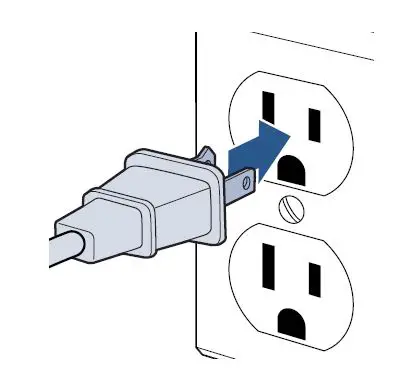
- Plug machine into a functioning outlet
- Recline machine
- Press power button to turn on
- Hold spray button
- Machine will turn-off automatically when put upright
- To resume spinning, recline and press power button on
- Unplug machine
- Run palm of your hand down the entire cord
- Cord should be smooth and free of rips and punctures
- Prongs in plug should be intact with no damage
- If damage is found, visit a BISSELL Authorized Service Center or Contact Us
- Test the outlet with a cell phone charger or lamp
- If outlet works with another device, visit a BISSELL Authorized Service Center or Contact Us
- If outlet does NOT work, test on a different outlet
- Test machine in different rooms to avoid exceeding the amp limit on the circuit breaker
- Put machine upright, unplug and plug back in to reset
- Pads will stop spinning from:
- Pushing down or stepping on the foot
- Using on carpet or rugs
- Using without pads on bare floors
If one disc spins and the other does not:
- There may be loose screws
- Take off the pads on the bottom of the foot and tighten screws in discs
- A disc may need to be replaced
- Even though the discs fit snug, the discs are meant to be removed – it is OK to apply force to remove
If discs are wobbly:
- Check to make sure rectangular Velcro pads are not raised/out of place
- If they are, they can be pushed back into place and should lay flat on the disc
- If you cannot push them back to lay flat, a new disc will need to be ordered
SpinWave RPM:
Free run – 225 RPM average
With load – 200 RPM average