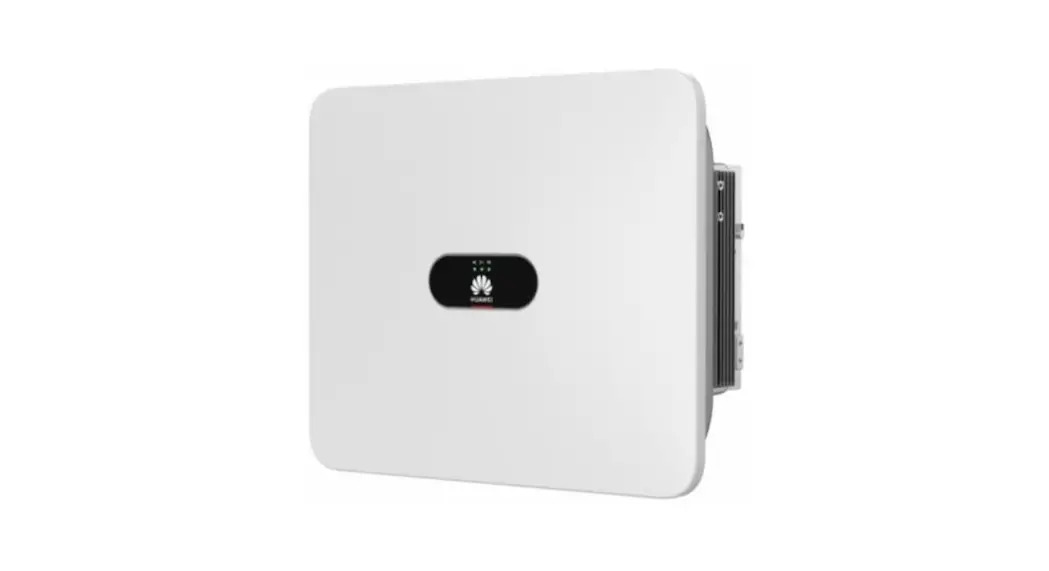
HD-Wave Inverters with Built-In RGM
Product Information
The SolarEdge HD-Wave Inverter is a high-performance inverter
with built-in production RGM (Revenue Grade Meter) and consumption
monitoring capabilities. It supports revenue grade (C12.20)
production metering and requires the installation of one or two
external CTs (Current Transformers) for the consumption monitoring
function.
Version: 1.1, January 2021
Product Usage Instructions
Installation Prerequisites
- The inverter must be a SetApp-enabled inverter.
- The inverter must have one of the following part numbers:
- SExxxxH-US000BxI4: Single phase inverter with HD-wave
technology - SExxxxH-US000Bx34: EV-charging single phase inverter
- SExxxxH-USS3BBx14: StorEdge inverter with HD-Wave
technology
Required Equipment
The following equipment is required for the installation:
- Current Transformers (CTs), purchased separately from
SolarEdge:- Slim CTs: SECT-SPL-225A-T-20
- Split core CTs: SEACT0750-200NA-20, SEACT1250-400NA-20
- Adapter cable required for non-neutral grids, purchased
separately from SolarEdge: ADPTR-CABLE-KIT-K1 (5 units per
package) - Twisted pair CT Extension cable, to be purchased separately.
The required cable length depends on the distance between the
inverter and the service panel, but should not exceed 21 feet.
Cable requirements are as follows:- Twisted pairs
- Voltage Rating: 600V
- Minimum gauge: 24 AWG
- Maximum gauge: 14 AWG
- Shielded CT Extension cable, to be purchased separately. The
shielded extension cable connects the CT to the inverter via the AC
conduit. The required cable length depends on the distance between
the inverter and the service panel. Cable requirements are as
follows:- Shielded cable containing two twisted pairs (one per CT)
- Voltage Rating: 600V
- Minimum gauge: 24 AWG
- Maximum gauge: 14 AWG
CT Installation
The CT(s) are wired via the AC conduit along with the AC wires.
Follow the connection diagrams below to wire the meter:
CTs in a Split-Phase Grid with Neutral
In a split-phase grid with neutral, two CTs are installed as
illustrated in Figure 1.

CTs in a Split-Phase Grid without Neutral
In a split-phase grid without neutral, one CT is installed as
illustrated in Figure 2.

Installing the CTs
- Power off the inverter and disconnect its main circuit
breaker. - Attach the CTs to the relevant AC wires:
- For distances of up to 21 feet between the inverter and the
service panel, a twisted pair lead wire can be used. - For distances of over 21 feet between the inverter and the
service panel, attach the CTs to the relevant AC wires as shown in
the diagrams above.
that the arrow on the CT points in the direction of the current
source.
length (leaving some additional spare length), and connect the pair
to the shielded CT extension cable (CAT5e or any other shielded
wire) using a crimping tool.
Version 1.1, January 2021 1
Application Note HD-Wave Inverters with Built-In RGM & Consumption Monitoring for North America
Version History
Version 1.1, January 2021 new slim-profile CT Version 1.0, March 2020 first version
Contents
Application Note HD-Wave Inverters with Built-In RGM & Consumption Monitoring for North America ……………………………………………………… 1 Introduction …………………………………………………………………………………………………………………………………………………………………………………………………………………………….. 1 Installation Prerequisites ………………………………………………………………………………………………………………………………………………………………………………………………………. 2 Required Equipment ……………………………………………………………………………………………………………………………………………………………………………………………………………… 2 CT Installation …………………………………………………………………………………………………………………………………………………………………………………………………………………………. 3 Configuration ………………………………………………………………………………………………………………………………………………………………………………………………………………………….. 7 Monitoring the Meter ……………………………………………………………………………………………………………………………………………………………………………………………………………. 8 Meter Specification ………………………………………………………………………………………………………………………………………………………………………………………………………………… 9
Introduction
The SolarEdge HD-Wave Inverter with built-in production RGM and consumption monitoring supports revenue grade (C12.20) production metering. The consumption function requires the installation of one or two external CTs. This application note describes how to prepare the inverter for consumption monitoring.
2
Installation Prerequisites
The following conditions are required for the inverter to support the consumption monitoring option:
The inverter must be a SetApp-enabled inverter.
The inverter must have one of the following part numbers:
SExxxxH-US000BxI4: Single phase inverter with HD-wave technology SExxxxH-US000Bx34: EV-charging single phase inverter SExxxxH-USS3BBx14: StorEdge inverter with HD-Wave technology
Required Equipment
Current Transformers (CTs) , purchased separately from SolarEdge, 20 units per package:
Slim CTs: SECT-SPL-225A-T-20 Split core CTs: SEACT0750-200NA-20, SEACT1250-400NA-20
Adapter cable required for non-neutral grids, purchased separately from SolarEdge: ADPTR-CABLE-KIT-K1 (5 units per package)
Twisted pair CT Extension cable, to be purchased separately. The required cable length depends on the distance between the inverter and the service panel, but should not exceed 21 feet. Cable requirements are as follows:
Twisted pairs Voltage Rating: 600V Minimum gauge: 24 AWG Maximum gauge: 14 AWG
Shielded CT Extension cable, to be purchased separately. The shielded extension cable connects the CT to the inverter via the AC conduit. The required cable length depends on the distance between the inverter and the service panel. Cable requirements are as follows:
Shielded cable containing two twisted pairs (one per CT) Voltage Rating: 600V Minimum gauge: 24 AWG Maximum gauge: 14 AWG
3
CT Installation
The wiring that connects the CT(s) to the meter is routed via the AC conduit, together with the AC wires. The CT-to-meter wiring requires use of a shielded CT extension cable. Wire the meter in accordance with one of the connection diagrams below:
Split-phase grid with neutral Split-phase grid without neutral
CTs in a Split-Phase Grid with Neutral
In a split-phase grid with neutral, two CTs are installed as illustrated in the figure below.
Figure 1: Split Phase Grid with Neutral
CTs in a Split-Phase Grid without Neutral
In a split-phase grid without neutral, one CTs is installed as illustrated in the figure below.
Figure 2: Split Phase Grid without Neutral
4
Installing the CTs
To install the CTs: 1. Power off the inverter and disconnect its main circuit breaker. 2. Attach the CTs as to the relevant AC wires:
For distances of up to 21 feet between the inverter and the service panel, a twisted pair lead wire can be used. For distances of over 21 feet between the inverter and the service panel, attach the CTs to the relevant AC wires as shown in the diagrams above.
NOTE
When attaching the CT to the conductor to be measured, the arrow on the CT should point in the direction of the current source. 3. Cut the CT’s black-and-white twisted wire pair to the required length (leaving some additional spare length), and connect the pair to the shielded CT extension cable (CAT5e or any other shielded wire), splicing them using a crimping tool, as shown in the figure below.
Figure 3: Connecting the CT wires to the shielded CT extension cable
NOTE
Do not use the method of twisting the wires and taping them together. This type of connection is not reliable and the wires may eventually disconnect from each other. 4. Connect the AC wiring L1, L2, and N (if required) to the designated terminal block as shown in Figure 4 below.
5 5. Run the shielded extension CT cable in the AC conduit and through the knockout of the DC Safety Unit.
NOTE
The CT’s twisted pair should not be run via the AC conduit, as this will affect the quality of the measurements. Only shielded wire should be run in the AC conduit.
Figure 4: AC and CT Wiring Diagram
NOTE
The above figure shows only the wiring that is to be connected by the installer. Factory pre-wired meter cabling does not appear in the diagram.
6 6. Connect the CT wires from the shielded extension cable to the meter. Make sure to connect each phase’s CT to the corresponding
meter terminal blocks (L1 CT and L2 CT), as shown in the figure below.
NOTE
The CT extension cable’s shielding should be left unconnected at both ends.
Figure 5: Connecting the CT Wires to the Meter
NOTE
The meter’s RS485 wiring is factory pre-installed and should be left unchanged. 7. In a non-neutral grid, take the following actions:
Make sure that only the L1 and L2 wires are connected to the AC terminal block (N should not be connected). Make sure that only one CT is installed. It should be connected to the L1 CT terminal block, as shown in Figure 2 above. Detach the AC terminal block from the meter, and attach the non-neutral grid adapter cable in its place. Then attach the AC
terminal block to the other side of the adapter cable, as shown in Figure 6.
NOTE
The non-neutral grid adapter cable (ADPTR-CABLE-KIT-K1) is not supplied with the inverter and must be purchased separately. For more information, contact your SolarEdge representative.
Figure 6: For non-neutral grid: Insert the adapter cable between the meter’s AC socket and the wired AC terminal block
7
Configuration
The meter’s factory default function setting is Inverter Production + E/I. Production metering is operational at all times (as long as inverter is powered on). The consumption monitoring function becomes operational when configured as Inverter Production + E/I, and the CT Rating is set to a non-zero value.
To configure the meter for consumption monitoring using SetApp: 1. Make sure that the Meter Function is set to Inverter Production + E/I (default factory setting). 2. Select CT Rating for the meter and enter the current transformer’s rating in amperes (default is 0A). The consumption monitoring
function becomes operational once the default setting is changed to a non-zero value.
NOTE
The CT rating for L3 (used for production metering) is set to 50A by default, and is not configurable.
3. Select Commissioning RS485-1 Meter x (the meter number), and configure the following settings.
AC Cable Gauge: 6 – 14 AWG (default is 8 AWG). AC Conduit Length: 0 – 100 feet (default is 20 feet).
To deactivate the consumption monitoring function using SetApp: 1. To stop consumption monitoring, the user should set the Meter Function to Production.
NOTE
Auto-activation is supported only when the meter’s function is set to Inverter Production + E/I.
To verify that the meter is configured for production and consumption monitoring, using SetApp: 1. From the main menu, select Communication, and verify that Meter1 is connected to RS485-1. 2. Verify that the following settings are configured:
RS485 Protocol: Modbus (Multi-Device). Function: Inverter Production + E/I. Meter Protocol: SolarEdge. Device ID: 1. Note: ID DIP switch settings on the meter are factory-set to address 1. CT Rating should be set to the current transformer’s rating in amperes.
3. All other settings mentioned above, including: AC cable gauge and AC conduit length, should be properly configured.
8
Monitoring the Meter
LEDS
The meter utilizes the LEDs on the top of the unit in order to indicate current status.
NOTE
The LEDs can be viewed only when the DC Safety Unit is open.
LED #
1 2 3
Color
Green Yellow Yellow
Function
Operational status RS485 Modbus communication Energy management
Indication
Blinking ON/OFF – normal operation Blinking ON/OFF – communication OK Single blink when the meter reads an energy change of ~1 kwH.
Meter Specification
Meter type Electrical Characteristics Nominal voltage range
Operating voltage range
AC Frequency Grid supported
Power consumption Over-voltage protection Accuracy RGM (CT3, L1/L2)
Accuracy E/I meter (CT1/CT2, L1/L2) (1) 1-5% of 200A CT (split core), 1-2.5% of 400A CT (split core)
Production and Consumption
208 to 240 (line-to-line) 120 to 277 (line-to-neutral) 187 to 264 (line-to-line) 108 to 305 (line-to-neutral) 55 to 65 Single phase (split phase) with or without neutral: L1 / L2 / N / PE and L1 / L2 / PE < 3W CAT III @ 600V ANSI C12.20 class 0.5 (with Solid core CT) IEC 62053-22 Class 0.5S; IEC 62053-23 Class 2
±2
5-100% of 200A CT (split core),
±1
2.5-100% of 400A CT(split core)
1-4% of 250A CT (flexible coil), 4-100% of 250A CT (flexible coil) Current Transformer Nominal Input CT1/CT2 (at CT Rated Current)
±6(2) ±5(2)
CT1, CT2: 0.333
Applicable CT1/CT2 (E/I input)
Dimensions Internal/External
225A slim CT See the datasheet for specifications:
Split core: 200A, 225A, 400A Flexible coil: 250A, 400A
For Rated RMS Current: 200 A
Internal: 0.8 x 0.8 / 20 x 20 External: 2.4 x 2.4 / 61 x 61
For Rated RMS Current: 400 A
Internal: 1.26 x 1.83 / 32 x 46.5 External: 3.3 x 4.5 / 83.4 x 114
https://sparc.canto.global/direct/document/16u5j230st7iffp72oi3u9cv3d/ck75U8tdRs8gxNGiEAi8kte6TGg/origin al?content-type=application%2Fpdf&name=Current+Transformer_DS_ROW.pdf
9
Vac Vac Hz W
%
Nominal Vac RMS Inch/mm
Communication
Physical port
3 wire terminal block
Interface
RS485 half-duplex, 3 wires (A, B, Gnd)
Protocol
MODBUS RTU
Register update resolution
Power register < 200
ms
All other registers < 4
Sec
10
Mechanical Meter mounting Connectors Wire AWG/cross section range AC voltage Terminal Block Communication Terminal Block Current Transformer Terminal Block Operating Temperature Range Certifications Safety Immunity
Emissions
Inverter DIN rail, built-in Euroblock-style pluggable terminal blocks
up to 12 / 2.5
24 / 0.2 to 14 / 2 24 / 0.2 to 14 / 2 -40 to +140 / -40 to +60
UL 61010-1; CAN/CSA-C22.2 No. 61010-1-04; IEC 61010-1 EN 61326: 2002; EN 61000-4-2; EN 61000-4-3; EN 61000-4-4; EN 61000-4-5; EN 61000-4-6; EN 61000-4-11 FCC Part 15, Class B; EN 55022: 1994, Class B
(1) Relates to energy measurement (2) When using a flexible coil CT with an accuracy-level range of ±5%
11
AWG/mm2 AWG/mm2 AWG/mm2 oF/oC
 sparc.canto.global/direct/document/16u5j230st7iffp72oi3u9cv3d/ck75U8tdRs8gxNGiEAi8kte6TGg/origin