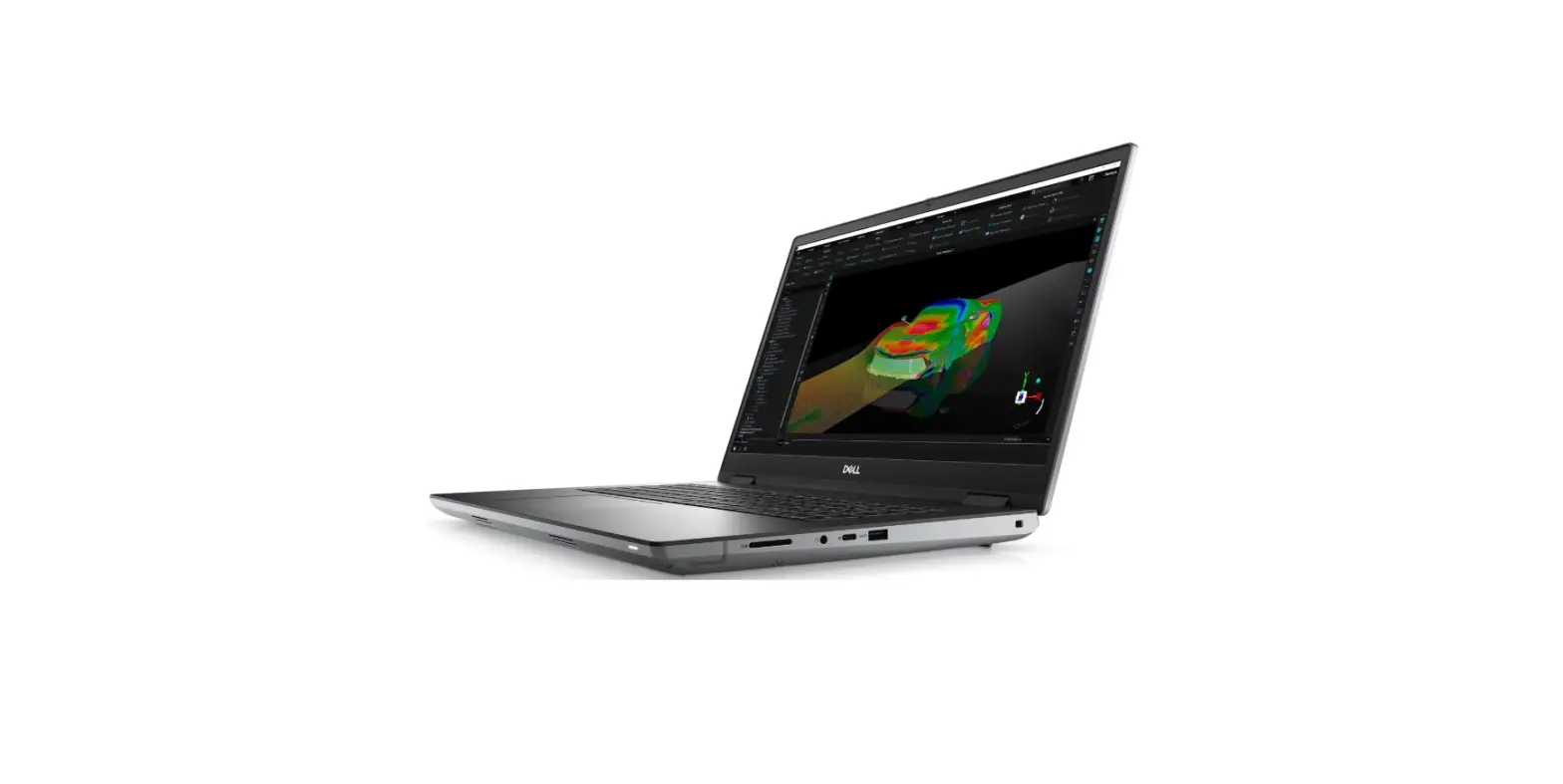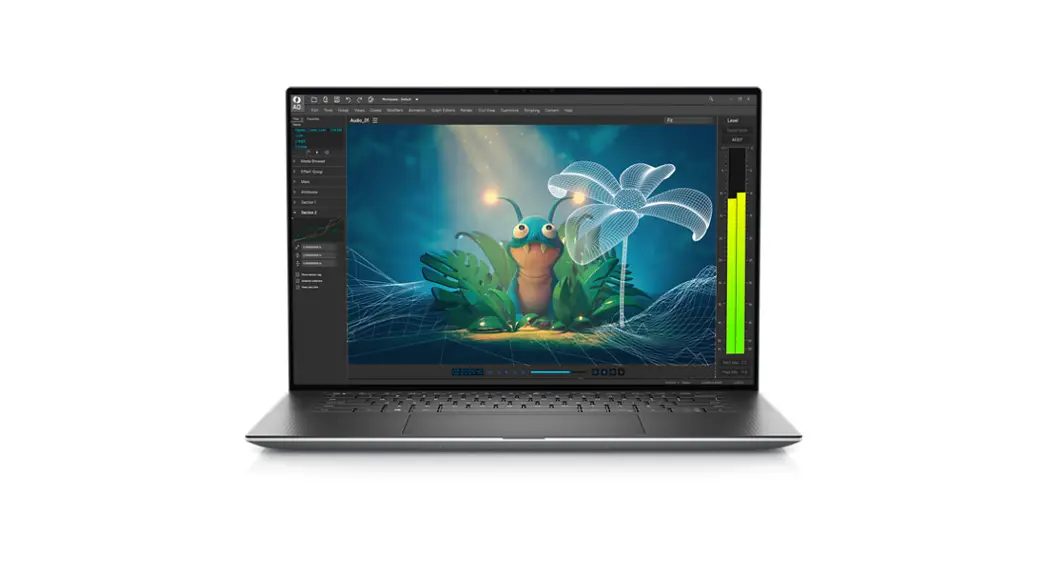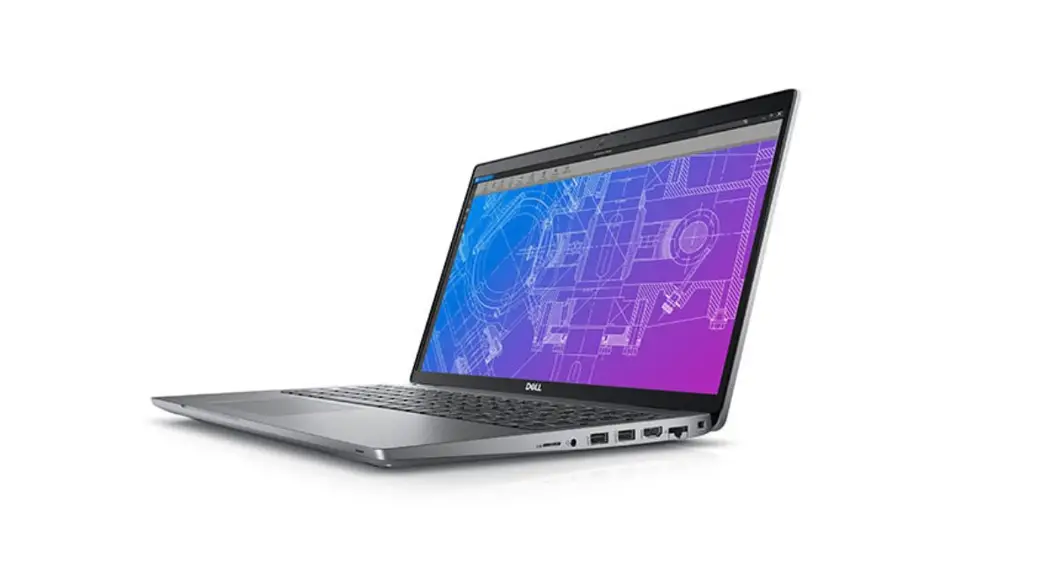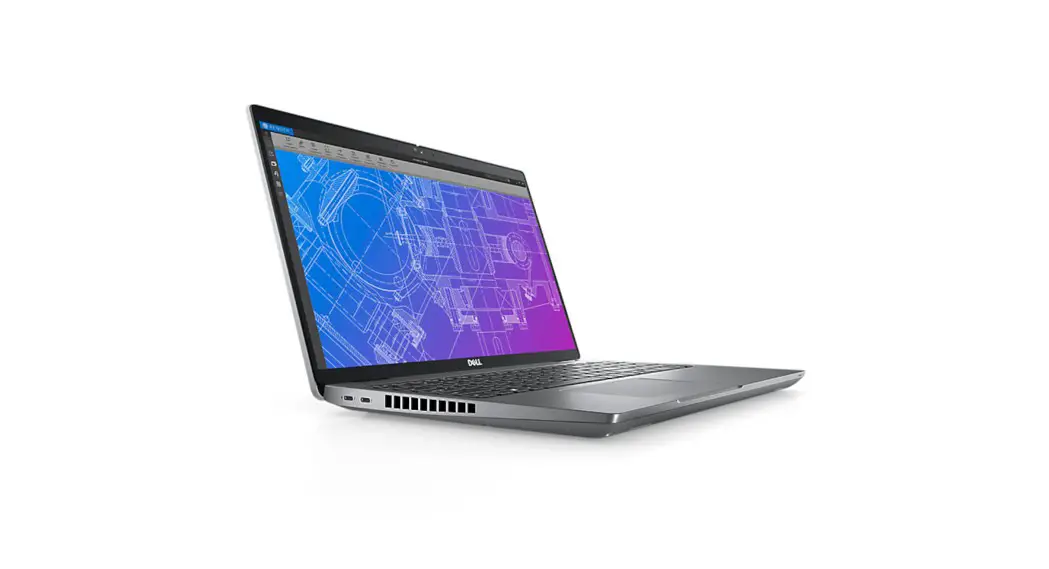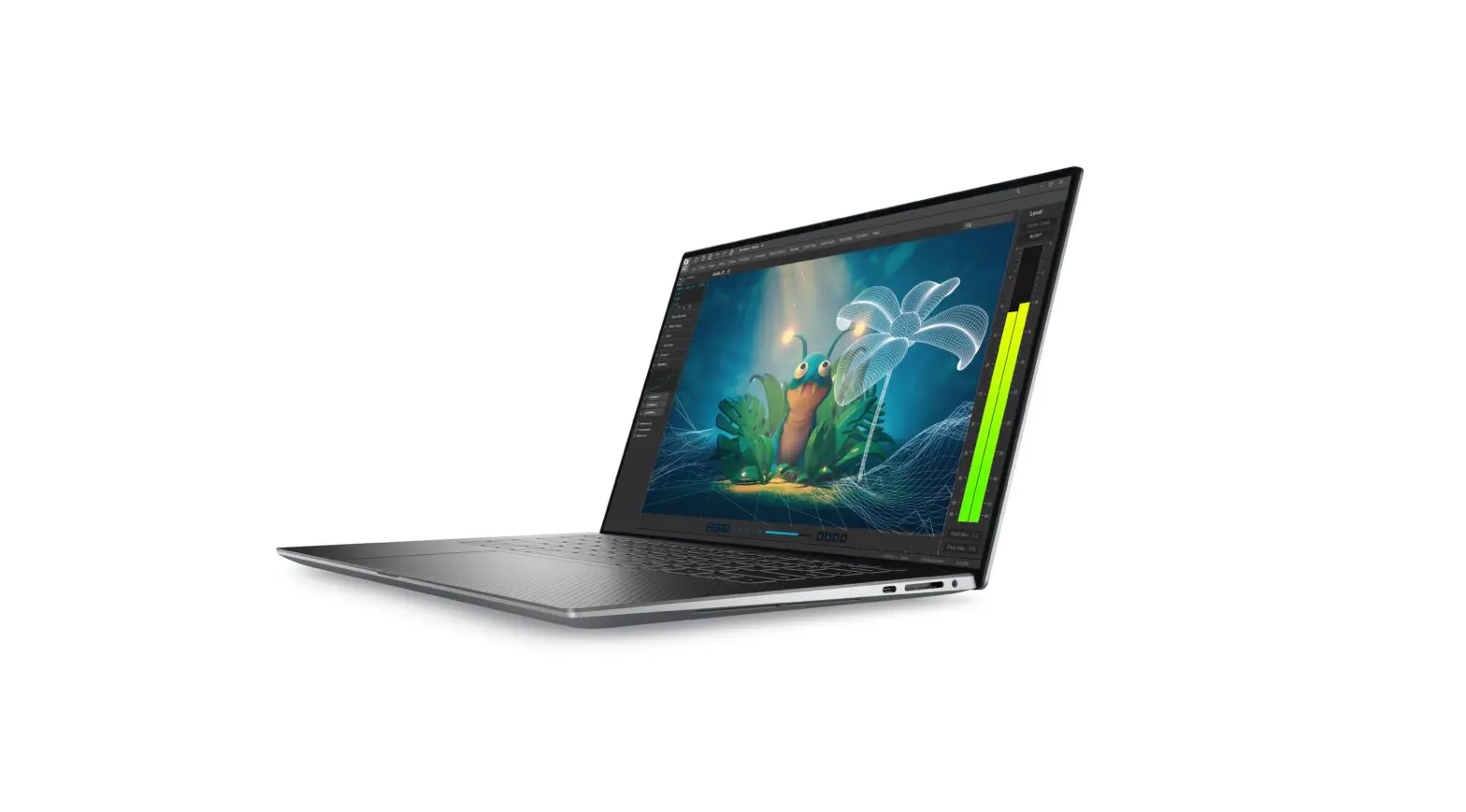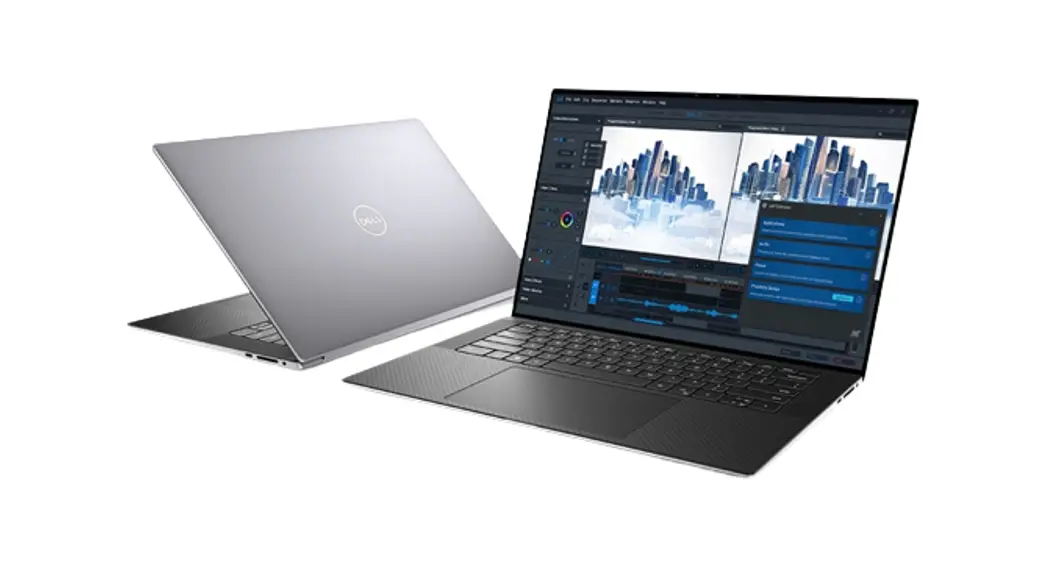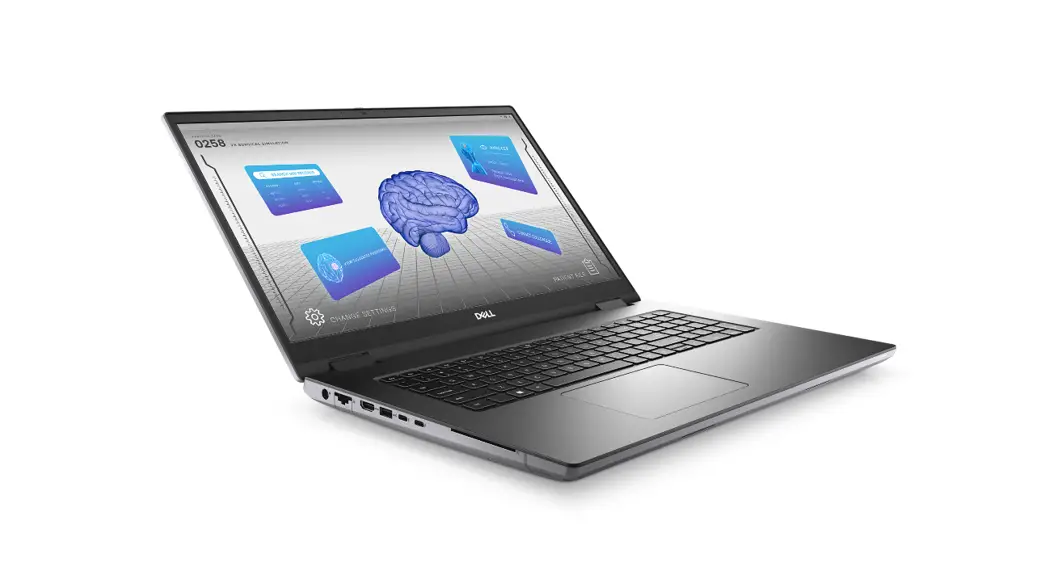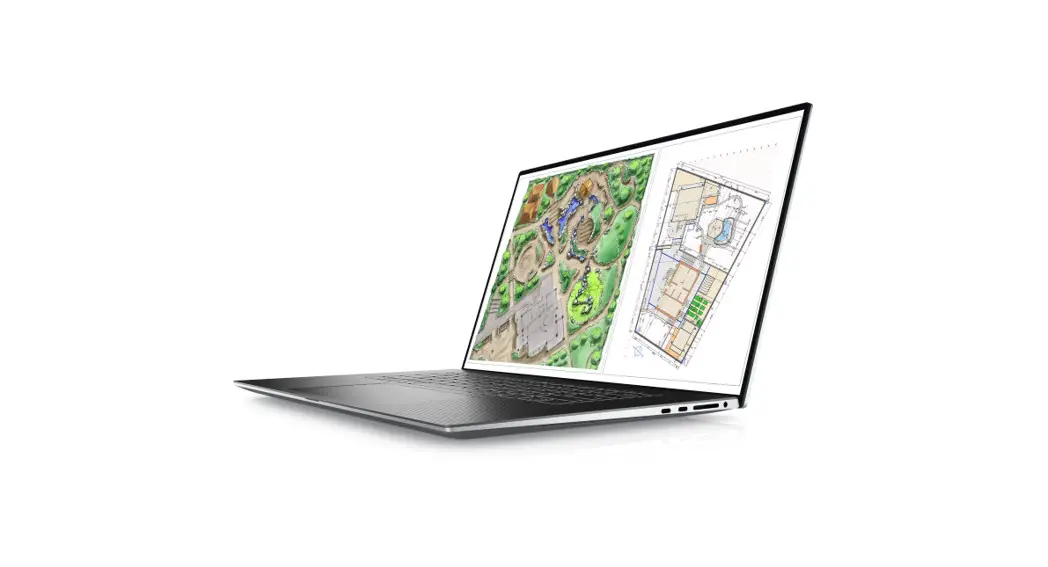

Precision 5770 Workstation Laptop
User Guide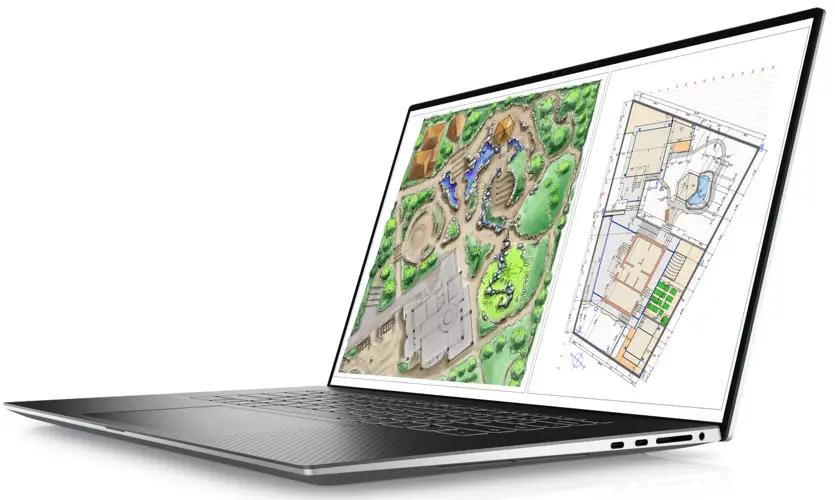
Precision 5770
Setup and Specifications
Precision 5770 Workstation Laptop
Notes, cautions, and warnings NOTE: A NOTE indicates important information that helps you make better use of your product.
 CAUTION: A CAUTION indicates either potential damage to hardware or loss of data and tells you how to avoid the problem.
 WARNING: A WARNING indicates a potential for property damage, personal injury, or death.
Set up your Precision 5770
NOTE: The images in this document may differ from your computer depending on the configuration you ordered.
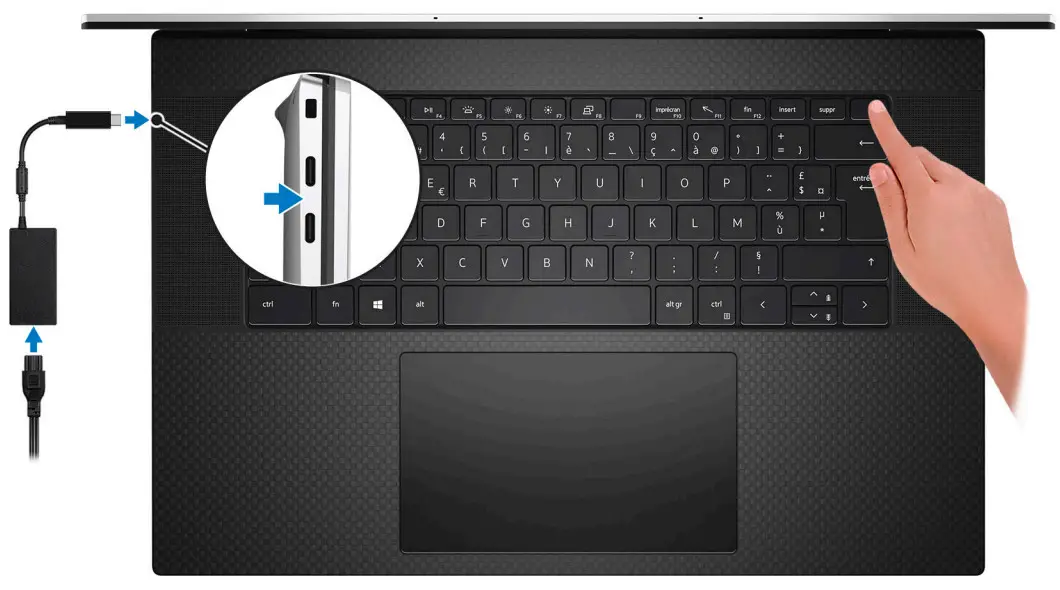
- Connect the power adapter and press the power button.
 NOTE: To conserve battery power, the battery might enter power saving mode. Connect the power adapter and press the power button to turn on the computer.
 - Finish operating system setup.
For Ubuntu:
Follow the on-screen instructions to complete the setup. For more information about installing and configuring Ubuntu, search in the Knowledge Base Resource at www.dell.com/support.
For Windows:
Follow the on-screen instructions to complete the setup. When setting up, Dell recommends that you:
● Connect to a network for Windows updates. NOTE: If connecting to a secured wireless network, enter the password for the wireless network access when prompted.
● If connected to the internet, sign-in with or create a Microsoft account. If not connected to the internet, create an offline account.
● On the Support and Protection screen, enter your contact details. - Locate and use Dell apps from the Windows Start menu—Recommended.
 NOTE: To conserve battery power, the battery might enter power saving mode. Connect the power adapter and press the power button to turn on the computer.
Table 1. Locate Dell apps
Resources | Description |
 | Dell Product Registration Register your computer with Dell. |
| Dell Help & Support Access help and support for your computer. |
|
| Support Assist Support Assist is the smart technology that keeps your computer running at its best by optimizing settings, detecting issues, removing viruses and notifies when you need to make system updates. Support Assist proactively checks the health of your system’s hardware and software. When an issue is detected, the necessary system state information is sent to Dell to begin troubleshooting. Support Assist is preinstalled on most of the Dell devices running Windows operating system. For more information, see Support Assist for Home PCs User’s Guide on www.dell.com/serviceabilitytools. NOTE: In Support Assist, click the warranty expiry date to renew or upgrade your warranty. |
| Dell Update Updates your computer with critical fixes and latest device drivers as they become available. For more information on using Dell Update, search in the Knowledge Base Resource at www.dell.com/ support. |
| Dell Digital Delivery Download software applications, which are purchased but not preinstalled on your computer. For more information on using Dell Digital Delivery, search in the Knowledge Base Resource at www.dell.com/support. |




Views of Precision 5770
Right

- Two Thunderbolt 4 Type-C ports with DisplayPort Alt Mode and Power Delivery
- SD-card slot
- Universal audio jack
Left
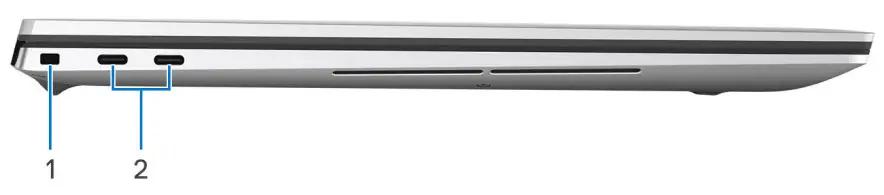
- Wedge-shaped lock slot
- Two Thunderbolt 4 Type-C ports with DisplayPort Alt Mode and Power Delivery
Top
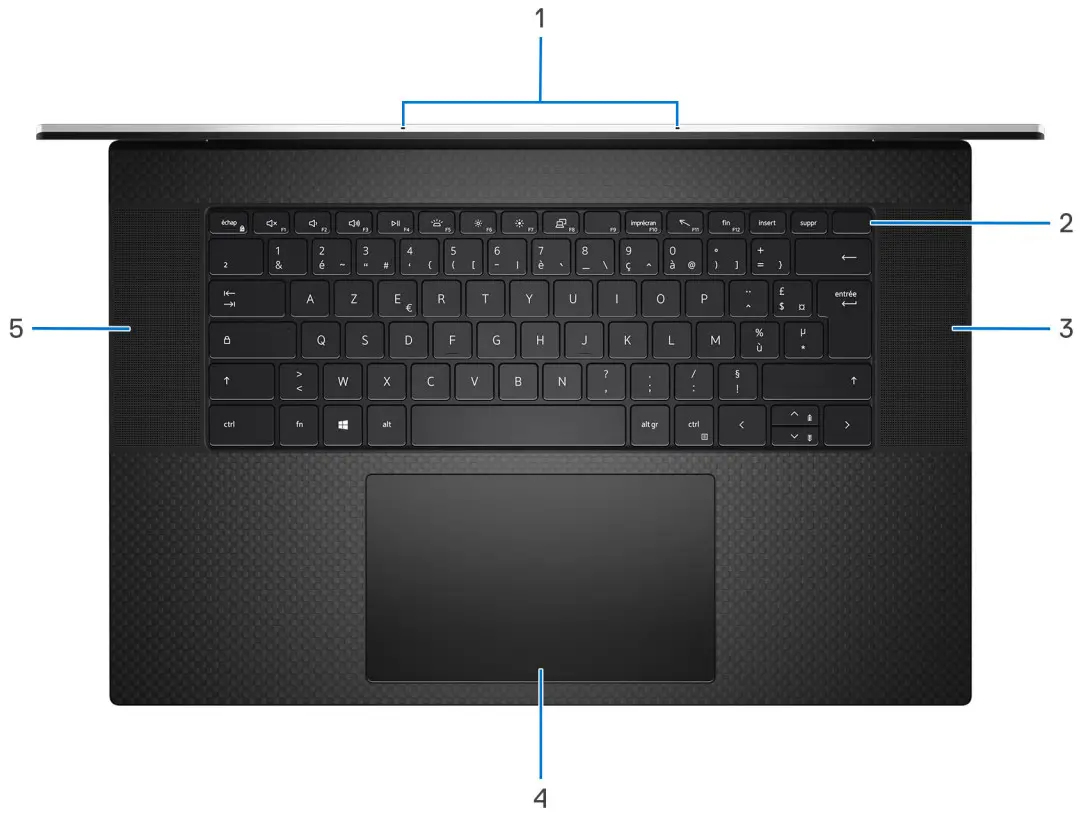
- Dual digital-array microphones
- Power button
- Right speaker
- Trackpad
- Left speaker
Display
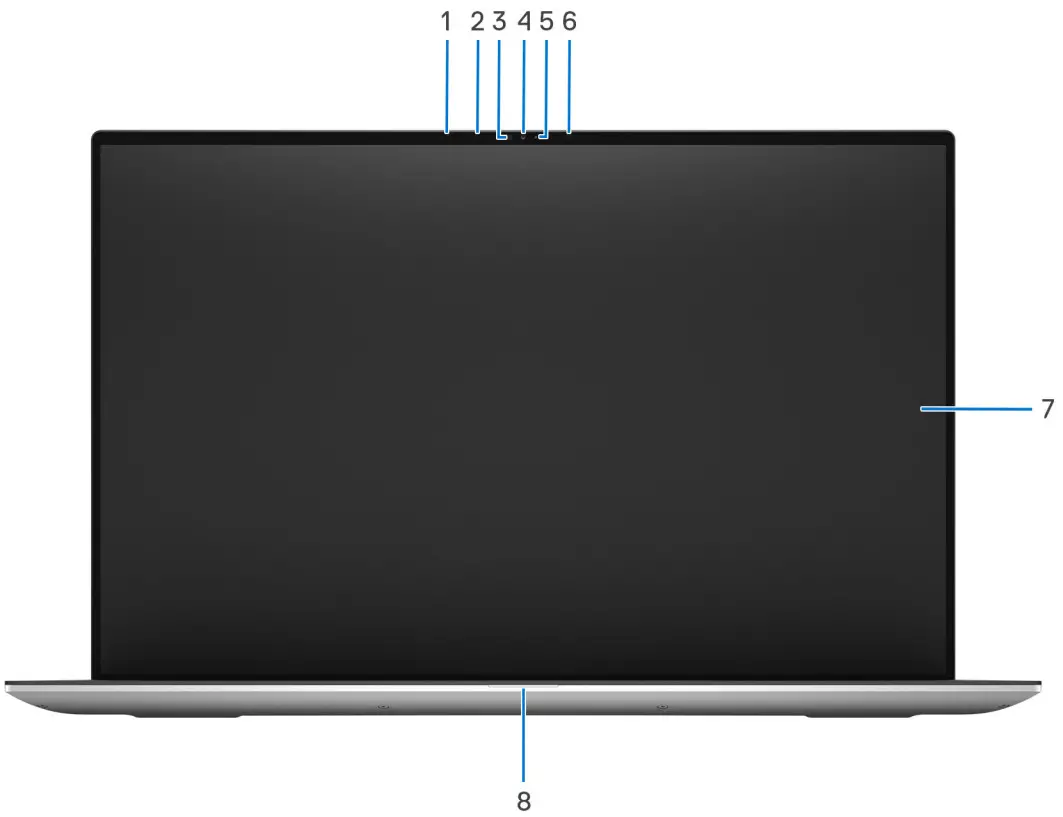
- Proximity sensors
- IR LED
- Ambient Light Sensor (ALS)
- Camera (RGB/IR)
- Camera status light
- IR LED
- Display panel
- Power LED indicator
Bottom
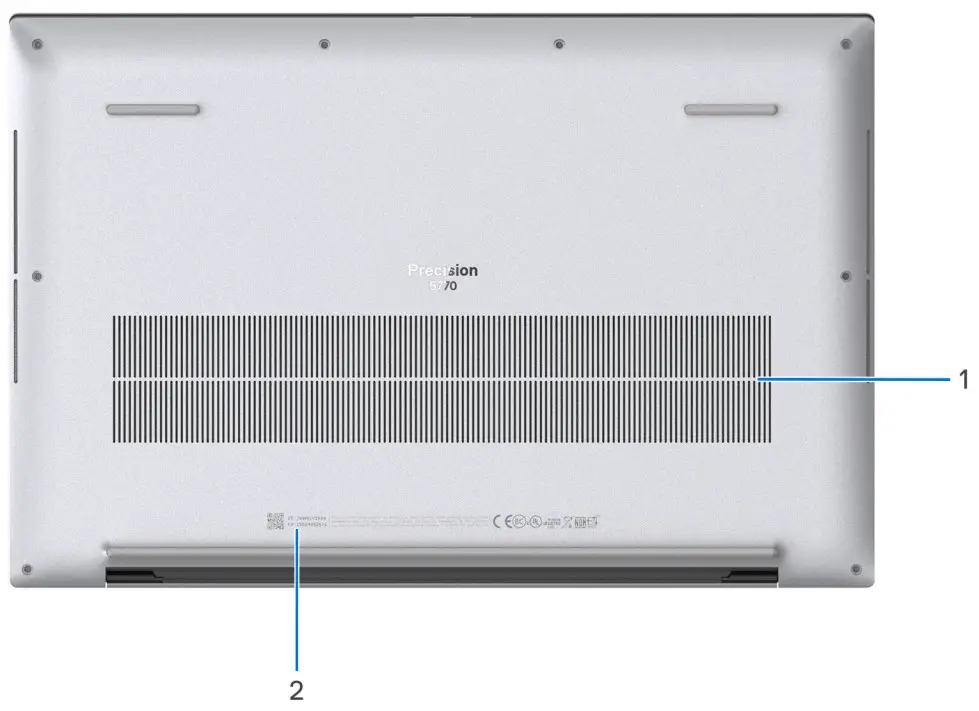
- Air vents
- Service tag label
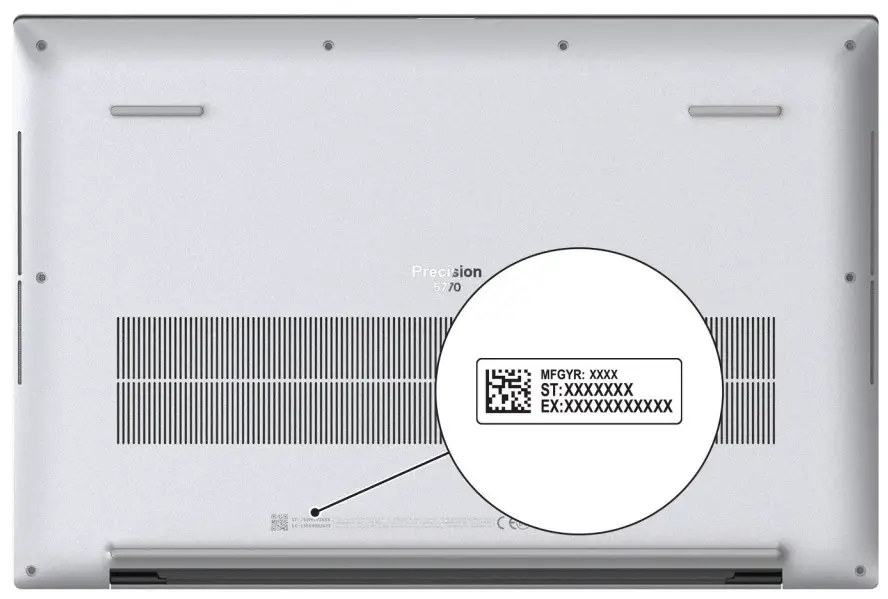
Service Tag
The service tag is a unique alphanumeric identifier that allows Dell service technicians to identify the hardware components in your computer and access warranty information.
Battery charge and status light
The following table lists the battery charge and status light behavior of your Precision 5770.
Table 2. Battery charge and status light behavior
| Power Source | LED Behavior | System Power State | Battery Charge Level |
| AC Adapter | Off | S0 – S5 | Fully Charged |
| AC Adapter | Solid White | S0 – S5 | < Fully Charged |
| Battery | Off | S0 – S5 | 11-100% |
| Battery | Solid Amber (590+/-3 nm) | S0 – S5 | < 10% |
- S0 (ON) – System is turned on.
- S4 (Hibernate) – The system consumes the least power compared to all other sleep states. The system is almost at an OFF state, expect for a trickle power. The context data is written to hard drive.
- S5 (OFF) – The system is in a shutdown state.
Specifications of Precision 5770
Dimensions and weight
The following table lists the height, width, depth, and weight of your Precision 5770.
Table 3. Dimensions and weight
| Description | Values | |
| Height: | ||
| Front height | 8.67 mm (0.34 in.) | |
| Rear height | 13.15 mm (0.51 in.) | |
| Width | 374.48 mm (14.74 in.) | |
| Depth | 248.08 mm (9.76 in.) | |
| Weight
| ● Minimum: 2.17 kg (4.79 lb) ● Maximum: 2.57 kg (5.67 lb) | |
Processor
The following table lists the details of the processors supported by your Precision 5770.
Table 4. Processor
| Description | Option one | Option two | Option three | Option four |
| Processor type | 12th Generation Intel Core i5-12600H | 12th Generation Intel Core i7-12700H | 12th Generation Intel Core i7-12800H | 12th Generation Intel Core i9-12900H |
| Processor wattage | 45 W | 45 W | 45 W | 45 W |
| Processor core count | 12 | 14 | 14 | 14 |
| Processor thread count | 16 | 20 | 20 | 20 |
| Processor speed | 2.70 Ghz to 4.50 GHz | 2.30 GHz to 4.70 GHz | 2.40 GHz to 4.80 GHz | 2.50 GHz to 5.00 GHz |
| Processor cache | 18 MB | 24 MB | 24 MB | 24 MB |
| Integrated graphics | Intel Iris Xe Graphics OR Intel UHD Graphics | Intel Iris Xe Graphics OR Intel UHD Graphics | Intel Iris Xe Graphics OR Intel UHD Graphics | Intel Iris Xe Graphics OR Intel UHD Graphics |
Chipset
The following table lists the details of the chipset supported by your Precision 5770.
Table 5. Chipset
| Description | Values |
| Chipset | Intel Alder Lake H45 |
| Processor | 12th Generation Intel Core i5/i7/i9 |
| DRAM bus width | 128 bit |
| Flash EPROM | 64 MB |
| PCIe bus | Up to Gen 4.0 |
Operating system
Your Precision 5770 supports the following operating systems:
- Windows 10 Pro, 64-bit
- Windows 10 Pro National Academic, 64-bit
- Windows 11 Home, 64-bit
- Windows 11 Pro, 64-bit
- Windows 11 Pro National Academic, 64-bit
- Ubuntu 20.04 LTS, 64-bit
- RedHat v8.6
Memory
The following table lists the memory specifications of your Precision 5770.
Table 6. Memory specifications
| Description | Values |
| Memory slots | Two-SODIMM slots |
| Memory type | Dual-channel DDR5 |
| Memory speed | 4800 MHz |
| Maximum memory configuration | 64 GB |
| Minimum memory configuration | 8 GB |
| Memory size per slot | 8 GB, 16 GB, 32 GB |
| Memory configurations supported | ● 8 GB, 1 x 8 GB, DDR5, 4800 MHz, Non-ECC, single channel ● 16 GB, 2 x 8 GB, DDR5, 4800 MHz, Non-ECC, dual channel ● 32 GB, 2 x 16 GB, DDR5, 4800 MHz, Non-ECC, dual channel ● 64 GB, 2 x 32 GB, DDR5, 4800 MHz, Non-ECC, dual channel |
External ports
The following table lists the external ports on your Precision 5770.
Table 7. External ports
| Description | Values |
| USB ports | ● Four Thunderbolt 4 (USB Type-C) with DisplayPort Alt Mode and Power Delivery |
| Audio port | One universal audio jack |
| Video port/ports | Via Thunderbolt 4 (USB Type-C) ports |
| Media-card reader | One SD 4.0 card slot |
| Power-adapter port | USB Type-C |
| Security-cable slot | One Wedge-shaped lock slot |
Internal slots
The following table lists the internal slots of your Precision 5770.
Table 8. Internal slots
| Description | Values |
| M.2 | ● Two M.2 2230/2280 slot for solid-state drive NOTE: To learn more about the features of different types of M.2 cards, search in the Knowledge Base Resource at www.dell.com/support. |
Wireless module
The following table lists the Wireless Local Area Network (WLAN) module supported on your Precision 5770.
Table 9. Wireless module specifications
| Description | Values |
| Model number | Intel Wi-Fi 6 AX211 (onboard) |
| Transfer rate | Up to 2400 Mbps |
| Frequency bands supported | 2.4 GHz/5 GHz/6 Ghz |
| Wireless standards | ● Wi-Fi 802.11a/b/g ● Wi-Fi 4 (WiFi 802.11n) ● Wi-Fi 5 (WiFi 802.11ac) ● Wi-Fi 6 (WiFi 802.11ax) |
| Encryption | ● 64-bit/128-bit WEP ● AES-CCMP ● TKIP |
Table 9. Wireless module specifications (continued)
| Description | Values |
| Bluetooth | Bluetooth 5.2 |
Audio
The following table lists the audio specifications of your Precision 5770.
Table 10. Audio specifications
| Description | Values | |
| Audio controller | Realtek ALC711-CG | |
| Stereo conversion | Supported | |
| Internal audio interface | Sound Wire | |
| External audio interface | Universal audio jack | |
| Number of speakers | ● 2 x Woofers ● 2 x Tweeters | |
| Internal-speaker amplifier | Realtek ALC1319D | |
| External volume controls | Keyboard shortcut controls | |
| Speaker output: | ||
| Average speaker output | ● Woofer: 2 x 2 W ● Tweeters: 2 x 2 W | |
| Peak speaker output | ● Woofer: 2 x 2.5 W ● Tweeters: 2 x 2.5 W | |
| Subwoofer output | Not supported | |
| Microphone | Dual-array microphones | |
Storage
This section lists the storage options on your Precision 5770.
Your computer supports one of the following configurations:
● M.2 2230, solid-state drive
● M.2 2280, solid-state drive
● M.2 2280, Opal Self-Encrypting solid-state drive
The primary drive of your computer varies with the storage configuration.
Table 11. Storage specifications
| Storage type | Interface type | Capacity |
| M.2 2230, Class 35 solid-state drive | PCIe NV Me Gen3 x4 | 256 GB |
| M.2 2230, Class 35 solid-state drive | PCIe NV Me Gen4 x4 | 256 GB |
| Storage type | Interface type | Capacity |
| M.2 2280, Class 40 solid-state drive | PCIe NV Me Gen4 x4 | Up to 4 TB NOTE: 4 TB SSD is only supported on systems configured with discrete graphics. |
| M.2 2280, Class 40 solid-state drive, Opal Self-Encrypting solid-state drive | PCIe NV Me Gen3 x4 | Up to 1 TB |
Media-card reader
The following table lists the media cards supported by your Precision 5770.
Table 12. Media-card reader specifications
| Description | Values |
| Media-card type | One SD 4.0 card slot |
| Media-cards supported | ● Secure Digital (SD) ● Secure Digital High Capacity (SDHC) ● Secure Digital Extended Capacity (SDXC) |
| NOTE: The maximum capacity supported by the media-card reader varies depending on the standard of the media card installed in your computer. | |
Keyboard
The following table lists the keyboard specifications of your Precision 5770.
Table 13. Keyboard specifications
| Description | Values |
| Keyboard type | ● Backlit |
| Keyboard layout | QWERTY |
| Number of keys | ● United States and Canada: 79 keys ● United Kingdom: 80 keys ● Japan: 83 keys |
| Keyboard size | X=19.05 mm key pitch Y=18.05 mm key pitch |
| Keyboard shortcuts | Some keys on your keyboard have two symbols on them. These keys can be used to type alternate characters or to perform secondary functions. To type the alternate character, press Shift and the desired key. To perform secondary functions, press Fn and the desired key. NOTE: You can define the primary behavior of the function keys (F1–F12) changing Function Key Behavior in BIOS setup program. |
Camera
The following table lists the camera specifications of your Precision 5770.
Table 14. Camera specifications
| Description | Values | |
| Number of cameras | One | |
| Camera type | RGB-Ir camera with dual digital-array microphones | |
| Camera location | Front camera | |
| Camera sensor type | CMOS RGB-Ir hybrid technology | |
| Camera resolution: | ||
| Still image | 0.90 megapixel | |
| Video | 1280 x 720 (HD) at 30 fps | |
| Infrared camera resolution: | ||
| Still image | 0.92 megapixel | |
| Video | 640 x 360 at 30 fps | |
| Diagonal viewing angle: | ||
| Camera | 78.5 degrees | |
| Infrared camera | 78.5 degrees | |
Touchpad
The following table lists the touchpad specifications of your Precision 5770.
Table 15. Touchpad specifications
| Description | Values | |
| Touchpad resolution: | ||
| Horizontal | 4655 | |
| Vertical | 2731 | |
| Touchpad dimensions: | ||
| Horizontal | 149.90 mm (5.90 in.) | |
| Vertical | 89 mm (3.50 in.) | |
| Touchpad gestures | For more information about touchpad gestures available on Windows, see the Microsoft knowledge base article at support.microsoft.com. | |
Power adapter
The following table lists the power adapter specifications of your Precision 5770.
Table 16. Power adapter specifications
| Description | Option one | Option two | |
| Type | 90 W USB Type-C | 130 W Type-C | |
| Input voltage | 100 VAC to 240 VAC | 100 VAC to 240 VAC | |
| Input frequency | 50 to 60 Hz | 50 to 60 Hz | |
| Input current (maximum) | 1.50 A | 1.80 A | |
| Output current (continuous) | ● 20 V/4.5 A ● 15 V/3 A ● 9 V/3 A ● 5 V/3 A | ● 20 V/6.5 A ● 5.0 V/1 A | |
| Rated output voltage | ● 20 VDC ● 15 VDC ● 9 VDC ● 5 VDC | ● 20 VDC ● 5 VDC | |
| Temperature range: | |||
| Operating | 0°C to 40°C (32°F to 104°F) | 0°C to 40°C (32°F to 104°F) | |
| Storage | -40°C to 70°C (-40°F to 158°F) | -40°C to 70°C (-40°F to 158°F) | |
| CAUTION: Operating and storage temperature ranges may differ among components, so operating or storing the device outside these ranges may impact the performance of specific components. | |||
Battery
The following table lists the battery specifications of your Precision 5770.
Table 17. Battery specifications
| Description | Option one | Option two | |
| Battery type | 3-cell, 56 Whir Express Charge | 6-cell, 97 Whir Express Charge | |
| Battery voltage | 11.40 VDC | 11.40 VDC | |
| Battery weight (maximum) | 0.27 kg (0.60 lb) | 0.385 kg (0.85 lb) | |
| Battery dimensions: | |||
| Height | 8.45 mm (0.33 in.) | 8.45 mm (0.33 in.) | |
| Width | 69.70 mm (2.74 in.) | 69.70 mm (2.74 in.) | |
| Depth | 330.65 mm (13.02 in.) | 330.65 mm (13.02 in.) | |
| Temperature range: | |||
| Description | Option one | Option two | |
| Operating | ● Charge: 0°C to 50°C (32°F to 122°F) ● Discharge: 0°C to 60°C (32°F to 140°F) | ● Charge: 0°C to 50°C (32°F to 122°F) ● Discharge: 0°C to 60°C (32°F to 140°F) | |
| Storage | –40°C to 60°C (-4°F to 140°F) | –40°C to 60°C (-4°F to 140°F) | |
| Battery operating time | Varies depending on operating conditions and can significantly reduce under certain power-intensive conditions. | Varies depending on operating conditions and can significantly reduce under certain power-intensive conditions. | |
| Battery charging time (approximate)
| ● Standard charge, 0°C to 50°C (32°F to 122°F): 4 hours ● Express Charge, 0°C to 15°C (32°F to 59°F): 4 hours ● Express Charge, 16°C to 45°C (60.80°F to 113°F): 2 hours ● Express Charge, 46°C to 50°C (114.80°F to 122°F): 3 hours NOTE: Control the charging time, duration, start and end time, and so on, using the Dell Power Manager application. For more information about the Dell Power Manager, see, Me and My Dell on www.dell.com/. | ● Standard charge, 0°C to 50°C (32°F to 122°F): 4 hours ● Express Charge, 0°C to 15°C (32°F to 59°F): 4 hours ● Express Charge, 16°C to 45°C (60.80°F to 113°F): 2 hours ● Express Charge, 46°C to 50°C (114.80°F to 122°F): 3 hours NOTE: Control the charging time, duration, start and end time, and so on, using the Dell Power Manager application. For more information about the Dell Power Manager, see, Me and My Dell on www.dell.com/. | |
| Coin-cell battery | Not supported | Not supported | |
| CAUTION: Operating and storage temperature ranges may differ among components, so operating or storing the device outside these ranges may impact the performance of specific components. CAUTION: Dell recommends that you charge the battery regularly for optimal power consumption. If your battery charge is completely depleted, connect the power adapter, turn on your computer, and then restart your computer to reduce the power consumption. | |||
Display
The following table lists the display specifications of your Precision 5770.
Table 18. Display specifications
| Description | Option one | Option two | |
| Display type | Full High Definition Plus (FHD+) | Ultra High Definition Plus (UHD+) | |
| Touch options | No | Yes, 10 finger touch | |
| Display-panel technology | Wide Viewing Angle (WVA) with Low Blue Light | Wide Viewing Angle (WVA) with Low Blue Light | |
| Display-panel dimensions (active area): | |||
| Height | 366.34 mm (14.42 in.) | 366.34 mm (14.42 in.) | |
| Width | 228.96 mm (9.01 in.) | 228.96 mm (9.01 in.) | |
| Description | Option one | Option two | |
| Diagonal | 432.00 mm (17 in.) | 432.00 mm (17 in.) | |
| Display-panel native resolution | 1920 x 1200 | 3840 x 2400 | |
| Luminance (typical) | 500 nits | 500 nits | |
| Megapixels | 2.3 | 9.2 | |
| Color gamut | sRGB 100% min | Adobe 100% min; DCI-P3 99% typ, 95% min | |
| Pixels Per Inch (PPI) | 133 | 266 | |
| Contrast ratio (min.) | 1650:1 typical | 1600:1 typical | |
| Response time (max.) | 35 ms | 35 ms | |
| Refresh rate | 60 Hz | 60 Hz | |
| Horizontal view angle | +/- 85 degrees typical | +/- 85 degrees typical | |
| Vertical view angle | +/- 85 degrees typical | +/- 85 degrees typical | |
| Pixel pitch | 0.1908 mm | 0.0954 mm | |
| Power consumption (maximum) | 5.06 W | 13.73 W | |
| Anti-glare vs glossy finish | Anti-glare | Anti-reflective | |
Fingerprint reader
The following table lists the fingerprint-reader specifications of your Precision 5770. NOTE: The fingerprint reader is located on the power button.
Table 19. Fingerprint reader specifications
| Description | Values |
| Fingerprint-reader sensor technology | Capacitive |
| Fingerprint-reader sensor resolution | 500 dpi |
| Fingerprint-reader sensor pixel size | 108 x 88 |
Sensor
The following table lists the sensor of your Precision 5770.
Table 20. Sensor
| Sensor support |
| Accelerometer (ST Micro LIS2DW12TR): on the base (system board) |
| ALS for Panel Backlight Control |
| Sensor support |
| Single Proximity sensor – on upper bezel |
GPU—Integrated
The following table lists the specifications of the integrated Graphics Processing Unit (GPU) supported by your Precision 5770.
Table 21. GPU—Integrated
| Controller | Memory size | Processor |
| Intel UHD Graphics (Single-channel memory) | Shared system memory | 12th Generation Intel Core i5/i7/i9 processors |
| Intel Iris Xe Graphics (Dual-channel memory) | Shared system memory | 12th Generation Intel Core i5/i7/i9 processors |
GPU—Discrete
The following table lists the specifications of the discrete Graphics Processing Unit (GPU) supported by your Precision 5770.
Table 22. GPU—Discrete
| Controller | Memory size | Memory type |
| NVIDIA GeForce RTX A3000 | 12 GB | GDDR6 |
| NVIDIA GeForce RTX A2000 | 8 GB | GDDR6 |
Multiple display support matrix
The following table lists the multiple display support matrix for your Precision 5770.
Table 23. Multiple display support matrix
| Graphics Card | Direct Graphics Controller Direct Output Mode | Supported external displays with computer internal display on | Supported external displays with computer internal display off |
| NVIDIA GeForce RTX A2000 | No | 3 | 4 |
| NVIDIA GeForce RTX A3000 | Yes | 3 | 4 |
| Intel UHD Graphics | Not applicable | 3 | 4 |
| Intel Iris Xe Graphics | Not applicable | 3 | 4 |
Hardware security
The following table lists the hardware security of your Precision 5770.
Table 24. Hardware security
| Hardware security |
| Trusted Platform Module (TPM) 2.0 FIPS 140-2 Certified |
| Chassis Intrusion Detection |
| 1 wedge-shaped lock slot |
Operating and storage environment
This table lists the operating and storage specifications of your Precision 5770.
Airborne contaminant level: G1 as defined by ISA-S71.04-1985
Table 25. Computer environment
| Description | Operating | Storage |
| Temperature range | 0°C to 35°C (32°F to 95°F) | -40°C to 65°C (-40°F to 149°F) |
| Relative humidity (maximum) | 10% to 90% (non-condensing) | 0% to 95% (non-condensing) |
| Vibration (maximum)* | 0.66 GRMS | 1.30 GRMS |
| Shock (maximum) | 110 G† | 160 G† |
| Altitude range | -15.2 m to 3048 m (4.64 ft to 5518.4 ft) | -15.2 m to 10668 m (4.64 ft to 19234.4 ft) |
| CAUTION: Operating and storage temperature ranges may differ among components, so operating or storing the device outside these ranges may impact the performance of specific components. | ||
* Measured using a random vibration spectrum that simulates user environment.
† Measured using a 2 ms half-sine pulse.
Comfort View Plus
WARNING: Prolonged exposure to blue light from the display may lead to long-term effects such as eye strain, eye fatigue, or damage to the eyes.
Blue light is a color in the light spectrum which has a short wavelength and high energy. Chronic exposure to blue light, particularly from digital sources, may disrupt sleep patterns and cause long-term effects such as eye strain, eye fatigue, or damage to the eyes.
The display on this computer is designed to minimize blue light and complies with TÜV Rhineland’s requirement for low blue light displays.
Low blue light mode is enabled at the factory, so no further configuration is necessary.
To reduce the risk of eye strain, it is also recommended that you:
- Position the display at a comfortable viewing distance between 20 and 28 inches (50 and 70 cm) from your eyes.
- Blink frequently to moisten your eyes, wet your eyes with water, or apply suitable eye drops.
- Look away from your display, and gaze at a distant object at 20 ft (609.60 cm) away for at least 20 seconds during each break.
- Take an extended break for 20 minutes every two hours.
Keyboard shortcuts of Precision 5770
NOTE: Keyboard characters may differ depending on the keyboard language configuration. Keys that are used for shortcuts remain the same across all language configurations.
Some keys on your keyboard have two symbols on them. These keys can be used to type alternate characters or to perform secondary functions. The symbol that is shown on the lower part of the key refers to the character that is typed out when the key is pressed. If you press shift and the key, the symbol that is shown on the upper part of the key is typed out. For example, if you press 2, 2 is typed out; if you press Shift + 2, @ is typed out.
The keys F1-F12 at the top row of the keyboard are function keys for multimedia control, as indicated by the icon at the bottom of the key. Press the function key to invoke the task represented by the icon. For example, pressing F1 mutes the audio (see the table below).
However, if the function keys F1-F12 are needed for specific software applications, multimedia functionality can be disabled by pressing fn + esc. Subsequently, multimedia control can be invoked by pressing fn and the respective function key. For example, mute audio by pressing fn + F1. NOTE: You can also define the primary behavior of the function keys (F1-F12) by changing Function Key Behavior in BIOS setup program.
Table 26. List of keyboard shortcuts
| Function key | Re-defined key (for multi-media control) | Behavior |
| F1 | fn + F1 | Mute audio |
| F2 | fn + F2 | Decrease volume |
| F3 | fn + F3 | Increase volume |
| F4 | fn + F4 | Play/Pause |
| F5 | fn + F5 | Click keyboard backlight NOTE: Toggle to cycle the keyboard backlight status through off, low-backlight, and high- backlight |
| F6 | fn + F6 | Decrease brightness |
| F7 | fn + F7 | Increase brightness |
| F8 | fn + F8 | Switch to external display |
| F10 | fn + F10 | Print screen |
| F11 | fn + F11 | Home |
| F12 | fn + F12 | End |
The fn key is also used with selected keys on the keyboard to invoke other secondary functions.
Table 27. List of keyboard shortcuts
| Function key | Behavior |
| fn + B | Pause/Break |
| fn + S | Toggle scroll lock |
| fn + R | System request |
| fn + ctrl | Open application menu |
| Function key | Behavior |
| fn + esc | Toggle fn-key lock |
| fn + left arrow | Home |
| fn + right arrow | End |
Getting help and contacting Dell
Self-help resources
You can get information and help on Dell products and services using these self-help resources:
Table 28. Self-help resources
| Self-help resources | Resource location |
| Information about Dell products and services | www.dell.com |
| Tips |  |
| Contact Support | In Windows search, type Contact Support, and press Enter. |
| Online help for operating system | www.dell.com/support/windows www.dell.com/support/linux |
| Access top solutions, diagnostics, drivers and downloads, and learn more about your computer through videos, manuals and documents. | Your Dell computer is uniquely identified by a Service Tag or Express Service Code. To view relevant support resources for your Dell computer, enter the Service Tag or Express Service Code at www.dell.com/support. For more information on how to find the Service Tag for your computer, see Locate the Service Tag on your computer. |
| Dell knowledge base articles for a variety of computer concerns | 1. Go to www.dell.com/support. 2.On the menu bar at the top of the Support page, select Support > Knowledge Base. 3. In the Search field on the Knowledge Base page, type the keyword, topic, or model number, and then click or tap the search icon to view the related articles. |
Contacting Dell
To contact Dell for sales, technical support, or customer service issues, see www.dell.com/contactdell.NOTE: Availability varies by country/region and product, and some services may not be available in your country/region.NOTE: If you do not have an active Internet connection, you can find contact information about your purchase invoice, packing slip, bill, or Dell product catalog.
Regulatory Model: P92F
Regulatory Type: P92F003
October 2022
Rev. A02
© 2022 Dell Inc. or its subsidiaries. All rights reserved.
Dell Technologies, Dell, and other trademarks are trademarks of Dell Inc. or its subsidiaries. Other trademarks may be trademarks of their respective owners.