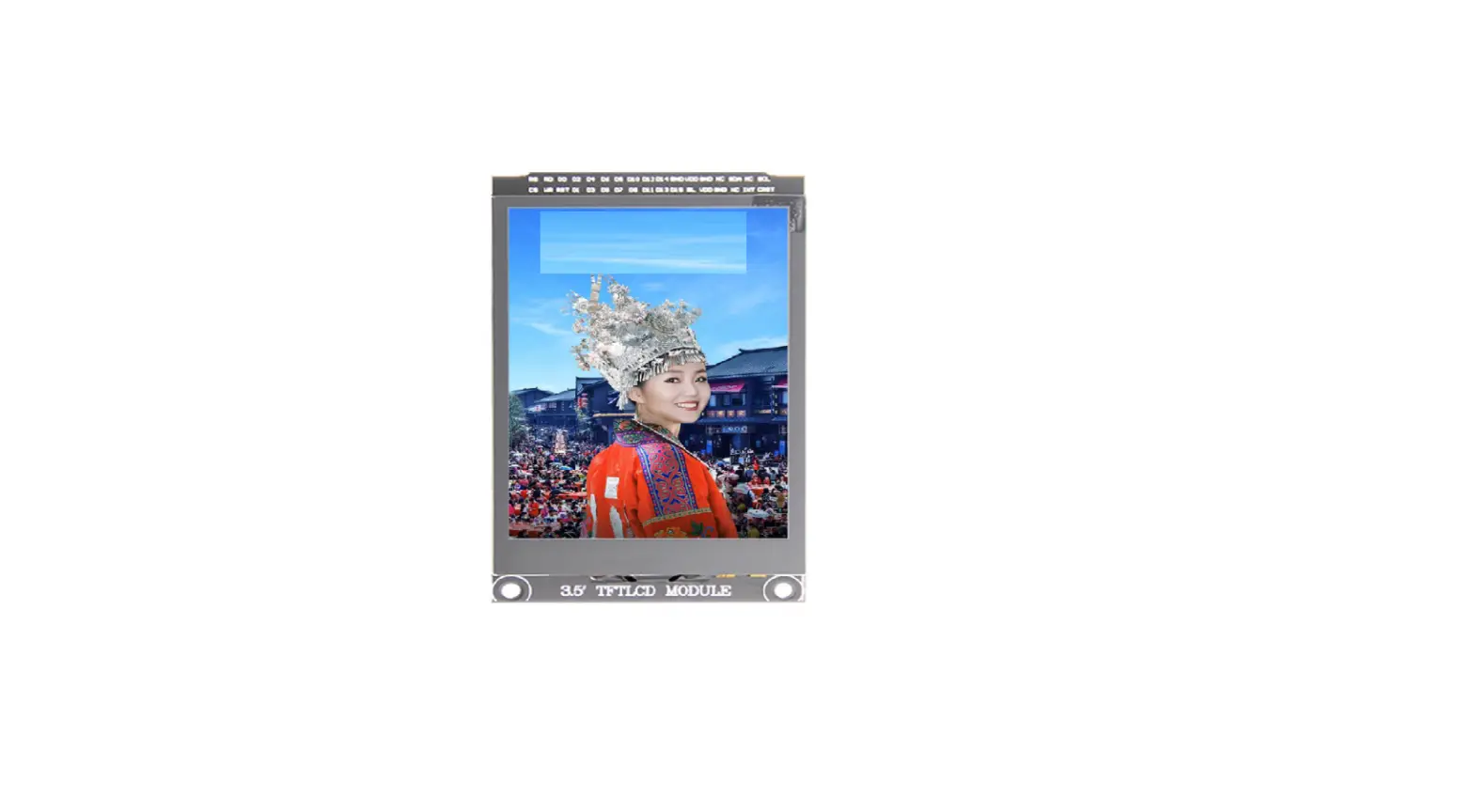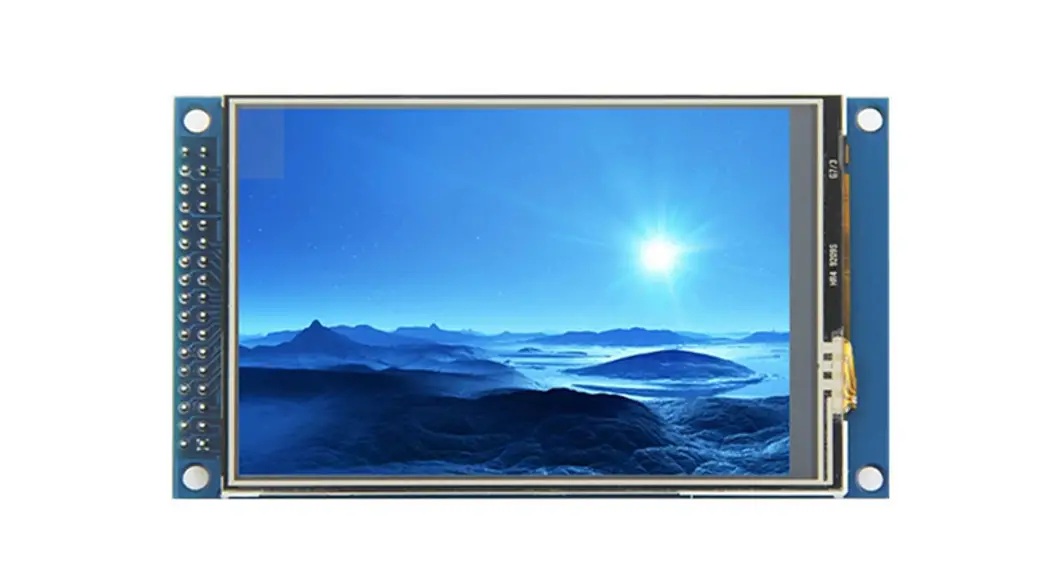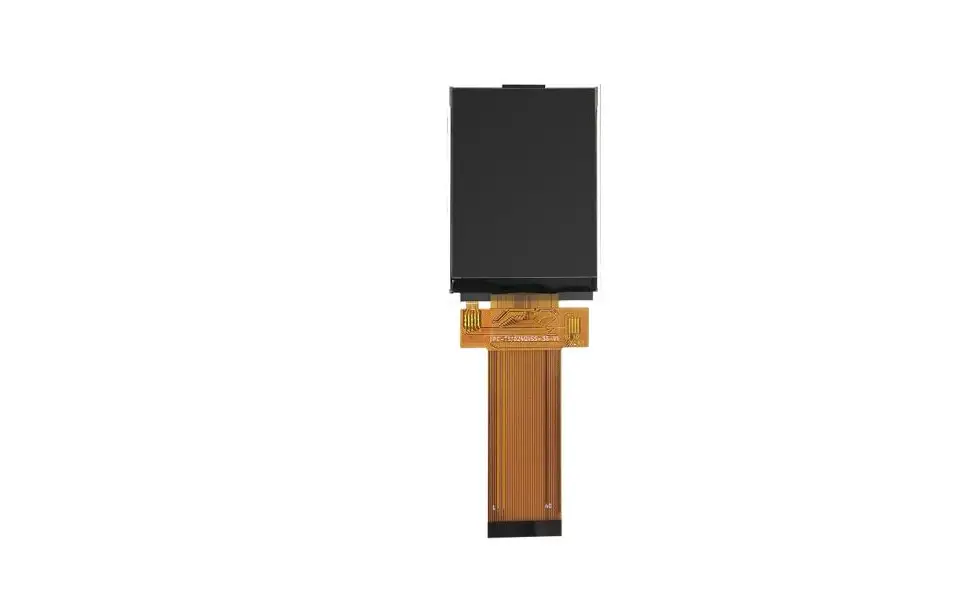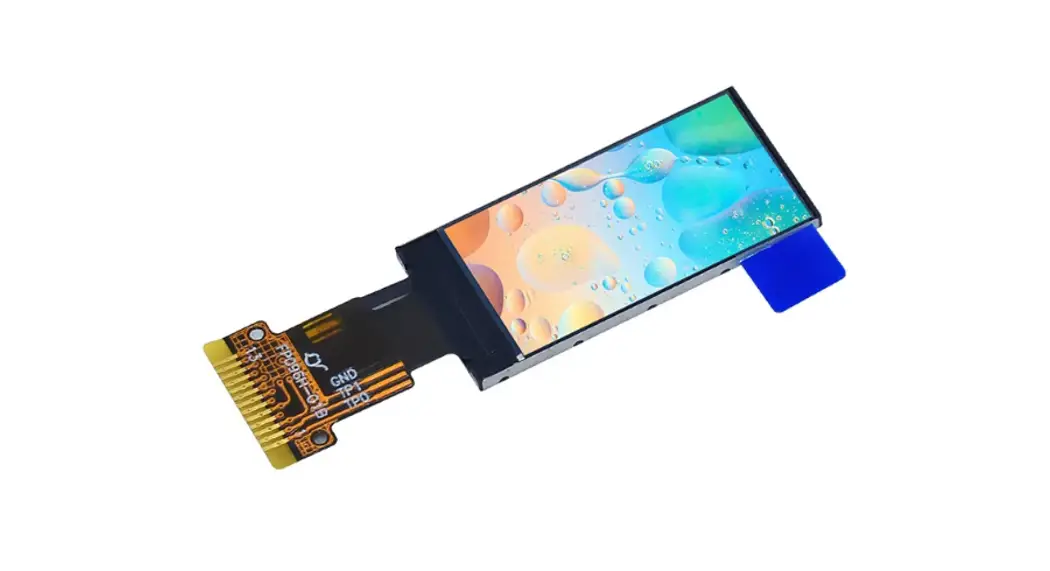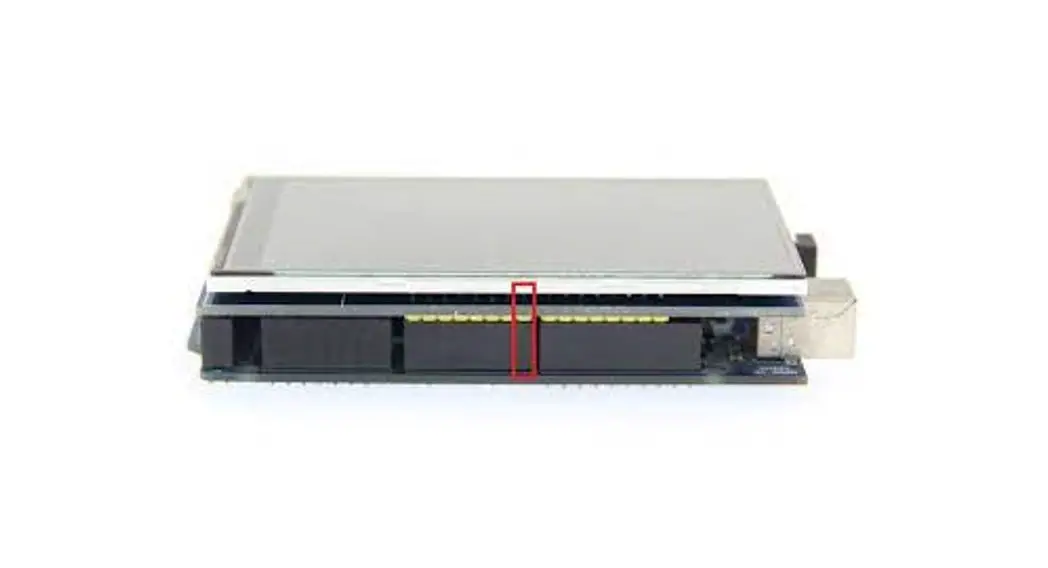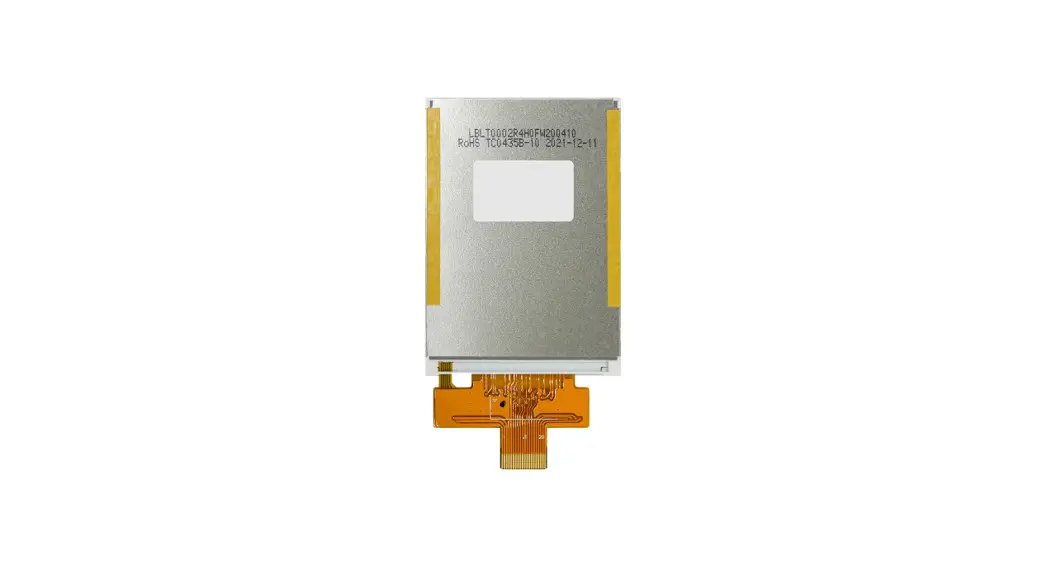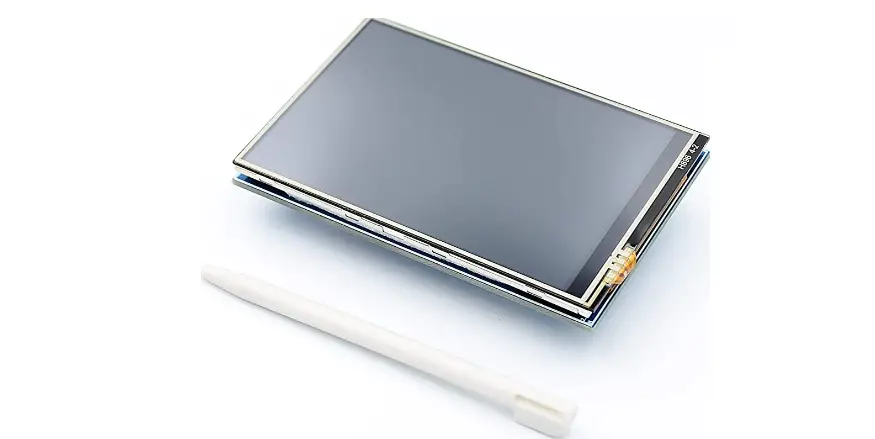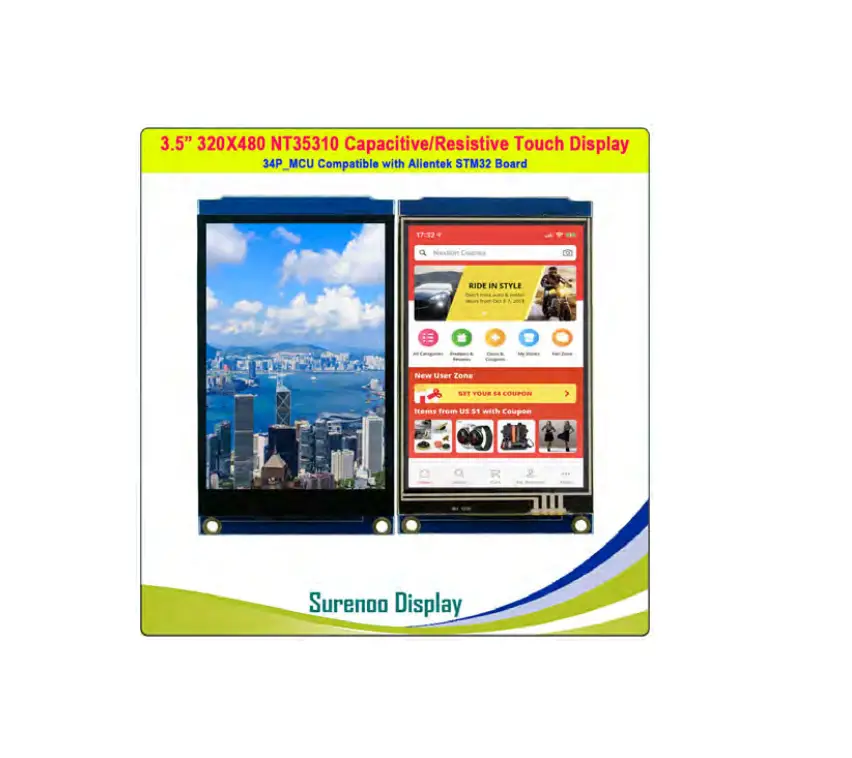
Surenoo SMC0350C-320480 Series MCU Interface TFT LCD Module
Product Description
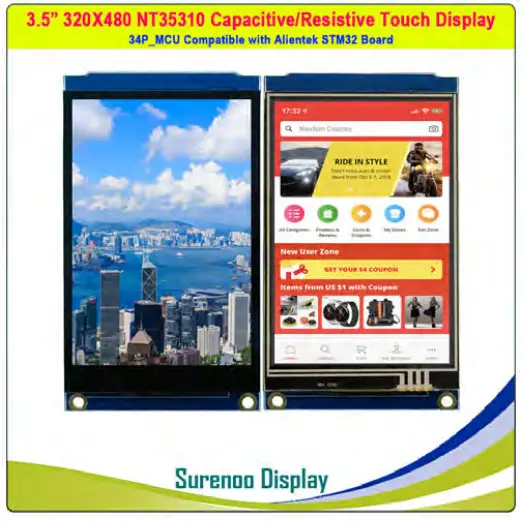
The product is a 3.5-inch TFT LCD display module which supports switching between resistance touch screen and capacitive touch screen. It has 480×320 resolution, supports 16BIT RGB 65K color display, and the internal driver IC is NT35310, which uses 16-bit parallel port communication. The module includes LCD display, resistance touch screen or capacitance touch screen and PCB backplane. It can be plugged into the TFT LCD slot of the STM32 series development board or used on the C51 platform.
Product Features
- 3.5-inch color screen, support 16BIT RGB 65K color display, display rich colors
- 320×480 resolution for clear display
- Support 16-bit parallel data bus mode switching, fast transfer speed
- Supports ALIENTEK STM32 Mini, Elite, WarShip, Explorer, and Apollo development boards direct plug-in use
- Support switching between resistance touch screen and capacitive touch screen
- Provides a rich sample program for STM32 and C51 platforms
- Military-grade process standards, long-term stable work
- Provide underlying driver technical support
Name Description Display Color 16BIT RGB 65K color SKU MRB3512 Screen Size 3.5(inch) Screen Type TFT Driver IC NT35310 Resolution 480*320 (Pixel) Module Interface 16Bit parallel interface Active Area 48.96×73.44 (mm) Touch Screen Type Resistance touch screen or Capacitive touch screen
Touch IC Resistance touch screen:XPT2046 Capacitive touch screen :GT911
Module PCB Size 56.41×97.60 (mm) Operating Temperature -10℃~60℃ Storage Temperature -20℃~70℃ Operating Voltage 3.3V / 5V Power Consumption TBD Product Weight(Including packaging) 57g
Product Parameters
NOTE:
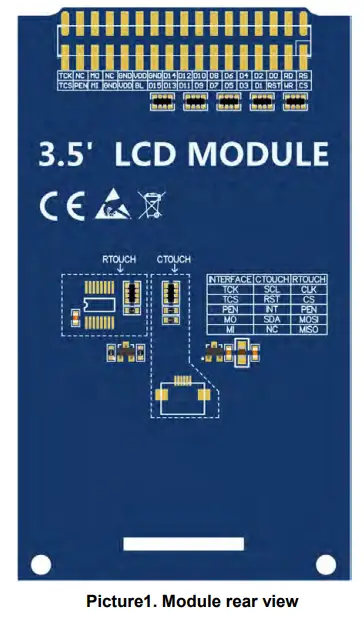
- The hardware of the module supports switching between resistance touch screen and capacitive touch screen (as shown in the dotted line box in Picture 1 above), as follows:
A. Use resistance touch screen: solder the components in the dotted line box of RTOUCH, and do not need to weld the components in the dotted line box of CTOUCH;
B. Use capacitive touch screen: solder the components in the dotted line box of CTOUCH, and do not need to weld the components in the dotted line box of RTOUCH; - This module can be directly inserted into the TFTLCD slot of the punctual atom development board, no manual wiring is required. 3
- The hardware of this module only supports 16 bit mode
Important Note:
- The following pin numbers 1~34 are the pin number of Module pin with PCB backplane of our company. If you purchase a bare screen, please refer to the pin definition of the bare screen specification, refer to the wiring according to the signal type instead of directly Wire according to the following module pin numbers. For example: CS is 1 pin on our module. It may be x pin on different size bare screen.
- About VCC supply voltage: If you buy a module with PCB backplane, VCC/VDD power supply can be connected to 5V or 3.3V (module has integrated ultra low dropout 5V to 3V circuit), if you buy a bare screen LCD, remember to only connect 3.3V.
- About the backlight voltage: The module with the PCB backplane has integrated triode backlight control circuit, which only needs to input the high level of the BL pin or the PWM wave to illuminate the backlight. If you are buying a bare screen, the LEDAx is connected to 3.0V-3.3V and the LEDKx is grounded.
Number Module Pin Pin Description 1 CS LCD reset control pin( low level enable) 2 RS LCD register / data selection control pin (high level: register, low level: data)
3 WR LCD write control pin 4 RD LCD read control pin 5 RST LCD reset control pin( low level reset) 6 D0 LCD data bus 16-bit pin 8 D2 9 D3 10 D4 11 D5 12 D6 13 D7 14 D8 15 D9 16 D10 17 D11 18 D12 19 D13 20 D14 21 D15 22 GND Module power ground pin 23 BL LCD backlight control pin(High level light) 24 VDD Module power positive pin (module has integrated voltage regulator IC, It can be connected to 5V or 3.3V on STM32 and 5V on C51)
25 VDD 26 GND Module power ground pin 27 GND 28 NC LCD backlight power positive pin (default shared onboard backlight power supply, this pin can not be connected)
29 MI Resistance touch screen SPI bus read signal 30 MO Resistance touch screen SPI bus write signal or capacitance touch screen IIC bus data signal 31 PEN Capacitive or resistive touch screen interrupt detection pin (low level when touch occurs)
32 NC Not defined, no need to use 33 TCS Resistance touch screen chip selection control signal or capacitive touch screen reset signal (low level reset) 34 TCK Resistance touch screen SPI bus or capacitive touch screen IIC bus clock signal
Hardware Configuration
The LCD module hardware circuit comprises six parts: an LCD display control circuit, a power control circuit,a Impedance balance adjusting circuit, a capacitive touch screen control circuit , a resistance touch screen control circuit and a backlight control circuit. LCD display control circuit for controlling the pins of the LCD, including control pins and data transfer pins. Power control circuit for stabilizing the supply voltage and selecting the external supply voltage The impedance balance adjusting circuit is used to balance the impedance between MCU pin and LCD pin. resistance touch screen control circuit is used to control touch screen interrupt acquisition, data sampling, AD conversion, data transmission, etc Capacitive touch screen control circuit is used to control touch screen interrupt acquisition, data sampling, AD conversion, data transmission, etc. A backlight control circuit is used to control the brightness of the backlight.
working principle
- Introduction to NT35310 Controller
The NT35310 controller supports a maximum resolution of 320*480 and has a 345600-byte GRAM. It also supports 8-bit, 9-bit, 16-bit, 18-bit parallel port data buses. It also supports 3-wire and 4-wire SPI serial ports. Since the supported resolution is relatively large and the amount of data transmitted is large, the parallel port transmission is adopted, and the transmission speed is fast. NT35310 also supports 65K, 262K and color display, display color is very rich, while supporting rotating display and scroll display and video playback, display in a variety of ways.
The NT35310 controller uses 16bit (RGB565) to control a pixel display, so it can display up to 65K colors per pixel. The pixel address setting is performed in the order of rows and columns, and the incrementing and decreasing direction is determined by the scanning mode. The NT35310 display method is performed by setting the address and then setting the color value. - Introduction to parallel port communication
The parallel port communication write mode timing is as shown below:

The timing of the parallel port communication read mode is shown in the figure below:

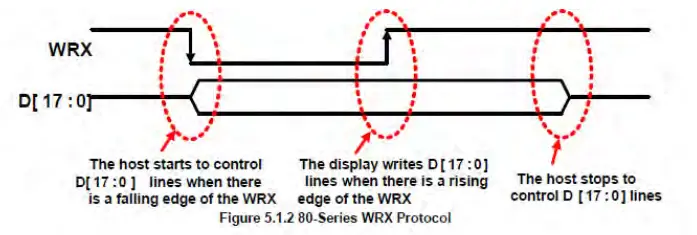
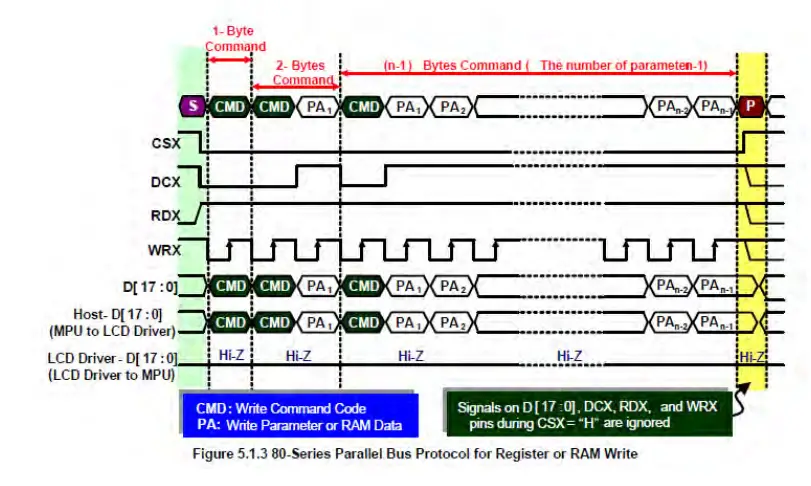
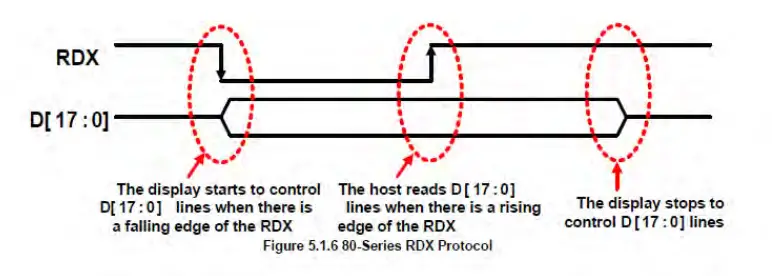
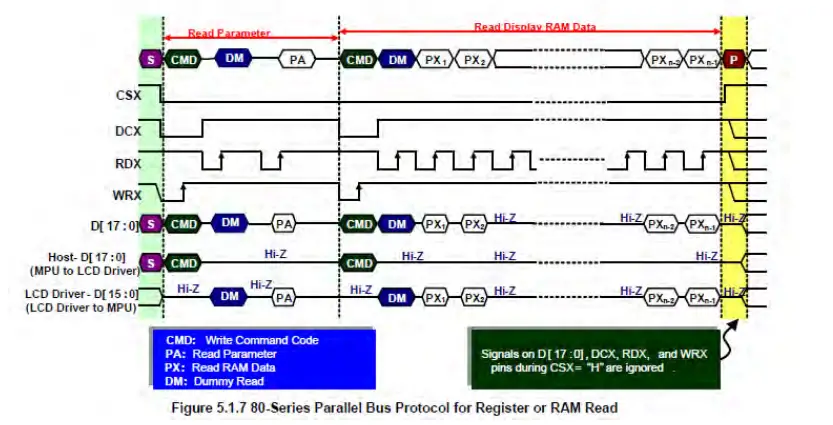
CSX is a chip select signal for enabling and disabling parallel port communication, active low DCX is the data or command selection signal, 1-write data or command parameters, 0-write command WRX is a write data control signal RDX is a read data control signal Host-D[17:0] is a parallel port data bit, which has four types: 8-bit, 9-bit, 16-bit, and 18-bit.
When performing a write operation, on the basis of the reset, first set the data or command selection signal, then pull the chip select signal low, then input the content to be written from the host, and then pull the write data control signal low. When pulled high, data is written to the LCD control IC on the rising edge of the write control signal. Finally, the chip select signal is pulled high and a data write operation is completed. When entering the read operation, on the basis of the reset, first pull the chip select signal low, then pull the data or command select signal high, then pull the read data control signal low, and then read the data from the LCD control IC. And then The read data control signal is pulled high, and the data is read out on the rising edge of the read data control signal. Finally, the chip select signal is pulled high, and a data read operation is completed.
Instructions for use
STM32 instructions
Wiring instructions: See the interface description for pin assignments.
Note:
- This module can be directly inserted into the TFTLCD slot of the punctual atom development board, no manual wiring is required.
- The following internal plug-in pins of the corresponding MCU refer to the MCU pins directly connected to the TFTLCD slot inside the development board, only for reference.
| MiniSTM32 development board TFTLCD socket in-line instructions | |||||
| Number | Module Pin | Corresponding TFTLCD socket pin | Corresponding to STM32F103RCT6 microcontroller internal connection pin | ||
| 1 | CS | CS | PC9 | ||
| 2 | RS | RS | PC8 | ||
| 3 | WR | WR | PC7 | ||
| 4 | RD | RD | PC6 | ||
| 5 | RST | RST | PC4 | ||
| 6 | D0 | D0 | PB0 | ||
| 7 | D1 | D1 | PB1 | ||
| 8 | D2 | D2 | PB2 | ||
| 9 | D3 | D3 | PB3 | ||
| 10 | D4 | D4 | PB4 | ||
| 11 | D5 | D5 | PB5 | ||
| 12 | D6 | D6 | PB6 | ||
| 13 | D7 | D7 | PB7 | ||
| 14 | D8 | D8 | PB8 | ||
| 15 | D9 | D9 | PB9 | ||
| 16 | D10 | D10 | PB10 | ||
| 17 | D11 | D11 | PB11 | ||
| 18 | D12 | D12 | PB12 | ||
| 19 | D13 | D13 | PB13 | ||
| 20 | D14 | D14 | PB14 | ||
| 21 | D15 | D15 | PB15 | ||
| 22 | GND | GND | GND | ||
| 23 | BL | BL | PC10 | ||
| 24 | VDD | 3.3 | 3.3V | ||
| 25 | VDD | 3.3 | 3.3V | ||
| 26 | GND | GND | GND | ||
| 27 | GND | GND | GND | ||
| 28 | NC | Not used | 5V | ||
| 29 | MI | MISO | PC2 | ||
| 30 | MO | MOSI | PC3 | ||
| 31 | PEN | PEN | PC1 | ||
| 32 | NC | Not used | NC | ||
| 33 | TCS | TCS | PC13 | ||
| 34 | TCK | CLK | PC0 | ||
| Elite STM32 development board TFTLCD socket in-line instructions | |||||
| Number | Module Pin | Corresponding TFTLCD socket pin | Corresponding to STM32F103ZET6 microcontroller internal connection pin | ||
| 1 | CS | CS | PG12 | ||
| 2 | RS | RS | PG0 | ||
| 3 | WR | WR | PD5 | ||
| 4 | RD | RD | PD4 | ||
| 5 | RST | RST | reset pin | ||
| 6 | D0 | D0 | PD14 | ||
| 7 | D1 | D1 | PD15 | ||
| 8 | D2 | D2 | PD0 | ||
| 9 | D3 | D3 | PD1 | ||
| 10 | D4 | D4 | PE7 | ||
| 11 | D5 | D5 | PE8 | ||
| 12 | D6 | D6 | PE9 | ||
| 13 | D7 | D7 | PE10 | ||
| 14 | D8 | D8 | PE11 | ||
| 15 | D9 | D9 | PE12 | ||
| 16 | D10 | D10 | PE13 | ||
| 17 | D11 | D11 | PE14 | ||
| 18 | D12 | D12 | PE15 | ||
| 19 | D13 | D13 | PD8 | ||
| 20 | D14 | D14 | PD9 | ||
| 21 | D15 | D15 | PD10 | ||
| 22 | GND | GND | GND | ||
| 23 | BL | BL | PB0 | ||
| 24 | VDD | VDD | 3.3V | ||
| 25 | VDD | VDD | 3.3V | ||
| 26 | GND | GND | GND | ||
| 27 | GND | GND | GND | ||
| 28 | NC | Not used | 5V | ||
| 29 | MI | MISO | PB2 | ||
| 30 | MO | MOSI | PF9 | ||
| 31 | PEN | PEN | PF10 | ||
| 32 | NC | Not used | NC | ||
| 33 | TCS | TCS | PF11 | ||
| 34 | TCK | CLK | PB1 | ||
| WarShip STM32 development board TFTLCD socket in-line instructions | |||||
| Module Pin | Corresponding TFTLCD socket pin | Corresponding to STM32F103ZET6 microcontroller internal connection pin | |||
| V2 | V3 | ||||
| CS | CS | PG12 | |||
| RS | RS | PG0 | |||
| WR | WR | PD5 | |||
| RD | RD | PD4 | |||
| RST | RST | reset pin | |||
| D0 | D0 | PD14 | |||
| D1 | D1 | PD15 | |||
| D2 | D2 | PD0 | |||
| D3 | D3 | PD1 | |||
| D4 | D4 | PE7 | |||
| D5 | D5 | PE8 | |||
| D6 | D6 | PE9 | |||
| D7 | D7 | PE10 | |||
| D8 | D8 | PE11 | |||
| D9 | D9 | PE12 | |||
| D10 | D10 | PE13 | |||
| D11 | D11 | PE14 | |||
| D12 | D12 | PE15 | |||
| D13 | D13 | PD8 | |||
| D14 | D14 | PD9 | |||
| D15 | D15 | PD10 | |||
| GND | GND | GND | |||
| BL | BL | PB0 | |||
| VDD | VDD | 3.3V | |||
| VDD | VDD | 3.3V | |||
| GND | GND | GND | |||
| GND | GND | GND | |||
| NC | Not used | 5V | |||
| 29 | MI | MISO | PF8 | PB2 | |
| 30 | MO | MOSI | PF9 | ||
| 31 | PEN | PEN | PF10 | ||
| 32 | NC | Not used | NC | ||
| 33 | TCS | TCS | PB2 | PF11 | |
| 34 | TCK | CLK | PB1 | ||
| Explorer STM32F4 development board TFTLCD socket in-line instructions | |||||
| Number | Module Pin | Corresponding TFTLCD socket pin | Corresponding to STM32F407ZGT6 microcontroller internal connection pin | ||
| 1 | CS | CS | PG12 | ||
| 2 | RS | RS | PF12 | ||
| 3 | WR | WR | PD5 | ||
| 4 | RD | RD | PD4 | ||
| 5 | RST | RST | reset pin | ||
| 6 | D0 | D0 | PD14 | ||
| 7 | D1 | D1 | PD15 | ||
| 8 | D2 | D2 | PD0 | ||
| 9 | D3 | D3 | PD1 | ||
| 10 | D4 | D4 | PE7 | ||
| 11 | D5 | D5 | PE8 | ||
| 12 | D6 | D6 | PE9 | ||
| 13 | D7 | D7 | PE10 | ||
| 14 | D8 | D8 | PE11 | ||
| 15 | D9 | D9 | PE12 | ||
| 16 | D10 | D10 | PE13 | ||
| 17 | D11 | D11 | PE14 | ||
| 18 | D12 | D12 | PE15 | ||
| 19 | D13 | D13 | PD8 | ||
| 20 | D14 | D14 | PD9 | ||
| 21 | D15 | D15 | PD10 | ||
| 22 | GND | GND | GND | ||
| 23 | BL | BL | PB15 | ||
| 24 | VDD | VDD | 3.3V | ||
| 25 | VDD | VDD | 3.3V | ||
| 26 | GND | GND | GND | ||
| 27 | GND | GND | GND | ||
| 28 | NC | Not used | 5V | ||
| 29 | MI | MISO | PB2 | ||
| 30 | MO | MOSI | PF11 | ||
| 31 | PEN | PEN | PB1 | ||
| 32 | NC | Not used | NC | ||
| 33 | TCS | TCS | PC13 | ||
| 34 | TCK | CLK | PB0 | ||
| Apollo STM32F4/F7 development board TFTLCD socket in-line instructions | |||||
| Number | Module Pin | Corresponding TFTLCD socket pin | Corresponding to STM32F429IGT6、STM32F767IGT6、STM32H743IIT6 microcontroller internal connection pin | ||
| 1 | CS | CS | PD7 | ||
| 2 | RS | RS | PD13 | ||
| 3 | WR | WR | PD5 | ||
| 4 | RD | RD | PD4 | ||
| 5 | RST | RST | reset pin | ||
| 6 | D0 | D0 | PD14 | ||
| 7 | D1 | D1 | PD15 | ||
| 8 | D2 | D2 | PD0 | ||
| 9 | D3 | D3 | PD1 | ||
| 10 | D4 | D4 | PE7 | ||
| 11 | D5 | D5 | PE8 | ||
| 12 | D6 | D6 | PE9 | ||
| 13 | D7 | D7 | PE10 | ||
| 14 | D8 | D8 | PE11 | ||
| 15 | D9 | D9 | PE12 | ||
| 16 | D10 | D10 | PE13 | ||
| 17 | D11 | D11 | PE14 | ||
| 18 | D12 | D12 | PE15 | ||
| 19 | D13 | D13 | PD8 | ||
| 20 | D14 | D14 | PD9 | ||
| 21 | D15 | D15 | PD10 | ||
| 22 | GND | GND | GND | ||
| 23 | BL | BL | PB5 | ||
| 24 | VDD | VDD | 3.3V | ||
| 25 | VDD | VDD | 3.3V | ||
| 26 | GND | GND | GND | ||
| 27 | GND | GND | GND | ||
| 28 | NC | Not used | 5V | ||
| 29 | MI | MISO | PG3 | ||
| 30 | MO | MOSI | PI3 | ||
| 31 | PEN | PEN | PH7 | ||
| 32 | NC | Not used | NC | ||
| 33 | TCS | TCS | PI8 | ||
| 34 | TCK | CLK | PH6 | ||
Operating Steps:
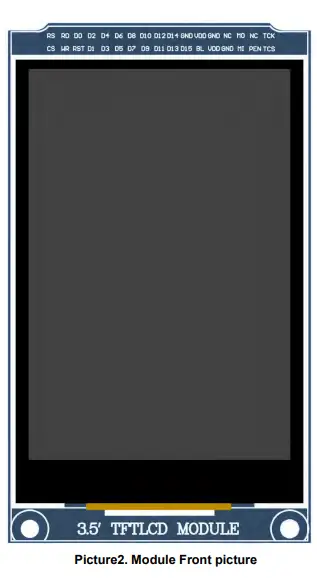
A. Connect the LCD module(As shown in Picture 1) and the STM32 MCU according
to the above wiring instructions, and power on;
B. Select the C51 test program to be tested, as shown below:
(Please refer to the test program documentation for the test program
description.)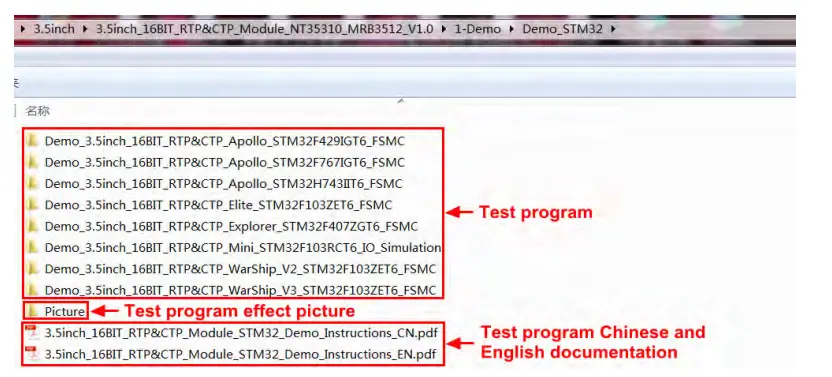
Open the selected test program project, compile and download; detailed description of the STM32 test program compilation and download can be found in the following document:
http://www.lcdwiki.com/res/PublicFile/STM32_Keil_Use_Illustration_EN.pdf
D. If the LCD module displays characters and graphics normally, the program runs successfully;
C51 instructions
Wiring instructions: See the interface description for pin assignments.
Note:
- Since the input and output levels of the GPIO of the STC12C5A60S2 microcontroller are 5V, the capacitive touch IC cannot work normally (only 1.8~3.3V can be accepted). If you want to use the capacitive touch function, you need to connect to the level conversion module;
- Since the STC89C52RC microcontroller does not have a push-pull output function, the backlight control pin needs to be connected to a 3.3V power supply to be properly lit.
- Since the STC89C52RC microcontroller’s Flash capacity is too small (less than 25KB), the program with touch function cannot be downloaded, so the touch screen does not need wiring.
STC12C5A60S2 microcontroller test program wiring instructions Module Pin
Corresponding to STC12 development board wiring pin
CS P13 RS P12 WR P11 RD P10 RST P33 D0 P00 D1 P01 D2 P02 D3 P03 D4 P04 D5 P05 D6 P06 D7 P07 D8 P20 D9 P21 D10 P22 D11 P23 D12 P24 D13 P25 D14 P26 D15 P27 GND GND BL P31 VDD 5V VDD 5V GND GND GND GND NC No need to connect MI No need to connect 30 MO P34 31 PEN P32 32 NC No need to connect 33 TCS P37 34 TCK P36 1 CS P13 2 RS P12 3 WR P11 4 RD P10 5 RST P14 6 D0 P30 7 D1 P31 8 D2 P32 9 D3 P33 10 D4 P34 11 D5 P35 12 D6 P36 13 D7 P37 14 D8 P20 15 D9 P21 16 D10 P22 17 D11 P23 18 D12 P24 19 D13 P25 20 D14 P26 21 D15 P27 22 GND GND 23 BL 3.3V 24 VDD 5V 25 VDD 5V 26 GND GND 27 GND GND 28 NC No need to connect 29 MI No need to connect 30 MO No need to connect 31 PEN No need to connect 32 NC No need to connect 33 TCS No need to connect 34 TCK No need to connect
Operating Steps:
A. Connect the LCD module (As shown in Picture 1)and the C51 MCU according tothe above wiring instructions, and power on;
B. Select the C51 test program to be tested, as shown below:
(Test program description please refer to the test program description document in the test package)
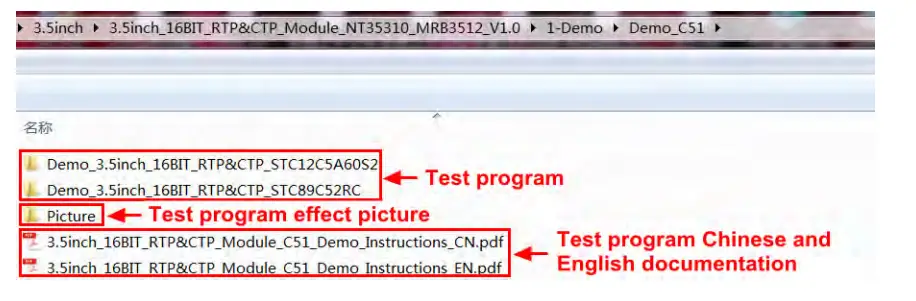
C. Open the selected test program project, compile and download; detailed description of the C51 test program compilation and download can be found in the following document:
http://www.lcdwiki.com/res/PublicFile/C51_Keil%26stc-isp_Use_Illustration_EN.pdf
D. If the LCD module displays characters and graphics normally, the program runs successfully;
Software Description
- Code Architecture
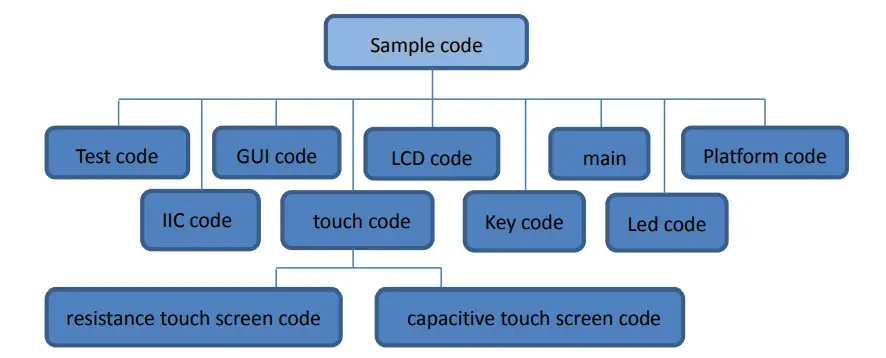
A. C51 and STM32 code architecture description The code architecture is shown below: Sample code
The Demo API code for the main program runtime is included in the test code; LCD initialization and related bin parallel port write data operations are included in the LCD code; Drawing points, lines, graphics, and Chinese and English character display related operations are included in the GUI code; The main function implements the application to run; Platform code varies by platform; The IIC code is used by the capacitive touch IC GT911, including IIC initialization, data writing and reading, etc; Touch code includes two parts: resistance touch screen code and capacitance touch screen (gt911) code; The key processing related code is included in the key code (the C51 platform does not have a button processing code); The code related to the led configuration operation is included in the led code(the C51 platform does not have a led processing code); - GPIO definition description
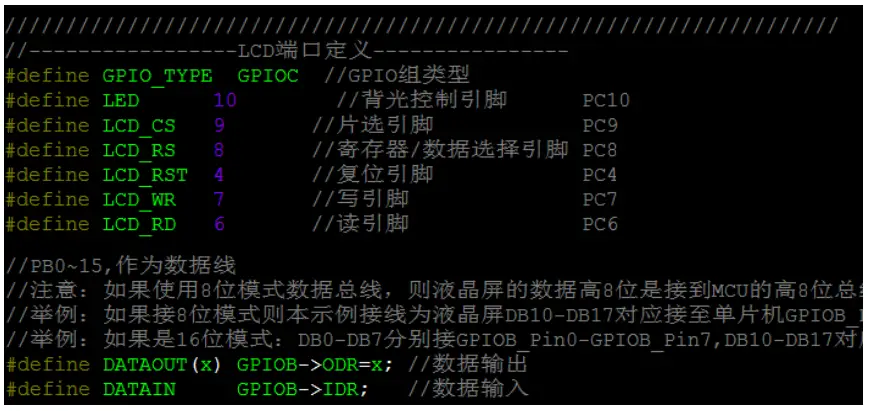
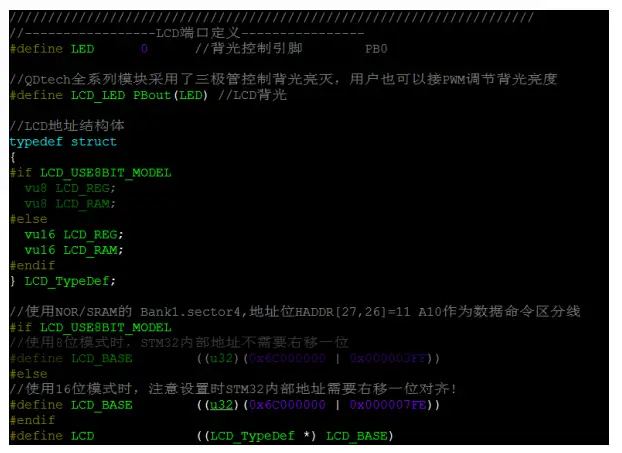
A. STM32 test program GPIO definition description The GPIO definition of the LCD screen of the STM32 test program is placed in the lcd.h file, which is defined in two ways: 1) STM32F103RCT6 microcontroller test program uses IO analog mode (it does not support FSMC bus) 2) Other STM32 MCU test programs use FSMC bus mode STM32F103RCT6 MCU IO analog test program LCD screen GPIO definition as shown below:
FSMC test program lcd screen GPIO is defined as shown below (take STM32F103ZET6 microcontroller FSMC test program as an example):
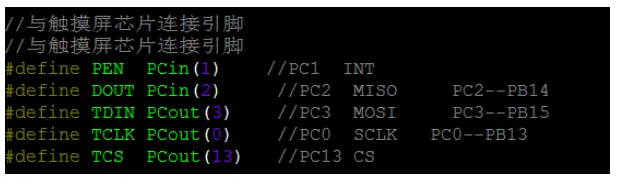
STM32 platform touch screen related code contains two parts :resistance touch screen code and capacitance touch screen code. Resistance touch screen GPIO definition is placed in the rtp.h file as shown below (take the STM32F103ZET6 microcontroller IO analog test program as an example):
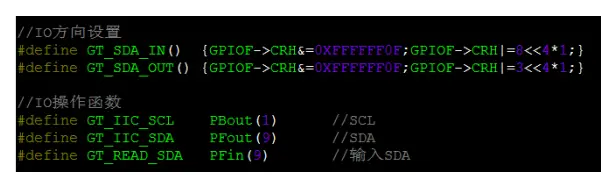
The capacitance touch screen related GPIO definition consists of two parts: IIC’s GPIO definition and screen interrupt and reset GPIO definition. The IIC GPIO definition is placed in the ctpiic.h file as shown below (take the STM32F103RCT6 microcontroller FSMC test program as an example):
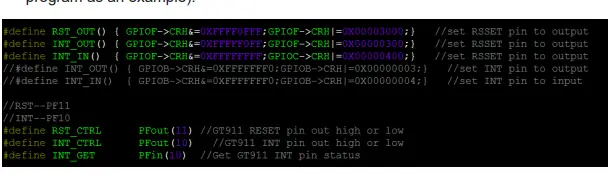
The interrupt of the touch screen and the reset GPIO definition are placed in GT911.h, as shown in the following figure (take the STM32F103ZET6 microcontroller FSMC test program as an example):
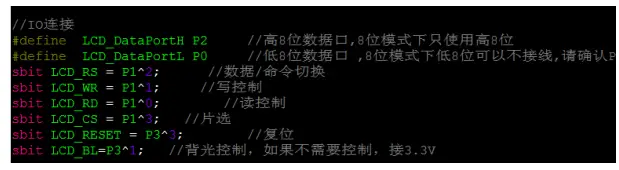
B. C51 test program GPIO definition description C51 test program lcd screen GPIO definition is placed in the lcd.h file, as shown below(Taking the STC12C5A60S2 microcontroller test program as an example):
Parallel pin definition needs to select the whole set of GPIO port groups, such as P0, P2, etc., so that when transferring data, the operation is convenient.Other pins can be defined as any free GPIO. C51platform touch screen related code contains two parts :resistance touch screen code and capacitance touch screen code. Resistance touch screen GPIO definition is placed in the rtp.h file as shown below (Taking the STC12C5A60S2 microcontroller test program as an example): The capacitance touch screen related GPIO definition consists of two parts: IIC’s GPIO definition and screen interrupt and reset GPIO definition. The IIC GPIO definition is placed in the gtiic.h file as shown below (take the STC12C5A60S2 microcontroller test program as an example):
The interrupt of the screen and the reset GPIO definition are placed in GT911.h, as shown in the following figure (take the STC12C5A60S2 microcontroller test program as an example):
The GPIO definition of the touch screen can be modified and can be defined as any other free GPIO. - Parallel port communication code implementation
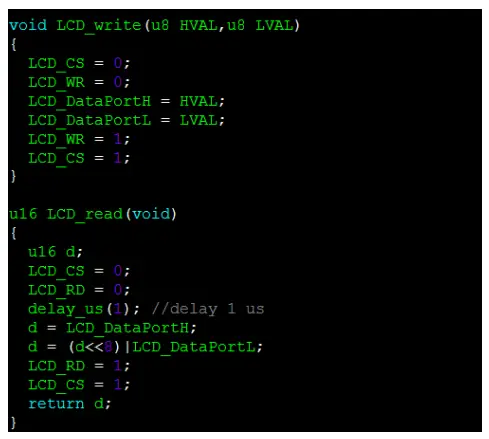
A. STM32 test program parallel port communication code implementation The STM32 test program parallel port communication code is placed in the LCD.c file, which is implemented in two ways: 1) STM32F103RCT6 microcontroller test program uses IO analog mode (it does not support FSMC bus) 2) Other STM32 MCU test programs use FSMC bus mode The IO simulation test program is implemented as shown below:
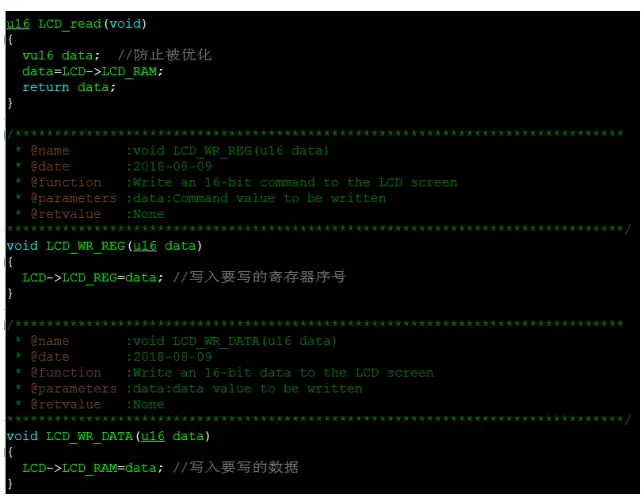
The FSMC test program is implemented as shown below:
Both 8- and 16-bit command writes and 8- and 16-bit data writes and reads are implemented.
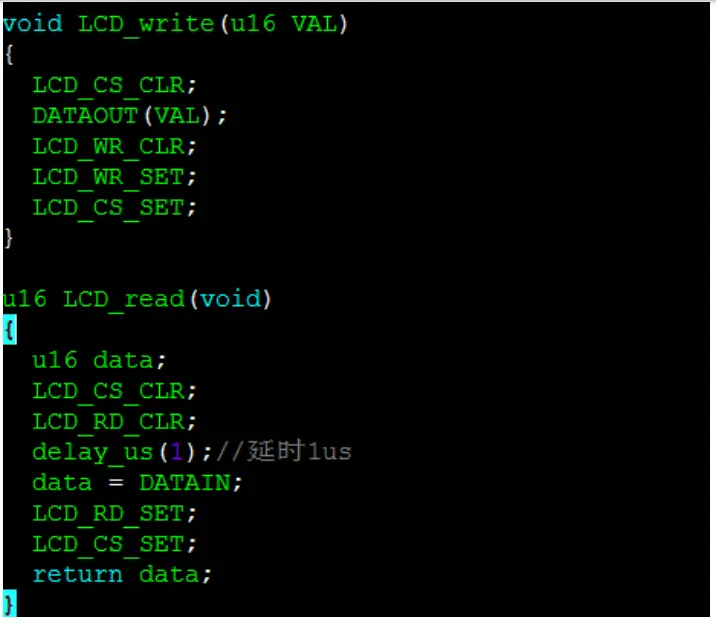
B. C51 test program parallel port communication code implementation The relevant code is implemented in the LCD.c file as shown below:
Implemented 8-bit and 16-bit commands and 8-bit and 16-bit data write and read. - touch screen calibration instructions
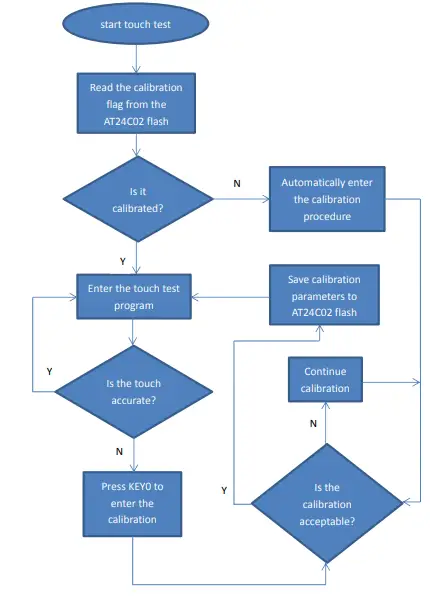
A. STM32 test program touch screen calibration instructions The STM32 touch screen calibration program automatically recognizes whether calibration is required or manually enters calibration by pressing a button. It is included in the touch screen test item. The calibration mark and calibration parameters are saved in the AT24C02 flash. If necessary, read from the flash. The calibration process is as shown below:
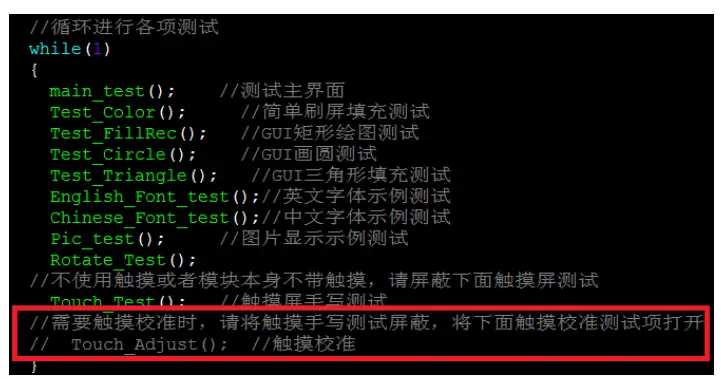
B. C51 test program touch screen calibration instructions The C51 touch screen calibration needs to execute the Touch_Adjust test item (only available in the STC12C5A60S2 test program), as shown below:
After the touch calibration is passed, you need to save the calibration parameters displayed on the screen in the touch.c file, as shown below
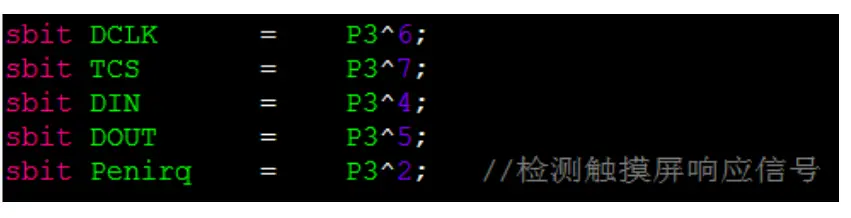 The capacitance touch screen related GPIO definition consists of two parts: IIC’s GPIO definition and screen interrupt and reset GPIO definition. The IIC GPIO definition is placed in the gtiic.h file as shown below (take the STC12C5A60S2 microcontroller test program as an example):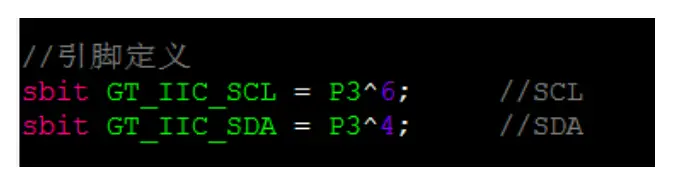


Common software
This set of test examples requires the display of Chinese and English, symbols and pictures, so the modulo software is used. There are two types of modulo software: Image2Lcd and PCtoLCD2002. Here is only the setting of the modulo software for the test program. The PCtoLCD2002 modulo software settings are as follows:
Dot matrix format select Dark code the modulo mode select the progressive mode Take the model to choose the direction (high position first) Output number system selects hexadecimal number Custom format selection C51 format The specific setting method is as follows: http://www.lcdwiki.com/Chinese_and_English_display_modulo_settings Image2Lcd modulo software settings are shown below: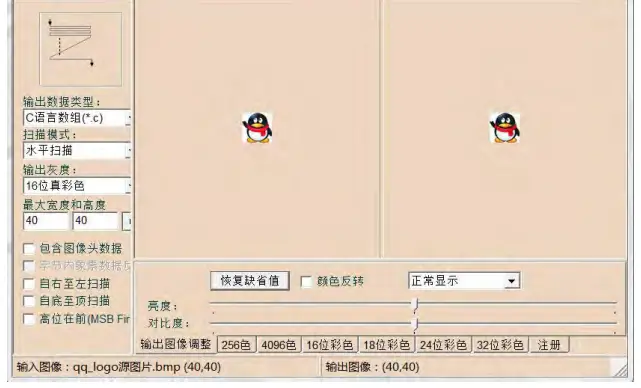
The Image2Lcd software needs to be set to horizontal, left to right, top to bottom, and low position to the front scan mode.



 Chinese and English display modulo settings - LCD wiki
 Surenoo Tech: Professional LCD Module Supplier Since 2005