
Roland TR Editor
About TR Editor
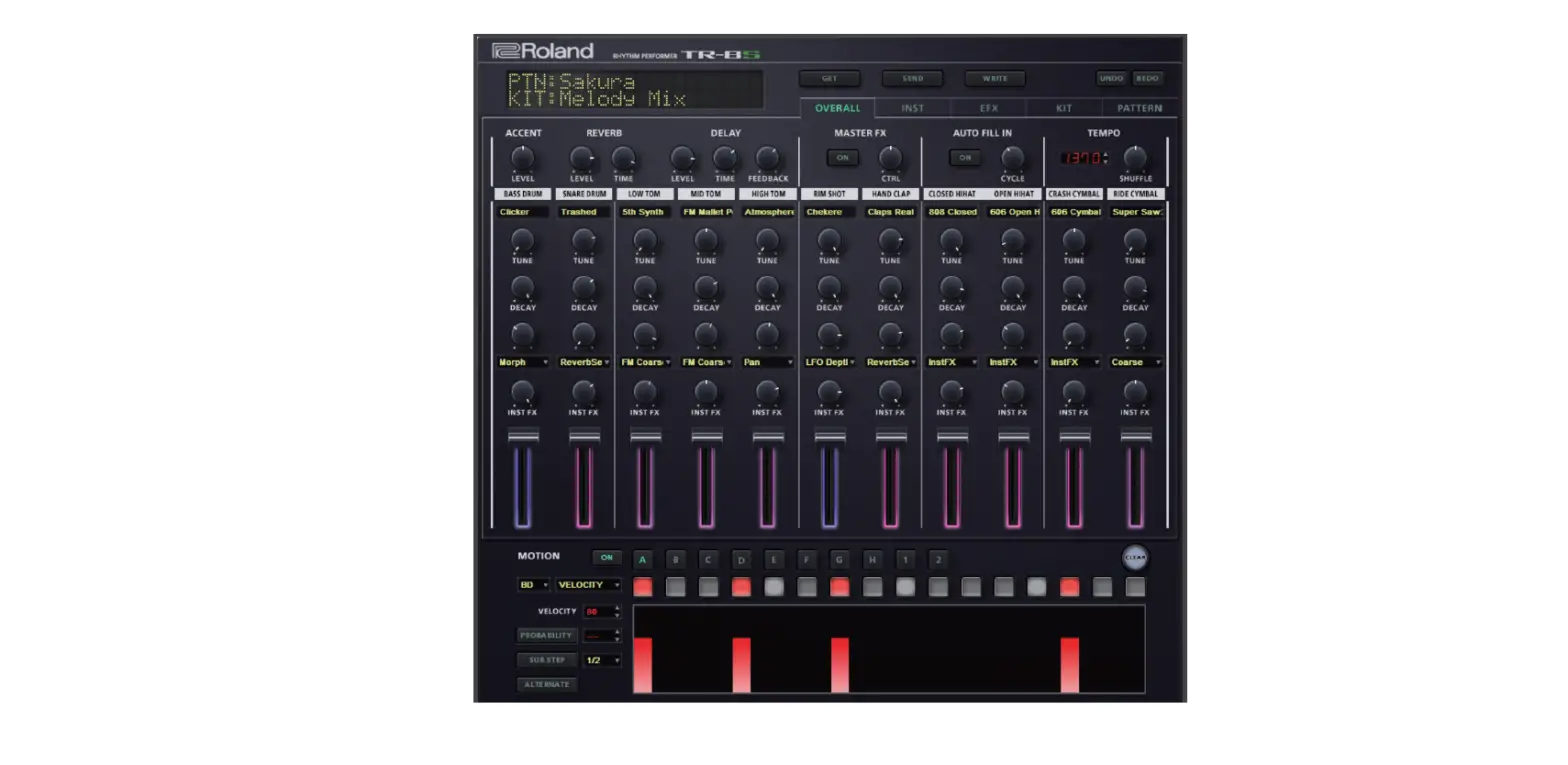
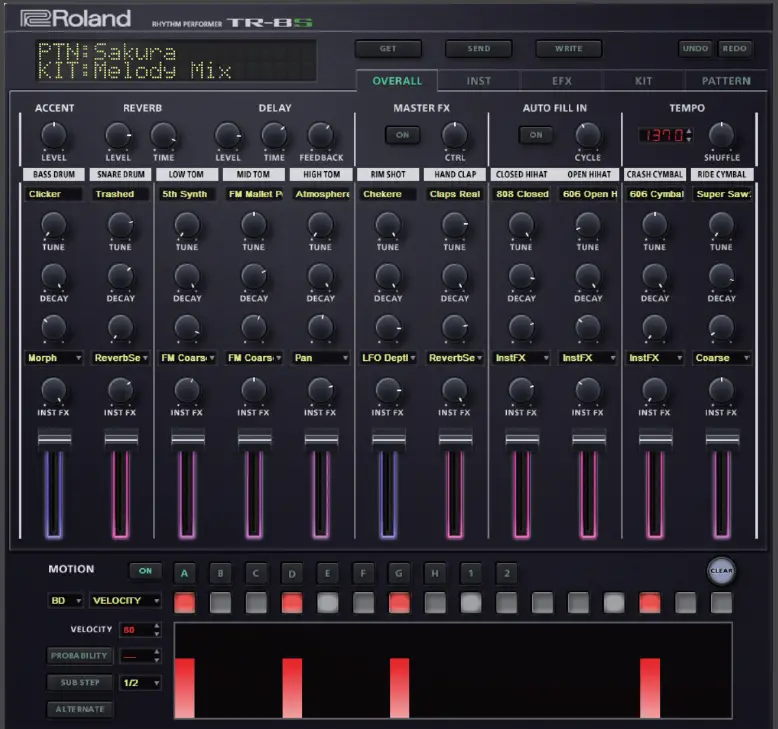
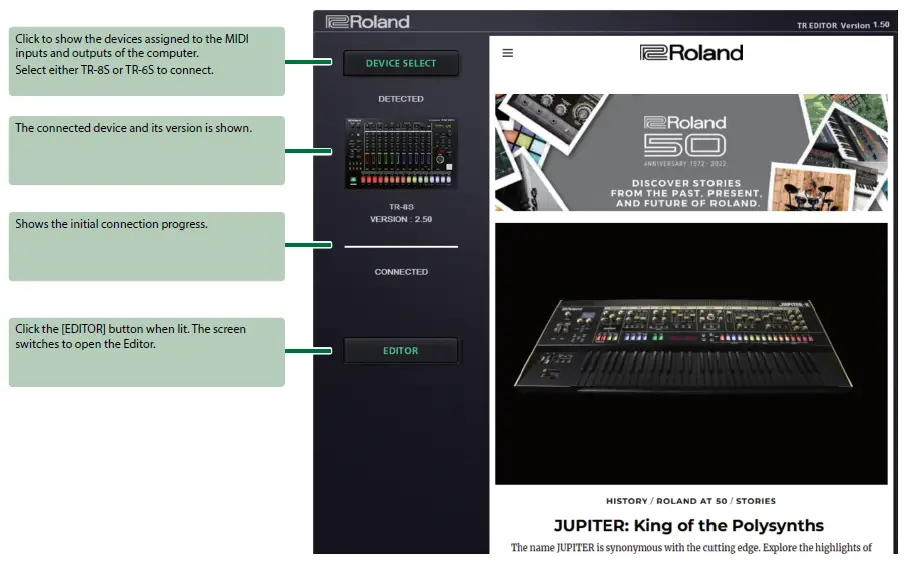
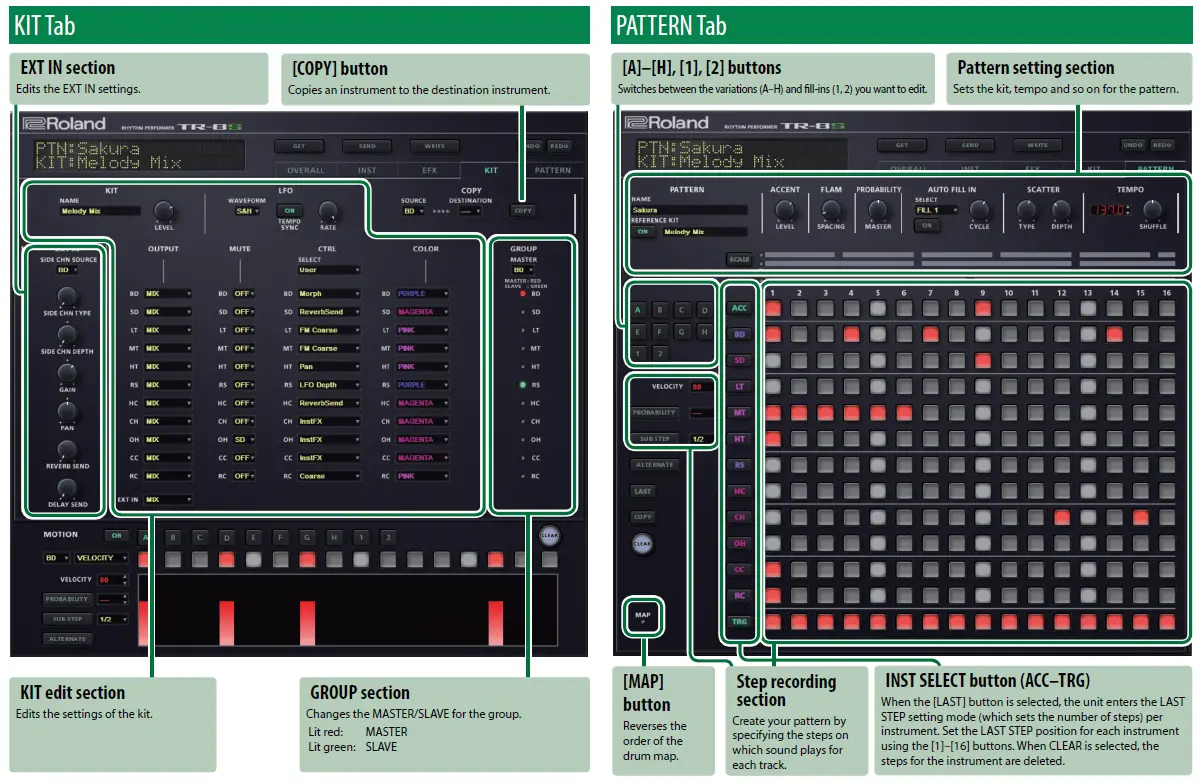
TR Editor is an application that lets you edit the patterns and kits of the TR-8S/TR-6S. To use TR Editor, you must connect to either the TR-8S or the TR-6S from the screen shown below. If the version of your connected device is incompatible, a message prompting you to update the device is shown.
MEMO
Try the following settings if TR Editor does not fully display on your computer’s screen.
For Windows 10
Start button Ø Settings Ø System Ø Displays Ø set Scale and Layout to 100%. Increase the resolution settings, which is on the same screen.
For macOS
From System Preferences Ø Displays Ø Resolution Ø set Scaled to a high value.
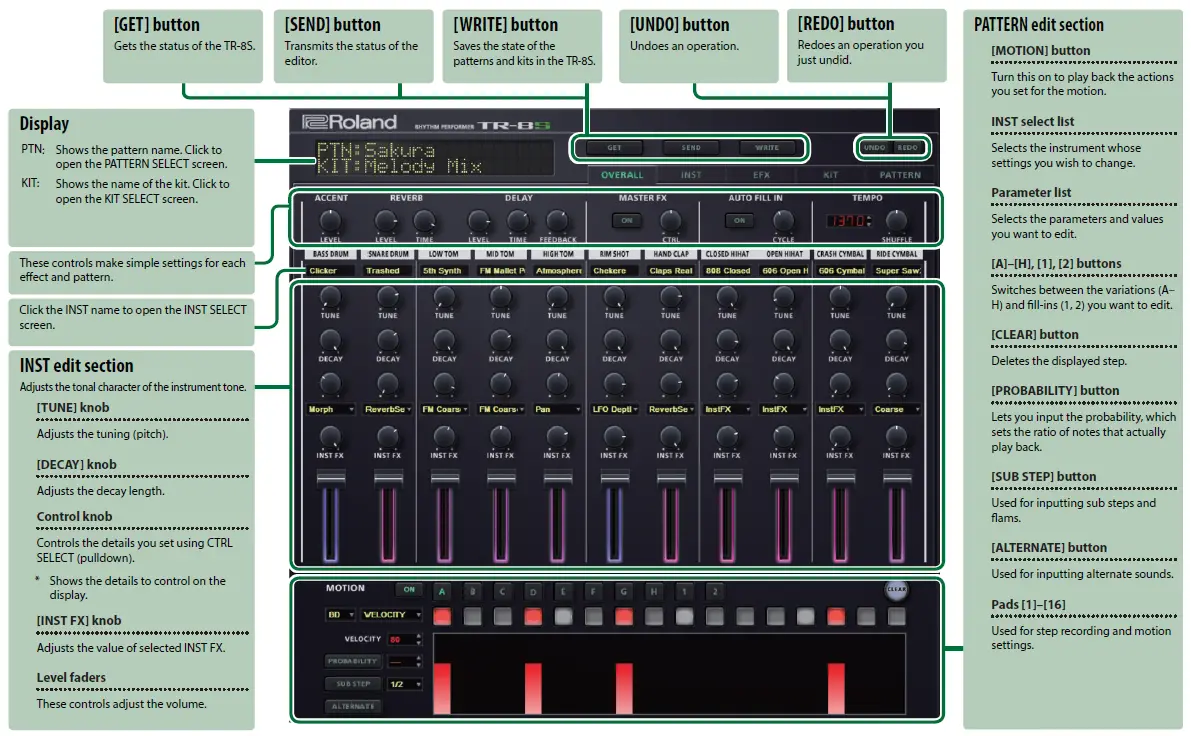
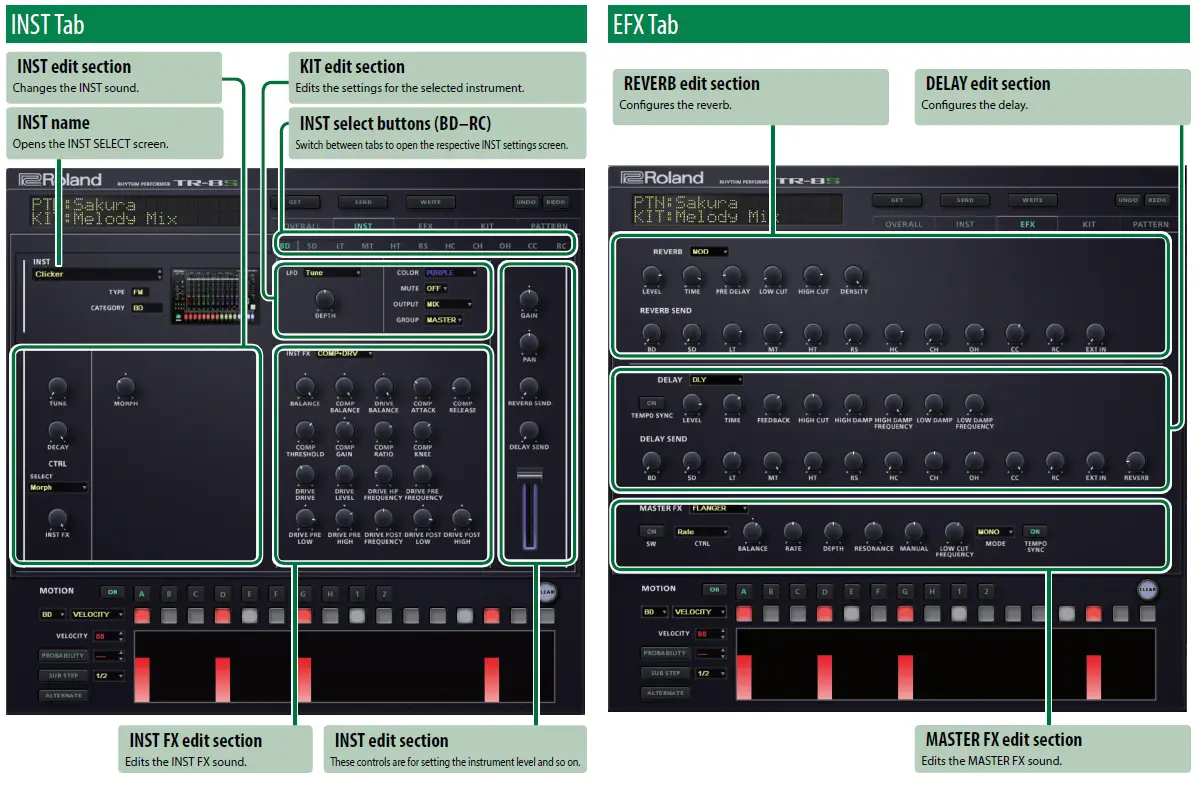
Screen Layout
OVERALL Tab
Keyboard Shortcuts
| Tab(s) | Operation | Details |
|
All | [SHIFT] + VELOCITY [Ç]/[É] button | Raises or lowers the velocity value in increments of 10. |
| [SHIFT] + Pads [1]–[16] | Inputs steps using a velocity value of 50. | |
| [1]–[0], [-], [^], [\] + Pads [1]–[16] | Inputs steps using velocity values of 10–100, 110, 120 and 127. | |
| [A] + Pads [1]–[16] | Inputs alternate sounds. | |
| [S] + Pads [1]–[16] | Inputs sub steps. | |
| [F] + Pads [1]–[16] | Inputs a flam. | |
| [P] + Pads [1]–[16] | Inputs the probability. | |
| OVERALL, PATTERN | [SHIFT] + TEMPO [Ç]/[É] button | Raises or lowers the tempo in increments of 1. |
| PATTERN | When [LAST] is selected, press [SHIFT] + INST SELECT button [BD]–[RC] | Removes the last step for each instrument. |