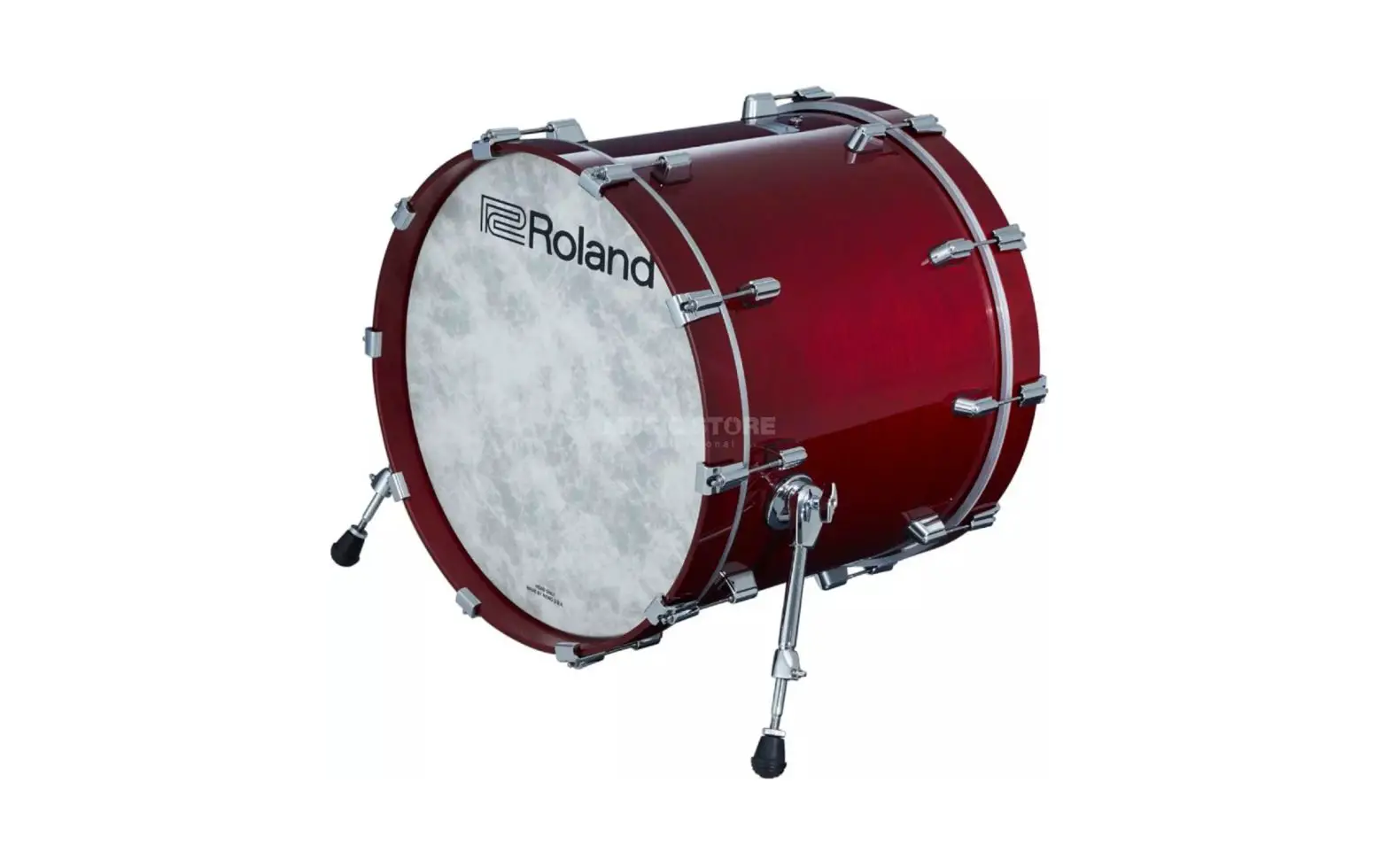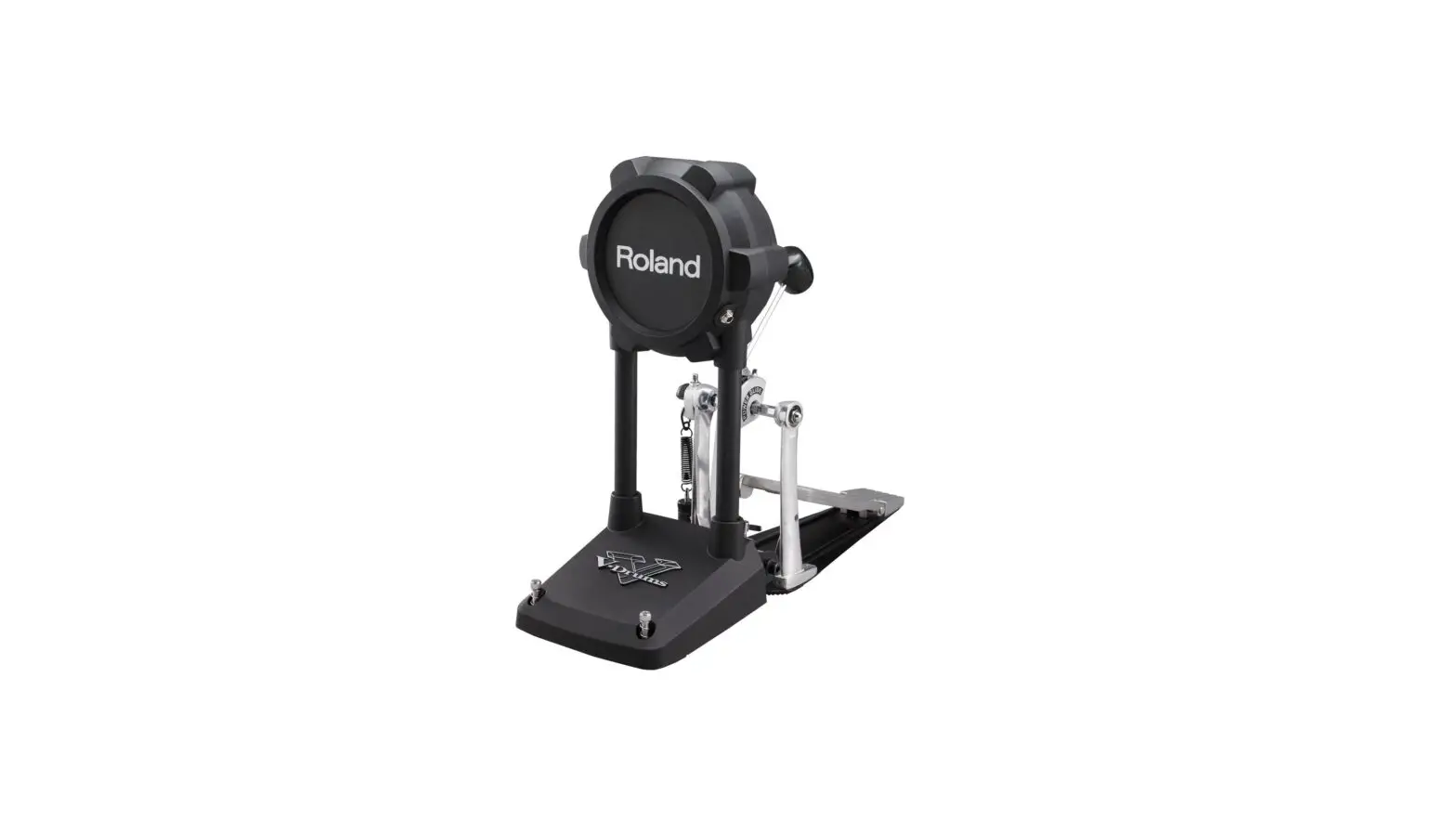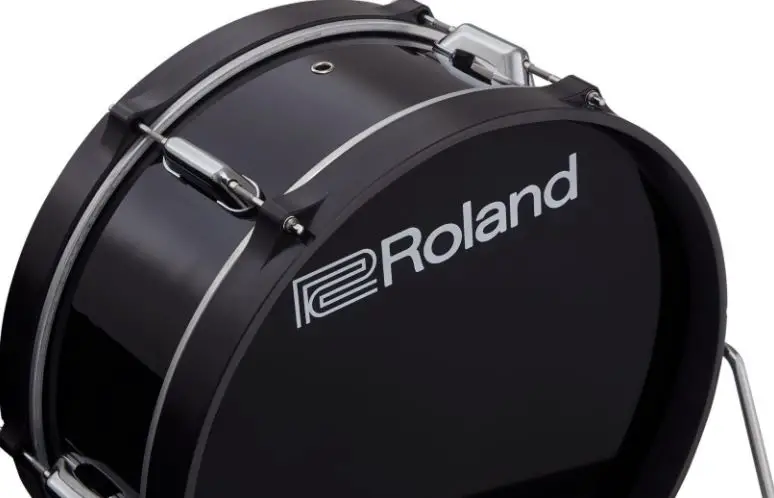
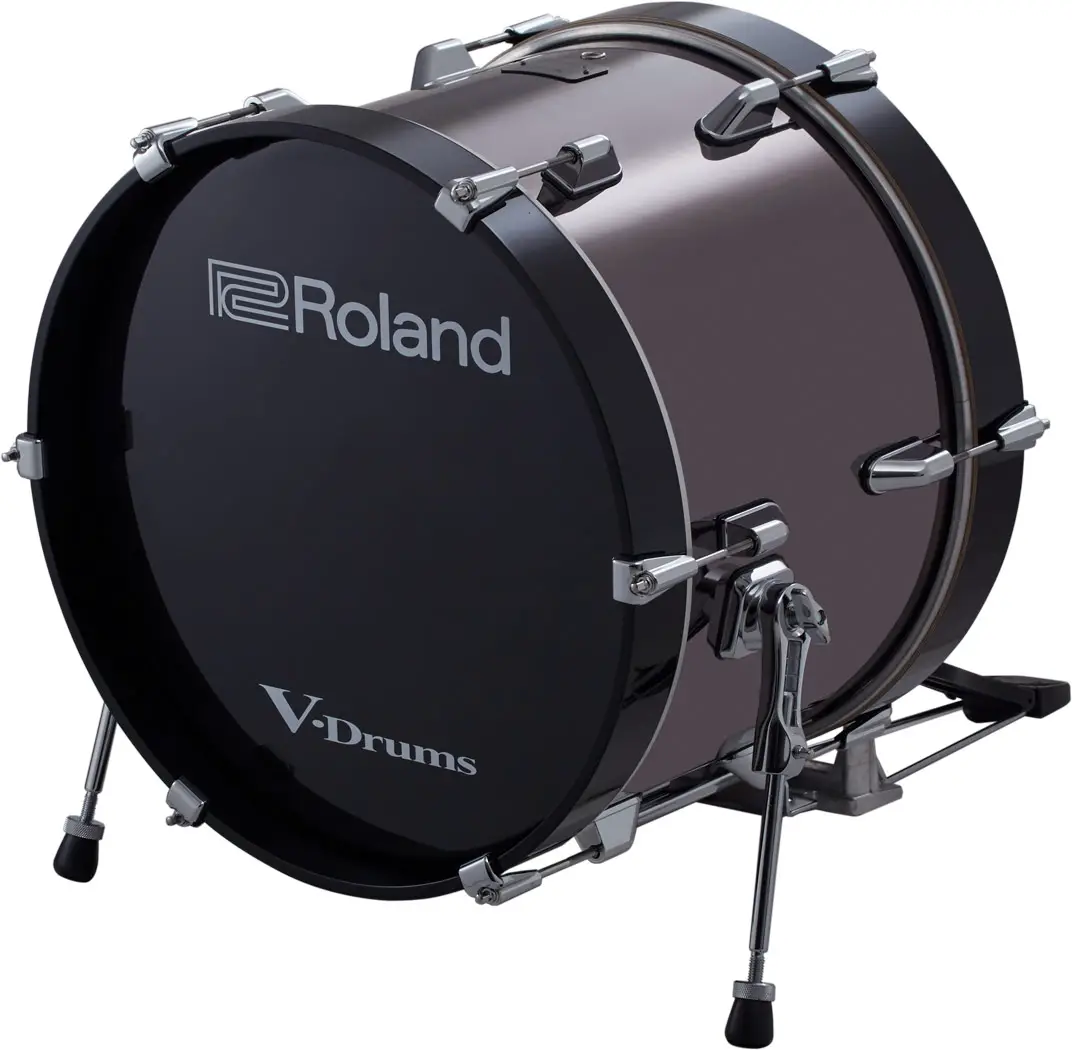
Roland Trigger Bass Drum
Check the Included Items
After opening the package, check that all of the included items are present. If anything is missing, contact your dealer.
Main unit 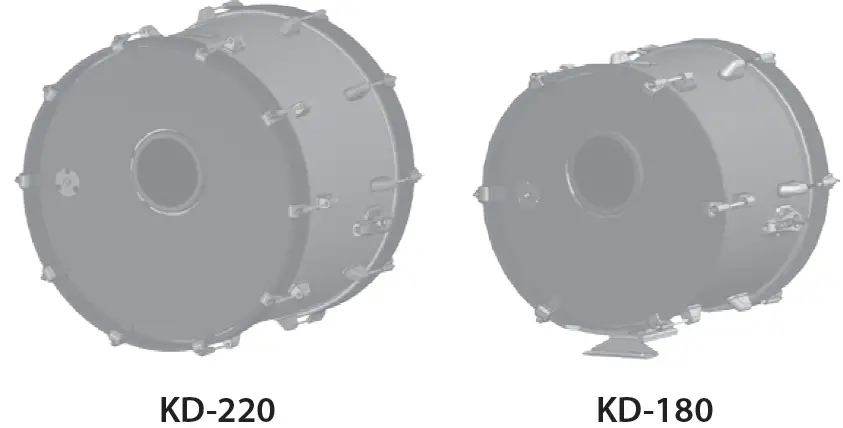
Rod x 2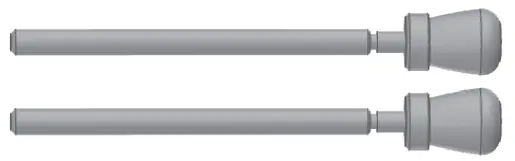 Wood hoop protector x 2
KD-220 only Connection cable
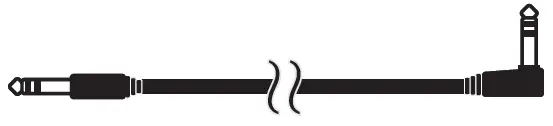
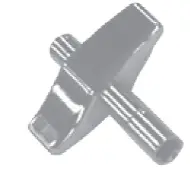
Drum key
Owner’s manual
This package does not include a kick pedal or beater. A variety of commercially available beaters can be used, including felt, plastic, or wood types.
Descriptions
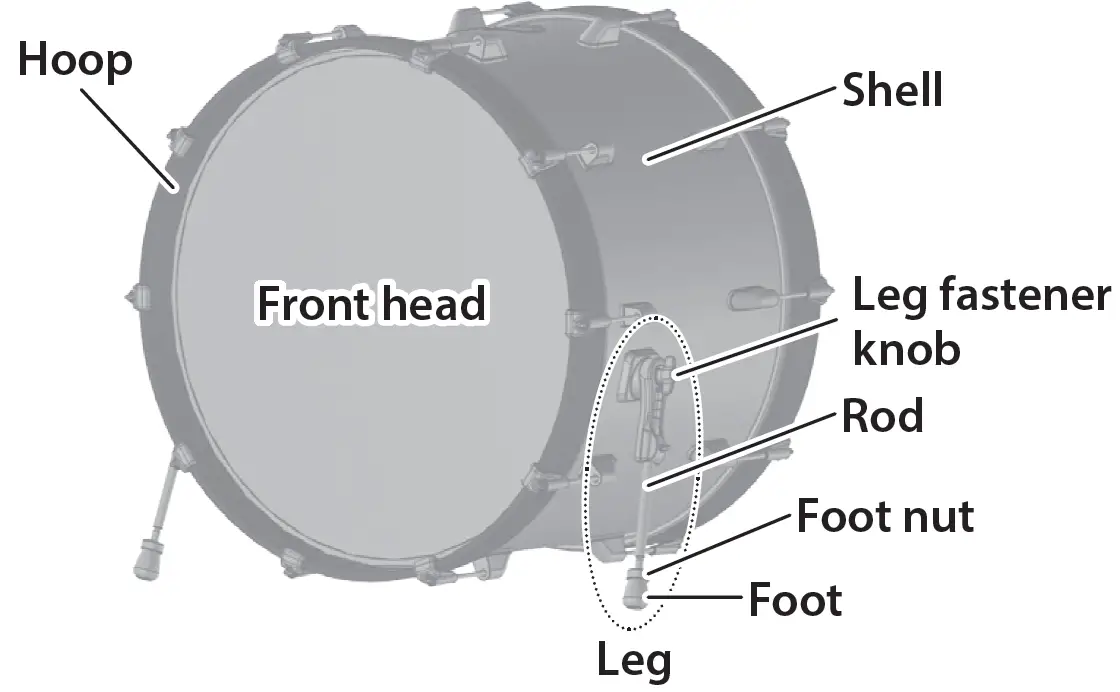
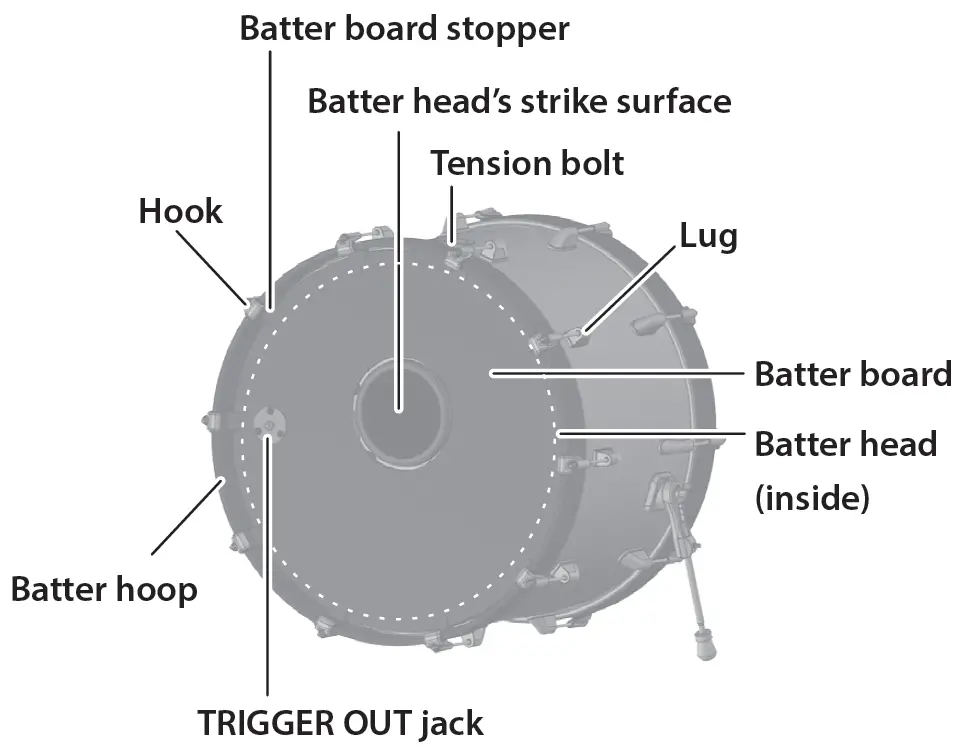
Assembling the KD-220/180
NOTE: During assembly, take care that the weight of the bass drum does not pinch your hand or foot.
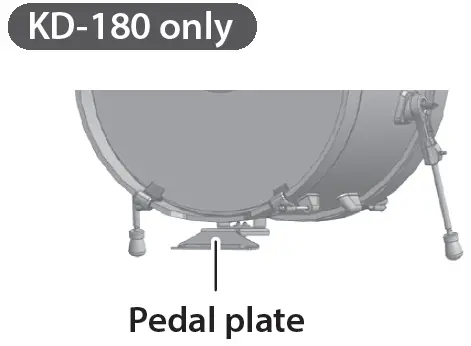
- KD-180 only Adjust the position of the pedal plate.
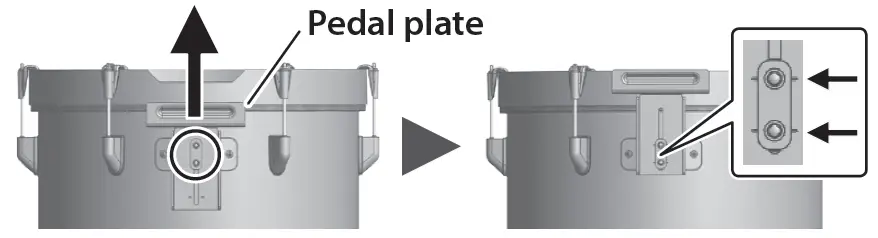
Use the drum key to loosen the bolts at the locations shown; then adjust the position of the pedal plate so that the marks of the pedal plate align with the bolt positions, and tighten the bolts.
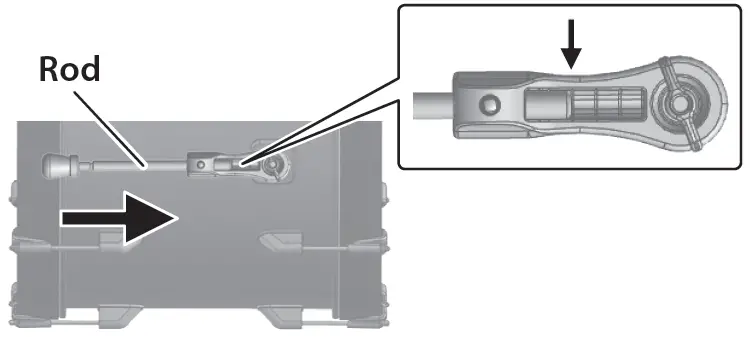
- Insert the included rod into the leg, position the tip of the rod at mark 2, and then use the drum key to tighten the bolt.

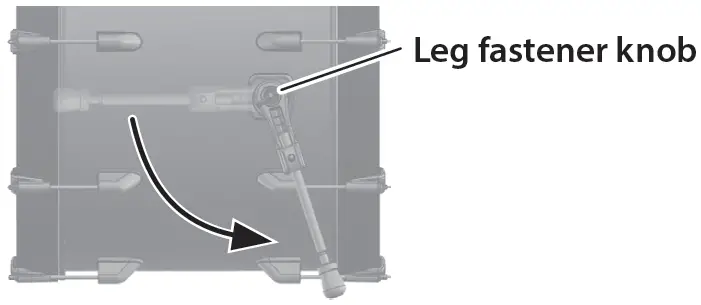
- Loosen the leg fastener knob, adjust the angle of the leg, and then tighten the leg fastener knob.

- Adjust the tip of the legs (spike/rubber) appropriately for the surface on which you’re placing the KD-220/180.
| Spike | Soft floor V-Drums mat (TDM series), carpet, etc. |
| Rubber | Hard floor Wood flooring, concrete, etc. |
If you loosen the foot nut and rotate the foot to raise it the spike will be exposed.
Tighten the foot nut to secure the position of the foot.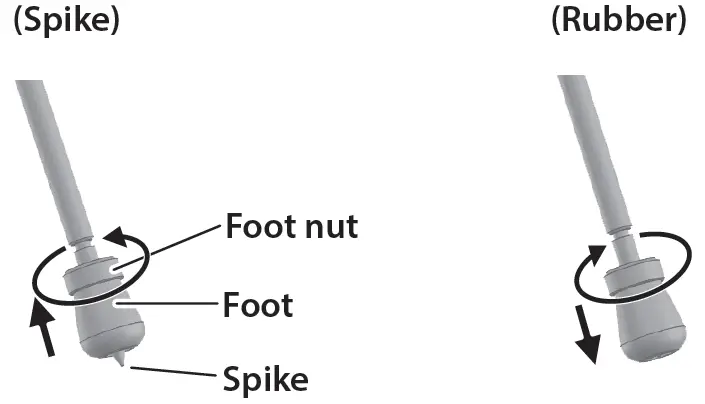 The tip of the spike is sharp; handle it with care.
Using the spike leg tips on wood flooring may damage the floor; the rubber leg tips should be used on wood flooring.
5 .KD-220 only Affix the wood hoop protectors to the position at which the kick pedal is attached.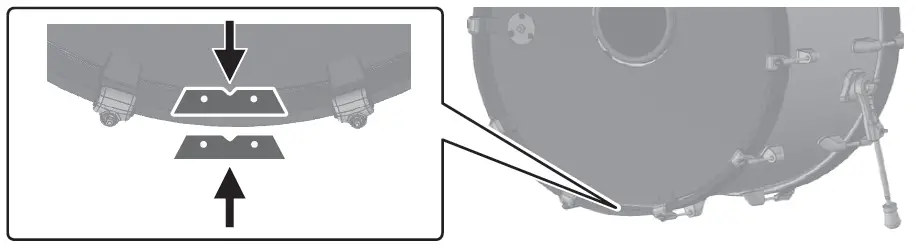
6. Mounting the kick pedal.
KD-180 only Attach the kick pedal to the pedal plate.
Adjust the location at which the kick pedal is attached so that the beater strikes the center of the batter head’s strike surface; then securely fasten the kick pedal to the KD-180.
Take care not to pinch your fingers.
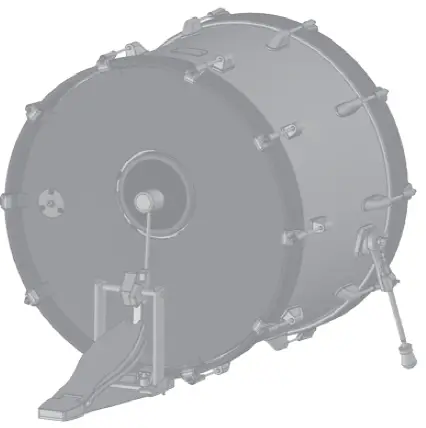
After attaching the kick pedal, adjust the angle of the legs and the length of the rods as necessary.
Using Double Kick Pedals
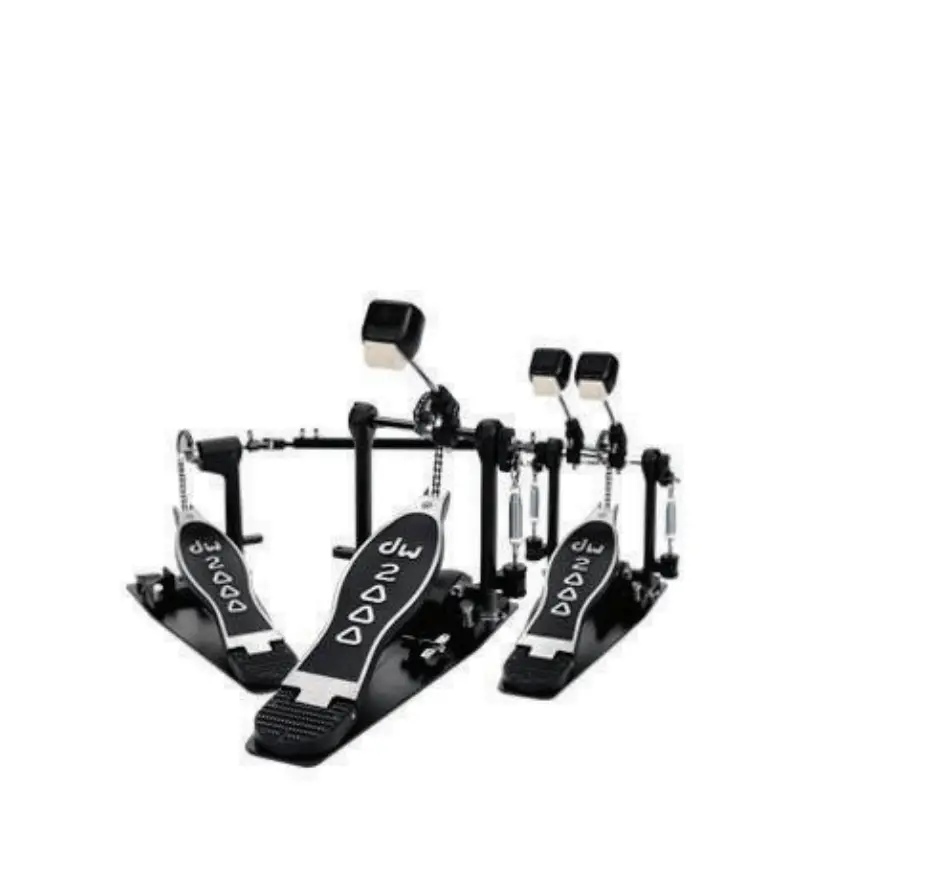
The KD-220/180 can also be used with double kick pedals.
Adjust the striking points of the two beaters so that they are at equal distances to the left and right of the batter head’s strike surface.
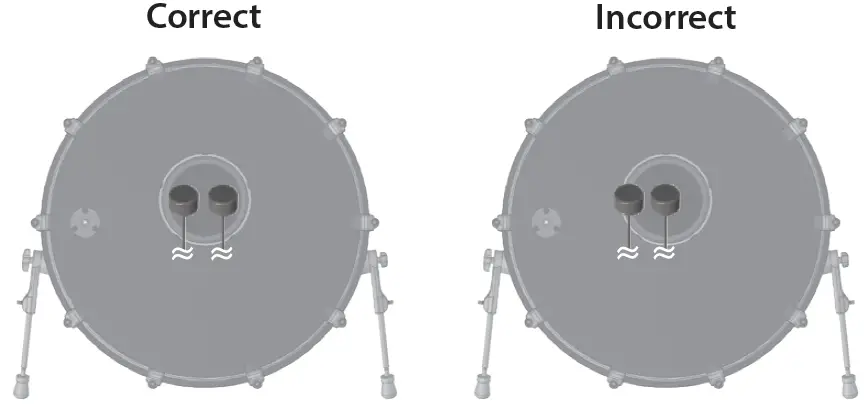
KD-220 only
If the beater’s striking point cannot be aligned appropriately
Depending on the kick pedal, it might not be possible to attach it to the bass drum so that the strike point of the two beaters is located symmetrically to the left and right of the center of the batter head’s strike surface.
In this case, use the following procedure to adjust the position of the batter head’s strike surface.
- Remove all of the hooks/tension bolts, the batter board stopper, and the batter hoop.
 NOTE : To avoid injury, damage, or malfunction, do not detach the batter board and batter head from the shell.
 - Rotate the batter head together with the batter board, adjusting its position so that the center of the TRIGGER OUT jack is aligned with the next hook below.

- Place the batter hoop back.
- Attach the batter board stopper to the hooks/ tension bolts.
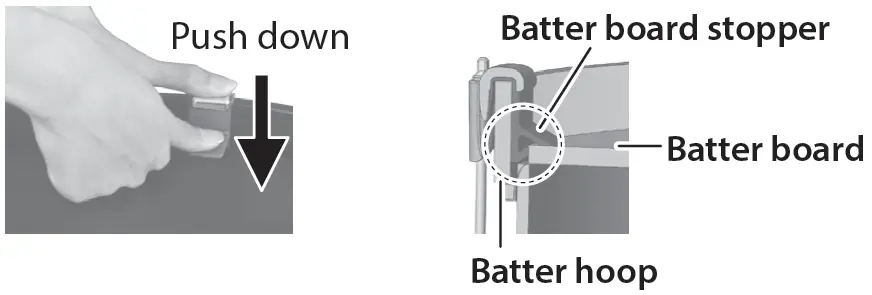
- While working alternately across opposite sides, use your fingers to push down the hooks and the batter board stopper, and insert the tension bolts into the lugs while pressing-in the batter board stopper between the batter hoop and the batter board.

- Working alternately across opposite sides of the drum, lightly tighten each tension bolt until the hooks do not wobble.

- Then tighten each tension bolt another 3/4 of a turn to secure the front head.
If the batter head is not secured sufficiently, the sensor might malfunction, or the sound of the strike might be too loud.
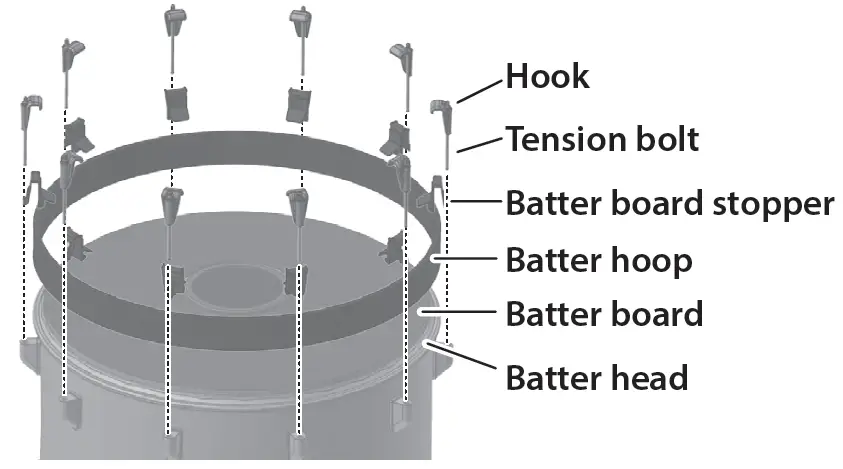 NOTE : To avoid injury, damage, or malfunction, do not detach the batter board and batter head from the shell.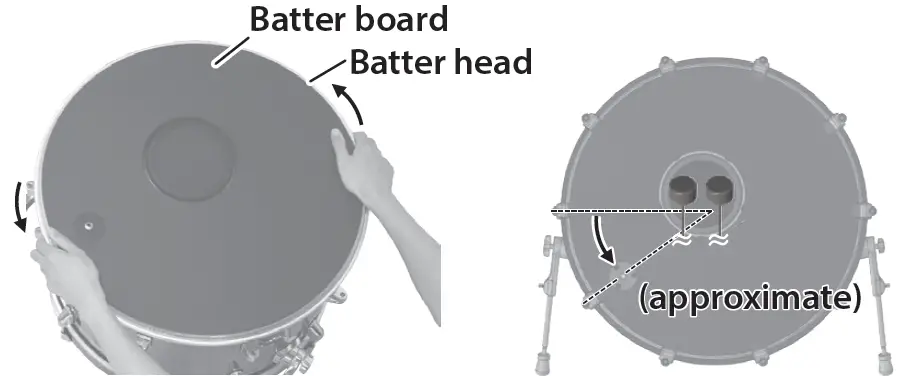
Connecting to the Drum Sound Module
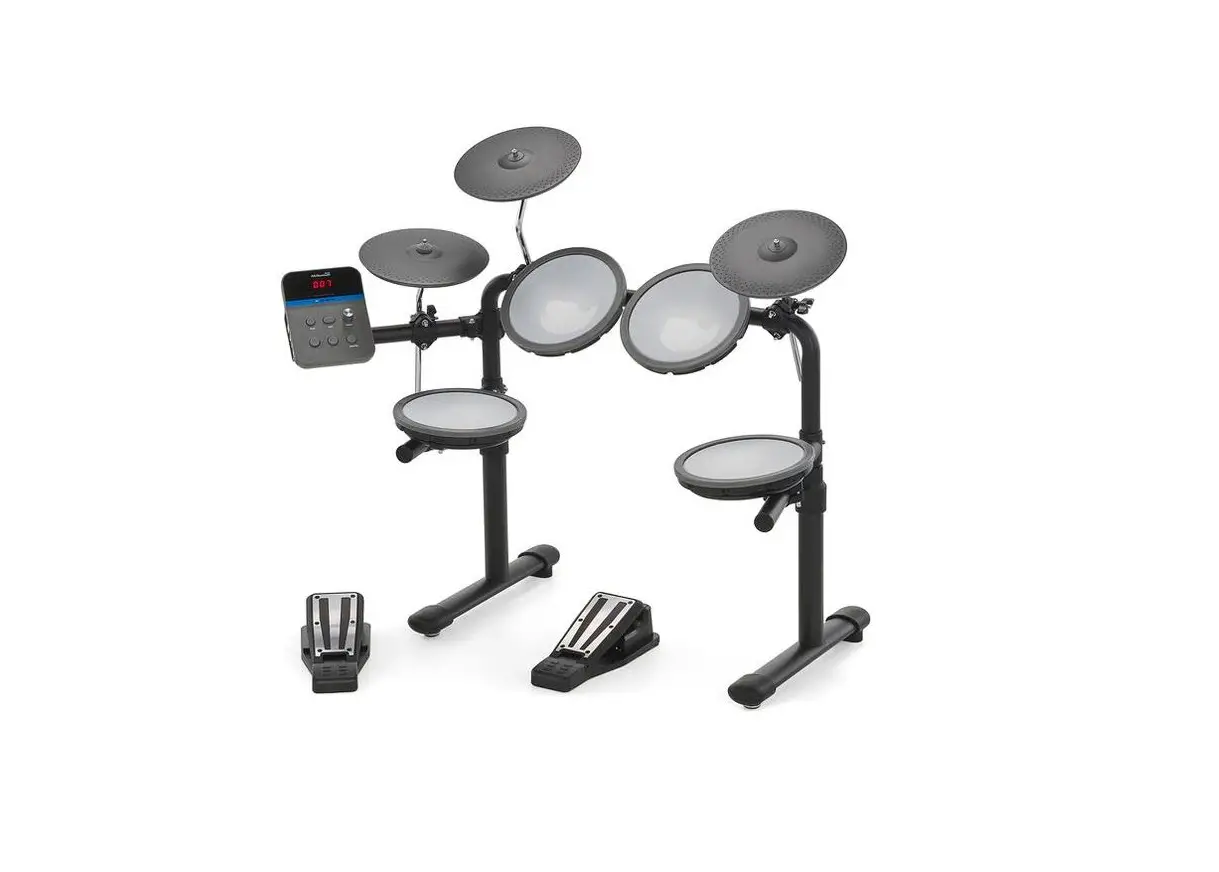
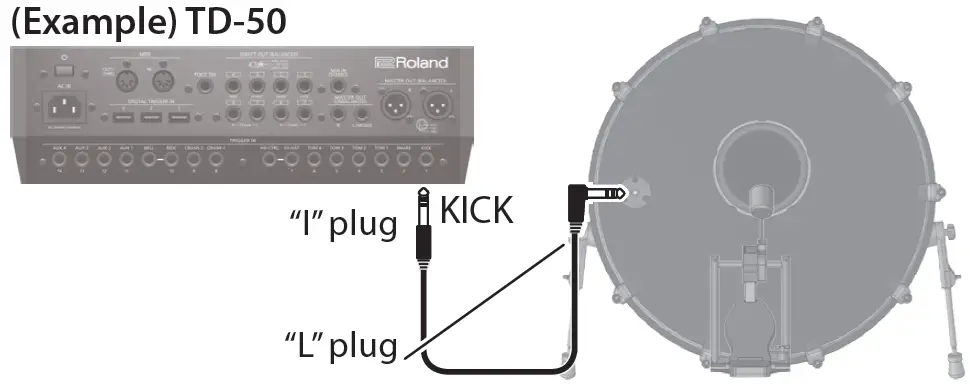
Connect the KD-220/180 to your drum sound module.
Use the included connection cable to make the connection.
Connect the “L” plug of the connection cable to the jack of the KD-220/180.
Recommended Parameter Settings
Below you will find recommended trigger parameters when using the KD-220/180 with various drum sound modules.
You may need to adjust the trigger parameters depending on how you’ve mounted the KD-220/180 and the location at which you’ve installed it.
For details on editing refer to the owner’s manual of your drum sound module.
| KD-220 | KD-180 | |
| TD-50 | ||
| Trig Type | KD-A22 | |
| TD-30 | ||
| Trig Type | KD-140 | |
| Sensitivity | 7 | |
| Threshold | 7 | |
| TD-25 | ||
| Trig Type | KD-220 | KD-180 |
| * Update to the latest version before use. | ||
Adjusting the Head Tension
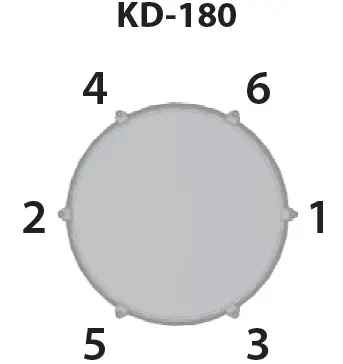
Adjust the tension of the head (front/batter) before you play the KD-220/KD-180. You can vary the strike response (playing feel) by adjusting the tension.
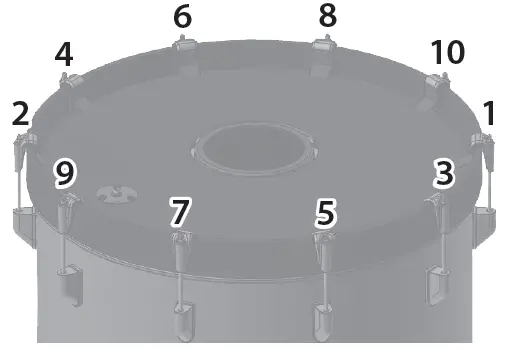
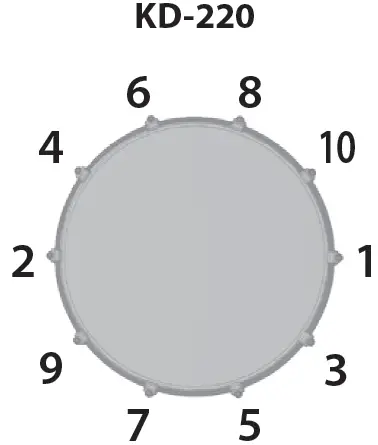
- Adjust each tension bolt little by little, working back and forth across the head in the order shown in the illustration.
Fully tightening a tension bolt at only a single location will produce uneven tensioning, which will make it impossible to achieve correct strike response and may also cause malfunctions.
- Adjust each tension bolt so that the head is tensioned evenly.
Main Specifications
| Roland KD-220: Trigger Bass Drum | |
| Shell | 22 (Diameter) x 14 (Depth) inches 8 ply, Maple |
| Trigger | 1 (Head) |
| Acceptable pedal | Single pedal, Twin pedal |
| Connector | TRIGGER OUT jack |
| Dimensions | 684 (W) x 514 (D) x 623 (H) mm 26-15/16 (W) x 20-1/4 (D) x 24-9/16 (H) inches |
| Weight | 12.3 kg / 27 lbs 2 oz |
| Roland KD-180: Trigger Bass Drum | |
| Shell | 182 (Diameter) x 12 (Depth) inches 7 ply, Birch |
| Trigger | 1 (Head) |
| Acceptable pedal | Single pedal, Twin pedal |
| Connector | TRIGGER OUT jack |
| Dimensions | 580 (W) x 453 (D) x 562 (H) mm 22-7/8 (W) x 17-7/8 (D) x 22-1/8 (H) inches |
| Weight | 9.3 kg / 20 lbs 9 oz |
This document explains the specifications of the product at the time that the document was issued. For the latest information, refer to the Roland website.