

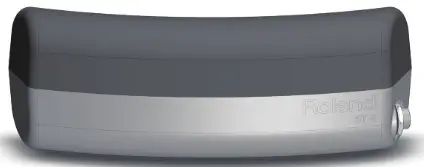
B T-1
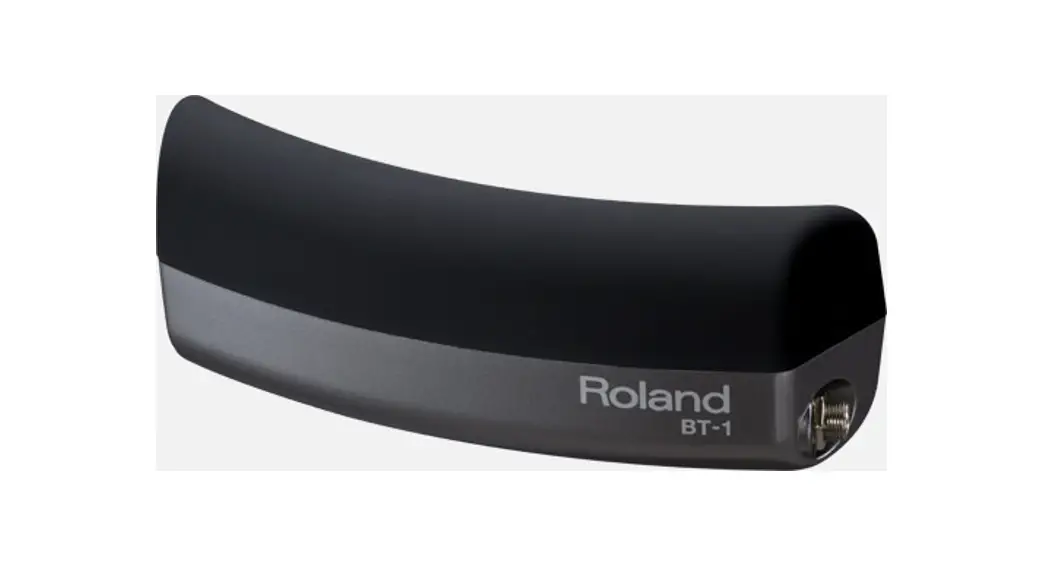
Bar Trigger Pad
Owner’s Manual 
USING THE UNIT SAFELY
Before using this unit, carefully read the sections entitled “USING THE UNIT SAFELY” and “IMPORTANT NOTES”. These sections provide important information concerning the proper operation of the unit. Additionally, in order to feel assured that you have gained a good grasp of every feature of your new unit, read Owner’s manual should be read in its entirety. This manual should be saved and kept on hand as a convenient reference.
INSTRUCTIONS FOR THE PREVENTION OF FIRE, ELECTRIC SHOCK, OR INJURY TO PERSONS
About WARNING and CAUTION Notices
 WARNING WARNING | Used for instructions intended to alert the user to the risk of death or severe injury should the unit be used improperly. |
| CAUTION | Used for instructions intended to alert the user to the risk of injury or material damage should the unit be used improperly. * Material damage refers to damage or other adverse effects caused with respect to the home and all its furnishings, as well to domestic animals or pets. |
About the Symbols
| The symbol alerts the user to important instructions or warnings.The specific meaning of the symbol is determined by the design contained within the triangle. In the case of the symbol at left, it is used for general cautions, warnings, or alerts to danger. |
 | The  symbol alerts the user to items that must never be carried out (are forbidden). The specific thing that must not be done is indicated by the design contained within the circle. In the case of the symbol at left, it means that the unit must never be disassembled. symbol alerts the user to items that must never be carried out (are forbidden). The specific thing that must not be done is indicated by the design contained within the circle. In the case of the symbol at left, it means that the unit must never be disassembled. |
 | The  symbol alerts the user to things that must be carried out. The specific thing that must be done is indicated by the design contained within the circle. In the case of the symbol at left, it means that the power-cord plug must be unplugged from the outlet. symbol alerts the user to things that must be carried out. The specific thing that must be done is indicated by the design contained within the circle. In the case of the symbol at left, it means that the power-cord plug must be unplugged from the outlet. |
ALWAYS OBSERVE THE FOLLOWING
WARNINGDo not disassemble or modify by yourself
Do not open or perform any internal modifications on the unit. Do not repair or replace parts by yourself
Do not attempt to repair the unit, or replace parts within it (except when this manual provides specific instructions directing you to do so). Refer all servicing to your retailer, the nearest Roland Service Center, or an authorized Roland distributor, as listed on the “Information” page. Do not use or store in the following types of locations
- Subject to temperature extremes (e.g., direct sunlight in an enclosed vehicle, near a heating duct, on top of heat-generating equipment); or are
- Damp (e.g., baths, washrooms, on wet floors); or are
- Exposed to steam or smoke, or are
- Subject to salt exposure, or are
- Humid; or are
- Exposed to rain, or are
- Dusty or sandy, or are
- Subject to high levels of vibration and shakiness.
WARNING Precautions regarding placement of this unit on a stand
Be sure to follow the instructions in the Owner’s Manual carefully when placing this unit on a stand (p. 5).
If it is not set up properly, you risk creating an unstable situation which could lead to the unit falling and may result in injury. Don’t allow foreign objects or liquids to enter the unit
Never allow foreign objects (e.g., flammable objects, coins, wires) or liquids (e.g., water or juice) to enter this product. Doing so may cause short circuits, faulty operation, or other malfunctions.Adults must provide supervision in places where children are present
When using the unit in locations where children are present, be careful so no mishandling of the unit can take place. An adult should always be on hand to provide supervision and guidance.Do not drop or be subject to strong impact Protect the unit from strong impact. (Do not drop it!)
CAUTIONAvoid climbing on top of the unit, or placing heavy objects on it
Never climb on top of, nor place heavy objects on the unit.
IMPORTANT NOTES
CAUTION Keep small items out of the reach of children
To prevent accidental ingestion of the parts listed below, always keep them out of the reach of small children
Included Parts Bolts, Spacers (p. 4)
IMPORTANT NOTES
Placement
- Do not expose the unit to direct sunlight, place it near devices that radiate heat, leave it inside an enclosed vehicle, or otherwise subject it to temperature extremes. Excessive heat can deform or discolor the unit.
- When moved from one location to another where the temperature and/or humidity is very different, water droplets (condensation) may form inside the unit. Damage or malfunction may result if you attempt to use the unit in this condition. Therefore, before using the unit, you must allow it to stand for several hours, until the condensation has completely evaporated.
- Do not allow rubber, vinyl, or similar materials to remain on this unit for long periods of time. Such objects can discolor or otherwise harmfully affect the finish.
Maintenance
- For every day, cleaning wipe the unit with a soft, dry cloth or one that has been slightly dampened with water. To remove stubborn dirt, use a cloth impregnated with a mild, non-abrasive detergent. Afterward, be sure to wipe the unit thoroughly with a soft, dry cloth.
- Never use benzine, thinners, alcohol or solvents of any kind, to avoid the possibility of discoloration and/or deformation.
Additional Precautions
- Use a reasonable amount of care when using its output jack. Rough handling can lead to malfunctions.
- When disconnecting all cables, grasp the connector itself–never pull on the cable. This way you will avoid causing shorts, or damage to the cable’s internal elements.
- This instrument is designed to minimize the extraneous sounds produced when it’s played. However, since sound vibrations can be transmitted through floors and walls to a greater degree than expected, take care not to allow these sounds to become a nuisance to others nearby.
- The rubber portion of the striking surface is treated with a preservative to maintain its performance. With the passage of time, this preservative may appear on the surface as a white stain, or reveal how the pads were struck during product testing. This does not affect the performance or functionality of the product, and you may continue using it with confidence.
- Continuous playing may cause discoloration of the pad, but this will not affect the Pad’s function.
Copyright © 2013 ROLAND CORPORATION All rights reserved. No part of this publication may be reproduced in any form without the written permission of ROLAND CORPORATION.
Roland, V-Drums, and OCTAPAD are either registered trademarks or trademarks of Roland Corporation in the United States and/or other countries.
Getting Started
Main Features
- A bar-type single trigger pad that you can strike with the shoulder of your stick
- Can be attached to the hoop of a V-Drums mesh pad or your acoustic drum Also supports commercially-available rod-type mounts and V-Drums stand pad mounts
- The BT-1 is designed to minimize unintended triggering and can be used as a pad switch for changing kits or starting/stopping songs
- Compact design that won’t obstruct your playing
What’s in the Package
- BT-1
- Attachment (for rod type mount)
- attachment bolt x 2
- Spacer (S) x 1, (L) x 1
- Connection cable
- Owner’s manual

Parts Descriptions
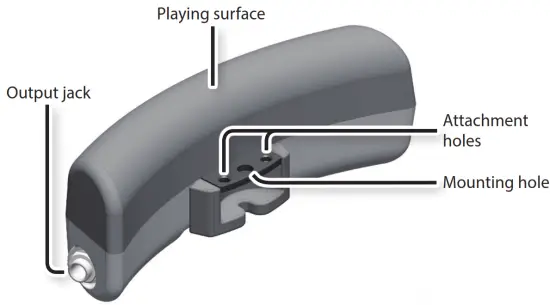
About the spacer
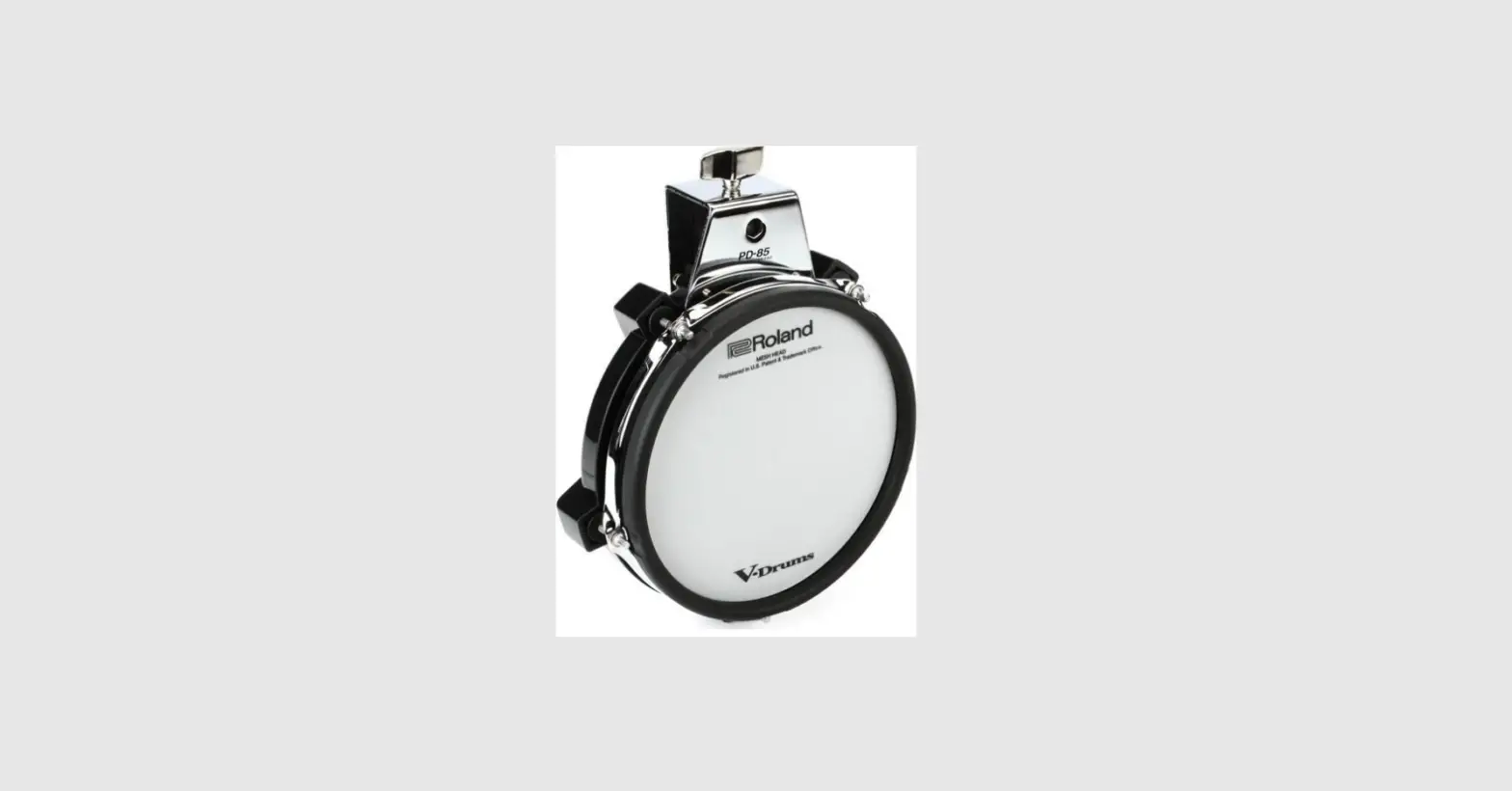
When shipped from the factory, the spacer (S) is installed and you can use the BT-1 as it is. When attaching the BT-1 to the hoop of the PDX-100 or PD-85, replace the spacer (S) with the spacer (L).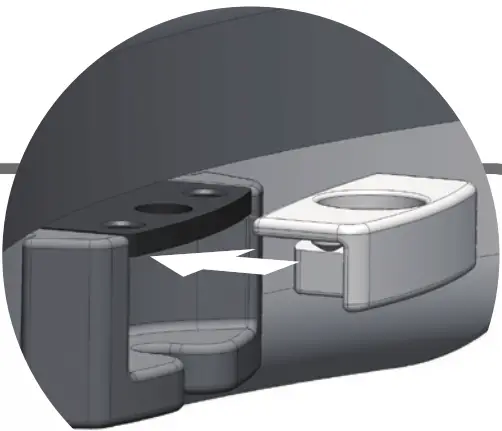
Settings
The BT-1 can be attached to the hoop (tuning bolt) of a V-Drums mesh pad or your acoustic snare or tom.
By using the included attachment, you can also attach it to a commercially-available stand (rod type mount) or to the pad mount of a V-Drums stand.
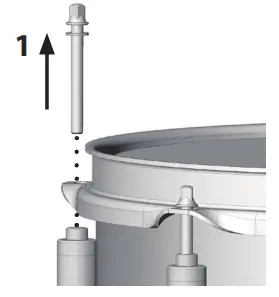
Attaching the BT-1 to a Drum Hoop
NOTE
When the BT-1 is attached on the hoop of an acoustic drum or V-Drums pad, striking the BT-1 will cause the drum it is mounted on to sound. If this presents a problem, the BT-1 can be mounted on a stand (p. 6).
- Depending on the shape of the hoop, it might not be possible to attach the BT-1 correctly (p. 12).
- The BT-1 cannot be attached to the hoop of a bass drum.
- The BT-1 cannot be attached to the PDX-8 or PDX-6.
- In order to attach the BT-1 to a PDX-100 or PD-85, you must first install the spacer (L).
- Remove the tuning bolt from the location where you want to attach the BT-1.
* If the head is strongly tensioned, slightly loosen the entire head before you proceed.
- Lay the mounting hole of the BT-1 over the bolt hole of the hoop.

- Attach the tuning bolt.

- Adjust the tension of the head. * Strikes on the BT-1 may affect the tension of the head.
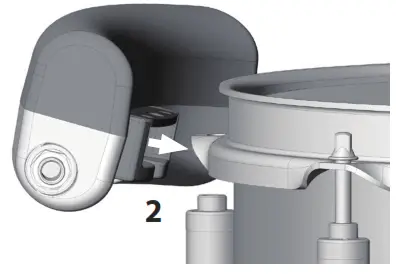
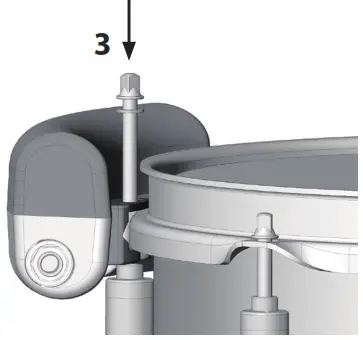
Attaching the BT-1 to a Stand
In order to attach the BT-1 to a stand (rod type mount), you must first install the included attachment on the BT-1. Installing the attachment
1. Install the attachment on the BT-1 as shown in the illustration.
Use the included attachment bolts to fasten the attachment securely.
* Remove the spacer.
* Use your own drum key to tighten the bolts.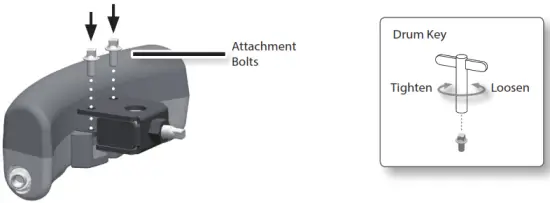
Attaching the BT-1 to a stand
- Attach the BT-1 to the rod of the stand, and tighten the stand attachment bolt.
* When attaching the BT-1 to the stand, be sure to tighten the stand attachment bolt securely. If any of them remain loose, the pad could fall off.
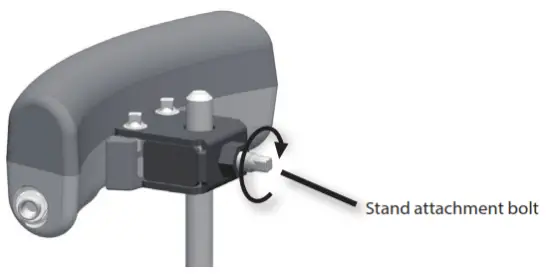
MEMO
When attaching the BT-1 to a commercially available rod type mount, check the dimensions of the rod. Depending on the dimensions of the rod, it may not be possible to ttach the pad to the rod. Acceptable rod diameters: 8.0–12.5 mm (3/8–1/2 inch)
Connecting to a Drum Sound Module
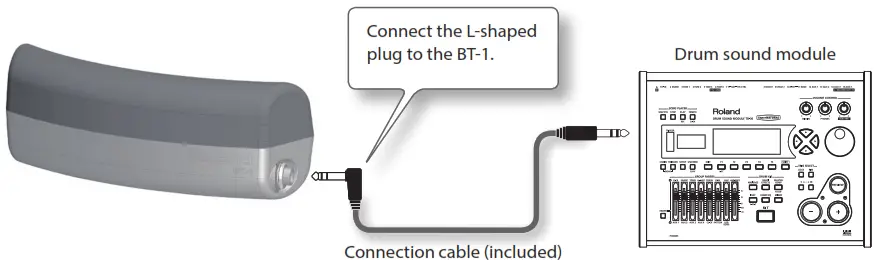
Use the included cable to connect the BT-1 to your drum sound module.
* To prevent malfunction and equipment failure, always turn down the volume, and turn off all the units before making any connections.
- Use the included cable to connect the BT-1’s output jack to a trigger input of your drum sound module.
* You must use a stereo cable. The operation will not be correct if any other cable is used.
* When connecting the BT-1 to a TD-15, TD-11, TD-9, or TD-4, you can also use the cable included with the drum sound module.
- Make the trigger parameter settings for the drum sound module.
For details on parameter values recommended for each sound module, refer to p. 8. - Strike the BT-1 and verify that it is operating correctly.
MEMO
- The BT-1 is a single trigger pad. It cannot distinguish strikes on its head and rim.
- With some drum sound modules, the BT-1 will function as the rim trigger of a pad. In this case,
we recommend that no sound or control function (e.g., pad pattern) be assigned to the “head” of the input the BT-1 is connected to.
Trigger Parameter Settings for the Drum Sound Module
In order for the BT-1 to operate correctly, you must specify the optimal trigger parameter values on your drum sound module.
* For details on how to make settings, refer to the owner’s manual of your drum sound module.
* You may need to adjust the trigger parameters depending on how you’ve attached the BT-1 and the location at which you’ve installed it.
TD-30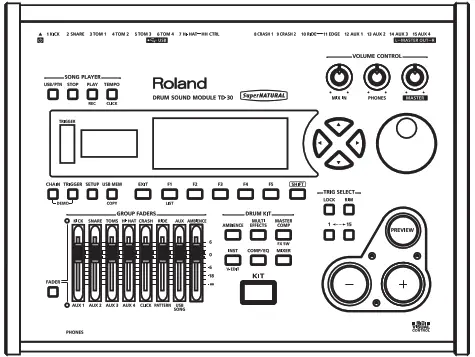
| Trig Type | BT1 |
| TALK | 20–40 * When using a BT-1 on a V-Drums pad, set this XTALK parameter for that V-Drums pad. |
* The BT-1 will operate only as the head trigger.
* If “BT1” does not appear as a Trig Type choice, update your system program.
TD-15, TD-11
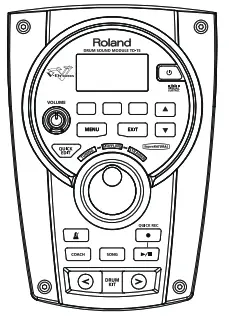
| Pad Type | BT-1 |
| Xtalk Cancel | 20–40 * When using a BT-1 on a V-Drums pad, set this Xtalk Cancel parameter for that V-Drums pad. |
* The BT-1 will operate only as the head trigger.
* The “KIK” and “RDB” trigger inputs are not supported.
* If “BT-1” does not appear as a Pad Type choice, update your system program.
Updating your system program
TD-30, TD-15, TD-11, Octapad SPD-30, SPD-SX
On these models, “BT-1” will appear as a choice for Trig Type (or Pad Type) if you update the system program of your unit.
For details on how to update, refer to the following URL.
http://www.roland.com/support/
Trigger Parameter Settings for the Drum Sound Module
Octapad SPD-30
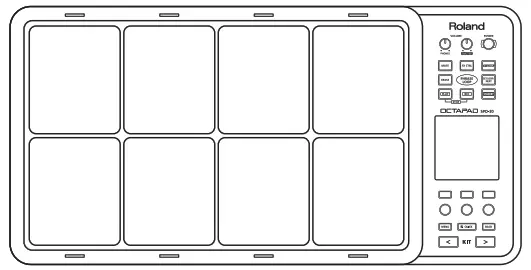
| Pad Type | BT-1 |
| X-Talk Cancel Rate | 20–40 * When using a BT-1 on a V-Drums pad, set this X-Talk Cancel Rate parameter for that V-Drums pad. |
* The BT-1 will operate only as the head trigger.
* If “BT-1” does not appear as a Pad Type choice, update your system program (p. 8).
SPD-SX
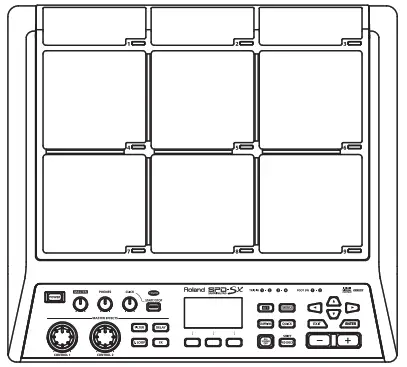
| INPUT MODE | HEAD&RIM |
| TRIG TYPE | BT-1 |
| XTALK CANCEL | 20–40 * When using a BT-1 on a V-Drums pad, set this XTALK CANCEL parameter for that V-Drums pad. |
* The BT-1 will operate only as the head trigger.
* The BT-1 will not operate correctly if INPUT MODE is set to TRIGx2.
* If “BT-1” does not appear as a TRIG TYPE choice, update your system program (p. 8)
TD-20X, TD-20, TDW-20, TD-12
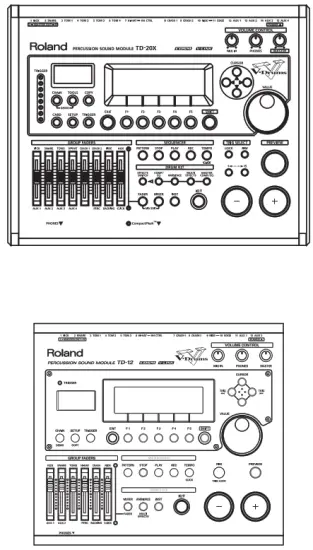
| Trig Type | PAD1 |
| Sensitivity | 12 |
| XTALK CANCEL | 25 |
| MOUNT TYPE | PAD |
| XTALK CANCEL | 20–60 * When using a BT-1 on a V-Drums pad, set this XTALK CANCEL parameter for that V-Drums pad. |
Trigger Parameter Settings for the Drum Sound Module
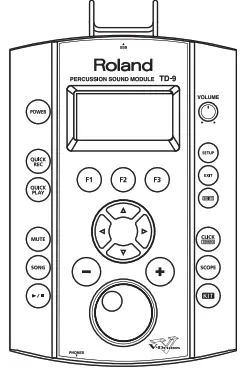
| Trig Type | PD8 |
| Sensitivity | 12 |
| Threshold | 8 |
| Scan Time | 1.6 |
| Retrig Cancel | 4 |
| Mask Time | 8 |
| XTalk Cancel | 25 |
| Rim Gain | 1.0 |
| chalk Cancel | 20–40 * When using a BT-1 on a V-Drums pad, set this XTalk Cancel parameter for that V-Drums pad. |
* The “KIK” and “RDB” trigger inputs are not supported.
* The BT-1 will operate as the rim trigger of the pad. No sound or control function (e.g., pad pattern) should be assigned to the “head” of the input the BT-1 is connected to.
TD-4
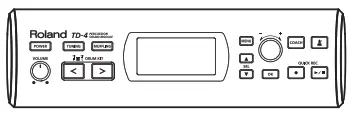
| Pad Type | PD-8 |
| Sensitivity | 12 |
| Threshold | 8 |
| Scan Time | 1.6 ms |
| Retrig Cancel | 4 |
| Mask Time | 8 ms |
| Xtalk Cancel | 25 % |
| Rim Gain | 1.0 |
| Xtalk Cancel | 20–40 % * When using a BT-1 on a V-Drums pad, set this Xtalk Cancel parameter for that V-Drums pad. |
* The “KIK”, “T1”, “T2”, and “T3” trigger inputs are not supported.
* The BT-1 will operate as the rim trigger of the pad. No sound or control function (e.g., pad pattern) should be assigned to the “head” of the input the BT-1 is connected to.
Troubleshooting
If the BT-1 does not operate as you expect, please check the following points first.
If you are still unable to resolve the problem, contact your retailer, the nearest Roland Service Center, or an authorized Roland distributor, as listed on the “Information” page.
| Problem | Check / Action |
|
No sound | Check the connections. (p. 7) |
| Firmly insert the plug of the connection cable all the way into the jack. | |
| Use a stereo cable. (p. 7) | |
| Adjust the volume to an appropriate level. | |
| Check the instrument that’s assigned to the head (or rim) trigger. | |
| Check the drum sound module’s trigger indicator to confirm that the drum sound module is receiving the trigger signals. | |
| On some drum sound modules, the instrument might not sound if you’ve assigned a control function to the pad. For details, refer to the owner’s manual of your drum sound module. | |
|
The sound of another pad is also heard when you strike the BT-1 | When the BT-1 is attached to the hoop of a V-Drums pad, striking the BT-1 will cause that pad to sound. If this presents a problem, it can be mounted on an optional stand. |
| Adjust the crosstalk cancel setting of your drum sound module. | |
| Reattach the BT-1 at a different location. | |
| Two or more notes are sounded when you strike once | Fasten the BT-1 firmly to the hoop or stand. |
| Fasten the attachment firmly. | |
| Increase the retrigger cancel setting on your drum sound module. If this has no effect, increase the mask time setting. | |
| The rim sound is heard instead of the head sound | When the BT-1 is connected to some drum sound modules, the head sound will not be triggered. The BT-1 will operate only as a rim trigger. This is not a malfunction. |
| The BT-1 is triggered when you strike a different pad or drum | Use a stereo cable. (p. 7) |
| If you’re using a drum sound module with which the BT-1 operates as a rim trigger, do not assign an instrument or control function to the head of the trigger input the BT-1 is connected to. (p. 8) |
Main Specifications
Roland BT-1: Bar Trigger Pad
| Trigger | 1 |
| Connector | OUTPUT Jack (Stereo 1/4” phone type) |
| Dimensions | 170 (W) x 53 (D) x 60 (H) mm 6-3/4 (W) x 2-1/8 (D) x 2-3/8 (H) inches |
| Weight | 300 g 11 oz |
| Accessories | Owner’s manual, Attachment, Attachment bolt, Spacer, Connection cable (stereo) |
| Supported V-Drums pads | PD-128S, PD-128, PD-108, PD-125, PD-105, PDX-100, PD-85 |
| Acceptable hoop size | 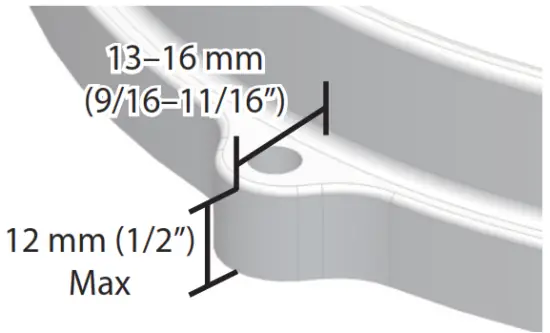 * Depending on the shape of the hoop, it might not be possible to attach the BT-1 correctly. * Depending on the shape of the hoop, it might not be possible to attach the BT-1 correctly. |
| Acceptable rod diameters | 8.0–12.5 mm 3/8–1/2 inch |
| Options (sold separately) | Pad Mount (MDH series) |
* In the interest of product improvement, the specifications and/or appearance of this unit are subject to change without prior notice.
For EU Countries This symbol indicates that in EU countries, this product must be collected separately from household waste, as defined in each region. Products bearing this symbol must not be discarded together with household waste.
 Manufacturer: Roland Corporation 2036-1 Nakagawa, Hosoe-cho, Kita-ku, Hamamatsu, Shizuoka 431-1304, JAPAN
Importer: Roland Corporation ENA 23 Zone 1 nr. 1620 Klaus-Michael Kuehnelaan 13, 2440 Geel, BELGIUM Manufacturer: Manufacturer: Roland Corporation 2036-1 Nakagawa, Hosoe-cho, Kita-ku, Hamamatsu, Shizuoka 431-1304, JAPAN
Importer: Roland Europe Group Limited Hive 2, 1530 Arlington Business Park, Theale, Reading, Berkshire. RG7 4SA United Kingdom

Roland Service Centers and Distributors
Roland Service Centers and Distributors
When you need repair service, access this URL and And your nearest
Roland Service Center or authorized Roland distributor in your country.
https://roland.cm/service