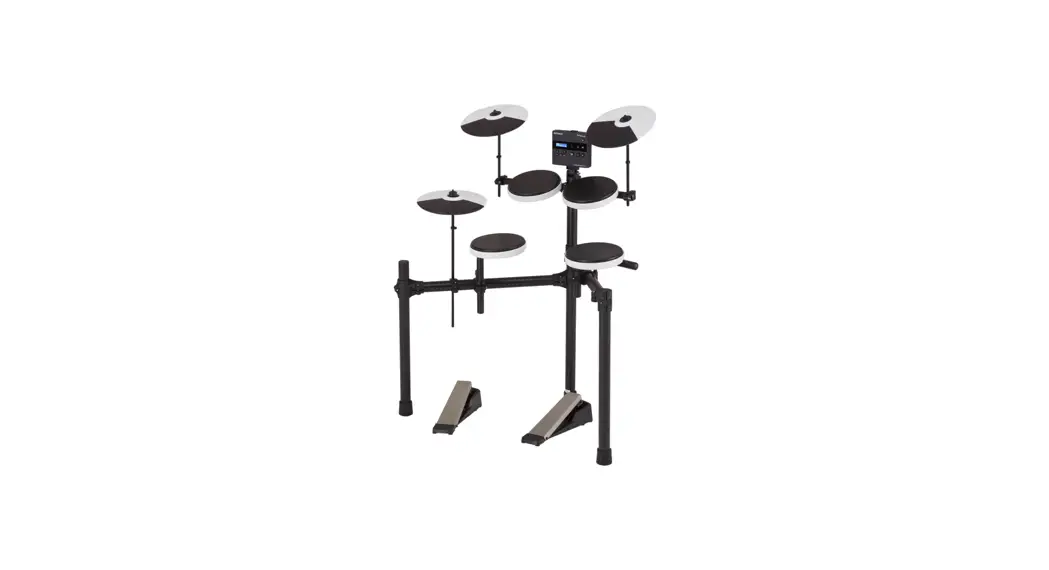
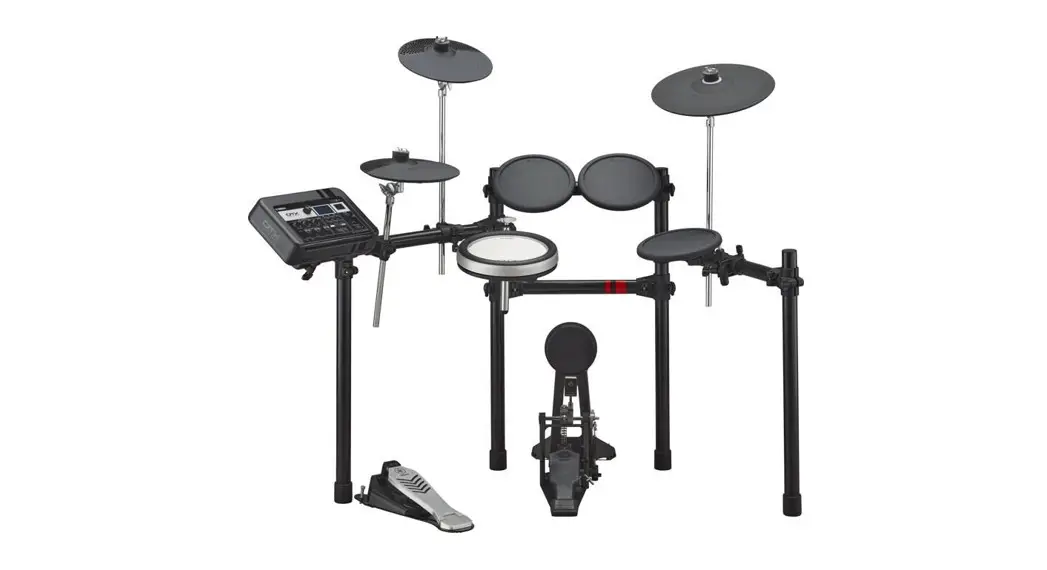
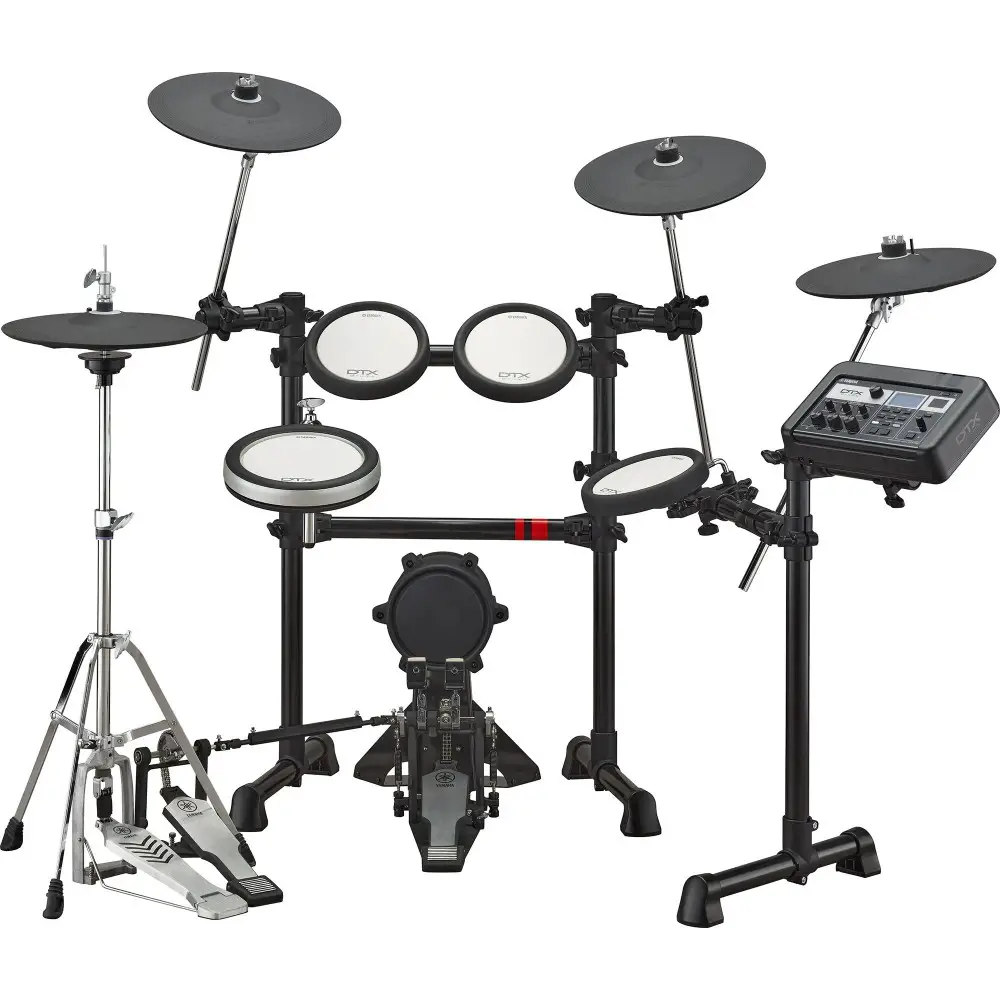
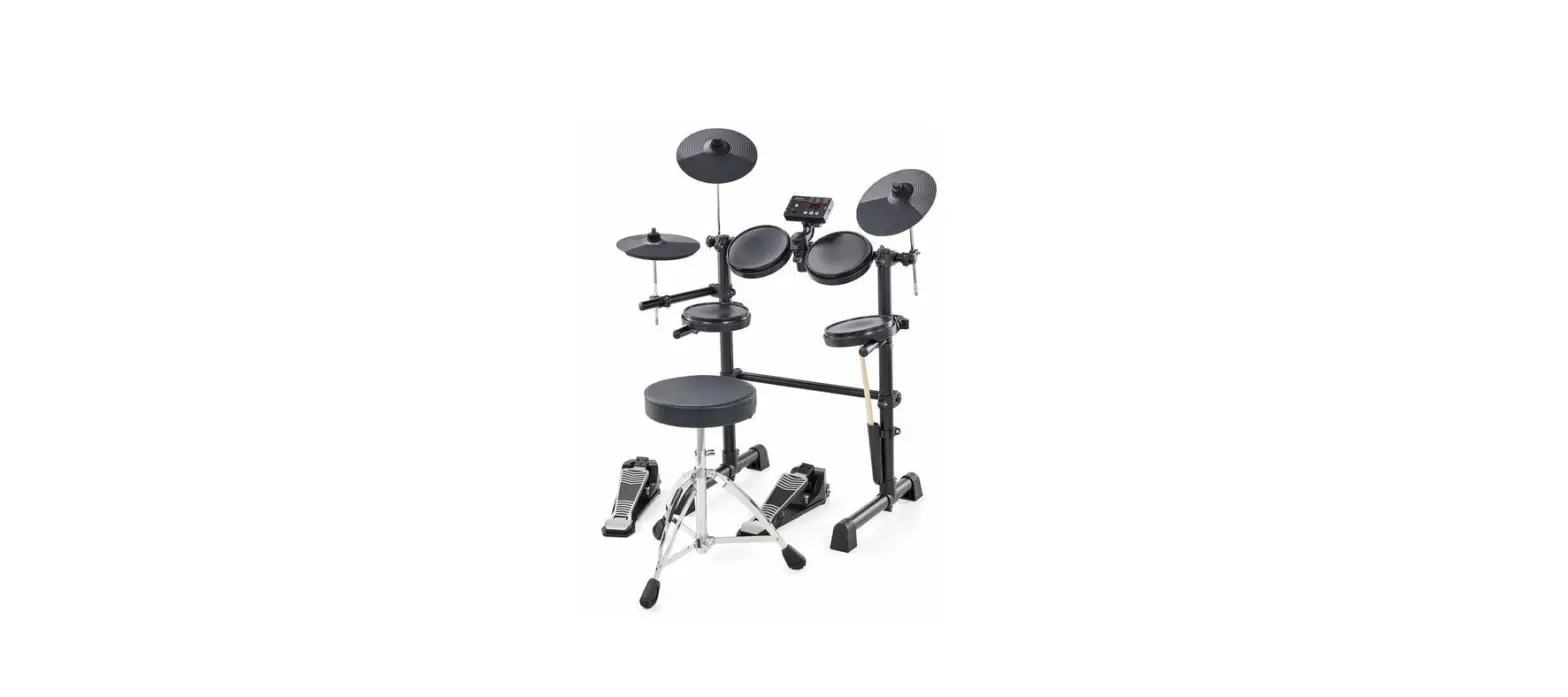
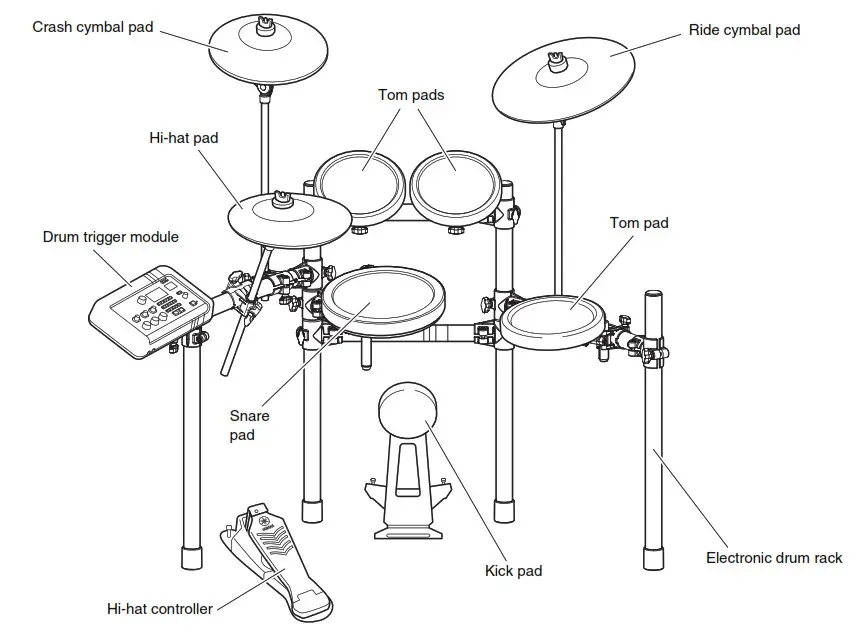
TD-02KV Drums
User Guide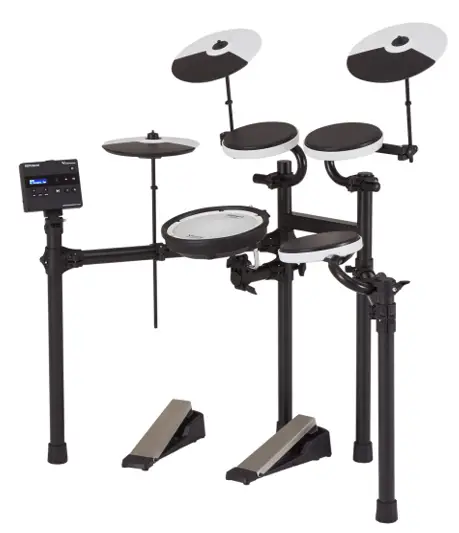
TD-02KV Drums
Before using this unit, carefully read “USING THE UNIT SAFELY” and “IMPORTANT NOTES” (in the leaflet “USING THE UNIT SAFELY” and in the TD-02KV Setup Guide). After reading, keep the document(s) where it will be available for immediate reference.
© 2022 Roland Corporation
Check the included items
As soon as you open the package, check to see that all items are included. If anything is missing, please contact your dealer.
Drum stand 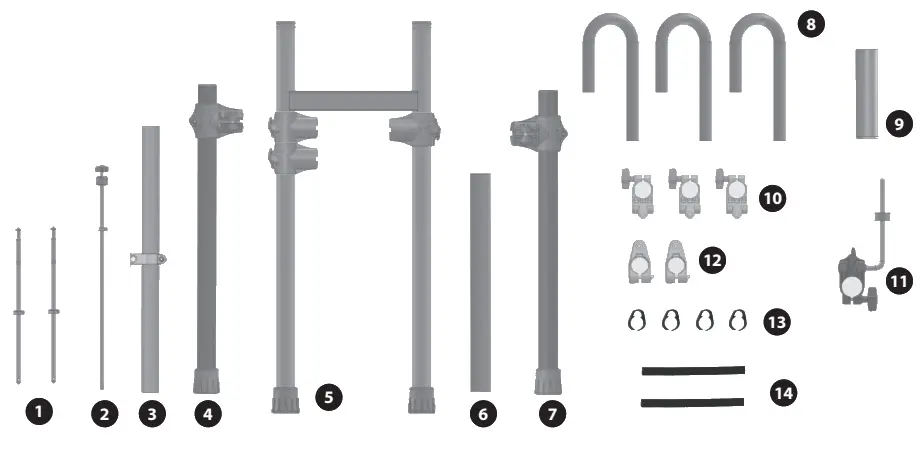
| No. | Name | Quantity |
| 1 | Cymbal rod | 2 |
| 2 | Hi-hat rod | 1 |
| 3 | Left arm | 1 |
| 4 | Left leg | 1 |
| 5 | Center frame | 1 |
| 6 | Right arm | 1 |
| 7 | Right leg | 1 |
| 8 | U-shaped pipe | 3 |
| 9 | Snare pipe | 1 |
| 10 | U-shaped pipe holder | 3 |
| 11 | Snare holder | 1 |
| 12 | Cymbal rod holder | 2 |
| 13 | Cable clip | 4 |
| 14 | Cable tie | 2 |
Drum sound module, pads, other items
* See “Hi-hat control pedal, kick pedal” on the back side for how to distinguish between the pedals. 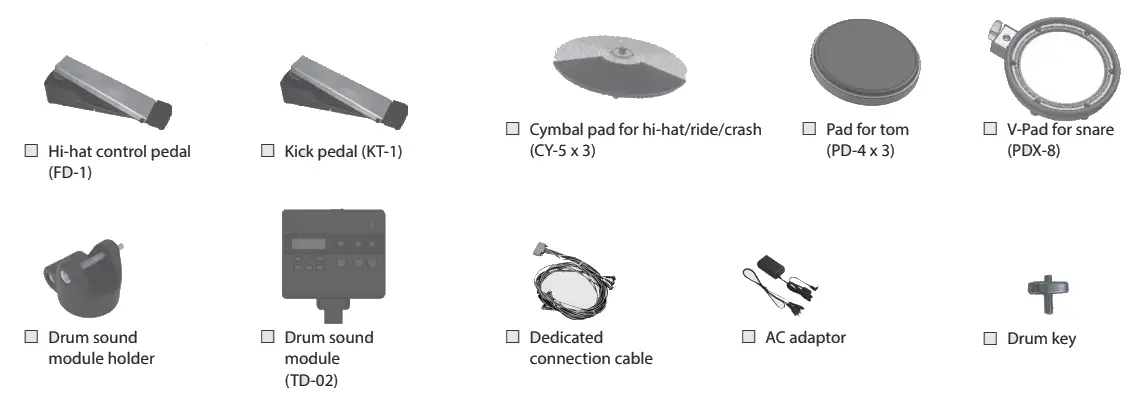
Assemble the drum stand
* If you will be using this drum stand for an extended period of time in the same location, we recommend that you use a drum mat (TDM series) made by Roland to prevent the rubber feet from soiling the surface on which they are placed.
* The drum stand assembly procedure is for right-handed players. If you want to set up the stand for left-handed players, refer to “Assembly for left-handed players” in the lower right.
Accessing the Accessing
Refer to the “Owner’s Manual” (Roland website) for details on how to use TD-02. Use this 2D code to access the website. https://roland.cm/td-02_om
Accessing the video manual
You can scan the following 2D code to see a quick start video. This video explains the steps for assembly. http://roland.cm/td-02_qs
NOTE Be careful not to get your fingers pinched between the drum stand and the movable parts when you set up or adjust the drum standIf using this in a location where children are present, be sure to provide adult supervision or guidance.
- Be sure that there is plenty of space to safely assemble this instrument.
- Do not use a power tool (e.g., an electric screwdriver) to assemble this instrument. Doing so may damage the screws.
- Do not overtighten the bolts.
- Be careful not to get grease from the bolts on your hands or other items.
Assemble the drum stand
* If you will be using this drum stand for an extended period of time in the same location, we recommend that you use a drum mat (TDM series) made by Roland to prevent the rubber feet from soiling the surface on which they are placed.
* The drum stand assembly procedure is for right-handed players. If you want to set up the stand for left-handed players, refer to “Assembly for left-handed players” in the lower right.
1. Assembling the left and right arm sections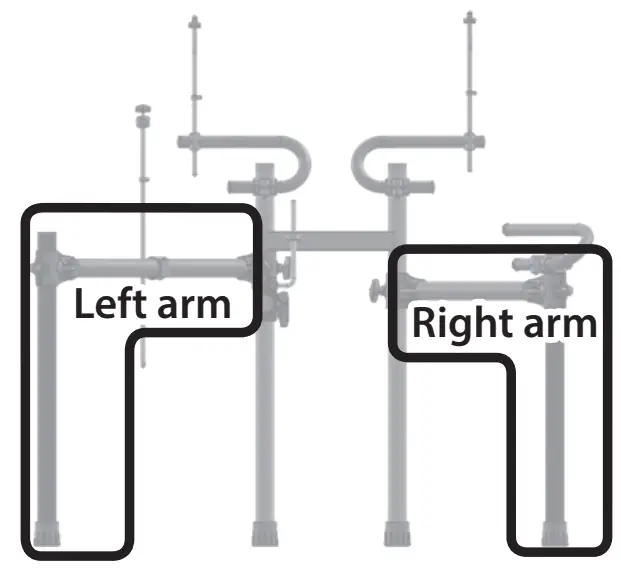 * Lay the left and right arm sections on the floor while assembling them.
Left arm section
1–1. Use the drum key to loosen the bolt of the left leg 4 holder, and insert the left arm 3 .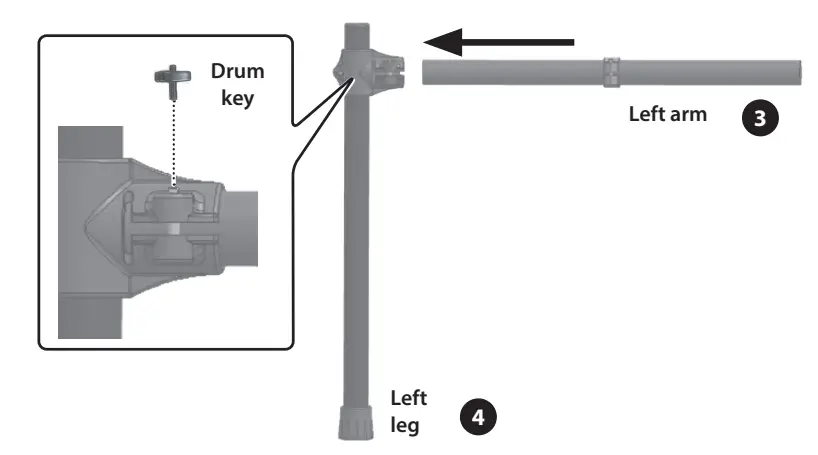 1–2. Once the pipe is fully inserted, firmly tighten the bolt with the drum key.
* Insert the left arm 3 so that the bolt on the holder faces towards the player, as shown in the illustration.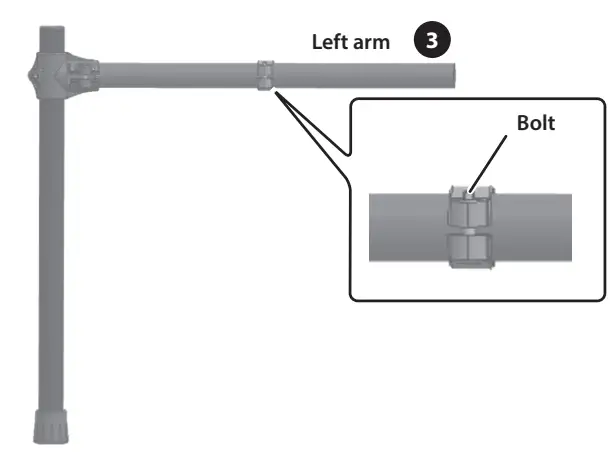 Right arm section
1–3. Use the drum key to loosen the bolt of the right leg 7 , and insert the right arm 6 .
1–4. Once the pipe is fully inserted, firmly tighten the bolts (2) with the drum key.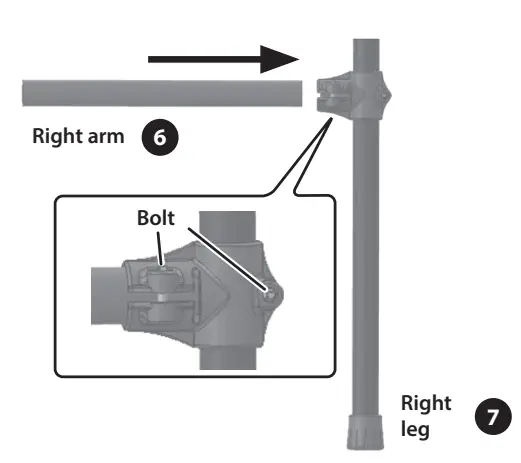
2. Attaching the left/right arm sections onto the center frame
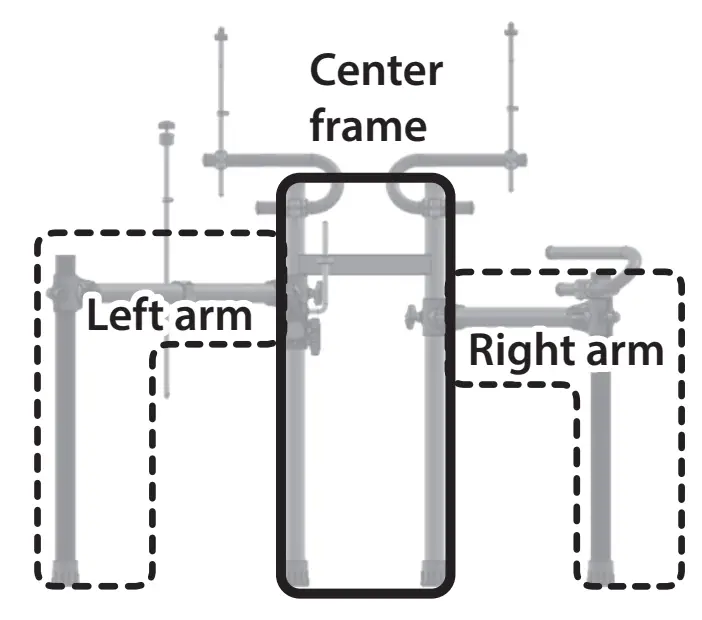 2–1. Use the drum key to loosen bolt of holder A attached to the left-side pipe (with two holders) on the left side of the center frame 5 , and insert the left arm 3 of the assembly you created in step 1 into holder A.
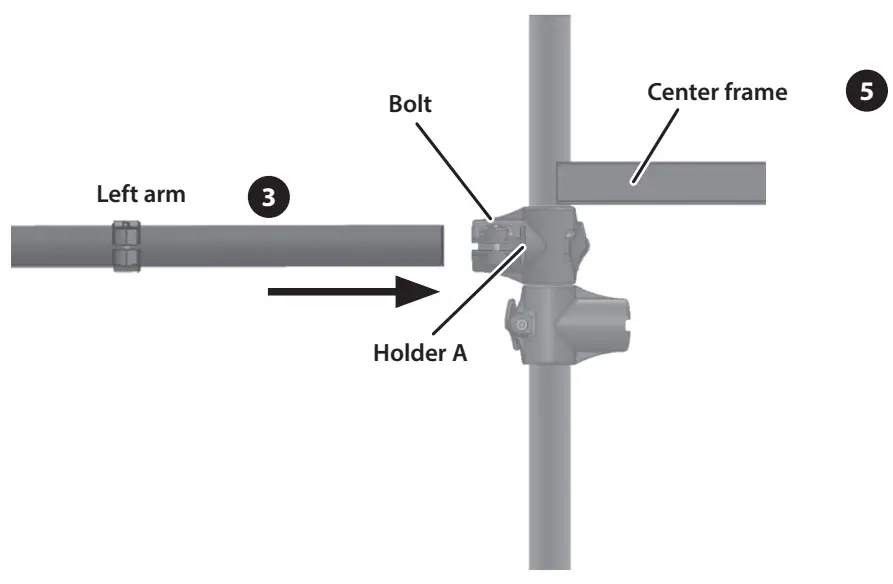 2–2. Once the pipe is fully inserted, firmly tighten the bolt with the drum key.
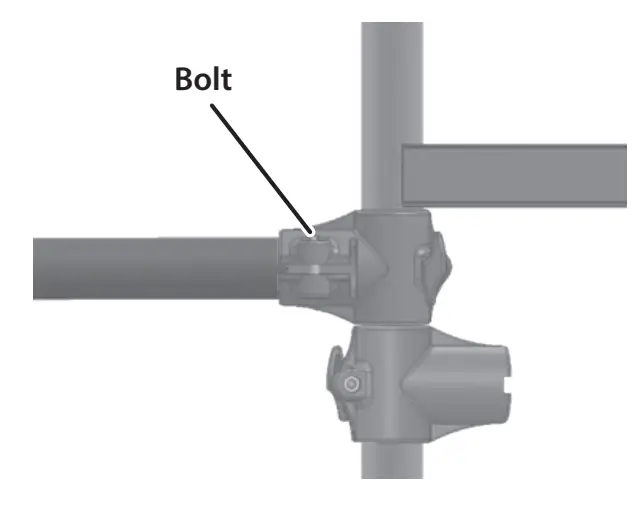 2–3. Use the drum key to loosen bolt of holder B, and insert the right arm 6 of the assembly you created in step 1 into holder B of the center frame 5.
 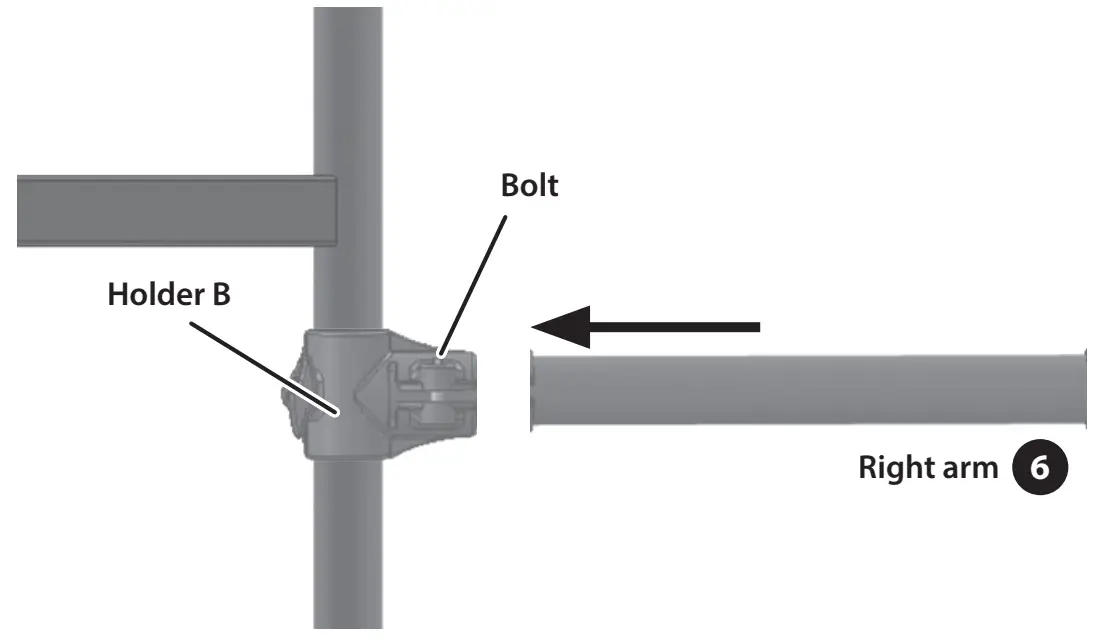 2–4. Once the pipe is fully inserted, firmly tighten the bolt with the drum key.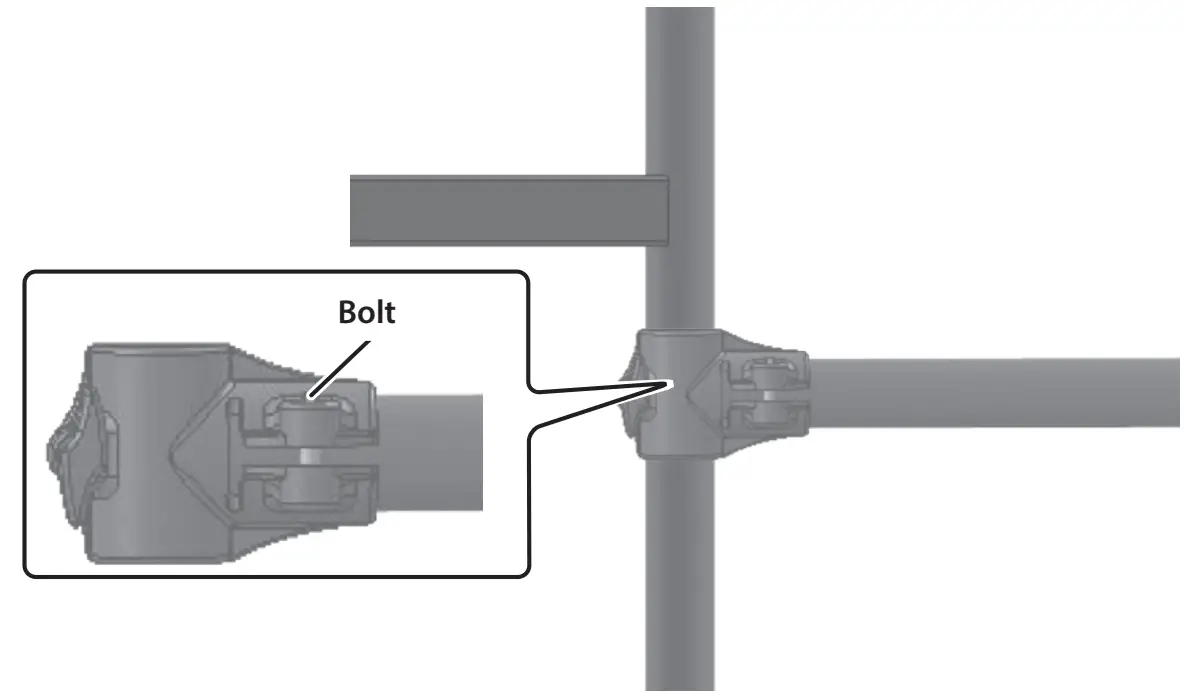
Attaching the snare pipe
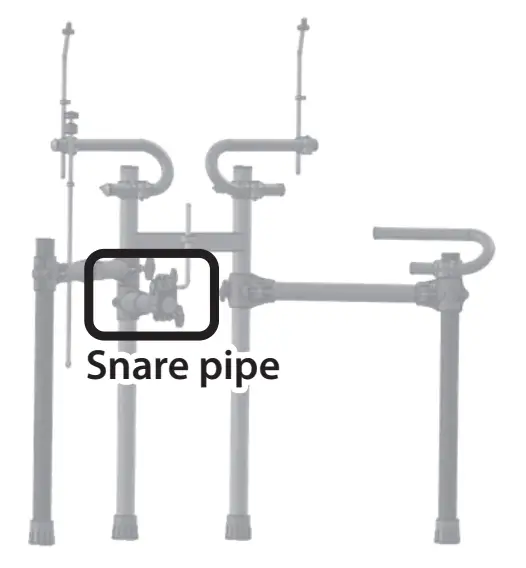
3–1. Use the drum key to loosen the bolt of holder C, and insert the snare pipe 9 into holder C of the center frame 5.
3–2. Once the pipe is fully inserted, firmly tighten the bolt with the drum key.
* Insert the snare pipe that’s not fitted with a cap into holder C. 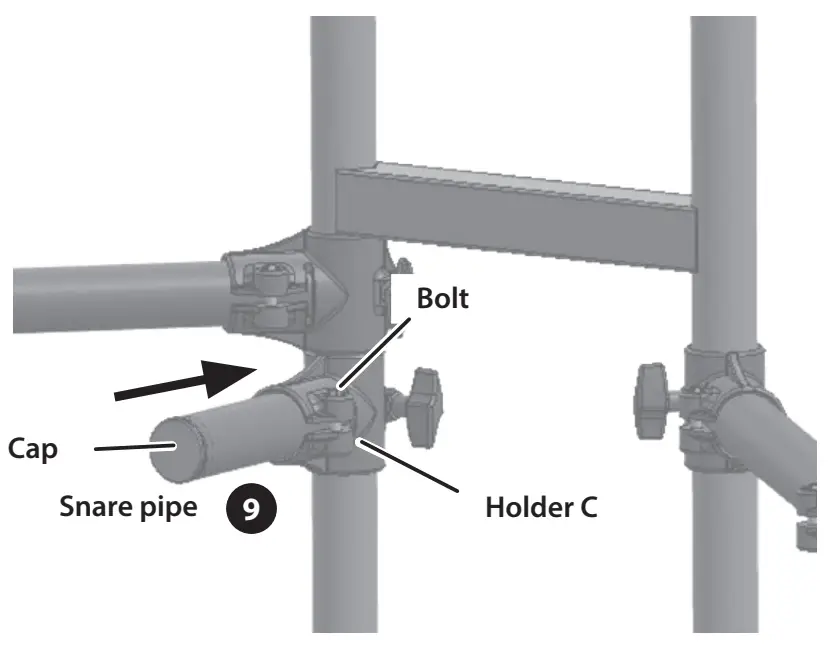
4. Adjusting the vertical pipes
4–1. Place the center frame 5 upright, then loosen the hand knobs (2) of holders A and B. Next, spread open the pipes at left and right.
4–2. Adjust the angle so that the drum stand can stand up by itself, and then tighten the hand knobs (2) that you loosened.
4–3. Make sure that the four vertical pipes remain fully upright, and that the left/right arms are fully horizontal.
If the stand is wobbling, loosen the bolts for the left leg 4 and right leg 7 holders and adjust the height. After adjusting the height, tighten the bolts on the holders.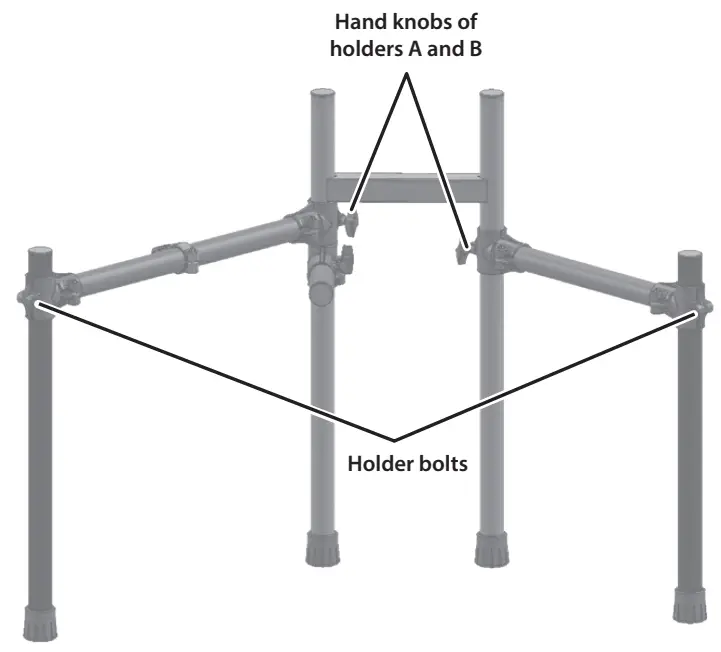 5. Attaching the pad mounts
Center frame/snare pipe
5–1. Attach the U-shaped pipe holders 5 onto the top of the center frame 10 , and tighten the respective hand knobs.
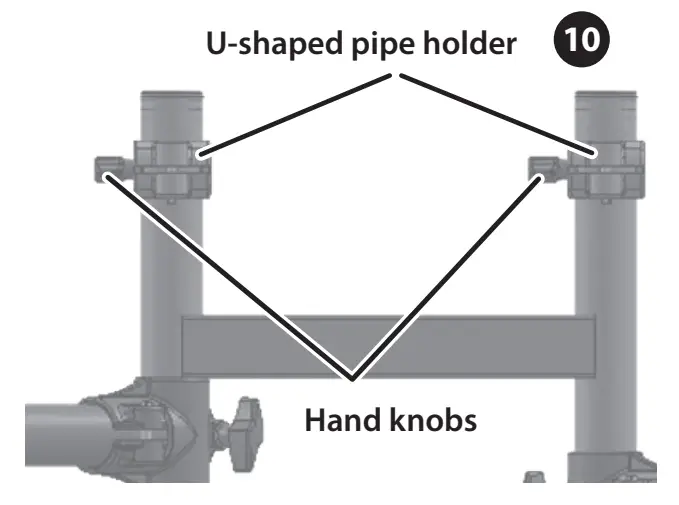 5–2. Attach the U-shaped pipes 8 onto the U-shaped pipe holders 10 , and firmly tighten the respective hand knobs.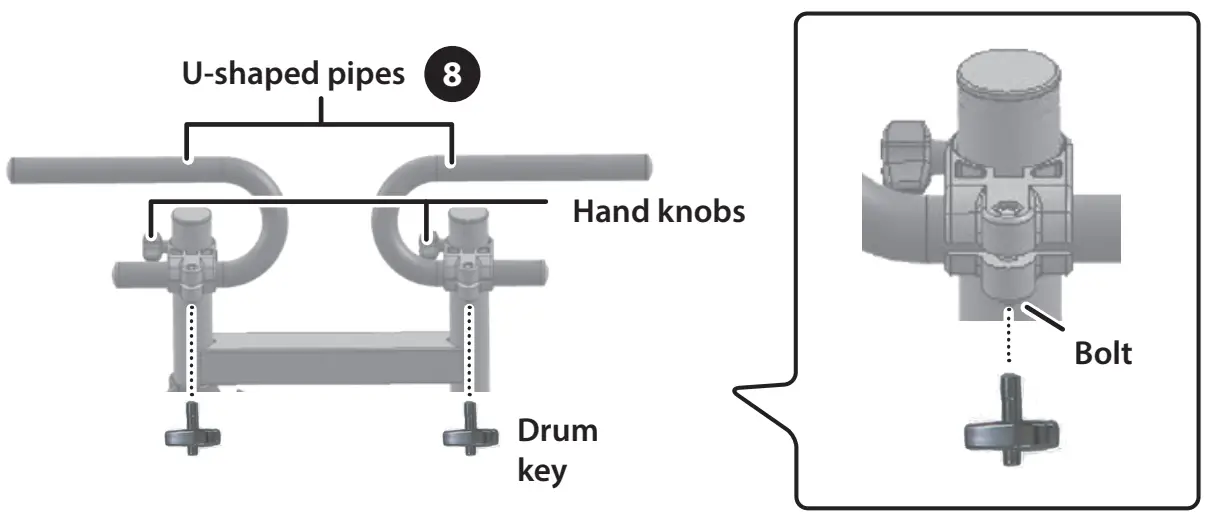
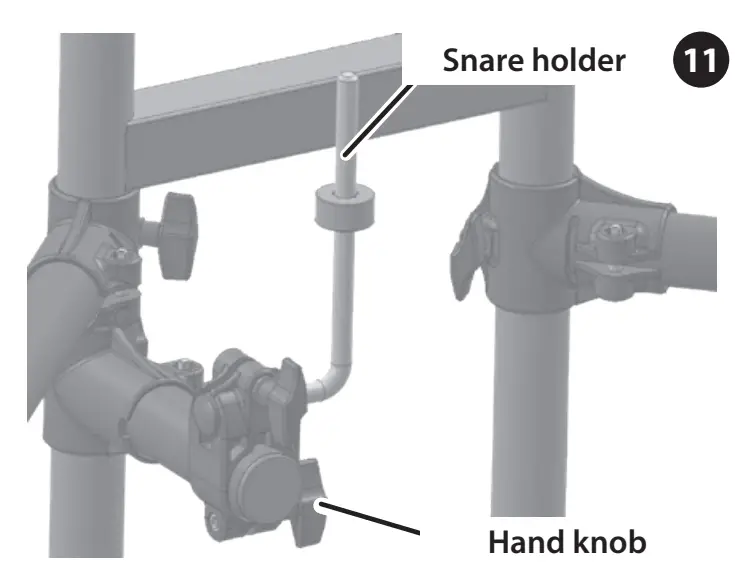
5–3. Attach the snare holder 11 to the snare pipe 9 , and tighten the hand knob.
NOTE
The tip of the snare holder is sharp. Handle it with care.
 Right arm
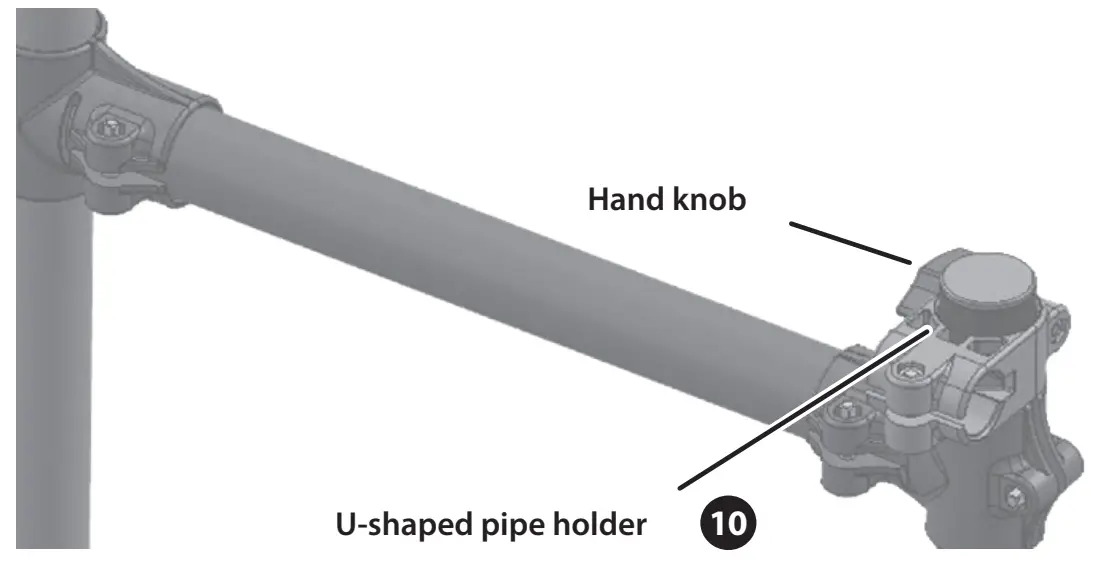
5–4. Attach the U-shaped pipe holder 10 to the right leg 7 and tighten the hand knob.
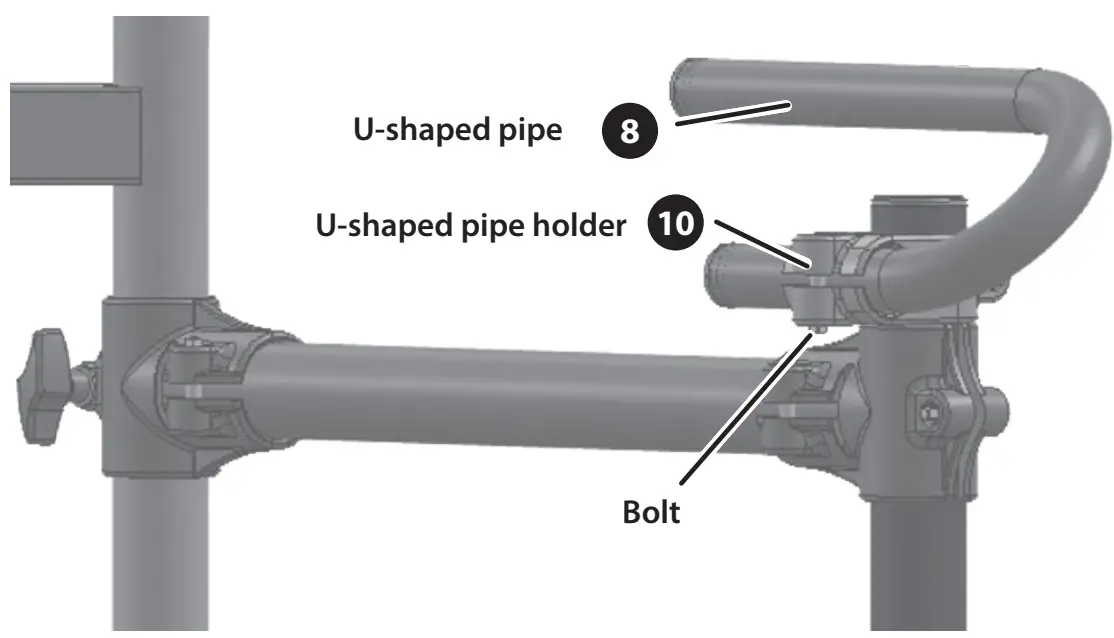
 5–5. Attach the U-shaped pipe 8 onto the U-shaped pipe holder 10 , and use the drum key to firmly tighten the bolt.
6. Attaching the tom pads (T1, T2), cymbal rod and hi-hat rod
6–1. Attach the toms (2) onto the U-shaped pipe 8 on the top of the center frame 5.
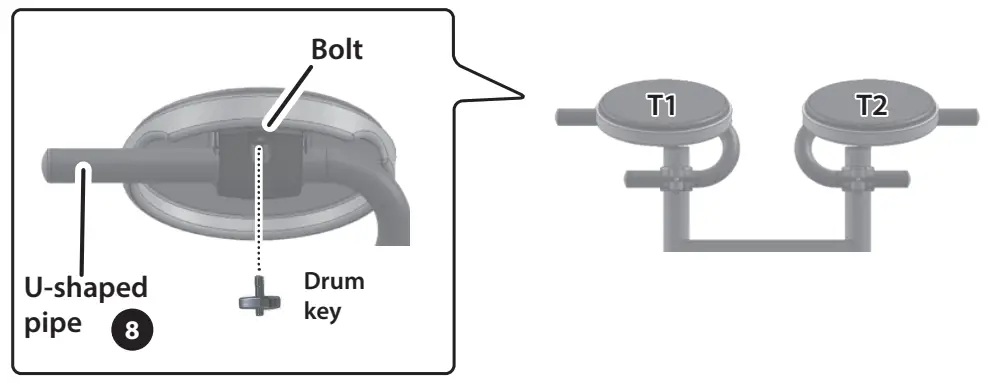 6–2. Attach the cymbal rod holders 12 (2) onto the U-shaped pipes 8 on the top of the center frame 5 .
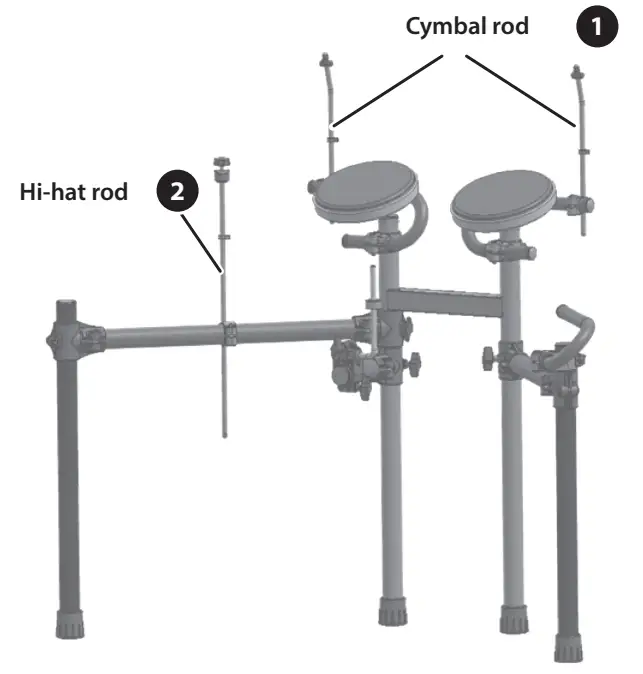
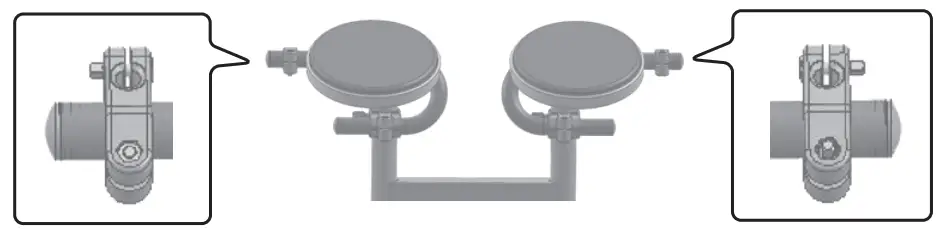 6–3. Insert the rods into the holders, and adjust the position and direction of all parts as shown in the illustration to complete the setup.
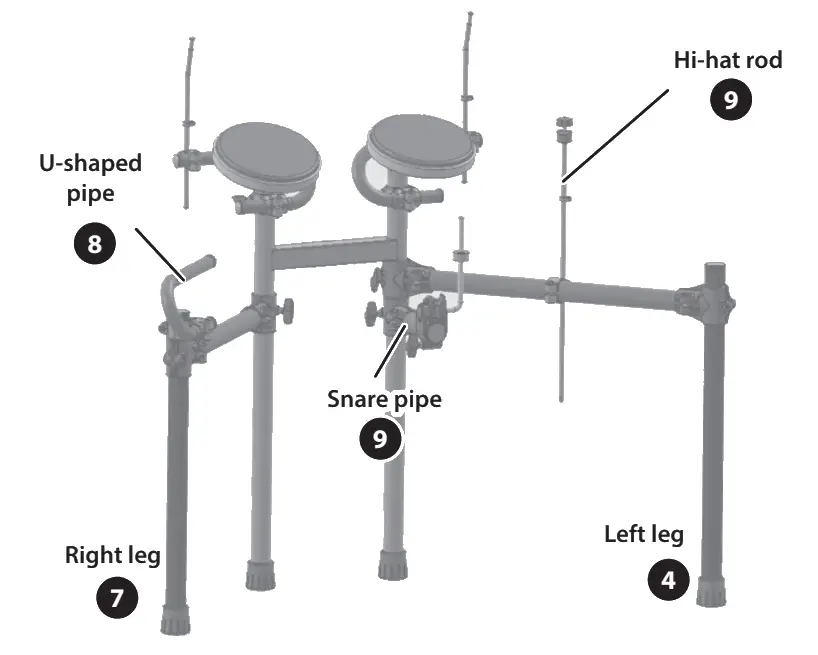
 Assembly for left-handed players
If you want to use a left-handed setup, assemble the stand as follows.
- Detach holder C (for the snare) that’s on the left side of the center frame 5 , and attach it onto the right side. Attach the snare pipe 9 onto holder C, and then attach the snare holder 11 .
- Swap the positions of the left arm 3 and left leg 4 with the right arm6 and right leg 7 . Attach the arm so that the hi-hat rod holder bolt faces inwards (towards the player), and then attach the hi-hat rod 2 .
- Attach the U-shaped pipe holder 10 and U-shaped pipe 8 on the left-side leg.
Attach the parts
* Adjust the position and height of the pads and pedals according to your build and preferences, so that they are easy to play.
NOTE
Be careful not to get your fingers pinched by the movable parts when you operate the drum sound module holder, the hi-hat control pedal, the kick pedal or the cymbals. If using this in a location where children are present, be sure to provide adult supervision or guidance.
Attaching the hi-hat (CY-5) 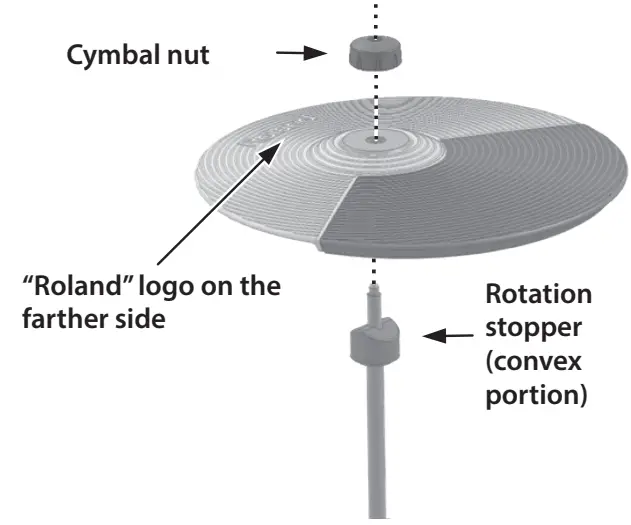
- Insert the cymbal so that the stopper (convex portion) on the hi-hat rod fits into the concave part on the bottom of the cymbal.
- Tighten the cymbal nut enough to prevent the pad from wobbling when you strike it.
Attaching the drum sound module (TD-02)
- Use the bolt for the drum sound module holder to attach the drum sound module to the holder.

- Loosen the bolt of the drum sound module holder, attach the top part of the left leg holder and tighten the bolt.

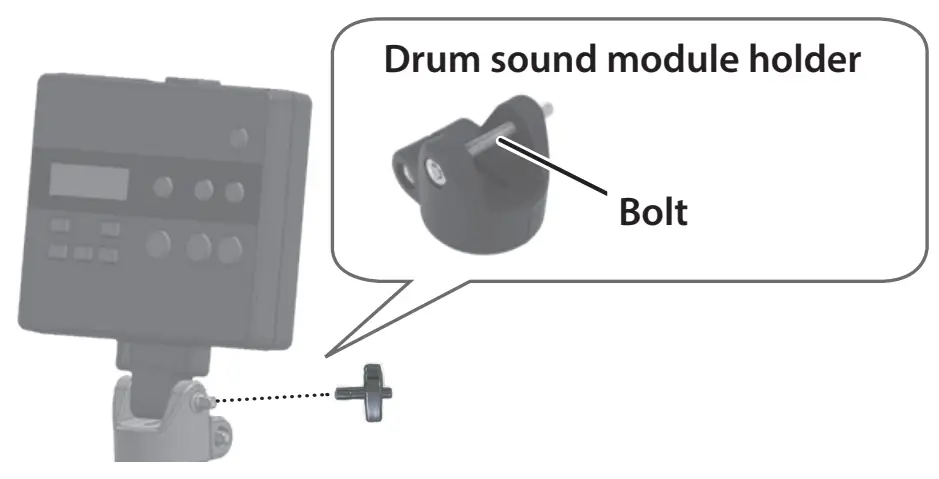
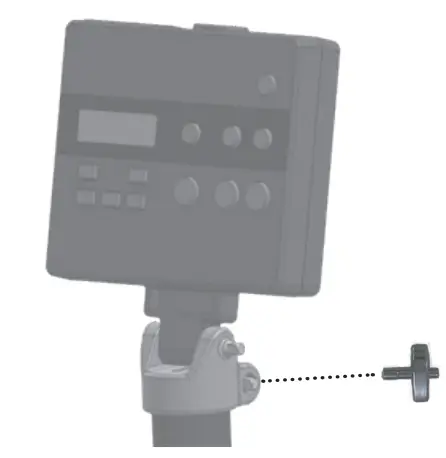
Attaching the crash cymbal/ride cymbal (CY-5)
Insert the cymbal onto the top of the cymbal mount.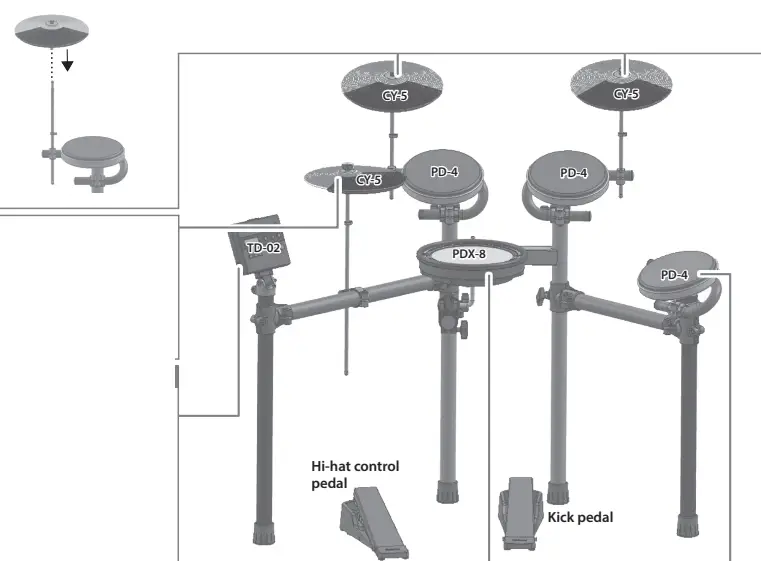
Attaching the snare drum (PDX-8)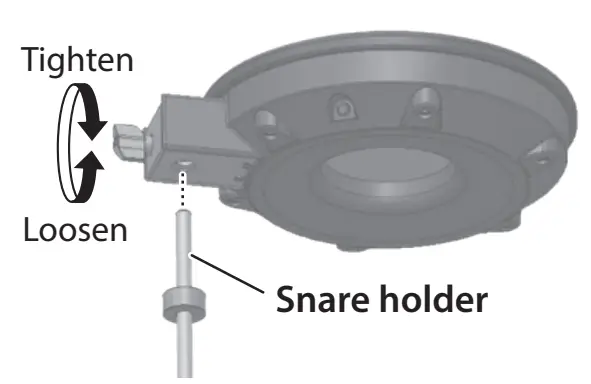 * When attaching the PDX-8 (snare), refer to “About the memory clamp” on the other side.
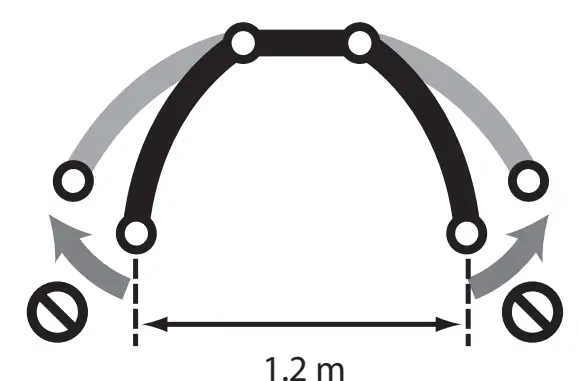
Attaching the toms (PD-4)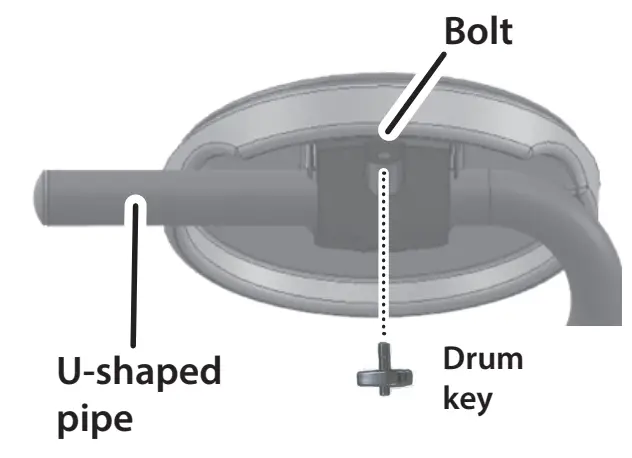 * To prevent the drum stand from tipping over, do not position the stand leg pipes at the two ends more than 1.2 meters apart.
 Adjusting the position of the cymbal
Adjust the height of the rod so that the highest point of the cymbal is less than 1.2 meters. 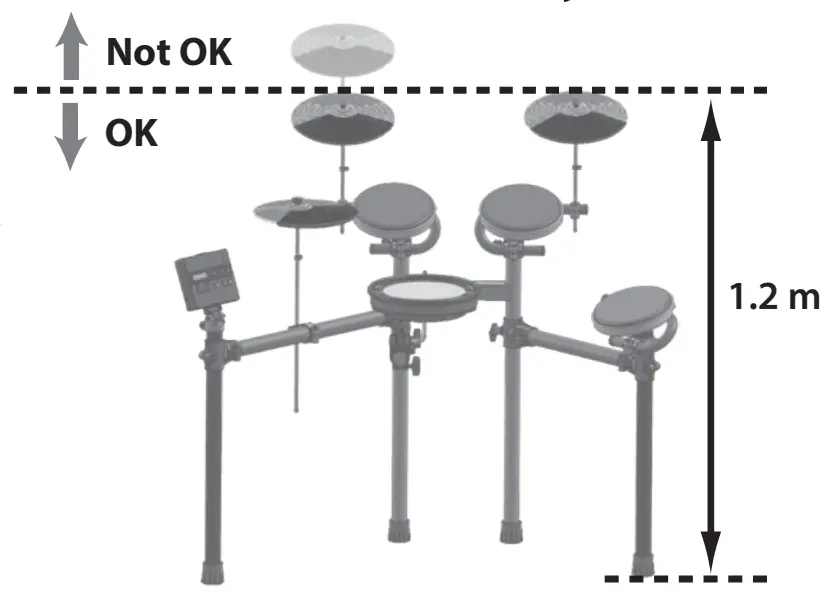 Attach the cymbal rods so that they face straight up, to prevent the drum stand from falling over.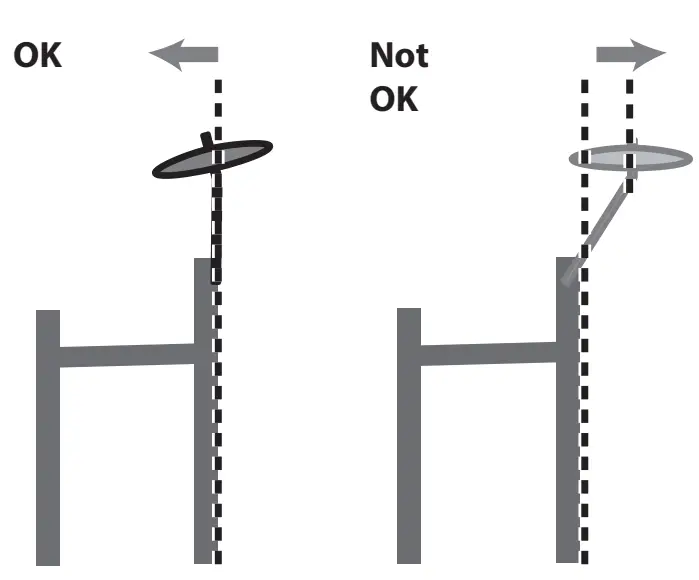
Connect the pads to the drum sound module (TD-02)
Connection procedure
1. Connect the dedicated connection cable to the drum sound module as shown in the illustration below.
Insert the connector all the way, then turn the knobs to lock it in place.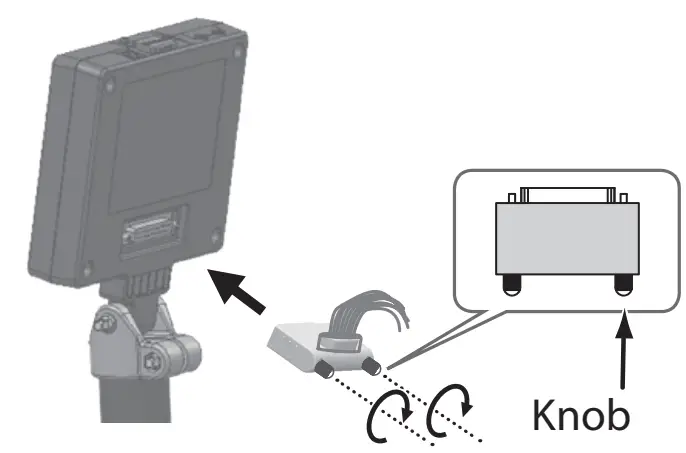 2. Labels indicating the pad to be connected are attached to the dedicated connection cable. Connect the cables by referring to the illustration at right.
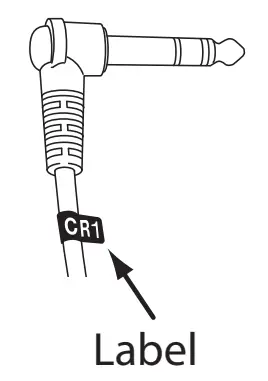 * Insert the plug firmly, making sure it’s all the way in.
Cabling diagram for the dedicated connection cable (as seen from the back)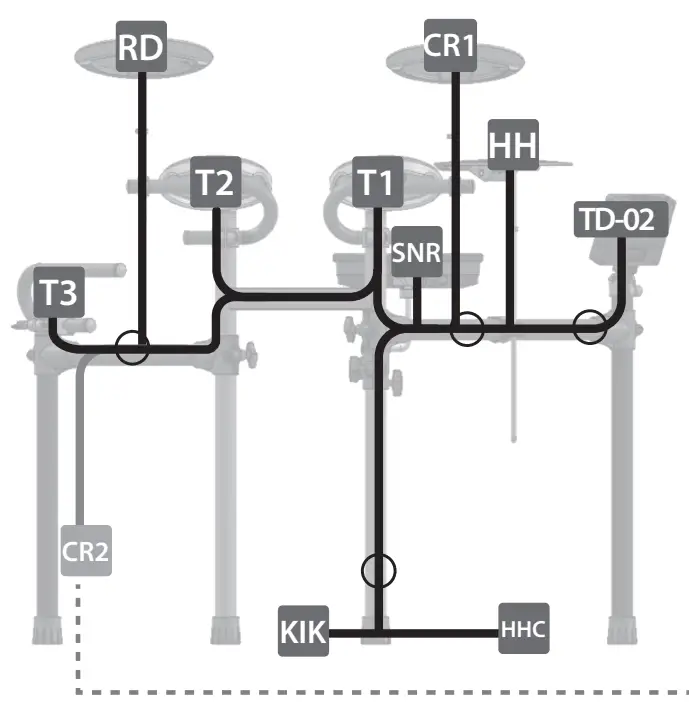
“CR2” is not used. You can use a separately sold cymbal set (OPTD1C) to add more cymbals. If you are not adding this, leave the cap attached. Fasten it so that it does not
obstruct your performance.
* Fasten the cables so that they will not obstruct your playing; use cable clips 13 and cable ties 14 . We recommend attaching the clips in the locations shown with a. Make sure to wrap the cable ties around the pipes.
For a left-handed setup
Assemble the drum stand as described in “Assembly for left-handed players” in the “ 2
Assemble the drum stand” section, and then attach the parts and connect the cables as shown in the illustration at right.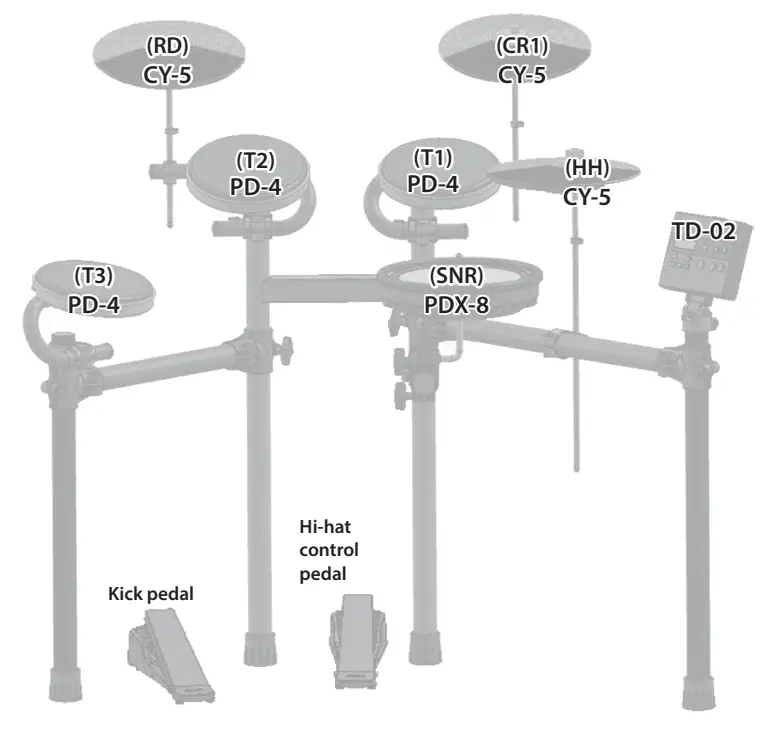 Cabling diagram for the dedicated connection cable (As seen from the back)
 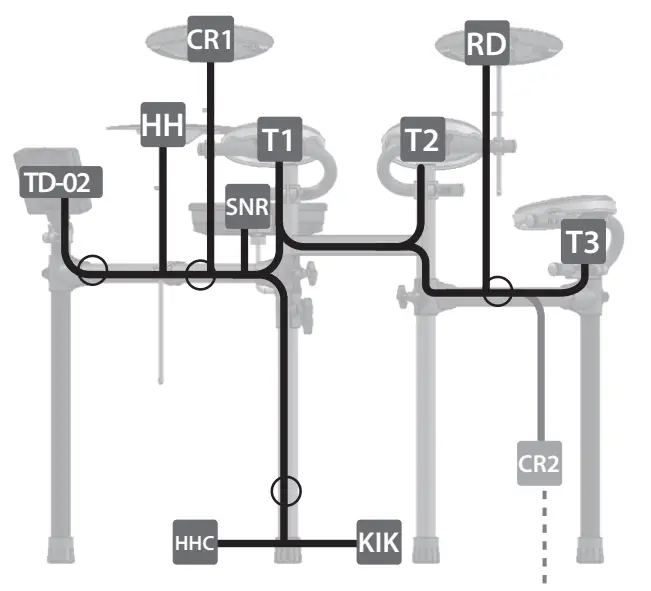 “CR2” is not used. You can use a separately sold cymbal set (OP-TD1C) to add more cymbals. If you are not adding this, leave the cap attached. Fasten it so that it does not obstruct your performance.
This completes assembly and connections.
When you’ve finished making connections, turn on the power as described in “ Quick Start”, and verify that you can hear sound.
Detailed explanation of each part
About the memory clamp
The memory clamp aligns the pad at a fixed height when it is attached.
When shipped, the memory clamp is attached at the recommended position for using the drum safely. 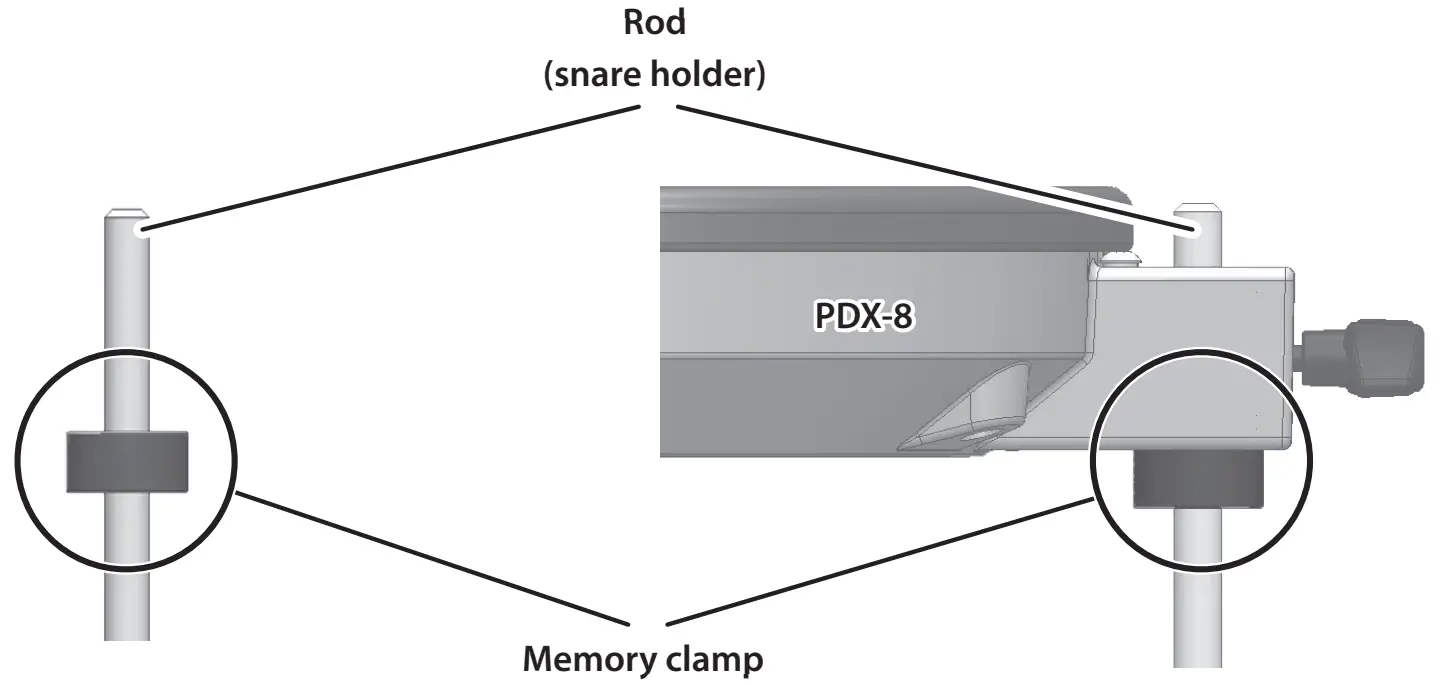 NOTE
NOTE
If the memory clamp is moved or removed in order to adjust the position of the PDX-8 (snare), a greater length of the rod may protrude; take care that the protruding rod does not cause injury.
PDX-8 (Snare) 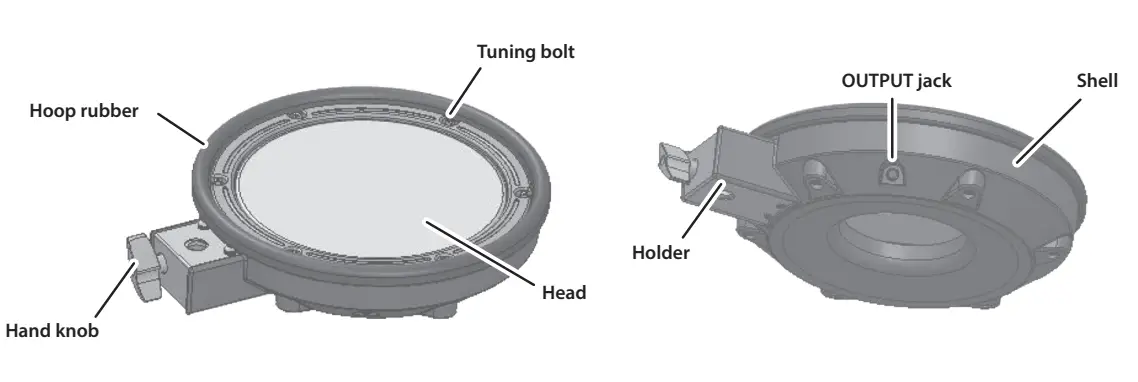 NOTE
NOTE
Be sure to adjust the head tension of the pad before use.
Adjusting the head tension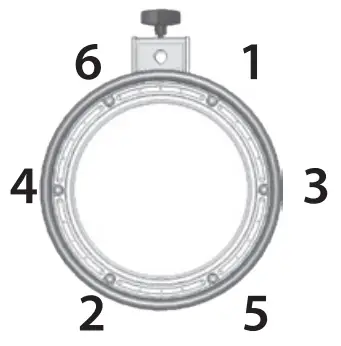
- Adjust each tuning bolt a little at a time, moving in order from one side to the opposite side as shown in the illustration. The appropriate amount of tension is one that will provide approximately the same striking response as on an acoustic drum.
- Use the drum key to adjust the tension as needed.
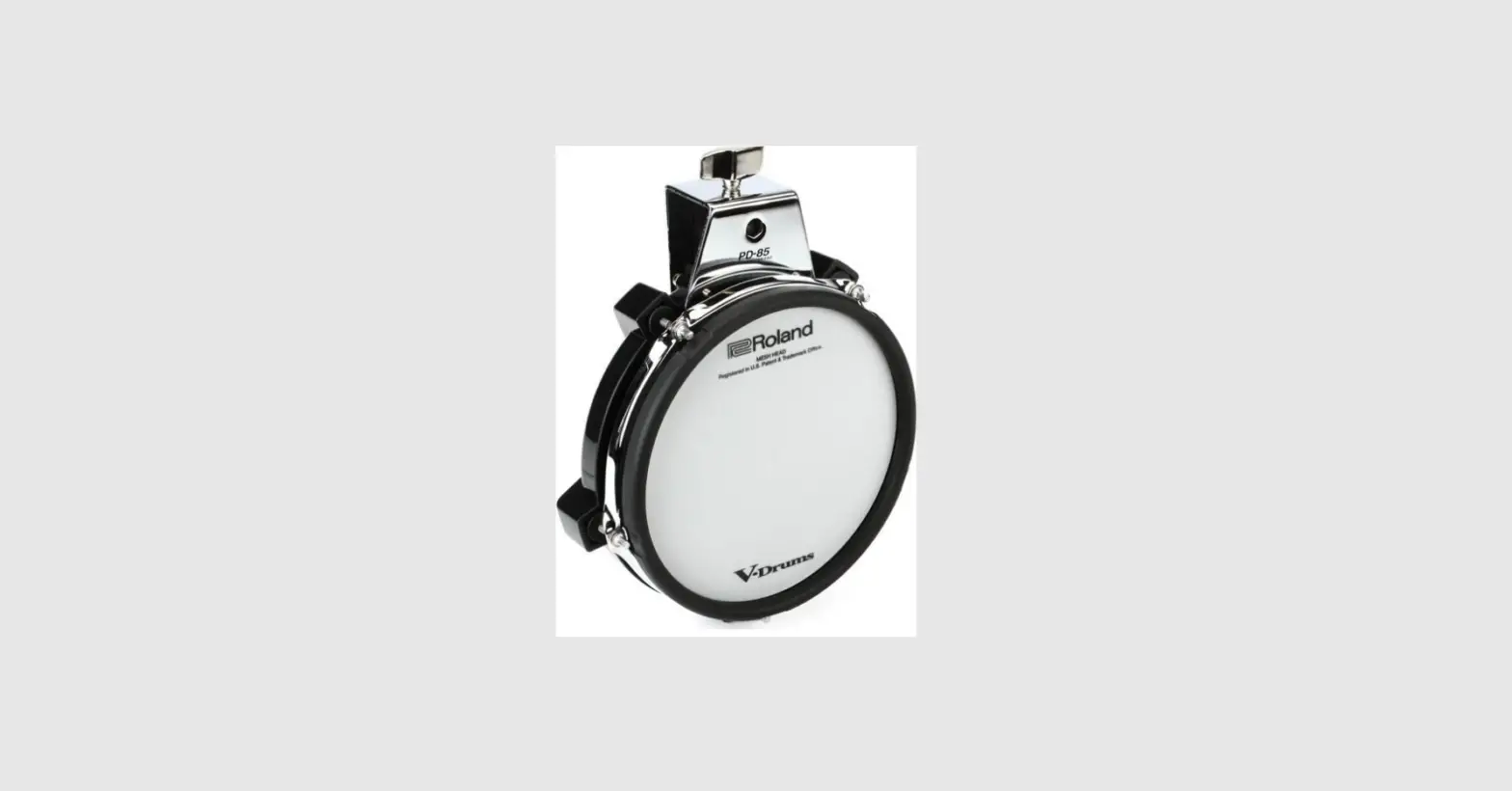
PD-4 (Tom)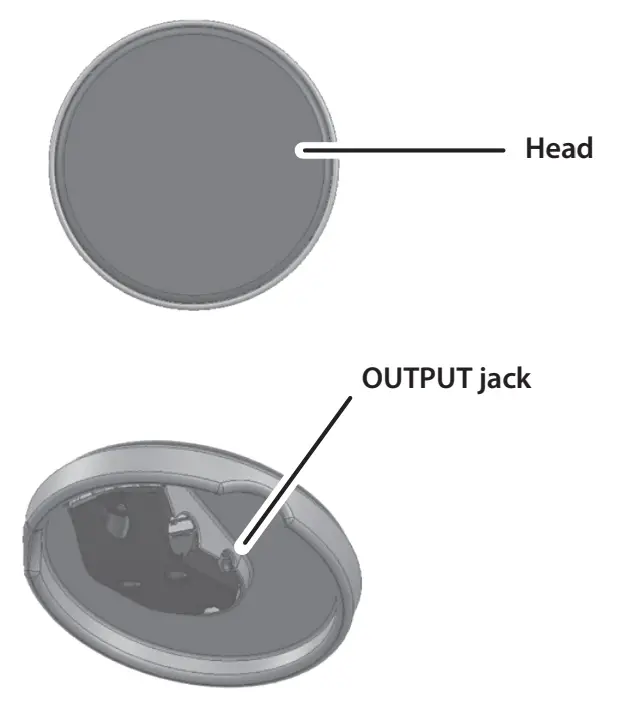 NOTE
NOTE
PD-4 does not support the use of the rim-shot technique.
CY-5 (Hi-hat, Ride, Crash)
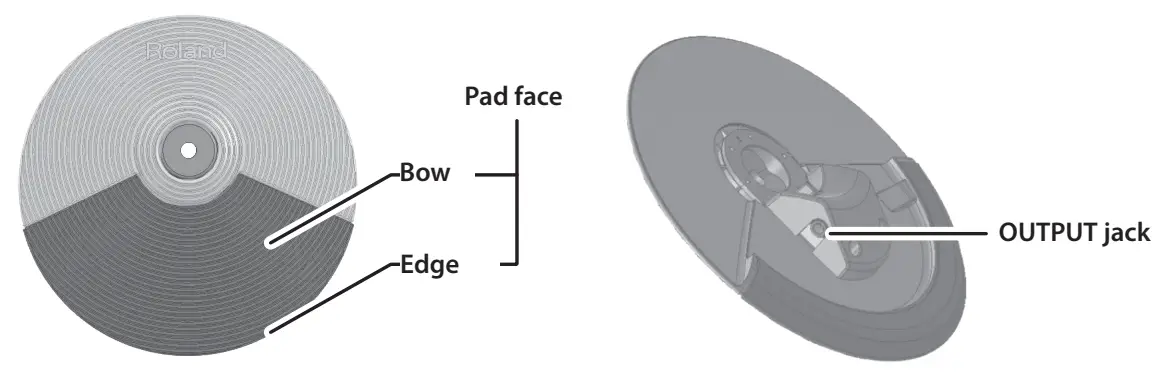 NOTE
NOTE
Continuous playing may cause dis-coloration of the pad, but this will not affect the Pad’s function.
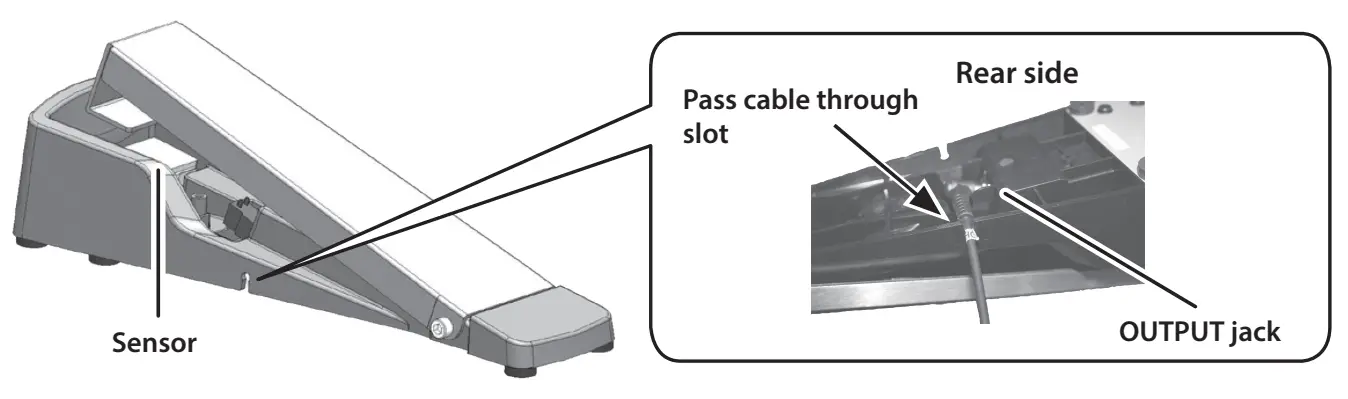
Hi-hat control pedal / kick pedal
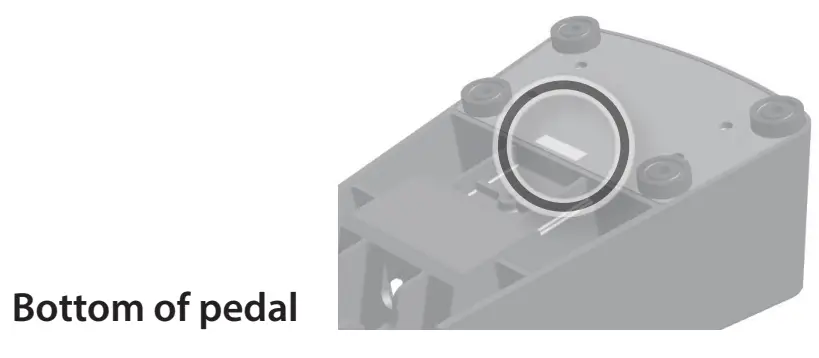 You can check whether the pedal is a kick pedal (KIK) or hi-hat control pedal (HHC) by looking at the sticker on the bottom.
  Quick Start
Playing drums is not only fun, but just about anyone can easily start playing — they make sound when you simply hit them! Let’s start playing drums using the wide variety of built-in sounds.
Turning the Power On/Off
- Connect headphones (sold separately) or amplified speakers (sold separately) to the TD-02.
* If amplified speakers are connected, minimize the volume of the amplified speakers.
* To prevent malfunction and equipment failure, always turn down the volume, and turn off all the units before making any connections.  Press the [
 ] (POWER) button. The power to the TD-02 is turned on.
- If amplified speakers are connected, turn on the power of the amplified speakers, and adjust the volume.
- Use the [
 ] [
] [ ] (VOLUME) buttons on the TD-02 to adjust the volume.
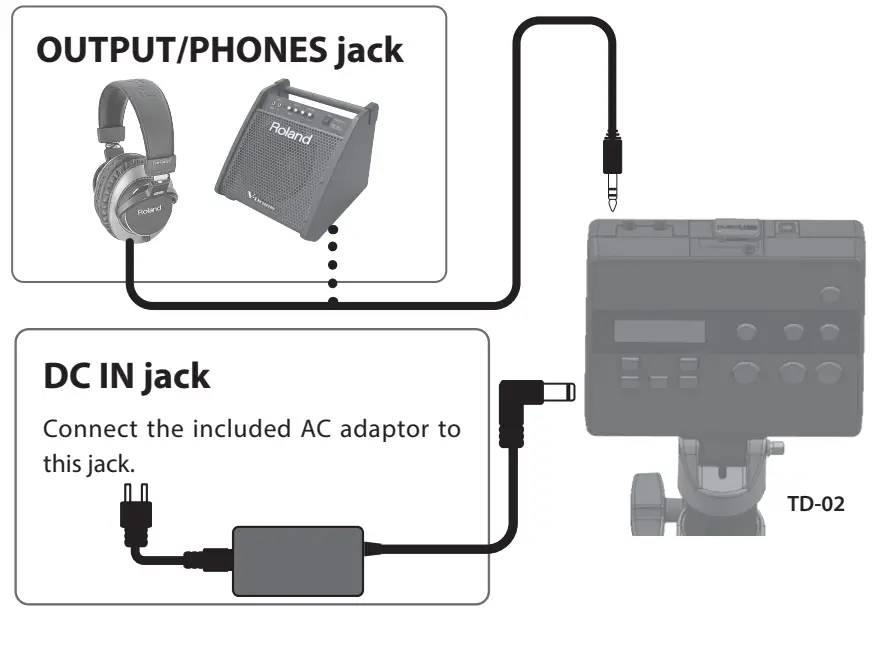 Press the [
 ] [
] [ ] (VOLUME) buttons on the TD-02 to adjust the volume.
Turning the Power Off
- If amplified speakers are connected to the TD-02, turn the volume of the amplified speakers all the way down
and then turn the unit off. - Long-press the [ ] (POWER) button on the TD-02.
The power to the TD-02 is turned off.
* You must turn off the power by long-pressing the [] (POWER) button. The settings are not saved if the power supply is disconnected due to the power cord getting pulled out.
Using the Auto Off Function
The power to this unit will be turned off automatically after a predetermined amount of time has passed since it was last used for playing music, or its buttons or controls were operated (Auto Off function).
If you do not want the power to be turned off automatically, disengage the Auto Off function.
- Unsaved data is lost when the power turns off. Before turning the power off, save the data that you want to keep.
- To restore power, turn the power on again.
ØFor details on Auto off function, see the 2D code printed on the product to view the “TD-02 Owner’s Manual” (Roland website).
Playing
Selecting a Drum Kit
* A drum kit consists of sounds assigned to each pad.
- Press the [ ] (DRUM KIT) button.
 The DRUM KIT screen appears.
 - Use the [-] [+] buttons to select a drum kit.

- Play the drums by striking the pads.

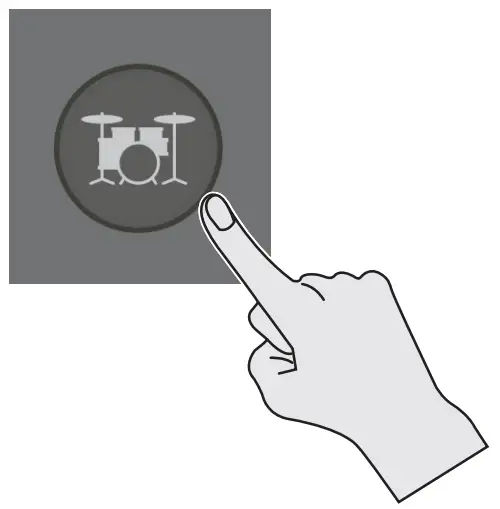 The DRUM KIT screen appears.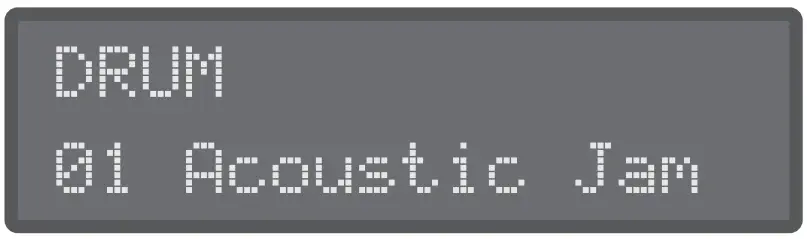
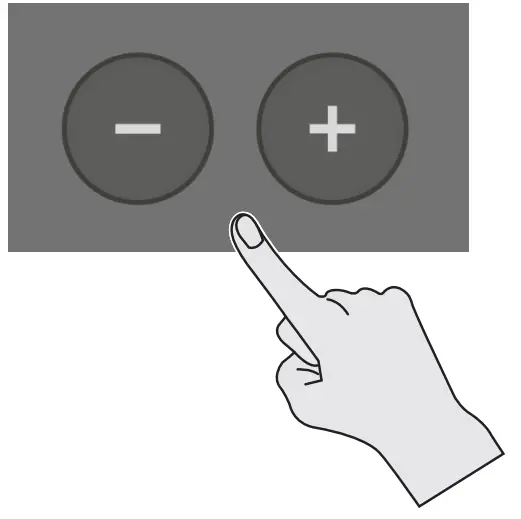
Playing with the Metronome
Here’s how you can play the drums while listening to the metronome.
- Press the [
 ] (METRONOME) button.
The metronome turns on, and the button blinks in time with the metronome tempo. MEMO
MEMO
You can also hold down the [ENTER] button and press the [] (METRONOME) button to turn the metronome on/off without switching screens. - Press the [] (METRONOME) button again to stop the metronome.
 ] (METRONOME) button.
 MEMO
MEMOChanging how the metronome sounds
- In the metronome screen, use the [
 ] [
] [ ] buttons to select the item (parameter) that you want to set.
 - Use the [–] [+] buttons to edit the value.
Parameter Value Explanation ON/OFF ON, OFF Turns the metronome on/off. Tempo 20-260 (bpm) Sets the tempo. Level -INF-+6.0 dB Sets the volume. Beat 1-9 (beat) Sets the number of beats per measure. Rhythm
. (half note)
Sets the interval of the metronome.  (quarter notes)
 (eighth notes)
 (eighth note triplets)
 (sixteenth notes)
Pan L30-CENTER-R30 Sets the stereo position. Sound TYPE1-TYPE15 Sets the sound of the metronome. LED Sync ON, OFF Specifies whether the [ ] (METRONOME) button blinks in time with the metronome (ON) or does not blink (OFF). - Press the [
 ] (DRUM KIT) button to return to the DRUM KIT screen.
 (half note)
 (quarter notes)
 (eighth notes)
 (eighth note triplets)
 (sixteenth notes)
 ] (DRUM KIT) button to return to the DRUM KIT screen.
USING THE UNIT SAFELY
INSTRUCTIONS FOR THE PREVENTION OF FIRE, ELECTRIC SHOCK, OR INJURY TO PERSONS
About  WARNING and CAUTION Notices
| WARNING | Used for instructions intended to alert the user to the risk of death or severe injury should the unit be used improperly. |
| CAUTION | Used for instructions intended to alert the user to the risk of injury or material damage should the unit be used improperly. * Material damage refers to damage or other adverse effects caused with respect to the home and all its furnishings, as well to domestic animals or pets. |
About the Symbols
| The symbol alerts the user to important instructions or warnings.The specific meaning of the symbol is determined by the design contained within the triangle. In the case of the symbol at left, it is used for general cautions, warnings, or alerts to danger. |
 | The symbol  alerts the user to items that must never be carried out (are forbidden). The specific thing that must alerts the user to items that must never be carried out (are forbidden). The specific thing that mustnot be done is indicated by the design contained within the circle. In the case of the symbol at left, it means that the unit must never be disassembled. |
 | The symbol  alerts the user to things that must be carried out. The specific thing that must be done is indicated by the design contained within the circle. In the case of the symbol at left, it means that the power-cord plug must be unplugged from the outlet. alerts the user to things that must be carried out. The specific thing that must be done is indicated by the design contained within the circle. In the case of the symbol at left, it means that the power-cord plug must be unplugged from the outlet. |
ALWAYS OBSERVE THE FOLLOWING
WARNING
Concerning the Auto Off functionThe power to this unit will be turned off automatically after a predetermined amount of time has passed since it was last used for playing music, or its buttons or controls were operated (Auto Off function). If you do not want the power to be turned off automatically, disengage the Auto Off function. Use only the supplied AC adaptor and the correct voltage
Be sure to use only the AC adaptor supplied with the unit. Also, make sure the line voltage at the installation matches the input voltage specified on the AC adaptor’s body. Other AC adaptors may use a different polarity, or be designed for a different voltage, so their use could
result in damage, malfunction, or electric shock. Use only the supplied power cord
Use only the attached power cord. Also, the supplied power cord must not be used with any other device. CAUTION Cautions when moving this unit
If you need to move the instrument, take note of the precautions listed below. At least two persons are required to safely lift and move the unit. It should be handled carefully, all the while keeping it level. Make sure to have a firm grip, to protect yourself from injury and the instrument from damage.
- Check to make sure the bolts and hand knobs securing the stand have not become loose. Fasten them again securely whenever you notice any loosening.
- Disconnect the power cord.
- Disconnect all cords coming from external devices.
- Disconnect the connection cable of the kick pedal.
- Disconnect the connection cable of the hi-hat control pedal.
 Take care so as not to get fingers pinched
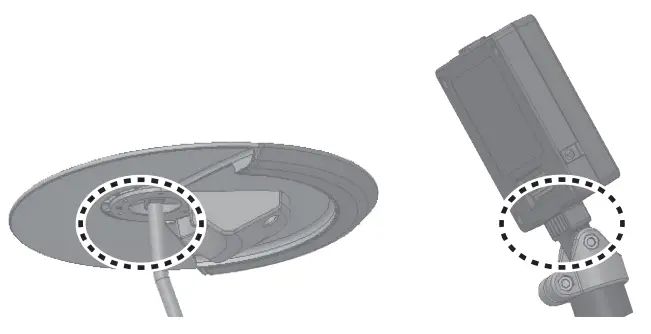
When handling the following moving parts, take care so as not to get fingers, toes, etc., pinched. Whenever a child uses the unit, an adult should be on hand to provide supervision and guidance.
- Hi-hat control pedal
- Kick pedal
- Bottom of the cymbal pad (see figure)
- Drum sound module holder (see figure)

Keep small items out of the reach of children
To prevent accidental ingestion of the parts listed below, always keep them out of the reach of small children.
- Included Parts
Cymbal nut - Removable Parts
Screws, Bolts, Bluetooth ADAPTOR jack’s cover, CR2 plug’s cap
IMPORTANT NOTES
Power Supply
- Place the AC adaptor so that the side with text is downward.
Placement
- Depending on the material and temperature of the surface on which you place the unit, its rubber feet may discolor or mar the surface.
Repairs and Data
- Before sending the unit away for repairs, be sure to write down the needed information. Although we will do our utmost to preserve the data stored in your unit when we carry out repairs, in some cases, such as when the memory section is physically damaged, restoration of the stored content may be impossible. Roland assumes no liability concerning the restoration of any stored content that has been lost.
Additional Precautions
- Any data stored within the unit can be lost as the result of equipment failure, incorrect operation, etc. To protect yourself against the irretrievable loss of data, be sure to write down the needed information.
- Roland assumes no liability concerning the restoration of any stored content that has been lost.
- Never strike or apply strong pressure to the display.
- This instrument is designed to minimize the extraneous sounds produced when it’s played. However, since sound vibrations can be transmitted through floors and walls to a greater degree than expected, take care not to allow these sounds to become a nuisance others nearby.
- The rubber portion of the striking surface is treated with a preservative to maintain its performance. With the passage of time, this preservative may appear on the surface as a white stain, or reveal how the pads were struck during product testing. This does not affect the performance or functionality of the product, and you may continue using it with confidence.
- Continuous playing may cause dis-coloration of the pad, but this will not affect the pad’s function.
- Do not use connection cables that contain a built-in resistor.
Intellectual Property Right
- The copyright of content in this product (the sound waveform data, style data, accompaniment patterns, phrase data, audio loops and image data) is reserved by Roland Corporation.
- Purchasers of this product are permitted to utilize said content (except song data such as Demo Songs) for the creating, performing, recording and distributing original musical works.
- Purchasers of this product are NOT permitted to extract said content in original or modified form, for the purpose of distributing recorded medium of said content or making them available on a computer network.
- The Bluetooth® word mark and logos are registered trademarks owned by Bluetooth SIG, Inc. and any use of such marks by Roland is under license.
- This product includes third party open source software. Copyright © 2009-2018 Arm Limited. All rights reserved. Licensed under the Apache License, Version 2.0 (the “License”); You may obtain a copy of the License at http://www.apache.org/licenses/LICENSE-2.0
- Roland, V-Drums are either registered trademarks or trademarks of Roland Corporation in the United States and/or other countries.
- Company names and product names appearing in this document are registered trademarks or trademarks of their respective owners.
NOTE
Note that the TD-02 does not offer Bluetooth® functionality. You’ll need to attach the Boss Bluetooth® Audio MIDI Dual Adaptor (BT-DUAL, sold separately) to use Bluetooth.
For the USA
SUPPLIER’S DECLARATION OF CONFORMITY
Compliance Information Statement
Model Name : TD-02
Type of Equipment :Drum Sound Module
Responsible Party : Roland Corporation U.S.
Address :5100 S. Eastern Avenue Los Angeles, CA 90040-2938
Telephone : (323) 890-3700
For the U.K.
IMPORTANT: THE WIRES IN THIS MAINS LEAD ARE COLOURED IN ACCORDANCE WITH THE FOLLOWING CODE.
BLUE: NEUTRAL
BROWN: LIVE
5100 S. Eastern Avenue Los Angeles, CA 90040-2938
As the colours of the wires in the mains lead of this apparatus may not correspond with the coloured markings identifying the terminals in your plug, proceed as follows:
The wire which is coloured BLUE must be connected to the terminal which is marked with the letter N or coloured BLACK.
The wire which is coloured BROWN must be connected to the terminal which is marked with the letter L or coloured RED.
Under no circumstances must either of the above wires be connected to the earth terminal of a three pin plug.
For EU countries
For information on AC adaptors that can be used with this product, refer to the Roland website. http://roland.cm/ac_adaptor