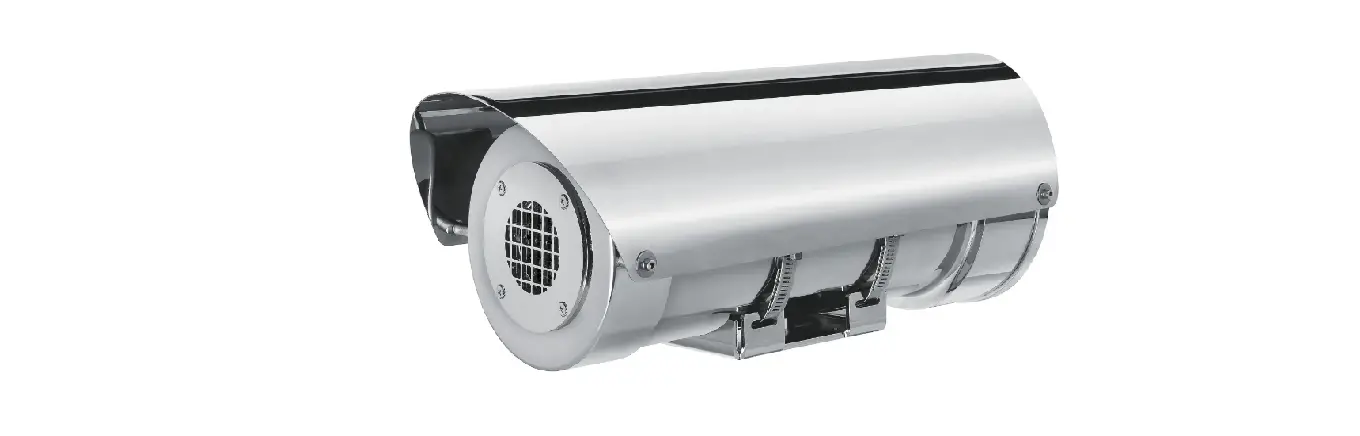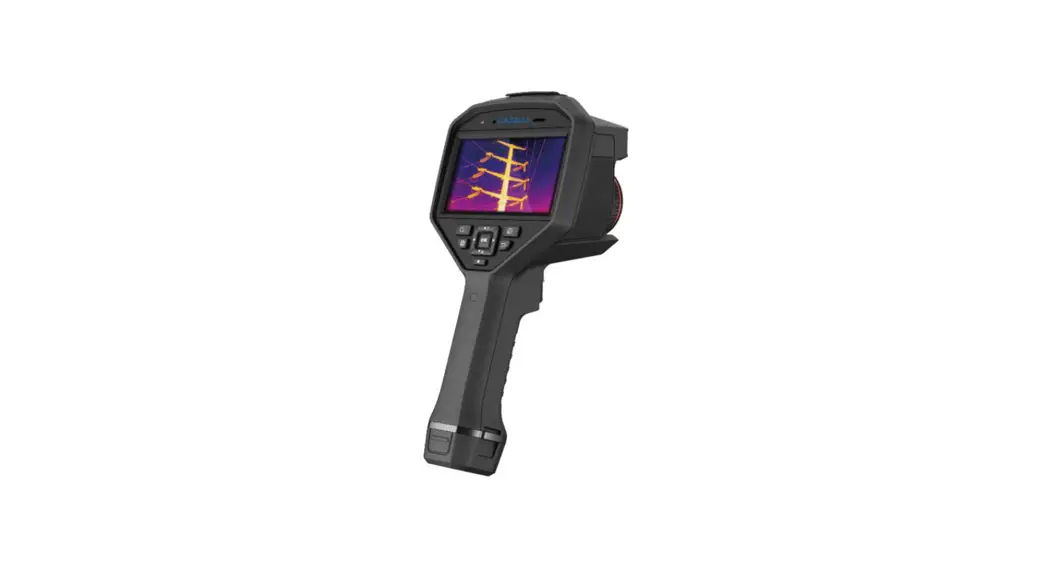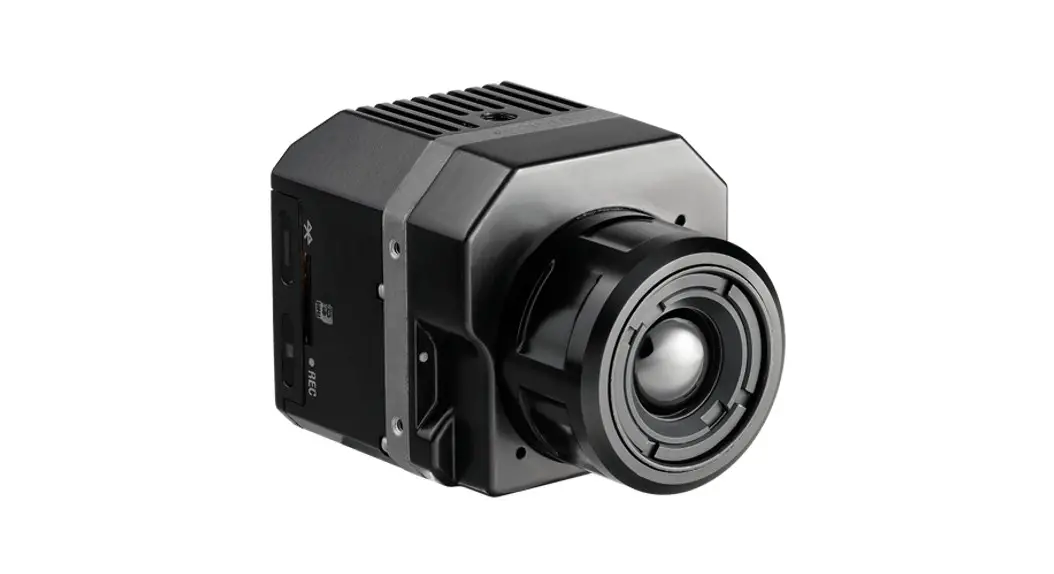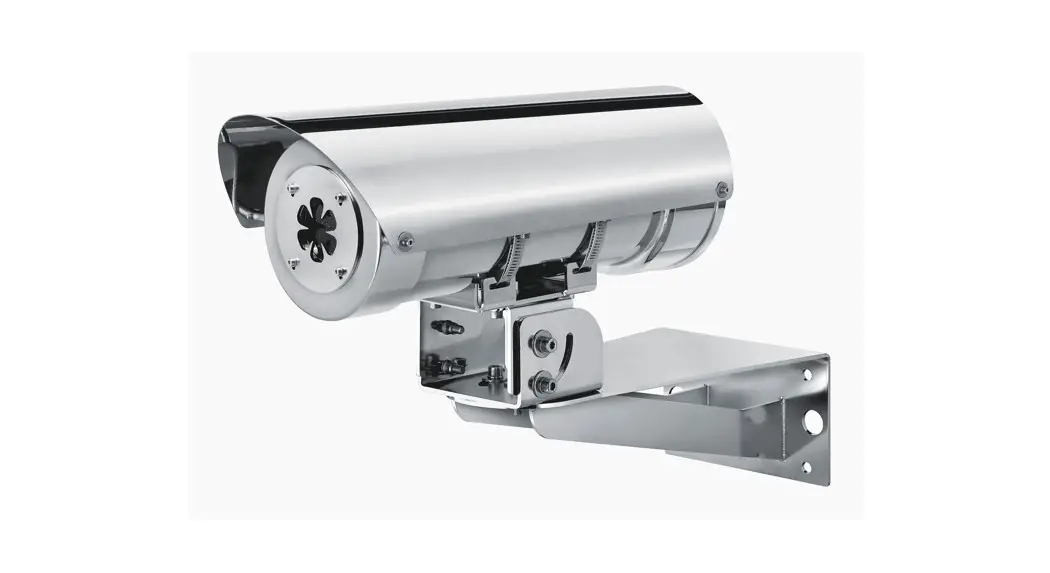
 MAXIMUS MVXT
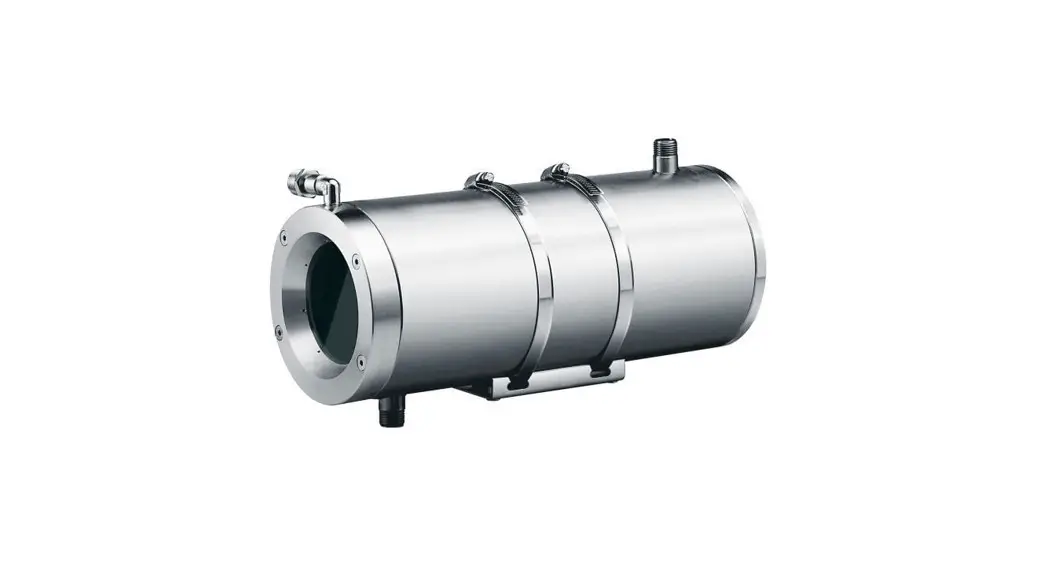
High-spec ex-proof thermal camera in a compact design
Manual B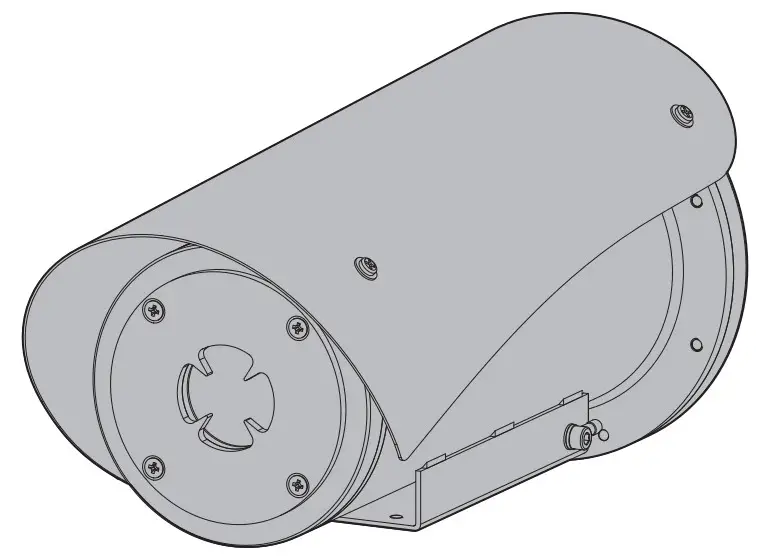
About this manual
Read all the documentation supplied carefully before installing and using this product. Keep the manual in a convenient place for future reference.
1.1 Typographical conventions
DANGER! High-level hazard.
Risk of electric shock. Disconnect the power supply before proceeding with any operation, unless indicated otherwise.
DANGER! Explosion hazard.
Read carefully to avoid the danger of an explosion.
CAUTION! Medium level hazard.
This operation is very important for the system to function properly. Please read the procedure described very carefully and carry it out as instructed.
INFO Description of system specifications.
We recommend reading this part carefully in order to understand the subsequent stages.
2 Notes on copyright and information on trademarks
The mentioned names of products or companies are trademarks or registered trademarks.
ONVIF® is a trademark of Onvif, Inc.
3 Product description and type designation
3.1 Product marking label
See the label attached to the product.
3.2 Model identification
MAXIMUS MVXT – CONFIGURATION OPTIONS WITH CABLE GLAND AND ARMOURED CABLE
| Voltage | Thermal camera | CABLE Radiometry | Connections | Model | Frequency | |||||||||
| MVXT | 2 | 12-24Vdc/ 24Vac | Q Thermal camera 9mm, 336×256 | 0 | Thermal camera with radiometric functions | S | A | Cable gland Ex d 3/4″ NPT and 4m (13ft) armored cable | Z | 0 | 15 -60°C/+65°C | B | ||
| – | 7.5Hz | |||||||||||||
| M Thermal camera 13mm, 336×256 | R | Thermal camera with advanced radiometric functions | B | Cable gland Ex d 3/4″ NPT and 10m (32.8ft) armored cable | 2 | 16 -60°C/+55°C | H | 30Hz | ||||||
| Z Thermal camera 19mm, 336×256 | ||||||||||||||
| L Thermal camera 25mm, 336×256 | ||||||||||||||
| I Thermal camera 35mm, 336×256 | ||||||||||||||
| .1 Thermal camera 50mm, 336x 256 | ||||||||||||||
| P Thermal camera 60mm, 336×256 | ||||||||||||||
| H Thermal camera 9mm, 640×512 | ||||||||||||||
| G Thermal camera 13mm, 640×512 | ||||||||||||||
| U Thermal camera 19mm, 640×512 | ||||||||||||||
| E Thermal camera 25mm, 640×512 | ||||||||||||||
| D Thermal camera 35mm, 640×512 | ||||||||||||||
| W Thermal camera 50mm, 640×512 | ||||||||||||||
| K Thermal camera 60mm, 640×512 | ||||||||||||||
Tab. 1
MAXIMUS MVXT – CONFIGURATION OPTIONS WITH CABLE TAIL (FOR INSTALLATION WITH CONDUIT)
| Voltage | Thermal camera | Radiometry | Connections | Model | Frequency | |||||||||
| MVXT | 2 | 12-24Vdc ’24Vac | Q | Thermal camera 9mm, 336×256 | 0 | Thermal camera with radiometric functions | S | F | 4m (13ft) cable tail | Z | 01 T5 -50’C/+65°C | B | – | 7.5Hz |
| M | Thermal camera 13mm, 336×256 | R | Thermal camera with advanced radiometric functions | G | 10m (32.8ft) cable tail | 03 T6 -50°C/+55°C | H | 30Hz | ||||||
| Z | Thermal camera 19mm, 336×256 | |||||||||||||
| L | Thermal camera 25mm, 336×256 | |||||||||||||
| I | Thermal camera 35mm, 336×256 | |||||||||||||
| 1 | Thermal camera 50mm, 336×256 | |||||||||||||
| P | Thermal camera 60mm, 336×256 | |||||||||||||
| H | Thermal camera 9mm, 640×512 | |||||||||||||
| G | Thermal camera 13mm, 640×512 | |||||||||||||
| U | Thermal camera 19mm, 640×512 | |||||||||||||
| E | Thermal camera 25mm, 640×512 | |||||||||||||
| D | Thermal camera 35mm, 640×512 | |||||||||||||
| W | Thermal camera 50mm, 640×512 | |||||||||||||
| K | Thermal camera 60mm, 640×512 | |||||||||||||
Tab. 25
Installation
CAUTION! Device installation and maintenance must be performed by specialist technical staff only. The external multipolar cable shield (armor) must be earthed. All disconnected wires must be electrically isolated. Before installation of the version with multipolar cable, ensure correct curvature of the cable is guaranteed (at least 200mm/7.8in).
4.1 Range of use
For indoors and outdoors installation.
Operating temperature:
- Continuous working: from -50°C (-58°F) up to +65°C (149°F).
- Cold start: up to -40°C (-40°F).
Relative humidity: from 10% up to 95% (no condensation).
4.2 Connecting the power supply Electrical connections must be performed with the power supply disconnected and the circuit-breaker open. When commencing installation make sure that the specifications for the power supply for the installation correspond with those required by the device. Check that the power supply is adequately dimensioned.
The device can be provided with different power supply voltages. The power supply voltage is indicated on the product identification label (3.1 Product marking label, page 3). Perform the connections following the instructions reported in the table .
| CONNECTING THE POWER SUPPLY | ||
| Power supply 24Vac/ 24Vdc/ 12Vdc | ||
| Colour/Number | Description | |
| 24Vac | 24Vdc/12Vdc | |
| Black/1 | ~ | V+ |
| Black/2 | ~ | V- |
| Yellow-Green |  | |
Tab. 3
4.3 Ethernet cable connection The Ethernet cable shield must always be earthed via the connector. Always use a shielded RJ45 connector.
Use of Ethernet cables with the following characteristics is highly recommended:
- STP (shielded)
- Category 5E
- RJ45 connector (crimped in compliance with standard TIA/EIA-568-B)
The product can be directly connected to an Ethernet switch.
| ETHERNET CABLE CONNECTION | |
| Pin number | Core color |
| 1 | Orange-White |
| 2 | Orange |
| 3 | Green-White |
| 4 | Blue |
| 5 | Blue-White |
| 6 | Green |
| 7 | Brown-White |
| 8 | Brown |
Tab. 4
The example below shows a typical installation.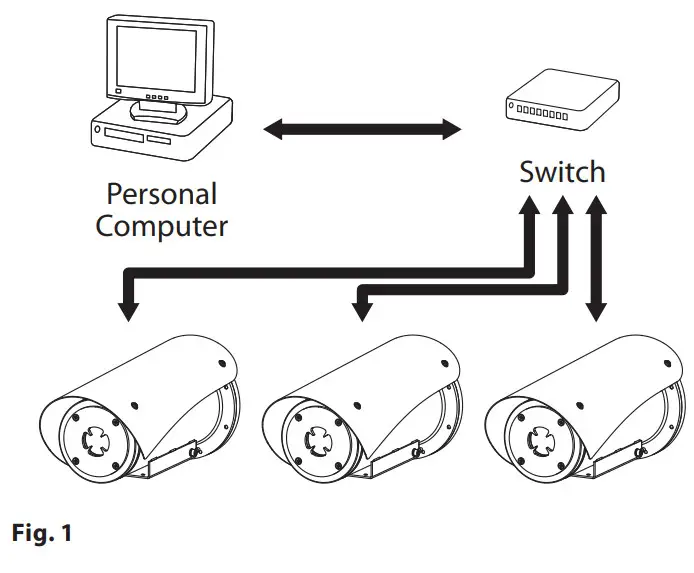
4.4 I/O cable connectionCAUTION! TNV-1 installation type. The installation is type TNV-1, do not connect it to SELV circuits. The shielding of the I/O cable must be grounded.
| I/O CABLE CONNECTION | |
| Colour | Function |
| White | RS-485 A (+) |
| Yellow | RS-485 B (-) |
| Pink | Relay 1, Terminal A |
| Blue | Relay 1, Terminal B |
| Brown | Alarm/Digital input |
| Green | GND/Common alarm |
| Grey | Reset |
Tab. 5
4.4.1 Alarm and relay connections
The unit is equipped with the alarms and relays indicated in the table (Tab. 5, page 7).
4.4.1.1 Connecting an alarm with dry contact
In case of free contact, the alarm make the connection as shown in the figure.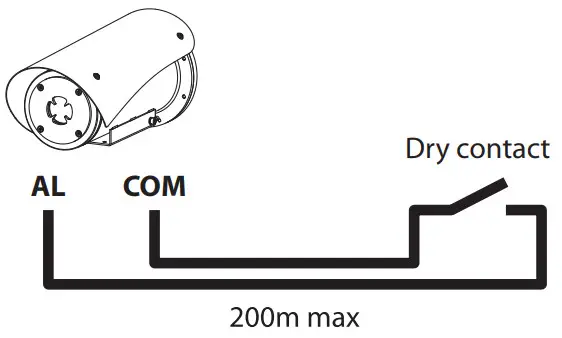
Fig. 2 AL: Alarm. COM: Common alarm. Clean contact of the alarm can be set NO (normally open) or NC (normally closed) using the web interface.4.4.1.2 Relay connectionRelay operating specifications.
- Working voltage: 30Vac max or 60Vdc max.
- Current: 1A max.
Use suitable cable sections: from 0.2mm² (30AWG) up to 1mm² (16AWG).
Due to the absence of polarity, both terminals of the same relay can be connected either to alternating or direct current voltages.
Switching on
Do not turn on the unit when the ambient temperature is lower than indicated: -40°C (-40°F). The full functionality of the product is guaranteed from the following ambient temperature: -40°C (-40°F). The automatic pre-heating procedure (De-Ice) activates for 2 hours if on the device switches on an ambient temperature is detected under -10°C (14°F). The procedure is necessary to guarantee the correct operation of the devices even at low temperatures.
5.1 Before powering the product in an explosive atmosphere Make sure that the unit and other components of the installation are closed so that it is impossible to come into contact with live parts.Make sure that the device has been connected to an earth link as described.Ensure the rear cover plate is correctly closed.Ensure the product is correctly closed.Ensure that the sealing of cable entry systems (if any) has been performed properly and the time of glue hardening has been observed. Make sure that all parts are fastened down firmly and safely.
5.2 First start-up Ensure the unit and the other components of the system are appropriately closed to prevent contact with live parts. Make sure that all parts are fastened down firmly and safely.
The unit is switched on by connecting the power supply. To switch off the unit disconnect the power.
Configuration
6.1 Default IP address The unit is configured to obtain an IP address from a DHCP server.
The IP address acquired via DHCP is visible in the DHCP server log file. If the DHCP server is not available, the unit automatically configures itself with a self-generated IP address in the 169.254.x.x/16 subnet. Configuring the IP address of the PC as belonging to the same subnet (example: IP address: 169.254.1.1, subnet mask: 255.255.0.0). Use an ONVIF compliant VMS or a network sniffer to find the IP address of the device (IP scan utility).
6.2 Web interface Browsers supported (the latest version): Microsoft Edge, Google Chrome, Mozilla Firefox.
6.2.1 First access to the web pages
The first operation in configuring the device consists in connecting to the web interface. To access the web interface of the product, simply use a browser to connect to htpp://ip_address. On first access, the Home page will be displayed. To configure the web interface, consult the manual relating to the firmware version installed, available on the product web page of the website www.videotec.com.
Accessories
For further details on configuration and use, refer to the manual of the relevant accessory or support.
Maintenance
The pre-installed camera can only be replaced with one of the same brand and model. Read the product Manual A before performing any operation.
Please provide the device serial number when requesting any replacement parts.
8.1 Firmware updating Firmware upgrading can be carried out directly on the web interface.
If necessary it is possible to update the device firmware. For further information please contact the VIDEO TECH service center.
8.2 Factory Default
It is possible to reset to the factory default settings. Execute the procedure below:
- Switch off the unit.
- Connect the I/O cable grey and green wires (Tab. 5, page 7).
- Power the unit.
- Wait 30 seconds.
- Disconnect the previously connected grey and green wires.
- Wait for 2 minutes.
- Switch off the unit.
- Power the unit.
Once the factory default procedure has finished, you need to configure the unit as described in chapter: 6.1 Default IP address, page 9.
Troubleshooting
Contact an authorized support center if the problems persist or if you have any other issues that are not described here. Read the product Manual A before performing any operation.
| PROBLEM | Video streaming is not visible. |
| CAUSE | Incorrect IP address settings. |
| SOLUTION | Check the device’s IP address and the configuration of the computer network card. |
| CAUSE | Automatic preheating procedure (De-Ice) in progress. |
| SOLUTION | Wait until the end of the pre-heating procedure. If the ambient temperature is too low the unit will remain blocked. |
Information on disposal and recycling
The European Directive 2012/19/EU on Waste Electrical and Electronic Equipment (WEEE) mandates that these devices should not be disposed of in the normal flow of municipal solid waste, but they should be collected separately in order to optimize the recovery stream and recycling of the materials that they contain and to reduce the impact on human health and the environment due to the presence of potentially hazardous substances. The symbol of the crossed-out bin is marked on all products to remember this.
The waste may be delivered to appropriate collection centers or may be delivered free of charge o the distributor where you purchased the equipment at the time of purchase of a new equivalent or without obligation to a new purchase for equipment with a size smaller than 5cm (9.8in). For more information on the proper disposal of these devices, you can contact the responsible public service.
Technical data
For the technical data of the housing, consult Manual A of the product.
11.1 Cameras
| THERMAL CAMERAS (RESOLUTION 336X256) | |||||||
| Lens | 9mm | 13mm | 19mm | 25mm | 35mm | 50mm | 60mm |
| VOx microbolometer sensor not cooled | |||||||
| Interpolated resolution | 720×480 | 720×480 | 720×480 | 720×480 | 720×480 | 720×480 | 720×480 |
| Pixel dimensions | 17pm | 17pm | 17pm | 17pm | 17pm | 17pm | 17pm |
| Spectral response – long wave infrared (MR) | from 7.5pm to 13.5pm | from 7.5pm to 13.5pm | from 7.5pm to 13.5pm | from 7.5pm to 13.5pm | from 7.5pm to 13.5pm | from 7.5pm to 13.5pm | from 7.5pm to 13.5pm |
| Internal shutter (only for sensor compensation) | Video stop <1s | Video stop <ls | Video stop <ls | Video stop <ls | Video stop <1s | Video stop <ls | Video stop <1s |
| Digital Detail Enhancement (DDE) | .,,’ | NI | N | N’ | NI | N | NI |
| Digital Zoom | 2x, 4x | 2x, 4x | 2x, 4x | 2x, 4x | 2x, 4x | 2x, 4x | 2x, 4x |
| Image updating frequency | 7.5fps | 7.5fps | 7.5fps | 7.5fps | 7.5fps | 7.5fps | 7.5fps |
| Image updating high frequency | 30fps | 30fps | 30fps | 30fps | 30fps | 30fps | 30fps |
| Scene Range (High Gain) | -40°C 4 +160°C (-40°F ÷ +320°F) | -40°C ÷ +160°C (-40°F 4 +320°F) | -40°C ÷ +160°C (-40°F ÷ +320°F) | -40°C ÷ +160°C (-40°F ÷ +320°F) | -40°C 4 +160°C (-40°F ÷ +320°F) | -40°C ÷ +160°C (-40°F ÷ +320°F) | -40°C 4 +160°C (-40°F ÷ +320°F) |
| Scene Range (Low Gain) | -40°C 4 +550°C (-40°F ÷ +1022°F) | -40°C ÷ +550°C -40°F ÷ +1022°F) | -40°C ÷ +550°C (-40°F ÷ +1022°F) | -40°C ÷ +550°C (-40°F 4 +1022°F) | -40°C ÷ +550°C (-40°F ÷ +1022°F) | -40°C ÷ +550°C (-40°F 4 +1022°F) | -40°C ÷ +550°C (-40°F ÷ +1022°F) |
| Horizontal field of view (HMV) | 35° | 25° | 17° | 13° | 9.3° | 6.5° | 5.5° |
| Vertical field of view (VFOV) | 27° | 19° | 13° | 10° | 7.1° | 5° | 4.2° |
| f-number | f/1.25 | f/1.25 | f/1.25 | f/1.1 | f/1.2 | f/1.2 | f/1.25 |
| Thermal sensitivity (NETD), thermal camera with radiometric functions | <50mK at f/1.0 | <50mK at f/1.0 | <50mK at f/1.0 | <50mK at f/1.0 | <50mK at f/1.0 | <50mK at f/1.0 | <50mK at f/1.0 |
| Thermal sensitivity (NEIL)), thermal camera with advanced radiometric functions | <30mK at f/1.0 | <30mK at f/1.0 | <30mK at f/1.0 | <30mK at f/1.0 | <30mK at f/1.0 | <30mK at f/1.0 | <30mK at f/1.0 |
| Person (detection / recognition / identification) | 285m / 71m / 36m (935ft / 233ft / 118ft) | 440m / 112m / 56m (1443ft / 2368ft / 183ft) | 640m / 160m / 80m (2099ft / 524ft / 262ft) | 930m / 230m / 116m (3051ft / 754ft / 380ft) | 1280m / 320m / 160m (4199ft / 1050ft / 525ft) | 1700m / 430m / 215m (5577ft / 1410ft / 715ft) | 2000m / 510m / 255m (6561ft / 1673ft / 836ft) |
| Car (detection / recognition / identification) | 880m / 220m / 108m (2887ft / 722ft / 354ft) | 1340m / 340m / 170m (4396ft / 1115ft / 557ft) | 1950m / 500m / 250m (6397ft/ 1640ft/ 820ft) | 2800m / 710m / 360m (9186ft / 2329ft / 1181ft) | 3850m / 950m / 295m (12631ft / 3116ft / 967ft) | 5100m / 1320m / 660m (16732ft / 4330ft / 2165ft) | 6000m / 1560m / 780m (19685ft / 5118ft / 2559ft) |
Tab. 6 Radiometric analysis does not affect camera performance.
| THERMAL CAMERAS (RESOLUTION 640X512) | |||||||
| Lens | 9mm | 13mm | 19mm | 25mm | 35mm | 50mm | 60mm |
| VOx microbolometer sensor not cooled | N | NI | N | v’ | NI | N | N |
| Interpolated resolution | 720×480 | 720×480 | 720×480 | 720×480 | 720×480 | 720×480 | 720×480 |
| Pixel dimensions | 17pm | 17pm | 17pm | 17pm | 17pm | 17pm | 17pm |
| Spectral response – long wave infrared (LWIR) | from 7.5pm to 13.Spm | from 7.5pm to 13.5pm | from 7.5pm to 13.Spm | from 7.5pm to 13.5pm | from 7.5pm to 13.Spm | from 7.5pm to 13.5pm | from 7.5pm to 13.5pm |
| Internal shutter (only for sensor compensation) | Video stop <1s | Video stop <Is | Video stop <1s | Video stop <ls | Video stop <1s | Video stop <Is | Video stop <1s |
| Digital Detail Enhancement (DDE) | N | N | NI | N | NI | N | NI |
| Digital Zoom | 2x, 4x, 8x | 2x, 4x, 8x | 2x, 4x, 8x | 2x, 4x, 8x | 2x, 4x, 8x | 2x, 4x, 8x | 2x, 4x, 8x |
| Image updating frequency | 7.5fps | 7.5fps | 7.Sfps | 7.5fps | 7.Sfps | 7.5fps | 7.Sfps |
| Image updating high frequency | 30fps | 30fps | 30fps | 30fps | 30fps | 30fps | 30fps |
| Scene range (High Gain) | -40°C 4 +160°C (-40°F ÷ +320°F) | -40°C ÷ +160°C (-40°F ÷ +320°F) | -40°C ÷ +160°C (-40°F ÷ +320°F) | -40°C ÷ +160°C (-40°F ÷ +320°F) | -40°C ÷ +160°C (-40°F ÷ +320°F) | -40°C ÷ +160°C (-40°F ÷ +320°F) | -40°C ÷ +160°C (-40°F ÷ +320°F) |
| Scene range (Low Gain) | -40°C 4 +550°C (-40°F ÷ +1022°F) | -40°C ÷ +550°C (-40°F ÷ +1022°F) | -40°C 4 +550°C (-40°F ÷ +1022°F) | -40°C ÷ +550°C (-40°F ÷ +1022°F) | -40°C ÷ +550°C (-40°F ÷ +1022°F) | -40°C ÷ +550°C (-40°F 4 +1022°F) | -40°C ÷ +550°C (-40°F ÷ +1022°F) |
| Horizontal field of view (HFOV) | 69° | 45° | 32° | 25° | 18° | 12.4° | 10.4° |
| Vertical field of view (VFOV) | 56° | 37° | 26° | 20° | 14° | 9.9° | 8.3° |
| f-number | f/1A | f/1.25 | f/1.25 | f/1.1 | f/I.2 | f/1.2 | f/1.25 |
| Thermal sensitivity (NETD), thermal camera with radiome- tric functions | <50mK at f/I.0 | <50m1( at f/1.0 | <50mK at f/1.0 | <50m1( at f/1.0 | <50mK at f/I.0 | <50mK at f/1.0 | <50mK at f/1.0 |
| Thermal sensitivity (NETD), thermal camera with advanced radiometric functions | <30mK at f/1.0 | <30mK at f/1.0 | <30mK at f/1.0 | <30mK at f/1.0 | <30mK at f/I.0 | <30mK at f/1.0 | <30mK at f/1.0 |
| Person (detection / recognition / identification) | 250m / 63m / 31m (820ft f 207ft / 102ft) | 390m / 95m / 47m (1280ft / 312ft / 154ft) | 570m / 144m / 72m (1870 / 472 / 236ft) | 820m / 210m / 104m (2690ft f 689ft / 341ft) | 1140m / 280m / 142m (3740ft / 919ft / 466ft) | 1500m / 380m / 190m (4921ft f 1247ft / 623ft) | 1750m / 450m / 225m (5741ft / 1476ft / 738ft) |
| Car (detection / recognition / identification) | 720m / 175m /88m (2362 / 574 / 289ft) | 1080m / 275m / 140m (3543ft / 902ft / 459ft) | 1550m / 400m / 200m (5085ft / 1312ft f 656ft) | 2200m / 580m / 290m (7218ft / 1903ft / 951ft) | 3000m / 800m / 200m (9843ft / 2625ft / 656ft) | 3900m / 1060m / 540m (12795ft / 3478ft f 1772) | 4500m / 1240m / 640m (14764ft / 4068ft / 2100ft) |
Tab. 7 Radiometric analysis does not affect camera performance.
Headquarters Italy VIDEO TECH s.r.l.
Via Friuli, 6 – I-36015 Schio (VI) – Italy
Tel. +39 0445 697411 – Fax +39 0445 697414
Email: [email protected]
www.videotec.com
MNVCMVXTBCAM_2222_EN
 Video Security Products | Videotec
 Video Security Products | Videotec