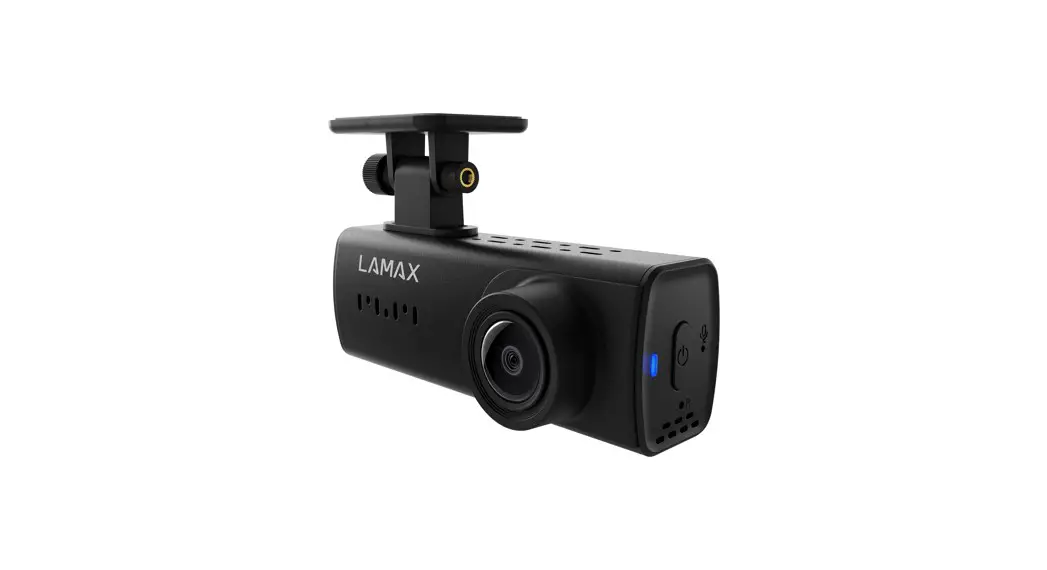
DRIVE C3 Dashboard Camera
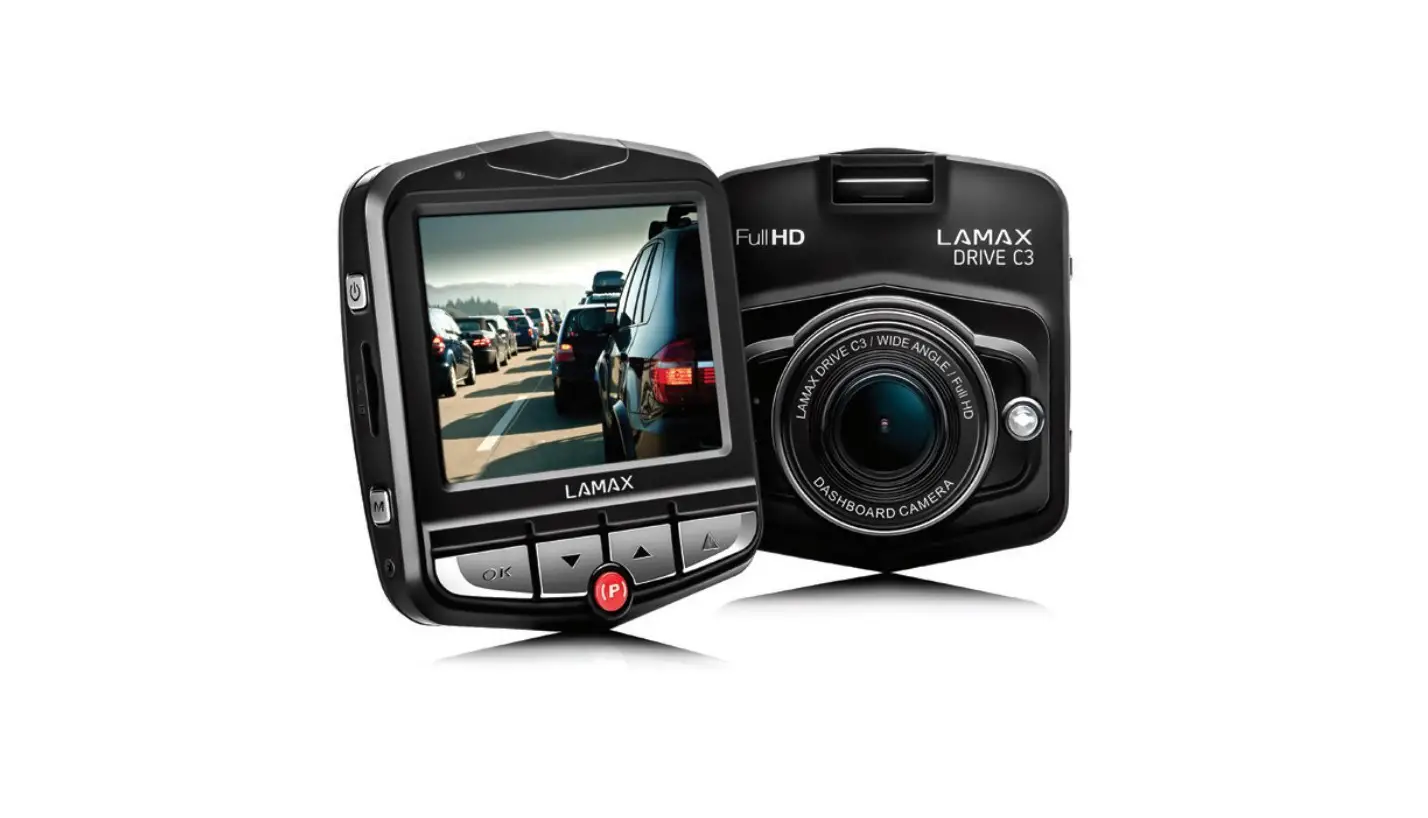
LAMAX DRIVE C3 Car Camera
Thank you for purchasing the LAMAX DRIVE C3 car camera. This car
camera is a reliable companion for your car journey. It
features:
- Interpolated full HD video 1920 x 1080
- G-sensor
- Loop recording
- Parking mode
- Motion sensor
- Multilingual menu
- LED light
- Video lock at the touch of a button
Product Usage Instructions
Here are the steps to use the LAMAX DRIVE C3 car camera:
Mounting the Camera
- Choose a suitable location on your car’s windshield to mount
the camera. - Attach the camera suction mount or the camera 3M stick mount to
the camera. - Place the camera on the chosen location on the windshield and
press firmly to attach it.
Inserting the Memory Card
- Open the micro SDHC card slot located on the side of the
camera. - Insert a micro SDHC card into the slot, making sure it clicks
into place. - Close the card slot cover.
Powering On and Off
- To power on the camera, press and hold the ON/OFF button until
the LED light turns on. - To power off the camera, press and hold the ON/OFF button until
the LED light turns off.
Recording Video
- When the camera is powered on, it will automatically start
recording video. - If you want to stop the recording, press the OK (shutter)
button. - The camera will save the video file and start recording a new
one.
Viewing and Locking Recorded Videos
- To view the recorded videos, press the Menu button and use the
Up and Down arrow buttons to navigate to the “Playback”
option. - Press OK to select the “Playback” option and use the arrow
buttons to select the video you want to view. - To lock a video file, press the Menu button while viewing the
video and select “Lock” option by using the arrow buttons and
pressing OK.
Using Parking Mode
- To activate Parking mode, press the Parking mode button (number
7 in the product picture). - The camera will start recording when it detects motion or
vibration. - To exit Parking mode, press the Parking mode button again.
We hope this guide helps you use your LAMAX DRIVE C3 car camera
with ease. For further information, please refer to the complete
multilingual manual available for download from the product page at
www.lamax-electronics.com.
User manual
LAMAX DRIVE C3
– 1 –
Contents
Introduction ……………………………………………………………………………………………………………… 1 LAMAX DRIVE C3 car camera features and functions……………………………………………………1 Pack contents…………………………………………………………………………………………………………….1 Product picture………………………………………………………………………………………………………….1 Product installation……………………………………………………………………………………………………2 Quick functions………………………………………………………………………………………………………….2 Icons annotation………………………………………………………………………………………………………..2 Using the LAMAX DRIVE C3 car camera ……………………………………………………………………….3
1) Inserting a micro SDHC card……………………………………………………………………………………………………………………3 2) Power…………………………………………………………………………………………………………………………………………………………..3 3) Turning the camera on and off………………………………………………………………………………………………………………..3 4) Changing modes and menu navigation………………………………………………………………………………………………..3 5) Recording / taking photos / gallery ……………………………………………………………………………………………………….3 6) Deleting the entries on the camera ……………………………………………………………………………………………………….3 7) Protecting the files on the camera………………………………………………………………………………………………………….3 8) Connecting to a PC……………………………………………………………………………………………………………………………………4 LAMAX DRIVE C3 car camera settings video mode…………………………………………………….4 1) Video resolution ………………………………………………………………………………………………………………………………………..4 2) Time-lapse ………………………………………………………………………………………………………………………………………………….4 3) Exposure……………………………………………………………………………………………………………………………………………………..4 4) Motion detection ………………………………………………………………………………………………………………………………………4 5) Audio recording…………………………………………………………………………………………………………………………………………4 6) Display data………………………………………………………………………………………………………………………………………………..4 7) G-sensor ……………………………………………………………………………………………………………………………………………………..4 LAMAX DRIVE C3 car camera settings photo mode ……………………………………………………5 1) Image resolution ……………………………………………………………………………………………………………………………………….5 2) Photo burst…………………………………………………………………………………………………………………………………………………5 3) Quality…………………………………………………………………………………………………………………………………………………………5 4) Sharpness……………………………………………………………………………………………………………………………………………………5 5) White balance…………………………………………………………………………………………………………………………………………….5 6) ISO ……………………………………………………………………………………………………………………………………………………………….5 7) Exposure……………………………………………………………………………………………………………………………………………………..5 8) Image stabilization ……………………………………………………………………………………………………………………………………5 9) Preview ……………………………………………………………………………………………………………………………………………………….5 10) Display data ……………………………………………………………………………………………………………………………………………..5 LAMAX DRIVE C3 car camera basic settings …………………………………………………………………5 1) Parking mode …………………………………………………………………………………………………………………………………………….5 2) Date/Time …………………………………………………………………………………………………………………………………………………..5 3) Automatic power off…………………………………………………………………………………………………………………………………5 4) LCD off…………………………………………………………………………………………………………………………………………………………5 5) Key sound …………………………………………………………………………………………………………………………………………………..5 6) Language ……………………………………………………………………………………………………………………………………………………6 7) TV mode ……………………………………………………………………………………………………………………………………………………..6 8) Frequency…………………………………………………………………………………………………………………………………………………..6 9) LED diode……………………………………………………………………………………………………………………………………………………6 10) Format ………………………………………………………………………………………………………………………………………………………6 LAMAX DRIVE C3 car camera parameters…………………………………………………………………….7 Safety measures ………………………………………………………………………………………………………..7 Precautions and notices……………………………………………………………………………………………..8 Safety precautions …………………………………………………………………………………………………….8 Caring for your device ………………………………………………………………………………………………..8 Other information ……………………………………………………………………………………………………..9 Declaration of Conformity ………………………………………………………………………………………….9
– 2 –
Introduction
Thank you for purchasing the LAMAX DRIVE C3 car camera. You are now the owner of a reliable companion for your car journey. A complete multilingual manual can be downloaded from the product page at www.lamax-electronics.com.
LAMAX DRIVE C3 car camera features and functions
– Interpolated full HD video 1920 x 1080 – G-sensor – Loop recording – Parking mode – Motion sensor – Multilingual menu – LED light – Video lock at the touch of a button
Pack contents
– LAMAX DRIVE C3 car camera – Power cable – USB cable – Camera suction mount – Camera 3M stick mount – Quick Guide
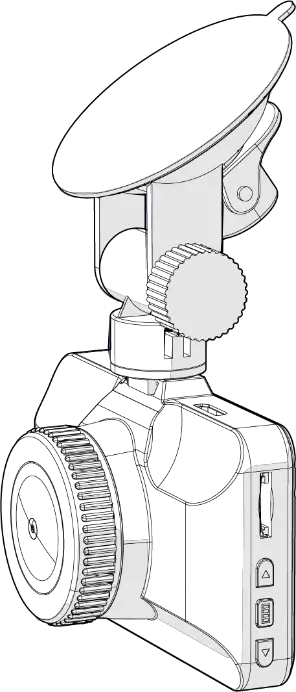
Product picture
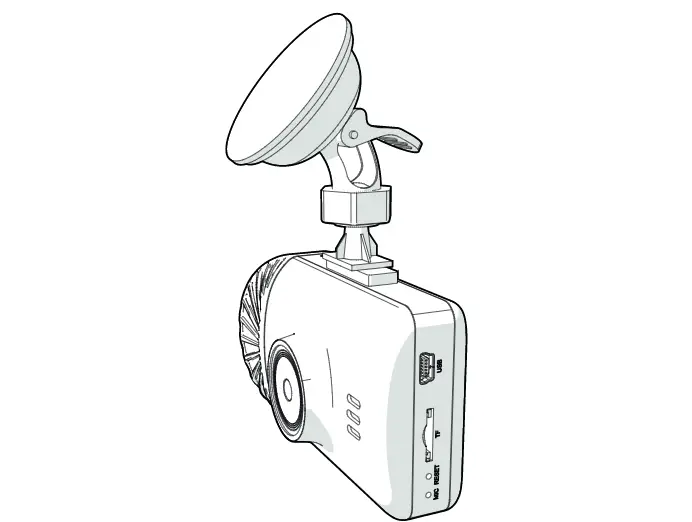
1. ON/OFF 2. Menu 3. OK (shutter) 4. Down arrow 5. Up arrow 6. Mode 7. Parking mode 8. Micro SDHC card slot
1 8
2
3
6
4
5
7
– 1 –
Obsah je uzamcen
Dokoncete, prosím, proces objednávky. Následn budete mít pístup k celému dokumentu.
Proc je dokument uzamcen? Nahnvat Vás rozhodn nechceme. Jsou k tomu dva hlavní dvody: 1) Vytvoit a udrzovat obsáhlou databázi návod stojí nejen spoustu úsilí a casu, ale i financní prostedky.
Dlali byste to Vy zadarmo? Ne*. Zakoupením této sluzby obdrzíte úplný návod a podpoíte provoz a rozvoj nasich stránek. Teba se Vám to bude jest nkdy hodit. *) Mozná zpocátku ano. Ale vzte, ze dotovat to dlouhodob nelze. A rozhodn na tom nezbohatneme. 2) Pak jsou tady ,,roboti”, kteí se pizivují na nasí práci a ,,vysávají” výsledky naseho úsilí pro svj prospch. Tímto krokem se jim to snazíme pekazit. A pokud nemáte zájem, respektujeme to. Urgujte svého prodejce. A kdyz neuspjete, rádi Vás uvidíme!
 LAMAX Electronics | EN