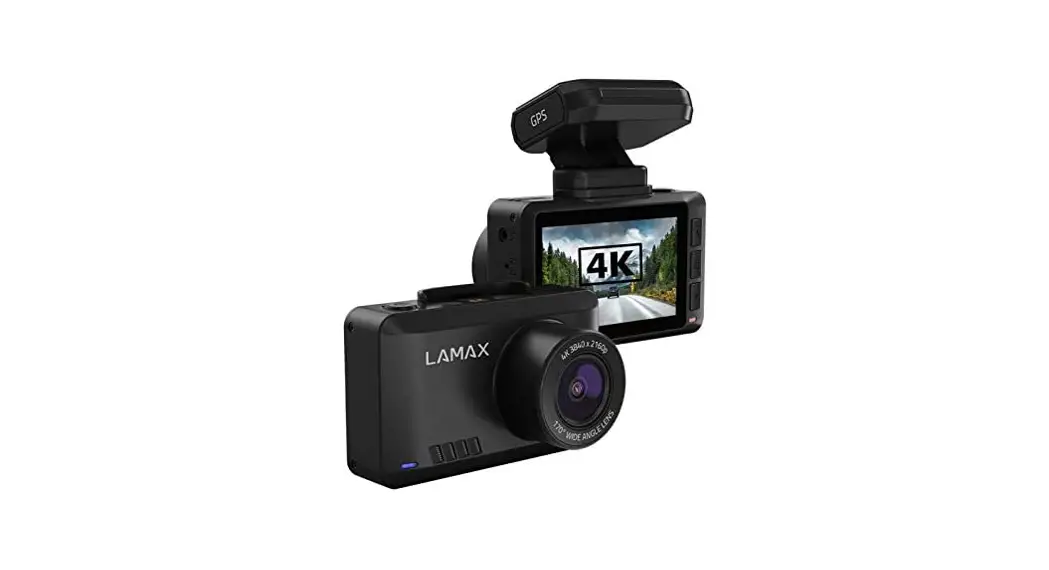
81589 DRIVE C3 Car Camera
LAMAX DRIVE C3 User Manual
Introduction
Thank you for purchasing the LAMAX DRIVE C3 car camera. This
product is a reliable companion for your car journey. The complete
multilingual manual can be downloaded from the product page at
www.lamax-electronics.com.
LAMAX DRIVE C3 Car Camera Features and Functions
- Interpolated full HD video 1920 x 1080
- G-sensor
- Loop recording
- Parking mode
- Motion sensor
- Multilingual menu
- LED light
- Video lock at the touch of a button
Pack Contents
- LAMAX DRIVE C3 car camera
- Power cable
- USB cable
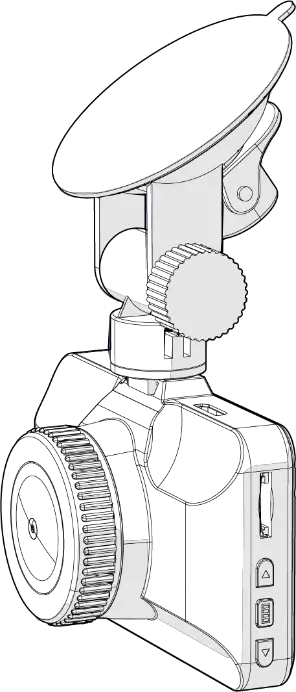
- Camera suction mount
- Camera 3M stick mount
- Quick Guide
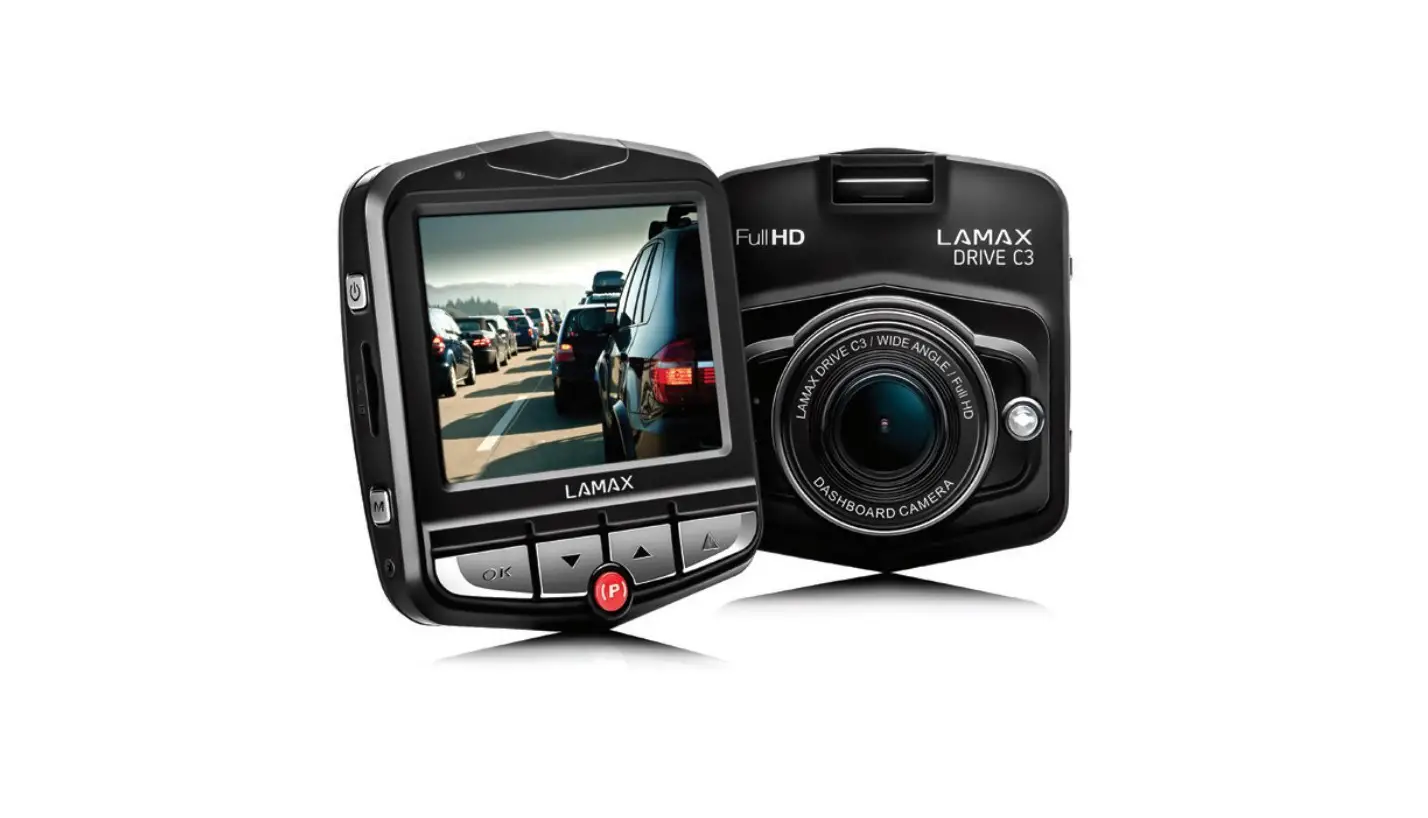
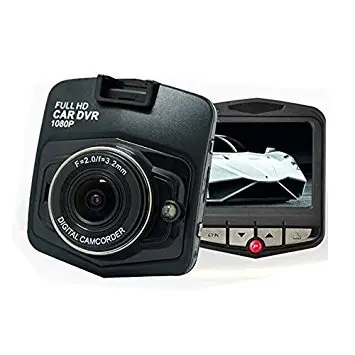
Product Picture

- ON/OFF button
- Menu button
- OK (shutter) button
- Down arrow button
- Up arrow button
- Mode button
- Parking mode button
- Micro SDHC card slot
Product Usage Instructions
- Insert a micro SDHC card into the card slot. The camera
supports up to 32 GB micro SDHC cards. - Attach the camera to the windshield using either the suction
mount or the 3M stick mount. - Connect the power cable to the camera and plug it into the
car’s cigarette lighter socket. - Press the ON/OFF button to turn on the camera.
- Use the Up and Down arrow buttons to navigate through the menu
and press OK to select an option. - Select the desired video resolution and recording mode from the
menu. - The camera will automatically start recording when it detects
motion or when it is turned on, depending on the selected recording
mode. - The G-sensor will lock the current video file if it detects a
collision or sudden impact. - The Parking mode will activate the camera when it detects
motion or impact while the car is parked. - Press the video lock button to manually lock the current video
file. - Connect the camera to a computer using the USB cable to
transfer and view recorded videos.
User manual
LAMAX DRIVE C3
– 1 –
Contents
Introduction ……………………………………………………………………………………………………………… 1 LAMAX DRIVE C3 car camera features and functions……………………………………………………1 Pack contents…………………………………………………………………………………………………………….1 Product picture………………………………………………………………………………………………………….1 Product installation……………………………………………………………………………………………………2 Quick functions………………………………………………………………………………………………………….2 Icons annotation………………………………………………………………………………………………………..2 Using the LAMAX DRIVE C3 car camera ……………………………………………………………………….3
1) Inserting a micro SDHC card……………………………………………………………………………………………………………………3 2) Power…………………………………………………………………………………………………………………………………………………………..3 3) Turning the camera on and off………………………………………………………………………………………………………………..3 4) Changing modes and menu navigation………………………………………………………………………………………………..3 5) Recording / taking photos / gallery ……………………………………………………………………………………………………….3 6) Deleting the entries on the camera ……………………………………………………………………………………………………….3 7) Protecting the files on the camera………………………………………………………………………………………………………….3 8) Connecting to a PC……………………………………………………………………………………………………………………………………4 LAMAX DRIVE C3 car camera settings video mode…………………………………………………….4 1) Video resolution ………………………………………………………………………………………………………………………………………..4 2) Time-lapse ………………………………………………………………………………………………………………………………………………….4 3) Exposure……………………………………………………………………………………………………………………………………………………..4 4) Motion detection ………………………………………………………………………………………………………………………………………4 5) Audio recording…………………………………………………………………………………………………………………………………………4 6) Display data………………………………………………………………………………………………………………………………………………..4 7) G-sensor ……………………………………………………………………………………………………………………………………………………..4 LAMAX DRIVE C3 car camera settings photo mode ……………………………………………………5 1) Image resolution ……………………………………………………………………………………………………………………………………….5 2) Photo burst…………………………………………………………………………………………………………………………………………………5 3) Quality…………………………………………………………………………………………………………………………………………………………5 4) Sharpness……………………………………………………………………………………………………………………………………………………5 5) White balance…………………………………………………………………………………………………………………………………………….5 6) ISO ……………………………………………………………………………………………………………………………………………………………….5 7) Exposure……………………………………………………………………………………………………………………………………………………..5 8) Image stabilization ……………………………………………………………………………………………………………………………………5 9) Preview ……………………………………………………………………………………………………………………………………………………….5 10) Display data ……………………………………………………………………………………………………………………………………………..5 LAMAX DRIVE C3 car camera basic settings …………………………………………………………………5 1) Parking mode …………………………………………………………………………………………………………………………………………….5 2) Date/Time …………………………………………………………………………………………………………………………………………………..5 3) Automatic power off…………………………………………………………………………………………………………………………………5 4) LCD off…………………………………………………………………………………………………………………………………………………………5 5) Key sound …………………………………………………………………………………………………………………………………………………..5 6) Language ……………………………………………………………………………………………………………………………………………………6 7) TV mode ……………………………………………………………………………………………………………………………………………………..6 8) Frequency…………………………………………………………………………………………………………………………………………………..6 9) LED diode……………………………………………………………………………………………………………………………………………………6 10) Format ………………………………………………………………………………………………………………………………………………………6 LAMAX DRIVE C3 car camera parameters…………………………………………………………………….7 Safety measures ………………………………………………………………………………………………………..7 Precautions and notices……………………………………………………………………………………………..8 Safety precautions …………………………………………………………………………………………………….8 Caring for your device ………………………………………………………………………………………………..8 Other information ……………………………………………………………………………………………………..9 Declaration of Conformity ………………………………………………………………………………………….9
– 2 –
Introduction
Thank you for purchasing the LAMAX DRIVE C3 car camera. You are now the owner of a reliable companion for your car journey. A complete multilingual manual can be downloaded from the product page at www.lamax-electronics.com.
LAMAX DRIVE C3 car camera features and functions
– Interpolated full HD video 1920 x 1080 – G-sensor – Loop recording – Parking mode – Motion sensor – Multilingual menu – LED light – Video lock at the touch of a button
Pack contents
– LAMAX DRIVE C3 car camera – Power cable – USB cable – Camera suction mount – Camera 3M stick mount – Quick Guide
Product picture
1. ON/OFF 2. Menu 3. OK (shutter) 4. Down arrow 5. Up arrow 6. Mode 7. Parking mode 8. Micro SDHC card slot
1 8
2
3
6
4
5
7
– 1 –
Obsah je uzamcen
Dokoncete, prosím, proces objednávky. Následn budete mít pístup k celému dokumentu.
Proc je dokument uzamcen? Nahnvat Vás rozhodn nechceme. Jsou k tomu dva hlavní dvody: 1) Vytvoit a udrzovat obsáhlou databázi návod stojí nejen spoustu úsilí a casu, ale i financní prostedky.
Dlali byste to Vy zadarmo? Ne*. Zakoupením této sluzby obdrzíte úplný návod a podpoíte provoz a rozvoj nasich stránek. Teba se Vám to bude jest nkdy hodit. *) Mozná zpocátku ano. Ale vzte, ze dotovat to dlouhodob nelze. A rozhodn na tom nezbohatneme. 2) Pak jsou tady ,,roboti”, kteí se pizivují na nasí práci a ,,vysávají” výsledky naseho úsilí pro svj prospch. Tímto krokem se jim to snazíme pekazit. A pokud nemáte zájem, respektujeme to. Urgujte svého prodejce. A kdyz neuspjete, rádi Vás uvidíme!
 LAMAX Electronics | EN