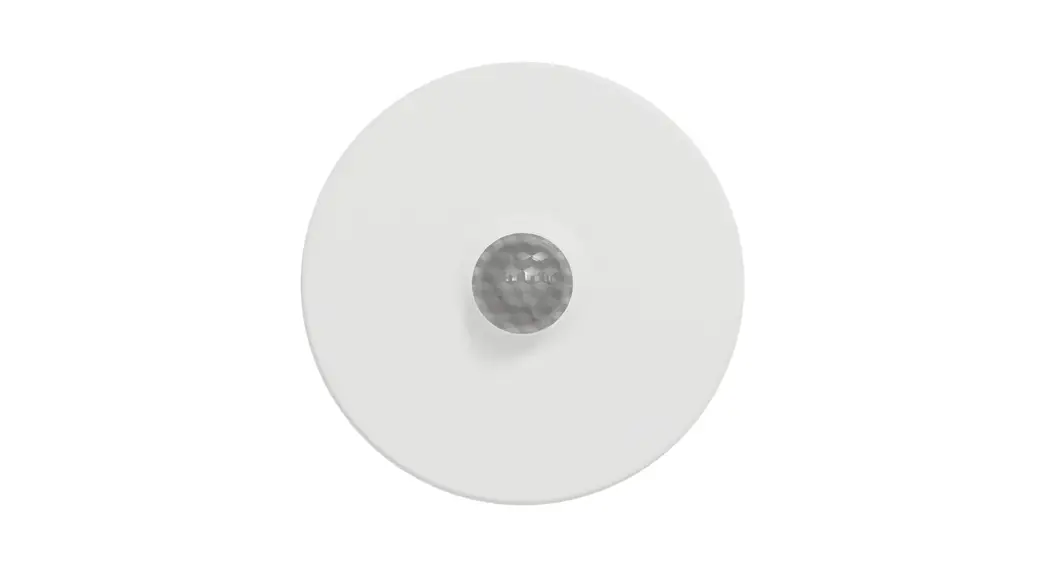
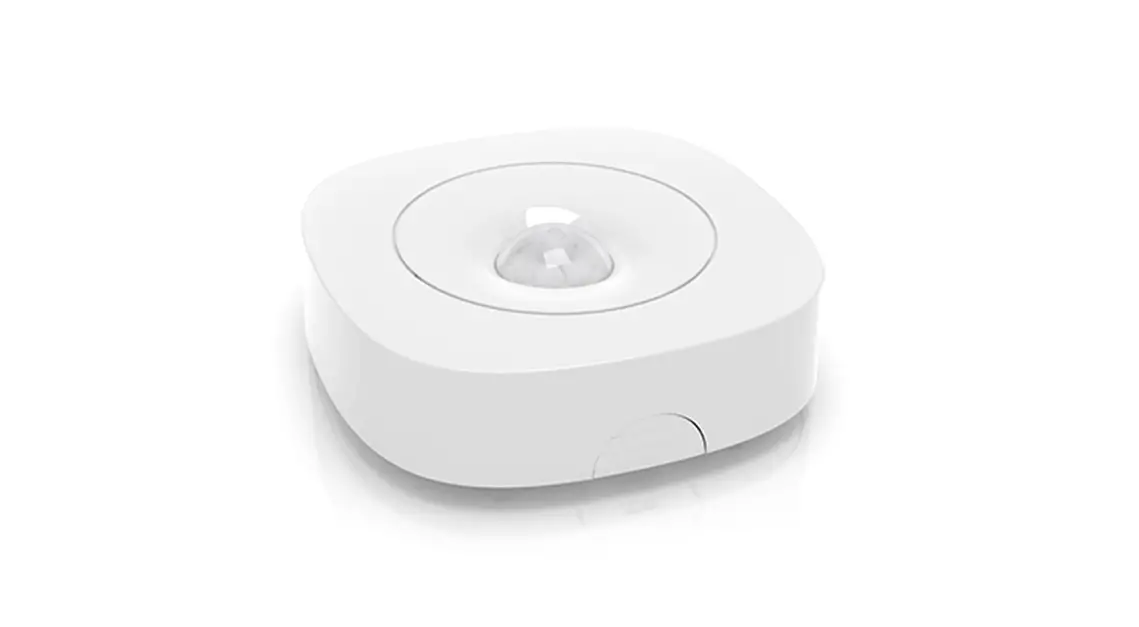
L2001962-H.2 User Controller Sensor
Product Information:
Product: User Controller / Sensor
Model: L2001962-H.2
Date: 24.07.2023
Application: The user controller can be used as
a local control, optionally fitted with CO2 or moisture
measurement.
Buttons & LED:
- RF / BATTERY
- RF / WIRED
- Push button LED
- AUTO
- Touch button / LED
- AUTO
- LED INDICATION:
- Not in network
- Logging on
- In network
- In network, waiting for associated components
- Transitional phase (please wait)
- Indicates the component selected while changing settings
- Initialising (system configuration in progress)
Product Usage Instructions:
Fitting:
For RF / Battery components:
- Provide a socket box preferably with a minimum depth of 47 mm
and 2 screw holes. - Connect the cables as shown in the table below.
- Ensure none of the cables are live before connecting them.
For RF components:
- Observe a maximum distance of 350 m (line of sight) between the
various components (obstacles can reduce this distance
substantially). - Maintain a minimum distance of 30 cm between the component and
material causing RF interference such as metal. - Other RF equipment operating at 868 MHz can also have a
detrimental effect on component range.
To connect the room operating unit / room
sensor:
- A choice can be made between wireless communication (RF / 230
VAC) or wired communication (Wired / 24 VDC). - Use an EN60335-certified power source.
- Connect the 5 x 0.8 mm solid core cable using the screw
connectors.
Linking to Ventilation System:
- Activate ‘Installer mode’ by tapping ‘INST’ on the master unit
(DucoBox or IQ-unit). The LED will flash green rapidly. - For zonal systems only: Tap the button on a control valve once
so the LED starts to flash green rapidly. Underlying components can
now be added in this zone. - Add the User controller / Sensor by tapping once on any random
button on this component (On a CO2 Sensor without controller, the
LED opening can be pressed.). The LED will start to flash green
rapidly. - Add any window ventilators by tapping once on the component to
be paired. The LED will flash green slowly. - Repeat steps 3 and 4 until all remaining components in the
current zone are paired. - For zonal systems only: Repeat steps 2 to 5 inclusive for the
remaining zones. - Once all components have been paired, ‘Installer mode’ can be
deactivated by tapping ‘INST’ on the ‘master unit’. The LEDs on all
components will stop flashing and return to their normal
indication.
Please refer to the user manual at www.duco.eu for more detailed instructions.
Installation guide User controller / Sensor
L2001962-H.2 24.07.2023
Keep this instructions and these packaging carefully as long as the product is in use!
01 Application
The user controller can be used as a local control, optionally fitted with CO2 or moisture measurement.
Depending on the type, a room operating unit / room sensor will control the ventilation system based on: · manually selected setting · CO2 concentration · relative humidity (RH)
RF / BATTERY
02 Buttons & LED
RF / WIRED
Push button LED
AUTO
Touch button / LED
AUTO
LED INDICATION
Not in network Logging on In network In network, waiting for associated components Transitional phase (please wait) Indicates the component selected while changing settings Initialising (system configuration in progress)
For user instructions please refer to the user manual at www.duco.eu.
WIRED / 24 VDC RF / 230 VAC
RF / BATTERY
RED blinking slowly
RED blinking rapidly
GREEN blinking slowly
GREEN blinking rapidly
YELLOW blinking slowly
ORANGE blinking slowly
BLUE
no colour indication
YELLOW
no colour indication
`INSTALLER MODE’
VIEWING MODE CONFIGURATION MODE
L2001962 Installation Guide User Controller / Sensor (Revision H.2 | 24.07.2023)
1
03 Fitting
FIXING
Not for `RF / Battery’ components: Provide a socket box preferably with a minimum depth of 47 mm and 2 screw holes. Connect the cables as shown in the table below. Ensure none of the cables are live before connecting them.
For RF components observe a maximum distance of 350 m (line of sight) between the various components (obstacles can reduce this distance substantially), and a minimum distance of 30 cm between the component and material causing RF interference such as metal. Other RF equipment operating at 868 MHz can also have a detrimental effect on component range.
CONNECTION
To connect the room operating unit / room sensor, a choice can be made between wireless communication (RF / 230 VAC) or wired communication (Wired / 24 VDC) to do this.
CLICK
CLICK
230 VAC
WIRED / 24 VDC
GND B A 24 VDC
RF / 230 VAC
Use an EN60335-certified power source. Connect the 5 x 0.8 mm solid core cable using the screw connectors. Please refer to the `Duco Wired’ manual as well at www.duco.eu.
Fit the user controller in an interference-free environment so RF signals can be transmitted/received properly. Connect the mains supply cables to the existing power supply cables on the component using lever connectors (not included)
REPLACE BATTERY
* ‘RF / Battery’ only
CR2430 3V
The battery is already installed on delivery. Battery life in normal use: 3 to 5 years
L2001962 Installation Guide User Controller / Sensor (Revision H.2 | 24.07.2023)
2
04 Linking to ventilation system
PAIRING
Perform the following steps to pair a User controller / Sensor with the ventilation system.
NOTE: to pair a control with an iAV Control valve, follow the steps in the iAV Control valve manual.
1 Activate `Installer mode’ by tapping `INST’ on the master unit (DucoBox or IQ-unit). The LED will flash green rapidly. 2 For zonal systems only: Tap the button on a control valve once so the LED starts to flash green rapidly.Underlying components can
now be added in this zone. 3 Add the User controller / Sensor by tapping once on any random button on this component (On a CO2 Sensor without controller, the
LED opening can be pressed.). The LED will start to flash green rapidly. 4 Add any window ventilators by tapping once on the component to be paired. The LED will flash green slowly. 5 Repeat steps 3 and 4 until all remaining components in the current zone are paired. 6 For zonal systems only: Repeat steps 2 to 5 inclusive for the remaining zones. 7 Once all components have been paired, `Installer mode’ can be deactivated by tapping `INST’ on the `master unit’. The LEDs on all
components will stop flashing and the system will revert to `User mode’.
1
2
MASTER UNIT
INST
3
BUTTON / LED
1x
4
7
INST
1x
BUTTON / LED
5 6
REMOVING AND REPLACING
Removing paired components from the network or replacing is only possible within 30 minutes after the component is paired in or is restarted. Restarting can be done by disconnecting the power for a moment. After a time-span of 30 minutes, remove and replace operations are ignored. This is valid for all components from date of manufacture 170323.
Removing a user controller / sensor
1 Activate `Installer mode’ by longpressing 2 diagonal buttons on the control to be removed. The LED will flash green rapidly. The LED will flash green rapidly.
2 Press once and hold the button for the component in order to remove it from the network (With a CO2 Sensor without control, the LED opening can be pressed). The LED will flash red.
3 Deactivate `Installer mode’ via `INST’ on the master unit. The LED will turn white.
Replacing an RF control / Room sensor
1 Activate `Installer mode’ by tapping `INST’ on the master unit. The LED will flash green rapidly. 2 Tap twice briefly on any random button on the control/Room sensor to be replaced (With a CO2 Sensor without control, the LED
opening can be pressed). The LED will flash red. 3 Tap once briefly on any random button on the new controller / sensor. The latter will take on all settings/ connections in the network.
The LED will flash green. 4 Deactivate `Installer mode’ using the `INST’ button on the master unit or via the “palm-of-the-hand” method (see TIPS). The LED will
turn white.
REMOVE
1
2
3 INST
REPLACING (RF ONLY)
1
2
3
OLD
INST
NEW
4 INST
5 sec
5 sec
2x
1x
L2001962 Installation Guide User Controller / Sensor (Revision H.2 | 24.07.2023)
3
TIP
`Installer mode’ can also be activated/ deactivated via a paired control. Activate: long-press 2 diagonal buttons simultaneously. Deactivate: press all 4 buttons simultaneously (this can be done with the palm of the hand on a control featuring touch buttons).
ACTIVATE INSTALLER MODE
5 sec
DEACTIVATE INSTALLER MODE
05 Scope of supply
Before starting to install the unit, check to ensure it is complete and undamaged. The scope of supply of the room sensor / room operating unit comprises the following components: · Room sensor / room operating unit · Installation guide · EC Declaration of Conformity Keep the user manual safely and pass it on it to anyone using the unit after you. All manuals for all products can be found on the Duco website. www.duco.eu
06 Transport and packaging
The necessary care must be exercised when transporting and unpacking the product. Avoid violent shocks during transport and handling. When unpacking the unit, check any loose components and accessories for any transport damage. Take care to ensure after unpacking that the packaging material is disposed of in an environmentally-friendly manner. Returning the packaging to the recycling loop saves raw materials and reduces the waste mountain.
07 End of service life
Disposing of the unit. Old electric and electronic equipment often contains valuable materials. However, it also contains harmful substances which are necessary for the operation and safety of the unit. Accordingly, never dispose of waste equipment with ordinary waste. Choose to have it disposed of in an environmentally-friendly manner.
08 Versions
The room sensor / room operating unit is available in several variants. This manual is valid for the following types:
Type
Power supply
Sensor
Manual control
Item number
Black
White
User controller
Battery
None
Yes
0000-4175
0000-4600
User controller
24 VDC / 230 VAC
Temperature
Yes
0000-4601
0000-4602
CO2 Sensor Humidity Sensor
24 VDC / 230 VAC
CO2 + Temperature
Yes
24 VDC / 230 VAC
RH + Temperature
Yes
0000-4603 0000-4605
0000-4604 0000-4606
CO2Room sensor without control
24 VDC / 230 VAC
CO2 + Temperature
No
0000-4636
0000-4637
09 Dimensions
See technical data sheet at www.duco.eu.
L2001962 Installation Guide User Controller / Sensor (Revision H.2 | 24.07.2023)
4
10 Regulations and safety instructions
a) The installer is responsible for
children) with reduced physical, sensory or mental
capabilities, or who lack experience or know-how,
installing and commissioning the unit. unless they are supervised or have been given
instructions on the use of the unit by a person who
b) Do not install this product in areas
is responsible for their safety. Children must be supervised to ensure that they do not play with the
where the following are present or
unit.
could occur:
If the power cord is damaged, it must be replaced by the manufacturer, after-sales support or individuals
Excessively fatty atmosphere. Corrosive or flammable gases, liquids or fumes. Room air temperature above 40 °C or below -5 °C. Relative humidity higher than 90% or outdoors. Obstacles that prevent access to or the removal of the fan unit. Bends in the ducts immediately upstream of the fan unit.
with comparable qualifications in order to prevent any hazard. The user is responsible for safely removing the product at the end of its useful life, in accordance with locally applicable laws or regulations. You can also take the unit to a collection point for used electrical equipment. The unit is only suitable for housing construction and not for industrial use, such as swimming pools and saunas.
c) General and specific safety
When handling electronics, always take measures to inhibit ESD, such as wearing an earthed wristband.
instructions
Modifications to the unit or to specifications stated in
Take care to ensure that the electrical supply is a 230 V, single-phase earthed, 50/60 Hz, AC system or a 24 VDC power source to EN60335. The unit must not be used in locations where it could be subjected to direct water spraying. Check that the unit is complete and undamaged when you take it out of the packaging. If you have any doubt about this, please contact Duco / your Duco sales outlet.
this document are not permitted. Do not pull on the cord to remove the plug from the socket. Always refer to the installer of your combustion appliance to establish whether there is a risk of flue gas ingress into the dwelling. Check that the voltage shown on the nameplates matches the local mains voltage before connecting the device.
Electrical equipment should be handled with care Never touch the unit with wet hands.
d) Fitting
Never touch the device when barefoot. Do not use the unit in the presence of flammable or volatile substances such as alcohol, insecticides, petrol etc. Make sure that the electrical system to which the unit is connected complies with the stipulated conditions. Do not expose the unit to the elements. Do not place any objects on the unit. Do not use the unit as an extractor for water heaters, heating systems, etc. Ensure that the unit discharges into a single exhaust duct that is suitable and installed for the purpose and exhausts outdoors. Ensure that the electrical circuit is not damaged. Always adhere to the safety instructions in the manual when installing the device. Failure to comply
This product has been developed for indoor use, in a domestic environment. Use the unit only for applications for which it has been designed, as described in the manual. Use for other purposes and/ or modifications to the room operating unit or room sensor are not permitted. Vero Duco NV is not liable for any loss or damage caused by improper operation or use other than stated here. The room operating unit / room sensor can only be used in combination with a DucoBox (Silent, Silent Connect, Focus, Energy Comfort, Energy Premium, ECO, iAV and IQ-unit). Fit the room sensor preferably on an internal wall at eye level. Do not expose the user controller to direct sunlight so the sensors cannot be affected.
with these safety instructions, warnings, notes and guidelines could result in damage to the product or
e) Unpacking instructions
in personal injury for which Duco NV cannot be held liable. The installation of the product also requires to be in accordance with the general and locally applicable
Open the box and take the user controller out, remove the packaging material and always keep the manual to hand.
construction, safety and installation regulations of the
local authority and other agencies.
Only an accredited installer is permitted to install,
connect and commission the product, as set out in this
manual.
Keep the manual close to your unit.
Maintenance instructions must be followed closely in
order to avoid damage and/or wear.
It is recommended that a maintenance contract be
taken out to ensure the unit is regularly inspected
and cleaned. The device must be fitted in a touch-safe
manner. This means, among other things, that under
normal operating conditions no-one can reach moving
or electrically live parts of the fan without intending to
do so for operations such as:
Taking off the cover.
The room operating unit / room sensor meets legal
requirements imposed on electrical equipment.
Always ensure that before work begins, the device is
isolated from the power supply by switching off the
fuse. (Use a measuring instrument to check that this is
actually the case!)
Use suitable / appropriate tools to work on the unit.
Use the unit only for applications for which it has been
designed as stated in this manual.
The ventilation unit is required to operate continuously,
i.e. the DucoBox must never be switched off. (legal
requirement under NBN D50-001 Section 4.2. System
C)
The electronic components may be live. In the event of
a fault, contact a professional installer and only have
repairs carried out by expert personnel.
This unit is not intended for use by people (including
L2001962 Installation Guide User Controller / Sensor (Revision H.2 | 24.07.2023)
5
11 Maintenance
User
See Maintenance instructions for Duco Ventilation systems (L8000013)
Installer
See Maintenance instructions for Duco Ventilation systems (L8000013)
12 Service
Please refer to the maintenance instructions at www.duco.eu and view the videos on duco.tv for more information. For service problems as a user: Please contact your installer. Keep the serial number of the product nearby. For service problems as an installer: Please contact your Duco products seller. Keep the serial number of the product nearby. The serial number is on the sticker on the back of the control unit.
13 Warranty
All warranty conditions concerning the DucoBox and Duco’s ventilation systems can be found on the Duco website. All complaints are to be reported to Duco by the Duco distributor with a clear description and the order/invoice number under which the products were delivered. In order to register the complaint, please use the complaint registration form found on the Duco website and the product’s serial number in your message to [email protected].
Translation of the original instructions See www.duco.eu for information regarding warranty, maintenance, technical data, etc. Installation, connection, maintenance and repairs should be done by a recognised installer. The electronic components of this product may be live. Avoid contact with water.
DUCO, HANDELSSTRAAT 19 VEURNE, B-8630 09
Vero DUCO – Handelsstraat 19 – 8630 Veurne – Belgium tel +32 58 33 00 33 – [email protected] – www.duco.eu
L2001962 Installation Guide User Controller / Sensor (Revision H.2 | 24.07.2023)
6
 Duco.tv
 DUCO Ventilation & Sun Control