Contents hide

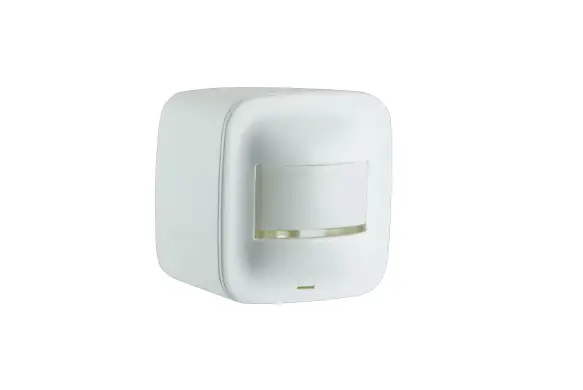
Day-Brite CFI 911401855781 Motion Sensor Remote Control
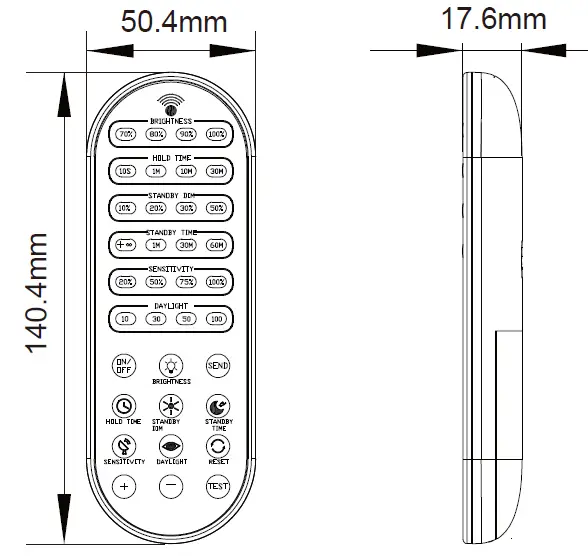
Dimension
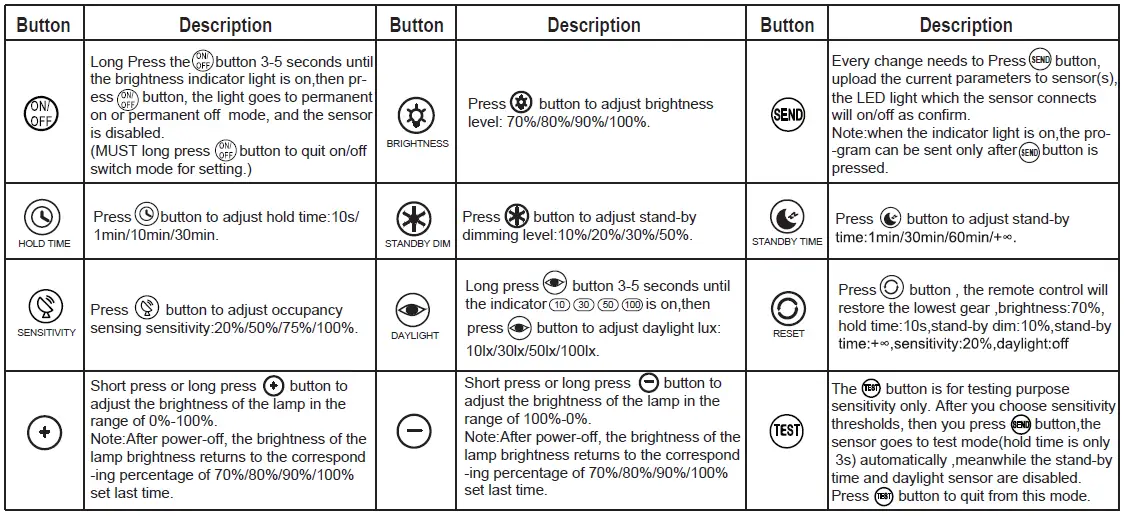
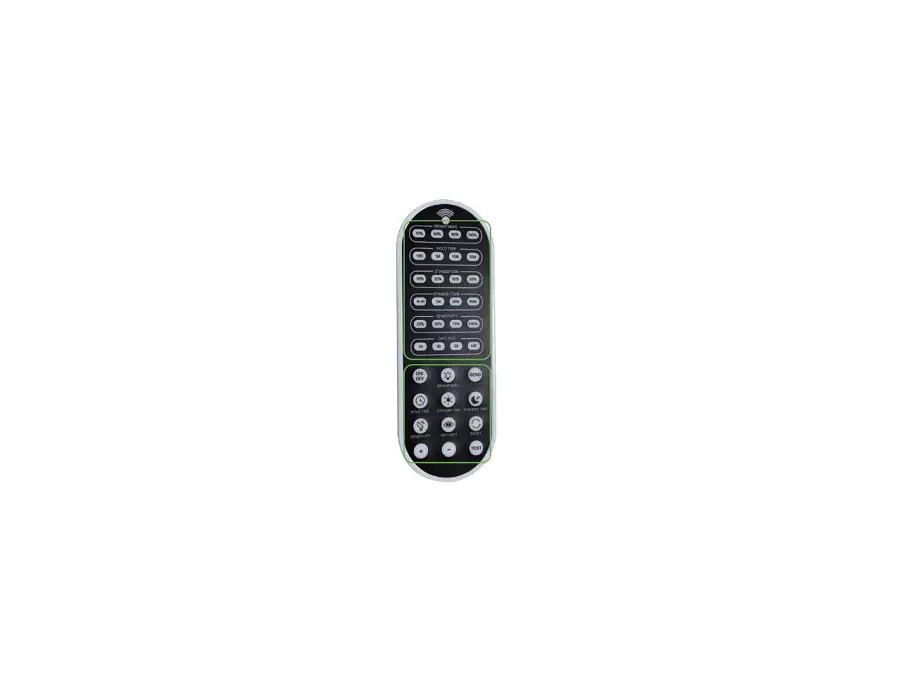
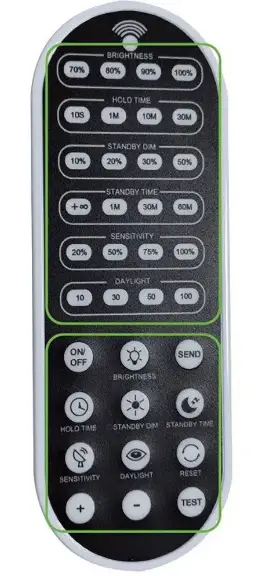
LED Indicators
| LED | Description | LED | Description | LED | Description |
|
BRIGHTNESS | High end trim turning function(To Set the output level of connected lighting during occupancy). |
STAND- BY DIM | To set the output level of connected lighting during vacancy. The sensor will regulate the lighting output at the set level. |
SENSITIVITY |
To set the occupancy sensing sensitivity of the Sensor. |
|
HOLD TIME |
The time that the Sensor will dim the light to a low level after the area is vacated. |
STAND- BY TIME |
To represents the time that the sensor will keep the light at low dim level after the HOLD TIME elapsed. |
DAYLIGHT SENSOR |
To represents various thresholds of natural light level for the sensor. |
Sensor Configuration
- Press button to show latest configurations.
- Press “BRIGHTNESS”,“HOLD TIME”,“STANDBY DIM”,“STANDBY TIME”,“SENSITIVITY”,“DAYLIGHT” button to select new parameters.
- Aim at the luminaire and press button to upload new parameters. The luminaire will flicker ON and OFF once as confirmation
ON/OFF Switch Mode(the sensor is disabled)
- Long press button 3-5 seconds until the brightness indicator light is on(first-row).
- Switch on mode, press button to select new parameters.
- Aim at the luminaire and press button to upload new parameters. The luminaire will flicker ON and OFF once as confirmation.
- Aim at the luminaire and press button to turn off or turn on the fixture.
- Aim at the luminaire and long press button 3-5 seconds to quit on/off switch mode. The luminaire will flicker ON and OFF once as confirmation.
Note:
- Press any button to light up the indicator on the remote , and then press the “SEND” button, The luminaire will flicker ON and OFF once as confirmation.
Note: if there is no operation within 10 seconds, the indicator on the rem ote will be turned off automatically. - ON/OFF Switch Mode: Except for the “ON/OFF”, “BRIGHTNESS”, and “SEND” buttons, the other buttons will be disabled. Long press “ON/OFF” button 3-5 seconds to quit switch on/off mode (switch to the sensor sensing mode.)
- TEST Sensitivity Mode: Except for the “TEST”, “SENSITIVITY”, and “SEND” buttons, the rest of the buttons will be disabled. Press the “TEST” button again to quit this mode.
- HB03R IR Remote, can not pass through walls and other opaque materials, please make sure that there is no object blocking between the remote and the sensor when using.
- HB03R is designed without waterproof function, please avoid long-term placement in damp environment when using.
Daylight Function Configuration
- Press button, the remote LED indicators will show the latest paramete
- Long press button 3-5 seconds until the brightness indicator light is on
- Press button to select daylight lux
- Aim at the target sensor and press The luminaire will flicker ON and OFF once as confirmation.
- Aim at the target sensor and long press to turn off daylight sensor function
Performance (Daylight Priority Mode)
- The light switches on at 100% when there is movement detected.
- The light dims to stand-by level after the hold-time.
- The light remains in dimming level at night.

- When the natural light level exceeds setpoint off to light,the light will turn off even if when the space is occupied.
- The light automatically turns on at 10% when natural light is insuffcient (no motion).

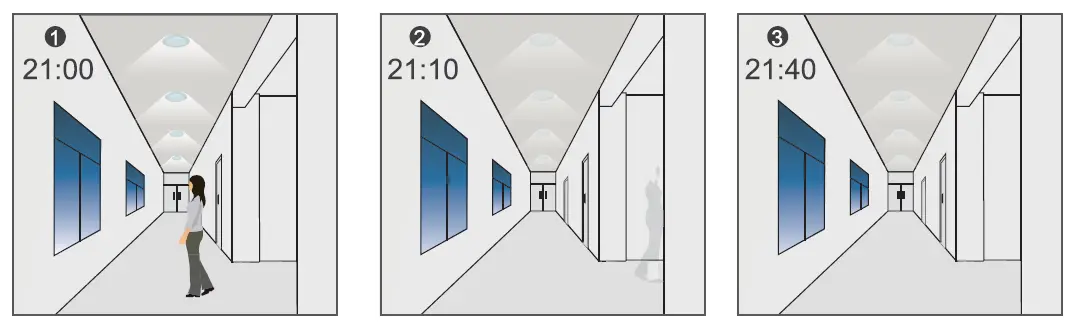
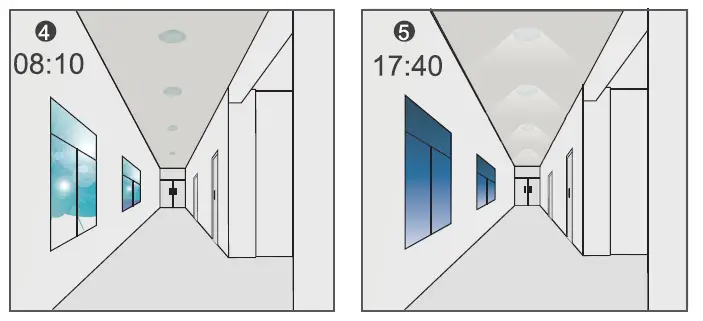
Settings on this demonstration
- Hold-time: 30min
- Stand-by Dim: 10%
- Stand-by time: (Daylight priority mode: the stand-by time is only ,otherwise is daylight threshold mode.)
Note
- Daylight Priority Mode: the illuminance value to turn on/off the lamp automatically controlled by the photocell
- Daylight Threshold Mode: the illuminance value to turn on the lamp when detected motion controlled by the photocell at each gear are: 10lx,30lx,50lx,100lx.
Warning
Remove the batteries from compartment if the remote will not be used in 30 days.
 Home | Signify