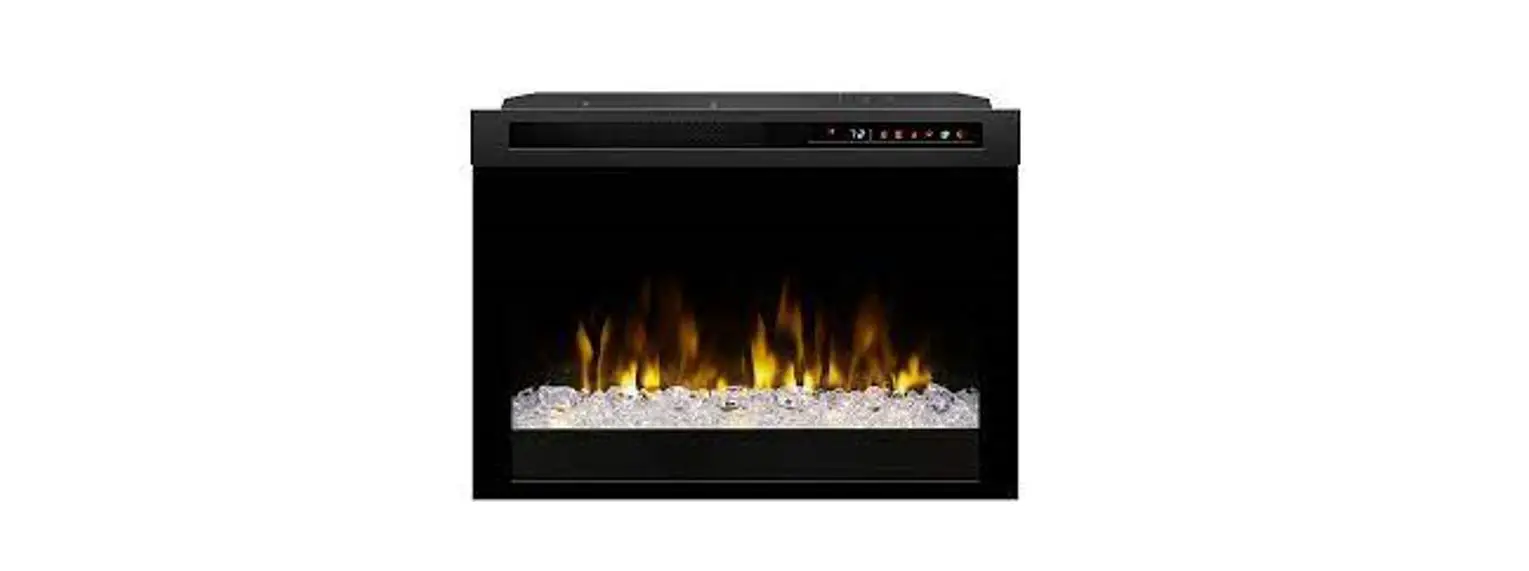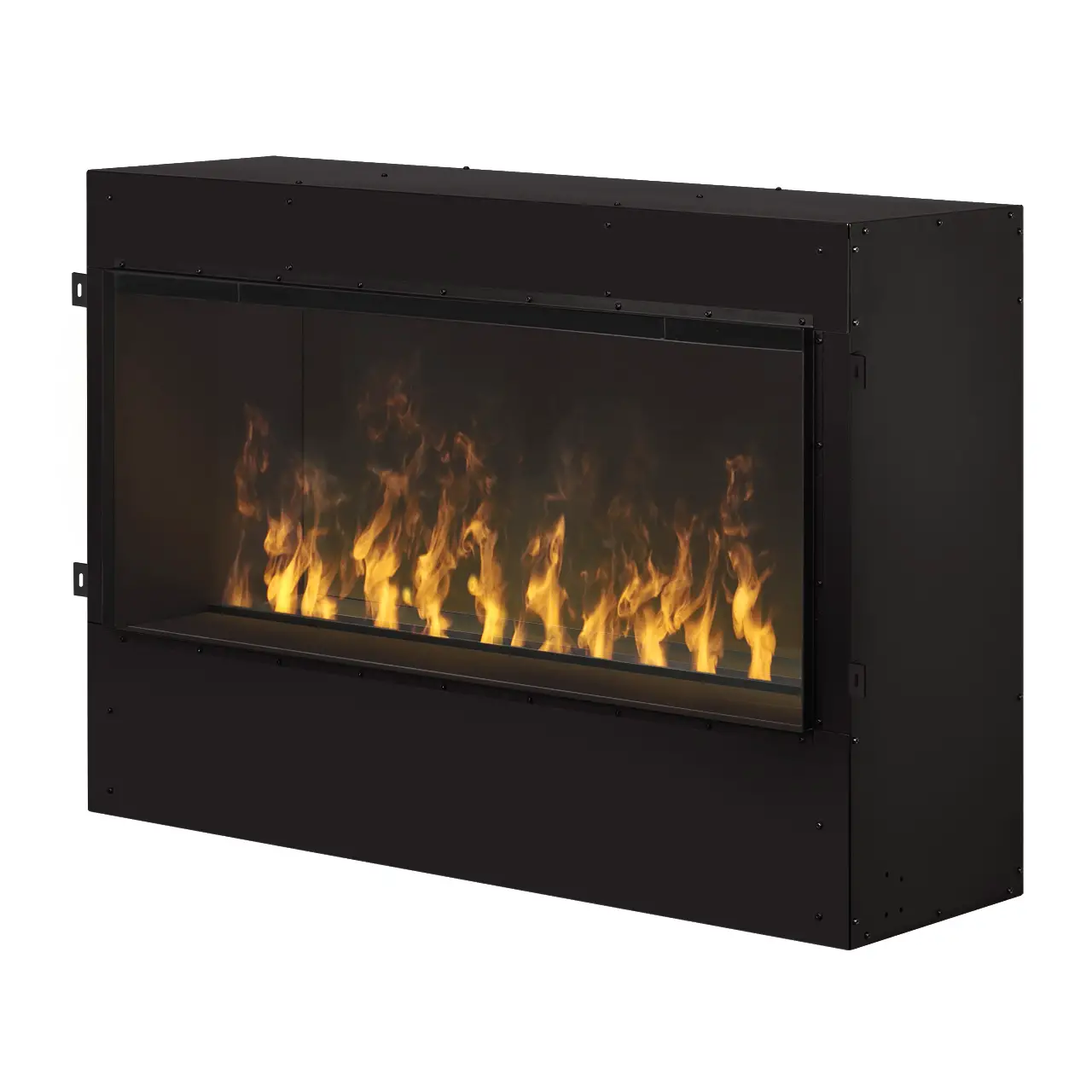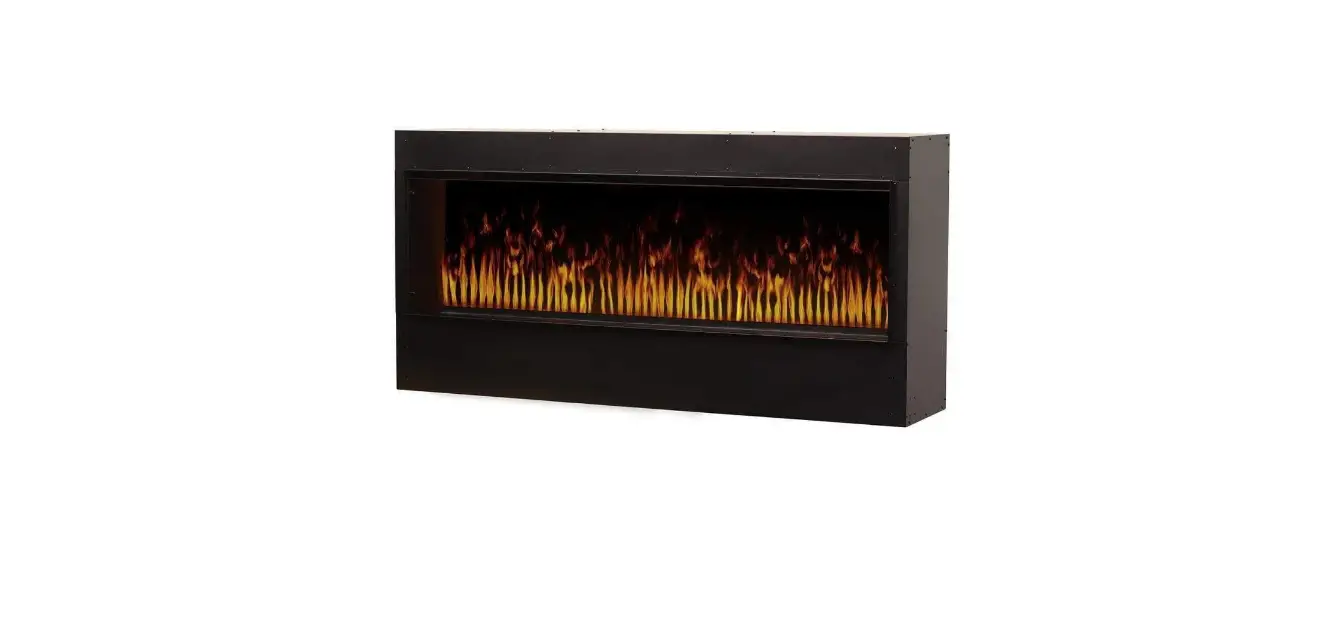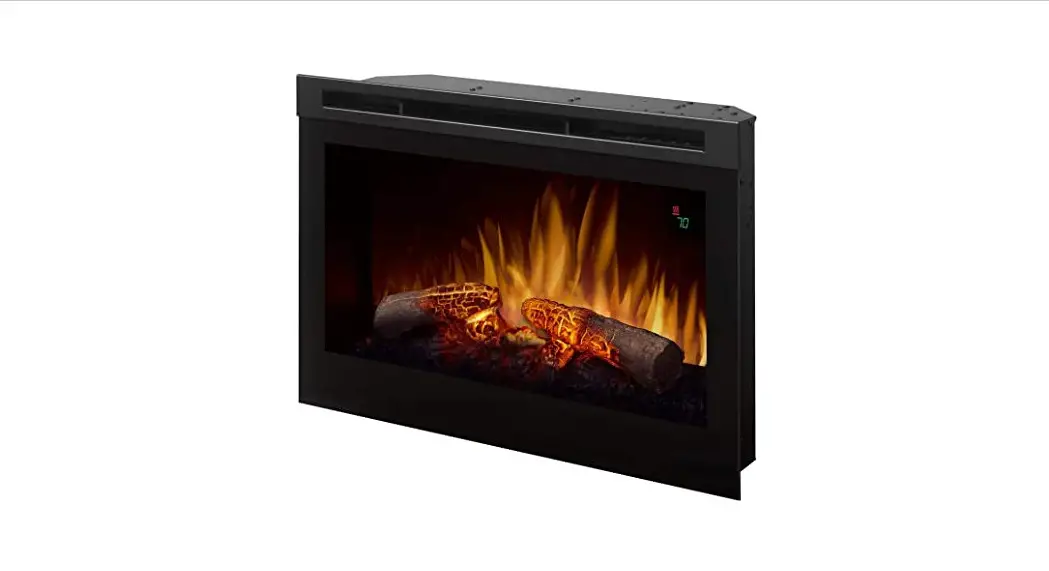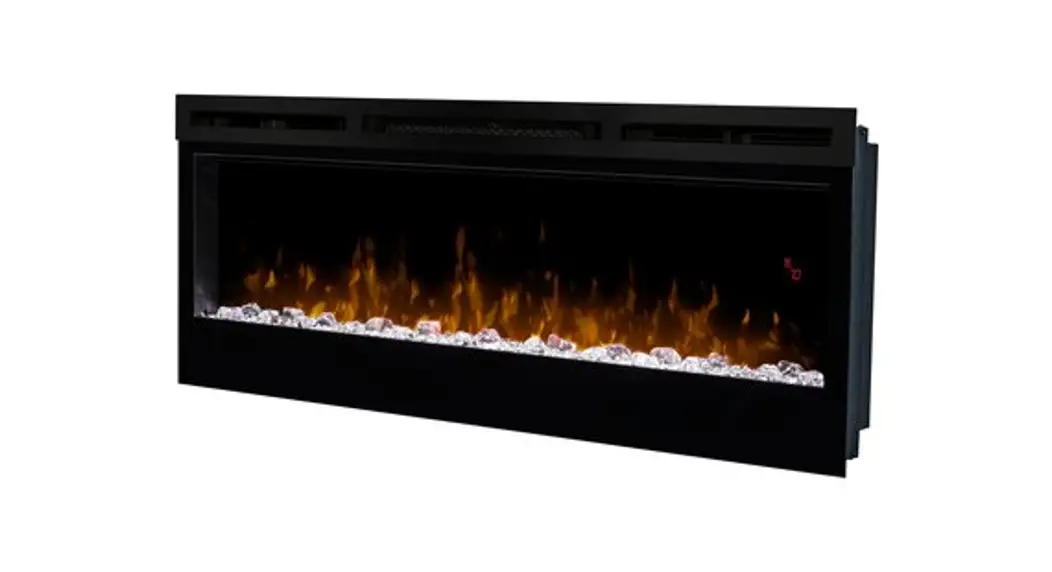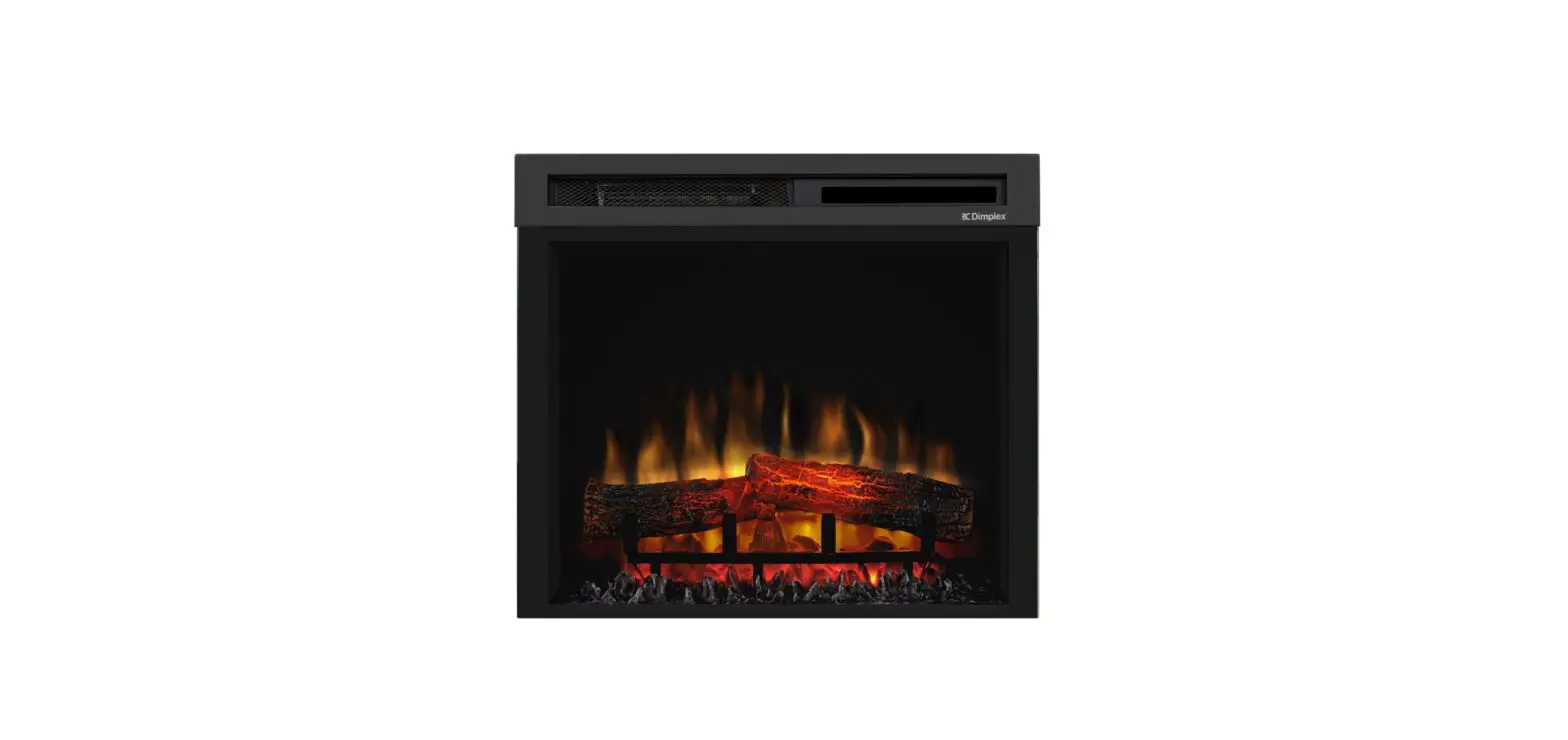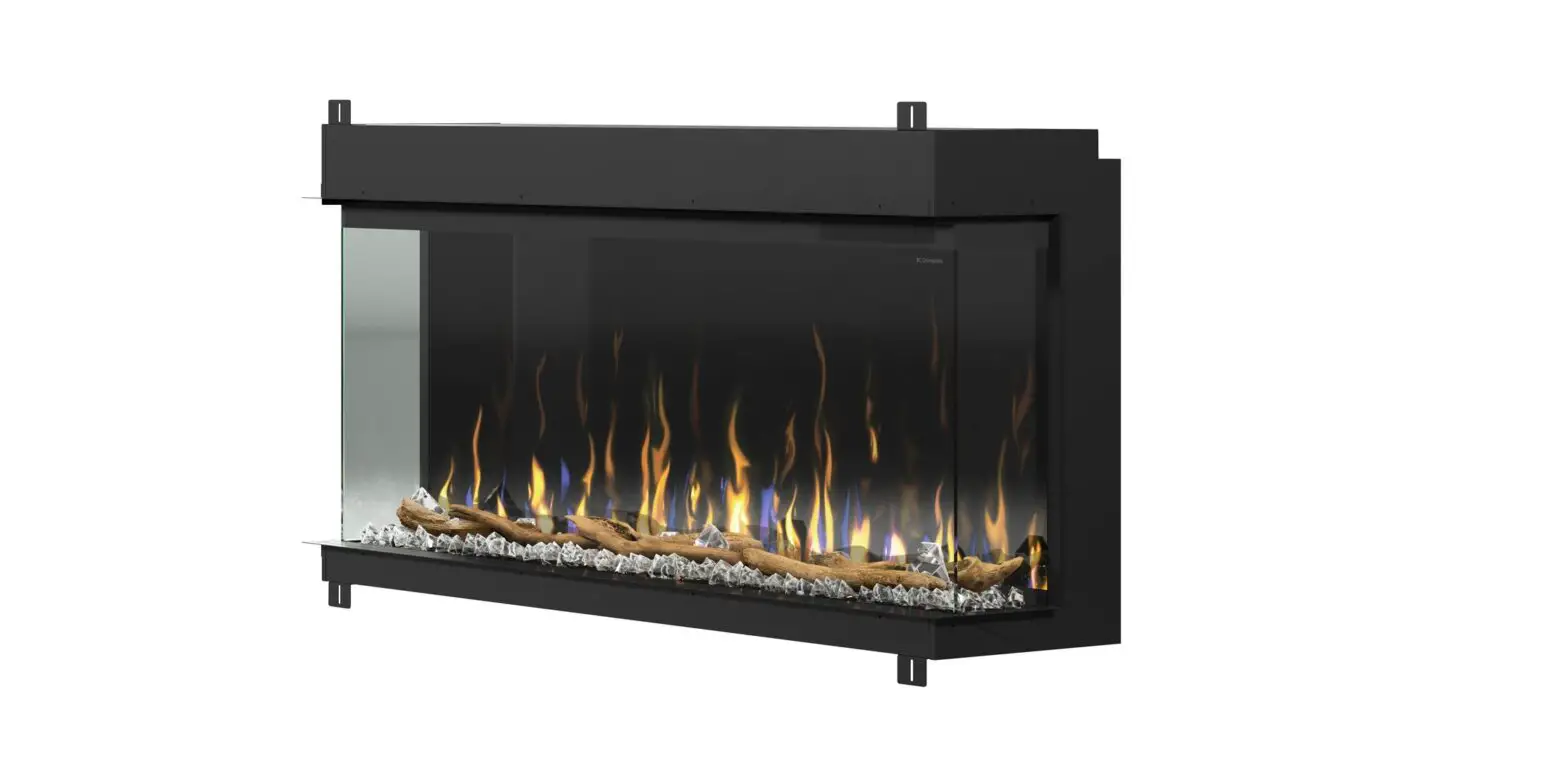
 CDFI1000P Water Vapor Electric Fireplace
User Manual
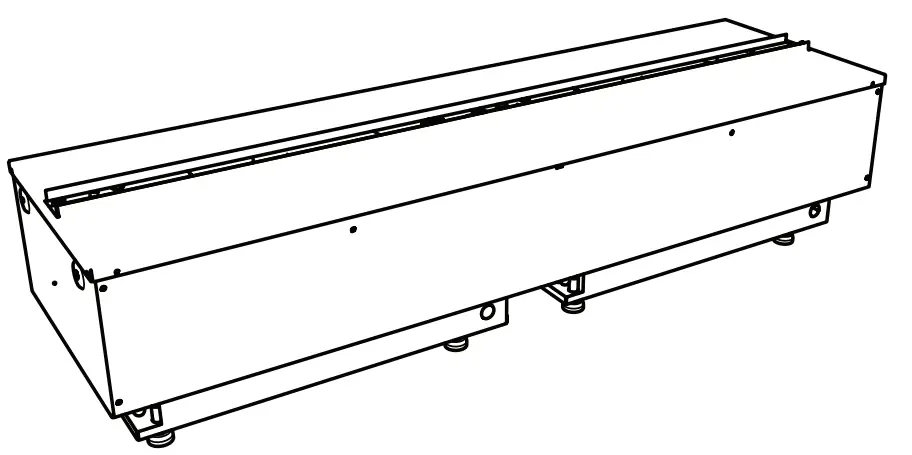
Service Manual
| Model CDFI1000P CDFI500P CDFI1000-PRO CDFI500-PRO | Part Number 6909660100 6909660200 6909660300 6909660400 |
CDFI1000P Water Vapor Electric Fireplace
IMPORTANT SAFETY INFORMATION: Always read this manual first before attempting to service this cassette. For your safety, always comply with all warnings and safety instructions contained in this manual to prevent personal injury or property damage.
Always use a qualified technician or service agency to repair this cassette.
! NOTE: Procedures and techniques that are considered important enough to emphasize. CAUTION: Procedures and techniques which, if not carefully followed, will result in damage to the equipment.
 WARNING: Procedures and techniques which, if not carefully followed, will expose the user to the risk of fire, serious injury, or death.
Exploded Parts Diagram – CDFI1000
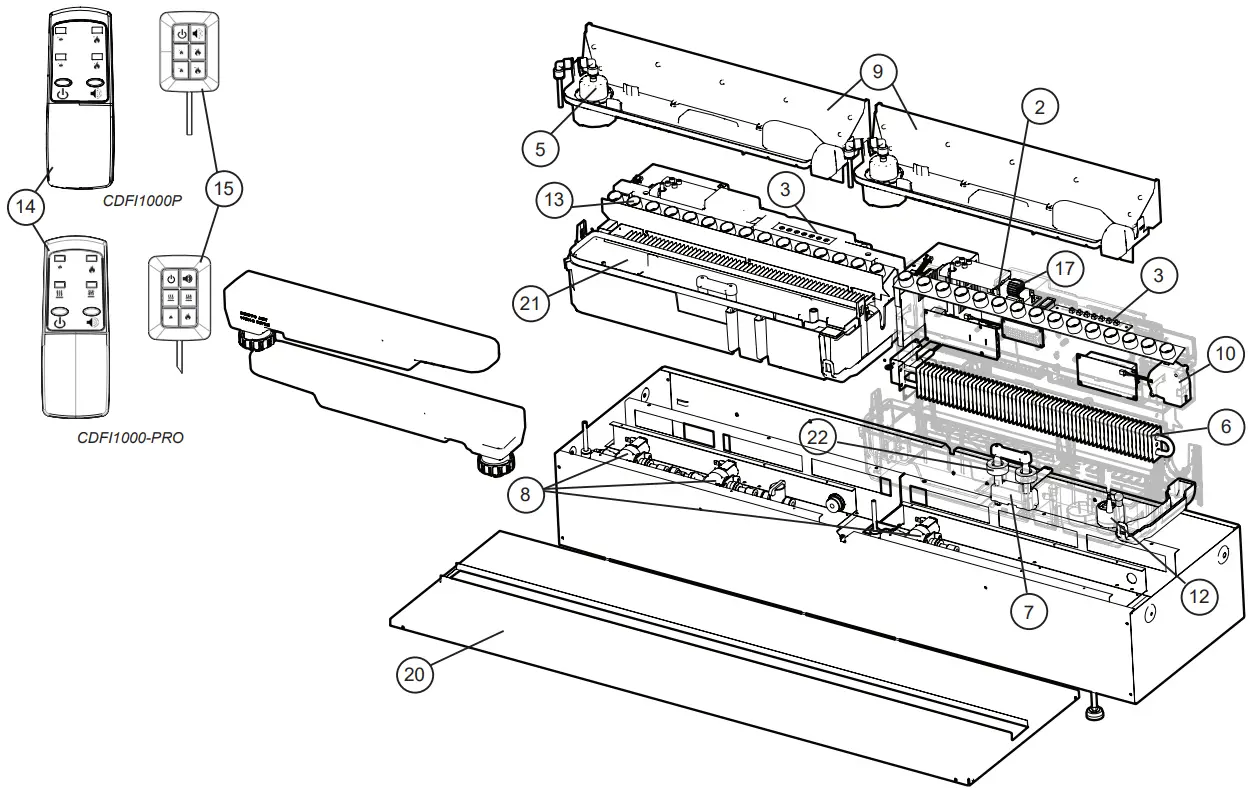
Replacement Parts List – CDFI1000P, CDFI10000-PRO
- Main Control Board (2)
CDFI1000P (all MODs) ………9601270200RP
CDFI1000-PRO (MOD 0-D) ……9601270200RP
MOD E (w/o LED Driver) ……..9601270400RP
LED Driver (MOD C+) ……9601270300RP - Terminal Block (1) ……………..9601260100RP
- Switch Board (2) ………………9601290100RP
- Power Supply (2) ……………..9601300100RP
- Fill Cap Assembly (2) …………..9601230100RP
- Heating Element (2) ……………9601240100RP
- Level Sensor Assembly (2) ……….9601320100RP
- Solenoid Valve (3) ……………..9601330100RP
- Top Cover Assembly (2) …………9601220100RP
- Fan Assembly (2) ……………..9601310100RP
- Fan Filter (2) …………………8600300100RP
- Transducer (2) ………………..9601210100RP
- LED Assembly MOD 0-B (Orange) (2) .9601250100RP
PRO MOD C (Yellow) (2) ………9601250200RP - Remote Control
CDFI1000P …………….9601110100RP
CDFI1000-PRO ………….9601110300RP - Tethered Controller / Receiver
CDFI1000P …………….9601120100RP
CDFI1000-PRO ………….9601120300RP
MOD E ……………..9601120400RP - Fused Wire Harness ……………9601340100RP
- Electronic Choke (2) ……………9601380100RP
- Removable Refill Container with Cap . .9601350100RP
- Ball Valve (1) …………………9601360100RP
- Top Plate
CDFI1000P …………….9601070100RP
CDFI1000-PRO ………….9601070300RP - Sump (2) ……………………9601200100RP
- Floats and stopper (2) …………..9602550100RP
- Mesh filter (1) ………………..9601370100RP
- Red lock clips (package of 5) ……..9602490100RP
- Tether Wire Harness ……………9601080100RP
- Flame Baffles (2) ………………9601460100RP
Exploded Parts Diagram – CDFI500
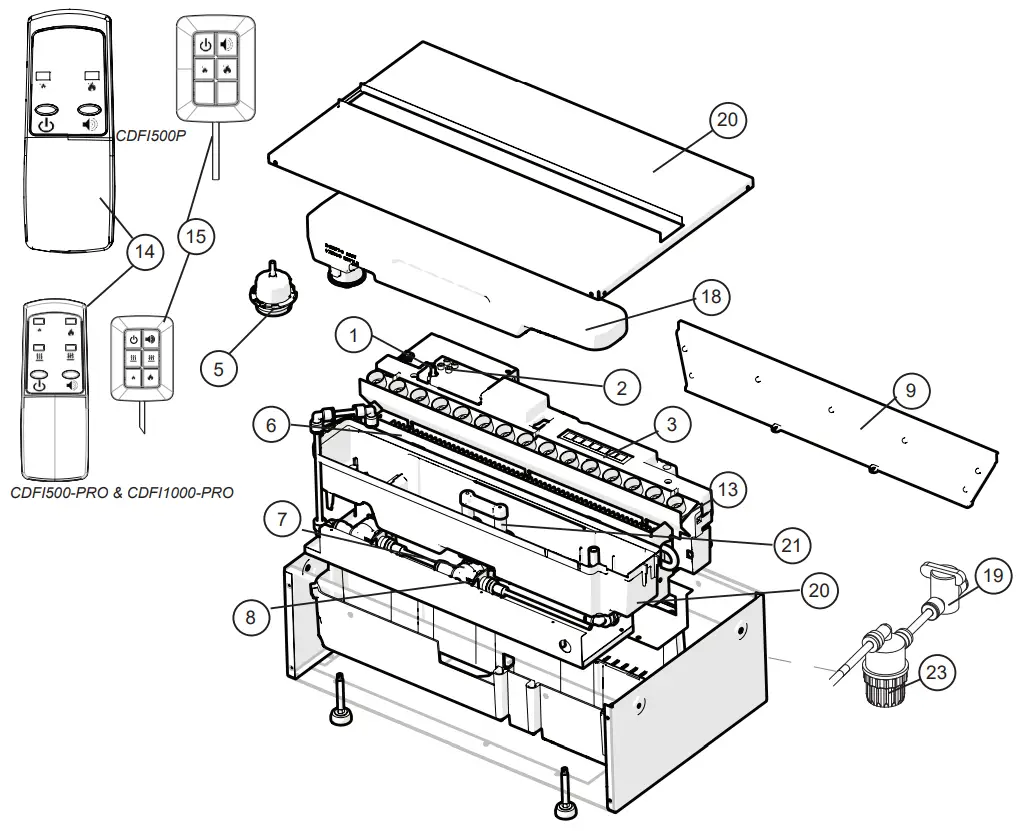
Replacement Parts List – CDFI500P, CDFI500-PRO
- Main Control Board
CDFI500P (all MODs) ……….9601270200RP
CDFI500-PRO (MOD 0-D) …….9601270200RP
MOD E (w/o LED Driver) ……..9601270400RP
LED Driver (MOD C+) ……9601270300RP - Terminal Block ………………..9601260100RP
- Switch Board …………………9601290100RP
- Power Supply ………………..9601300100RP
- Fill Cap Assembly ……………..9601230100RP
- Heating Element ………………9601240100RP
- Level Sensor Assembly ………….9601320100RP
- Solenoid Valve (2) ……………..9601330100RP
- Top Cover Assembly ……………9601220100RP
- Fan Assembly ………………..9601310100RP
- Fan Filter ……………………8600300100RP
- Transducer ………………….9601210100RP
- LED Assembly MOD 0-B (Orange) ….9601250100RP
PRO MOD C (Yellow) …………9601250200RP - Remote Control
CDFI500P ……………..9601110200RP
CDFI500-PRO …………..9601110300RP - Tethered Controller / Receiver
CDFI500P ……………..9601120200RP
CDFI500-PRO …………..9601120300RP
MOD E ……………..9601120400RP - Fused Wire harness ……………9601340100RP
- Electronic Choke ………………9601380100RP
- Removable Refill Container with Cap . .9601350100RP
- Ball Valve …………………..9601360100RP
- Top Plate
CDFI500P ……………..9601070200RP
CDFI500-PRO …………..9601070400RP - Sump ………………………9601200100RP
- Floats and stopper …………….9602550100RP
- Mesh Filter ………………….9601370100RP
- Red lock clips (package of 5) ……..9602490100RP
- Tether Wire Harness ……………9601080100RP
- Flame Baffles ………………..9601460100RP
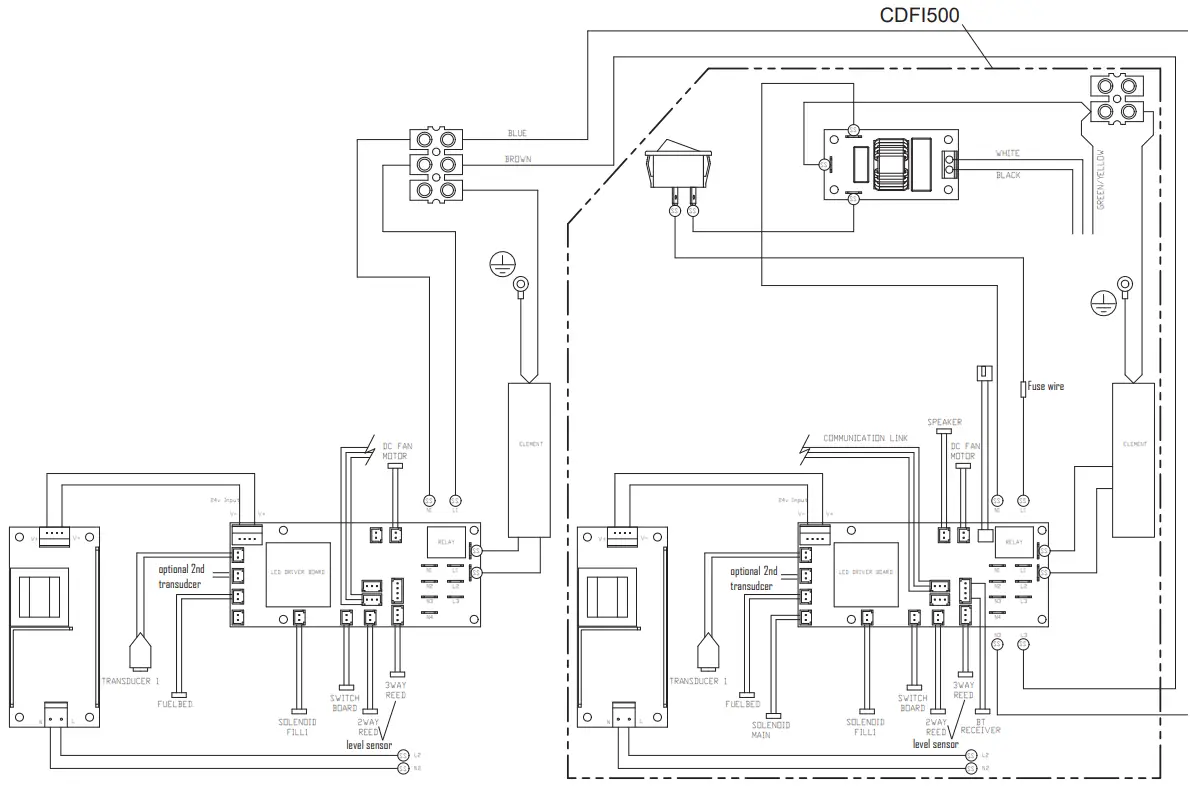
Wiring Diagram
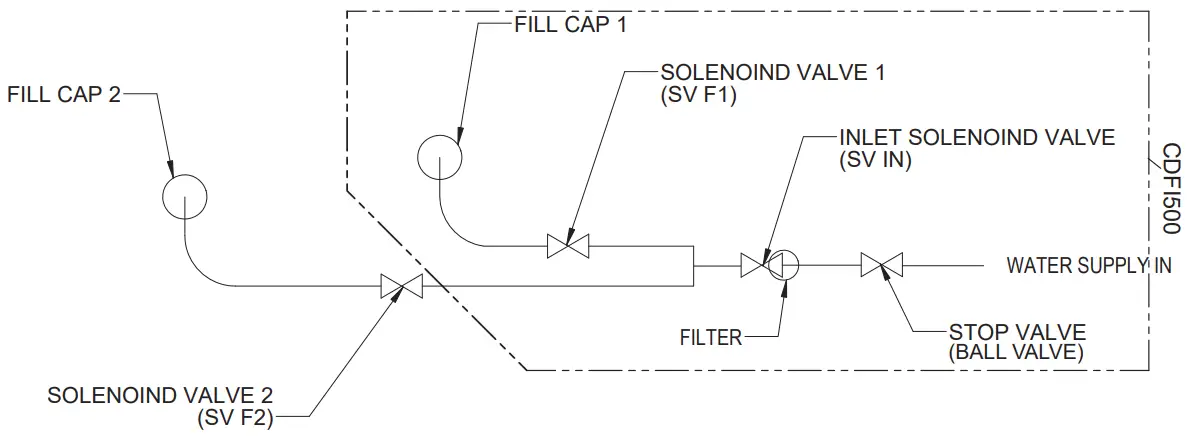
Water Flow Diagram
Switch Board Replacement
Tools Required: Phillips head screwdriver WARNING: Disconnect power before attempting any maintenance to reduce the risk of electric shock or damage to persons.
! NOTE: Ensure that all of the components that contain water have been emptied and source water has been turned off before performing any maintenance.
- Disconnect and remove the media tray or log set from the unit and put them in a safe place.
- On the side the replacement is required, remove the securing screws and metal wire cover.
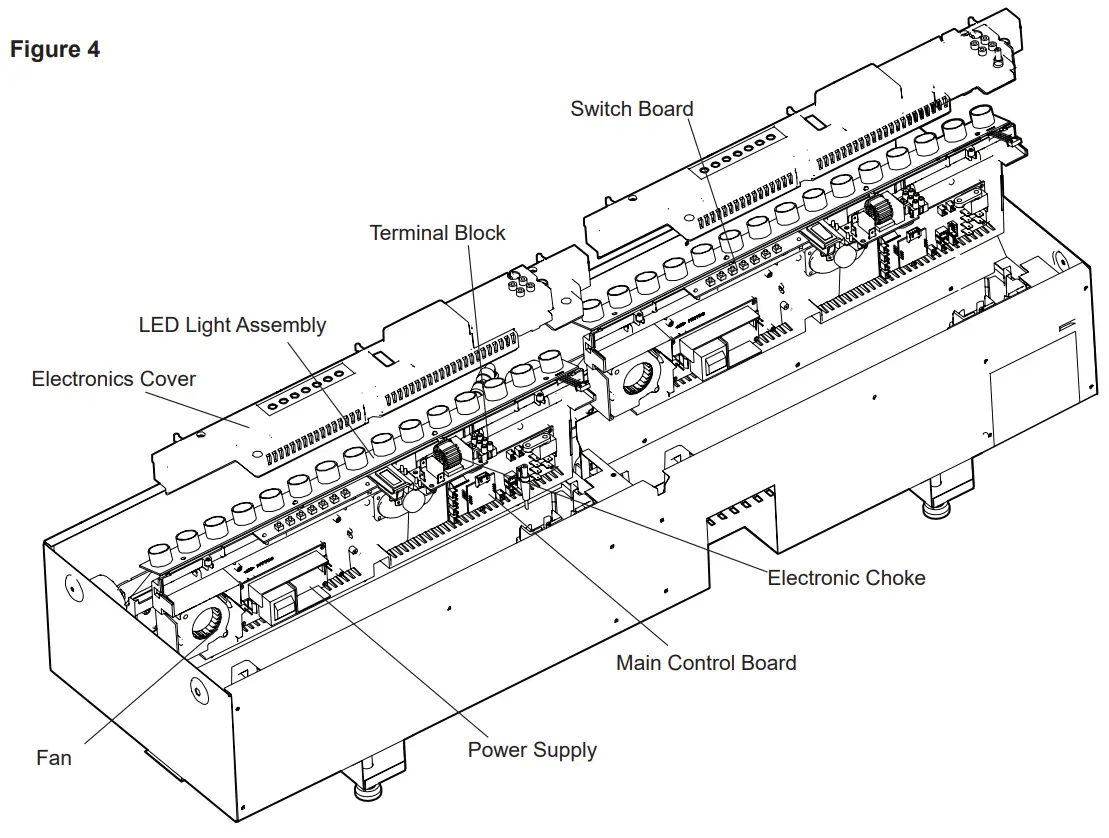
- Remove the 4 screws and the electronics cover from the unit. (Figure 4)
! NOTE: Use caution when removing the electronics cover, to prevent strain on the connector wire attached to it. - Locate the switch board to be replaced.
- Gently lift the switch board off of the mounting stands.
- Disconnect the wire connection from the back of the board.
- Attach the wire connection to the new board and place on the mounting stands.
- Re-assemble the remainder of the cassette in reverse order from the instructions above.
Terminal Block Replacement
Tools Required: Phillips head screwdriver WARNING: Disconnect power before attempting any maintenance to reduce the risk of electric shock or damage to persons.
! NOTE: Ensure that all of the components that contain water have been emptied and source water has been turned off before performing any maintenance.
- Disconnect and remove the media tray or log set from the unit and put them in a safe place.
- On the secondary side remove the securing screws and metal wire cover.
- Remove the 4 screws and the electronics cover from the unit. (Figure 4)
! NOTE: Use caution when removing the electronics cover, to prevent strain on the connector wire attached to it. - Locate the terminal block to be replaced.
- Disconnect the wire connections from the original block and install it on the new block.
- Replace the terminal block in the original position – the terminal block is located so that it sits on the moulded pins on the surface below.
- Re-assemble the remainder of the cassette in reverse order from the instructions above.
Fan Assembly Replacement
Tools Required: Phillips head screwdriver
WARNING: Disconnect power before attempting any maintenance to reduce the risk of electric shock or damage to persons.
! NOTE: Ensure that all of the components that contain water have been emptied and source water has been turned off before performing any maintenance.
Primary Side
- Disconnect and remove the media tray or log set from the unit and put them in a safe place.
- Remove the securing screws and metal wire cover at the end of both of the electronics covers.
- Remove the 4 screws and both of the electronics covers from the unit. (Figure4)
! NOTE: Use caution when removing the electronics cover, to prevent strain on the connector wire attached to it. - Holding the assembly at either end of the LED light strip, on the primary end, gently lift the electronics assembly out of the unit (Figure4).
! NOTE: There are several wires that run between the two sides, these wires will need to be gently removed through the opening on the secondary side to allow the primary electronics assembly to be lifted out. - Locate the fan assembly.
- Trace the control wires to the main control board and disconnect.
- Replace with wire from new fan.
- Run wiring back to location for fan, and install the fan.
- Reinsert the electronics assembly.
CAUTION: Ensure that the switchboard and terminal block have not moved from their original locations and allies are contained under the cover before reassembly. - Re-assemble the remainder of the cassette in reverse order from the instructions above.
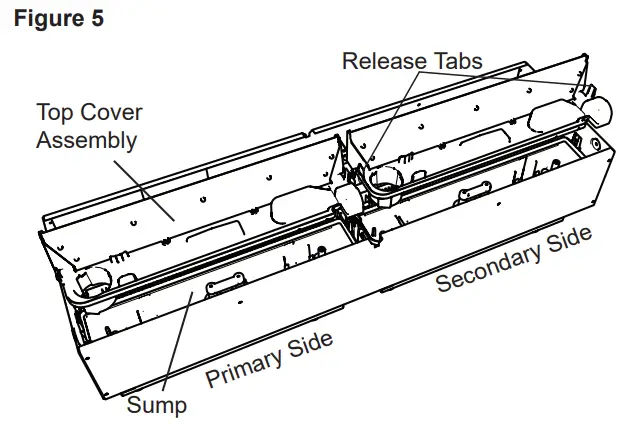
Secondary Side
- Disconnect and remove the media tray or log set from the unit and put them in a safe place.
- Remove the 4 screws and the electronics cover from the unit. (Figure 4)
! NOTE: Use caution when removing the electronics cover, to prevent strain on the connector wire attached to it. - Holding the assembly at either end of the LED light strip, on the primary end, gently lift the electronics assembly out of the unit (Figure4).
- Locate the fan assembly.
- Trace the control wires to the main control board and disconnect.
- Replace with wire from new fan.
- Run wiring back to location for fan, and install the fan.
- Reinsert the electronics assembly.
 CAUTION: Ensure that the switchboard and terminal block have not moved from their original locations and all wires are contained under the cover before reassembly.
 - Re-assemble the remainder of the cassette in reverse order from the instructions above.
Fused Wire harness Replacement
Tools Required: Phillips head screwdriver WARNING: Disconnect power before attempting any maintenance to reduce the risk of electric shock or damage to persons.
! NOTE: Ensure that all of the components that contain water have been emptied and source water has been turned off before performing any maintenance.
Primary Side
Disconnect and remove the media tray or log set from the unit and put them in a safe place.
- Remove the securing screws and metal wire cover at the end of both of the electronics covers.
- Remove the 4 screws and both of the electronics covers from the unit. (Figure 4)
! NOTE: Use caution when removing the electronics cover, to prevent strain on the connector wire attached to it. - Remove the cable clamp, to allow for the assembly to be lifted out to better access the components.
- Holding the assembly at either end of the LED light strip, on the primary end, gently lift the electronics assembly out of the unit (Figure 4).
! NOTE: There are several wires that run between the two sides, these wires will need to be gently removed through the opening on the secondary side to allow the primary electronics assembly to be lifted out. - Locate the fused wire harness (brown wire from main switch to main control board with in line fuse).
- Replace current wire harness with new wire harness.
! NOTE: A flat head screwdriver can be used to gently pry between the end of the connector and the switch to release the wires. - Replace all of the wiring to their original locations and reinsert the electronics assembly. CAUTION: Ensure that the switchboard and terminal block have not moved from their original locations and all wires are contained under the cover before reassembly.
- Re-assemble the remainder of the cassette in reverse order from the instructions above.
Main Control Board Replacement
Tools Required: Phillips head screwdriver WARNING: Disconnect power before attempting any maintenance to reduce the risk of electric shock or damage to persons.
! NOTE: Ensure that all of the components that contain water have been emptied and source water has been turned off before performing any maintenance.
Primary Side
- Disconnect and remove the media tray or log set from the unit and put them in a safe place.
- Remove the securing screws and metal wire cover at the end of both of the electronics covers.
- Remove the 4 screws and both of the electronics covers from the unit. (Figure 4)
! NOTE: Use caution when removing the electronics cover, to prevent strain on the connector wire attached to it. - Remove the cable clamp, to allow for the assembly to be lifted out to better access the components.
- Holding the assembly at either end of the LED light strip, on the primary end, gently lift the electronics assembly out of the unit (Figure 4).
! NOTE: There are several wires that run between the two sides, these wires will need to be gently removed through the opening on the secondary side to allow the primary electronics assembly to be lifted out. - Locate the main control board.
- Transfer the wires from the old board to the new board.
! NOTE: A flat head screwdriver can be used to gently pry between the end of the connector and the switch to release the wires.
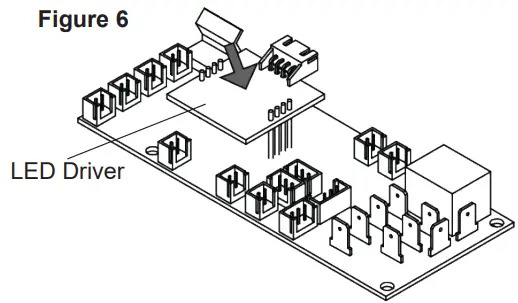
MOD E-F: Remove the LED driver board from the old main control board and connect it to the new main control board. - Remove the old board from the unit and replace with the new board.
- Replace all of the wiring to their original locations and reinsert the electronics assembly. CAUTION: Ensure that the switchboard and terminal block have not moved from their original locations and all wires are contained under the cover before reassembly.
- Re-assemble the remainder of the cassette in reverse order from the instructions above.
Secondary Side
- Disconnect and remove the media tray or log set from the unit and put them in a safe place.
- Remove the 4 screws and the electronics cover from the unit. (Figure 4)
! NOTE: Use caution when removing the electronics cover, to prevent strain on the connector wire attached to it. - Holding the assembly at either end of the LED light strip, on the primary end, gently lift the electronics assembly out of the unit (Figure 4).
- Locate the main control board.
- Transfer the wires from the old board to the new board.
! NOTE: A flat head screwdriver can be used to gently pry between the end of the connector and the switch to release the wires.
CDFI-PRO MOD E+: Remove the LED driver board from the old main control board and connect it to the new main control board. - Remove the old board from the unit and replace with the new board.
- Replace all of the wiring to their original locations and reinsert the electronics assembly. CAUTION: Ensure that the switchboard and terminal block have not moved from their original locations and all wires are contained under the cover before reassembly.
- Re-assemble the remainder of the cassette in reverse order from the instructions above.
Power Supply Replacement
Tools Required: Phillips head screwdriver WARNING: Disconnect power before attempting any maintenance to reduce the risk of electric shock or damage to persons.
! NOTE: Ensure that all of the components that contain water have been emptied and source water has been turned off before performing any maintenance.
Primary Side
- Disconnect and remove the media tray or log set from the unit and put them in a safe place.
- Remove the securing screws and metal wire cover at the end of both of the electronics covers.
- Remove the 4 screws and both of the electronics covers from the unit. (Figure 4)
! NOTE: Use caution when removing the electronics cover, to prevent strain on the connector wire attached to it. - Remove the cable clamp, to allow for the assembly to be lifted out to better access the components.
- Holding the assembly at either end of the LED light strip, on the primary end, gently lift the electronics assembly out of the unit (Figure 4).
! NOTE: There are several wires that run between the two sides, these wires will need to be gently removed through the opening on the secondary side to allow the primary electronics assembly to be lifted out. - Locate the power supply assembly.
- Transfer the wires from the old board to the new board.
! NOTE: A flat head screwdriver can be used to gently pry between the end of the connector and the switch to release the wires. - Remove the old board from the unit and replace with the new board.
- Replace all of the wiring to their original locations and reinsert the electronics assembly.CAUTION: Ensure that the switchboard and terminal block have not moved from their original locations and all wires are contained under the cover before reassembly.
- Re-assemble the remainder of the cassette in reverse order from the instructions above.
Secondary Side
- Disconnect and remove the media tray or log set from the unit and put them in a safe place.
- Remove the 4 screws and the electronics cover from the unit. (Figure 4)
! NOTE: Use caution when removing the electronics cover, to prevent strain on the connector wire attached to it. - Holding the assembly at either end of the LED light strip, on the primary end, gently lift the electronics assembly out of the unit (Figure 4).
- Locate the power supply assembly.
- Transfer the wires from the old board to the new board.
! NOTE: A flat head screwdriver can be used to gently pry between the end of the connector and the switch to release the wires. - Remove the old board from the unit and replace with the new board.
- Replace all of the wiring to their original locations and reinsert the electronics assembly. CAUTION: Ensure that the switchboard and terminal block have not moved from their original locations and all wires are contained under the cover before reassembly.
- Re-assemble the remainder of the cassette in reverse order from the instructions above.
LED Light Assembly Replacement
Tools Required: Phillips head screwdriver WARNING: Disconnect power before attempting any maintenance to reduce the risk of electric shock or damage to persons.
! NOTE: Ensure that all of the components that contain water have been emptied and source water has been turned off before performing any maintenance.
Primary Side
- Disconnect and remove the media tray or log set from the unit and put them in a safe place.
- Remove the securing screws and metal wire cover at the end of both of the electronics covers.
- Remove the 4 screws and both of the electronics covers from the unit. (Figure4)
! NOTE: Use caution when removing the electronics cover, to prevent strain on the connector wire attached to it. - Remove the cable clamp, to allow for the assembly to be lifted out to better access the components.
- Holding the assembly at either end of the LED light strip, on the primary end, gently lift the electronics assembly out of the unit (Figure 4).
! NOTE: There are several wires that run between the two sides, these wires will need to be gently removed through the opening on the secondary side to allow the primary electronics assembly to be lifted out. - Gently lift the LED light assembly off of the standoffs.
- Trace the control wire back to the main control board and replace with the wire from the new assembly.
- Install the new LED light assembly, ensuring that all of the wires are installed in the same location as the previous one.
- Replace all of the wiring to their original locations and reinsert the electronics assembly.CAUTION: Ensure that the switchboard and terminal block have not moved from their original locations and all wires are contained under the cover before reassembly.
- Re-assemble the remainder of the cassette in reverse order from the instructions above.
Secondary Side
- Disconnect and remove the media tray or log set from the unit and put them in a safe place.
- Remove the 4 screws and the electronics cover from the unit. (Figure 4)
! NOTE: Use caution when removing the electronics cover, to prevent strain on the connector wire attached to it. - Holding the assembly at either end of the LED light strip, on the primary end, gently lift the electronics assembly out of the unit (Figure 4).
- Gently lift the LED light assembly off of the standoffs.
- Trace the control wire back to the main control board and replace with the wire from the new assembly.
- Install the new LED light assembly, ensuring that all of the wires are installed in the same location as the previous one.
- Replace all of the wiring to their original locations and reinsert the electronics assembly. CAUTION: Ensure that the switchboard and terminal block have not moved from their original locations and all wires are contained under the cover before reassembly.
- Re-assemble the remainder of the cassette in reverse order from the instructions above.
Heating Element Replacement
Tools Required: Phillips head screwdriver WARNING: Disconnect power before attempting any maintenance to reduce the risk of electric shock or damage to persons.
! NOTE: Ensure that all of the components that contain water have been emptied and source water has been turned off before performing any maintenance.
Primary Side
- Disconnect and remove the media tray or log set from the unit and put them in a safe place.
- Remove the securing screws and metal wire cover at the end of both of the electronics covers.
- Remove the 4 screws and both of the electronics covers from the unit. (Figure 4)
! NOTE: Use caution when removing the electronics cover, to prevent strain on the connector wire attached to it. - Remove the cable clamp, to allow for the assembly to be lifted out to better access the components.
- Holding the assembly at either end of the LED light strip, on the primary end, gently lift the electronics assembly out of the unit (Figure4).
! NOTE: There are several wires that run between the two sides, these wires will need to be gently removed through the opening on the secondary side to allow the primary electronics assembly to be lifted out. - Locate the 2 screws that secure the element assembly (element and brackets) to the unit and remove.
- Lift the element assembly out of the unit.
- Disconnect the element from the main control board.
- Remove the element from the mounting bracket and install the new element.
- Attach the new element to the main control board.
- Install and secure the element assembly into the unit.
- Replace all of the wiring to their original locations and reinsert the electronics assembly. CAUTION: Ensure that the switchboard and terminal block have not moved from their original locations and all wires are contained under the cover before reassembly.
- Re-assemble the remainder of the cassette in reverse order from the instructions above.
Secondary Side
- Disconnect and remove the media tray or log set from the unit and put them in a safe place.
- Remove the 4 screws and the electronics cover from the unit. (Figure 4)
!NOTE: Use caution when removing the electronics cover, to prevent strain on the connector wire attached to it. - Holding the assembly at either end of the LED light strip, on the primary end, gently lift the electronics assembly out of the unit (Figure4).
- Locate the 2 screws that secure the element assembly (element and brackets) to the unit and remove.
- Lift the element assembly out of the unit.
- Disconnect the element from the main control board.
- Remove the element from the mounting bracket and install the new element.
- Attach the new element to the main control board.
- Install and secure the element assembly into the unit.
- Replace all of the wiring to their original locations and reinsert the electronics assembly.CAUTION: Ensure that the switchboard and terminal block have not moved from their original locations and all wires are contained under the cover before reassembly.
- Re-assemble the remainder of the cassette in reverse order from the instructions above.
Level Sensor Assembly Replacement
Tools Required: Phillips head screwdriver WARNING: Disconnect power before attempting any maintenance to reduce the risk of electric shock or damage to persons.
! NOTE: Ensure that all of the components that contain water have been emptied and source water has been turned off before performing any maintenance.
Primary Side
- Disconnect and remove the media tray or log set from the unit and put them in a safe place.
- Remove the securing screws and metal wire cover at the end of both of the electronics covers.
- Remove the 4 screws and both of the electronics covers from the unit. (Figure 4)
! NOTE: Use caution when removing the electronics cover, to prevent strain on the connector wire attached to it. - Remove the cable clamp, to allow for the assembly to be lifted out to better access the components.
- Holding the assembly at either end of the LED light strip, on the primary end, gently lift the electronics assembly out of the unit (Figure 4).
! NOTE: There are several wires that run between the two sides, these wires will need to be gently removed through the opening on the secondary side to allow the primary electronics assembly to be lifted out. - Remove the refill bottle, top cover, transducer and sump.
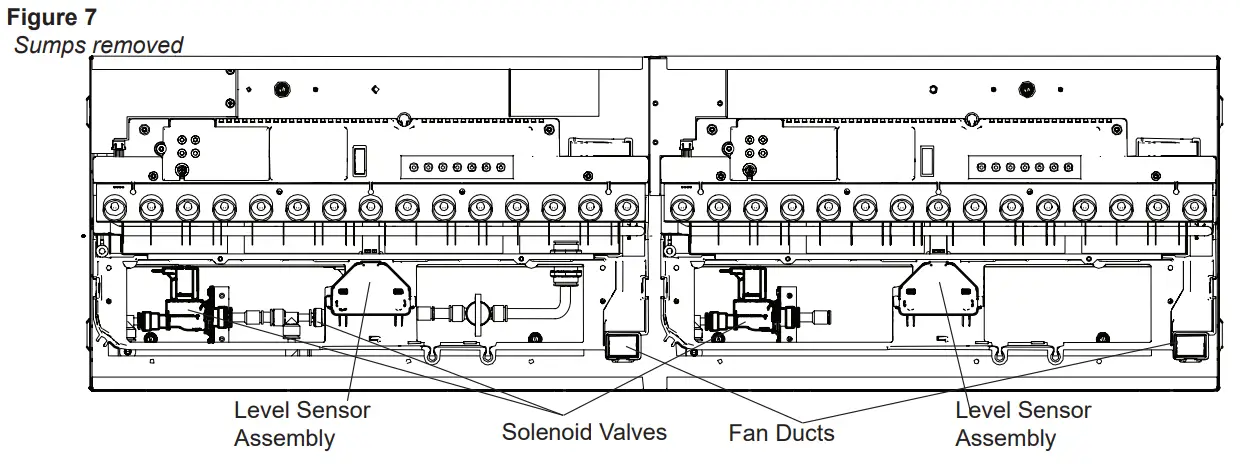
- Locate the level sensor assembly. (Figure 7)
- Trace and disconnect the control wire for the level sensor assembly back to the main control board.
- Depress the two tabs along the one side of the assembly and slide the level sensor and wire out.
- Run new wire through to main control board.
- Install new level sensor.
- Reconnect the control wire. CAUTION: Ensure that the switchboard and terminal block have not moved from their original locations and all wires are contained under the cover before reassembly.
- Re-assemble the remainder of the cassette in reverse order from the instructions above.
Secondary Side
- Disconnect and remove the media tray or log set from the unit and put them in a safe place.
- Remove the 4 screws and the electronics cover from the unit. (Figure 4)
! NOTE: Use caution when removing the electronics cover, to prevent strain on the connector wire attached to it. - Holding the assembly at either end of the LED light strip, on the primary end, gently lift the electronics assembly out of the unit (Figure 4).
- Remove the refill bottle, top cover, transducer and sump.
- Locate the level sensor assembly. (Figure 7)
- Trace and disconnect the control wire for the level sensor assembly back to the main control board.
- Depress the two tabs along the one side of the assembly and slide the level sensor and wire out.
- Run new wire through to main control board.
- Install new level sensor.
- Reconnect the control wire. CAUTION: Ensure that the switchboard and terminal block have not moved from their original locations and all wires are contained under the cover before reassembly.
- Re-assemble the remainder of the cassette in reverse order from the instructions above.
Solenoid Valve Replacement
Tools Required: Short Phillips head screwdriver
WARNING: Disconnect power before attempting any maintenance to reduce the risk of electric shock or damage to persons.
! NOTE: Ensure that all of the components that contain water have been emptied and source water has been turned off before performing any maintenance.
Primary Side
- Disconnect and remove the media tray or log set from the unit and put them in a safe place.
- Remove the securing screws and metal wire cover at the end of both of the electronics covers.
- Remove the 4 screws and both of the electronics covers from the unit. (Figure4)
! NOTE: Use caution when removing the electronics cover, to prevent strain on the connector wire attached to it. - Remove the cable clamp, to allow for the assembly to be lifted out to better access the components.
- Holding the assembly at either end of the LED light strip, on the primary end, gently lift the electronics assembly out of the unit (Figure 4).
! NOTE: There are several wires that run between the two sides, these wires will need to be gently removed through the opening on the secondary side to allow the primary electronics assembly to be lifted out. - Remove the refill bottle, top cover, transducer and sump.
- Locate the solenoid valve to be replaced. (Figure 7)
- Trace and disconnect the control wire for the solenoid back to the main control board.
- Remove the two screws from the front face of the bracket to release the valve.
- Disconnect the plumbing connections and remove the solenoid valve.
- Run new wire through to main control board.
- Install new solenoid valve.
- Reconnect the control wire. CAUTION: Ensure that the switchboard and terminal block have not moved from their original locations and all wires are contained under the cover before reassembly.
- Re-assemble the remainder of the cassette in reverse order from the instructions above.
Secondary Side
- Disconnect and remove the media tray or log set from the unit and put them in a safe place.
- Remove the 4 screws and the electronics cover from the unit. (Figure 4)
! NOTE: Use caution when removing the electronics cover, to prevent strain on the connector wire attached to it. - Holding the assembly at either end of the LED light strip, on the primary end, gently lift the electronics assembly out of the unit (Figure4).
- Remove the refill bottle, top cover, transducer and sump.
- Locate the solenoid valve to be replaced. (Figure 7)
- Trace and disconnect the control wire for the solenoid back to the main control board.
- Remove the two screws from the front face of the bracket to release the valve.
- Disconnect the plumbing connections and remove the solenoid valve.
- Run new wire through to main control board.
- Install new solenoid valve.
- Reconnect the control wire.. CAUTION: Ensure that the switchboard and terminal block have not moved from their original locations and all wires are contained under the cover before reassembly.
- Re-assemble the remainder of the cassette in reverse order from the instructions above.
Troubleshooting Guide
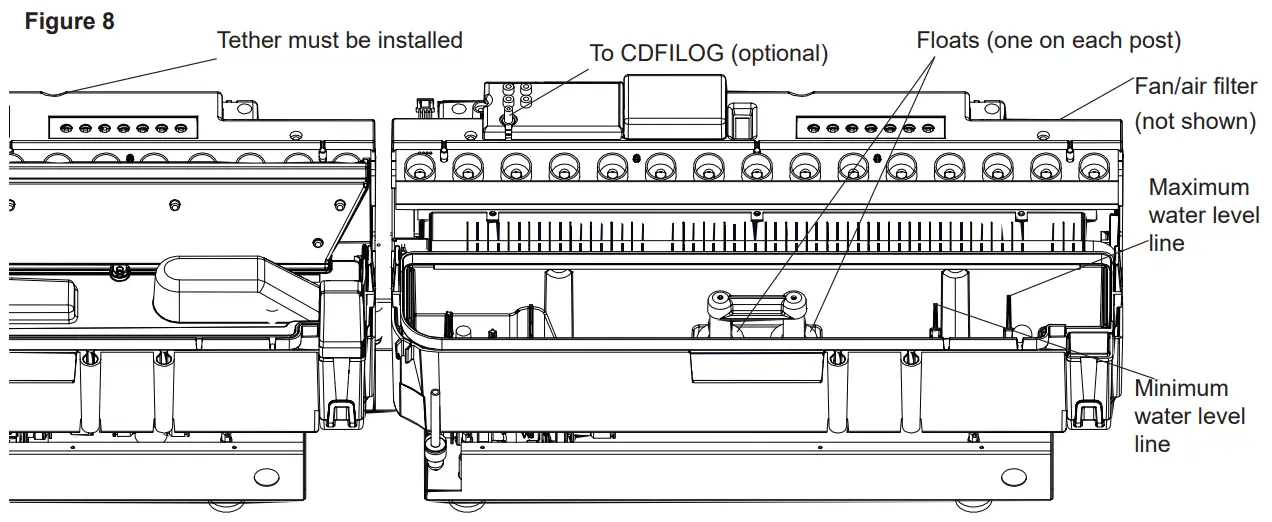
Before you begin consulting the troubleshooting guide, see Figure 8 to ensure the unit is ready for operation. The water level must be between the minimum and maximum water level lines, and the tethered controller must be correctly plugged in (red light on tethered controller will illuminate when cassette is powered on). When turning the unit on, ensure that both the power switch has been turned to the ON ( I ) position and that the standby button has been pressed.
| SECTION | PROBLEM | CAUSE | SOLUTION |
| 1.0 | General | ||
| 1.1 | Fireplace does not turn on manually (unit does not beep when switch is engaged) | No incoming voltage | Check Fuse/Breaker Panel |
| If multiple units are installed on the same circuit, ensure they are wired in parallel. | |||
| Defective main control board | Replace main control board | ||
| Defective electronic choke (primary side) | Replace electronic choke | ||
| Defective power supply (unit may beep repeatedly to indicate error) | Replace power supply | ||
| Defective fuse – typically due to insufficient air intakes | Correct air intake issues, and replace fused wire harness. | ||
| 1.2 | Only one side of the unit is operating | Tethered controller not installed correctly | Ensure that connection has clicked into place and red light is visible. If there is no light, replace tether. |
| No power when standby button is pressed | Refer to section 1.1 for the secondary side | ||
| 1.3 | Fireplace does not turn on with the Remote Control | Improper operation | Refer to Operation Section |
| The batteries in the remote control are dead (blue light on end of remote does not turn on when buttons are pressed) | Install new battery into the remote control | ||
| Tethered controller not installed correctly | Ensure that connection has clicked into place and red light is visible. | ||
| Remote not synchronized with the unit | Synchronize remote to unit. Unit will flash on and off during synchronization, completion will be indicated with 4 beeps | ||
| Remote signal is not being received by tethered controller | Ensure that tethered controller is in an open area that can receive signal from remote control | ||
| Defective remote control (blue light on end of remote does not turn on when buttons are pressed) | Replace remote control | ||
| 1.4 | LED lights not turning on | Defective LED light strip | Replace LED light strip |
| LED driver defective (PRO MOD C+) | Replace LED driver | ||
| LED driver not connected (PRO MOD C+) | If lights are not turning on after main control board replacement, ensure LED driver has been in- stalled correctly (attached to main control board) | ||
| 1.5 | Noise when unit is on standby | Some buzzing is normal | If there is excessive noise, replace power supply |
| 1.6 | Unpleasant smell when unit is used. | Dirty or stale water. | Clean the unit as described under Maintenance. |
| 1.7 | Water is appearing around the unit | During normal operation it is expected to see some condensation of water on the media tray. | If condensation is present ensure that mist out- lets are unobstructed |
| Certain ambient conditions will cause condensation on the unit and in most cases will only occur on initial start up of the unit | |||
| If there is excessive water, refer to section 4.1 | |||
| SECTION | PROBLEM | CAUSE | SOLUTION |
| 2.0 | Blinking (error codes) | ||
| After the unit has shut down due to an error, a power cycle of the unit will be required by turning the unit off with the power switch for 10 seconds then turning back on. If the LEDs are off, press the standby button to turn on the flame effect. | |||
| 2.1 | Unit continuously blinks one time | Water level in the sump is too high | Remove enough water from reservoir so that level is below maximum level. |
| If the problem persists, see section 4.5 | |||
| 2.2 | Unit continuously blinks twice | Water level in the sump is too low | Refill the water reservoir so that level is above the minimum level |
| If the problem persists, see section 3.7 if using bottles or section 4.3 if using direct water line | |||
| 2.3 | Unit continuously blinks three times | Defective level sensor assembly | Replace level sensor assembly |
| 2.4 | Unit continuously blinks four times | Water is refilling too slowly | Power cycle the unit |
| If problem persists, clean water filter and inspect plumbing to make sure pressure is adequate and nothing is obstructing water flow. | |||
| 3.0 | Flame | ||
| 3.1 | The flame effect has too much smoke or is coming out too fast | Normal operation | The flame may appear overly cloudy at startup. Allow 10 minutes for flame to stabilize |
| Flame effect control is set too high | Adjust the flame height on both the secondary and/or primary controls | ||
| Filter is missing off of fan housing | Insert fan filter | ||
| 3.2 | Mist is not coming out evenly | The top cover is positioned incorrectly | Ensure the tabs on each side are snapped into place |
| Mineral buildup on the mist outlet | Perform maintenance cleaning | ||
| Unit is not level | Adjust the feet under the unit to ensure that the unit has been installed level, front to back and side to side | ||
| Media is blocking air flow | Rearrange media to ensure mist outlet is not being blocked | ||
| The transducer is not operating correctly- put the unit in test mode to test the transducer | If the transducer is running, ensure that the emitter is clean and free of calcium deposits or scaling | ||
| If the transducer is not running, replace the transducer with the provided additional transducer | |||
| If using demineralized water, unit will not produce a consistent mist | Add 1/8 tsp of table salt to water reservoir to introduce electrolytes, only repeat when mist is not being produced correctly | ||
| Water in unit is too cold | Allow water to warm to room temperature. | ||
|
3.3 |
The flame effect is too low | Flame effect control is set too low | Adjust the flame height on both the secondary and/or primary controls |
| Insufficient air intake | Enlarge area for air to enter unit in such a way that it will reach the bottom. Refer to to installation guide for requirements. | ||
| Transducer is defective | Replace transducer | ||
| Cord is located over emitter on trans- dicer | Relocate cord so that mist is free to rise off of transducer | ||
| Transducer is installed incorrectly | Ensure that the transducer is seated correctly | ||
| Flame is not rising | Refer to section 3.2 to 3.5 | ||
| 3.4 | Flame appears to be rolling back into the unit | Insufficient air intake | Enlarge area for air to enter unit in such a way that it will reach the bottom. Refer to to installation guide for requirements. |
| The heating element is not operating correctly- put unit in test mode to test the operation of the heating element | If no click is heard from the relay, replace the main board | ||
| If a click can be heard, but the element does not get warm, replace the heating element | |||
| SECTION | PROBLEM | CAUSE | SOLUTION |
| 3.0 | Flame (continued) | ||
|
3.5 | Mist is being produced under the top cover, but does not rise to create a flame effect | Water in fan duct | Ensure there is no water in the duct that blows air up to the flame |
| Fan is not operating correctly – put unit in test mode to test the fan | Ensure fan filter is clean and dry | ||
| If fan is not working in test mode, replace fan. If issue persists, replace main board | |||
| 3.6 | Flame effect will not start, no error blinks | Normal operation | Mist will begin emitting out of the unit after 45 seconds of operation |
| Flame is being produced, but is not rising beyond the top cover. | Carefully lift the top cover while the unit is operating. If mist is produced but is not rising, refer to section 3.5. | ||
| The transducer is not connected | Ensure the transducer is firmly connected | ||
| The transducer is not operating correctly | If the transducer is running, ensure that the emitter is clean and free of calcium deposits or scaling | ||
| If the transducer is not running, replace the transducer with the provided additional transducer | |||
| 3.7 | Flame colors of new units do not match | MOD C equipped with yellow LEDs, MOD 0-B equipped with orange LEDs | Replace orange LEDs and add LED driver board (9601270300RP) to main control board (1 each for CDFI500-PRO, 2 each for CDFI1000-PRO) |
| 4.0 | Water Supply | ||
| 4.1 | Sump is not filling- refill bottle | Bottle is tilting away from fill cap | Ensure unit is level. Place under the bottle to slope it slightly toward the fill cap so that the water can easily flow to the water reservoir |
| 4.2 | Sump is overfilling – refill bottle | Bottle or bottle cap is leaking | Inspect the bottle and cap for damage and replace if necessary. |
| 4.3 | Water is appearing be-neath unit | Connections are leaking | Ensure that all water connections are tight and fully inserted |
| Incoming water pressure is too high | Reduce water pressure to below 58 psi (8 bar) | ||
| 4.4 | Unit is underfilling or not filling (hard plumbed to water source) | Unit is not level | Ensure that unit is level to allow an accurate reading of water level |
| Valve not open | Ensure that the ball valve of the unit is open, and that water is getting to the unit | ||
| Missing floats | Inspect sump to ensure floats are installed | ||
| Defective level sensor assembly | Replace level sensor assembly | ||
| The solenoids are not operating correctly put unit in test mode to test the operation of the solenoids | If the solenoids are not working, replace the solenoid | ||
| 4.5 | Unit is not refilling and is not giving error blinks when water is too high or too low | Defective level sensor assembly | Replace level sensor assembly |
| 4.6 | Sump is overfilling. | Plumbing cap is leaking when orange cap is removed, indicating a defective solenoid | Can try flushing the solenoid by connecting water line in the opposite direction |
| Replace solenoid | |||
| For additional troubleshooting relating to the CDFI-BX Pro-Box, refer to its service manual. | |||
Test Mode
Test Mode has been integrated into this product to improve end-of-line testing during production and can be used to isolate components for individual function testing. Test mode should be conducted by trained personnel only.
The icons on the On Board Control buttons (Figure 1) do not match the commands they are associated with, when in test mode.
- Ensure unit is connected to power and water is supplied.
- Remove logs or top plate and set aside.
- Press power switch on (Figure 1A). Presence of power will be indicated by one beep
- Press the troubleshooting button
 (Figure 1D) on the side that the testing is required, unit will beep.
 - Press the following buttons to test functionality of listed components – press once will turn On and press again to turn off
Component Test Expected Functionality 
LED Assembly / LED Driver Lights turn on 
Sound Crackling sound turns on 
Fan Fan turns on 
Transducer Transducer will turns on and bubbling will be seen coming out of the transducer Solenoids Solenoids will turn On (the main solenoid coming in and the solenoid on the side being tested). The sound of the solenoids can be heard (a slight thump), and possibly the sound of water flowing. 
Heater Relay Relays will be activated to turn the heating element on, a quiet clicking noise can be heard. The element will get warm. 
Log Set LEDs in log set will turn on (if present) - After 15 seconds of inactivity the unit will beep and then return to regular Standby mode, or the On/Off button can be switched to Off to end the test mode.
 (Figure 1D) on the side that the testing is required, unit will beep.


| REV | PCN | DATE |
| 00 | – | 21-12-15 |
| 01 | – | 31-07-19 |
| 02 | – | 07-10-19 |
| 03 | – | 08-07-20 |
| 04 | – | 04-29-21 |
| 05 | ECO-000335 | 07-12-21 |
 Enhancing the moments that matter in life
1-888-346-7539 | www.dimplex.com
In keeping with our policy of continuous product improvement,
we reserve the right to make changes without notice.
© 2021 Glen Dimplex Americas
www.dimplex.com
 Electric Fireplace & Heating Solutions | Dimplex