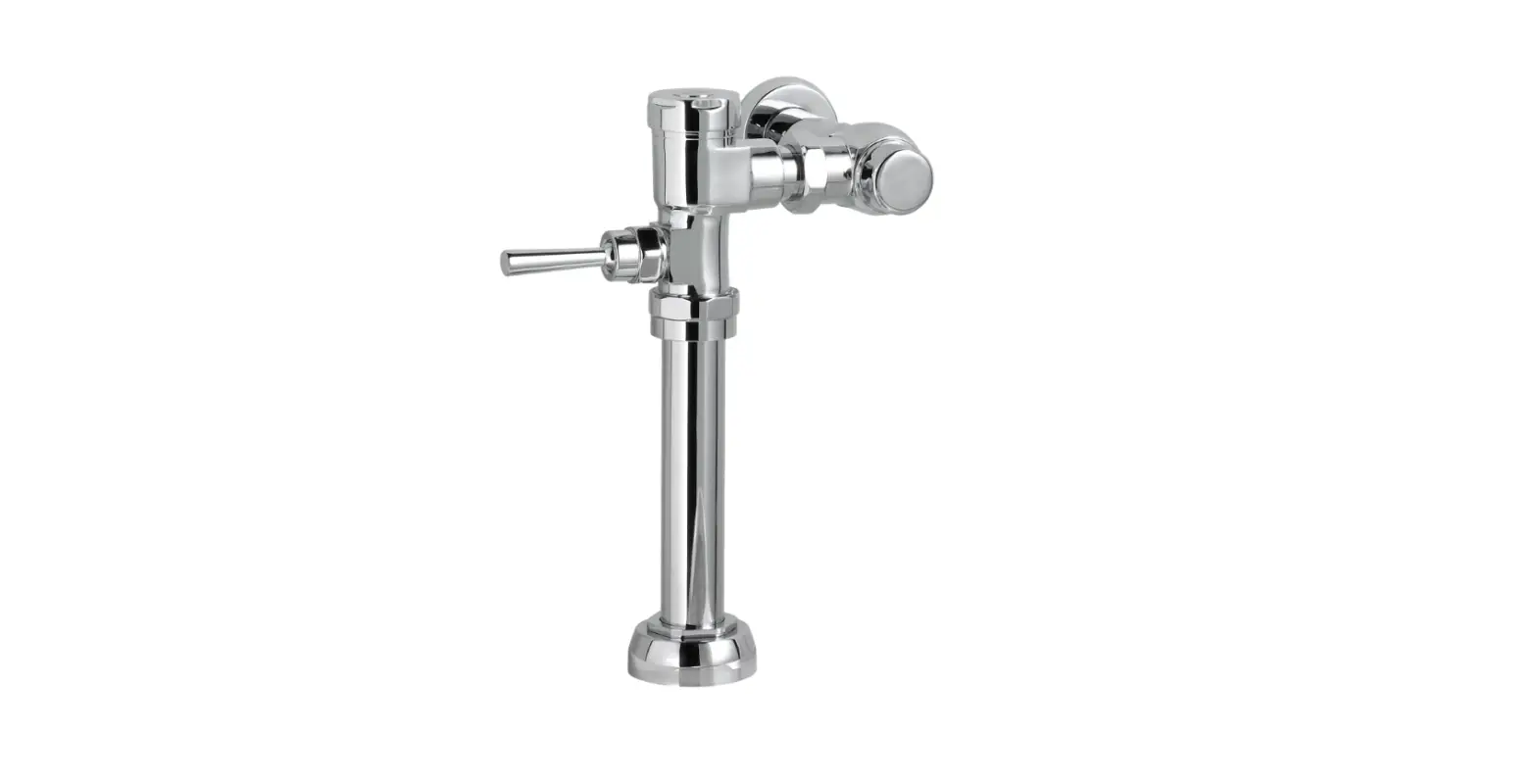
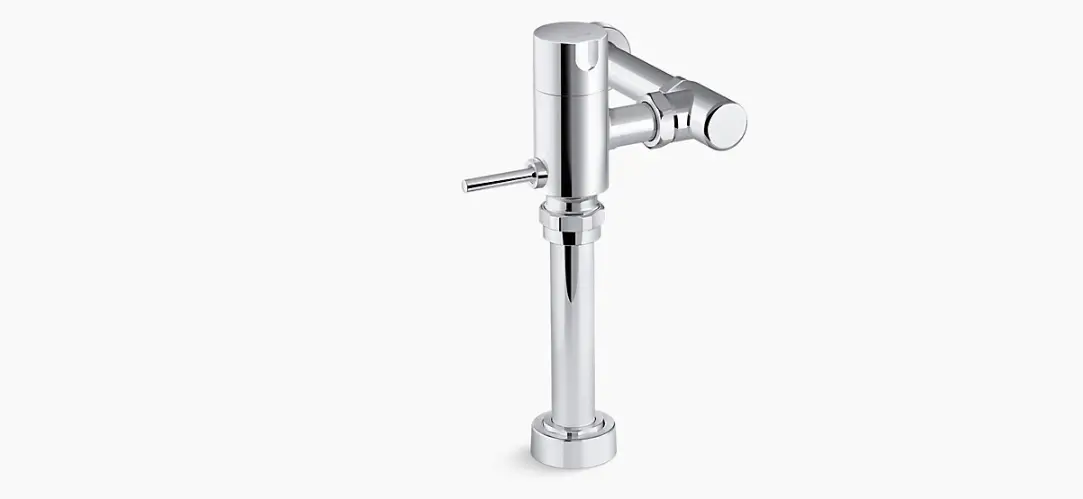
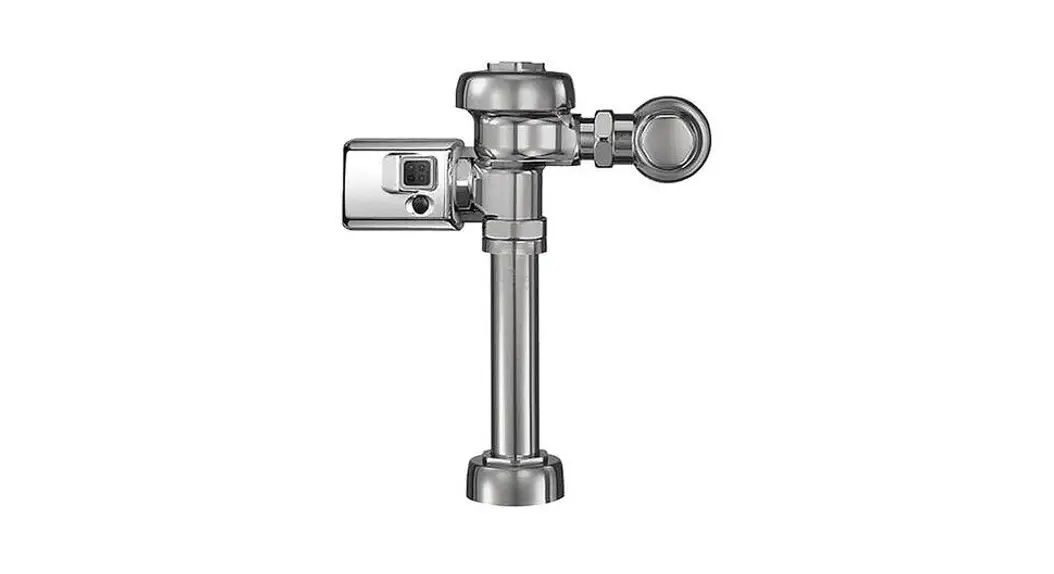
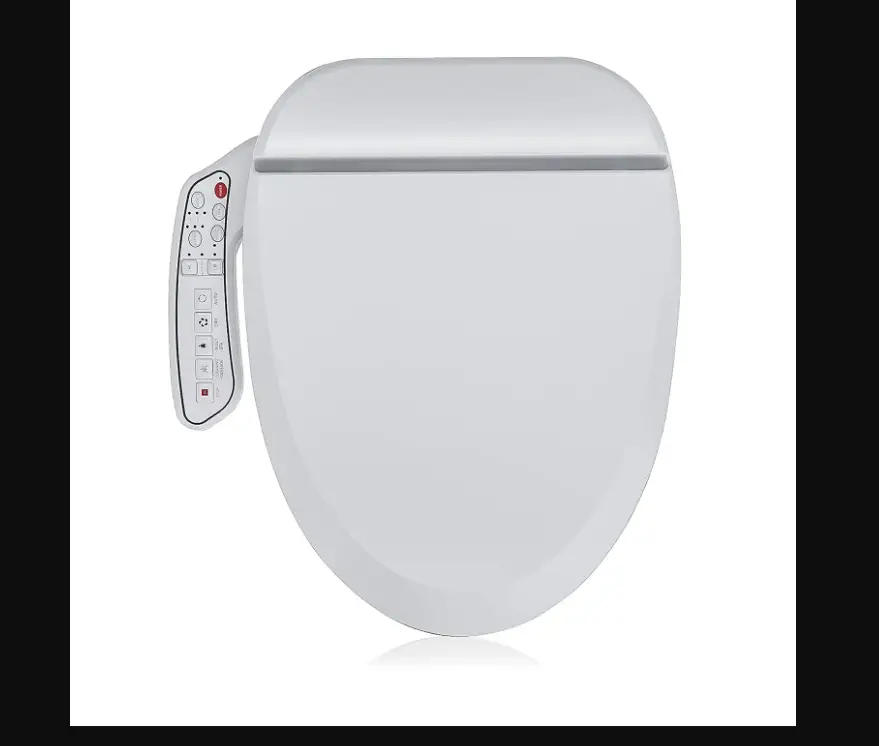
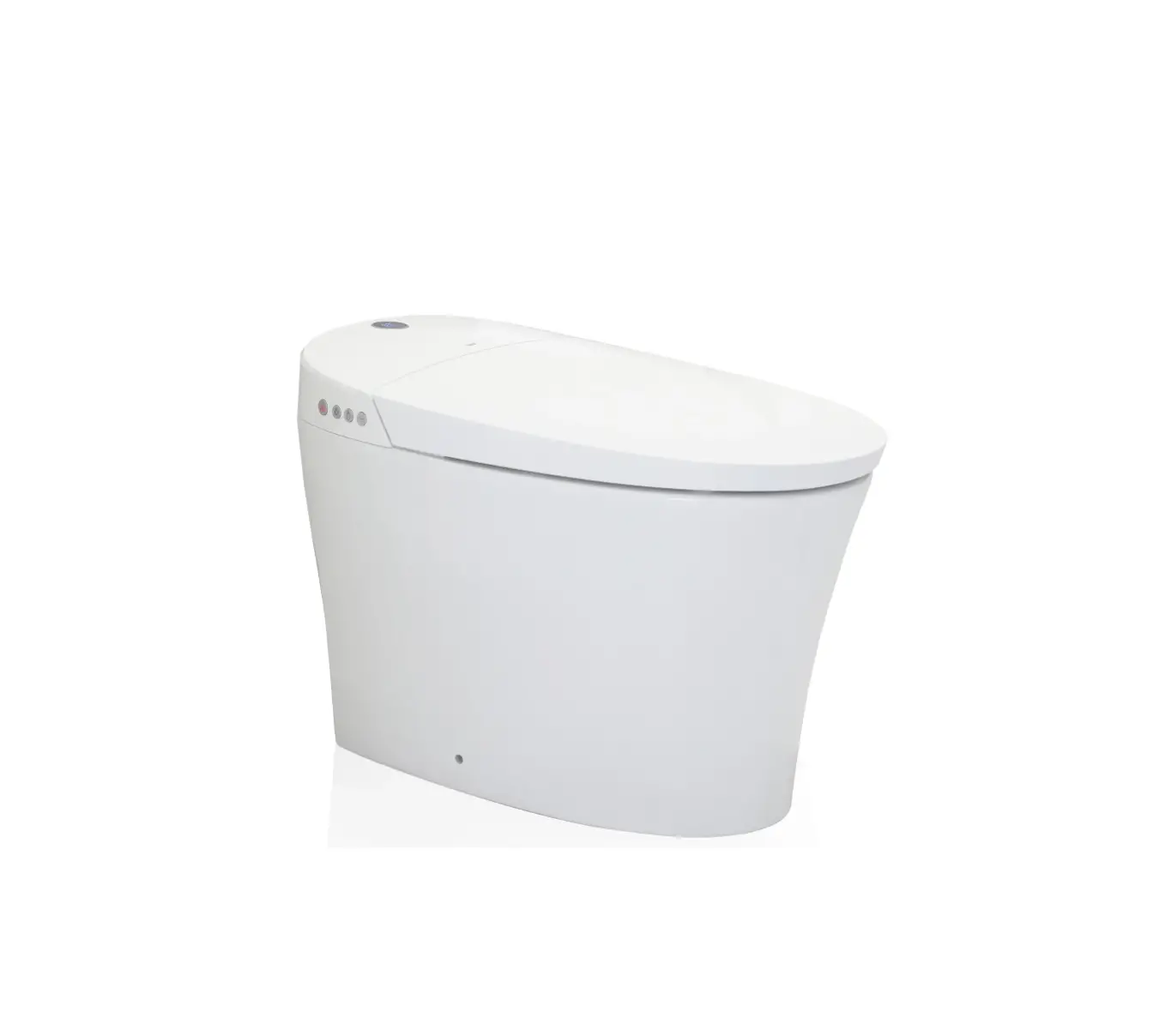
6072121 IoT DetectLnk Exposed Toilet Flush Valve
Product Information
American Standard is a trusted brand that offers high-quality
kitchen and bathroom products. With a commitment to quality,
innovation, and performance, American Standard has been a part of
people’s everyday routines for almost 150 years. The IoT
DetectLnkTM Exposed Toilet Flush Valve (SKU# M985145) is one of
their reliable products designed to improve the functionality of
your toilet.
The product comes in two versions: battery-powered (6072121) and
AC-powered (607B121). Both versions include a flush valve, a stop
valve, and a vacuum breaker tube. The battery version requires the
separate purchase of a power kit (60780XX), while the AC version
requires the purchase of either the AC Power Kit
(PK00.HAC/PK00.BBU) or the Hard-Wired AC & Multi-AC Power Kit
(PK00.MAC/PK00.HAC/PK00.BBU). Please note that the actual product
may vary from the image shown.
Prior to installation, ensure that the urinal/toilet, drain
line, and water supply line are already installed. The installation
process requires specific tools such as Teflon tape, flat blade
screwdriver, adjustable wrench, hacksaw, tape measure, tubing
cutter, file, 2.5mm and 1.5mm hex wrenches, and solder & torch
(consult fixture manufacturer for minimum pressure
requirements).
For any assistance or inquiries regarding parts, service,
warranty, or installation, you can contact American Standard at
(844) CRT-TEAM / (844) 278-8326. If you are in the Toronto Area,
you can call 1-905-306-1093.
Product Usage Instructions
- Before starting the installation process, make sure to turn off
the hot and cold water supplies. - If you have a copper pipe supply line, install the optional
sweat adapter provided. Measure the distance from the finished wall
to the center of the inlet spud on the fixture (dimension A). Cut
the supply pipe 1-1/4 inches shorter than the measurement taken in
Step 1 (A-B=C). File any rough edges off the end of the supply
pipe. Clean the end of the supply pipe and push the threaded
adapter until it is seated against the internal stop. Sweat the
adapter to the pipe. - Measure from the finished wall to the first thread of the
adapter or threaded supply pipe (dimension X). Cut the cover tube
to length (X) and apply Teflon tape to the threaded end of the
adapter or supply pipe. - Install the cover tube, wall escutcheon, and stop valve by
following the manufacturer’s instructions.
American Standard is devoted to making life, in the heart of your home, better every day…
…so, thank you for inviting us in! With the very best in kitchen and bathroom products, we are here to help make your life happier, healthier and simpler. Our commitment to quality, innovation and performance has made us part of your everyday routine for nearly 150 years, and we look forward to being a part of your life for many years to come.
Learn more at www.AmericanStandard.com
REGISTER YOUR WARRANTY
Try the easy-scan QR code to quickly enter your information or find your product’s detailed warranty here: www.AmericanStandard.com/warranty
Registering allows you to keep your product information safe, and us the ability to contact you in the event of a product recall or any news about your purchase.
And if ever you have a question or need help…? Call us at 1-855-815-0004
M985145 SKU# 607X121 EN (5/23)
6072121/607B121
OWNERS MANUAL
IoT DetectLnkTM Exposed Toilet Flush Valve
6072121 / 607B121
Image shown may vary from product purchased.
INSIDE THE BOX (BATTERY VERSION)
Flush Valve
60780XX FOR BATTERY VERSIONS POWER KITS SOLD SEPARATELY
Stop Valve
Vacuum Breaker Tube
INSIDE THE BOX (AC VERSION)
Stop Valve
607BXXX/607B0XX FOR AC VERSIONS
POWER KITS SOLD SEPARATELY
Hard-Wired AC Power Kit
PK00.HAC / PK00.BBU
Hard-Wired AC & Multi-AC Power Kit
PK00.MAC / PK00.HAC PK00.BBU
Flush Valve
Vacuum Breaker Tube
NOTE TO INSTALLER: Please give this manual to the customer after installation.
To learn more about American Standard Selectronic® Products visit our website at: www.americanstandard-us.com or e-mail us at: [email protected]
For Parts, Service, Warranty or other Assistance, please call (844) CRT-TEAM / (844) 278-8326 (In Toronto Area only: 1-905-306-1093)
PRIOR TO INSTALLATION
Note: Prior to installing the DetectLnkTM Flush Valve the following items must be installed. 1. Urinal/Toilet 2. Drain line 3. Water supply line
IMPORTANT: · All plumbing and electrical wiring should be installed in accordance with applicable
codes and regulations. · The use of water hammer arrestors is strongly recommended for commercial applications.
All piping behind the walls should be properly secured and fastened. · Water supply lines must be sized to provide an adequate volume of water for each fixture. · Flush all water lines prior to operation Dirt and debris can cause flush valve to run
continuously. · With the exception of Stop Valve Inlet, DO NOT use pipe sealant or plumbing grease
on any valve component or coupling! · Protect the chrome or special finish on the Flushometer. DO NOT USE toothed tools on
finished surfaces to install or service these valves. Also see “Care and Cleaning” section of this manual. · This product contains mechanical and/or electrical components that are subject to normal wear. These components should be checked on a regular basis and replaced as needed to maintain the valve’s performance.
RECOMMENDED TOOLS
Installation steps will indicate which tools should be used with asscociated letter
Teflon Tape
A
Flat Blade Screwdriver
B
Adjustable Wrench
C
Hacksaw
D
10′
Tape Measure
Tubing Cutter
File
E
F
G
2.5 & 1.5 mm Hex Wrench
H
Solder & Torch
I
Consult fixture manufacturer for minimum pressure requirements. Most High Efficiency water closets require a minimum flowing pressure of 25 psi (172 kPa). Many building codes and the ASME A112.19.2 fixture standard list Maximum static water pressure as 80 PSI (552 kPa).
FLUSH VAVLE INSTALLATION
1 INSTALL SWEAT ADAPTER
Turn off hot and cold water supplies before beginning.
Note: Install Optional Sweat Adapter (Supplied) for copper pipe supply line. 1. Measure the distance (A) from the finished wall to the
center of the inlet spud on the fixture. 2. Cut the supply pipe 1-1/4″ (A-B=C) shorter than the
measurement taken in Step 1. File any rough edges off the end of the supply pipe. 3. Clean the end of the supply pipe. Push the threaded Adapter until it is seated against the internal stop. Sweat the Adapter to the pipe.
FG I DE
FINISHED WALL
A
CENTER LINE OF FIXTURE SPUD
(A-B)= C
B
32mm
FILE EDGES
(1-1/4″)
CLEAN ADAPTER
SOLDER ADAPTER
2 INSTALL COVER TUBE, WALL ESCUTCHEON AND STOP VALVE
1. Measure from finished wall to first thread of Adapter or threaded supply pipe (dimension “X”). Cut COVER TUBE (1) to length (X). Apply Teflon Tape to the threaded end of the Adapter or supply pipe.
2. Push WALL ESCUTCHEON (2) onto the COVER TUBE (1). Slide both onto the SUPPLY PIPE (3).
3. Push the COVER TUBE (1) in to expose the threads of the supply pipe. With a wrench thread the STOP VALVE (4) onto the SUPPLY PIPE (3). Align and tighten.
4. Pull COVER TUBE (1) against STOP VALVE (4) and push WALL ESCUTCHEON (2) against finished wall.
Fig. 4a Fig. 4b
Fig. 4c
ACD F
FINISHED WALL
X
TEFLON TAPE
2 1
3
2
X
4
1
3 FLUSH OUT SUPPLY LINES
1. Remove STOP VALVE COVER (1) from STOP VALVE (2).
2. Open STOP VALVE (2) with a flat blade screwdriver. 3. Turn on water supply to flush line of any debris or
sediment. 4. Close STOP VALVE (2) and replace STOP VALVE
COVER (1).
2
REMOVE COVER
1
2
COUNTER-CLOCKWISE OPENS STOP VALVE
CLOCKWISE CLOSES STOP VALVE
B
4a INSTALL VACUUM BREAKER TUBE: APPLICABLE FOR STANDARD CERAMICS
Note: Step 4a is only applicable if using standard
4
ceramics. If using IoT Ceramics, skip to step 4b.
1. Insert VACUUM BREAKER TUBE (1) through
HEX NUT (4), FLUSH VALVE BOTTOM COVER
(2), and SPUD COVER (3).
2
2. Thread SPUD COVER (3) on to the toilet base.
Note: Ensure that the O-ring is properly seated in the
1
base of HEX NUT (4).
3
C
4b INSTALL VACUUM BREAKER TUBE: APPLICABLE WITH ASA IOT CERAMICS
Note: Step 4b is only applicable if using ASA IoT Ceramics.
Otherwise, refer to step 4a.
6
1. Separate HEX NUT (4) from SPUD COVER (7).
2. Thread WIRE (5) through FLUSH VALVE BOTTOM COVER (2) and SPUD COVER (3).
3. Insert VACUUM BREAKER TUBE (1) through
2
the FLUSH VALVE BOTTOM COVER (2), SPUD COVER (3),
HEX NUT (6), AND HEX NUT (4).
5
4. Thread HEX NUT (4) on to the Toilet Base.
1
Note: Ensure that the O-ring is properly seated in the base of HEX NUT (4).
Note: Vacuum breaker tube can be shortened by up to 1-1/2″
if desired.
3
Note: Spud Cover (3) and Wire Cover is only available in the ASA IoT Ceramics Package.
CD
4
4
7
1. Slide SPUD COVER (1) over HEX NUT (2). 2. Secure SPUD COVER (1) by tightening SET SCREW (3).
1
3 2
H
4b CONTINUED
1. Thread WIRE (1) through the back of FLUSH VALVE BODY (2).
Note: There is a small hole on the top back of the brass body for the wire head to fit through.
2
BOTTOM VIEW
1
WIRE HOLE
5 CONNECT VALVE BODY TO STOP VALVE
1. Push VALVE BODY (1) in to STOP VALVE (2) allowing the O-ring to seal the connection. 2. Thread HEX NUT (3) on to STOP VALVE (2) to secure the connection. Note: Do not use pipe sealant or plumbing grease.
3
1
2
C
6 CONNECT VALVE BODY TO VACUUM BREAKER TUBE
1. Thread HEX NUT (1) on to the bottom of VALVE BODY (2).
Note: Ensure that the bladder on the vacuum breaker tube makes a good connection with the bottom of the flush valve body. Note: If using a wired version, ensure the wires do not get pinched while securing the flush valve body.
2 1
C
7 INSTALL WIRE COVER: APPLICABLE WITH ASA IOT CERAMICS
Note: This step is only applicable if using ASA IoT Ceramics
1. Insert WIRE COVER (1) through FLUSH VALVE BOTTOM COVER (3) and SPUD COVER (4).
2. Cover the WIRE (2) with the WIRE COVER (1). (Applicable with AC Version) Cover the AC wire with the WIRE COVER (1) similar to WIRE (2).
Note: The Wire Cover will be loose until the next step to secure it. Ensure that the wire does not slip out between steps.
Note: Avoid pinching or excessively bending the wires.
Note: If the vacuum breaker tube was cut to a shorter length, the wire cover will also need to be cut. Wire cover length should be from the top of the installed spud cover to the bottom of the valve body fixation nut plus 1/8″.
Note: WIRE COVER (1) is only included in ASA IoT Ceramics Package.
1
3 4 2
8 SECURE FLUSH VALVE BOTTOM COVER
1. Secure FLUSH VALVE BOTTOM COVER (2) with the two SET SCREWS (1) on each side.
1 2
H
9a MAKE WIRED CONNECTIONS: BATTERY VERSION
Note: This step is only applicable for the battery version.
Important: Align the polarity markings (7) on the wire ends when making the connections.
1. Connect the SOLENOID WIRE (1) to the RED AND BLACK WIRE (2) in the flush valve head.
2. Connect BLACK AND PURPLE WIRE (5) to the
BATTERY PACK (6) within the top of the flush
5
2
valve head.
6
1
3. Place the BATTERY PACK (6) within the top of the flush valve head.
Note: Do not tighten flush valve head at this point. 7
9b MAKE HOLE FOR AC WIRE
Note: This step is only applicable for the AC version.
1
1. Secure FLUSH VALVE HEAD (1) on to the flush
2
valve body.
2. Using the WIRE CHANNEL (2) as a template,
mark the drill location on the wall.
3. Make an opening in the wall at the marked
location.
IMPORTANT: The hole diameter should be no smaller than the wire channel and no larger than the wire channel escutcheon cover.
9c MAKE WIRED CONNECTIONS: HARD WIRED VERSION
Important: Align the polarity markings (7) on the wire ends when making the connections.
8
6
Note: Contractor to supply ELECTRICAL BOX (11).
1. Connect the SOLENOID WIRE (1) to the RED
AND BLACK WIRE (2) in the flush valve head.
5
2
7
2. Connect black and white power line connections
1
to HARD-WIRED AC TRANSFORMER (12) and 4
mount onto ELECTRICAL BOX (11)
3. Thread EXTENSION CABLE (4) through the WIRE CHANNEL (6) and through HOLE (8) in the back of the flush valve head. Connect one end of the supplied EXTENSION CABLE (4) to the BACK-UP BATTERY (14) and connect the other end of CABLE (4) to the BLACK AND PURPLE WIRE (5).
4
27′ EXTENSION
11
14
4. Connect BATTERY BACK-UP (14) to HARD-WIRED AC TRANSFORMER (12).
Note: Do not tighten flush valve head at this point.
BLACK & WHITE
12 POWER
CONNECTIONS
Note: Power to the circuit must be deenergized while making hard wired connections.
4″ CONTROL BOX OR EQUIVALENT BY OTHERS (6)
9d CONT’D MULTI-AC VERSION (DAISY CHAIN); (PK00.MAC POWER KIT)
Unit #1Already installed
Unit #2
Unit #3
BLACK & WHITE
TO FLUSH
2
POWER
VALVE SOLENOID
CONNECTIONS
1
TO FLUSH VALVE SOLENOID
5
4
5
3a
3
TO FLUSH VALVE SOLENOID
Unit #4
4
(See AC version installation instructions, page 6)
MAXIMUM OF 8 UNITS PER POWER SUPPLY. 10′ MAXIMUM CABLE LENGTH BETWEEN UNITS.
Important: Disconnect AC Power Supply from wall outlet before making daisy-chain connections.
Note: For Unit #1 installation instructions, refer to AC version section (page 9). For subsequent Units…
1. Take the first 27″ EXTENSION CABLE (1) and connect one end to the solenoid cable and connect the other end to a sensor cable.
2. Take the second 27″ EXTENSION CABLE (2) and connect one end to the available sensor cable, the other end to the BATTERY BACK-UP KIT (5).
3. Connect the other end of the BATTERY BACK-UP KIT (5) to one of the two terminals at the one end of Y-ADAPTER (3).
4. Take the 10′ EXTENSION (4) and connect one end to the single terminal of Y-ADAPTER (3), and the other end to available terminal of the previous unit’s Y-ADAPTER (3a).
5. Repeat process for each subsequent unit.
6. Place Y-ADAPTERS (3) into respective electrical box.
7. Plug in AC power supply into wall outlet once all daisy-chain unit connections have been made.
CAUTION: Use only American Standard supplied transformers and cable sets. Using non-AS supplied cables, or cutting, splicing or modifying any components will void the warranty.
10 MAKE WIRED CONNECTIONS: APPLICABLE FOR ASA IOT CERAMICS
1. Connect the ORANGE WIRE (3) to the ORANGE WIRE (4).
Note: This step is only applicable if using ASA IoT Ceramics.
4
3
11 INSTALL FLUSH VALVE HEAD:
Note: excess wire length should be placed in the Flush
Valve Head so that is is not pinched when the Flush Valve
Head is installed.
1
1. Place FLUSH VALVE HEAD (1) on to FLUSH VALVE BODY
(4) and rotate so that FLUSH VALVE HEAD (1) locks in to
KEY SLOT (3).
2
2. Secure FLUSH VALVE HEAD (1) with SET SCREW (2).
H
12 INSTALL WIRE CHANNEL
Note: This step is only applicable for the AC version. 1. Thread WIRE COVER (2) in to the back
of FLUSH VALVE HEAD (1). 2. Secure ESCUTCHEON (3).
3 4
1
23
13 IMPORTANT FLUSH VALVE ACTIVATE
1. Remove IR sensor cover sticker. Test flush functionality with a single button press (do not hold down button) and check for leaks.
2. Refer to the Quick Start Guide to complete setting up the flush valve functionality.
14 MAINTENANCE: ADJUST STOP VALVE
IMPORTANT: To avoid overflowing, the STOP VALVE (3) must never be opened to the point where the flow from the valve exceeds the flow capacity of the fixture.
1. After installation is complete, peel off the PROTECTIVE FILM (1) from the sensor. Standing to one side, block the sensor with your hand for 10 seconds. Remove your hand and listen for audible “click” from within the valve.
2. Remove STOP VALVE COVER (2) from STOP VALVE (3). Turn on water supply 1/4 turn to 1/2 turn(CCW) and test for leaks.
Note: Unit may flush for approximately 3 to 10 sec. when water is first turned on. If flow persists, turn water off and repeat step #1 above.
3. Actuate the FLUSH VALVE: A) Cover sensor with hand for 10 seconds. NOTE: Stand outside of sensor detection area. B) Remove hand from in front of the sensor; unit will flush in approximately 3 seconds. C) Press Button in front of the FV for 1-2 Second; Unit will flush in approximately 3 seconds.
4. Adjust STOP VALVE (3) after each flush until the stated flush volume is achieved, no splashing occurs and the fixture is properly cleansed.
5. When adjustment is complete, replace STOP VALVE COVER (2) and tighten to ensure vandal-resistance.
1
REMOVE COVER
COUNTER-CLOCKWISE OPENS STOP VALVE
2
CLOCKWISE CLOSES STOP VALVE
3
15 MAINTENANCE: REPLACE BATTERY
1. Loosen SET SCREW (1) with 2.5mm Hex Wrench (2) in back of FLUSH VALVE COVER (3). 2. Rotate COVER (3) to the right and pull off. 3. Turn COVER (3) over and disconnect the SENSOR (4) from the BATTERY (5). 5. Remove old BATTERY (5) and replace with the new battery. 7. Connect BATTERY (5) to SENSOR (4).
1 2
3
3
4 5
16 REPLACE BACK-UP BATTERY KIT FOR AC VERSION
1. Remove old back-up battery by disconnecting the two wires.
2. Install new kit by connecting it to the two wires.
17 SET DETECTION RANGE (IF REQUIRED)
1. Once the device is paired, you may edit the settings by navigating to Device Management screen and finding the DEVICE CARD (1). You must be in Bluetooth range to the device.
2. Press on the DEVICE CARD (1) and scroll down 1
to find the CONNECT (2) button.
3. Once the app connects to the device, a “Settings” button will be available.
4. Enter the Settings screen and adjust IR sensor distance as needed and press “Apply”
5. Actuate the flush valve. Cover sensor with a piece or cardboard or similar item for 10 seconds. Unit will flush for approximately 3 seconds..
Flush durations should not be modified unless specified in the by manufacturer.
2
1″ – 2″ (30mm – 50mm
1 BLINKING LED
DETECTION ZONE 400mm TO 800mm (Factory Setting: 400mm)
1 BLINKING LED
18 TROUBLESHOOTING: TOILET/URINAL FLUSH VALVE
PROBLEM
Valve will not operate.
Flush valve does not activate after user leaves.
Unit is constantly flushing. Insufficient volume of water
to adequately fixture.
Valve is flushing too long or not shutting off.
Water splashes out of fixture.
POSSIBLE CAUSE
CORRECTIVE ACTION
Stop valve is closed. Supply valve is closed. Battery/The electric wire(s) is not connected. Sensor lens is dirty. Reflective surface in front of sensor. Detection range not adjusted properly. The infrared sensor or the actuator is out of order.
Battery is critical.
Flush Valve Electronic is faulty. No power provided by battery/ power supply. Sensor does not recognize a user.
Battery/Power Supply is disrupted.
Solenoid may be stuck open.
Stop valve is not open enough. Insufficient flow rate or pressure at supply line.
Water pressure is lower than recommended.
Trip mechanism not seating properly due to foreign material between trip mechanism and seat. By-pass orifice is plugged or partially plugged.
Line pressure is not adequate to force trip mechanism to seal.
Supply flow rate is higher than is necessary. Lime accumulation on vortex or spreader holes of fixture.
Open stop valve. Open supply valve.
Connect the wires.
Clean lens. Remove the reflective surface from in front of the sensor.
Adjust the detection range.
Contact distributor for replacement.
Press the button for 3-5 seconds. If LED does not blink blue, the battery is critically low and needs to be replaced. Replace Flush Valve Electronic.
Replace battery/power supply.
Using the DetectLnkTM app, enter the device settings and adjust IR Distance. Verify connection to sensor. Check available voltage where Battery/ Power supply is connected with sesnor with DC voltmeter. 5.8 to 6.5 VDC is required. Press the button for at least 3-5 sec. If the LED starts blinking blue, but the water does not stop, the Solenoid needs to be replaced. If the LED does not blink blue and water does not stop, the Battery needs to be replaced. Open stop valve for desired volume of water. Consult fixture guide for minimum gallons per minute flow and running pressure for satisfactory performance. Fully open the angle stop, then using the DetectLnkTM app, enter the device settings and increase the flush durations. Test at every 0.125 sec. increment.
Disassemble parts and rinse thoroughly.
Examine by-pass orifice and clean if necessary, being certain not to enlarge orifice opening. Pressure is inadequate or has dropped below minimum operating range. Steps should be taken to increase the line pressure.
Adjust downward on control stop.
Remove the lime build up.
19 TROUBLESHOOTING: TOILET/URINAL FLUSH VALVE CONT’D
PROBLEM
POSSIBLE CAUSE
CORRECTIVE ACTION
Flush is not considered quiet.
Flush valve “ghost” flushes or activates randomly with
no user present. Unit only flushes with the button and not automatically.
Device is not communicating.
Control stop is not adjusted for quiet operation.
Fixture is contributing to noise.
Piping system is source of noise.
Sensor lens is dirty. Sensor is detecting stall door. User Detection minimum timing may be too long.
Device lost power. Multi AC power cable was not connected. Sensor not advertising.
Adjust the control stop for quiet operation keeping in mind the fixture evacuation requirements.
Check noise created by fixture by placing a cover over the bowl opening to separate valve noise from bowl noise. If it is determined the fixture is too noisy, consult with fixture manufacturer.
High pressure in the system can sometimes be controlled by the stop valve. Other sources of noise may be the absence of air chamber and shock arrestors, loose pipes, improper size pipes, etc. In these cases the building engineer should be consulted.
Clean lens.
Using the DetectLnkTM app, enter the device settings and adjust IR Distance.
Using the DetectLnkTM app, enter the device settings and verify Detect Interval setting. This is the time a user needs to be in range, before the automatic flush starts. Recommended time = 5 sec.
Double check power connections and supply. If using AC version, check backup battery & replace.
Ensure that cable is securely connected.
Press Button for 3 second, then Blue LED stats blinking, connect through DetectLnkTM app.
Have a question or need help on install?
For questions or help on installation call us at 855-815-0004.
APPENDIX A
Supplier’s Declaration of Conformity 47 CFR § 2.1077 Compliance Information
Unique Identifier: IoT Detectlnk TPS and 6072121.002, 607B121.002
Responsible Party : AS America, Inc. d/b/a LIXIL Americas
Address :
AS America, Inc. d/b/a LIXIL Americas 865 Centennial Ave. Piscataway, New Jersey 08854 www.americanstandard.com | www.dxv.com | www.grohe.com/us | lixil.com
FCC Compliance Statement : According to FCC Part 15
This equipment has been tested and found to comply with the limits for a Class B digital device, pursuant to part 15 of the FCC Rules. These limits are designed to provide reasonable protection against harmful interference in a residential installation. This equipment generates, uses and can radiate radio frequency energy and, if not installed and used in accordance with the instructions, may cause harmful interference to radio communications. However, there is no guarantee that interference will not occur in a particular installation. If this equipment does cause harmful interference to radio or television reception, which can be determined by turning the equipment off and on, the user is encouraged to try to correct the interference by one or more of the following measures: — Reorient or relocate the receiving antenna. — Increase the separation between the equipment and receiver. — Connect the equipment into an outlet on a circuit different from that to which the receiver is connected. — Consult the dealer or an experienced radio/TV technician for help. — The equipment complies with the safety requirements for RF exposure for mobile (>20 cm) use
conditions in accordance with FCC rule part 2.1091.
This device contains licence-exempt transmitter(s)/receiver(s) that comply with Innovation, Science and Economic Development Canada’s licence-exempt RSS(s). Operation is subject to the following two conditions: 1. This device may not cause interference. 2. This device must accept any interference, including interference that may cause undesired operation
of the device. 3. The equipment complies with the safety requirements for RF exposure in accordance with RSS-102
Issue 5 section 2.5.2 for mobile (>20 cm) use conditions. L’émetteur/récepteur exempt de licence contenu dans le présent appareil est conforme aux CNR d’Innovation, Sciences et Développement économique Canada applicables aux appareils radio exempts de licence. L’exploitation est autorisée aux deux conditions suivantes : 1. L’appareil ne doit pas produire de brouillage; 2. L’appareil doit accepter tout brouillage radioélectrique subi, même si le brouillage est susceptible
d’en compromettre le fonctionnement. 3. L’équipement est conforme aux exigences de sécurité pour l’exposition aux RF conformément à la
norme RSS-102 Édition 5 section 2.5.2 pour les conditions d’utilisation mobiles (>20 cm).
TELL US WHAT YOU THINK!
Please leave us a product review or story at AmericanStandard.com/reviews
Find installation videos at youtube.com/americanstandard
Register your warranty and sign up for an idea-filled newsletter at AmericanStandard-us.com/support/warranty
PLEASE COMPLETE AMERICAN STANDARD WARRANTY REGISTRATION PROCESS AND SAVE THIS WARRANTY INFORMATION IMPORTANT: Registration of the sink must be completed for this warranty to become effective. Your registration will make it easier to contact you in the event of a product recall.* INSTRUCTIONS: Register your sink at www.americanstandard.com. Please save your proof of purchase (sale receipt). If you need assistance or do not have access to our website, please contact American Standard Customer Care at: (800) 442-1902. An American Standard representative will assist in completing the warranty registration.
*In California, your warranty rights remain intact even if you do not complete the registration process.
SHARE YOUR NEW PRODUCT!
Tag us @american_standard on Instagram and show us how your new product looks.
WANT MORE INFO?
For questions or help call us at 855-815-0004, or visit AmericanStandard.com
UNITED STATES American Standard Brands 865 Centennial Ave. Piscataway, New Jersey 08854 Attention: Director of Customer Care For residents of the United States, warrantyinformation may also be obtained by calling the following toll free number: (855) 815-0004 www.AmericanStandard.com
M985145 SKU# 607X121 EN (5/23)
6072121/607B121
CANADA LIXIL Canada, Inc. 5900 Avebury Rd. Mississauga, Ontario Canada L5R 3M3 Toll Free: (800) 387-0369 AmericanStandard.ca/support/ warranty
MEXICO American Standard B&K Mexico S. de R.L. de C.V. Via Morelos #330 Col. Santa Clara Ecatepec 55540 Edo. Mexico Toll Free: 800-839-1200 AmericanStandard.com.mx/garantia
 Parts and Support
 Kitchen and Bathroom Fixtures - Faucets, Sinks, Toilets, and Accessories
 LIXIL
LIXIL Kitchen and Bathroom Fixtures - Faucets, Sinks, Toilets, and Accessories
 Kitchen and Bathroom Fixtures - Faucets, Sinks, Toilets, and Accessories
 DXV
DXV