Control Board Panel For Swing Gates
Product Information
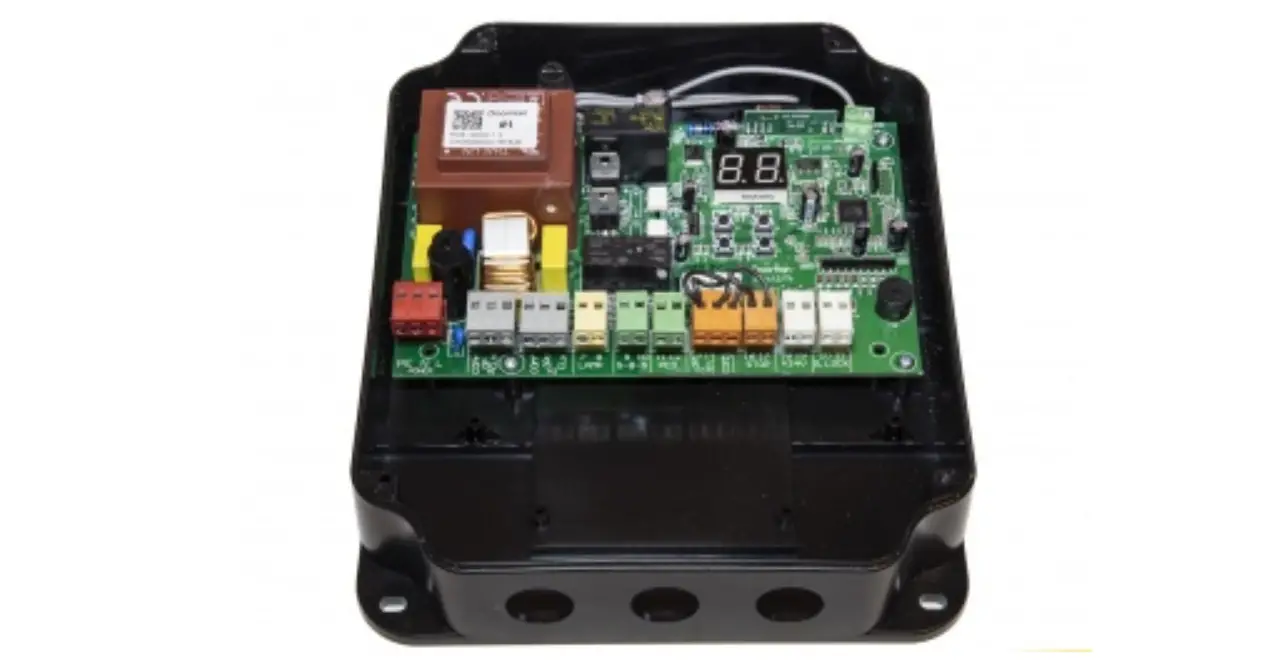
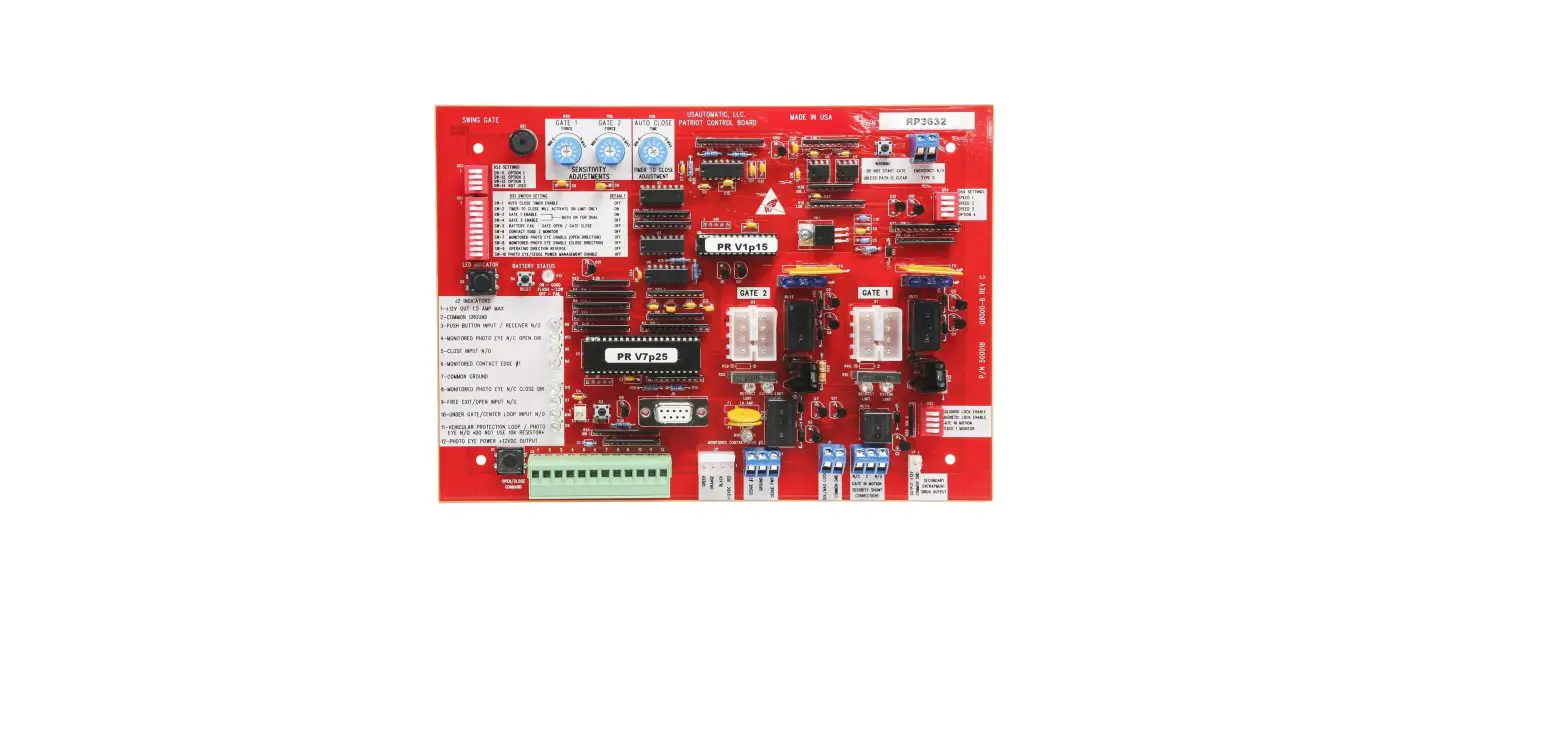
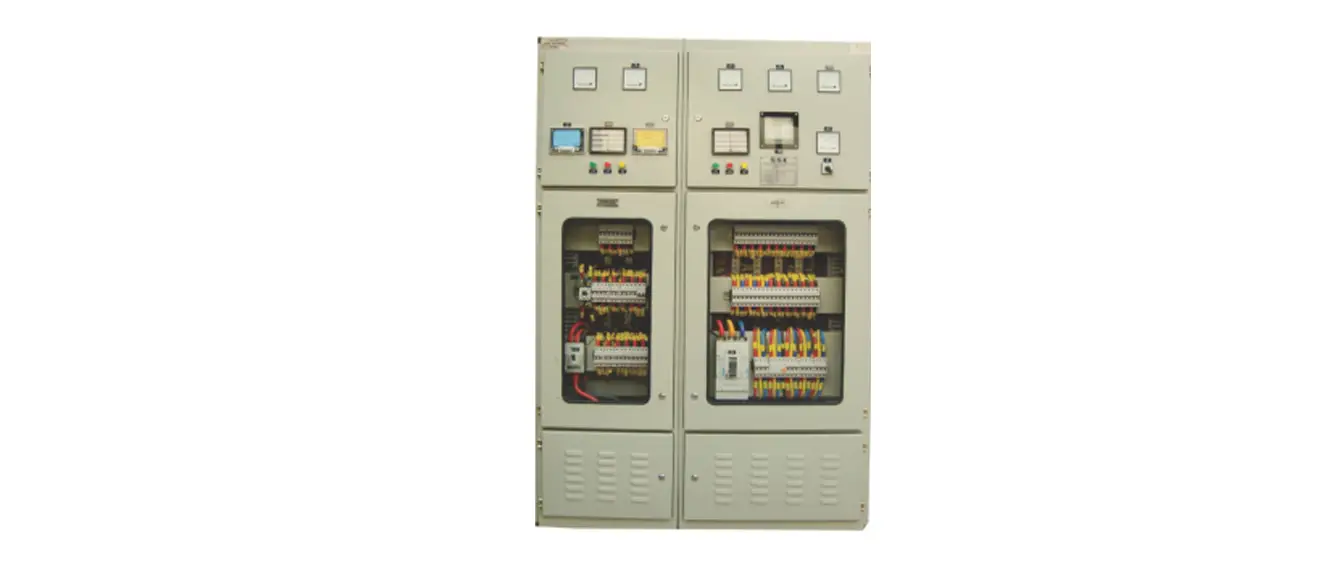
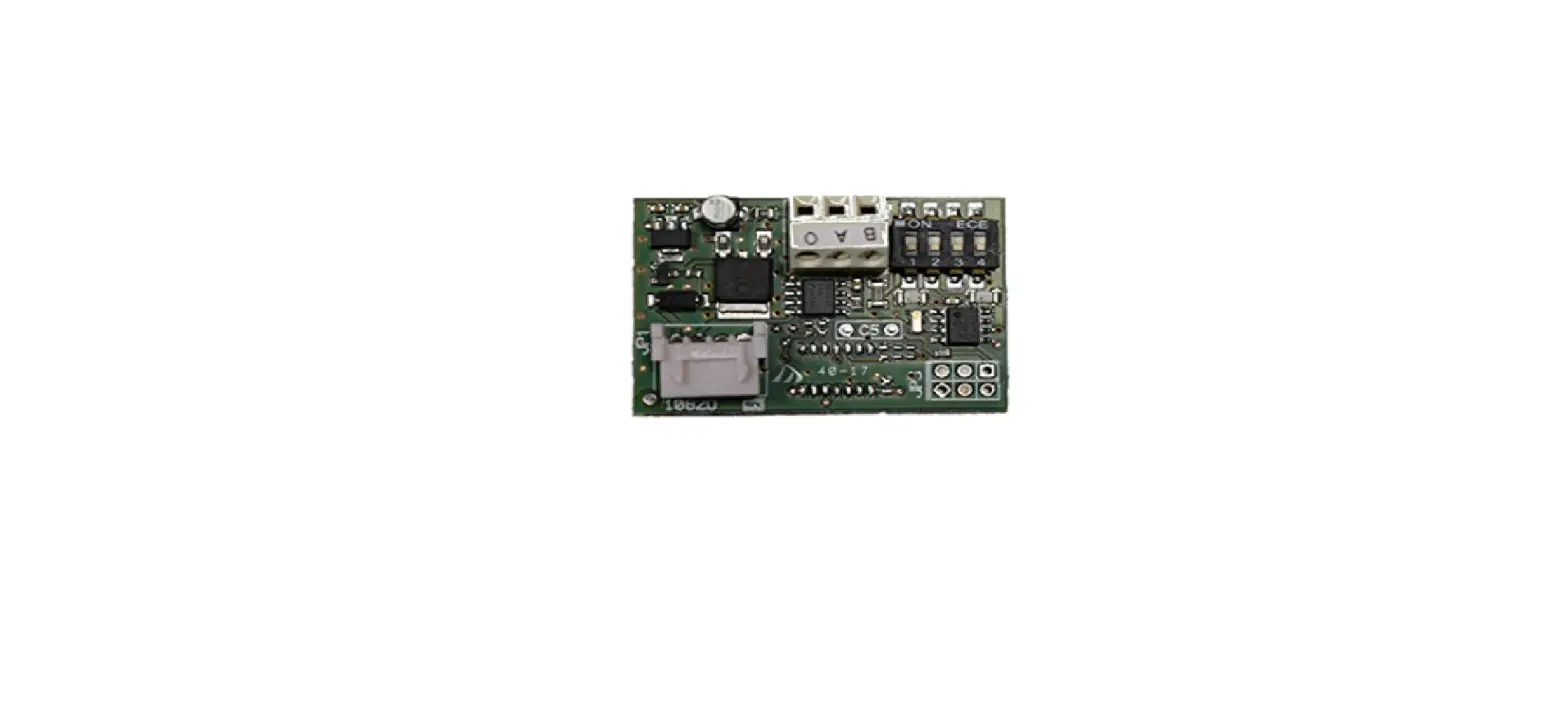
The RS17.P is a control panel designed for swing gates operating
at 24 V DC with an encoder EKKO 204D. It complies with Directive
2002/96/EC (WEEE). The control panel features a battery charger,
integrated receiver, obstacle detection system, input diagnostics
LED, and a switching power supply. It also has a maximum capacity
of 50 remote controls and is equipped with short-circuit
protection.
Enclosure Sizes
2
Technical Data
- Power supply: 120/230 Vac
- Motor power supply voltage: 24 V DC
- Maximum motor power: 80W
- Output for flashing light: 12 V AC 15 VA
- Electrical lock output: 24 V DC 10 W
- Accessories power supply: 24 Vdc 300 mA
- Receiver memory: Not specified
- Receiver frequency: 433 MHz
- Remote controls code: Not specified
- Fuse F1: Not specified
- Fuse F2: Not specified
- Operating temperature: Not specified
System Type
The required cable cross-sections for cable routing are as
follows:
| Cable Cross-Section | |
|---|---|
| A | 2×2.5 mm2 + 3×0.5 mm2 (encoder) |
| B | 2×2.5 mm2 |
| C | 4×0.5 mm2 + RG58 |
| D | 3×2.5 mm2 |
| E | 2×2.5 mm2 |
| F | Not specified |
| G | Not specified |
Description of the Terminal Blocks
The terminal blocks are labeled with different numbers and
symbols. Please refer to the user manual for detailed information
on each terminal block and its functions.
Example:
- F1 – Description: Not specified
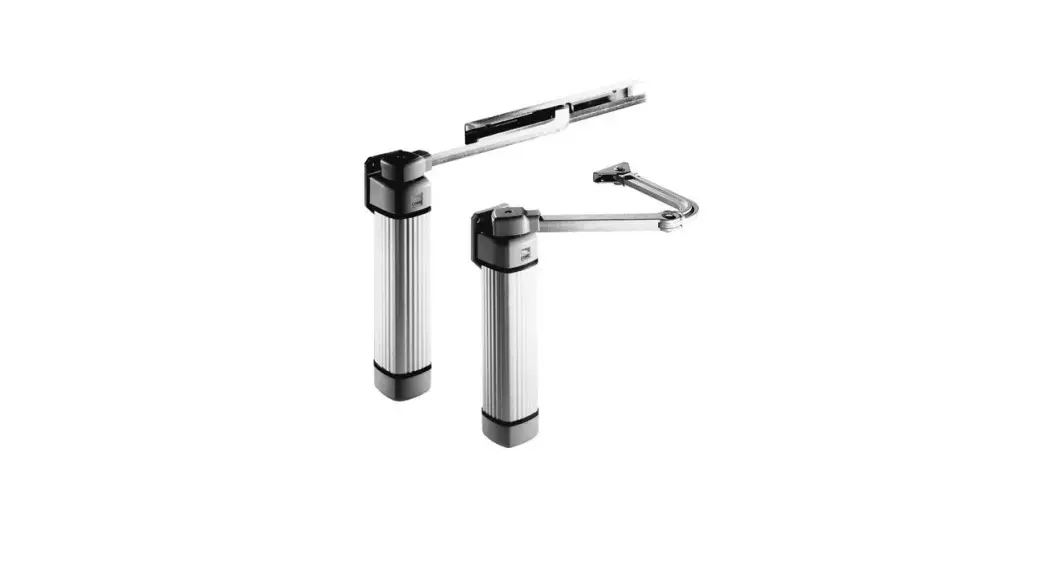
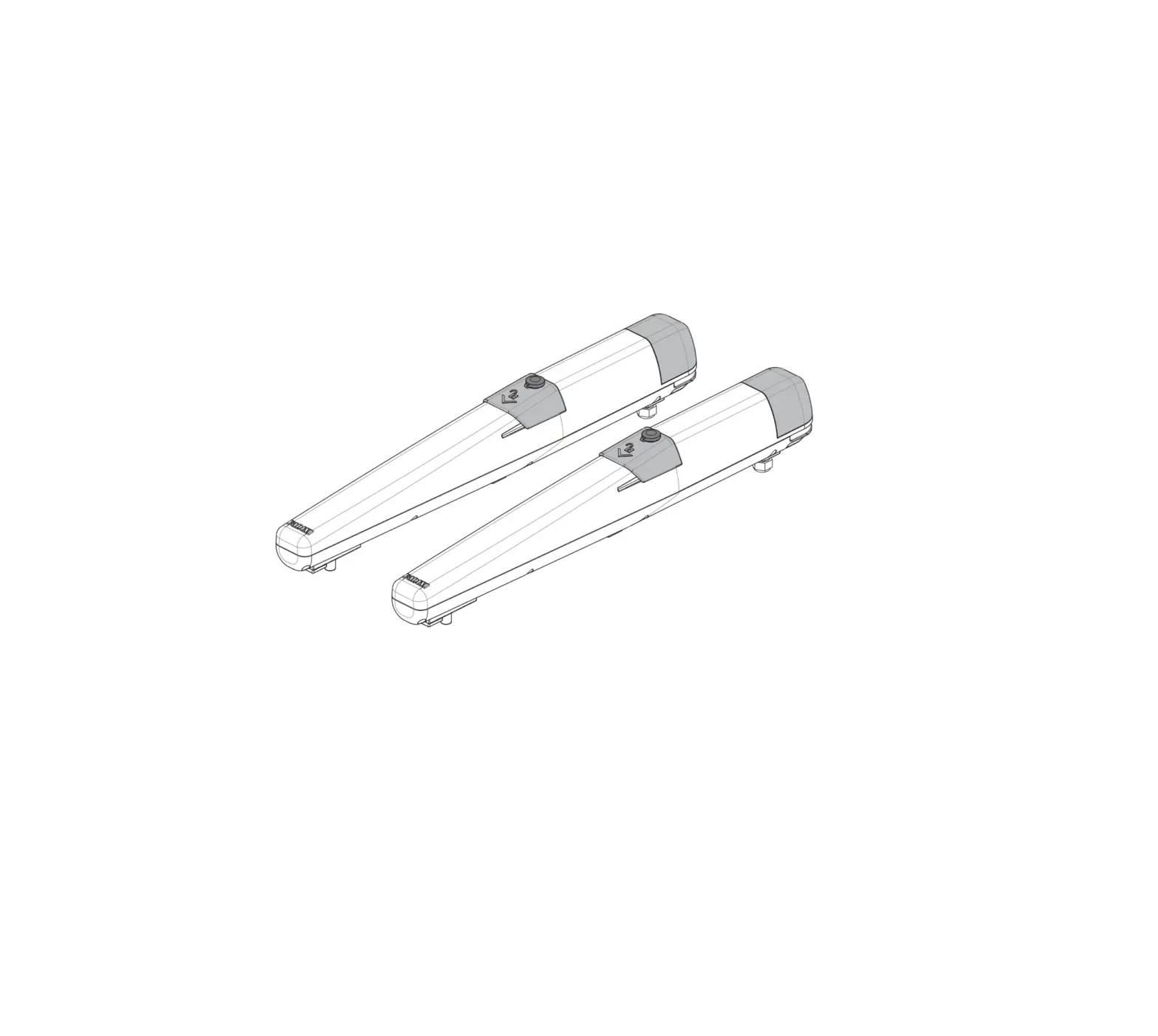
- A – Description: Linear actuator
- 21, 22, 25, etc. – Description: Not specified
Note:
The cable connecting the encoder to the control panel must not
exceed a length of 10 m and should not have any shielding. For
encoder cabling longer than 10 m but no longer than 15 m, a
shielded cable must be used.
Product Usage Instructions
- Ensure that the swing gates are properly installed and
connected to the control panel. - Connect the power supply to the control panel. The power supply
voltage should be 120/230 Vac. - Connect the motor power supply to the control panel. The motor
power supply voltage should be 24 V DC. - If required, connect an electrical lock to the control panel.
The electrical lock should have a negative and positive
connection. - If using a flashing light, connect the flashing light with
aerial to the control panel. The flashing light should have a
positive connection. - If using accessories such as photocells or a gate open warning
light, connect them to the control panel. The accessories should
have a negative and positive connection. - If using remote controls, program them by following the
instructions provided in the user manual. - Ensure that all connections are secure and properly
insulated. - Refer to the user manual for further instructions on
customizing the deceleration distance, obstacle detection system,
and input diagnostics LED.
Installer manual
RS17.P
Control panel for swing gates at 24 V DC with encoder EKKO 204D
RS17.P
Table of Contents ………………………………………………………………………………………………………………………………………………………………………………Page Product features ………………………………………………………………………………………………………………………………………………………………………………….1 System type………………………………………………………………………………………………………………………………………………………………………………………..1 Description of the terminal blocks…………………………………………………………………………………………………………………………………………………………..2 Connecting accessories ……………………………………………………………………………………………………………………………………………………………………….4 Trimmer functions ………………………………………………………………………………………………………………………………………………………………………………..5 Button functions…………………………………………………………………………………………………………………………………………………………………………………..5 DIP-switch functions …………………………………………………………………………………………………………………………………………………………………………….6 LED functions ……………………………………………………………………………………………………………………………………………………………………………………..6 Time setting ………………………………………………………………………………………………………………………………………………………………………………………..7 Programming the remote controls ………………………………………………………………………………………………………………………………………………………….8 Troubleshooting …………………………………………………………………………………………………………………………………………………………………………………..9
WARNINGS FOR THE INSTALLER Carefully read all the instructions and warnings in this document as they provide important information regarding safe installation, operation and maintenance. After removing the packaging, check the condition of the equipment. The packaging must not be left within reach of children as it is potentially harmful. Installation must be carried out in accordance with national safety regulations. This equipment must be used only for the purpose for which it was expressly intended, i.e. for the automation of motors for roller blinds and for controlling resistive loads such as lights. Any other use is considered improper and therefore hazardous. The manufacturer declines all liability for damage caused by improper, incorrect or unreasonable use. Always disconnect the equipment from the power supply at the main switch before performing maintenance or cleaning procedures. In the event of faults and/or malfunctions, disconnect the equipment from the power supply at the switch and do not tamper with it. For repairs, contact only a service centre authorized by the manufacturer. Failure to observe the above may jeopardize the safety of the equipment. All equipment within the system must be used exclusively for the purpose for which it is intended. This document must always be kept with all paperwork regarding the installation.
Directive 2002/96/EC (WEEE). The crossed out wheelie bin symbol marked on the equipment indicates that, at the end of its useful working life, the product must be handled separately from household refuse and must therefore be assigned to a differentiated collection centre for electrical and electronic equipment or returned to the dealer upon purchase of a new, equivalent item of equipment.
The user is responsible for ensuring the equipment is disposed of through the correct channels when no longer in service. Proper sorted waste collection for subsequent recycling, processing and environmentally conscious disposal of the old equipment helps to prevent any possible negative impact on the environment and human health while promoting the practice of recycling materials used in manufacture. For further details regarding available collection systems, contact your local waste disposal service or the shop from which the equipment was purchased.
Risks associated with substances considered hazardous (WEEE). According to the new WEEE Directive, substances which for some time have been widely used in electrical and electronic equipment are considered hazardous to human heath and the environment. Proper sorted waste collection for subsequent recycling, processing and environmentally conscious disposal of the old equipment helps to prevent any possible negative impact on the environment and human health while promoting the practice of recycling materials used in manufacture.
Enclosure sizes
2
EN
RS17.P
1 – Product features: Control panel for governing swing gates for 24 Vdc gearmotors with encoder with battery charger and integrated receiver. The control panel: – enables customizing the deceleration distance – is equipped with an obstacle detection system – is equipped with input diagnostics LED – is equipped with an integrated 433 MHz receiver with a maximum capacity of 50 remote controls – is equipped with short-circuit protection – is equipped with a switching power supply
Technical data:
Power supply Motor power supply voltage Maximum motor power Output for flashing light Electrical lock output Accessories power supply Receiver memory Receiver frequency Remote controls code Fuse F1 Fuse F2 Operating temperature
120 to 230 Vac 24 Vdc 80 to 80 W 24 Vdc 10 W max 12 Vsc 15 VA max 24 Vdc 300 mA 50 remote controls 433 MHz Rolling code or fixed Line protection 5×20 mm T1.6 A Accessories protection 5×20 mm T8A -10 to +50°C
2 – System type: For the sizing of the cable routing, the required cross-sections of the cables are shown below
C
4×0,5 mm2 +RG58
F G
2×2,5 mm2
E A
2×2,5 mm2 +3×0,5 mm2 (encoder)
2×2,5 mm2
4×0,5 mm2
E
B
A 2×2,5 mm2 +3×0,5 mm2 (encoder) D
3×2,5 mm2 120/230 Vac
Legend A – Linear actuator B – Control unit C – Flashing light with aerial D – 2-channel remote control E – Pair of photocells F – Selector G – Electrical lock
EN
1
RS17.P
3 – Description of the terminal blocks
F1
A
21 22 25 26 19 18 11 0 17 +E 41 45 -E
LN
+
+ ANT _
PROG
MRX
ON 1 2 3 4 5 6 7 8 9 10
1
2
3
4
5
6
PWR
7
8
9
10
OFF ON
F2
1 0 +B -B 52 51 62 63 64 61 99
–
MOT 2
–
51
MOT 1
64
63
62
51
52
B
61
F1 T
OPEN M1 CLOSE M1
OPEN M2 CLOSE M2
LOCK+ LOCKBLINK+
24VSCA+ ENCODER+ ENC SIG M1 ENC SIG M2 ENCODER-
A
LN
LN 230 Vac 120 Vac
21 22 25 26 19 18 11 0 17 +E 41 45 -E
1 OPEN 2 CLOSE 3 ENCODER+ 4 ENC SIG 5 ENCODER-
M2
SCA
M1
Terminal L
N 21 22 25 26 18 19 11 0 17
0
2
Description Phase
Earth
Neutral Opening motor 1 Closing motor 1 Opening motor 2 Closing motor 2 Electrical lock negative Electrical lock positive Flashing light positive Accessories negative Photo-test or gate open warning light positive Accessories negative
Rated data 120 to 230 V AC
24 V DC 80W 24 V DC 80W 12 V AC 15 VA 24 V DC 10 W 24 V DC 120 mA
Terminal +E 41 45 -E
Description Encoder positive Motor 1 encoder signal Motor 2 encoder signal Encoder negative
Rated data
EN
Note: The cable connecting the encoder to the control panel must be no longer than 10 m and have no shielding. For encoder cabling longer than 10 m and in any case no longer than 15 m, a shielded cable must be used.
RS17.P
B
+E 41 45 -E
Terminal Description
Rated data
1
Accessories positive
24 Vdc 300 mA
0
Accessories negative
+B
Emergency battery positive
-B
Emergency battery negative
52
Pedestrian (N.O.)
51
Step by step (N.O.)
62
Photocell when closing (N.C.)
63
Photocell (N.C.)
64
Sensitive edge (N.C.)
61
Stop (N.C.)
99
Common inputs
ANT
Aerial signal
–
Aerial earth
–
+
–
+
12 Vdc 1,3Ah
12 Vdc 1,3Ah
51
52
1 0 +B -B 52 51 62 63 64 61 99
61
24V+ 24VPED P.P. PHC
PH BAR STOP COM
–
+ ANT _
3.1 – Description of output function:
0-1 – Accessories power supply voltage: Permanent 24 Vdc output
18-19 – Electrical lock: 12 Vac output powered for 2 s at the start of the opening movement
0-11 – Flashing light: 24 Vdc output powered when the gate is moving
0-17 – Photo-test or gate open warning light: 24 Vdc output for signalling gate status or performing the safety test: With DIP 8 = OFF it is Gate Open Warning Light – Not powered with gate closed – Powered continuously with gate open or moving With DIP 8 = ON it is Photo-test Used for the power supply of the transmitters of the safety devices. Note: Using the photo-test requires specific wiring of the safety devices (par. 4.3).
3.2 – Description of input function:
51 – Step by step (N.O.): Sequential command input, to control the complete travel of the gate. It works with the following cycle: open-stop-close-stop or open-stop-close-open according to the setting of DIP 3
52 – Pedestrian (N.O.): Command input for opening to the pedestrian distance
61 – Stop (N.C.): Gate stops, does not turn off automatic closing. If not used, jumper with the common (99)
62 – Photocell when closing – PHC (N.C.): Photocell when closing, with the gate stationary it allows opening, when opening it does not trigger, with the gate open it does not allow closing and on release it resets the automatic closing time, when closing it commands immediate reopening. If not used, jumper with the common (99)
63 – Photocell – PH (N.C.): Photocell, active both when closing and when opening, with the gate stationary it does not allow opening, during opening it stops the movement and on release it continues opening, with the gate open it does not allow closing and on release it resets the automatic closing time, when closing it stops the movement and on release it commands reopening. If not used, jumper with the common (99)
64 – Sensitive edge (N.C.): Safety sensitive edge, N.C. dry contact, with the gate stationary it does not allow opening, when opening it disengages, with the gate open it does not allow closing and on release it resets the automatic closing time, when closing it disengages. If not used, jumper with the common (99)
EN
3
RS17.P
4 – Connecting accessories: 4.1 – Key switch and control devices
Pedestrian Step by step
PED P.P. COM
52 51 62 63 64 61 99
COM
COM
N.C. N.C. N.O. N.O.
4.2 – Photocells and photocells when closing RX1
RX2
TX1
TX2
1 0 +B -B 52 51 62 63 64 61 99
(FSW)
NO COM NC – +
(FSW)
NO COM NC – +
-+
-+
24V+ 24VPHC
PH COM
4.3 – Photocells and photocells when closing with photo-test active (DIP 8 = ON)
TX1
TX2
0 17
-+
-+
24VSCA+
OFF
ON 1 2 3 4 5 6 7 8 9 10
1 2 3 4 5 6 7 8 9 10 ON
1 0 +B -B 52 51 62 63 64 61 99
RX1 (FSW) NO COM NC – +
RX2 (FSW) NO COM NC – +
24V+ 24VPHC
PH COM
4
EN
RS17.P
4.4 – Sensitive edge
52 51 62 63 64 61 99
BAR COM
4.5 – Stop push button
52 51 62 63 64 61 99
STOP COM
+ +
5 – Trimmer functions –
MOT 2
–
MOT 1
Trimmer MOT 1
MOT 2
Description
Power of motor 1 (turn the trimmer clockwise to increase the power)
Power of motor 2 (turn the trimmer clockwise to increase the power)
6 – Functions of the buttons:
PROG
MRX
Button Description
51
PROG Button for programming the travel
MRX
Button for programming or deleting remote controls
51
Step-by-step command button
EN
5
RS17.P
7 – DIP-switch functions:
R OFF
ON 1 2 3 4 5 6 7 8 9 10
1 2 3 4 5 6 7 8 9 10
ON
DIP Function DIP 1 Close immediately
DIP 2 Automatic closing DIP 3 Step-step logic DIP 4 Apartment block
DIP 5 Slowdown distance DIP 6 Hammering DIP 7 Status of gate at reset
DIP 8 Photo-test DIP 9 Normal speed DIP 10 Number of motors
Status OFF ON
OFF ON OFF ON OFF ON
OFF ON OFF ON
OFF ON
OFF ON
OFF ON OFF ON
Description
Close immediately off Close immediately on: The engagement and subsequent disengagement of the photocell when closing, while opening or during the pause time causes the gate to reclose immediately at least 3 s after full opening, regardless of the set automatic closing time.
Automatic closing off Automatic closing on
2 steps: step-by-step (term. 51 and radio) with logic in 2 steps (open – close – open)
Step-by-step command (term. 51 and radio) with logic in 4 steps (open – stop – close – stop – open – stop)
Apartment block off Apartment block on (while the gate is opening, you cannot stop the movement with a radio command or with inputs 51 (step-by-step) and 52 (pedestrian). With automatic closing on (DIP-switch 2 = ON) and the gate open, an additional step-bystep command (terminal 51 or radio command) renews the pause time and if input 51 remains engaged the control panel suspends the pause count until the input is disengaged (for connecting any coils or a timer).
Slowdown distance at 10% of the travel
Slowdown distance at 20% of the travel
Hammering for electrical lock off Hammering for electrical lock on (required when using an electrical lock). Activate anyway if the leaves are having difficulties during the initial opening phase, for instance when temperatures are below zero and/or there is light friction.
Status of gate closed at reset
Status of gate open at reset
When the power supply is restored, a step-by-step command causes closing and if automatic closing is on (DIP-switch 2 = ON), closing occurs after the pause time
Photo-test off Photo-test on At the start of each action, the control panel checks the operation of the photocells. It requires specific wiring High normal speed
Low normal speed
Double swing gate leaf (M1 and M2 on)
Single swing gate leaf (only M1 on)
8 – LED functions
64 LED PWR
63
MRX
62
51
52
51
52
61
62
63
64
Status OFF ON 1 blink 2 blinks 3 blinks 4 blinks 5 blinks 10 blinks OFF ON OFF ON OFF ON OFF ON OFF ON OFF ON
6
Description Mains power supply not present Mains power supply present Saving a new remote control Saving a remote control already in memory Deleting a remote control Radio memory full Savable remote control not in memory Complete deletion of the radio memory Step-by-step input (term. 51) not engaged Step-by-step input (term. 51) engaged Pedestrian input (term. 52) not engaged Pedestrian input (term. 52) engaged Stop contact (term. 61) open (engaged) Stop contact (term. 61) closed (not engaged) Photocell engaged when closing (term. 62 open) Photocell not engaged when closing (term. 62 closed) Photocell engaged when opening (term. 63 open) Photocell not engaged when opening (term. 63 closed) Sensitive edge engaged (term. 64 open) Sensitive edge not engaged (term. 64 closed)
EN
RS17.P
9 – Time setting
The control panel is programmed by default with the following times:
– automatic closing:
30 s
– offset for opening:
3 s
– offset for closing:
6 s
To change the default times, follow the procedure below (the phases for installing a double swing leaf gate have a grey background; if there is a single
leaf, the leaf offsets are not programmed)
The control panel does not need travel setting as this is automatically measured with each action. For this to happen, run a complete open-close action (it will take place at reduced speed as the control panel does not know the exact position of the leafs). NOTE: In order to perform this procedure, the gate must be stationary. CAUTION! THE SAFETY DEVICES ARE DISABLED WHILE CARRYING OUT THIS PROCEDURE..
No.
Pressing push button
Phase
Description
1 PROG
Procedure activation
Press and hold down the PROG push button until the flashing light comes on steady, then release the button, and the automatic gate system will now close the gate.
2-
Leaf closing
Unless the leafs are already closed, the first action MUST be CLOSING; otherwise, cut off the power supply to the control panel and invert the cables of the motor that opens instead of closing. N.B. DO NOT INVERT THE ENCODER CABLES.
3-
Opening M1
M1 starts to open and the control panel starts the count of the offset for opening
4 51
Setting the offset for opening
After the desired time, press and release button 51 to set the offset for opening (if not pressed, after 40 s M2 will start automatically). M2 starts opening
5-
Completion of opening
M1 and M2 continue to open at low speed until they reach the mechanical stops on opening
6 51
Setting the pause time
With the gate stationary in the fully open position, the automatic closing time count starts, after the required length of time has passed, press and release push button 51, the control panel will save the elapsed time (max. 250 seconds)
7-
Closing M2
M2 starts to close and the control panel starts the count of the offset for closing
8 51
Setting the offset for closing M1 starts closing
After the desired time, press and release button 51 to set the offset for closing (if not pressed, after 130 s M1 will start automatically).
9-
Completion of closure and end of The automation completes the closure when it reaches the closing mechanical stops and the
programming
flashing light goes out to signal that the travel programming procedure has been exited.
Note: If you want to return the control panel to default, perform the following procedure: 1. Disconnect the power to the control panel 2. Press and hold the PROG button. 3. Reconnect the power to the control panel and wait for the flashing light to come on steady. 4. After 3 sec., release the PROG button. The flashing light will turn off. 5. The control panel is now set with the default times.
10 – Remote control programming Note: Remote control programming can only be done with the automatic gate system stationary
Step-by-step programming:
No. Pressing push button
1 MRX 2 MRX+ remote control 3-
Signal MRX LED Off 1 blink 2 blinks
Description
Press and hold down the MRX push button for no more than 7 s With the MRX push button still pressed, press the button of the remote control to be saved Button of the saved remote control (new remote control) Button of the saved remote control (remote control already in memory)
Programming the pedestrian:
No. Pressing push button
1 MRX+PROG 2 MRX+PROG+remote control 3-
Signal MRX LED Off 1 blink 2 blinks
Description
Press and hold down the MRX and PROG push buttons for no more than 7 s With the MRX and PROG push buttons still pressed, press the button of the remote control to be saved Button of the saved remote control (new remote control) Button of the saved remote control (remote control already in memory)
Deleting a remote control
No. Pressing push button
1 MRX 2 MRX+ remote control 3-
Signal MRX LED On steady 3 blinks
Description
Press and hold down the MRX push button for at least 7 s until the MRX LED comes on steady With the MRX push button still pressed, press the button of the remote control to be deleted Deletion successful
EN
7
RS17.P
Complete deletion of the receiver
No. Pressing push button
1 MRX 2-
MRX LED indicator Flashing light 10 blinks
Description
Press and hold down the MRX push button for at least 14 s until the MRX LED starts flashing Complete deletion of the receiver
Note:
After deleting all the remote controls, the first saved remote control configures the control panel to accept only remote controls with a rolling code or only remote controls with a fixed code.
11 – Troubleshooting
Problem
The automation system does not work
Cause No mains supply Blown fuses Control and safety inputs not working
You cannot save the remote controls
Safety devices open
Batteries of the remote control discharged
Remote control not compatible with the first one saved
Reached memory saturation
As soon as the gate starts, it stops and reverses
Movement of one of the 2 motors is reversed
During calibration the motor M1 starts and stops after 1 second
With the electrical lock the motor 1 is not able to start opening or does not close completely
After a command the flashing light blinks 6 times but the gate fails to open
The flashing light does not work during the movement
The gate moves at slowdown speed
The gate opens one leaf at a time with an offset of 40s
Motor torque not sufficient Wrong wiring Encoder 1 wiring reversed with encoder 2 Electrical lock unable to get freed
Photo-test check failed
No mains power supply and motors on battery operation Probable 230 V AC mains failure The leaf offset has not been programmed
The gate detects an obstacle even when it is not there
Closing one leaf at a time
The leaves have difficulty during the initial opening phase
– Incorrect bracket dimensions – Force trimmer too low – Gate mechanics stiff – Previous no mains – Reset action in case of overlapping leafs.
Temperatures below zero and/or there is light friction
Solution Check the power line switch Replace blown fuses with others of the same value Check the diagnosis LEDs (FCL, FOP, COSTA and STOP must be on) FCL, FOP, COSTA and STOP must be on Replace the batteries The first saved remote control configures the control panel to save only rolling-code remote controls or only dip-switch remote controls Delete at least one remote control or add an external receiver (maximum capacity 50 remote controls) Increase the power via trimmer MOT 1 for motor M1 and MOT 2 for M2 Check the motor wiring
Check the encoder wiring
Set DIP-switch 6 in ON position (hammering on)
Check the electrical wiring (see section 4) and DIP-switch 8 Check the alignment of the photocells
Check the mains power supply
Run 1 complete open/close action
Return the working times to default or if necessary program them. – Check dimensions – Raise force trimmer – Service the gate Wait for the operation to be completed, the gate will be reset automatically Set DIP 6 to ON
8
EN
RS17.P
EC DECLARATION OF CONFORMITY
(Declaration of incorporation of partly completed machinery annex IIB 2006/42/EC)
No. : ZDT00737.00
The undersigned, representing the following manufacturer Vimar SpA Viale Vicenza, 14 – 36063 Marostica (VI) Italy
herewith declares that the products
Electronic control unit
Articles
Trade mark Type ref. Cat. ref.
Elvox
RS16 RS16
Elvox
RS17 RS17
Elvox
RS17.A RS17.A
Elvox
RS17.P RS17.P
Description EN * 24V ACTO 404D control card 24V EKKO 204D control card Switchboard 24V EKKO ART 204D Switchboard 24V EKKO 204D
when installed with the appropriate accessories and/or enclosures for devices are in conformity with the provisions of the following EU directive(s) (including all applicable amendments)
Machinery Directive 2006/42/CE LV Directive 2014/35/EU R&TTE Directive 1999/5/CE EMC Directive 2014/30/EU
EN 60335-2-103 (2015), EN 13241 (2003) + A2 (2016), EN 12453 (2002) EN 301 489-3 (2013), EN 300 220-2 (2012) EN 61000-6-1 (2007), EN 61000-6-3 (2007) + A11 (2011)
Further hereby declares that the product must not be put into service until the final machinery into which it is to be incorporated has been declared in conformity with the provisions of Directive 2006/42/EC, where appropriate.
Declares that the relevant technical documentation is compiled by Vimar SpA and in accordance with part B of Annex VII of Directive 2006/42/EC and the following essential requirements of this Directive are applied and fulfilled: 1.1.1, 1.1.2, 1.1.3, 1.1.5, 1.1.6, 1.2.1, 1.2.2, 1.2.6, 1.3.1, 1.3.2, 1.3.3, 1.3.4, 1.3.7, 1.3.8, 1.3.9, 1.4.1, 1.4.2, 1.5.1, 1.5.2, 1.5.4, 1.5.5, 1.5.6, 1.5.7, 1.5.8, 1.5.9, 1.6.1, 1.6.2, 1.7.1, 1.7.2, 1.7.3, 1.7.4.
I undertake to make available, in response to a reasoned request by the national authorities, any further supporting product documents they require.
Marostica, 24/02/2015
The Managing Director
Note: The contents of this declaration correspond to what declared in the last revision of the official declaration available before printing this manual. The text herein has been re-edited for editorial purposes. A copy of the original declaration can be requested to Vimar SpA
9
RS17.P installer EN 02 2203
Viale Vicenza 14 36063 Marostica VI – Italy
www.vimar.com