Infusion Pump Eitan Medical
Product Information
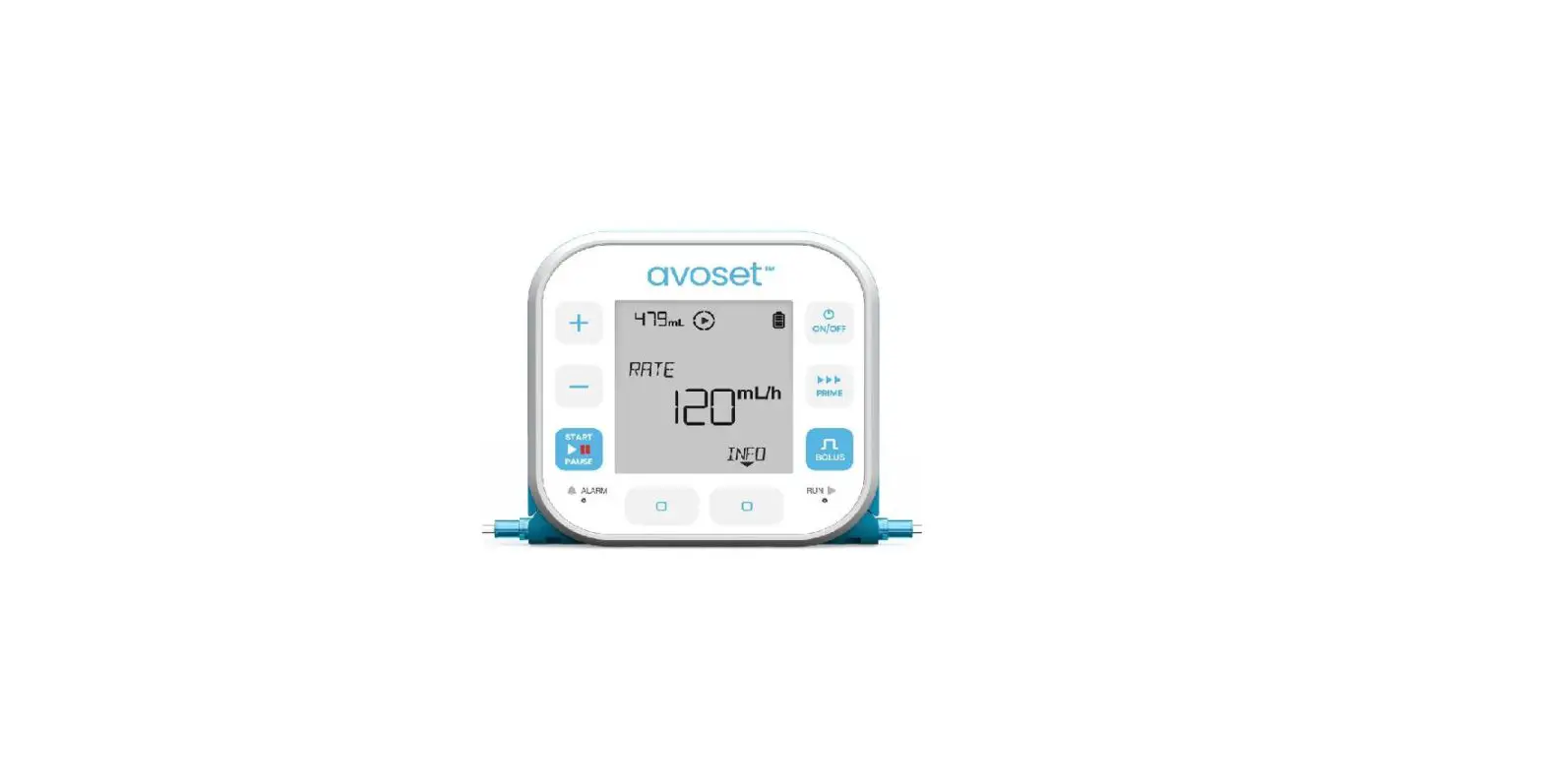
The Avoset infusion pump is a medical device designed for
continuous delivery of medication. It provides the ability to
program infusion parameters such as infusion rate, total volume to
be infused, and duration of infusion. The pump also features an
alarm system for monitoring and ensuring the safe use of the
product.
For detailed information on the usage and safe use of the Avoset
infusion pump, please refer to the user manual and the training
materials available on our website: www.eitanmedical.com/term_training_materials/
Product Usage Instructions
- Review Preprogrammed Infusion Parameters
- Press the NEXT button to navigate between the infusion
parameters. - The available parameters include infusion rate, total volume to
be infused, and duration of infusion. - Press the REVIEW multifunction button to see the infusion
parameters in detail.
- Press the NEXT button to scroll through the infusion parameters
during an ongoing infusion. - The displayed parameters include the time left before the
infusion ends, volume already infused, and remaining volume to be
infused. - Press the INFO multifunction button to see the infusion
parameters in detail.
- If the pump does not have a predefined infusion program, it can
be manually programmed. - Use the / keys to set the desired infusion rate and press the
OK multifunction button. - Use the / keys to set the desired VTBI (Volume To Be Infused)
and press the OK multifunction button.
Note: Additional parameters may be displayed based on the
infusion programming. For further information and detailed
instructions, please refer to the User Manual.
Tip: Long press on the NEXT action button will return to the
home screen.
Quick Guide
Continuous Delivery
Table of Content
Continuous Infusion – Basic Functions Review Preprogrammed Infusion Parameters 3 Review Infusion Parameters During Infusion 4 Program a New Infusion 5 Change Infusion Parameters Before Infusion Starts 6 Change the Rate During Infusion 7
This quick guide provides guidelines for the basic functionalities of the Avoset infusion pump. If you are not a clinician please refer to the Important usage information guide, for additional information and the safe use of the product. For clinicians using the quick guide, please refer to the user manual and the training materials terms of use on our website: www.eitanmedical.com/term_training_materials/ Avoset Quick Guide | Continuous Delivery
Review Preprogrammed Infusion Parameters
GO
+ 1OOO
PRESS START
MEDICATION
3OO
START PAUSE
EDIT
REVIEW
ALARM
ON/OFF PRIME BOLUS RUN
Press NEXT to navigate between the infusion parameters
GO
+
RATE
3OO
START PAUSE
BACK
NEXT
ALARM
ON/OFF PRIME BOLUS RUN
GO
+
VTBI
1OOO
START PAUSE
BACK
NEXT
ALARM
ON/OFF PRIME BOLUS RUN
GO
+
DURATION
O3:2O
START
HOURS MINUTES
PAUSE
BACK
NEXT
ALARM
ON/OFF PRIME BOLUS RUN
GO
+ 1OOO
PRESS START
MEDICATION
3OO
START PAUSE
EDIT
REVIEW
ALARM
ON/OFF PRIME BOLUS RUN
Press the REVIEW multifunction button to see the infusion parameters
1st parameter: The infusion rate
2nd parameter: The total volume to be infused during the infusion
3rd parameter: The time required to complete the infusion
Back to main display (REVIEW option is available again)
Based on the infusion programming, additional parameters may be displayed. Refer to the User Manual for further information. 3 | Avoset Quick Guide | Continuous Delivery
Review Infusion Parameters During Infusion
Press NEXT to scroll through the infusion parameters
GO
+
9SO
MEDICATION
3OO
START PAUSE
EDIT
INFO
ALARM
ON/OFF PRIME BOLUS RUN
GO
+
DURATION
REMAINING
O3:1O
START PAUSE
HOURS
MINUTES
NEXT
ALARM
ON/OFF PRIME BOLUS RUN
GO
+
START PAUSE
VOLUME INFUSED
SO
NEXT
ON/OFF PRIME BOLUS
ALARM
RUN
GO
+
START PAUSE
ALARM
VTBI
9SO
DONE
ON/OFF PRIME BOLUS RUN
GO
+
949
MEDICATION
3OO
START PAUSE
EDIT
INFO
ALARM
ON/OFF PRIME BOLUS RUN
Press the INFO multifunction button to see the infusion parameters
1st parameter: The time left before the infusion ends
2nd parameter: The total volume that has been infused is displayed
3rd parameter: The remaining volume to be infused Is displayed. Press the DONE multifunction button to navigate to the main screen
Back to the main display (INFO option is available again)
Based on the infusion programming, additional parameters may be displayed. Refer to the User Manual for further information Tip: long press on the NEXT action button will return to home screen
4 | Avoset Quick Guide | Continuous Delivery
Program a New Infusion
When the pump does not have a predefined infusion program, the pump may be programmed manually
GO
+
START PAUSE
SET RATE
O
ALARM
ON/OFF PRIME BOLUS RUN
GO
+
SET RATE
3OO
START PAUSE
OK
ALARM
ON/OFF PRIME BOLUS RUN
GO
+
START PAUSE
SET VTBI
O
BACK
ALARM
ON/OFF PRIME BOLUS RUN
GO
+
SET VTBI
1OOO
START
PAUSE
BACK
OK
ALARM
ON/OFF PRIME BOLUS RUN
GO
+
RATE 3OO ML/H
ON/OFF
VTBI 1OOO ML
PRIME
START PAUSE
ALARM
BACK
CONFIRM
BOLUS
RUN
1. The pump prompts you to set rate. Use the / keys to increase / decrease the rate
2. Press the OK multifunction button once the required rate is reached
3. The pump prompts you to set VTBI. Use the / keys to increase / decrease the VTBI
4. Press the OK multifunction button once the required VTBI is reached
5. Review the set parameters, then press the CONFIRM multi-function
button to confirm the program
GO
+ 1OOO
PRESS START
ON/OFF
START PAUSE
ALARM
PRIME
3OO
EDIT
REVIEW
BOLUS
RUN
6. Press infusion
to start the
GO
+ 41O9O9O.5 ON/OFF
NROARTMEAL SALINE
PRIME
230O0O
START
PAUSE
EEDDIITT
REIVNIFEOW
BOLUS
ALARM
RUN
7. The infusion is running
The Running icon is spinning
Green light is flashing
Note that the pump deletes the infusion parameters after infusion is complete
5 | Avoset Quick Guide | Continuous Delivery
Change Infusion Parameters before Infusion Starts
Before starting infusion you can change the rate and the VTBI, changes apply to future repeated infusions as well. The example below shows how to edit the rate and keep the VTBI unchanged
Change infusion’s Rate
GO
+ 1OOO
PRESS START
MEDICATION
3OO
START PAUSE
EDIT
REVIEW
ALARM
ON/OFF PRIME BOLUS RUN
GO
+
START PAUSE
ENTER PASSWORD
**O
CLEAR
OK
ON/OFF PRIME BOLUS
ALARM
RUN
GO
+
SET RATE
3OO
START PAUSE
BACK
SKIP
ALARM
ON/OFF PRIME BOLUS RUN
GO
+
SET RATE
2OO
START
BACK
OK
PAUSE
ALARM
ON/OFF PRIME BOLUS RUN
1. Press the EDIT multifunction button to change infusion parameters
2. Password entry may be required.
GO
+
EDIT MORE
PARAMETERS?
ON/OFF PRIME
START PAUSE
ALARM
YES
NO
BOLUS RUN
GO
+
CONFIRM RATE
ON/OFF
START PAUSE
ALARM
PRIME
2OO
EDIT
CONFIRM
BOLUS
RUN
5. To edit additional parameters press the YES multi-function button, to finish editing press NO
6. Press the CONFIRM multi-
function button to confirm the selected rate
6 | Avoset Quick Guide | Continuous Delivery
3. The pump prompts you to set the rate. Use the / keys to increase/decrease the rate
4. Press the OK multifunction button to set the rate.
GO
+
SOO
PRESS START
MEDICATON
2OO
START PAUSE
EDIT
REVIEW
ALARM
ON/OFF PRIME BOLUS RUN
7. Press infusion
to start the
GO
+
SOO
MEDICATION
2OO
START PAUSE
EDIT
INFO
ALARM
ON/OFF PRIME BOLUS RUN
8. The infusion is running
The Running icon is spinning Green light is flashing
Change the Rate During Infusion
The new value will be saved for future repeated infusions.
GO
+ 999.S
MEDICATION
3OO
START PAUSE
EDIT
INFO
ALARM
ON/OFF PRIME BOLUS RUN
GO
+ 999.S
MEDICATION
3OO
START PAUSE
EDIT
INFO
ALARM
ON/OFF PRIME BOLUS RUN
GO
+
START PAUSE
ENTER PASSWORD
**O
CLEAR
OK
ON/OFF PRIME BOLUS
ALARM
RUN
GO
+
SET RATE
3OO
START PAUSE
BACK
SKIP
ALARM
ON/OFF PRIME BOLUS RUN
GO
+
SET RATE
2SO
START
BACK
OK
PAUSE
ALARM
ON/OFF PRIME BOLUS RUN
1. Press infusion
to pause the
2. Press the EDIT multifunction button
3. Password entry may be required
4. The pump prompts you to to set the rate. Use the / keys to increase / decrease the rate
5. Press the OK multifunction button once the required rate is reached
GO
+
CONFIRM RATE
ON/OFF
START PAUSE
ALARM
PRIME
2SO
EDIT
CONFIRM
BOLUS
RUN
GO
+ 999.S
MEDICATION
2SO
START PAUSE
EDIT
INFO
ALARM
ON/OFF PRIME BOLUS RUN
GO
+ 999.S
MEDICATION
2SO
START PAUSE
EDIT
INFO
ALARM
ON/OFF PRIME BOLUS RUN
6. Press the CONFIRM multi-
function button to confirm the selected rate
7. Press infusion
to resume the 8. The infusion is running
The Running icon is spinning
Green liaght is flashing
7 | Avoset Quick Guide | Continuous Delivery
Avoset English Quick Guide Continuous | I5I25-048-0003-UM, Rev.03
EC REP
MedNet EC-REP llb GmbH Borkstrasse 10 48163 Münster, Germany
Eitan Medical Ltd. 29 Yad Haruzim St. P.O. Box 8639 Netanya 4250529, Israel