QNAP QHora-322 Next-Generation Three-port 10GbE SD-WAN Router
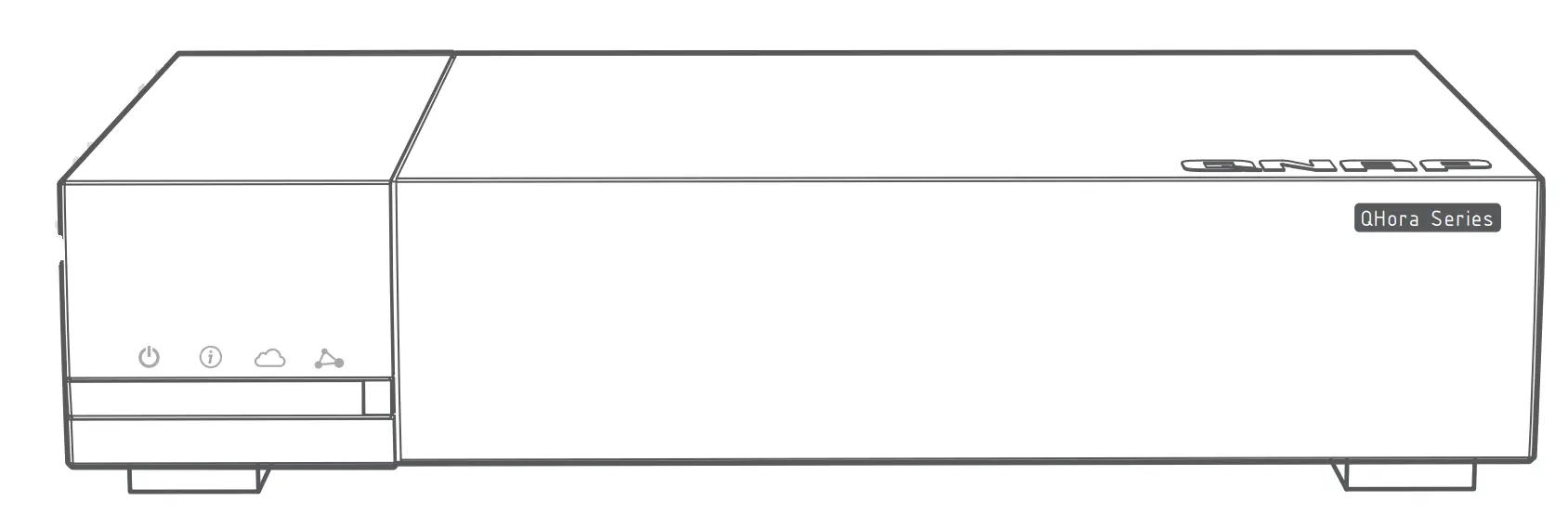
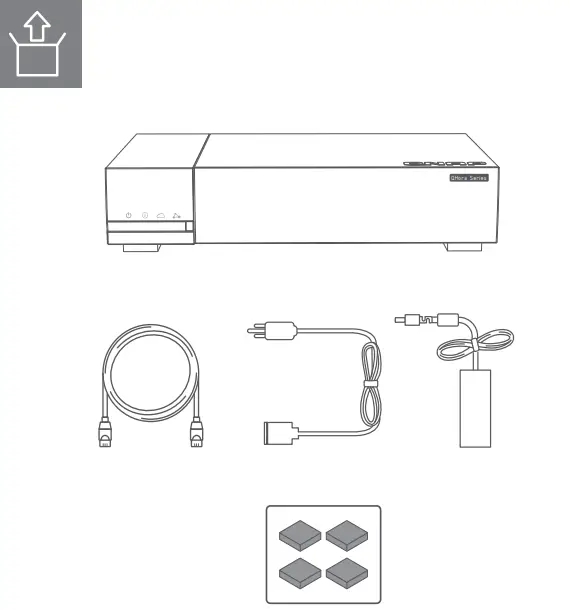
PACKAGE CONTENTS
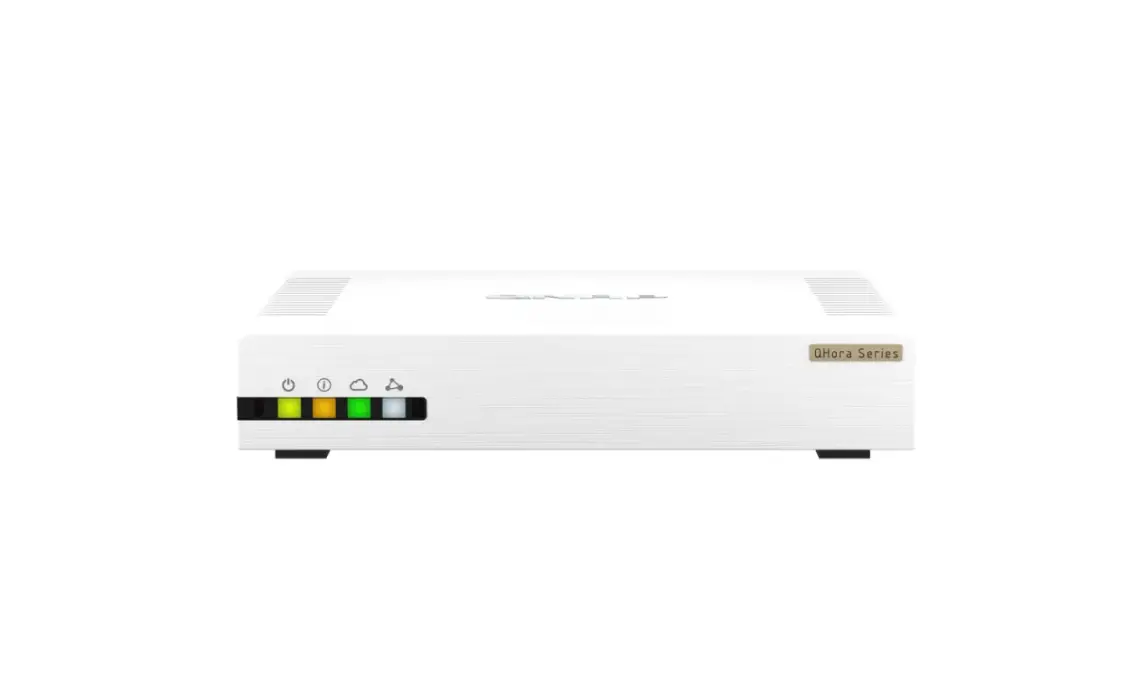
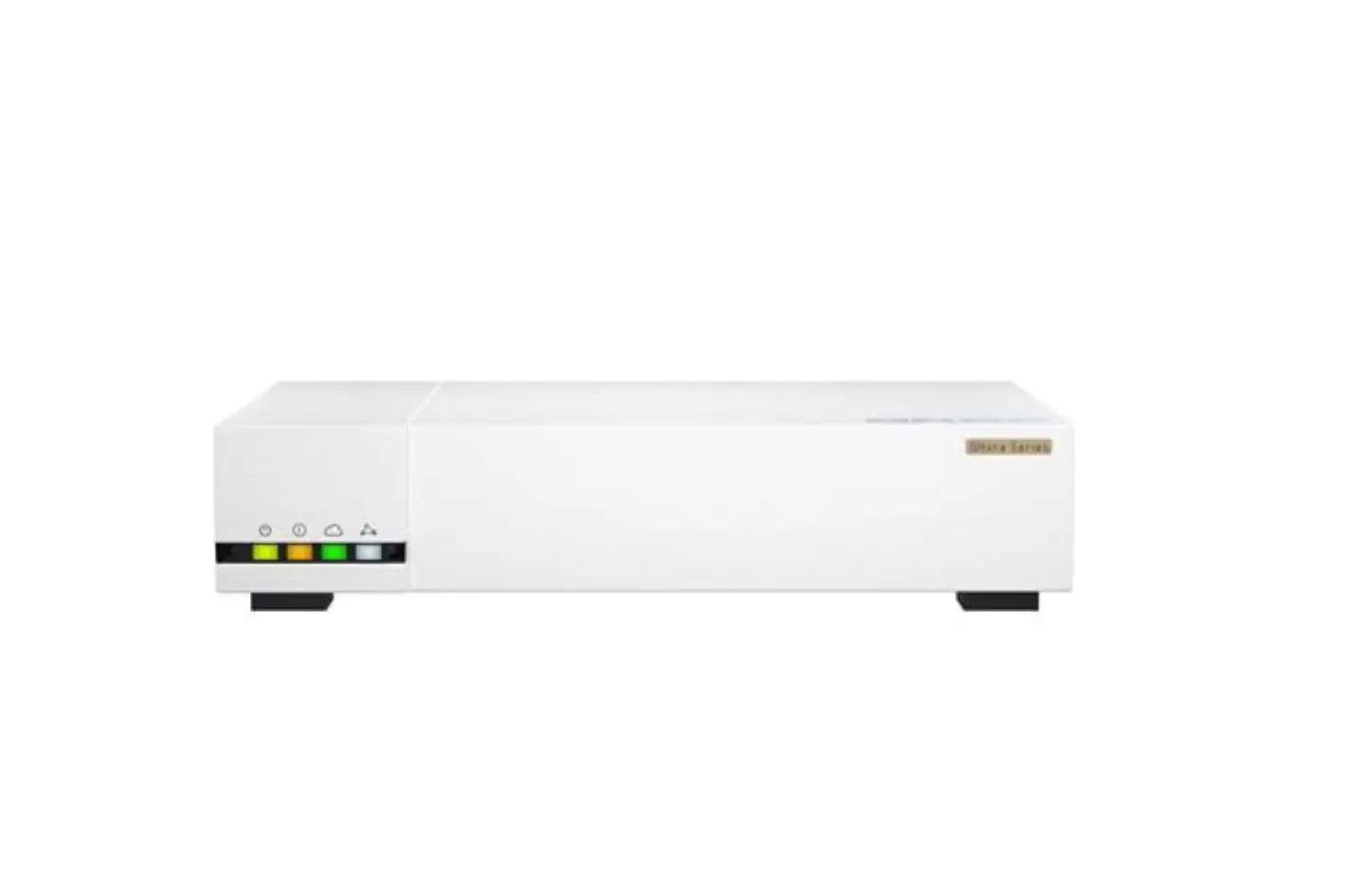
QHora-322 Front Panel LEDs
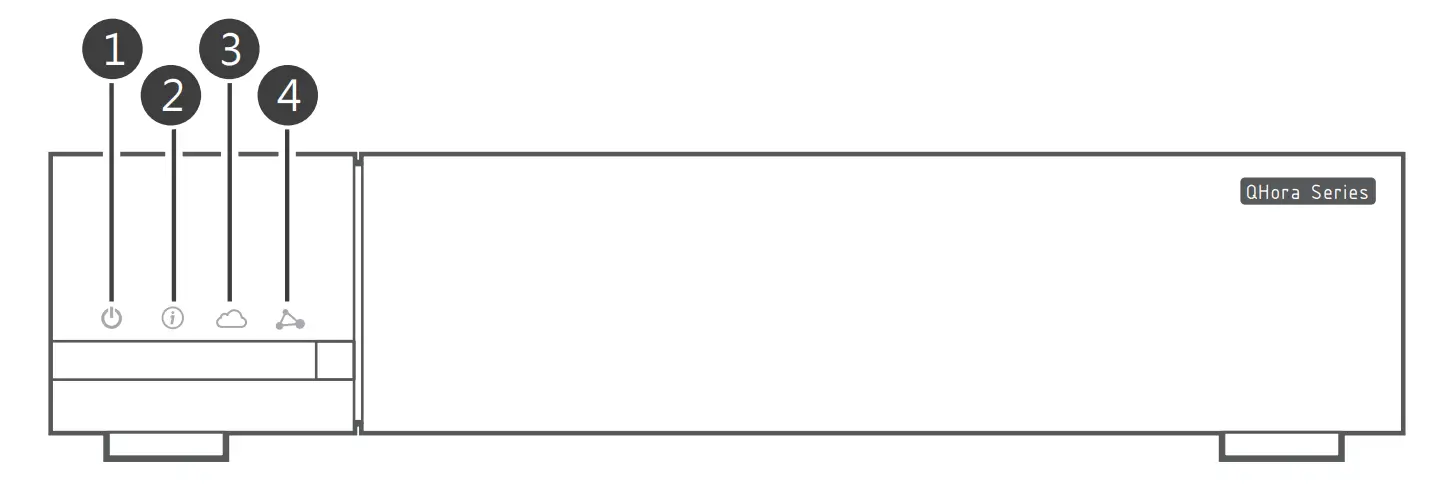
| LED | Status | Description |
| 1 Power | Yellow-green | The router is powered on. |
| Off | The router is powered off. | |
| Flashes yellow-green every 1 second along with the system status LED | A system error occurred. | |
| 2 System Status | Orange | The router has powered up and initialized. |
| Flashes orange every 1 second | The router is being initialized. | |
| Flashes orange every 2 seconds | The firmware is being updated. | |
| Flashes orange every 1 second along with the power LED | A system error occurred. | |
| Off | The router is powered off. | |
| 3 Qu WAN Orchestrator Status | Blue-green | The router has joined the QuWAN Orchestrator topology and is connected to the SD-WAN network. |
| Flashes blue-green every 0.5 seconds | The router is joining the QuWAN Orchestrator SD- WAN network. | |
| Flashes blue-green every 2 seconds | The router has lost connection to the QuWAN Orchestrator SD-WAN network. | |
| Off | The router is not part of the QuWAN OrchestratorSD-WAN network. | |
| 4 Auto-mesh Connection Status | White | Connected: All the mesh VPN tunnels established by the device on the QuWAN Orchestrator SD- WAN network are accessible. |
| Flashes white every 2 seconds | Partially connected: Few of the mesh VPN tunnels established by the router on the QuWAN Orchestrator SD-WAN network are inaccessible. | |
| Off | The router is not part of the QuWAN Orchestrator SD-WAN network. |
Note: The front panel LEDs will turn on during the reset process.
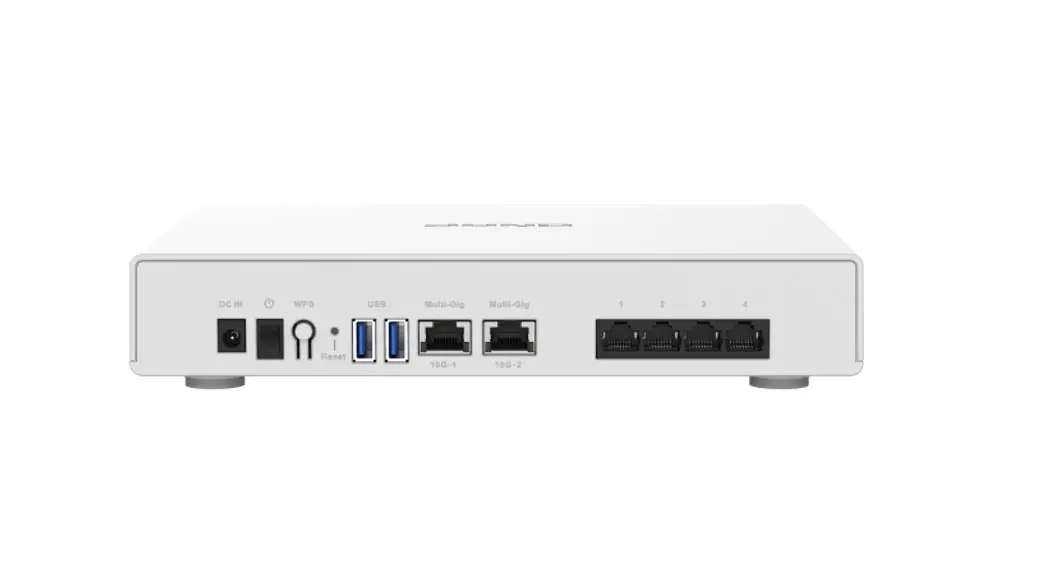
QHora-322 Rear Panel LEDs
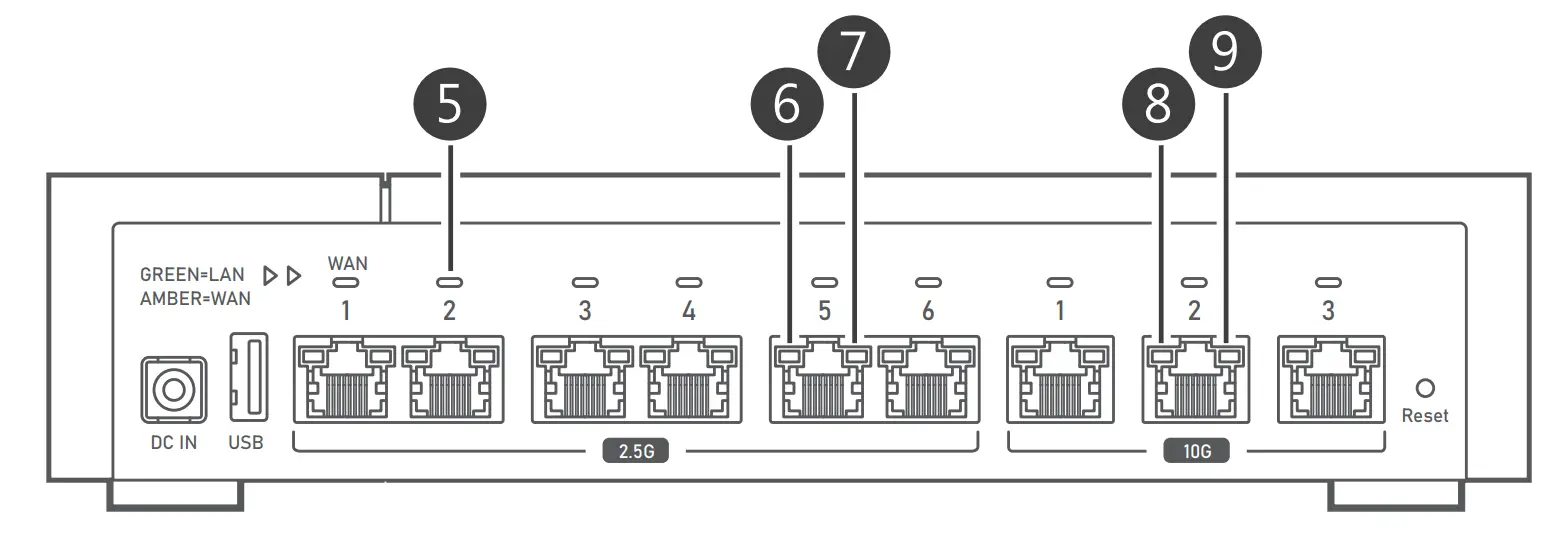
Wide Area Network (WAN) and Local Area Network (LAN) LEDs | |
| 5 QHora-322 assigns the default WAN interface role to 2.5 GbE port number 1. The following LED status indicates the network port role: | WAN interface – Orange |
| LAN interface – Green | |
| 6 2.5 Gigabit Ethernet LED (2.5 Gbps speed) | Green | The network connection is operating at 2.5 Gbps. |
| Flashes green | Data is being transmitted. | |
| Off | There is no network connection. | |
| 7 2.5 Gigabit Ethernet LED (1 Gbps or 100 Mbps speed) | Orange | The network connection is operating at 1 Gbps or |
| 100 Mbps. | ||
| Flashes orange | Data is being transmitted. | |
| Off | There is no network connection. | |
| 8 10 Gigabit Ethernet LED (10 Gbps speed) | Green | The network connection is operating at 10 Gbps. |
| Flashes green | Data is being transmitted. | |
| Off | There is no network connection. | |
| 9 10 Gigabit Ethernet LED (5 Gbps, 2.5 Gbps, 1 Gbps, or 100 Mbps speed) | Orange | The network connection is operating at 5 Gbps, 2.5 |
| Gbps, 1 Gbps, or 100 Mbps speed. | ||
| Flashes orange | Data is being transmitted. | |
| Off | There is no network connection. |
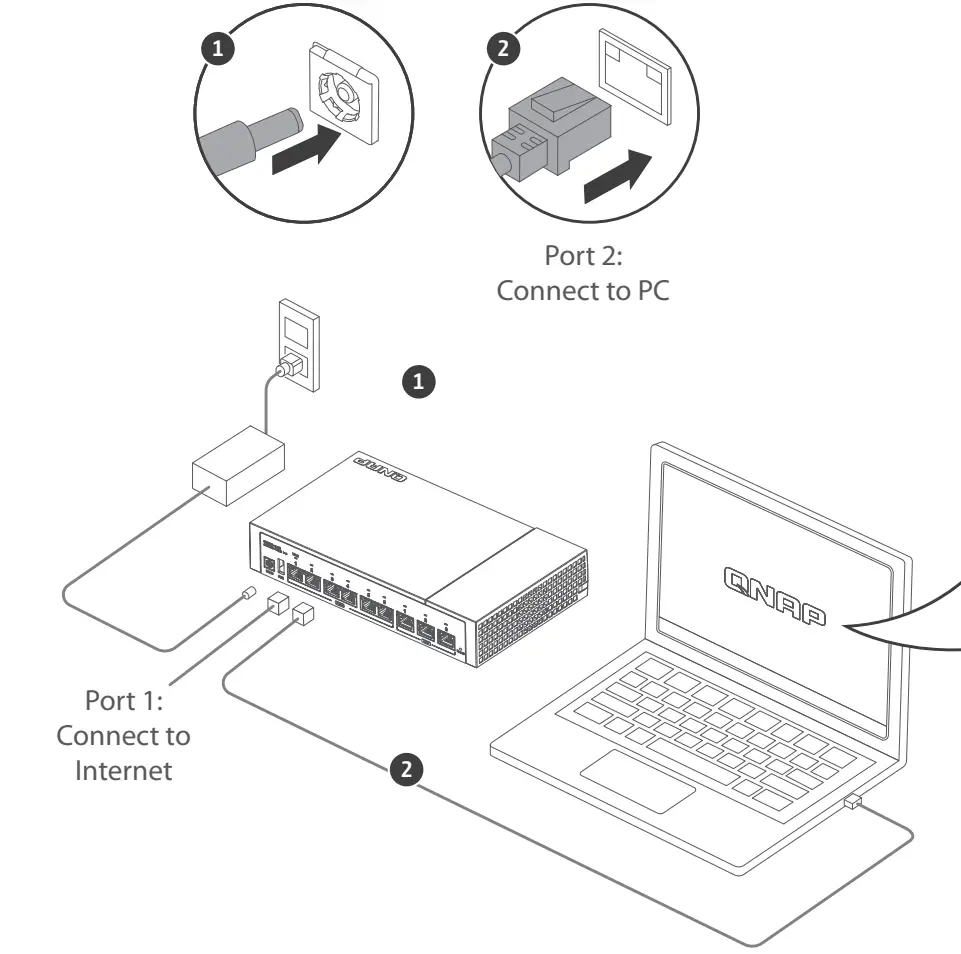
Connect to Internet
QHora-322 Audio alert define
| Duration | Frequency | Description |
| Long and short beeps | 1 long and 2 short beeps | The router is resetting configurations and rebooting (Press reset button for 10sec). |
| 2 long beeps and 1 short beep | The router has completed firmware update. | |
| Long beep | 1 | The router is starting up. |
| Short beep | 1 | The router is resetting administrator account password(Press reset button for 5sec). |
| 10 (every 1 minute) | The CPU is overheating.
|
 Download Center
www.qnap.com/download
 This device complies with Part 15 of the FCC Rules. Operation is subject to the following two conditions:
- This device may not cause harmful interference.
- This device must accept any interference received, including interference that may cause undesired operation.
FCC Class B Notice:
This equipment has been tested and found to comply with the limits for a Class B digital device, pursuant to Part 15 of the FCC Rules. These limits are designed to provide reasonable protection against harmful interference in a residential installation. This equipment generates, uses, and can radiate radio frequency energy and, if not installed and used in accordance with the instructions, may cause harmful interference to radio communications. However, there is no guarantee that interference will not occur in a particular installation. If this equipment does cause harmful interference to radio or television reception, which can be determined by turning the equipment off and on, the user is encouraged to try to correct the interference by one or more of the following measures:
- Reorient or relocate the receiving antenna.
- Increase the separation between the equipment and receiver.
- Connect the equipment into an outlet on a circuit different from that to which the receiver is connected.
- Consult the dealer or an experienced radio/television technician for help.
Modifications:
Any modifications made to this device that are not approved by QNAP Systems, Inc. may void the authority granted to the user by the FCC to operate this equipment.
 This QNAP device complies with CE Compliance Class B
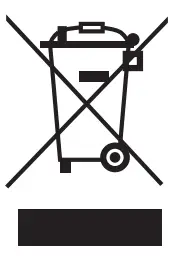 According to the requirement of the WEEE legislation the following user information is provided to customers for all branded QNAP products subject to the WEEE directive.
This symbol on the product or on its packaging indicates that this product must not be disposed of with your other household waste. Instead, it is your responsibility to dispose of your wasteequipment by handing it over to a designated collection point for the recycling of waste electrical and electronic equipment. The separate collection and recycling of your waste equipment at the time of disposal will help to conserve natural resources and ensure that it is recycled in a manner that protects human health and the environment. For more information about where you can drop off your waste equipment for recycling, please contact your local city office, your household waste disposal service or the shop where you purchased the product.
EU RoHS statement
This equipment complies with the European Union RoHS Directive 2011/65/EU on the restriction of the use of certain hazardous substances in electrical and electronic equipment. The directive applies to the use of lead, mercury, cadmium, hexavalent chromium, polybrominated biphenyls (PBB), and polybrominated diphenyl ethers (PBDE) in electrical and electronic equipment.
THIS PRODUCT CONTAINS A BUTTON BATTERY
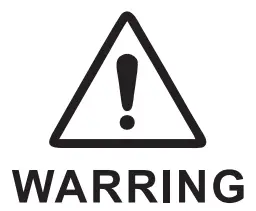 If swallowed, a lithium button battery can cause severe or fatal injuries within 2 hours.
Keep batteries out of reach of children.
If you think batteries may have been swallowed or placed
inside any part of the body, seek immediate medical attention
Customer Support
 install.qnap.com
 service.qnap.com
 download.qnap.com

 download.qnap.com
 Cloud Install
 Customer Service - QNAP
 Master your digital files for work and daily life | QNAP (US)