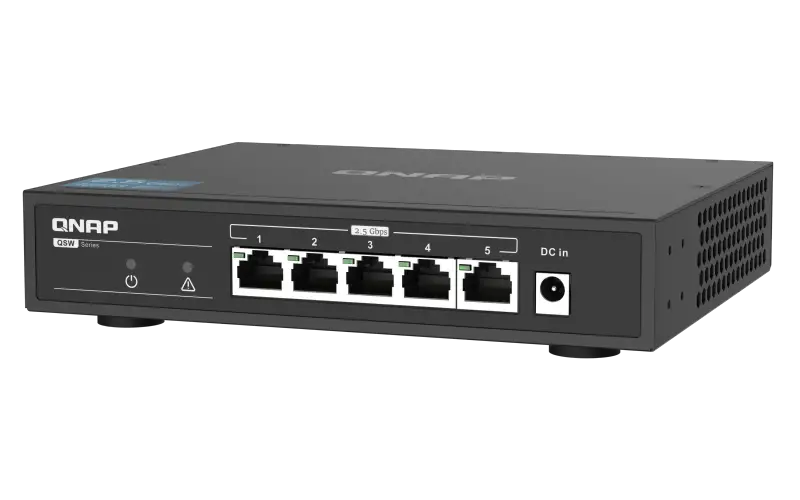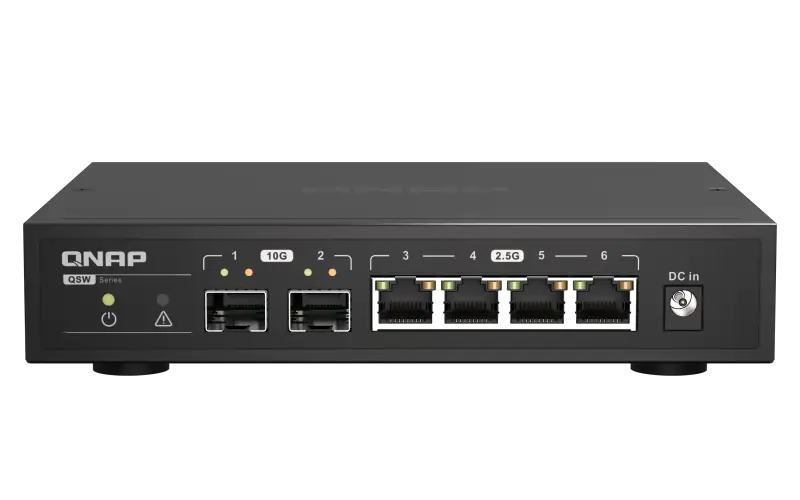
QNAP QSW-2104-2S/2T 4-Port 2.5G Unmanaged Switch
IN THE BOX
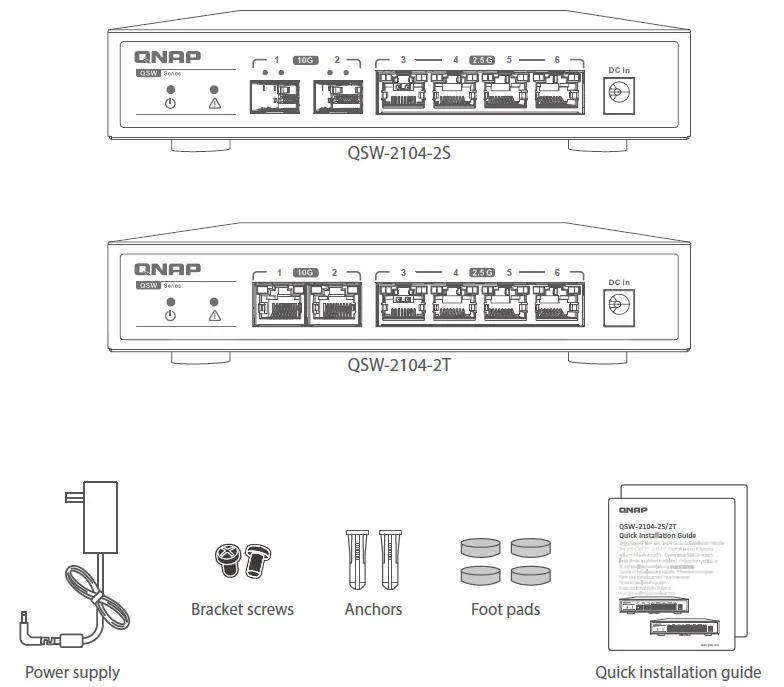
Specifications
| Model Dimensions (H x W x D) | QSW-2104-2S | QSW-2104-2T |
| 34 x 180 x 145 mm | ||
| Net weight | 713g | 722g |
| Input voltage range | 100–240VAC | |
| Switching bandwidth 10GbE SFP+ ports | 60 Gbps | |
| 2 | – | |
| 10GbE RJ45 ports | – | 2 |
| 2.5GbE RJ45 ports | 4 | 4 |
| Operating temperature Relative humidity | 0˚C–40˚C (32°F –104°F) | |
| 10% to 90% (non-condensing) | ||
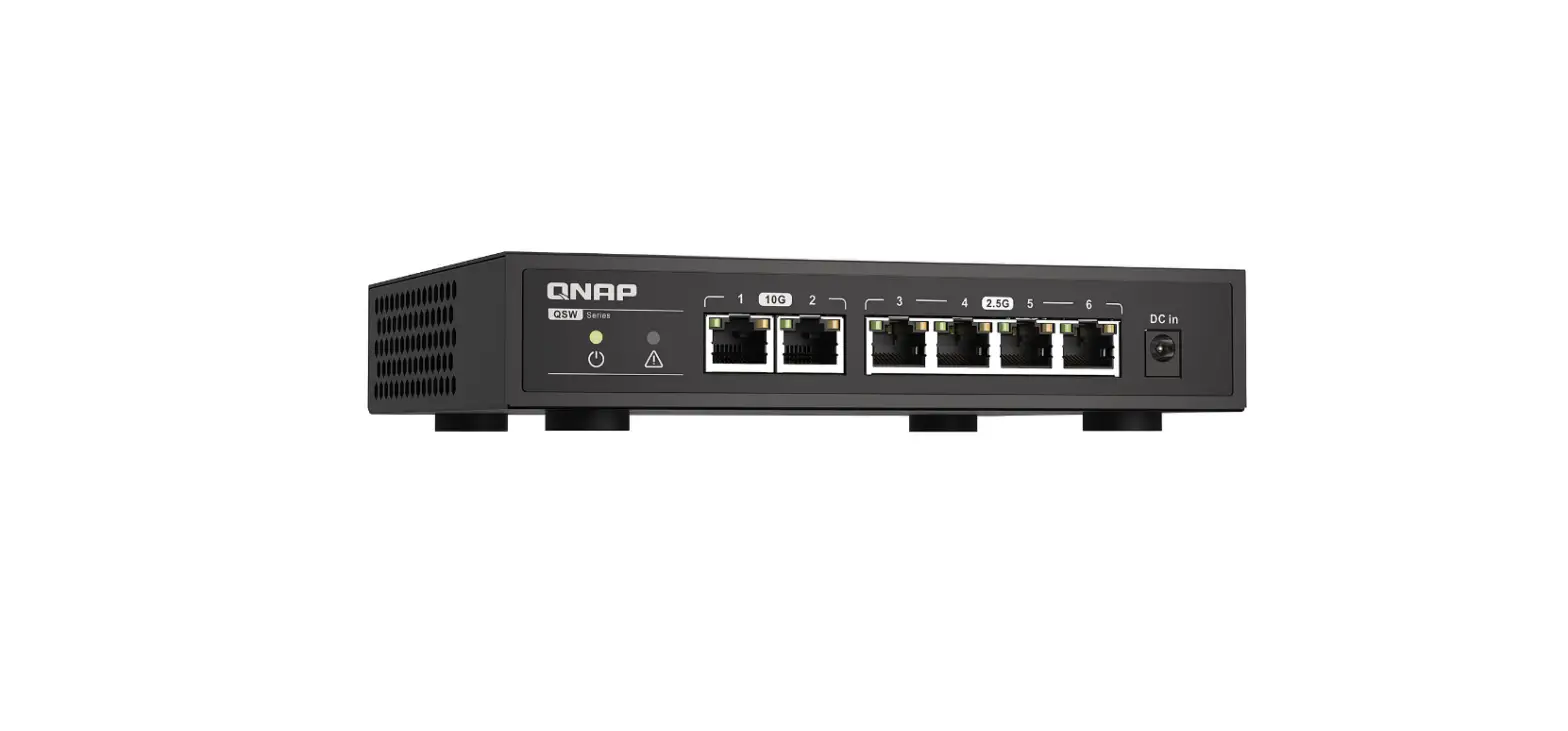
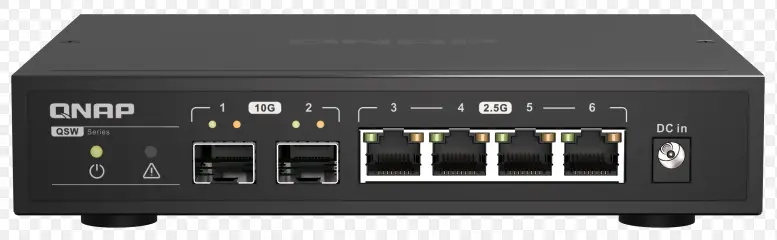
QSW-2104-2S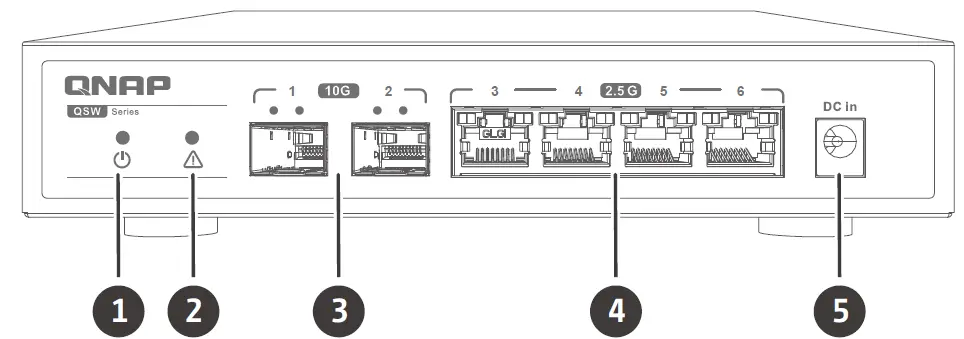
| 1. Power LED | 4. 2.5GbE RJ45 ports |
| 2. Loop indicator | 5. Power input |
| 3. 10GbE SFP+ ports |
QSW-2104-2T
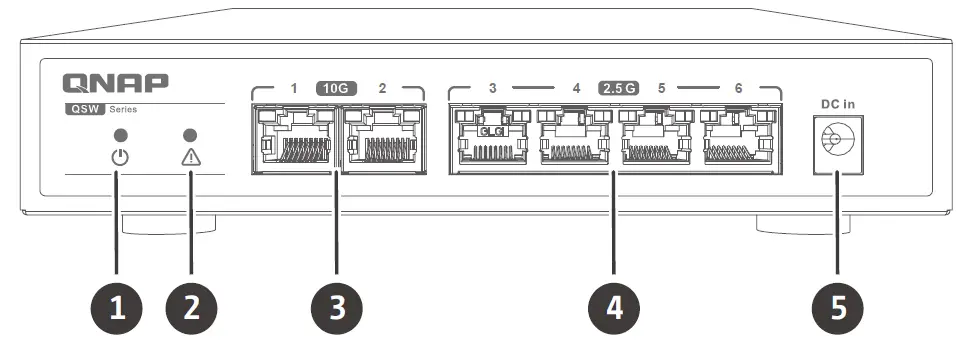
| 1. Power LED | 4. 2.5GbE RJ45 ports |
| 2. Loop indicator | 5. Power input |
| 3. 10GbE RJ45 ports |
LED Behavior
| LED Status | Description | |
| Power | Green | Device is on |
| Off | Device is off | |
| Loop indicator | Off | No loop |
| Red and flashing with looping ports | Loop occurs | |
| 10GbE SFP+ ports | Green(left) | Link is operating at 10 Gbps, flashing: link up, off: no link, flashing with loop indicator: port loop |
| Amber(right) | Link is operating at 1 Gbps, flashing: link up, off: no link. | |
| 10GbE RJ45 ports | Green(left) | Link is operating at 10 Gbps, flashing: link up, off: no link, flashing with loop indicator: port loop |
| Amber(right) | Link is operating at 5G/2.5G/1G/100M bps, flashing: link up, off: no link. | |
| 2.5GbE RJ45 ports | Green(left) | Link is operating at 2.5 Gbps, flashing: link up, off: no link, flashing with loop indicator: port loop |
| Amber(right) | Link is operating at 1G/100M bps, flashing: link up, off: no link. | |

 download.qnap.com
 Cloud Install
 Customer Service - QNAP
 Master your digital files for work and daily life | QNAP (US)