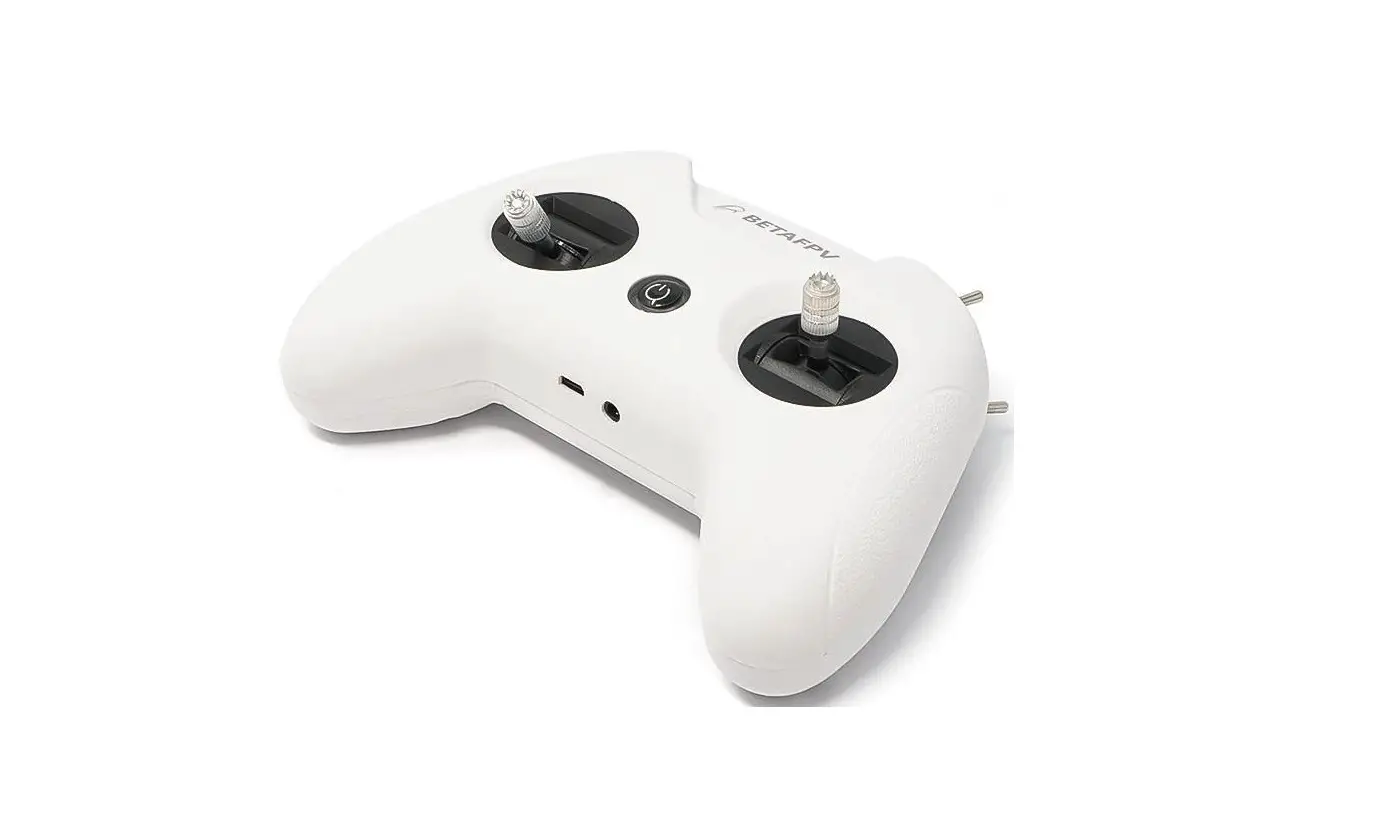
LiteRadio 3 Radio Transmitter
LiteRadio 3 Radio Transmitter
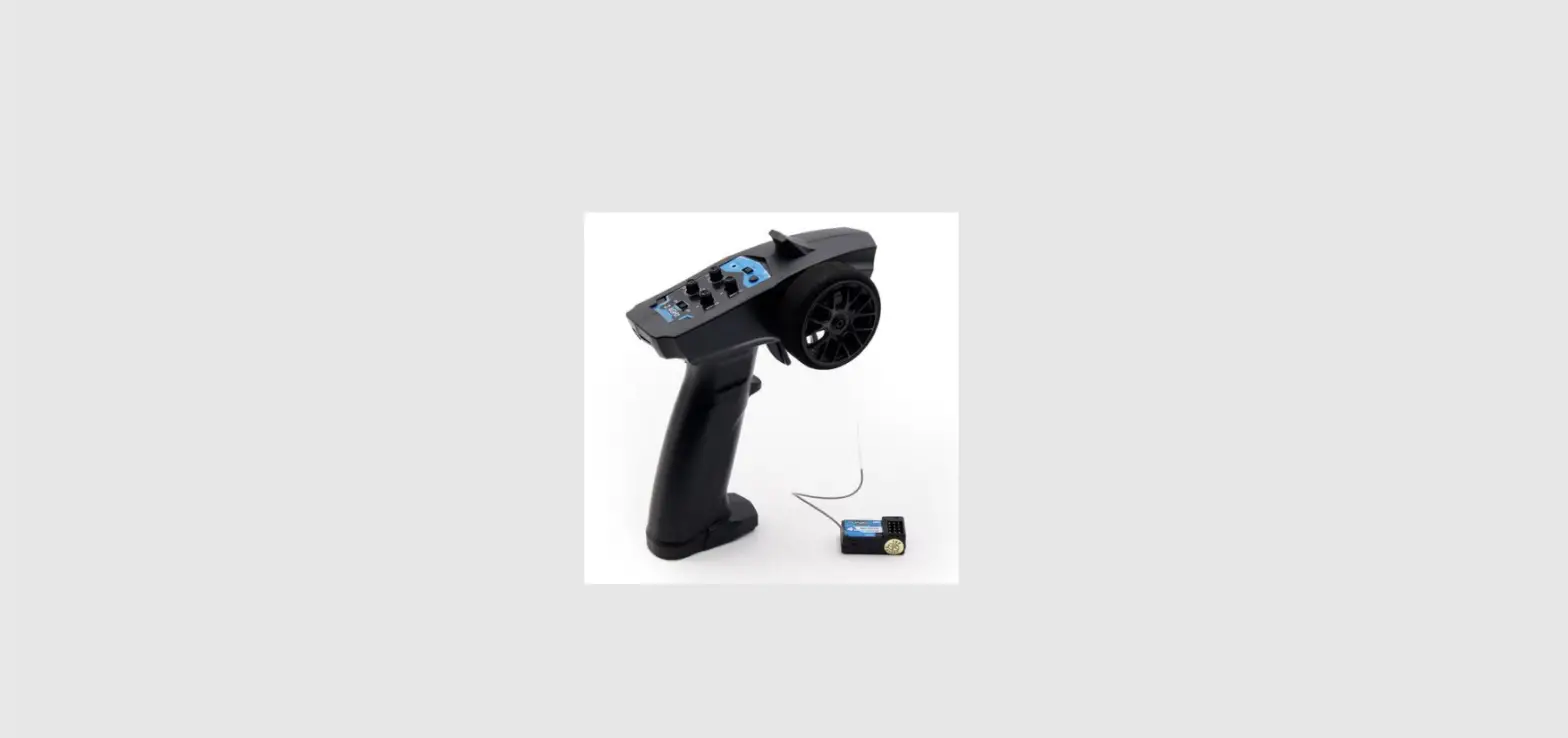
The LiteRadio 3 is a remote control radio transmitter designed
for RC models, including multicopters and airplanes. It has 8
channels in total and a USB joystick for most practice simulators.
The Nano module bay allows for an external RF TX module. The radio
transmitter also features a new designed joystick gimbal for longer
usage life. It provides ExpressLRS 2.4G protocol version and CC2500
version for the option and has a built-in 2000mAh battery
supported.
Product Usage Instructions
The LiteRadio 3 radio transmitter has three buttons:
- Power Button: Turn the radio transmitter
on. - BIND Button: Enter binding mode after the
radio transmitter is powered on. - SETUP Button: Enter joystick calibration mode
after the radio transmitter is powered on.
Power On/Off
To power on the radio transmitter, long press the power button
for 3 seconds until it beeps three times (do re mi) then release.
The LED ring will turn on quickly, then remain blue. To power off,
long press the power button until it beeps three times (mi re
do).
LED Indicator and Buzzer
The LED ring indicates the working status of the radio
transmitter.
| State of the LED Ring | Reason | Solution |
|---|---|---|
| Red light solid on | The throttle joystick or switches are not in the lowest position | Lower throttle and switches to the lowest position. Turn to blue then. |
| Red light breathes slowly | The radio transmitter is binding | Wait for completing binding. Charge the transmitter if it reaches the low voltage limit. |
| Green light breathes slowly | On charging | Charge complete. The buzzer will alarm twice, indicating a low battery if it needs to be charged. |
Binding the Receiver
To enter binding status:
- Power on the radio transmitter and wait for its system to load
completely. LED ring is solid blue. - Enter receiver’s binding mode and wait for it to bind with the
radio. - Press the BIND button on the bottom of the transmitter to enter
binding status. - The LED ring will be red.
- The LED ring will change to solid blue 5 seconds later when the
transmitter exits binding status. Repeat the process above if not
bound successfully.
Switching Protocol
Note: Switching internal protocol is only available for CC2500
version radio transmitter. ExpressLRS version can only switch to
the external TX module.
The CC2500 version can switch between different internal
protocols, including Frsky D16 FCC, Frsky D16 LBT, Frsky D8, and
Futaba S-FHSS. The protocol is indicated by the flashing times of
the LED when power on, before the buzzer alarms.
| CC2500 Version | LED Status | Protocol Version |
|---|---|---|
| Internal Frsky D16 (ACCST 1.X Version) | Red Flash once | FCC |
| Red Flash twice | LBT | |
| Internal Frsky D8 | Red Flash Three Times | |
| Internal Futaba S-FHSS | Red Flash Four Times | |
| Purple Flash Three Times Quickly | Internal TX Module |
LiteRadio 3 Radio Transmitter
BETAFPV
LiteRadio 3 is a remote control radio transmitter designed primarily for RC models,
including multicopters, airplanes. It gives you more than you ever thought possible
fr
el 8-channel radio.
8 channels in total.
USB Joystick
or most practice simulator.
Nano module bay for external RF TX module.
New designed joystick gimbal for longer usage life.
AFPV
ator f
Provide ExpressLRS 2.4G protocol version and CC2500 version for option.
Built-in 2000mAh b
ge supported.
The front side of the radio transmitter.
Switch C
Switch B
Switch D
Switch A
Power Button LED Ring Throttle Joystick Direction Joystick
01
The back side of the radio transmitter. NANO Bay
SETUP BIND Audio P Type-C P
NC GND VCC
1.Button Functions
There are three buttons on LiteRadio 3 radio transmitter. Power Button: Turn the radio transmitter o on. BIND Button: Enter binding mode after radio transmitter is powered on. SETUP Button: Enter joystick calibration mode after radio transmitter is powered on.
2.Pow
POWER ON: Long press the power button on the radio transmitter for 3 seconds until it beeps three times (do re mi) then release. The radio transmitter LED ring will
ed quickly, then remain blue. POWER OFF: A long press of the power button on the radio transmitter will turn it o ter three beeps (mi re do).
3.LED Indicator and Buzzer
The LED ring indicates the working status of the radio transmitter. 02
State of the LED Ring
Reason
Solution
Red light solid on
R wly
Red light breathes slowly
The throttle joystick or switches are not in the lowest
Lower throttle and switches to the lowest position. Turn to blue then.
The radio transmitter is binding
eaches the low voltage limit
Wait for completing binding Charge the transmitter
On charging
Green light breathes slowly Charge complete
The buzzer will alarm twice, indicating a low b
e-charged.
4.Binding the Receiver
There are the steps to make the LiteRadio 3 enter binding status.
1. Power on the remote control radio transmitter and wait for its system to load completely. LED ring is solid blue.
2. Enter receiver’s binding mode, and wait for it to bind with the radio;
3. Press the bind button on the bottom of the transmitter to enter binding stutas.
The LED ring will be r
.
4. The LED ring will change to solid blue 5 seconds later when transmitter exits binding status. If not bind successfully, repeat the process above.
5.Switching Protocol
Note: Switching internal protocol is only available for CC2500 version radio transmitter. ExpressLRS version can only switch to the external TX module.
The CC2500 v
erent internal protocols, including Frsky D16
FCC, Frsky D16 LBT, Frsky D8 and Futaba S-FHSS, it also
The protocol is
indicated by the ashing times of the LED when power on, before the buzzer
alarms.
03
Cc2500 Version
LED Status Red Flash once
Protocol Version Internal Frsky D16 FCC (ACCST 1.X Version)
Red Flash twice
Internal Frsky D16 LBT (ACCST 1.X Version)
Red Flash Three Times
Internal Frsky D8
Red Flash Four Times Purple Flash Three Times Quickly
Internal
Internal Futaba S-FHSS ternal TX Module
ExpressLRS Version
LED Status Red Flash once
Protocol Version Internal ELRS
Purple Flash Three Times Quickly
Internal
ternal TX Module
To change protocols and TX module, here are the steps:
1. Power the radio transmitter o
2. Press and hold the BIND button while power the radio transmitter back on;
3.
s of the LED before buzzer alarms will change,
according to the tables above.
Note: LiteRadio 3 CC2500 version only work with D16 ACCST 1.X Frsky protocol. So if you use a Frsky receiver with D16 ACCST 2.X version or ACCESS version, binding will fail.
6.Charging
LiteRadio 3 radio transmitter has a built-in 2000mAh b
. When the red light
s twice and the buzzer alarms twice, indicates that radio transmitter is low
b
e-charged. Below charging method for reference:
Turn o
adio transmitter.
Plug in radio transmitter with adapter by USB cable (5V output adapter is allowed).
The LED ring breathes in red means charging, while in green means fully charged.
04
Output 5V
Type-C Data Cable
The continue working time for full charged b
7.HID Joystick
It is the safest and quicke
f
radio transmitter
with comprehensiv
ation.
y using model practice simulator f simulators on market
Type-C Data Cable 05
Operation steps below:
Turn o adio transmitter.
Connect the transmitter to computer via USB data cable. Wait for the LED ring
breathes in red or green.
Install driver from PC automatically, prompt box pops up after successful
installation. Then, radio transmitter works as joystick
ace device (AKA
HID device) normally.
Setting up a device We’re setting up ‘BETAFPV JoyStick’.
Bluetooth & other devices Other devices
BETAFPV JoyStick
User needs to manually install driver if PC doesn’t install automatically or installed
incorrectly.
DO NOT power on the transmitter and connect it to the PC. The USB
is invalid in this
situation.
8.Joystick Calibration
The joystick data may o
ter it has used for a period of time (if joysticks is hit
by physical). User need to re-calibrate joysticks based on following steps.
After powering on, press SETUP button on the back of remote control radio
transmitter, it hears two “Bee Bee” sounds, and r
tw
s
each time), which means remote control radio transmitter entered calibration mode.
Move throttle joystick and direction joystick to middle position, press SETUP
button again, wait until the buzzer beep three “Bee Bee Bee” sounds, red LED light
s quickly (tw
s each time), which indicates joystick data has been
acquir
alue calibration mode.
Toggle the joystick to move to the top, bottom, left, and right joystick boundaries
06
respectively (do not to press too hard, the joystick just needs to touch the
eep the position for 1-2S, then press the SETUP button one more
time, we can hear a long beeping sound (about 3 seconds) from the buzzer again,
and the r
ation of the joystick is
completed.
9.BETAFPV
ator
BETAFPV Con gurator is utility designed to simplify updating, con guring and tuning the radio transmitter.
Download address: https://github.com/BETAFPV/BETAFPV_
ator/releases
How to enter the radio tr
ation page:
Turn o
adio transmitter.
Connect the transmitter to computer via USB data cable. Wait for the LED ring
breathes in red or green.
Open the BETAFPV
ator program in your computer and switch to the
ator page for radio transmitter.
Click the “Connect Radio Controller” button on the top right of the page.
How to recognise if your radio tr
AFPV
ator?
Remove the cover on the back of the transmitter and there is a label, comes with “BETAFPV
DO NOT power on the transmitter situation.
and connect it to the PC. The USB
is invalid in this
07
LiteRadio 3BETAFPV LiteRadio
2020
LiteRadio 3
8
USB Joystick
Nano
BETAFPV
ator
ExpressLRS 2.4GCC2500
2000mAhUSB
LiteRadio 3
SC
SB
SD
SA
08
LiteRadio3 NANO
SETUP BIND Type-C
NC GND VCC
1.
3 / BIND SETUP
2./
3do re mi LED 3mi re do LED
3.LED
RGB LED
09
“”
4.
BIND 5 1. LED 2. 3. BINDLED 5 4. 5LED 3
5.
CC2500ExpressLRS BB LED
10
CC2500
Frsky D16 FCCACCST 1.X Frsky D16 LBTACCST 1.X
Frsky D8 Futaba S-FHSS
ExpressLRS
ELRS
BIND LED LED LiteRadio 3 CC2500D16 ACCST 1.XFrsky D16 ACCST 2.XACCESS
6.
2000mAh “” USB5V
11
5
Type-C 15 3080%
7.HID Joystick
LiteRadio 3USB
Type-C USBPCLED
12
PC
USBJoystick
8.
SETUP 2LED SETUP 3LED 1-2SSETUP 3LED
13
9.BETAFPV
ator
BETAFPV
ator
https://github.com/BETAFPV/BETAFPV_
ator/releases
USBLED
HID
BETAFPV
ator
“”
USBBETAFPV
ator
ExpressLRSExpressLRS
BETAFPV
ator
MicroBETAFPV
BETAFPV
ator
14
FCC STATEMENT :
This device complies with Part 15 of the FCC Rules. Operation is subject to the following two conditions: This device may not cause harmful interference, and This device must accept any interference received, including interference that may cause undesired operation. Warning: Changes or modifications not expressly approved by the party responsible for compliance could void the user’s authority to operate the equipment.
NOTE: This equipment has been tested and found to comply with the limits for a Class B digital device, pursuant to Part 15 of the FCC Rules. These limits are designed to provide reasonable protection against harmful interference in a residential installation. This equipment generates uses and can radiate radio frequency energy and, if not installed and used in accordance with the instructions, may cause harmful interference to radio communications. However, there is no guarantee that interference will not occur in a particular installation. If this equipment does cause harmful interference to radio or television reception, which can be determined by turning the equipment off and on, the user is encouraged to try to correct the interference by one or more of the following measures: Reorient or relocate the receiving antenna. Increase the separation between the equipment and receiver. Connect the equipment into an outlet on a circuit different from that to which the receiver is connected. Consult the dealer or an experienced radio/TV technician for help.
This radio is designed for and classified as “General population/uncontrolled Use”, the guidelines are based on standards that were developed by independent scientific organizations through periodic and thorough evaluation of scientific studies. The standards include a substantial safety margin designed to assure the safety of all persons regardless of age or health.The exposure standard for wireless radio employs a unit of measurement known as the Specific Absorption Rate, or SAR, the SAR limit set 1.6W/ kg. Body-worn operation; this device was tested for typical body-worn operations with the Front of the Transmitter kept 0mm for body worn. To maintain compliance with RF exposure requirements, use accessories that maintain a 0mm for body worn. The use of belt clips, holsters and similar accessories should not contain metallic components in its assembly. The use of accessories that do not satisfy these requirements may not comply with RF exposure requirements, and should be avoided. The highest reported SAR value for worn on the body is 0.426 W/kg .