
RS RADIO Series
FM Broadcast Transmitter
User Manual
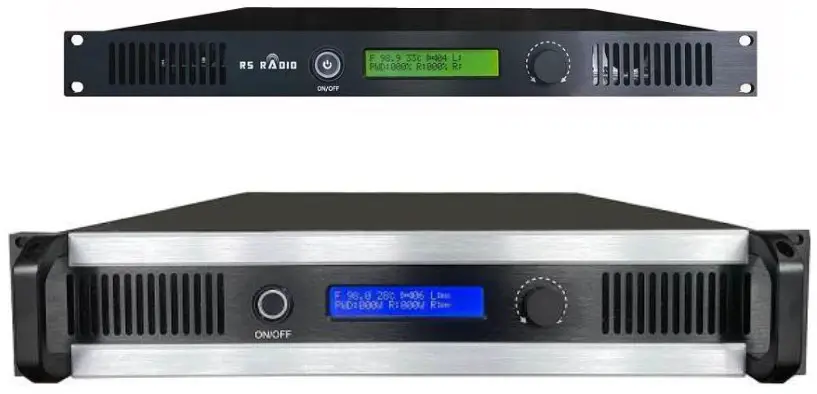
RS RADIO Series FM Broadcast Transmitter
This manual provides important guidelines for installing. Review this information carefully for proper installation. Both unit specifications and manual contents are subject to change without notice.
FEATURE
RS RADIO series product includes RS RADIO-50W, RS RADIO-150W, RS RADIO300W,RS RADIO-500W, RS RADIO-1000W,RS RADIO-1500W,RS RADIO-2000W, which its max power is 50W, 150W, 300W,500W,1000W,1500W,2000W. Each of the product possesses of multiple functions, reliable and steady performance, fast operations and well-structured in heat dissipation. Main features are as follows.
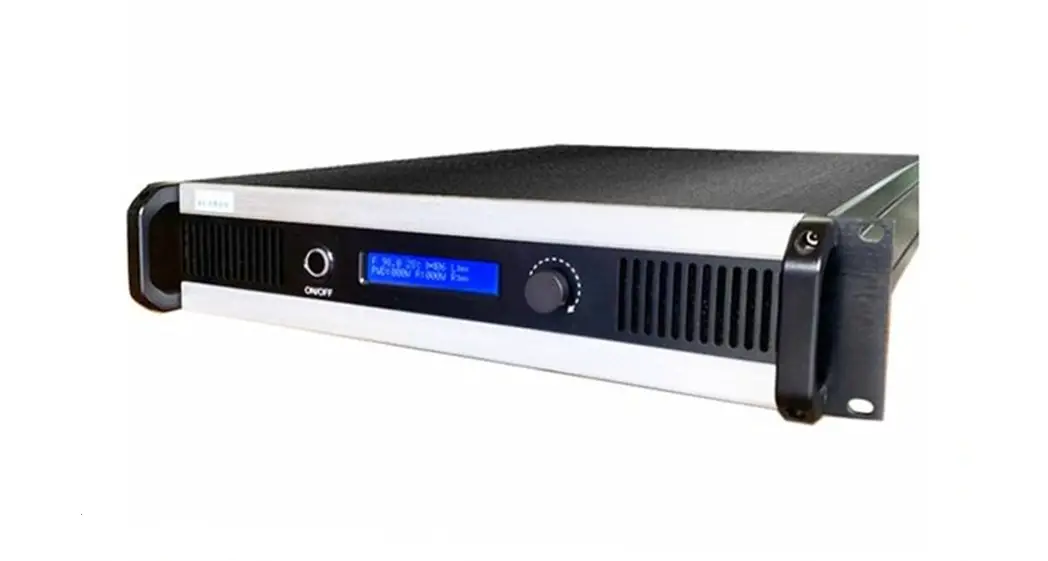
- Standard 2U, 19-inch design, whole aluminum chassis.
- Frequency from 87.5MHz to 108MHz in 100KHz step.
- Power adjustable from 0-50/150/300/500/1000/1500/2000Watts.
- Single Knob operation, simple and convenient to operate.
- Simple interface design.
- Mono/Stereo mode Optional.
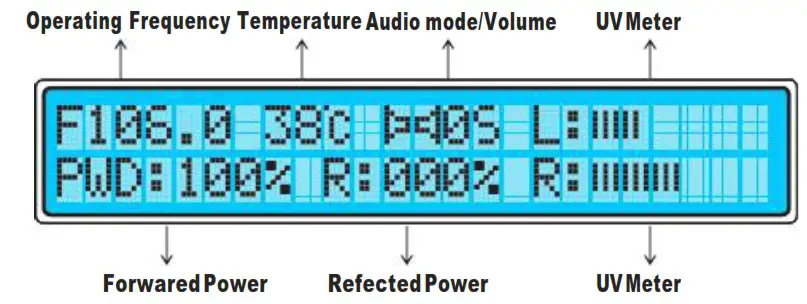
- LCD displays Frequency, Forward power, reflected power and UV meter.
- Multi-level fans control automatically, fans works at different speed according to ambient temperature. Power at or above 350Watts, fans work continuously.
- SWR & temperature protection. Alarm prompt indicated once either is out of the scope of protection value.
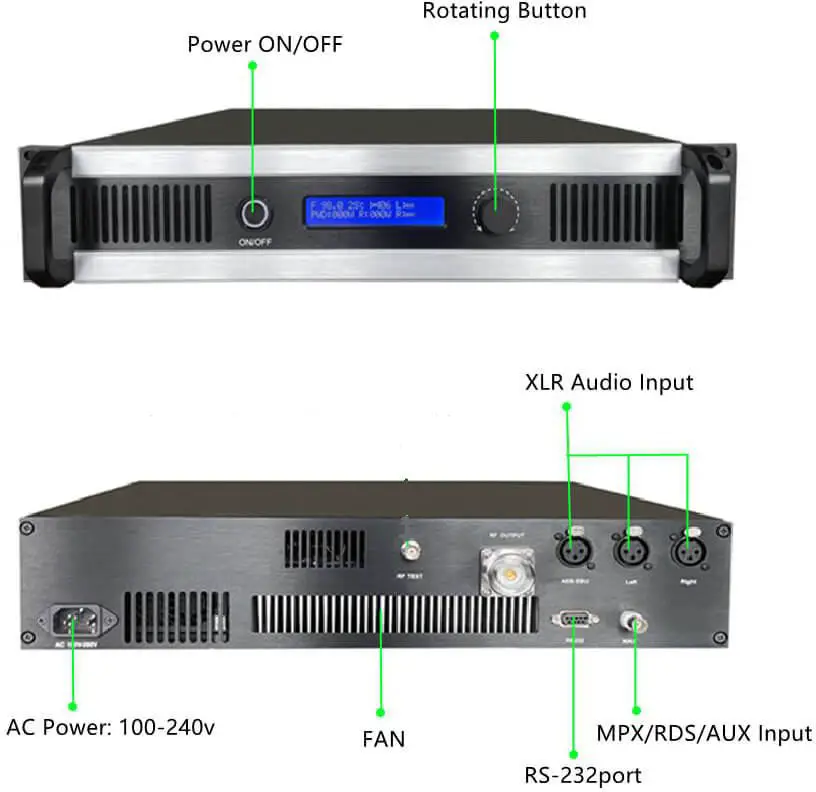
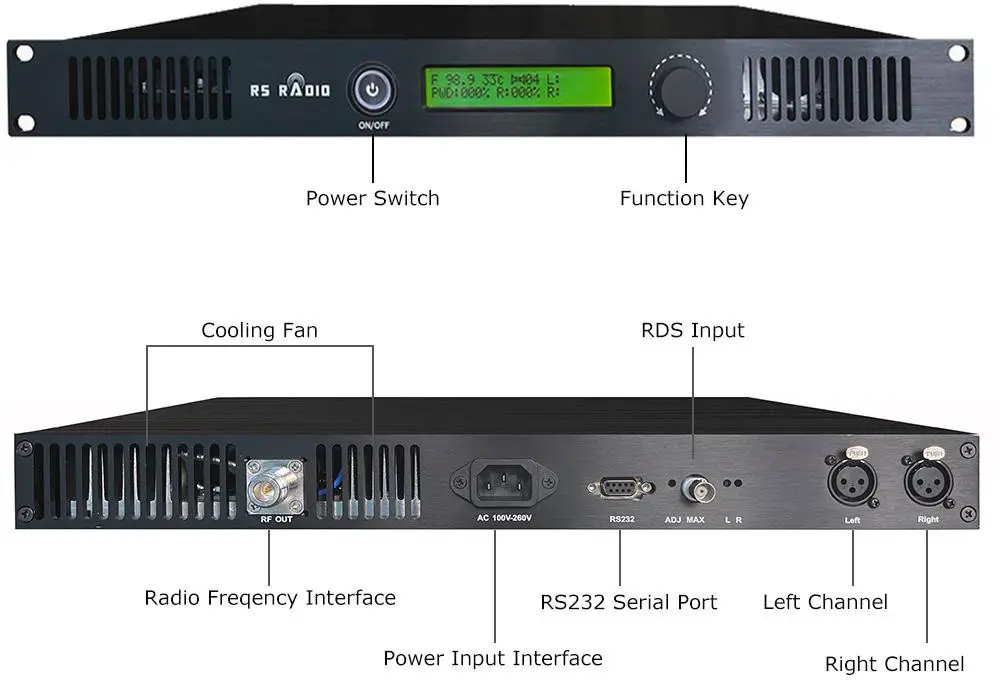
GENERAL ILLUSTRATION
(2U)
(1U)
- Diagram of Display LCD
KNOB DEFINITION
- Adjust Knob, to rotate or push.
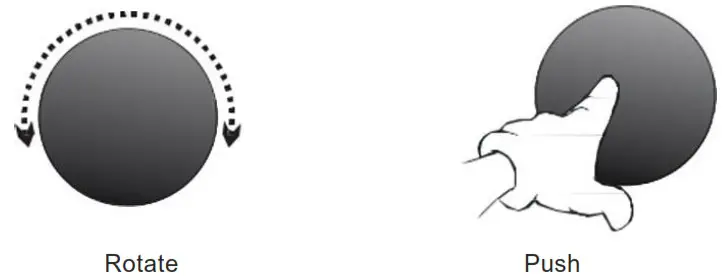
Operation Definition Function comments Rotate To adjust To adjust/switch in the configuration menu. Push To confirm To enter into or exit the configuration menu. - Power Switch, to turnON/OFF.
 Switch the button to `0N’ to turn the transmitter, and `OFF’ means to turn it off.
OPERATION INSTRUCTIONS

POP-1500W is the display value and not the transmitter power of 1500W
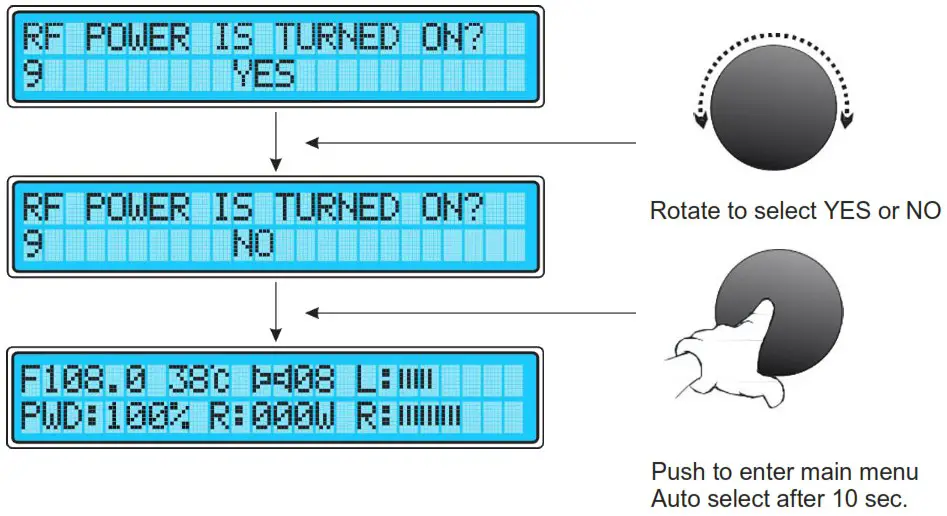
- LCD displays ‘RF POWER IS TURNED ON? ‘
- Push the knob to turn on RF Power. Or rotate right to turn off RF Power. If the option is not selected in 10 seconds, the transmitter will turn on RF power automatically.
- If RF power is not turned on, the transmitter will set RF power = 0. Then the boot screen is illustrated as,
At operating status, push briefly the adjusting knob to enter into the first menu, rotating right will come the following menu options. All configuration menu options are as follows,
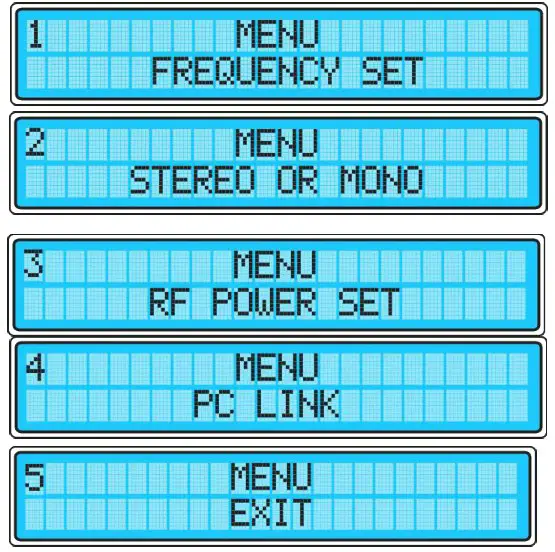
The following is the detailed instruction of how to configure each menu option.
Set Frequency
- Push adjust knob to enter into ‘FREQUENCY SET’.

- Push the knob to confirm.
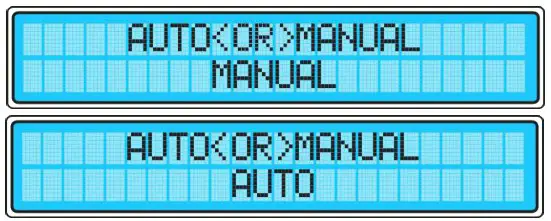
- Rotate left/right to switch to `AUTO’, and push the knob to confirm. Then, the transmitter will select a frequency that best matches the antenna.

- The frequency can be adjusted by rotating knob left/right from 87.5MHz to 108MHz, the step is 100 KHz.

- Push the knob to confirm.
Set Audio Mode
- Press adjust knob and turn left/right to enter into ‘STEREO OR MONO’.

- The audio mode can be switched between stereo and mono.
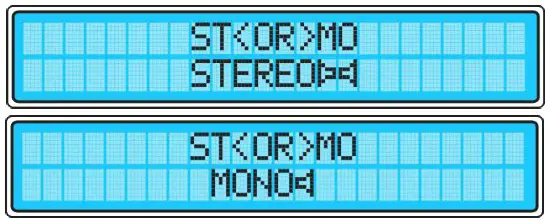
- Press the knob to confirm.
Set RF Power
- Press adjust knob and turn left/right to enter into ‘RF POWER SET’.

- The RF power can be set by turning the knob left/right from 0~50/150/300/600W Watts. The step of RS RADIO-30A/80B step is 0.1W, the others step is 1W.

- Press the knob to confirm.
PC Link
- Press adjusting knob and turn left/right to enter into ‘PC LINK’.

- PC LINK can be enabled/disabled by rotating the knob to left/right to ON or OFF.
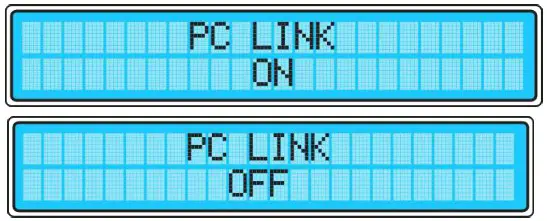
- In order to make the PC remote operation is necessary to have a RS232 male female cable. The software is designed for special purpose. This function is disabled in regular version.
Back to Main interface
At configuration menu, rotate the knob left/right to ‘MENU EXIT’ and push it to confirm, the transmitter will be back to main interface.

Audio Volume
There is UV meter to display audio volume on LCD. At operating status, the volume can be adjusted by rotating left/right to increase/decrease. The volume range is 0-14. While setting the volume 0, it equivalents to mute the transmitter.
Temperature/ SWR protection
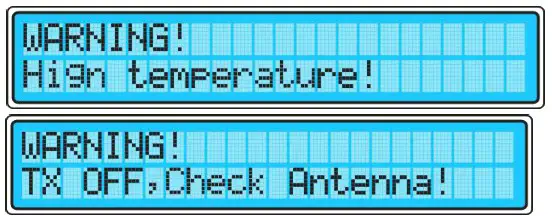
Once either of the temperature or SWR is out of the scope of protection value, alarm prompt will be indicated on the display LCD, and RF power will be set to 0. After the problem is fixed, press the knob to exit the alarm status, RF power needs to be reset.
TECHNICAL SPECIFICATIONS
| RS RADIO | ||||||
| 50W | 150W | 300W | 500W | 1000W | 2000W | |
| Rated output Power | 0-50W | 0-150W | 0-300W | 0-500W | 0-1000W | 0-2000W |
| Frequency range | 87.5 to 108 MHz in 100kHz steps | |||||
| Modulation Mode | F3E(WFM) | |||||
| Frequency deviation | 75KHz | |||||
| Tuning Design | PLL | |||||
| L&R inputs | RCA *2 , 10 KO unbalanced | XLR. 10 KO unbalanced | ||||
| SCA Inputs | BNC connectors, 10 KO | |||||
| Frequency response | 50Hz + 15kHz (typical ± 0.5 dB) | |||||
| Stereo Separation | 40dB | |||||
| Audio Distortion | 0.5% | |||||
| SNR | ≥50 dB | |||||
| Output impedance | 50Ω | |||||
| RF Output Connector | “N” type Female | 7/8″ EIA Flange | ||||
| AC Power | 110 or 230 V, ±10%, 50-60 Hz, single phase | |||||
| Cooling | Internal fans, Auto | Internal fans, Forced | ||||
| Dimensions | Standard 2U 19 inches 460mm*480mm*88mm | |||||
| Package Weight | 6Kg | 6Kg | 13Kg | 13.5Kg 13.5Kg | 15Kg | |
FCC Warning
This device complies with part 15 of the FCC Rules. Operation is subject to the following two conditions:
- this device may not cause harmful interference,
- this device must accept any interference received, including interference that may cause undesired operation.
Any changes or modifications not expressly approved by the party responsible for compliance could void the user’s authority to operate the equipment.
NOTE: This equipment has been tested and found to comply with the limits for a Class B digital device, pursuant to Part 15 of the FCC Rules. These limits are designed to provide reasonable protection against harmful interference in a residential installation. This equipment generates, uses and can radiate radio frequency energy and, if not installed and used in accordance with the instructions, may cause harmful interference to radio communications. However, there is no guarantee that interference will not occur in a particular installation. If this equipment does cause harmful interference to radio or television reception, which can be determined by turning the equipment off and on, the user is encouraged to try to correct the interference by one or more of the following measures:
- Reorient or relocate the receiving antenna.
- Increase the separation between the equipment and receiver.
- Connect the equipment into an outlet on a circuit different from that to which the receiver is connected.
- Consult the dealer or an experienced radio/TV technician for help. Use only the supplied antenna.
IC Caution
This device complies with Industry Canada licence-exempt RSS standard(s). Operation is subject to the following two conditions:
- This device may not cause interference, and
- This device must accept any interference, including interference that may cause undesired operation of the device.
To maintain compliance with RSS-102 RF Exposure guidelines, This equipment should be installed and operated with minimum 20cm distance between the radiator and your body: Use only the supplied antenna.
Website: www.rs-radio.com
Whats app: +86 186 0055 2228
E-mail:
 RS-RADIO