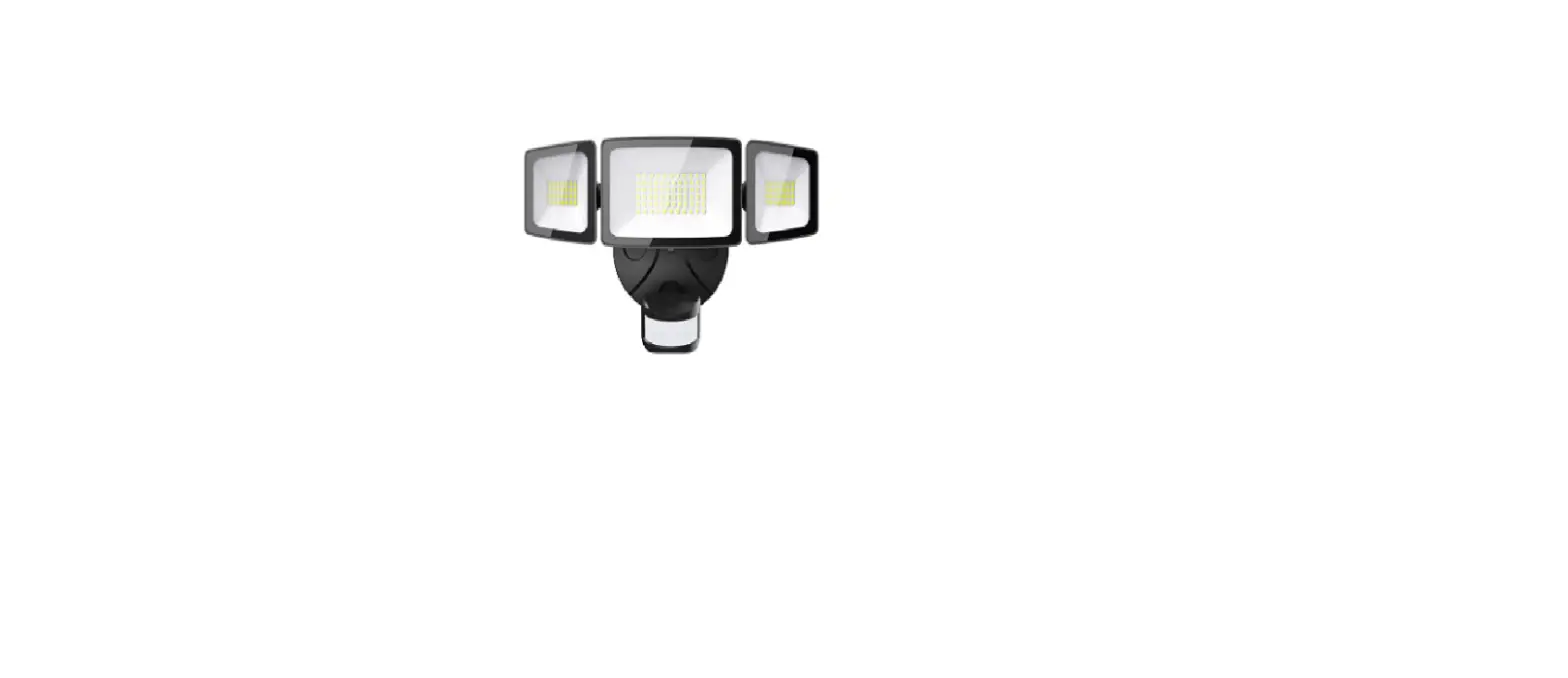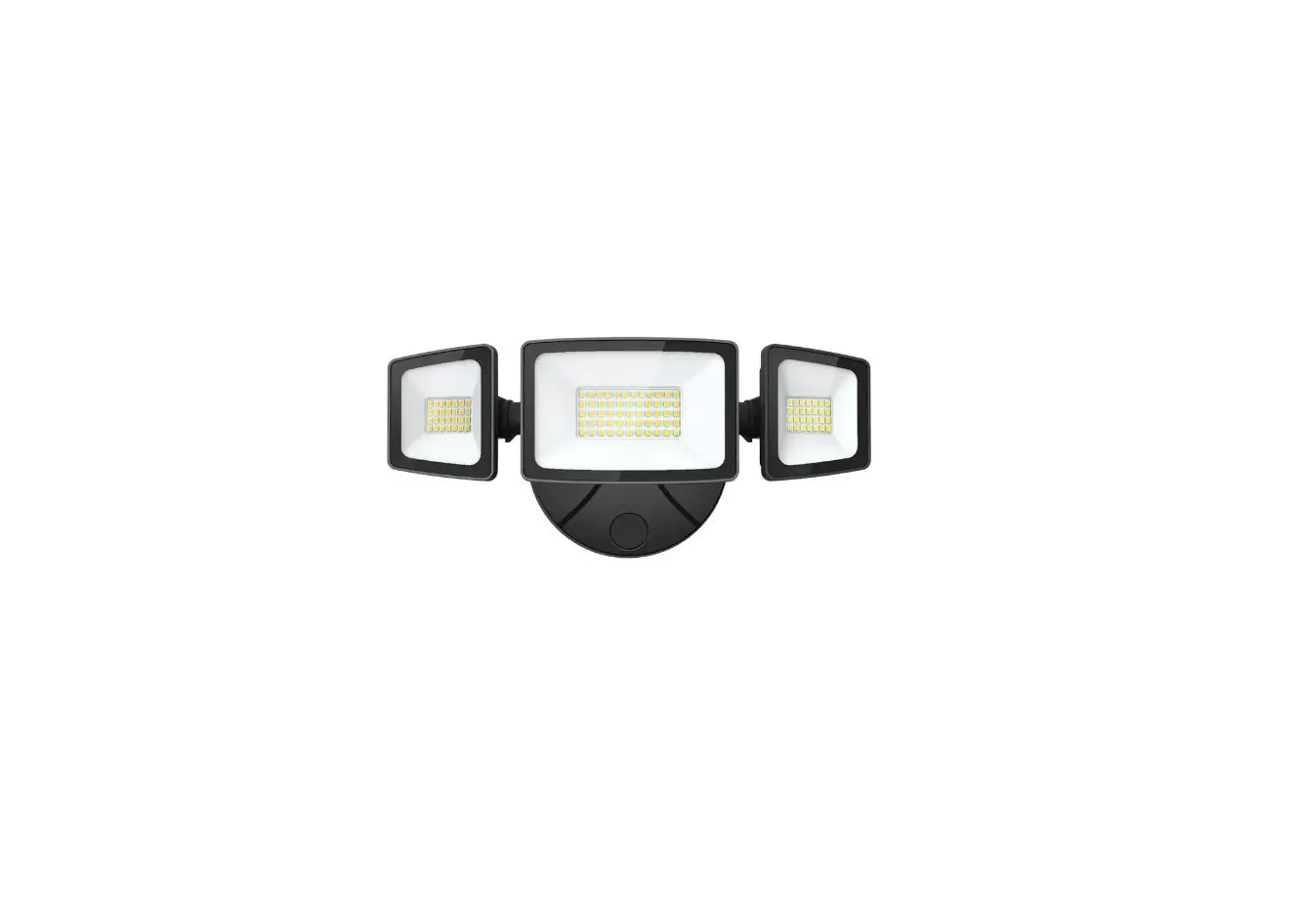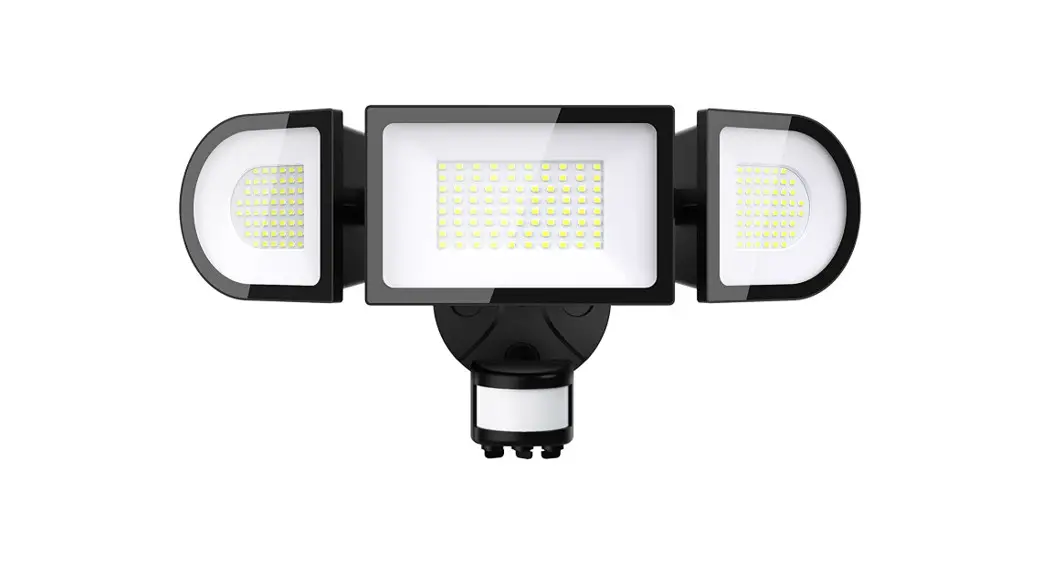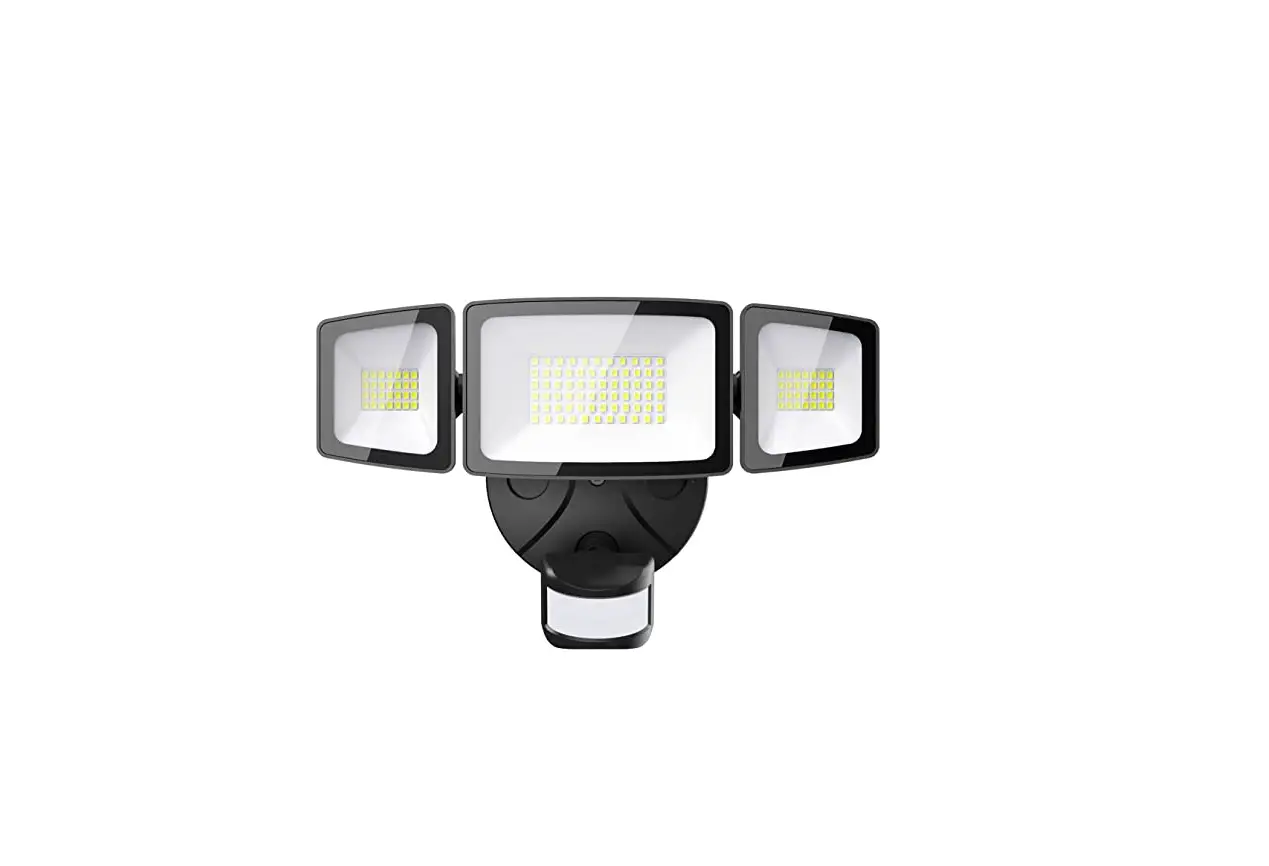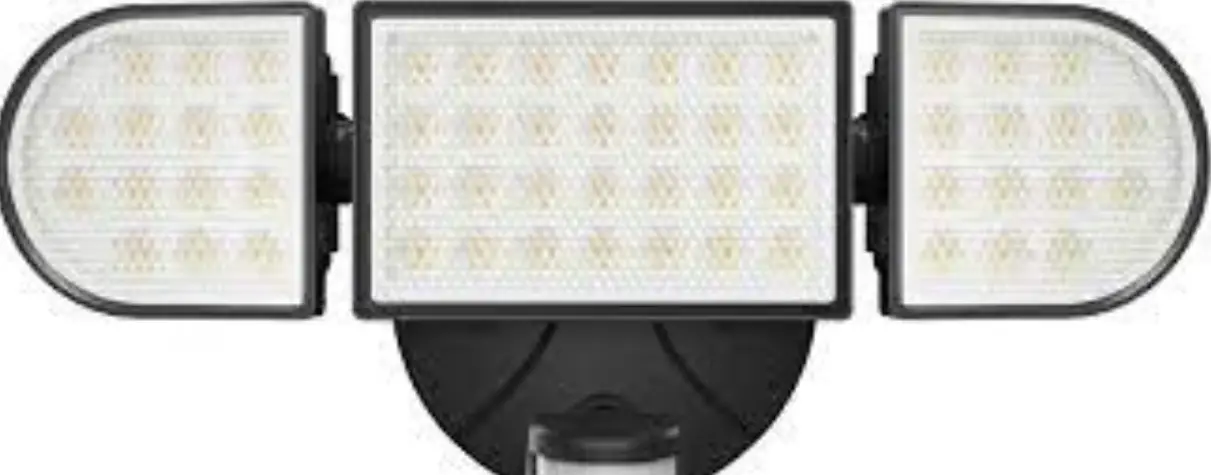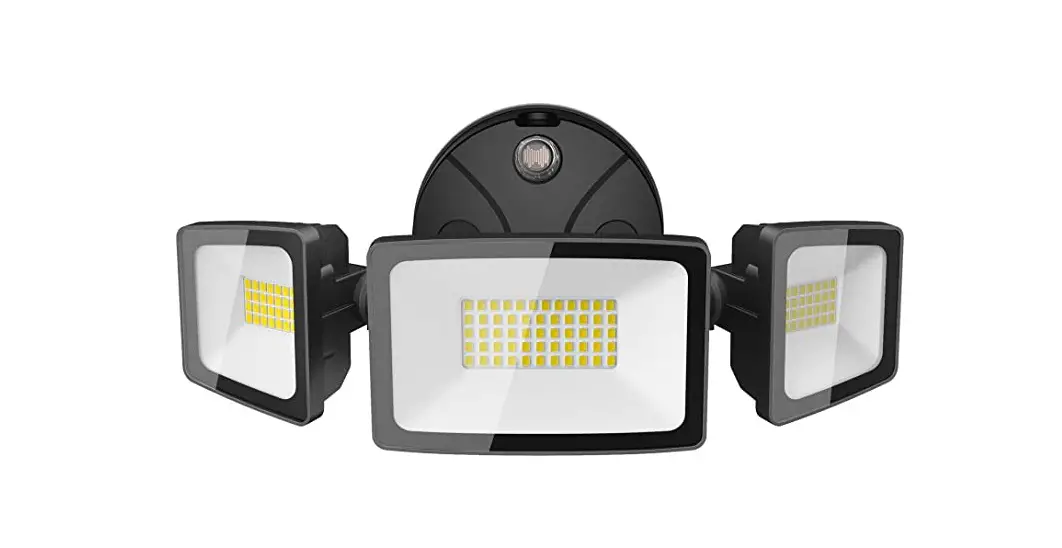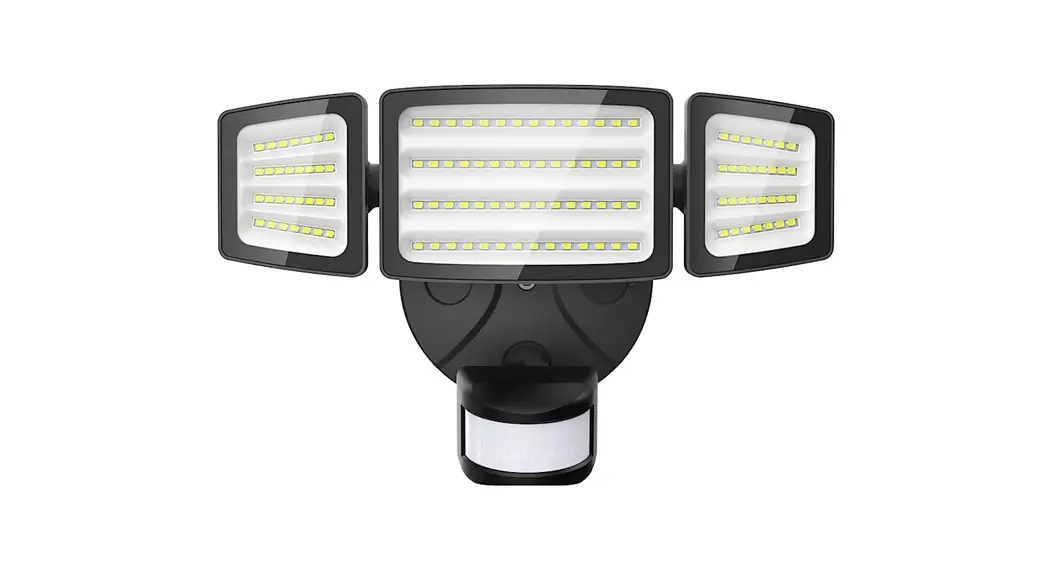
 PIR LED WALL LIGHTS WITH
MOTION SENSOR
Product Manual
MODEL: BDB55BL-3
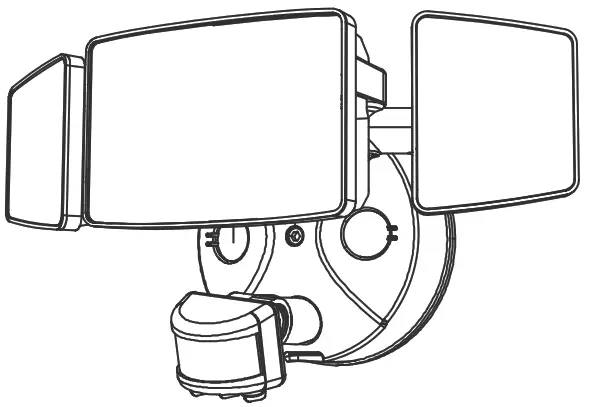
COMPONENTS AND STRUCTURE
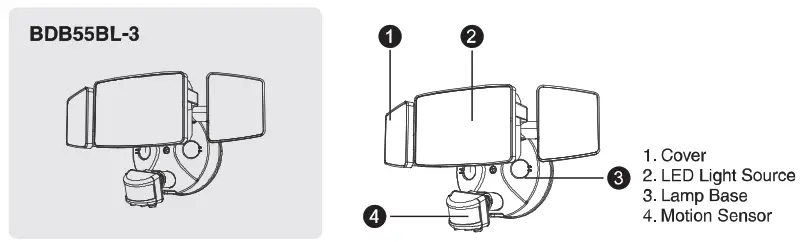
PARTS LIST
| LED WALL LAMP | ||
| Model | BDB55BL-3 | |
| Input Voltage | 100-120V – 60Hz | |
| Input Current | 0.7A | |
| Rated Power | 55W | |
| Luminous Flux | 5500Im | |
| CCT | 2700-6500K | |
| CRI | a.80 | |
| Power Factor | ?_0.9 | |
| LA:Bs° lifetime | 30000hours L70B50 IP 25° | |
| Beam Angle | 120° | |
| ta | -20-40°C/-4°F-104°F | |
| Luminaire Location | SUITABLE FOR WET LOCATIONS | |
| DIMENSIONS | ||
| Model | BDB55BL-3 | |
| Dimensions (LxHxW) | 272x123x121mm/ 10.71×4.84×4.76 in | |
| Weight | 0.9kg/1.98 lb | |
| Max Projected Area | 0.0214m²/0.23ft² | |
| Max. Lighting Coverage | 90m²/968ft² | |
| Note, The testing standard of the product’s luminous flux. Place the three/two lights on the same horizontal surface for testing, and the tested luminous flux is the accurate luminous flux | 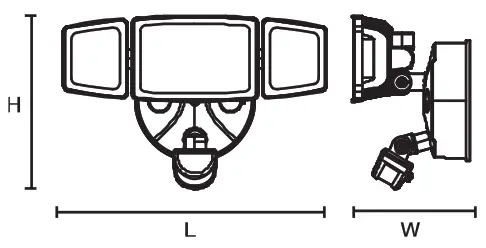 | |
PAIRING LED LIGHT WITH “Onforu” APP
Step 1. “Onforu Home” App Download Throe are 2 options for obtaining and downloading the “Onforu Home’ App on your smart device
- Scan the OR code on the right
- Search for “Ontoru Home in the App Store or Google Play
 https://a.smart321.com/wwwyouliang
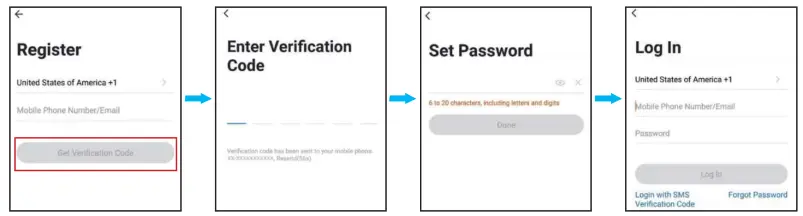
Step 2. Enter the Onfor Home” App. Register an account and log in. If you already have an account for Onforu Home App, Please select “Log in with existing account”
Note: You will need your “Onforu Home” App username and password to pair with Amazon Alexa and/or Google Assistant
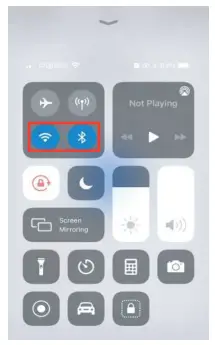
Step 3: Please turn on the Wi-Fi and Bluetooth on your phone before connecting LED lights to the “Ontoru Home” App.
Step 3: Please turn on the Wi-Fi and Bluetooth on your phone before connecting LED lights to the “Ontoru Home” App.
Method1
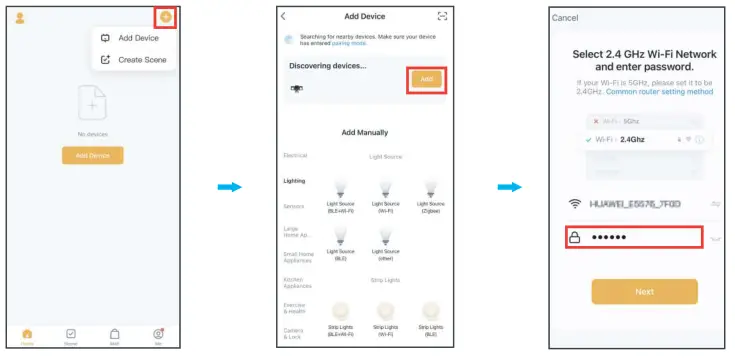
- Tap “+’ button on top right corner and tap ‘Add Device” to add device.
- The app will automatically search for the device. After discovering the device, tap “Add’.
- Enter Wi-Fi password to join your network. Please Note:
a. This smart LED Light can only support 2.4 GHz network and cannot work with 5.0 GHz network.
b. Please check if your home network is 2.4 GHz and make sure that your phone has been connected to your Wi-Fi network.
Please ensure your network is not hidden.
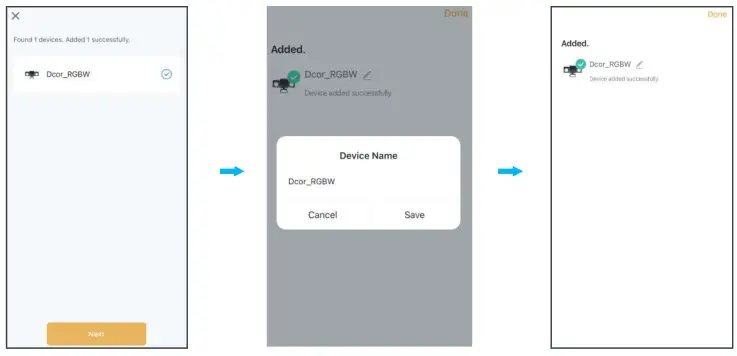
- Wait for the device to register(aboul30-60s)
- Tap “Next” to complete the light pairing
- You can tap ‘
 ‘ to change the device
- Tap’ one ” to enter the control panel
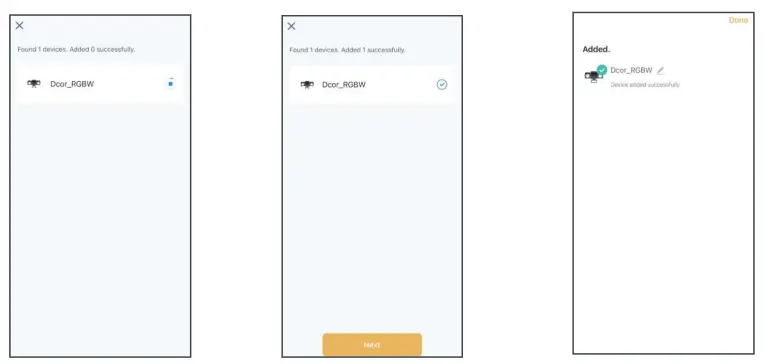
 ‘ to change the device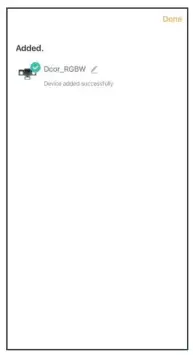
Method 2
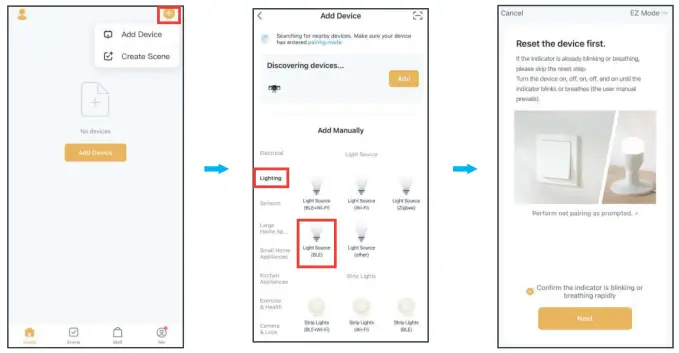
- Tap “+” button on top right corner and tap “Add Device” to add device.
- Tap “Lighting” and then “Light Source-BLE” to enter next page.
- Tap the “Next” button to pair the LED Light.

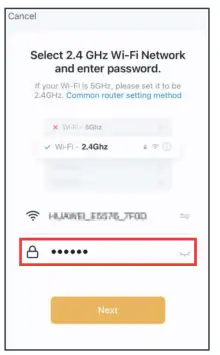
- Enter Wi-Fi password to join your network. Please
Note:
a. This smart LED Light can only support 2.4 GHz network and cannot work with 5.0 GHz network.
b. Please check if your home network is 2.4 GHz and make sure that your phone has been connected to your Wi-Fi network. Please ensure your network is not hidden.
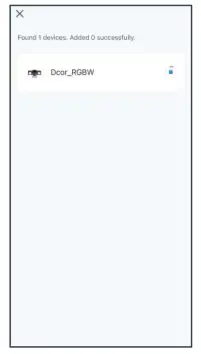
- Wait for the device to register (about 30-60s).

- Tap “Next” to complete the light pairing.
- You can tap “ “to change the device name.
- Tap “Done” to enter the control panel.
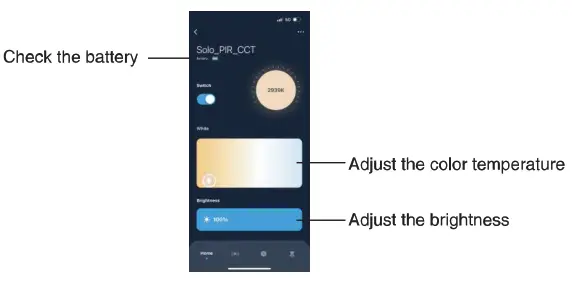
HOW TO OPERATE THE APP
- Color Temperature and Brightness Adjustment

- Motion Sensing Settings
 2.1. Sensing distance setting
Low (13-26ft), Middle (26-49ft) and High (49-72#1)
2.2. Full light duration setting From 5s to 60mins.
2.3. Sensing records
Here you can view your sensing records.
3. Dusk-to-Dawn Settings The sensitivity can be set to Day, Dusk, Evening, Night and Dark, and the light will be on at the selected time
 - Slight Bight Mode
- Timing Settings

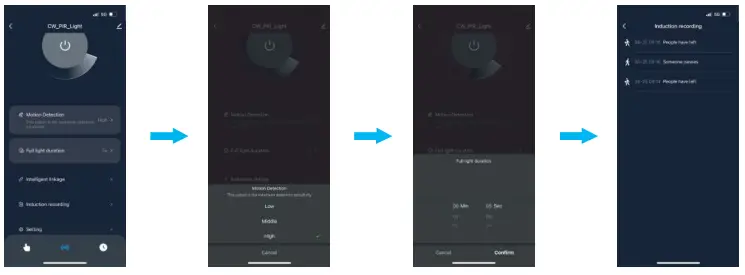 2.1. Sensing distance setting
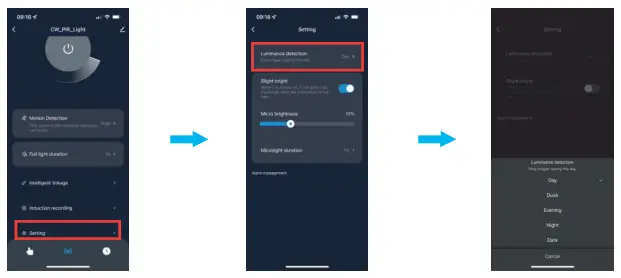 The sensitivity can be set to Day, Dusk, Evening, Night and Dark, and the light will be on at the selected time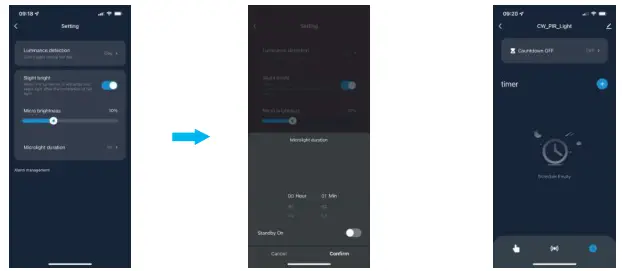
Here you can choose the slight bright mode and its brightness
4.1. Microlight duration setting Microlight duration can be set from 1min to 8hrs, or it can be set to be always
HOW TO CONNECT WITH ALEXA AND GOOGLE ASSISTANT APP
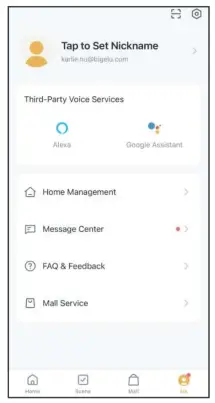
Tap “Me, find the third-party voice device you want to connect to and tap it, then follow the steps to connect
OPERATION INSTRUCTIONS
Detection Range: 180°
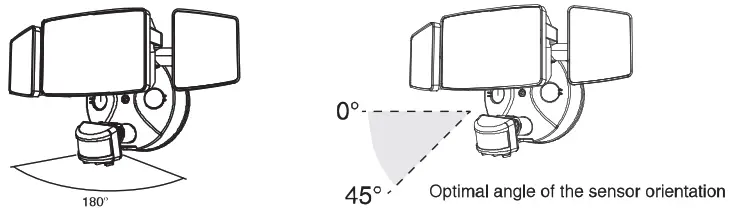
NOTE:
- The PIR sensor shall always be tilted slightly downward
- The orientation angle of the sensor shall be between 0-45
RECOMMENDED INSTALLATION HEIGHT: 6.5-13.1 feet above the ground.
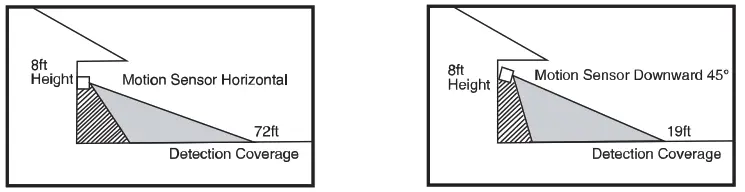 | |
| When mounted 8ft above the ground and the sensor is oriented horizontally, the maximum sensing distance is about 72ft. | When mounted 8ft above the ground and the sensor is 45° down, the minimum sensing distance is about 19ft. |
Note: The detection distance of the sensor is the farthest when the ambient temperature is 25C Any temperature fluctuations above or below 25C will affect the detection distance If the light continues to detect motion while it is on, it will remain on until the motion stops
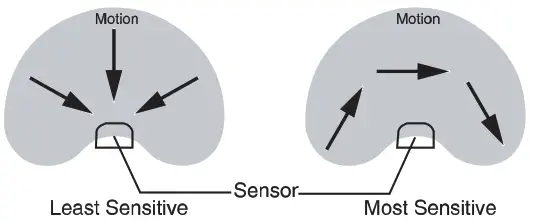
The sensor will be more sensitive to motion across the motion towards it directly.
PREPARATION
NOTE:
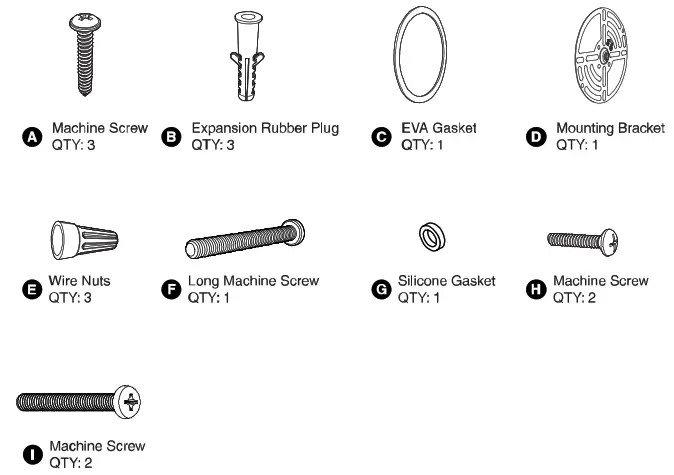
Before beginning assembly of product, make sure all parts are present. Compare parts with parts 11st. If any part Is missing or damaged, do not attempt to assemble the product.
Estimated Assembly Time: 30-60 minutes.
Recommended to be installed 2.5m (8.2ft) above the ground but not higher than 5m (16.4ft).
Product appearance may vary from image shown.
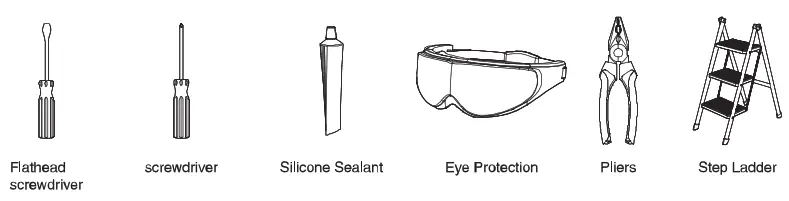
TOOLS REQUIRED (not included)
WARNING:
THIS PRODUCT MUST BE INSTALLED IN ACCORDANCE WITH THE APPLICABLE INSTALLATION CODE BY A PERSON FAMILIAR WITH THE CONSTRUCTION AND OPERATION OF THE PRODUCT AND THE HAZARDS INVOLVED.
CAUTION:
PLEASE MAKE SURE YOUR WALL SWITCH AND POWER AT MAIN CIRCUIT BREAKER BOTH ARE OFF.
IF IN DOUBT ABOUT ELECTRICAL INSTALLATION, CONSULT A LICENSED ELECTRICIAN.
RISK OF SHOCK:
BEFORE BEGINNING INSTALLATION, TURN OFF ELECTRICITY AT THE CIRCUIT BREAKER BOX OR THE MAIN FUSE BOX.
NOTE:
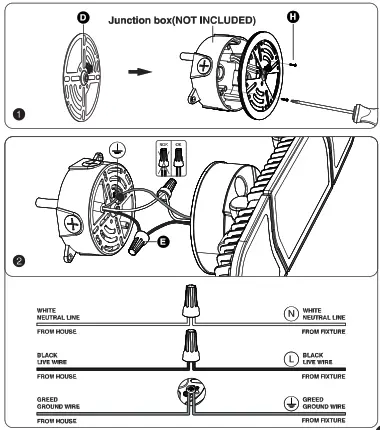
BE SURE TO USE WIRE NUTS/CONNECTORS RATED FOR THE CORRECT GAUGE AND NUMBER OF WIRES USED.
MAKE SURE THERE ARE NO EXPOSED WIRE BUNDLES OUTSIDE THE WIRE NUT/CONNECTOR (IF APPLICABLE).
BE CAREFUL NOT TO DAMAGE OR CUT THE WIRE INSULA TION (COVERING) DURING INSTALLATION. DO NOT LET THE WIRES TOUCH ANY SHARP EDGES.
WARNING:
DO NOT CONNECT THIS LIGHT FIXTURE TO AN UNGROUNDED ELECTRICAL SYSTEM. ATTACH GROUND FIXTURE WIRE TO EITHER GREEN GROUND SCREW ON MOUNTING PLATE OR THE GROUND WIRE IN THE OUTLET BOX.
INSTALLING THIS LIGHT IN AN UNGROUNDED ELECTRICAL SYSTEM MAY CAUSE THE METAL PARTS OF THE LIGHT TO CARRY CURRENT IF ANY WIRES OR WIRE CONNECTIONS ARE DAMAGED OR LOOSE. IN THIS CASE, ANYONE WHO TOUCHES THE LIGHT WILL RECEIVE AN ELECTRIC SHOCK, RESULTING IN INJURY OR DEATH.
INSTALLATION STEPS
FOR WET LOCATION, MAKE SURE FILL FULL THE GAP OF EVA GASKET AND MOUNTING SURFACE WITH SEALING COMPOUND OR SILICONE GLUE.
Note:
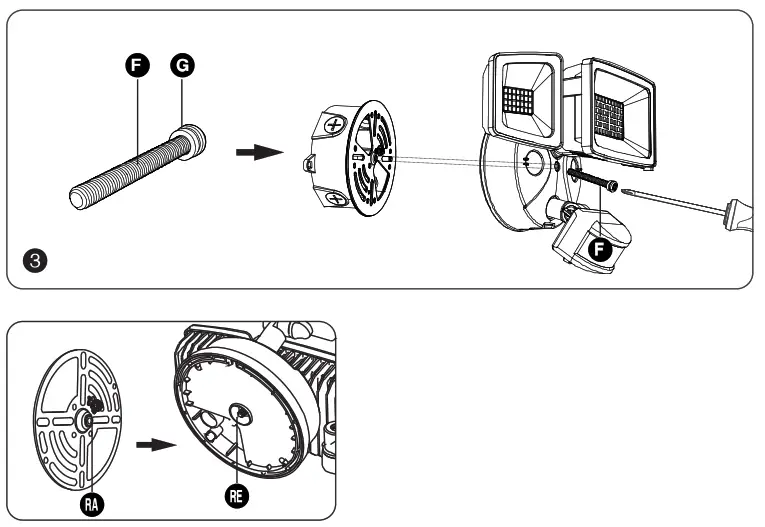
The raised part (RA) of the metal plate must be engaged with the recessed part (RE) of the base, otherwise it cannot be installed.
TROUBLESHOOTING
| Malfunction | Cause | Remedy |
| LED senses a movement, the light does not light up | 1.The light is not energized 2.Other surrounding light sources make the light misjudge it as daytime 3.During the day, the brightness is in night mode 4.Internal wiring is loose | 1.Check power-on status 2.Turn off the nearby lights or sensor head to other directions 3.Reset 4.Rewiring after power failure |
| LED sensor light did not go out, continued to light up | Continuous movement within the sensing range | Check the relevant area and retune or override the sensor head if necessary |
| LED sensor light illuminates during the day | The shadows around the sensor make it mistakenly think it’s night | 1.Do not cover the sensor head 2.Place the light in a place where the light is bright enough during the day |
| LED sensor light flashing | Surrounded by other unstable light sources shining onto the induction | Avoid being exposed to such light sources |
| LED lights turn on unexpectedly | 1.Wind blows the branches and bushes within the sensing range 2.Sensing cars on the road 3.Sudden temperature change due to climate factors or fans, exhaust from open windows | 1.Adjust its scope 2.Adjust its scope 3.Change irradiation area |
FCC ID: 2A3W8BDB55BL-3
FCC Warning:
Any Changes or modifications not expressly approved by the party responsible for compliance could void the users authority to operate the equipment. This device complies with part 15 of the FCC Rules. Operation is subject to the following two conditions:
- This device may not cause harmful interference, and
- this device must accept any interference received, including interference that may cause undesired operation.
Note: This equipment has been tested and found to comply with the limits for a Class B digital device, pursuant to part 15 of the FCC Rules. These limits are designed to provide reasonable protection against harmful interference in a residential installation. This equipment generates uses and can radiate radio frequency energy and, if not installed and used in accordance with the instructions, may cause harmful interference to radio communications. However, there is no guarantee that interference will not occur in a particular installation. If this equipment does cause harmful interference to radio or television reception, which can be determined by turning the equipment off and on, the user is encouraged to try to correct the interference by one or more of the following measures:
- Reorient or relocate the receiving antenna.
- Increase the separation between the equipment and receiver.
- Connect the equipment into an outlet on a circuit different from that to which the receiver is connected.
- Consult the dealer or an experienced radio/TV technician for help. This equipment complies with FCC radiation exposure limits set forth for an uncontrolled environment.
This equipment should be installed and operated with minimum distance 20cm between the radiator & your body.
HK Bright International Lighting Co., Limited
Unit 616, 6/F., Kam Teem Industrial Building, 135
Connaught Road West, Sai Wan Hong Kong
Manufacturer/Hersteller: MDH LIGHTING LTD
Suite 302, 292 Strovolos Avenue, 2048 Strovolos Nicosia, Cyprus
UK Importer: MDH LIGHTING LTD
69 Aberdeen Avenue, Cambridge CB2 8DL,
United Kingdom
Made in China [email protected]
 www.onforuleds.com