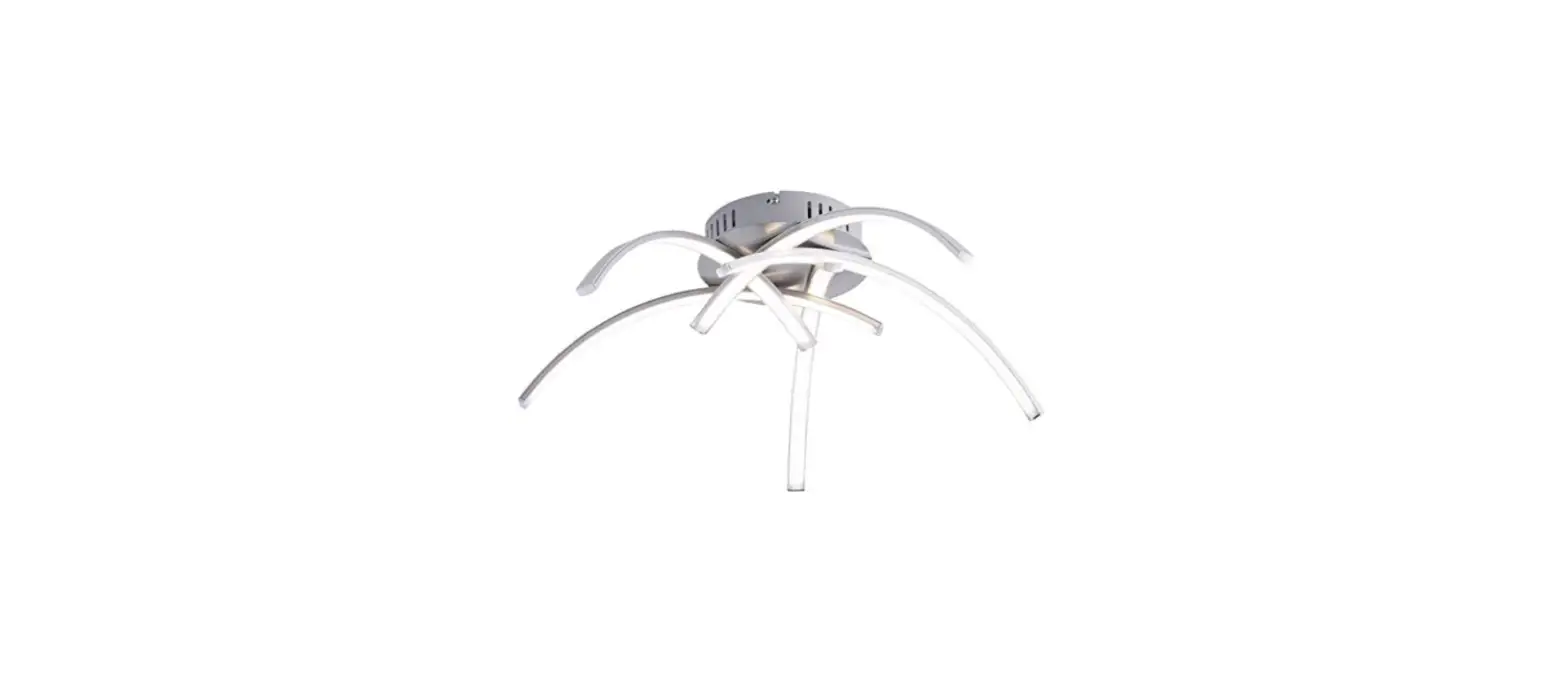
ZP4000-590M Lancia LED Light
 ZP4000-590M Lancia LED Light
Instruction Manual
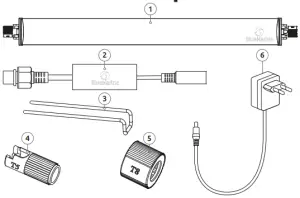
Parts
Safety
- Read the manual carefully before usage, in all languages
- Only suitable for indoor use.
- Ensure the voltage shown on the label match the main supply voltage.
- Never look directly at the LEDs! UV and Infrared (IR) emitted from this light may cause permanent eye and/or skin damage, always minimize exposure to eyes and skin, the supplier is never responsible for any wrong usage of this light.
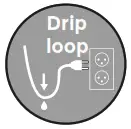
- A drip loop must be used with all electrical aquarium devices to prevent water leakage into the power socket (see image).

- Although the LED lamp is splash waterproof it should not be submerged in water and there should be at least 15 mm between water level and lamp. Attach the lamp firmly.
- Only plug the light into mains after the LED lamp is firmly mounted above the aquarium.
- Always dry your hands before doing any jobs on the LED lamp or operating the lamp switch.
- Always disconnect the electrical supply before you perform any maintenance on the aquarium and LED lighting.
- The LED unit can get warm, allow adequate time to cool down attempting any maintenance.
- Make sure cable and light are undamaged before usage, If damaged the supply cord cannot be replaced, the whole unit needs to be recycled. Never shorten or lengthen the electrical leads.
- If overpowered, the adapter can be replaced, buy a replacement adapter from your dealer.
- In the unlucky event that the LED unit falls into the water, first, unplug it and then retrieve it by using the cable to lift the unit out of the water.
- Warranty is not valid when the unit is damaged due to submersing.
- This appliance can be used by children aged from 8 years and above and persons with reduced physical, sensory or mental capabilities or lack of experience and knowledge if they have been given supervision or instructions concerning the use of the appliance in a safe way and understand the hazards involved. Children may not play with the appliance. Cleaning and user maintenance shall not be done by children without supervision.
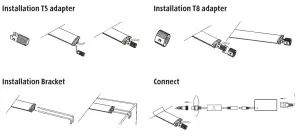
Maintenance:
- Regular cleaning with a moist cloth will improve lifetime and light output.
- The LED lamps cannot be replaced, once the LED lamps stop burning the whole unit needs to be replaced.
WiFi Connection
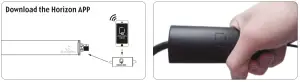
Resetting the WiFi controller
Hold the WiFi controller for 10 seconds as shown. As soon as the lamp flashes, the reset has been successfully completed.
*The illustrations shown are for illustrative purposes only and may differ from the pictures in the app indicated due to future updates. No rights can therefore be derived from them.
Connecting in AP-mode
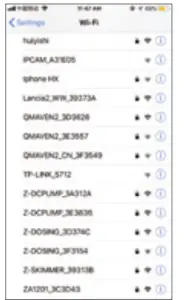 | 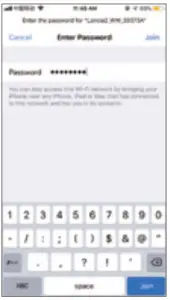 | 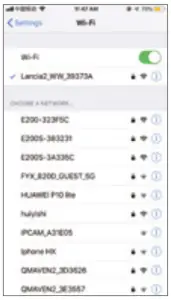 | 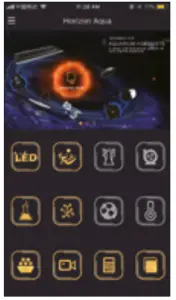 | 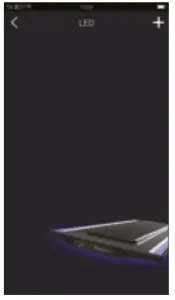 |
| Go to the WiFi settings on your mobile device. Select WIFI_LANCIA_XXXXX | Enter the password: 00000000 (8 x zero) | Connected | Select: LED | Select: “+” |
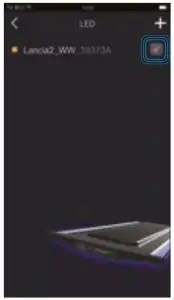 | 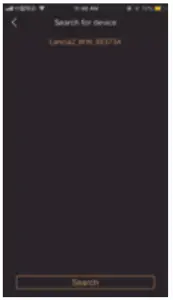 | 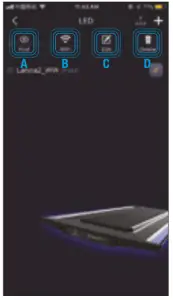 | 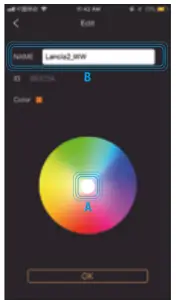 | 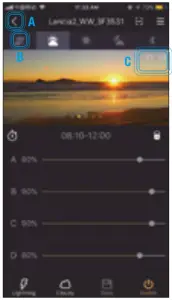 |
| Select the device and you will go to the setting screen. | Select The paperclip to go to the next step. | A: select “Find” This will cause the device to flash. B: Select “WiFI” to connect to the router. C: Select “Edit” to change the display, color, and name. D: Select “Delete” to delete the lamp from the list. | A: Drag to select your color. B: Change the name of the device. | A: Select: “<” to go back B: Swipe to switch between time periods. C: Current time. |
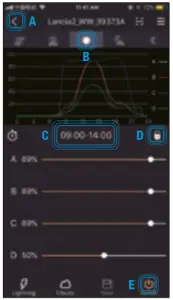 | 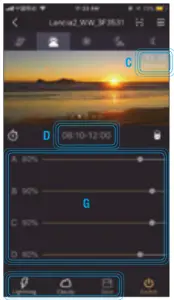 | 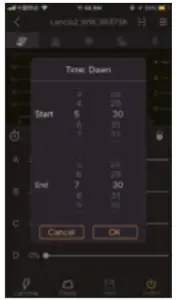 |
| A: Select: “<” to go back B: Swipe to switch between time periods. C: Current time period. D: Select  to unlock and lock the settings. to unlock and lock the settings.E: Select  to turn the lamp on and off. to turn the lamp on and off. | H I J C: Set the current time. D: Set the start and end times. G: Slide the bars to adjust the brightness level. H: Lightning mode I: Cloudy mode J: Select  to save the settings. to save the settings. | Set the right time and date. select OK to confirm. |
Lightning mode
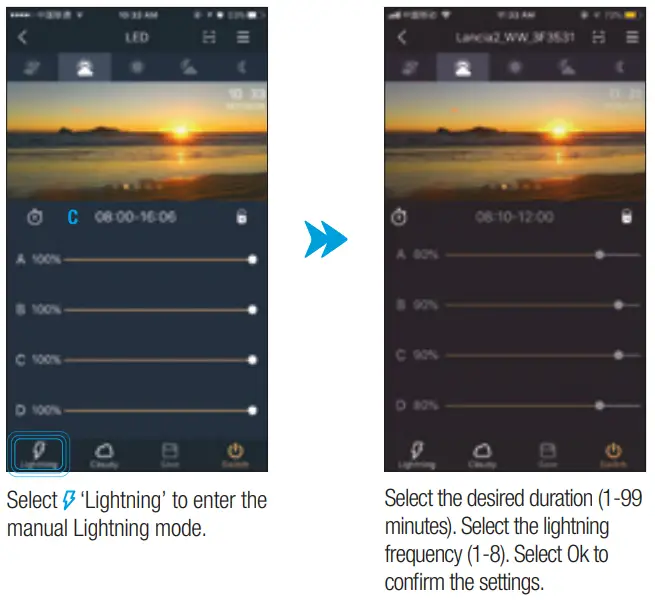
 Button = yellow Switched on
 Button = gray Switched off
Cloudy mode
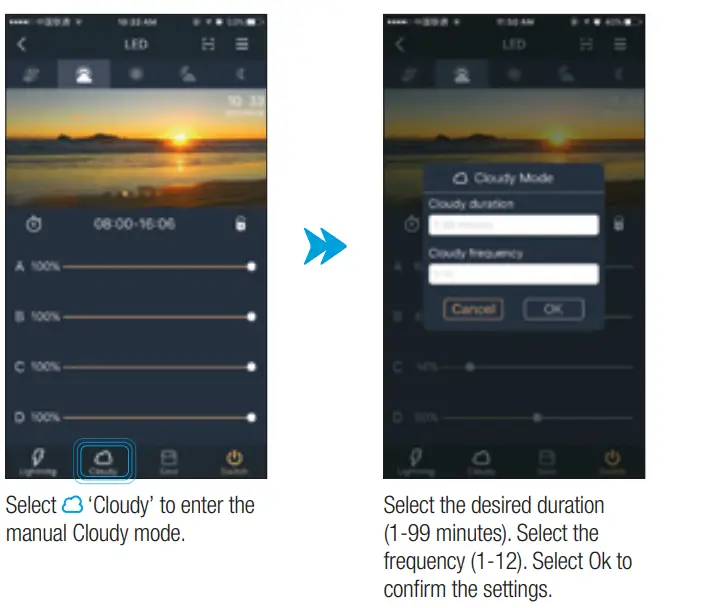
 Button = yellow Switched on
 Button = gray Switched off
Load settings with a QR code
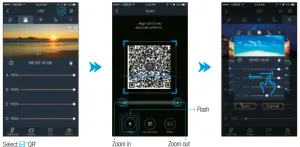 After the QR code is loaded, a preview appears. Swipe left or right to view the settings for the different time blocks.
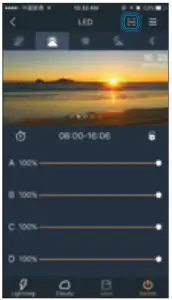 | 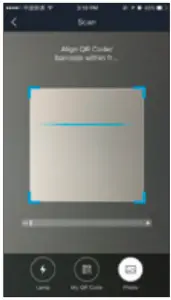 | 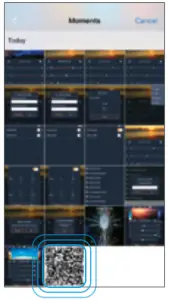 | 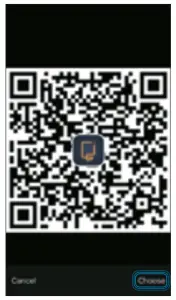 | 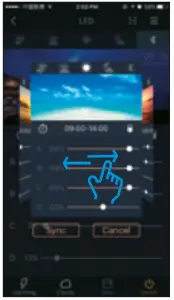 |
Select  ‘QR’ ‘QR’ | Select the photo button  to go to the photo album on your mobile phone. to go to the photo album on your mobile phone. | Select the QR code in your photo album. | Select “choose” | After the QR code is loaded, a preview appears. Swipe left or right to view the settings for the different time blocks. |
Generate a QR code of your settings such as time blocks, light intensity, and color
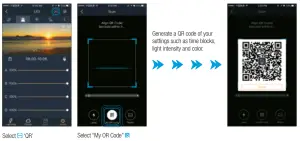
Save your QR code. You can now restore your settings by scanning the QR code or sharing it with friends.
Demo mode
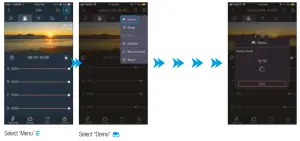
Lightning Simulation in Demo Mode: The lightning effect is displayed for 24 hours. Choose “Exit” to exit Demo mode.
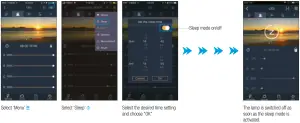
Sleep mode
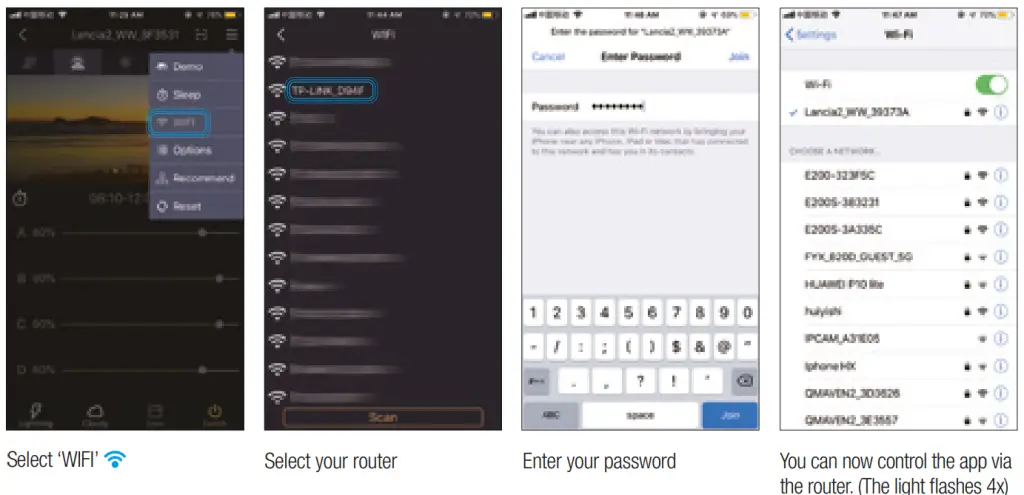
WiFI set up
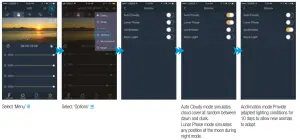
Automatic functions
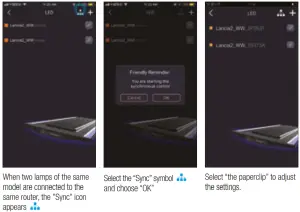
Sync Control
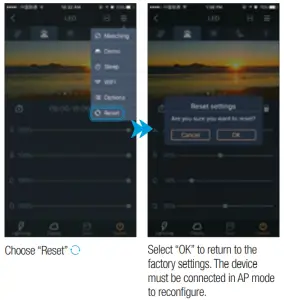
Restore factory settings
Troubleshooting
| Problem | Checking | Solution |
| The light does not work |
|
|
| Lighting stays on while it should be switched off. |
|
|
Technical details
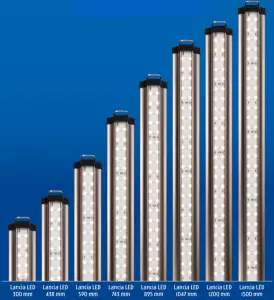
| Model | Lancia 300 | Lancia 438 | Lancia 590 | Lancia 742 | Lancia 895 | Lancia 1047 | Lancia 1200 | Lancia 1500 |
| Power | 10 Watt | 16 Watt | 24 Watt | 28 Watt | 36 Watt | 44 Watt | 48 Watt | 56 Watt |
| Lamp size | 300 mm | 438 mm | 590 mm | 742 mm | 895 mm | 1047 mm | 1200 mm | 1500 mm |
| Tank size | 30-40 cm | 40-50 cm | 55-65 cm | 70-80 cm | 85-95 cm | 100-110 cm | 115-125 cm | 150-160 cm |
| Lumen | 900 LM | 1200 LM | 1700 LM | 2300 LM | 2900 LM | 3400 LM | 4000 LM | 4800 LM |
| Waterproof | IP67 | IP67 | IP67 | IP67 | IP67 | IP67 | IP67 | IP67 |
| Adapter input | 230-240V/50hz | 230-240V/50hz | 230-240V/50hz | 230-240V/50hz | 230-240V/50hz | 230-240V/50hz | 230- 240V/50hz | 230-240V/50hz |
 Recycle information
 Recycle information
The symbol of the barred bin printed on the product means that it must be collected separately from other rubbish when it will not be anymore in use. The user, at the end of the life of the product, will have to bring it to a proper rubbish collection center for electric and electrical devices. Alternatively, he can return the used product to the seller at the moment he buys a new unit, but only in proportion 1 to 1, a differentiated refuse collection is environmentally friendly and it helps the recycling of the materials, any other collection procedure is unlawful and will be subject to the law in force.
Warranty
This warranty is valid for 2 years on materials and incorrect construction. Only units with a fully filled-in warranty slip and official till receipt showing the date of purchase will be considered. You must supply the entire unit with accessories in the event of a warranty claim. We will inform you on a receipt whether the unit will be repaired or replaced. We accept no responsibility for damage as a result of incorrect use of the unit. Breakages of parts not due to defects ex-factory are not covered by this warranty.
 Dealer stamp:
Always keep proof of purchase, without purchase note no warranty!
Date of purchase:
Produced in China for:
www.aquadistri.com