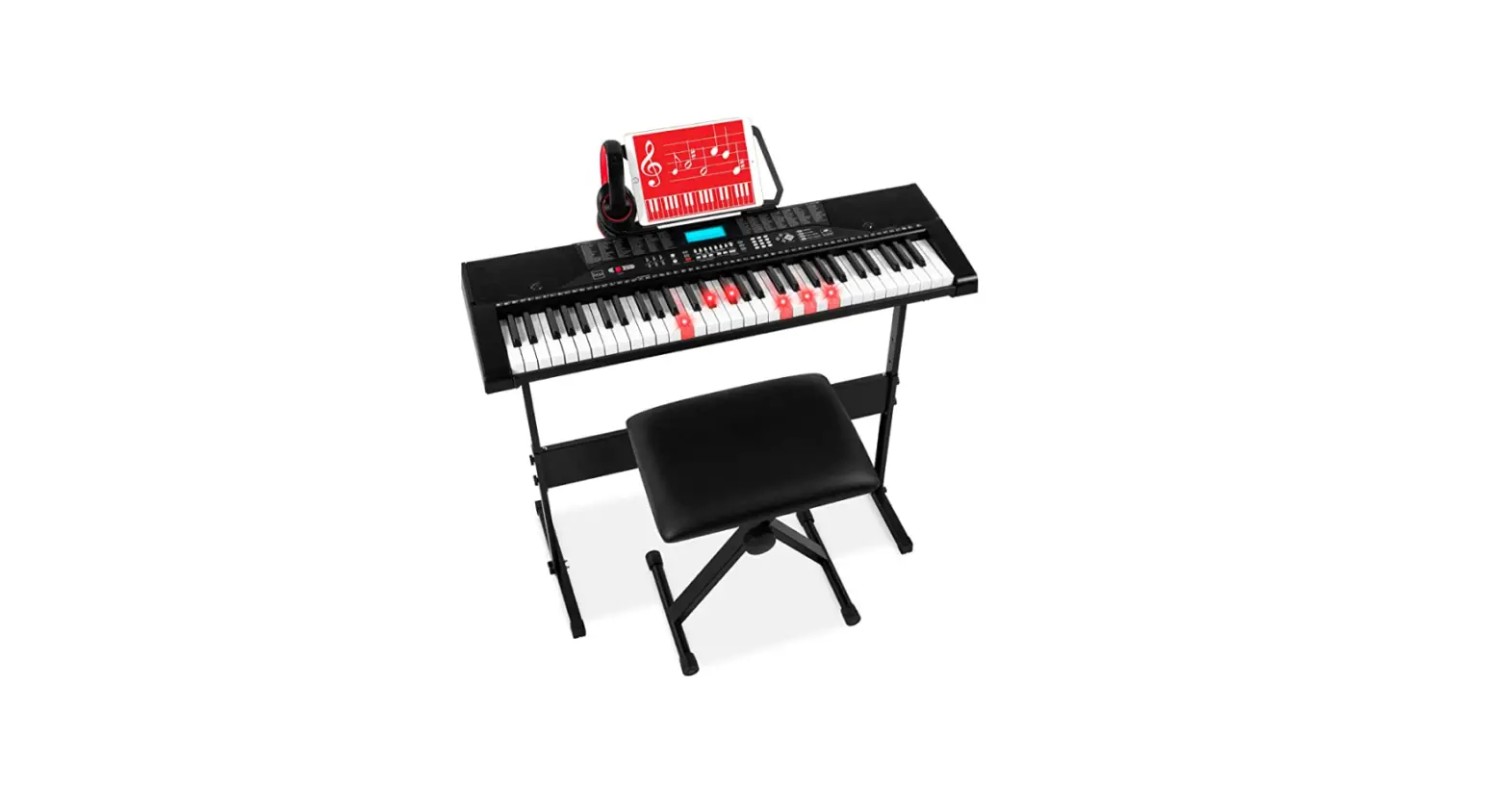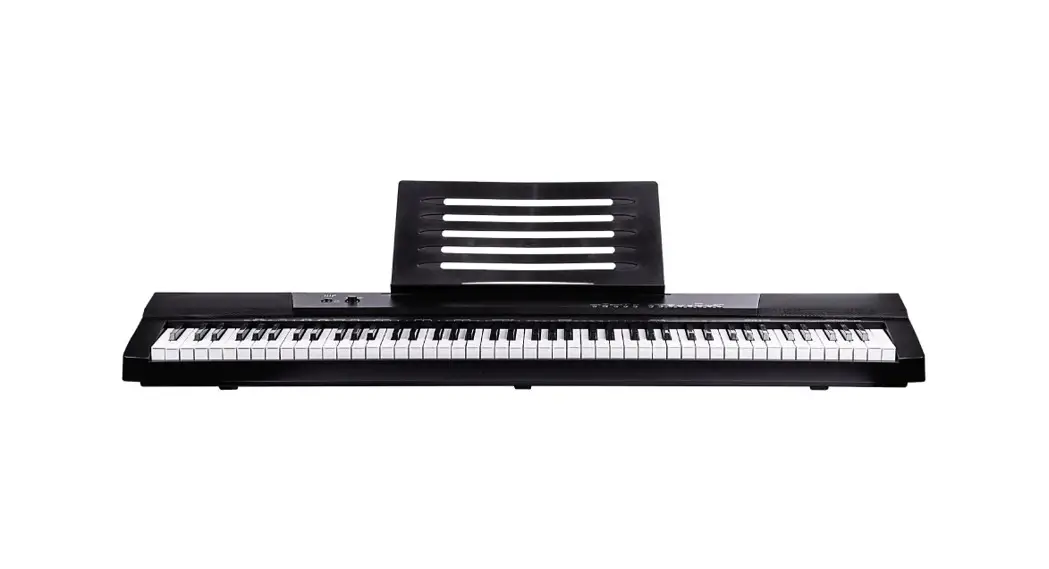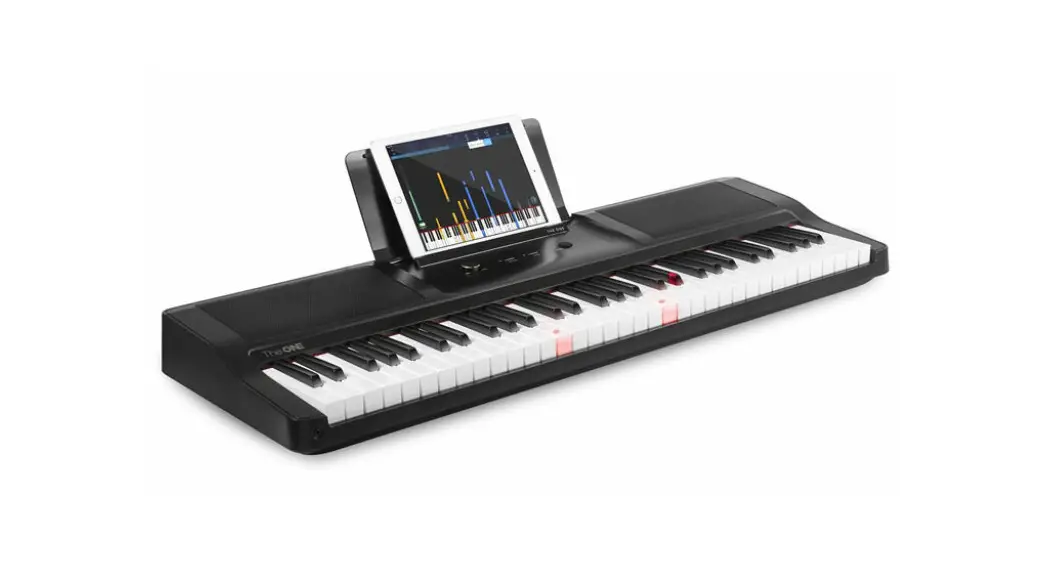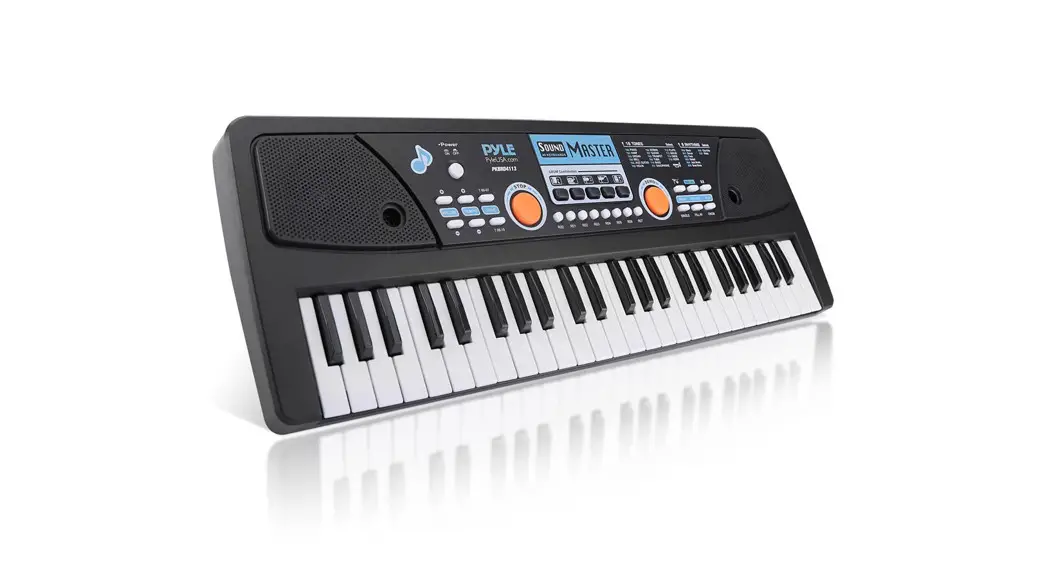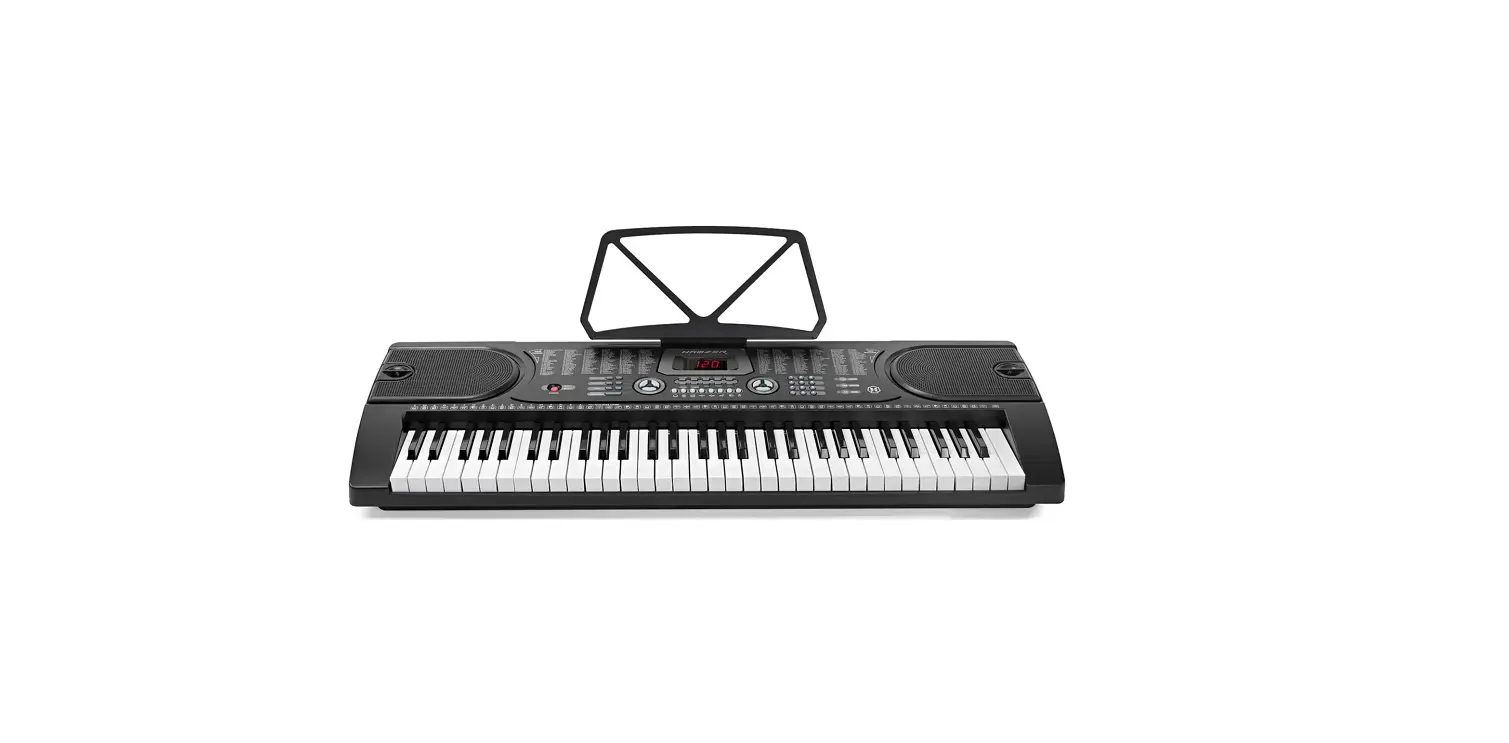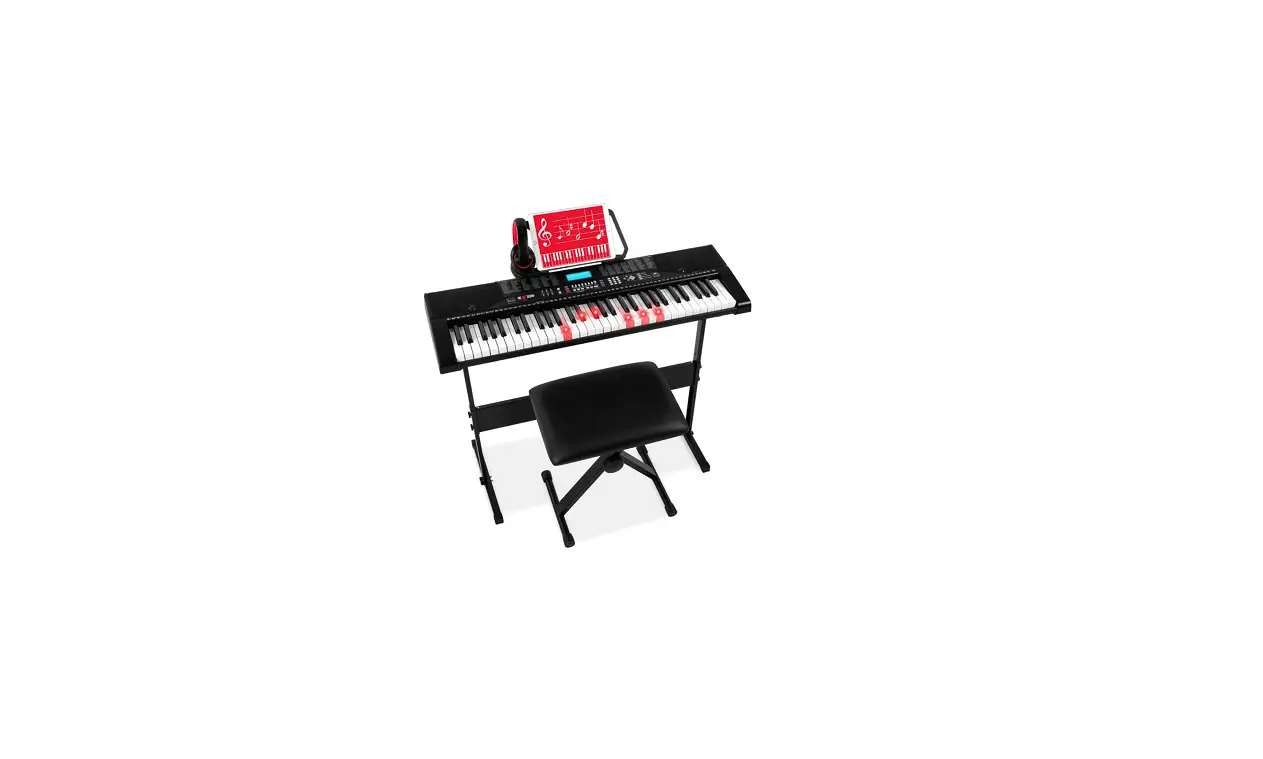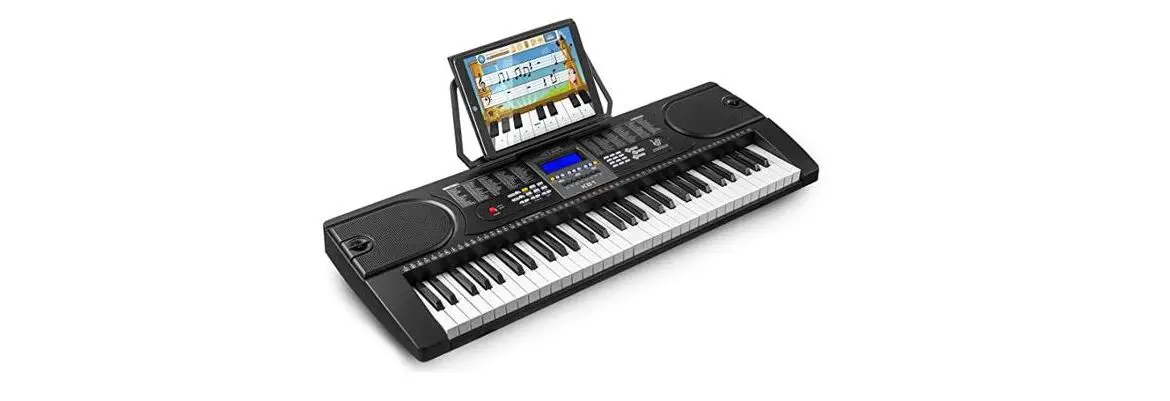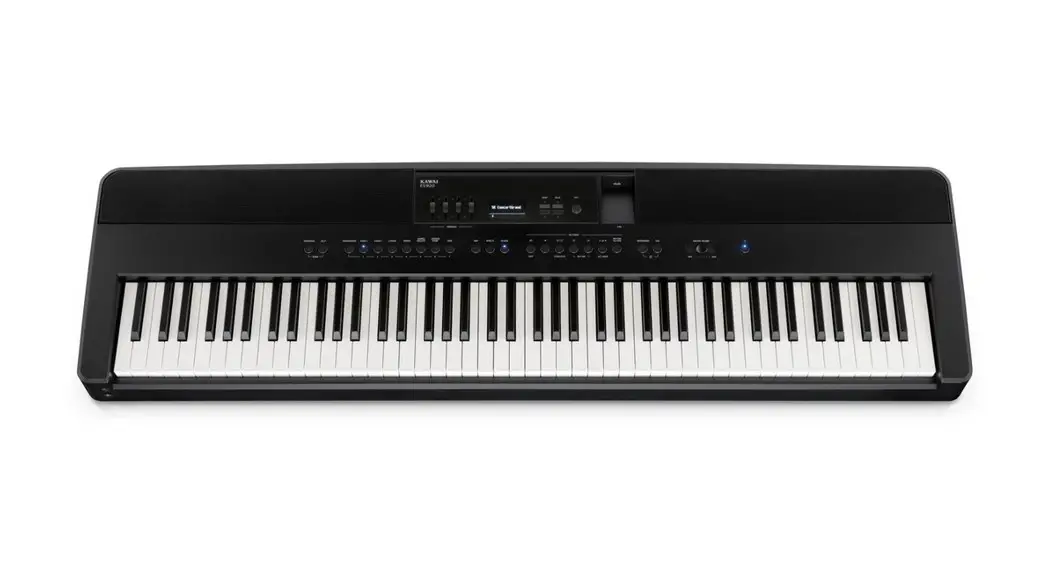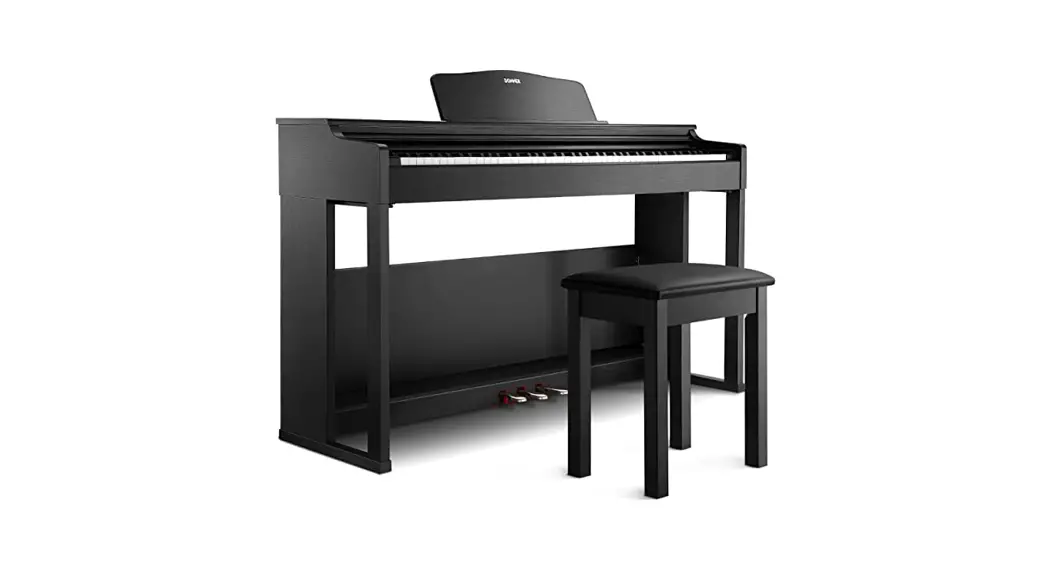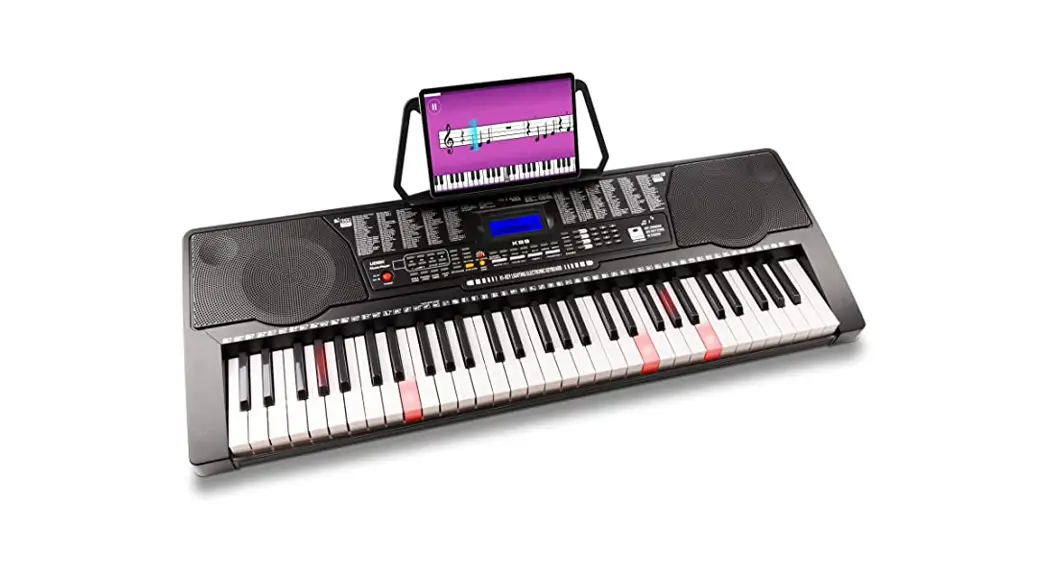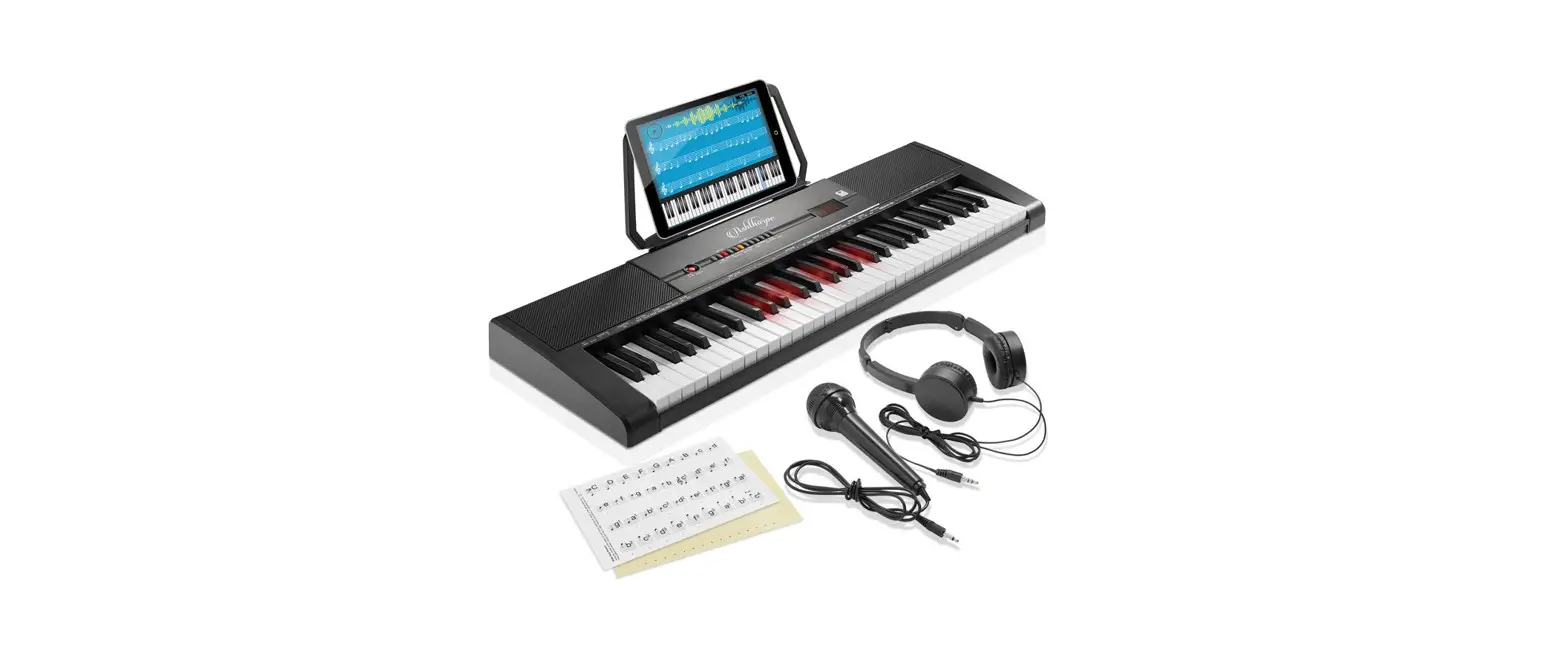
 MU70009 61-Key Electronic Keyboard Piano with Lighted Keys and Bench
User Manual

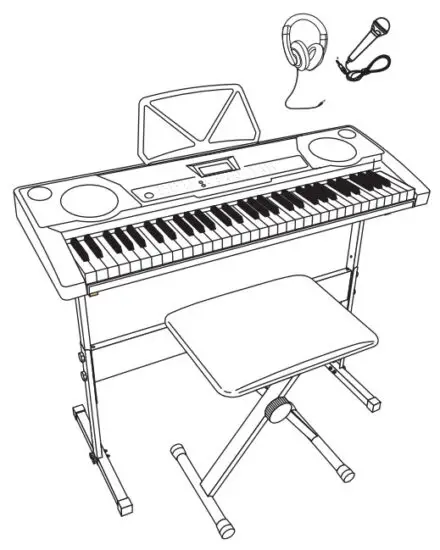
THIS INSTRUCTION BOOKLET CONTAINS IMPORTANT SAFETY INFORMATION. PLEASE READ AND KEEP IT FOR FUTURE REFERENCE.
Please give us a chance to make it right and do better!
Contact our friendly customer service department for help first.
Replacements for missing or damaged parts will be shipped ASAP!
Follow Costway

Contact Us!
Do NOT retum this item.
Contact our friendly customer service department for help first.
 E-mail
US: [email protected]
UK: [email protected]
Please read all instructions carefully and keep It for future reference.
Waring!
Attention: The Product Is not suitable for the children under 3 years
Danger: Keep all small parts and packaging materials for this product away from babies and children, otherwise they may pose a choking hazard.
 WARNING:
CHOKING HAZARD-Small parts.
Not for children under 3 years.
General Warnings: The product must be installed and used under the supervision of an adult.Read through each step carefully and follow the proper order.Remove all packaging, separate and count all parts and hardware.Please ensure that all parts are correctly Installed, Incorrect Installation can lead to danger.We recommend that, where possible, all Items are assembled near to the area In which they will be placed In use, to avoid moving the product unnecessarily once assembled.Ensure a secure surface during construction, and place the product always on a flat, steady, and stable surface.
NOTICE
Please read over the NOTICE before use!
NOTICE
- A dedicated power adapter shall be used, and in case of adaptor damage, replace it immediately
- The keyboard can only be disassembled by professionals, and no change can be made to the internal structure. In case of any functional abnormality during the performance, stop performing immediately and send the keyboard to professionals for maintenance.
- When connecting the keyboard to another device, ensure both the keyboard and the device to be connected are powered off before connection.
- Do not tum and keep the volume to the maximum or to an uncomfortable degree for a long time when performing
- Keep the keyboard away from the heat sources to protect its parts from damage.
- Prevent liquid, dust, small particle, and other foreign matters from entering the case of the keyboard, which may result in an element short circuit.
- Pull out the plug before cleaning the keyboard, and do not pull out the plug with a wet hand.
- Please use a dry and soft cloth to clean the keyboard. Paint, alcohol, or other chemical solvents shall not be used for cleaning, for which may damage the keyboard surface.
- Please pull out the plug after performing or when the keyboard is left unused for a long time.
Package Contents
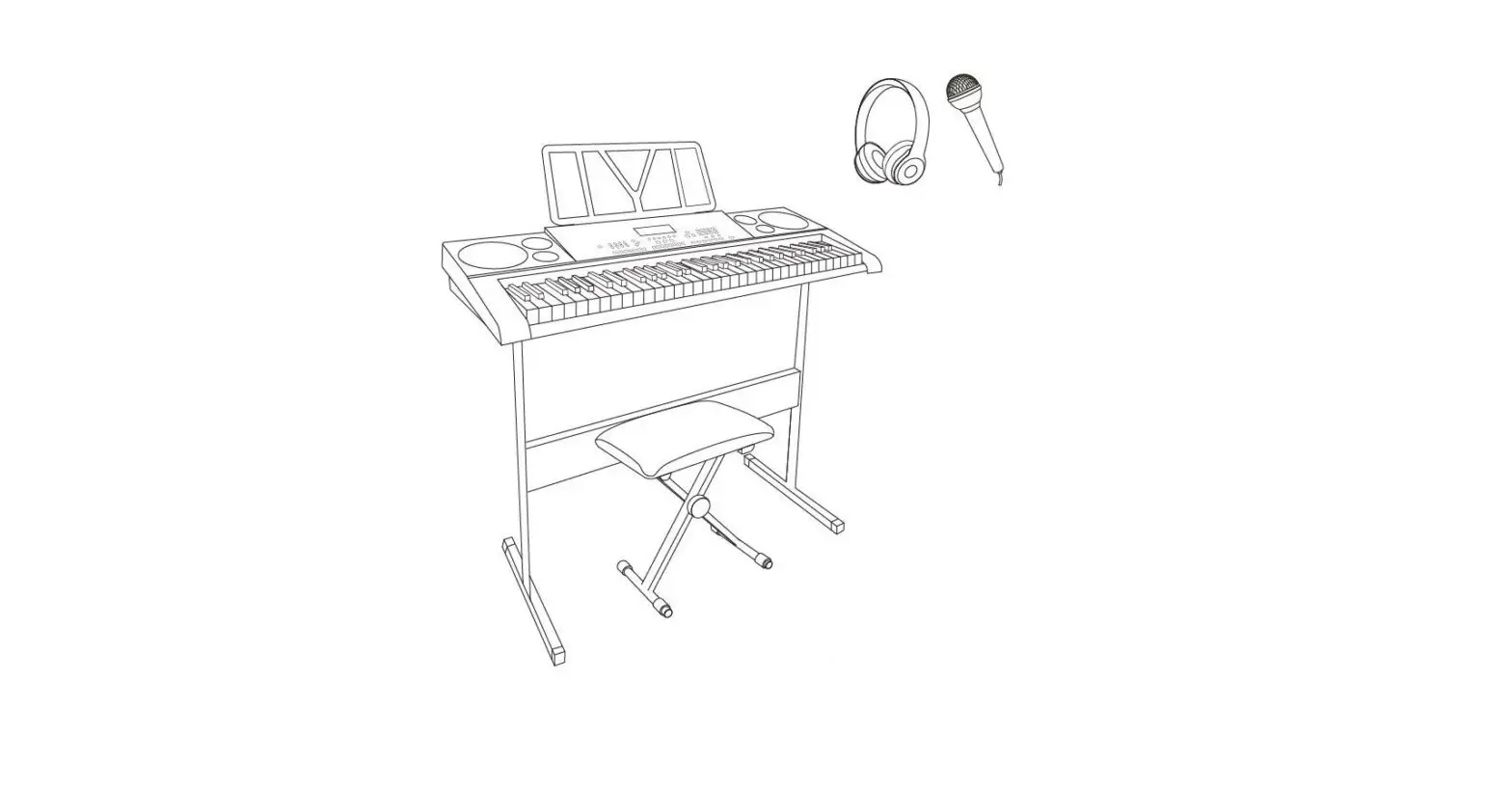
- 61-Key Lighting Electric Keyboard Piano with LCD Display X 1 pc
- Keyboard Stand X 1 pc
- Stool X 1 pc
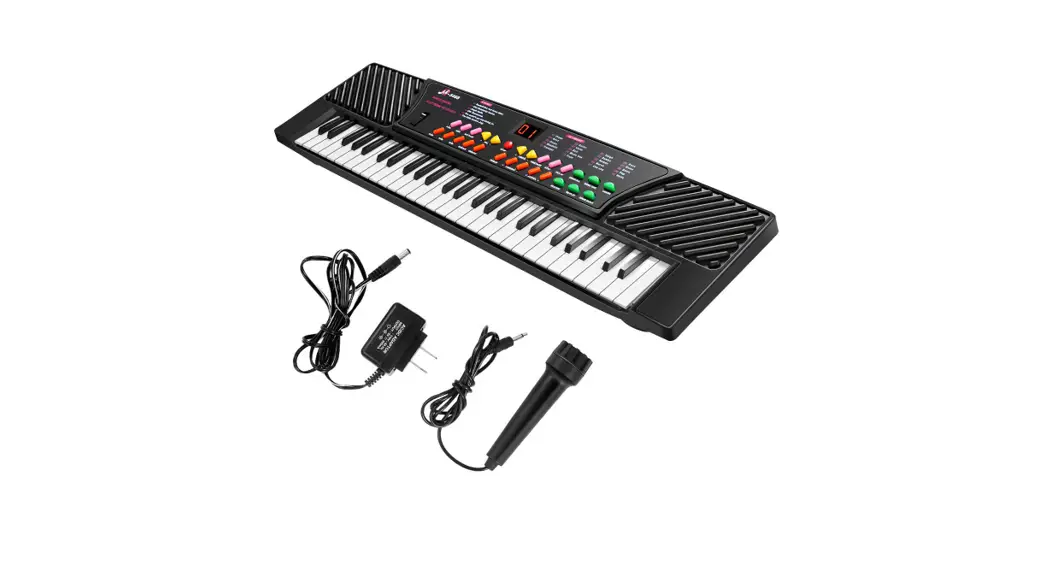
- Power Adaptor X 1 pc
- Headphone X 1 pc
- Microphone X 1 pc
- Music Stand X 1 pc
- Installation Manual X 1 pc
Panel Control and External Ports
Top panel control
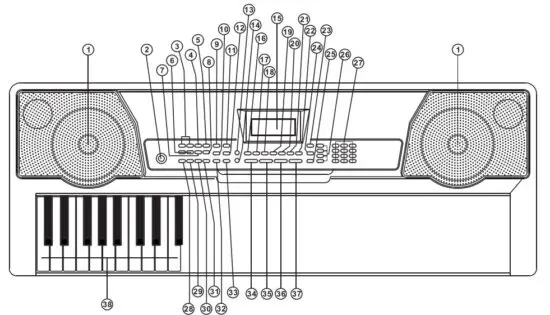
| 1. Loudspeaker | 20. Split |
| 2. Power | 21. Sustain |
| 3. Previous/Next | 22. Vibrato |
| 4. Play/Pause | 23. One Key |
| 5. Stop | 24. Follow |
| 6. MP3 Volume Control | 25. Ensemble |
| 7. Sequence/Random/ Single | 26. Memory |
| 8. Sound effect | 27. Numbers |
| 9. Sync | 28. Single Chord |
| 10. Fill-in | 29. Fingered Chord |
| 11. Timbre | 30. Chord Timbre |
| 12. Rhythm | 31. Chord OFF |
| 13. Key Lighting | 32. Metronome |
| 14. Demo Song | 33. Start/Stop |
| 15. LCD display | 34. Master Volume |
| 16. Keyboard Percussion | 35. Accom Volume |
| 17. Recording | 36. Tempo |
| 18. Program | 37. Transpose |
| 19. Play | 38. Chord Zone |
Rear panel port
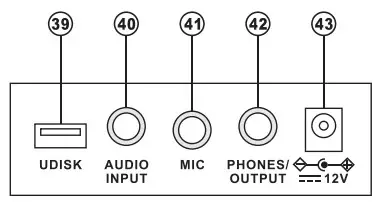
| 39. U-DISK | 42. PHONES/OUTPUT |
| 40. AUDIO INPUT | 43. DC 12v |
| 41. MIC |
Preparations before Playing
Power adaptor
A dedicated power adapter shall be used. Connect the output end of the adaptor to the power port on the rear panel of the keyboard, and then the other end to the power socket. (Note: the input voltage of the adaptor shall be compatible with the power supply voltage)
Audio output/ external headphone
- Audio output: Firstly, turn off the keyboard and the external audio devices, secondly, connect one end of the audio cable to the PHONES/OUTPUT port on the rear panel of the keyboard, and then connect the other end to the audio input port of the audio devices.
- Headphone connection: When connecting a headphone to the PHONES/OUTPUT port on the rear panel of the keyboard, the loudspeaker will be disabled automatically. In this way, you can play the keyboard without disturbing others.
Note! When using the headphone, do not turn up and keep the volume to the maximum for a long time, which may cause hearing loss.
Mic Input and Audio Input
- Mic input: Connect a microphone to the MIC port to start singing and playing.
- The Keyboard has the stereo input function. Sound signals from mobile phones, MP3 players, computers,s, and other audio devices can be input into the keyboard system for playing. Firstly turn off the Keyboard, then, connect one end of the audio cable to the output port of an audio device, and the other end to the AUDIO INPUT port on the rear panel of the Keyboard, finally, turn on the keyboard.
Playing MP3 music
Insert a U disk into the UDISK port on the rear panel of the Keyboard for MP3 music playing.
Support 32G (max.).
- Press the [
 ] bottom to adjust the volume.
 - Press [
 ] to go to the previous track, press [
  ] to go to the next track, [
 ] play/pause a track, [ ■ ]stop a playing track,[
  ] to cycle through the repeat modes for continuous, random, or single playback.
 - Press [Effect] to adjust the effect among Common, Pop, Rock, Jazz, and Classical. The keyboard is defaulted to be in common effect.
 ] bottom to adjust the volume.
 ] to go to the previous track, press [
  ] to go to the next track, [
 ] play/pause a track, [ ■ ]stop a playing track,[
  ] to cycle through the repeat modes for continuous, random, or single playback.
Basic Playing Method
Press [Power On/Off], and the keyboard will light up from both sides, and the LCD display will turn on and show the current Tone, tempo, and other status. Then you may operate the Keyboard as required.
Key lighting
The Keyboard has a luminous function, under the mode of playing, training, and playing a demo song, the light hint will be provided. The luminous function is defaulted to be enabled, press [KEY LIGHTING] to enable or disenable the luminous function.
Master volume adjustment
Press [MASTER VOL+/-] to turn up or turn down the master volume. “VOLUME” and the current volume level will be shown on the display. Press [MASTER VOL+/-] simultaneously to reset to the default value. The master volume can also control the accompaniment volume.
Accompaniment volume adjustment
Press [ACCOM VOL+/-] to turn up or turn down the master volume. “RC-VOLUME” and the current volume level will show on the display. Press [ACCOM VOL+/-] simultaneously to reset to the default value.
Timbre selection
The Keyboard provides 255 timbres, from “000” to “254”, for your selection. When turning on the keyboard, the timbre selection function will be enabled automatically, and “TONE” and the current timbre number will show on the displays. When under other states, press [TIMBRE] to enable the Tone selection function. The Tone is defaulted to be “000”, and it can be adjusted by pressing the corresponding number buttons or pressing the “+” /”-“button.
Playing Percussion
This Keyboard provides 61 kinds of keyboard percussions. Press [KEYBOARD PERCUSSION] to convert the key to a percussion key. Each key corresponds to one percussion instrument. Press this button again to disenable the keyboard percussion function.
Playing demonstration songs
50 demo songs have been stored in the Keyboard, from “000” to “049”, for your selection.
Press [DEMO SONG] to play all demonstration songs in order, the luminous key will flash to the melody, and “SONG” and the current demo song number will show on the display.
Press the number buttons or”+”/” buttons to select the demonstration song.
When pressing [TIMBRE] during the demonstration song playing process, “TONE” will show on the display, press the number buttons or the”+”/-“button within 3 seconds to select other Tones for playing the demonstration song.
Press [START/ STOP] or press [DEMO SONG] again to stop playing the demonstration song.
Auto Rhythm
Rhythm selection
This Keyboard provides 255 rhythms, from “000” to “254”, for your selection, and the rhythm is defaulted to be “000”. Press [RHYTHM] to enable the rhythm selection function. “RHYM” and the current rhythm number will show on the display. Then you can press the number buttons or the “+” /”- • buttons to select other rhythms.
Rhythm control
- Rhythm enabling
♦Press [START/STOP] to start the accompaniment rhythm.
♦ Press [SYNC], “SYN” will show on the display and the four-beat points will flash simultaneously, then play any key in the chord key zone (the 1st-19th key, from left), the accompaniment rhythm will be enabled. - Interlude
After the accompaniment rhythm is activated, press [FILL-IN] to have a temporary rhythm play during the accompaniment rhythm. If press and hold [FILL-IN], the temporary rhythm will continue. - Stop rhythm
During the accompaniment rhythm, press [START/STOP] to stop the accompaniment rhythm.
Metronome
The metronome contains four tempos, 1/4, 2/4, 3/4, and 4/4, respectively. Press the [METRONOME] continuously to select the four tempos. Press the [METRONOME] button again to stop the tempo.
Tempo adjustment
Press [TEMPO+/-] to increase or decrease the rhythm speed. Press the two buttons simultaneously to reset to the default value.
Auto Bass Chord
Single chord
Under the state that the rhythm is enabled, press [SINGLE CHORD], and “SIN” will show on the display, and then you can play a single chord on the keys in the chord zone of the keyboard.
Fingered chord
Under the state that the rhythm is enabled, press the [FINGERED CHORD] button. “FIN” will show on the display, and then you can play a fingered chord on the keys in the chord zone of the keyboard.
Chord OFF
Press [CHORD OFF] to disenable the single chord or the fingered chord function.
Single Chord Fingering
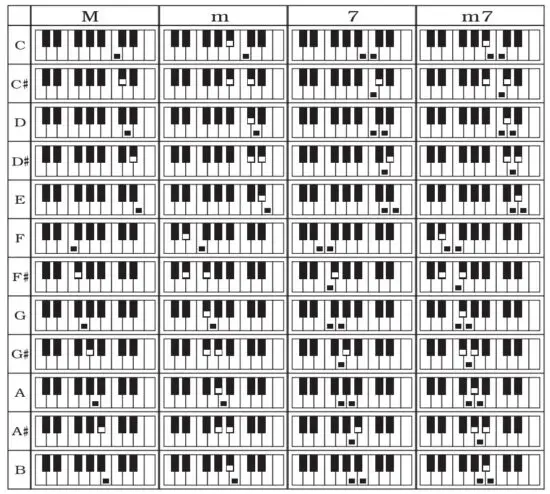
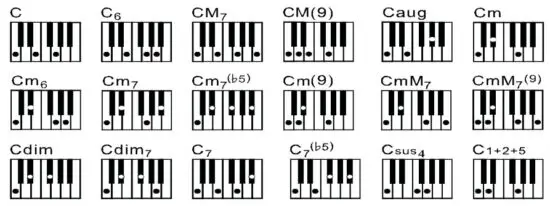
Fingered Chord Fingering (C Key)
(The C key fingered chord fingering is as shown in the following figure, and the rest can be obtained by analogy)
Chord Timbre
During single chord or fingered chord accompaniment, you can press [CHORD TIMBRE] to change the chord tone, and press [CHORD TIMBRE] again to resume the original chord tone.
Status memory function
With the status memory function, you can save the tone, rhythm, tempo and other parameters to be changed during playing, for fast shifting. This keyboard is equipped with 3 status memories, which can be flexibly called at any time during playing.
Storage of status memory
Set the tone, rhythm, tempo, and chord as required, and then press the [MEMORY] button and one of [MEMORY 1] to [MEMORY 3) to save the current status.
Calling of status memory
Press any one of [MEMORY 1) to [MEMORY 3) to call the setting parameters saved under this memory to replace the current status.
No power failure protection is provided for the saved contents, and the saved contents will be lost after the electronic keyboard is restarted after a power cut.
Effect Control
Transposing function
With the transposing function, you can play music of other tunes with the C-tune fingering method. Press the [TRANSPOSE-] to decrease the tone by a half-tone (minor second), and the tune in the C-tune keyboard zone will change to B-tune. Press the [TRANSPOSE+) to increase the tone by a half-tone (minor second), and the tune in the C-tune keyboard zone will change to #C tune or bD tune. When pressing the [TRANSPOSE-] twice, C-tune will shift to bB-tune, when pressing the [TRANSPOSE+) for five times, C-tune will shift to F-tune. Press [TRANSPOSE+] and [TRANSPOSE-] simultaneously to recover to C-tune “00”. Press [TRANSPOSE+) and [TRANSPOSE -] to adjust the level from “P-6″ to”P6”.
Sustain function
Press [SUSTAIN], “SUS” will show on the display, and the sustain effect will be activated.
Press this button again to disenable the sustain effect.
Vibrato function
Press [VIBRATO], “VIB” will show on the display, and the vibrato effect will be activated.
Press this button again to disenable the vibrato effect.
Keyboard splitting function
Press [SPLIT) to enable the keyboard splitting function, “SPLIT” will show on the display. 24 keys on the left of the keyboard will split with the remaining keyboard. While the left keyboard zone will increase by one octave and maintain the original tone, the right keyboard zone will decrease by one octave to maintain the same pitch as the left keyboard zone. The tone of the right keyboard zone can be set as needed so different tones can be played by the left and right keyboard zones at the same time.
Press [SPLIT) again to disenable this function.
Recording and Rhythm Programming
The training I: One Key
Press [ONE KEY] to enable the One Key training function, “LEARN”, “SONG” and the song number will show on the display, and then press the “+”/”-” button to select the song to be learned.
The luminous keyboard will light on according to the main melody notes, indicating the note to be played, and you can perform by following the guidance of the lighted key.
Single Key training aims at duration learning, and there is no requirement for pitch or correctness. This mode allows mistakes when playing the keys, but the keyboards still play correct notes, and the luminous keys will light on according to the correct notes while the key zone in the display will also show the correct notes.
After one song is finished, repeat the current song to be learned.
Press [Start/Stop] or press [ONE KEY] to disenable the training function.
Training II: Follow
Press [FOLLOW] to enable the following function, “LEARN”, “SONG” and the song number will show on the display, and then press the “+/-” button to select the song to be learned.
With the [FOLLOW] function, you can learn by following the correct playing notes. You can play according to the demonstration song, the key will light on according to the melody notes, indicating the notes to be played, and you can play correctly by following the guidance. You can also learn how to play by following the indicators in the key zone of the display. It will wait for you to play the correct note before it moves to the next one.
Notes: Under this state, the Keyboard plays only the correct notes, and gives no response to the wrong notes.
Press [START/STOP) or press [FOLLOW) to disenable the training function.
Training Ill Ensemble
Press [ENSEMBLE] to enable the Ensemble training function, “LEARN”, “SONG” and the song number will show on the display, and then press the “+”/”-” button to select the song to be learned.
The Ensemble training aims at the correct and comprehensive learning of the song duration and notes. The keynote will be shielded for the ensemble. The luminous keyboard will light on according to the main melody notes, indicating the note to be played, and you can perform by following the guidance of the lighted key. You need to play the correct note according to the correct duration of the song. If you fail to play within 3 seconds, the keyboard will automatically play the keynote, and the keyboard zone on the screen will display the correct note and tempo.
After one song is finished, repeat the current song to be learned.
Press [START/STOP] or press [ENSEMBLE) to disenable the training function.
Timbre Table
| 000-131 | 182 Soft Santur | (Muted)2 |
| Refer to the nuit panel | 183 Dual Homs 1 | 234 Multi Wind 2 |
| 132 Indian Flute 1 | 184 Hard Barsoon 1 | 235 Electric Vibraphone 2 |
| 133 Clavi 3 | 185 Tron Flute 1 | 236 Bodhran 2 |
| 134 Celesta 3 | 186 Kawala 1 | 237 Mellow Fm 2 |
| 135 Church Bells | 187 Jazz Organ 1 | 238 Multi Reed 2 |
| 136 Marimba 3 | 188 Soft Accord 1 | 239 Contrabass 2 |
| 137 Dulcimer 2 | 189 Wind Organ 1 | 240 Barafon 2 |
| 138 Reed Organ 3 | 190 Viola Attack 1 | 241 Wind Organ 2 |
| 139 Electric Guitar (Clean) | 191 Bari & Tenor 1 | 242 12-str. Gt 2 |
| 140 Koto 2 | 192 SoftSax2 | 243 Attack Barafon 2 |
| 141 Xylophone 2 | 193 Attack Harp 2 | 244 Lead (Calliope)2 |
| 142 Shanai 2 | 194 Didgeridoo 2 | 245 Viola Attack 2 |
| 143 Dulcimer 3 | 195 Dual Homs 2 | 246 Pad (Warm)2 |
| 144 English Hom 2 | 196 Hard Barsoon 2 | 247 Oct Harp 2 |
| 145 Electric Guitar (Clean)3 | 197Kawala2 | 248 Bari & Tenor 2 |
| 146 Shamisen 2 | 198 Soft Guitar 2 | 249 Ag0g0 2 |
| 147 Koto 3 | 199 Mute Barafon 2 | 250 Flugel Hom 3 |
| 148 Kalimba2 | 200 Lead (Bass+Lead)2 | 251 Organ Flute 3 |
| 149 Steel Bell 1 | 201 Melodic Tom 2 | 252 Fiddle 3 |
| 150 Alto Sax 2 | 202 Grow Guitar 2 | 253 Feedback Gt. 3 |
| 151 Woodblock 2 | 203 Lead (Sawtooth)2 | 254 Chorus Guitar 3 |
| 152 Synth Harpsi. 1 | 204 Jazz Bass 2 | |
| 153 Attack Clav. 1 | 205 Chorus Guitar 2 | |
| 154 Crystal 1 | 206 Feedback Gt. 2 | |
| 155 Bag Pipe 2 | 207 Fiddle2 | |
| 156 Barafon 1 | 208 Organ Flute 2 | |
| 157 Organ Flute 1 | 209 Flugel Horn 2 | |
| 158 Kalimba 3 | 210 Crystal 2 | |
| 159 Reed Hom 1 | 211 Soft Clav. 2 | |
| 160 Hard Vibe 2 | 212 Overdriven Guitar 2 | |
| 161 Twin Trombones 1 | 213 Ukulele 2 | |
| 162 Synth Harpsi. 2 | 214 Tango Accordion 2 | |
| 163 Attack Clav. 2 | 215 Twin Trombones 2 | |
| 164 Chorus Guitar 1 | 216 Jazz Organ 2 | |
| 165 Steel Bell 2 | 217 Bright String 2 | |
| 166 Tsugaru | 218 Reed Hom 2 | |
| 167 Oct Harp 1 | 219 Glockenspiel 2 | |
| 168 Bodhran 1 | 220 Drawbar Organ 2 | |
| 169 Tubular Bells 2 | 221 Muted Hom 2 | |
| 170 Suona | 222 Pizzicato Strings 2 | |
| 171 Castanets | 223Nay2 | |
| 172 Attack Harp 1 | 224 Puff Harmonica 2 | |
| 173 Electric Vibraphone 1 | 225 Muted Trumpet 2 | |
| 174 Soft Sax 1 | 226 Upright Piano 2 | |
| 175 Soft Clav. 1 | 227 Soft Accord 2 | |
| 176 Soft Guitar 1 | 228 Uillean Harp 2 | |
| 177 Grow Guitar 1 | 229 Tron Flute 2 | |
| 178 Didgeridoo 1 | 230 Blown Bottle 2 | |
| 179 Attack Barton 1 | 231 Indian Flute 2 | |
| 180 Mute Barton 1 | 232 Slow Violin 2 | |
| 181 Nay 1 | 233 Electric Guitar | |
Rhythm Table
| 000-155 | 189 Show Tune 1 | 224 Jazz 16 Beat 2 |
| Refer to the nuit panel | 190 Schlager Alp | 225 Rock Samba 2 |
| 156 USA March | 191 Single Rock | 226 Jazz Waltz 2 |
| 157 Espag Nol 2 | 192 Swing Waltz | 227 Europe Reggae |
| 158 Club Latin 2 | 193 Slow Waltz | 228 Modem Cha Cha 2 |
| 159 Jazz Cha Cha 1 | 194 Cat Groove 2 | 229 R&B Ballad 2 |
| 160 Country Cha Cha | 195 Country Slow Rock | 230 Rock Boogie |
| 161 Disco Party 2 | 196 Role Disco 1 | 231 Jazz Bossa Nova |
| 162 Modem R&B 1 | 197 16 Beat Shuffle 1 | 232 Rock Salsa 2 |
| 163 8 Beat Pop 2 | 198 Jazz 8 Beat 2 | 233 Slow & Easy |
| 164 Country Jazz | 199 Casa | 234 Hip Waltz 1 |
| 165 Soul Rock 1 | 200 Guad Dance 1 | 235 Jazz Latin 2 |
| 166 Rumba2 | 201 Jazz Cha Cha 2 | 236 Rock Disco 2 |
| 167 Samba 3 | 202 Country Waltz | 237 Jazz Tango 2 |
| 168 Modem R&B 2 | 203 European Rock 2 | 238 Analog Ballad 3 |
| 169 Club Dance 2 | 204 Caribbean Dance 2 | 239 Europe Swing 2 |
| 170 Country Bossa Nova | 205 Jazz Disco 2 | 240 Hip Waltz 2 |
| 171 Jazz Bo 1 | 206 Medium Jazz | 241 Jazz Swing 2 |
| 172 Modem Cha Cha 1 | 207 Piano Ballad | 242 Party Pop |
| 173 Pop Reggae 2 | 208 70’s Disco | 243 Jazz Club |
| 174 Rock Samba 1 | 209 Jazz Rock 2 | 244 Guard Dance 2 |
| 175 Jazz 8 Beat 1 | 21 0 Europe 8 Beat 1 | 245 Jazz Bo2 |
| 176 Disco | 211 Seville 2 | 246 Dixie Jazz 2 |
| 177 Seville 1 | 212 Rumba 3 | 24 7 Acoustic Ballad 2 |
| 178 Disco Hands 2 | 213 Soul Rock 2 | 248 Jazz Slow Role |
| 179 Rock Ballad | 214 European Disco 2 | 249 16 Beat Shuffle 2 |
| 180 Mixed Bossa Nova | 215Analog Ballad 2 | 250 Polka Pop |
| 181 Jazz 16 Beat 1 | 216 Pub Piano 2 | 251 Latin Party Pop |
| 182 Single 16 Beat 1 | 217 Europe Rumba | 252 Parranda |
| 183 Love Song | 218 Rock’s Roll 2 | 253 Carnival |
| 184 Single 16 Beat 2 | 219 Disco Trop | 254 60’s Vintage Pop |
| 185 Disco Fox 2 | 220 Rock Salsa 1 | |
| 186 Pop Rock 3 | 221 Europe 8 Beat 2 | |
| 187 Tijuana Waltz | 222 Europe Samba | |
| 188 British Pop 2 | 223 Show Tune 2 |
Assembly Instruction of Keyboard Stand
ATTENTION:ADULT ASSEMBLY REQUIRED HTYPESTAND
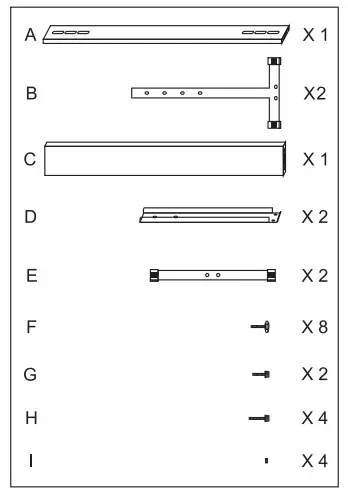
Attach Section (B) to (D) and(C) using the appropriate screw (F). Repeat this process for the other side section.
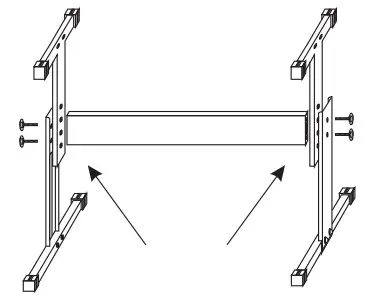
Fastening screws (F) for adjusting to the suitable height of keyboard legs.
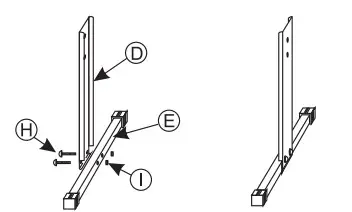
Find Section (D) & (E).Align the holes on the base of (D) to the holes on (E). Use nut (I) and bolt (H) to connect the two sections. Use correct tools to ensure a firm attachment. Repeat this process for the other side section.
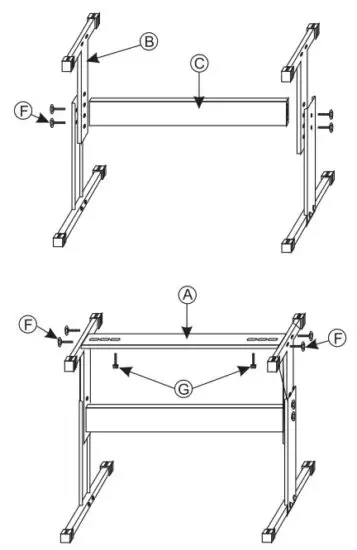
Attach two sections (B) to section (A) using four (F) screws to create the upper section.
Fastening screws(G)for fixing the keyboard on the stand.
Welcome to visit our website and purchase our quality products!
With your inspiring rating, COSTWAY will be more consistent to offer you
EASY SHOPPING EXPERIENCE, GOOD PRODUCTS and EFFICIENT SERVICE!
US office: Fontana, California
UK office: Ipswich

- Reward Points
- Exclusive Customer Service
- Personalized Recommendations
- Permanent Shopping Cart
- Order History

We would like to extend our heartfelt thanks to all of our customers for taking the time to assemble this product and giving us valuable feedback.