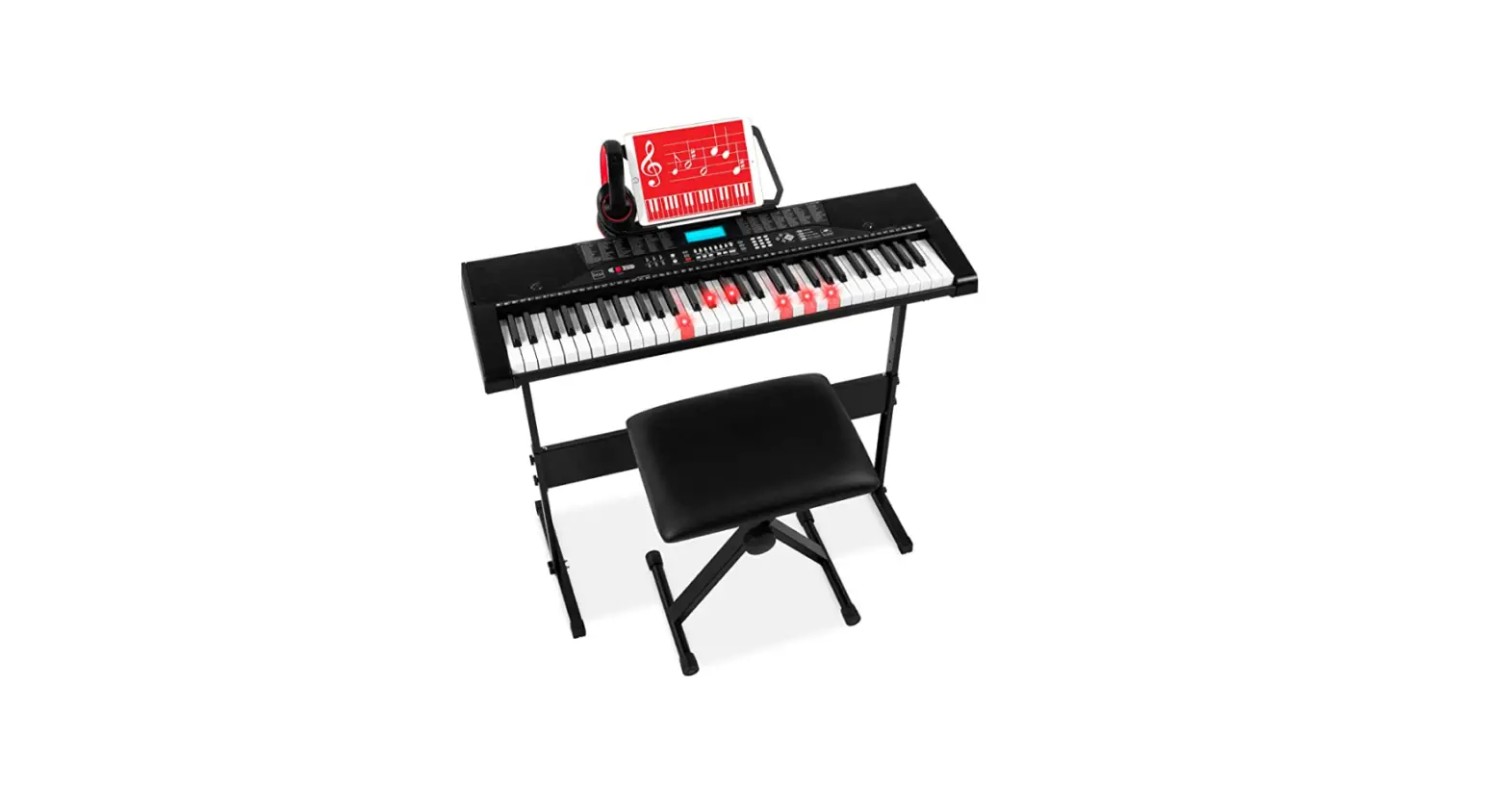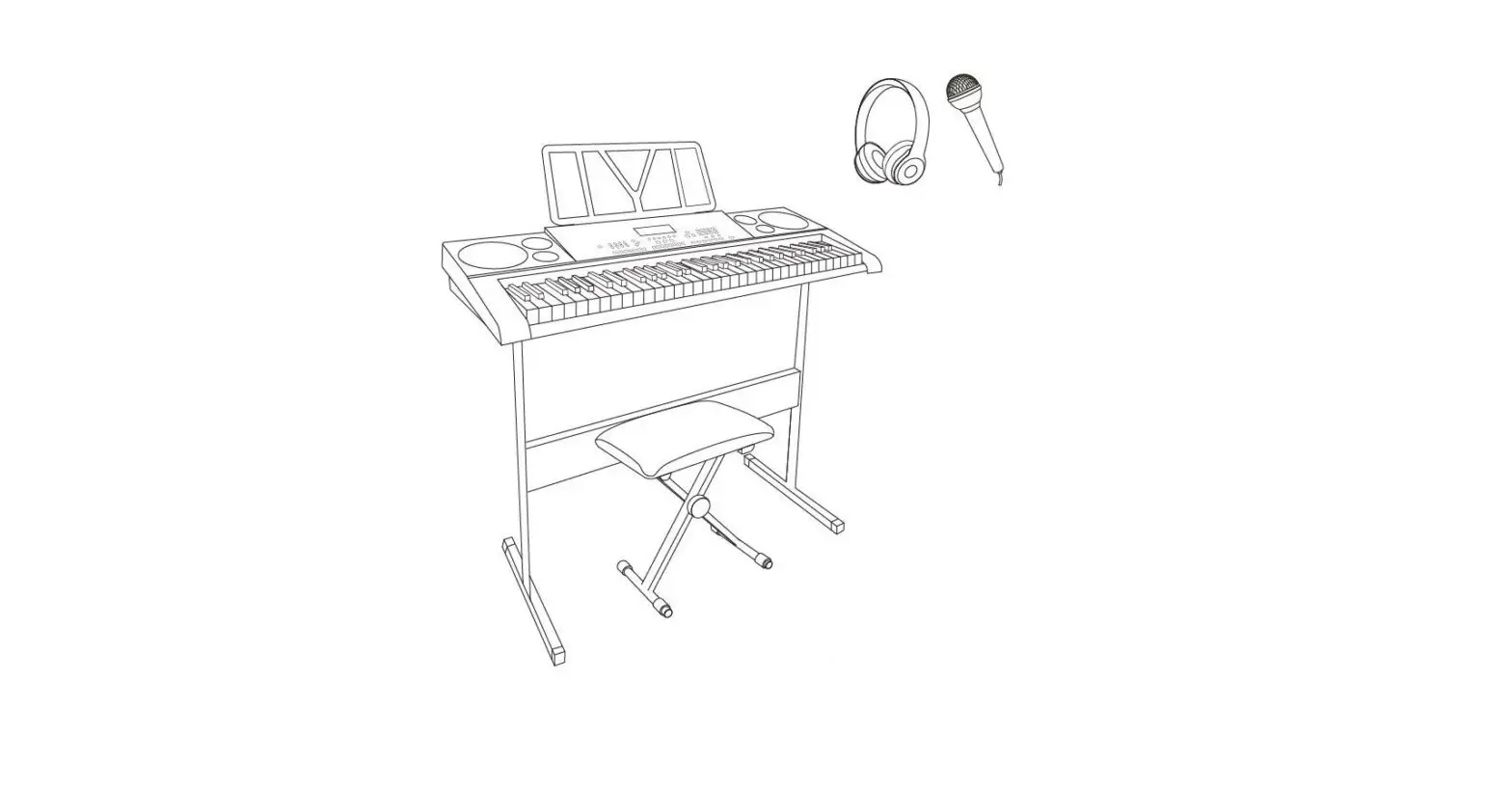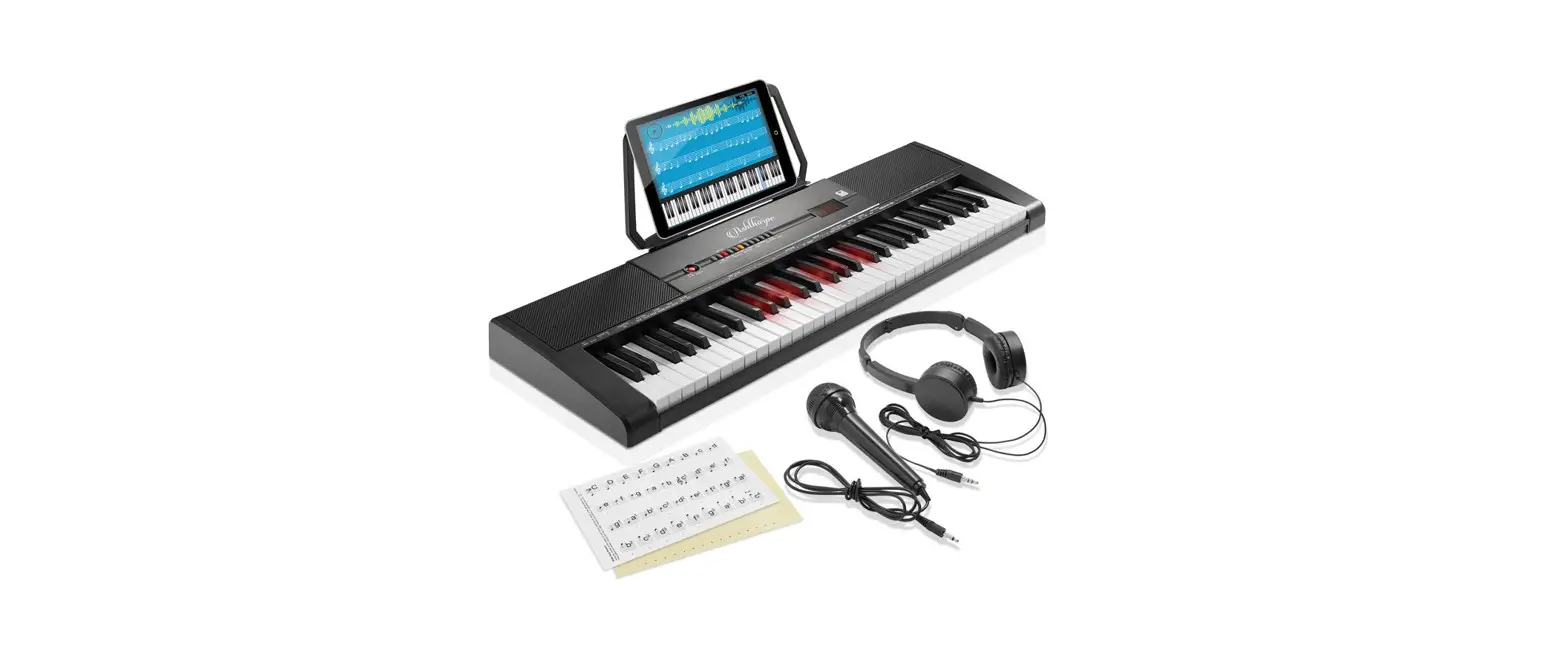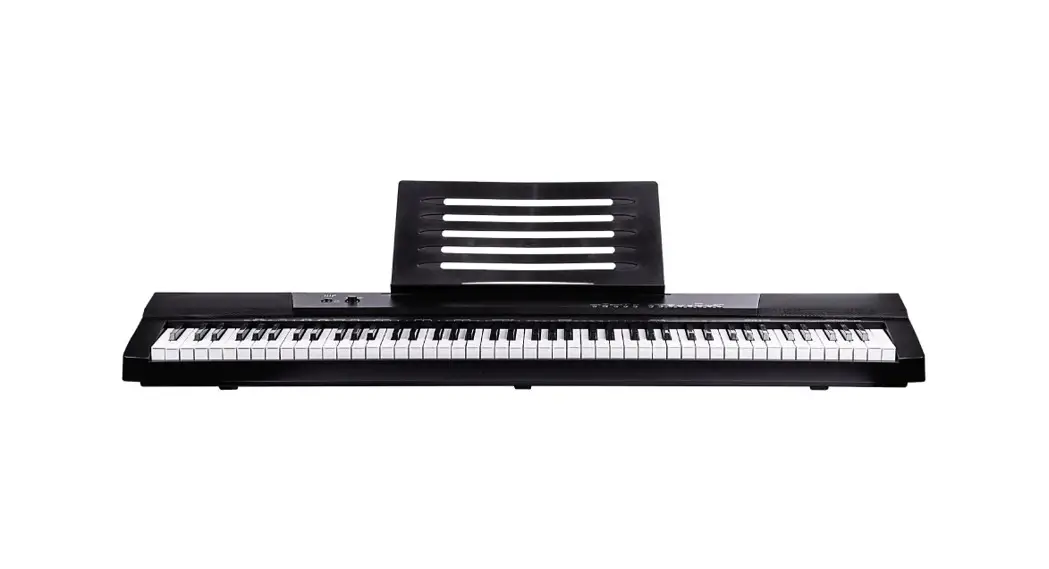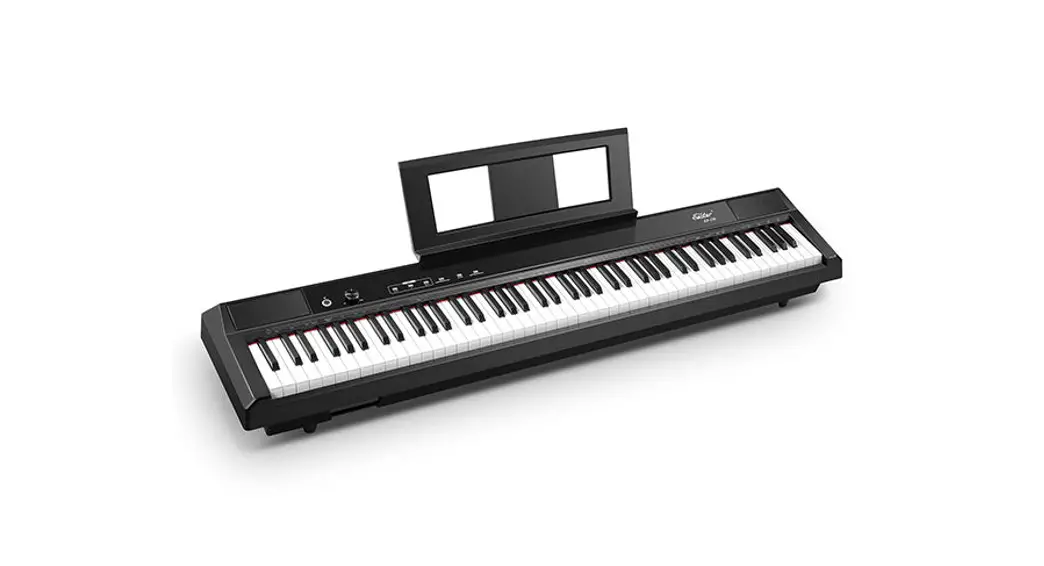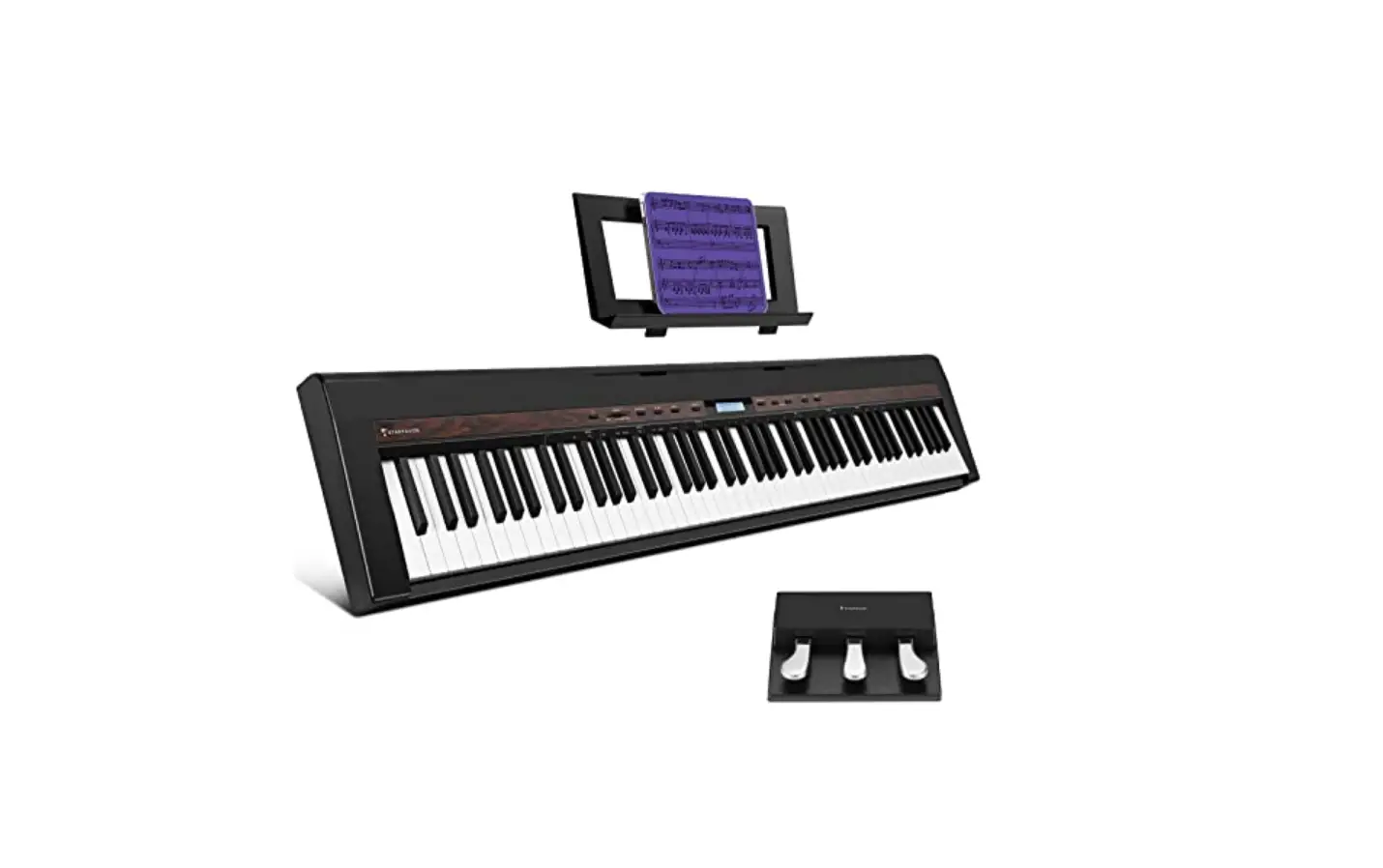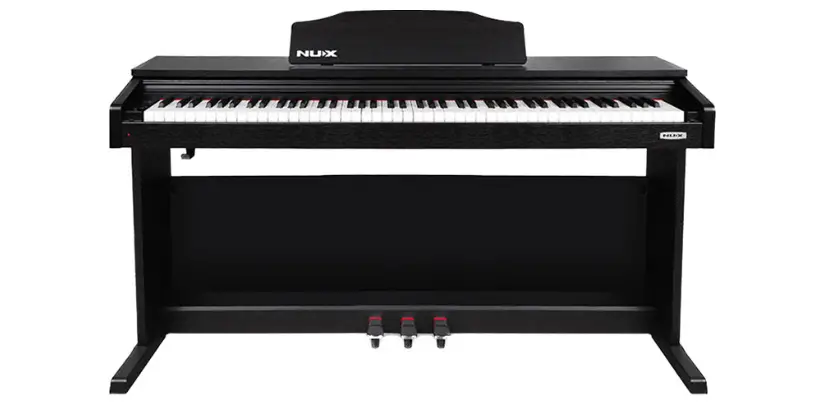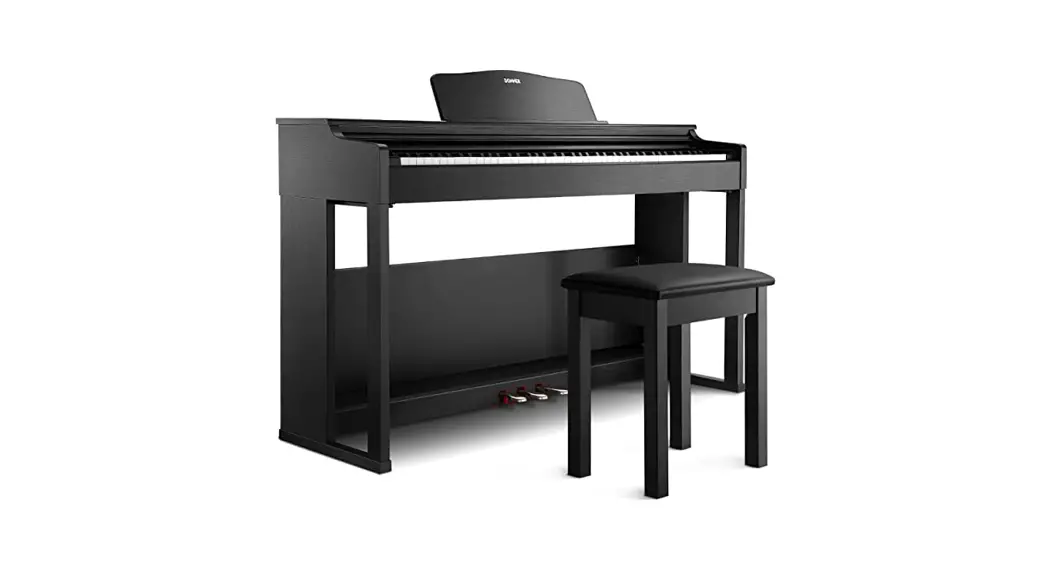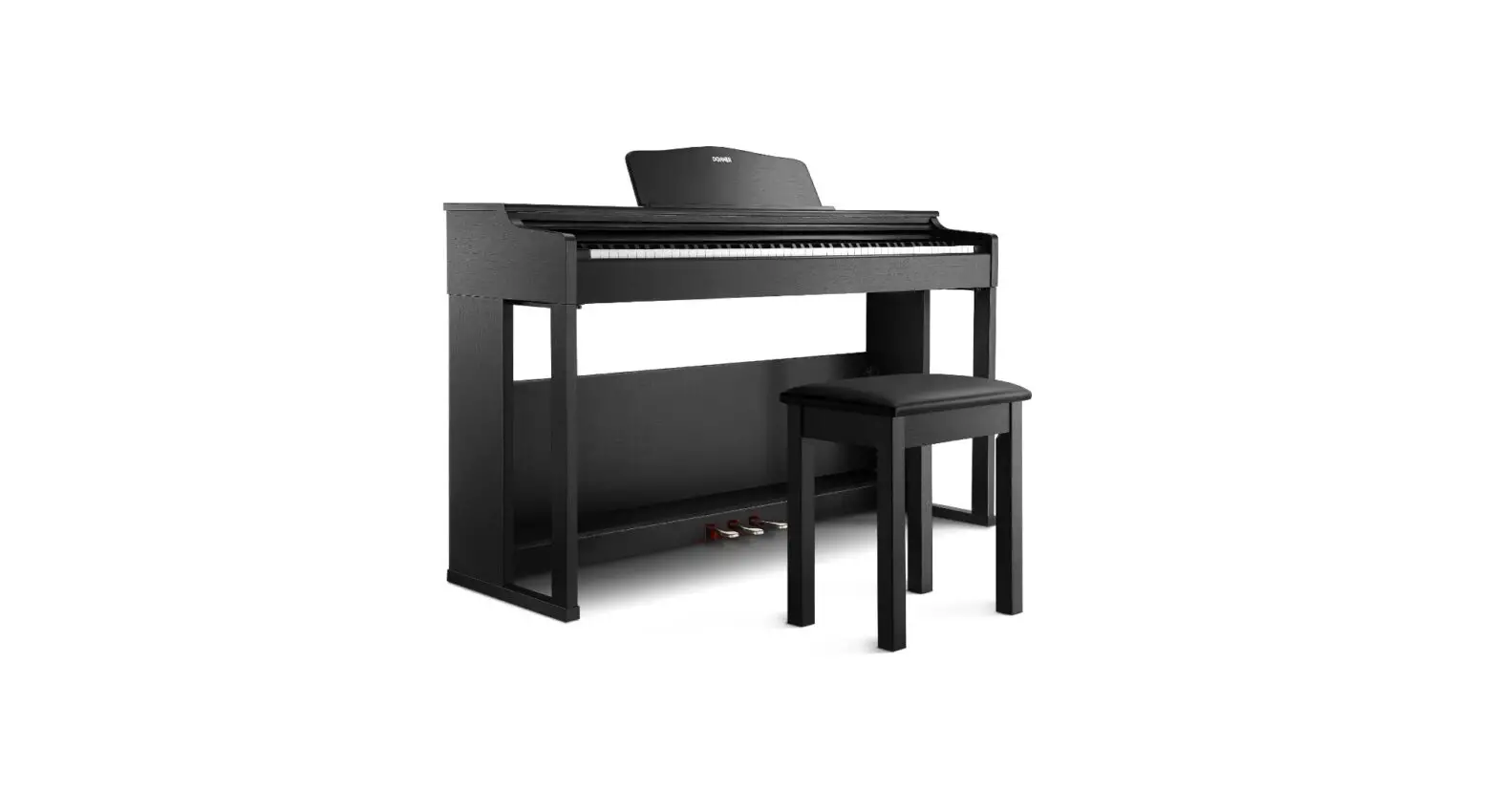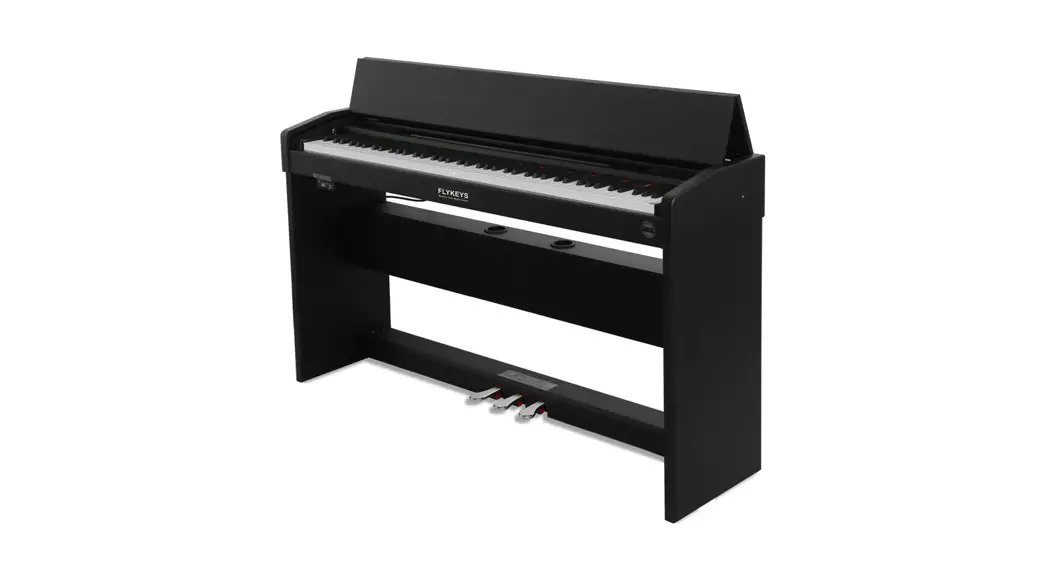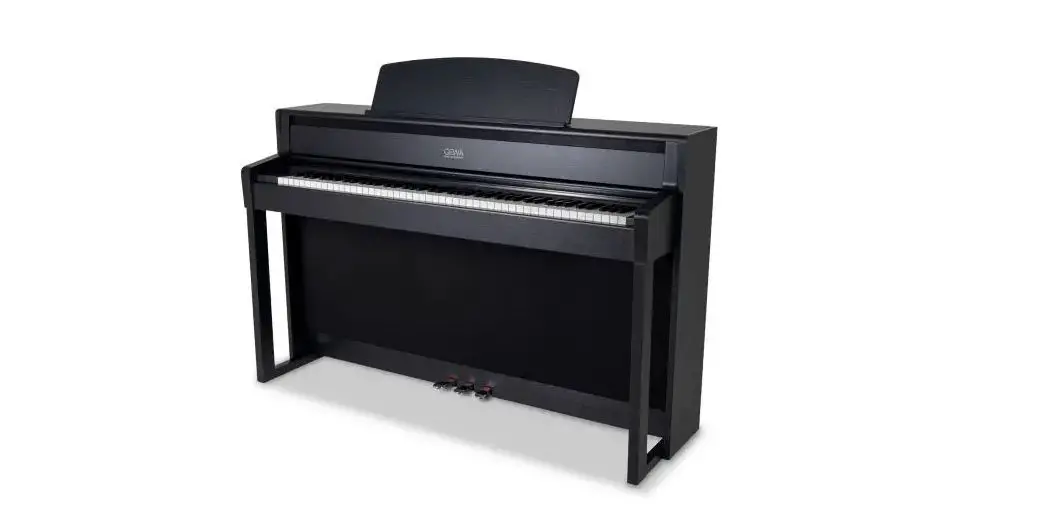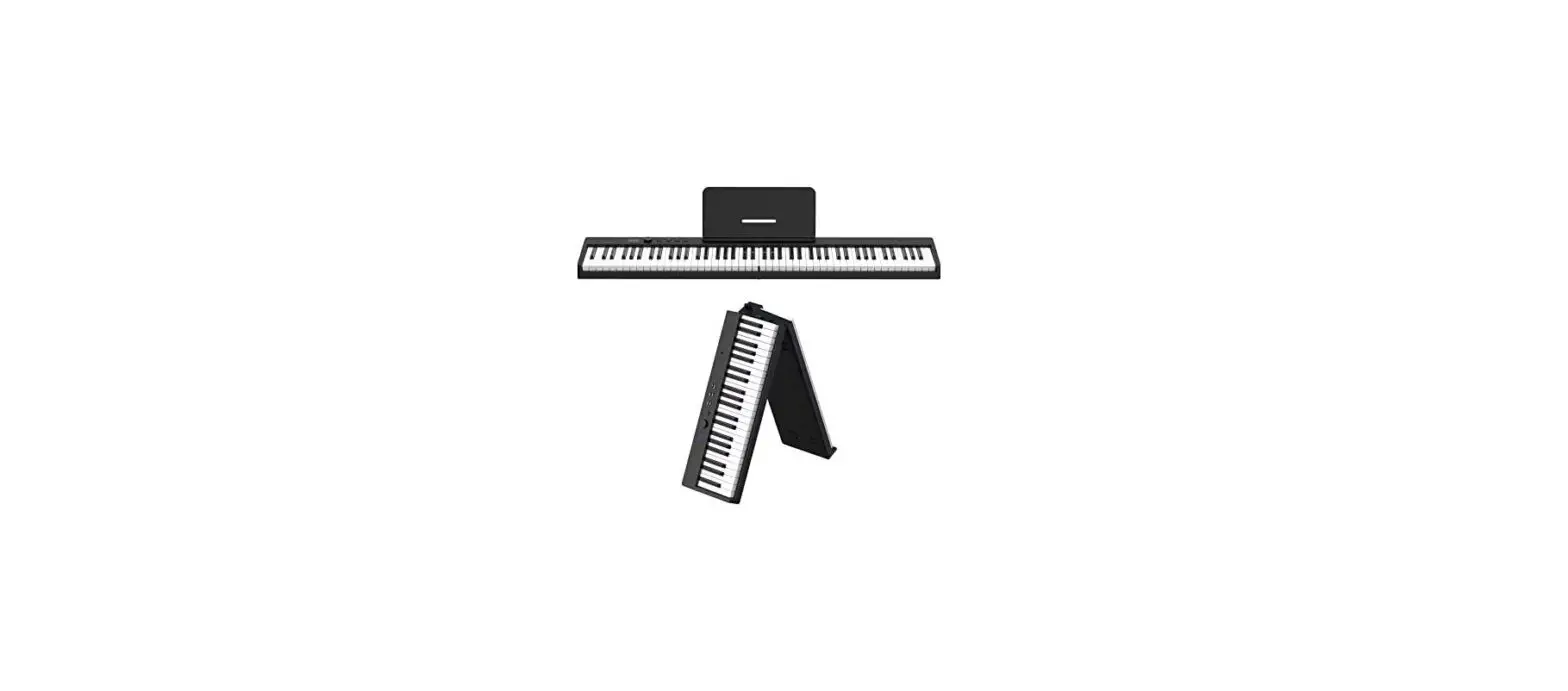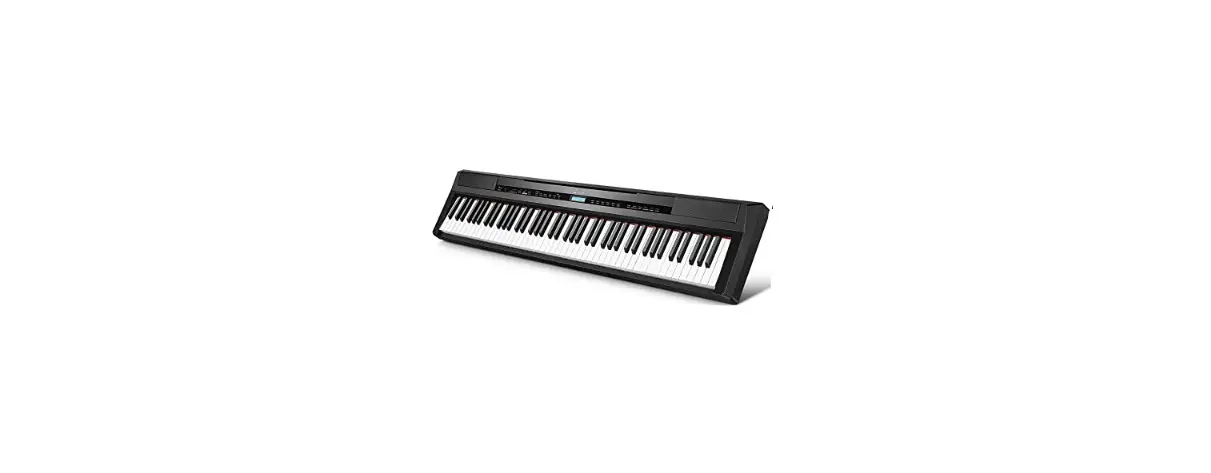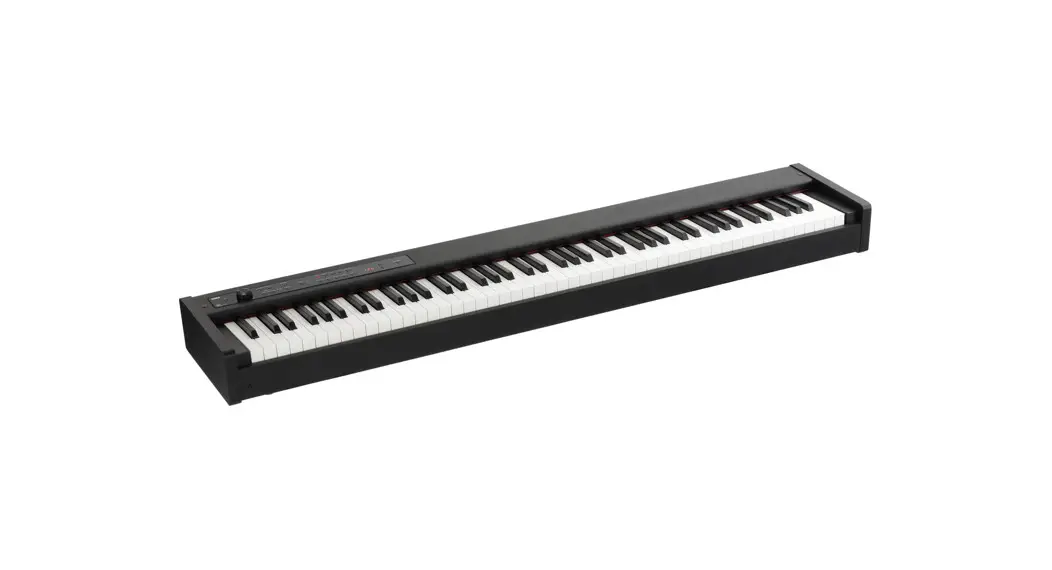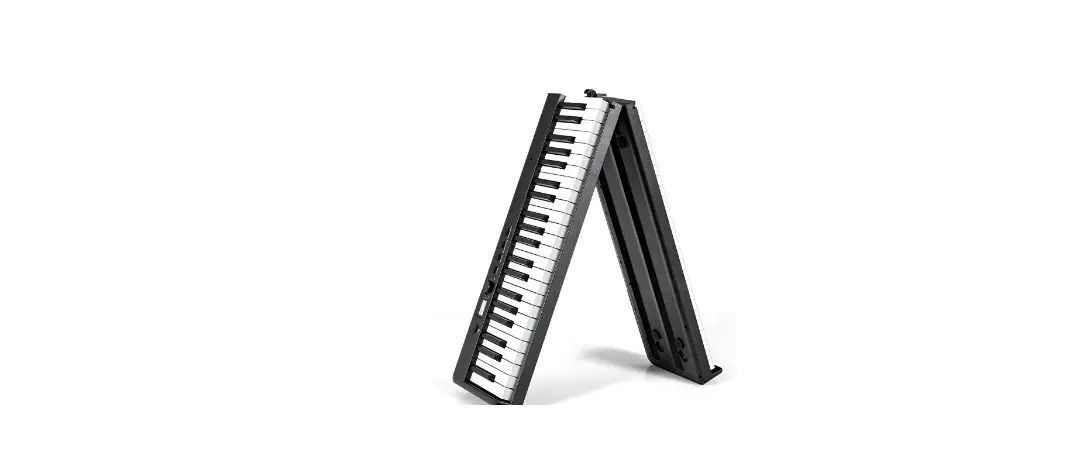
 MU70017WHB Weighted Key Digital Piano
User Manual
 THIS INSTRUCTION BOOKLET CONTAINS IMPORTANT SAFETY INFORMATION. PLEASE READ AND KEEP FOR FUTURE REFERENCE.
Before You Start
Please read all instructions carefully.Retain instructions for future reference.Separate and count all parts and hardware.Read through each step carefully and follow the proper order. We recommend that, where possible, all items are assembled near to the area in which they will be placed in use, to avoid moving the product unnecessarily once assembled.Always place the product on a flat, steady and stable surface. Keep all small parts and packaging materials for this product away from babies and children as they potentially pose a serious choking hazard.
 FEATURES
 FEATURES
Thank you for choosing our digital piano. The digital piano is elegant and exquisite, and it is the perfect combination of the latest electronic technology.
- Before using this instrument, you must read the instructions in detail.
 MULTIMEDIA MP3 PLAY
With MP3 multimedia playback functions providing full music entertainment.
SPECIAL REMINDER
Stay away from radio, TV, antenna receiver, router, refrigerator and all RF electrical interference sources such as motorized appliances.
PRODUCT CARE
Careful maintenance and protection of this product plays an important role in prolonging the service life of the product and reducing failure.
- AVOID HEATING, DAMPNESS OR DIRECT SUNLIGHT
Do not over expose the product to direct sunlight, or place it near air conditioning or extremely hot place. - DO NOT USE NEAR THE TV OR RADIO.
This product may cause video or audio interference to the reception of TV and radio. If this happens, the product should be removed from the TV or radio. - NO PAINT, DILUENT OR SIMILAR CHEMICALS SHALL BE USED FOR CLEANING.
Clean the product with a soft cloth wetted with weak water solution and neutral detergent. Soak the cloth in a solution and wring it dry until it approaches drying. - DO NOT SHAKE, AVOID COLLISION
When moving, the product should be handled carefully and lightly. Violent vibration and collision are strictly prohibited in order to avoid damage to the shell or internal electronic components.
JACK SOCKET
- POWER LINE CONNECTION
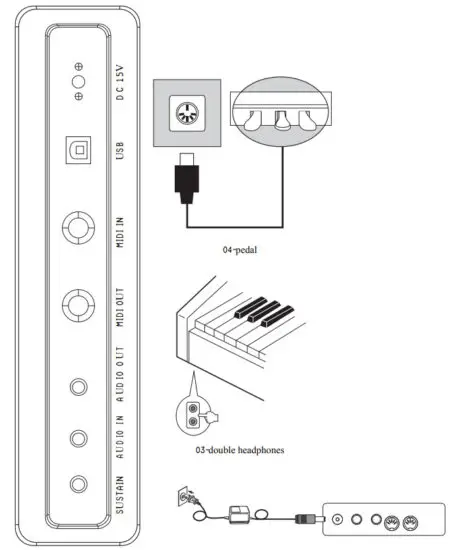
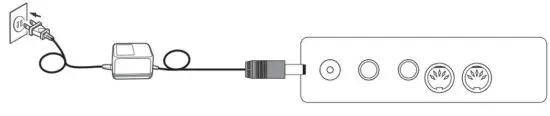
1. When used according to the access power line, one end is inserted into the socket at the bottom of the piano operation plate. The other end is inserted into the110V household power socket.
2. If you do not use this product for a long time, unplug the power cord and keep it properly. - AUDIO INPUT/OUTPUT PLUG
1. The audio output socket can be connected to large sound box equipment.
2. The audio input socket connects the external sound source to the electric piano for playback. - MIDI INPUT AND OUTPUT SOCKET
The MIDI interface of this digital piano can be connected to music equipment with MIDI. - USB TRANSPORT INTERFACE
Use the USB port of this digital piano to connect to a computer. Through pre-installed music software on the computer, you can play the keyboard to perform music performance, composition, editing, storage and other functions. The edited music and the built-in accompaniment of the music software can be connected to the digital piano through the software for playback, or play according to the accompaniment music. - DOUBLE HEADSET SOCKET
Connecting the headset will automatically cut off the output of the built-in loudspeaker, so it won’t disturb others when playing *This product has two headphone sockets, which can insert two headphones at the same time. - PEDAL SOCKET
Insert the end of the pedal line into the circular socket on the bottom of the piano, and you can connect the 3 pedal sound effects .ln turn : weak tone, posterior extension and portamento.
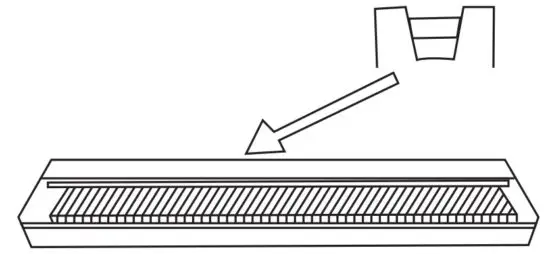
INSTALLATION
OPERATION GUIDE
Basic operation
Preparatory work
This section introduces you to the basic operating knowledge of digital piano
How to play
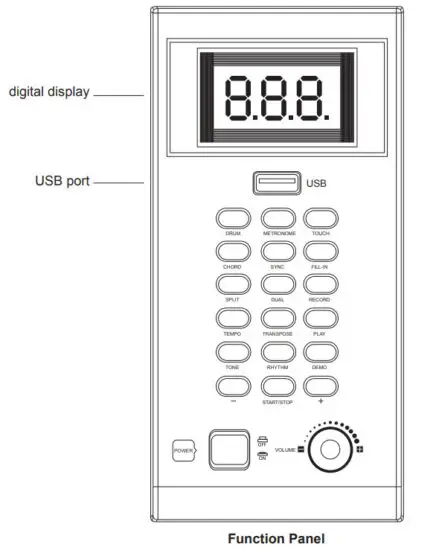
- switch the “power supply” switch to the on state, the display screen is lit up, and enter the normal playing state.
- adjust the volume potentiometer and adjust the volume to the appropriate position.
- play music on the keyboard.
The choice of timbre
There are 480 timbres in this product (see TONE list).
Please follow the following steps to select the desired timbre
How to select tone color
- Find the TONE you need in the timbre list and remember its timbre number.
- Press the tone key to enter timbre mode.
- Select the desired timbre by selecting the “+”/”-” key, the timbre number is (000-479).
The convenience of chord accompaniment
The following steps describe how to use the chord functionality of this product. Before you begin, you should first select the rhythm you want to use and set the speed value.
Automatic accompaniment
The choice of rhythm
This product has 200 built-in rhythms (see the RHYTHM list), please follow the steps below to select the desired rhythm.
How to choose rhythm
- Press the rhythm key to enter the rhythm mode.
- Select the desired rhythm by selecting the “+”/”-” key, the rhythm number is (000-199).
- Press the “start / stop” key to start playing the rhythm.
- To stop the rhythm to play, and then press the “start / stop” key.
Synthetic chord accompaniment
- Press the start / stop button to start broadcasting the currently selected rhythm.
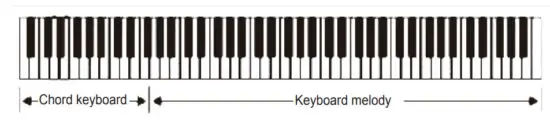
- press the “chord” button to enter the chord state. If the chord mode of single multi-finger reuse conforms to the multi-finger chord playing method, the piano responds to the multi-finger chord; where the single-finger chord method is not in accordance with the multiple-finger chord method, the response is recognized according to the single-finger chord.
- To play a chord, press different fingerings to perform different performances on the accompaniment keyboard (1-22 keys from the left).
- Press the “chord” button again to turn off the chord state.

Synchronous start
You can set this product to start playing rhythmically while you play accompaniment on the keyboard. The following steps describe how to use synchronous startup.
Before you begin, you should first select the rhythm to use, set the speed value, and select the chord accompaniment.
Using synchronous startup
- In the chord state, press the synchronize button to enter the synchronous start standby state.
- When you play the chord, the accompaniment will automatically start broadcasting.
- To cancel synchronization, press the start / stop button.
Use of Music Library
The built-in music library of this product contains 80 pieces of music (see list of demonstration songs), and the built-in music is used for playback and appreciation.
The playing of music in a library
- find the music to be played in the library list and record its number.
- press the key of “DEMO” to enter the mode of demonstration song.
- select the song by selecting the “+” “-” key Number (000-079)
- Press the DEMO key or start / stop the key to stop playing to exit this mode.
The music will continue to play in order until you stop it.
The use of keyboard strength tactile function
When the keyboard of this product is opened for the strength tactile keyboard “strength” function, the relative volume of the electronic output music will vary according to the intensity that the keyboard is pressed, and can play music with different volume and different feelings.
- press the strength TOUCH button, and the strength touch function is activated.
- press “TOUCH” again and turn off the tactile function.
When booting, it is automatically in the state of starting the strength tactile function.
The use of keyboard Drum instrument function
Press the “Drum” button, switch the keyboard of the digital piano to the drum key board, press the DRUM button again, and turn off the function.
The use of Dual Voice function
When using the Dual Voice function to play the keyboard, you can emit two different timbre at the same time, showing the resonance effect of the two musical instruments.
How to use Dual Voice function
- first enter the timbre mode, choose a musical instrument as the main timbre.
- press the “DUAL” button to enter the second timbre selection mode.
- use the “+/-” button to select a musical instrument as the second timbre.
The use of keyboard split function
Using the keyboard split function, you can assign two different timbre (main one and split tone) to both ends of the keyboard, so that you can play one timbre with your left hand and another with your right hand to play an ensemble effect.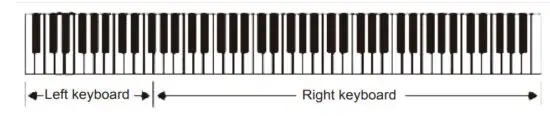
Use of metronome function
Press the “metronome” button, the metronome function is activated, you can follow the beat sound to play. Press the metronome button again, and the metronome function is turned off.
Please use the “Tempo” button and “+/-”button to set the speed.
Recording
- Press the recording key to enter recording mode.
- The maximum number of recordings is 250, and when the recording is full, there will be no room for new recording.
- Each time you press this key, you erase the last memory, and re-enter recording mode.
Play sound
- Press the PLAY key to play the recorded notes and drums, and play them in the timbre selected for the recording at that time
- Press the PLAY key, and if there is no previous memory value, no action occurs.
Transpose effect control
- Press the “Transpose” key to enter the transposition control mode, and then press the “+” and “-” keys to set the range of transposition.
- There are 13 segments (-6-+6) for the transposition control, and the power-on preset value is in the seventh segment.
- In the transposition mode, press the “+” and “-” keys for more than one second to continuously increase/decrease the transposition.
MP3 function
- Connect to the U disk and go directly into MP3 mode.
- Select songs from MP3. Press the “+” “-” key to select the song.
- Press the start / stop key to start and pause playback.
APPENDIX
TONE
| 0 | AcoPiano | 240 | Brightsl |
| 1 | BrtPiano | 241 | Goblinsl |
| 2 | ElcPiano | 242 | Echoesl |
| 3 | HnkPiano | 243 | Sci-Fil |
| 4 | RhoPiano | 244 | Sitarl |
| 5 | ChoPiano | 245 | Banjol |
| 6 | Hrpchord | 246 | Shamsenl |
| 7 | Clvichrd | 247 | Kotol |
| 8 | Celesta | 248 | Kalimbal |
| 9 | GIcknspl | 249 | BagPipel |
| 10 | MusicBox | 250 | Fiddlel |
| 11 | Vibphone | 251 | Shanail |
| 12 | Marimba | 252 | TinkBell |
| 13 | Xylophon | 253 | Agogo1 |
| 14 | TubBells | 254 | SteeDrml |
| 15 | Dulcimer | 255 | Wodblckl |
| 16 | DrawOrg | 256 | TaikDrml |
| 17 | PercOrg | 257 | MeloToml |
| 18 | RockOrg | 258 | SyntDrm |
| 19 | ChurhOrg | 259 | Recymbll |
| 20 | ReedOrg | 260 | GtrFrtI |
| 21 | Accrdion | 261 | BrthNsel |
| 22 | Harmnica | 262 | Seshorel |
| 23 | TangoAcc | 263 | BrdTwetl |
| 24 | NylonGtr | 264 | TelRingl |
| 25 | SteelGtr | 265 | Helicptl |
| 26 | JazzGtr | 266 | Aplausel |
| 27 | CleanGtr | 267 | GunShotl |
| 28 | MutedGtr | 268 | YongGinl |
| 29 | OverGtr | 269 | Zhengl |
| 30 | DstorGtr | 270 | ZhonRual |
| 31 | GtrHrmnc | 271 | PiPal |
| 32 | AcoBass | 272 | BiSounal |
| 33 | ElecBass | 273 | uonal |
| 34 | BassPick | 274 | ErHul |
| 35 | FretBass | 275 | YueHul |
| 36 | SIpBass1 | 276 | Di Zil |
| 37 | SIpBass2 | 277 | Bong Dil |
| 38 | SynBass1 | 278 | Kotol |
| 39 | SynBass2 | 279 | Qu Dil |
| 40 | Violin | 280 | AcoPino2 |
| 41 | Viola | 281 | BrtPino2 |
| 42 | Cello | 282 | ElcPino2 |
| 43 | CntrBass | 283 | HnkPino2 |
| 44 | TremoStr | 284 | RhoPino2 |
| 45 | PizziStr | 285 | ChoPino2 |
| 46 | OrchHarp | 286 | Hrpchrd2 |
| 47 | Timpani | 287 | Clvchrd2 |
| 48 | String1 | 288 | Celesta2 |
| 49 | String2 | 289 | Glcknsp2 |
| 50 | SynStr1 | 290 | MusicBx2 |
| 51 | SynStr2 | 291 | Vibphon2 |
| 52 | ChoirAah | 292 | Marimba2 |
| 53 | VoiceOoh | 293 | Xylopho2 |
| 54 | SynVoice | 294 | TubBell2 |
| 55 | OrchHit | 295 | Dulcime2 |
| 56 | Trumpet | 296 | DrawOrg2 |
| 57 | Trombone | 297 | PercOrg2 |
| 58 | Tuba | 298 | RockOrg2 |
| 59 | MuteTrmp | 299 | ChuhOrg2 |
| 60 | FrnchHrn | 300 | ReedOrg2 |
| 61 | BrassSec | 301 | Accdion2 |
| 62 | SynBrss1 | 302 | Harmnic2 |
| 63 | SynBrss2 | 303 | TangoAc2 |
| 64 | SoprnSax | 304 | NylonGt2 |
| 65 | AltoSax | 305 | SteelGt2 |
| 66 | TenorSax | 306 | JazzGtr2 |
| 67 | BariSax | 307 | CleanGt2 |
| 68 | Oboe | 308 | MutedGt2 |
| 69 | EngHorn | 309 | OverGtr2 |
| 70 | Bassoon | 310 | DstorGt2 |
| 71 | Clarinet | 311 | GtrHrmn2 |
| 72 | Piccolo | 312 | AcoBass2 |
| 73 | Flute | 313 | EleBass2 |
| 74 | Recorder | 314 | Basspik2 |
| 75 | PanFlute | 315 | FreBass2 |
| 76 | BottBlow | 316 | SlpBass5 |
| 77 | Shakuhac | 317 | SlpBass6 |
| 78 | Whistle | 318 | SynBass5 |
| 79 | Ccarina | 319 | SynBass6 |
| 80 | Square | 320 | Violin2 |
| 81 | Sawtooth | 321 | Viola2 |
| 82 | Calliope | 322 | Cello2 |
| 83 | Chiff | 323 | CntBass2 |
| 84 | Charang | 324 | TremoSt2 |
| 85 | Voice | 325 | PizziSt2 |
| 86 | Fifths | 326 | OrcHarp2 |
| 87 | Bas+Lead | 327 | Timpani2 |
| 88 | NewAge | 328 | String5 |
| 89 | Warm | 329 | String6 |
| 90 | Polysyn | 330 | SynStr5 |
| 91 | Choir | 331 | SynStr6 |
| 92 | Bowed | 332 | ChoirAa2 |
| 93 | Metallic | 333 | VoiceOh2 |
| 94 | Halo | 334 | SynVoic2 |
| 95 | Sweep | 335 | OrchHit2 |
| 96 | Rain | 336 | Trumpet2 |
| 97 | Soundtrk | 337 | Trmbone2 |
| 98 | Crystal | 338 | Tuba2 |
| 99 | Atmosphe | 339 | MuteTrp2 |
| 100 | Brights | 340 | FrnhHrn2 |
| 101 | Goblins | 341 | BrasSec2 |
| 102 | Echoes | 342 | SynBrss5 |
| 103 | Sci-Fi | 343 | SynBrss6 |
| 104 | Sitar | 344 | SoprrSax2 |
| 105 | Banjo | 345 | AltoSax2 |
| 106 | Shamisen | 346 | TenoSax2 |
| 107 | Koto | 347 | BariSax2 |
| 108 | Kalimba | 348 | Oboe2 |
| 109 | BagPipe | 349 | EngHorn2 |
| 110 | Fiddle | 350 | Bassoon2 |
| 111 | Shanai | 351 | Clarint2 |
| 112 | TinklBel | 352 | Piccolo2 |
| 113 | Agogo | 353 | Flute2 |
| 114 | SteelDrm | 354 | Recordr2 |
| 115 | WoodBlck | 355 | PaFlute2 |
| 116 | TaikoDrm | 356 | BotBlow2 |
| 117 | MelodTom | 357 | Shakuha2 |
| 118 | SynthDrm | 358 | Whistle2 |
| 119 | RevCymbI | 359 | Ocarina2 |
| 120 | GtrFrt | 360 | Square2 |
| 121 | BrthNse | 361 | Sawtoot2 |
| 122 | Seashore | 362 | Caliope2 |
| 123 | BrdTweet | 363 | Chift2 |
| 124 | TeleRing | 364 | Charang2 |
| 125 | Helicopt | 365 | Voice2 |
| 126 | Applause | 366 | Fifths2 |
| 127 | GunShot | 367 | BasLead2 |
| 128 | Yong Gin | 368 | NewAgge2 |
| 129 | Zheng | 369 | Warm2 |
| 130 | ZhongRua | 370 | Polysyn2 |
| 131 | Pi Pa | 371 | Choir2 |
| 132 | BigSouna | 372 | Bowed2 |
| 133 | Suona | 373 | Metalic2 |
| 134 | Er Hu | 374 | Halo2 |
| 135 | Yue Hu | 375 | Sweep2 |
| 136 | Di Zi | 376 | Rain2 |
| 137 | Bong Di | 377 | Soundtk2 |
| 138 | Koto | 378 | Crrystal2 |
| 139 | Qu Di | 379 | Atmophe2 |
| 140 | AcoPinol | 380 | Brights2 |
| 141 | BrtPinol | 381 | Goblins2 |
| 142 | ElcPino1 | 382 | Echoes2 |
| 143 | HnkPino1 | 383 | Sci-Fi2 |
| 144 | RhoPino1 | 384 | Sitar2 |
| 145 | ChoPinol | 385 | Banjo2 |
| 146 | Hrpchrd1 | 386 | Shamsen2 |
| 147 | Clvchrd1 | 387 | Koto2 |
| 148 | Celestal | 388 | Kalimba2 |
| 149 | Glcknspl | 389 | BagPipe2 |
| 150 | MusicBx1 | 390 | Fiddle2 |
| 151 | Vibphonl | 391 | Shanai2 |
| 152 | Marimbal | 392 | TinkBel2 |
| 153 | Xylopho1 | 393 | Agogo2 |
| 154 | TubBell1 | 394 | SteeDrm2 |
| 155 | Dulcime1 | 395 | WodBlck2 |
| 156 | DrawOrg1 | 396 | TaikDrm2 |
| 157 | PercOrg1 | 397 | MeloTom2 |
| 158 | RockOrg1 | 398 | SyntDrm2 |
| 159 | ChuhOrg1 | 399 | Recymbl2 |
| 160 | ReedOrg1 | 400 | GtrFrt2 |
| 161 | Accdion1 | 401 | BrthNse2 |
| 162 | Harmnic1 | 402 | Seshore2 |
| 163 | TangoAc1 | 403 | BrdTwet2 |
| 164 | NylonGt1 | 404 | Telring2 |
| 165 | SteelGtl | 405 | Helicpt2 |
| 166 | JazzGtr1 | 406 | Aplause2 |
| 167 | CleanGt1 | 407 | GunShot2 |
| 168 | MutedGt1 | 408 | YongGin2 |
| 169 | OverGtr1 | 409 | Zheng2 |
| 170 | DstorGt1 | 410 | ZhonRua2 |
| 171 | GtrHrmn1 | 411 | PiPa2 |
| 172 | AcoBassl | 412 | BiSouna2 |
| 173 | EleBass1 | 413 | Suona2 |
| 174 | BassPik1 | 414 | Er Hu2 |
| 175 | FreBass1 | 415 | YueHu2 |
| 176 | SlpBass3 | 416 | DiZi2 |
| 177 | SlpBass4 | 417 | BongDi2 |
| 178 | SynBass3 | 418 | Koto2 |
| 179 | SynBass4 | 419 | QuDi2 |
| 180 | Violinl | 420 | AcoPino3 |
| 181 | Violal | 421 | BrtPino3 |
| 182 | Cellol | 422 | ElcPino3 |
| 183 | CntBassl | 423 | HnkPino3 |
| 184 | TremoStl | 424 | RhoPino3 |
| 185 | PizziStl | 425 | ChoPino3 |
| 186 | OrcHarp | 426 | Hrpchrd3 |
| 187 | Timpanil | 427 | Clvchrd3 |
| 188 | String3 | 428 | Celesta3 |
| 189 | String4 | 429 | Glcknsp3 |
| 190 | SynStr3 | 430 | MusicBx3 |
| 191 | SynStr4 | 431 | Vibphon3 |
| 192 | ChoirAal | 432 | Marimba3 |
| 193 | VoiceOhl | 433 | Xylopho3 |
| 194 | SynVoicl | 434 | TubBell3 |
| 195 | OrchHitl | 435 | Dulcime3 |
| 196 | Trumpetl | 436 | DrawOrg3 |
| 197 | Trmbonel | 437 | PercOrg3 |
| 198 | Tubal | 438 | RockOrg |
| 199 | MuteTrpl | 439 | ChuhOrg3 |
| 200 | FrmhHml | 440 | ReedOrg3 |
| 201 | BrasSecl | 441 | Accdion3 |
| 202 | SynBrss3 | 442 | Harmnic3 |
| 203 | SynBrss4 | 443 | TangoAc3 |
| 204 | SoprSaxl | 444 | ylonGt3 |
| 205 | AltoSaxl | 445 | SteelGt3 |
| 206 | TenoSaxl | 446 | JazzGtr3 |
| 207 | BariSaxl | 447 | CleanGt3 |
| 208 | Oboel | 448 | MutedGt3 |
| 209 | EngHornl | 449 | OverGtr3 |
| 210 | Bassoonl | 450 | DstorGt3 |
| 211 | Clarint1 | 451 | GtrHrmn3 |
| 212 | Piccolol | 452 | AcoBass3 |
| 213 | Flutel | 453 | EleBass3 |
| 214 | Recordrl | 454 | BassPik3 |
| 215 | PaFlutel | 455 | FreBass3 |
| 216 | BotBlowl | 456 | SlpBass7 |
| 217 | ShakuhA1: | 457 | SlpBass8 |
| 218 | Whistle1 | 458 | SynBass7 |
| 219 | Ocarinal | 459 | SynBass8 |
| 220 | Squarel | 460 | Violin3 |
| 221 | Sawtootl | 461 | Viola3 |
| 222 | Caliopel | 462 | Cello3 |
| 223 | Chiffl | 463 | CntBass3 |
| 224 | Charang1 | 464 | TremoSt3 |
| 225 | Voicel | 465 | PizziSt3 |
| 226 | Fifthsl | 466 | OrcHarp3 |
| 227 | BasLeadl | 467 | Timpani3 |
| 228 | NewAgel | 468 | String7 |
| 229 | Warml | 469 | String8 |
| 230 | Polysynl | 470 | SynStr7 |
| 231 | Choirl | 471 | SynStr8 |
| 232 | Bowed1 | 472 | ChoirAa3 |
| 233 | Metalicl | 473 | VoiceOh3 |
| 234 | Halol | 474 | SynVoic3 |
| 235 | Sweepl | 475 | OrchHit3 |
| 236 | Rainl | 476 | Trumpet3 |
| 237 | SoundtkI | 477 | Trmbone3 |
| 238 | Crystall | 478 | Tuba3 |
| 239 | Atmophel | 479 | MuteTrp3 |
RHYTHM
| 0 | 50sPop | 100 | 8BtAdria |
| 1 | CoolPop | 101 | ClssPno |
| 2 | GroovPop | 102 | 80sEPBad |
| 3 | 60sVinta | 103 | 80sByBad |
| 4 | 80sPop | 104 | 70sDisc1 |
| 5 | RapPop | 105 | 70sDisc2 |
| 6 | PopRock | 106 | FnkyDsco |
| 7 | 60sSoul | 107 | SatNight |
| 8 | 70sSoul | 108 | ClubLtn |
| 9 | Funk | 109 | DscoChoc |
| 10 | 16Shuff | 110 | DiscoFox |
| 11 | Twist | 111 | DiscoFnk |
| 12 | BritPop1 | 112 | DscoHand |
| 13 | BritPop2 | 113 | DsCoPrty |
| 14 | HardRk1 | 114 | DscoSmba |
| 15 | HardRk2 | 115 | UKPop |
| 16 | Fusion1 | 116 | ClubDnce |
| 17 | Fusion2 | 117 | ModernRB |
| 18 | FunkShf1 | 118 | HipShffl |
| 19 | FunkShf2 | 119 | ChrlSton |
| 20 | FusShufl | 120 | DiscoPop |
| 21 | FusShuf2 | 121 | DiscSoul |
| 22 | ClubPopl | 122 | DiscTrot |
| 23 | ClubPop2 | 123 | EuroBeat |
| 24 | 16Pop1 | 124 | Rap |
| 25 | 16Pop2 | 125 | Rave |
| 26 | 8Pop1 | 126 | Techno1 |
| 27 | 8Pop2 | 127 | Techno2 |
| 28 | 8Soull | 128 | 70DisFuk |
| 29 | 8Soul2 | 129 | DiscoPhi |
| 30 | 8Rock1 | 130 | DiscoHou |
| 31 | 8Rock2 | 131 | 80sDisco |
| 32 | Clas8Bet | 132 | SwingFoX |
| 33 | VintaGtr | 133 | SlowFox |
| 34 | Schltal | 134 | OrganCha |
| 35 | 60sRockN | 135 | OrganQui |
| 36 | StanROCH | 136 | CatGrve |
| 37 | BritRock | 137 | DixieJzz |
| 38 | 60sViRo | 138 | MedJazz |
| 39 | CharRock | 139 | JazzBand |
| 40 | 60sPopRk | 140 | JazzClub |
| 41 | RkBilly | 141 | Ragtime |
| 42 | RkBoogie | 142 | BndShfll |
| 43 | RkChaCha | 143 | BndShf12 |
| 44 | RkClassi | 144 | BndShf13 |
| 45 | RkShuffl | 145 | FastBnd1 |
| 46 | RockPop | 146 | stBnd2 |
| 47 | RockRol | 147 | FranSoul |
| 48 | RockRol2 | 148 | JazzFunk |
| 49 | StrtRock | 149 | CIBigBad |
| 50 | JazzRock | 150 | Frenjazz |
| 51 | FastGosp | 151 | JumpJive |
| 52 | FolkRock | 152 | CountBad |
| 53 | Skiffle | 153 | CountTwo |
| 54 | FuPoRock | 154 | Countryl |
| 55 | ContRock | 155 | Country2 |
| 56 | AcouRock | 156 | FingPick |
| 57 | PopMambo | 157 | CntryBot |
| 58 | LatPart | 158 | NewCotry |
| 59 | Cumbia | 159 | EasCnt |
| 60 | Parranda | 160 | 7O’sCntr |
| 61 | Carnival | 161 | Hoedown |
| 62 | Bosanova | 162 | CouShuff |
| 63 | Mambo | 163 | SchPolka |
| 64 | Mambo2 | 164 | PolkaPop |
| 65 | Bolero | 165 | BluGrsst |
| 66 | Cumbia | 166 | BluGrss2 |
| 67 | LatnRock | 167 | BluGrss3 |
| 68 | DiscoLtn | 168 | PopWltz |
| 69 | Tijuana | 169 | USAMarch |
| 70 | Reggae | 170 | HullGull |
| 71 | Salsa | 171 | Tarntla |
| 72 | Calypso | 172 | LmboRock |
| 73 | GuadDanc | 173 | SwaWaltz |
| 74 | Reggae12 | 174 | PubPiano |
| 75 | Reggae16 | 175 | JzzWltz1I |
| 76 | 70sChart | 176 | JzzWltz2 |
| 77 | RomaBald | 177 | ShowTune |
| 78 | 90sCool | 178 | Polka |
| 79 | AlpBall | 179 | OberPoka |
| 80 | AlpBall2 | 180 | ParPolka |
| 81 | EBallad | 181 | Waltz |
| 82 | Unpluggd | 182 | ChaCha |
| 83 | PopBalld | 183 | Rumba |
| 84 | PopNewAg | 184 | Jive |
| 85 | 8BModern | 185 | Pasodobl |
| 86 | CntryBld | 186 | Samba1 |
| 87 | LoveSong | 187 | Samba2 |
| 88 | MdCnPop | 188 | SchlRck1 |
| 89 | ElecPop | 189 | SchlRck2 |
| 90 | AcouBlld | 190 | FoxTrot |
| 91 | PianoBld | 191 | VieWaltz |
| 92 | RBBallad | 192 | Tango1 |
| 93 | RckBlld | 193 | Tango2 |
| 94 | SlowEasy | 194 | GerWaltz |
| 95 | AnaBlld | 195 | Carnival |
| 96 | SloRock1 | 196 | OrgSamba |
| 97 | SloRock2 | 197 | Reel |
| 98 | SloRock3 | 198 | GayGordo |
| 99 | SlowSoul | 199 | ScaWaltz |
DEMO
| 0 | HotelPac | 40 | JockClub |
| 1 | Madness | 41 | Transpor |
| 2 | Restaura | 42 | Higher |
| 3 | Johny | 43 | TaihLake |
| 4 | Zimbada | 44 | August |
| 5 | Paradise | 45 | CentGove |
| 6 | Birthday | 46 | Tathagat |
| 7 | Carmen | 47 | Aobaosha |
| 8 | Cavatina | 48 | YamiChxi |
| 9 | JingBell | 49 | Jasmine |
| 10 | Silent | 50 | Jaunty |
| 11 | Christma | 51 | GoodDay |
| 12 | SaintsGo | 52 | Chidhood |
| 13 | Susanna | 53 | ZiZhuTia |
| 14 | MoonRive | 54 | Auspicio |
| 15 | ABCWord | 55 | Journey |
| 16 | MerryChr | 56 | FarPlace |
| 17 | SixDucks | 57 | PraiSong |
| 18 | MaryLamb | 58 | LookHome |
| 19 | Moonligh | 59 | Affordab |
| 20 | AmeriRag | 60 | Chapeau |
| 21 | CrazArms | 61 | Qinghai |
| 22 | TearDrop | 62 | SameSong |
| 23 | WaltOp64 | 63 | RoadBend |
| 24 | PianSona | 64 | Farewell |
| 25 | BlueDanu | 65 | HappHome |
| 26 | TheCrave | 66 | PlaPeach |
| 27 | TeaTwo | 67 | NewCetry |
| 28 | SleigRid | 68 | GaMeRose |
| 29 | NoseRein | 69 | KdLoSong |
| 30 | SileNigh | 70 | Dansolde |
| 31 | Dream | 71 | BeijTune |
| 32 | Clock | 72 | YiJiaMei |
| 33 | Humoresq | 73 | Rumanxil |
| 34 | Frohlich | 74 | Dabiesha |
| 35 | Canon | 75 | HappYear |
| 36 | Waltz | 76 | DreOfRiv |
| 37 | Greensle | 77 | ThePenhu |
| 38 | Polka | 78 | HeartThr |
| 39 | Arabesqu | 79 | Jasmine |
ITEMS INCLUDED
| Power adapter | 1PC | MIDI line | 1PC |
| Piano cover | 1 PC | Foot Pedal | 1 PC |
| Headphone | 1 PC | Manual | 1 PC |
| Music stand | 1 PC |
PRECAUTIONS
POWER SUPPLY
This product can be powered by standard indoor wall sockets. Please only use the power cord specified in this product. When not in use, please turn off the power supply. When not in use for a long time, pull out the power cord and keep it properly.
MARKING MAP
To ensure that you use this product safely and correctly, to prevent harm to users and others and financial damage, this manual and products are marked with a series of safety signs. The various signs and their meanings are as follows:
WARNING
This sign indicates that there is a potential risk of death or serious injury if this mark is ignored and the product is mishandled.
BE CAREFUL
This sign indicates that there is a potential danger of injury to personnel or other financial damage if this sign is ignored and the product is operated incorrectly.
EXAMPLE OF LOGO This triangle sign (
 ) indicates what users should pay attention to. (The left picture shows a cautious electric shock)
 A circular sign (
 ) with an oblique line indicates prohibitions. The icons in or beside the logo indicate the contents specifically prohibited. (No disassembly is allowed on the left)
 Black dots (•) indicate what must be observed. The diagrams in this sign indicate the contents of the specific matters that must be observed. (The left picture shows that the power plug must be pulled out of the socket)
WARNING
Smoke, odor, overheating:
When the product smokes, smells or overheats, there is a danger of fire and electric shock when it is used continually.
In case of the above situation, the following operations should be performed immediately.
- turn of the power.
- Pull the plug out of the power outlet.
- Contact us.
Power cord:
 Improper use of power cord may cause fire and electric shock. The following precautions must be observed.
 The special power cord designated for this product must be used.
- The AC power supply with output voltage within the rated voltage range for household use must be used.
 Do not overload power sockets and extension lines.
- The improper treatment of power line will lead to damage or breakage, which will lead to fire and electric shock hazards.
The following precautions must be observed. - Do not place or heat heavy objects on power lines.
- Do not attempt to alter or bend the power cord too much.
- Do not twist or pull the power cord.
- If the power cord or plug is damaged, please replace the same type of power cord.
 Do not touch the power cord and plug with wet hands, otherwise there is a danger of electric shock.
- Please use the power cord where it won’t splash. Water is in danger of causing fire and electric shock.
 Never place vases or any other Container containing water on this product. Water is dangerous of causing fire and electric shock.
- Do not allow minors to unplug and touch power lines or connection boards, minors do not have electricity safety common sense, there is a risk of electric shock.
 Do not touch the power cord and plug with wet hands, otherwise there is a danger of electric shock.
BE CAREFUL
- Improper use of power cord may cause fire and electric shock. The following precautions must be observed.
- Do not put the power cord near the furnace or other heat source.
- Do not pull the power cord when unplugging the power socket, but must grasp the plug body.
- The power cord plug must be inserted in the socket to the end.
- Make sure the power supply is off before connecting or disconnecting it.
- When thunderstorms occur or before traveling or other long-term departure, disconnect the power cord from the wall outlet.
- Remove the power cord from the wall outlet at least once a year and clean the dust accumulated around the plug.
Do not burn down this product
Do not put this product in the fire.Otherwise, it will lead to the burning of wood products and the explosion of internal electronic components, which will cause fire and personnel injury.
Water and foreign bodies Water, other liquids and (metal sheets, etc.) entering this product are in danger of causing fire and electric shock. In case of the above situation, the following operations should be performed immediately.
- turn off the powe.
- If you are using a power cord for power Supply, unplug it from the wall outlet.
- Contact us.
Don’t dismantle and transform Do not dismantle or transform this product in any way. Otherwise, there is a risk of electric shock, scaldor other personal injury. All internal inspection, adjustment and maintenance operations should be entrusted to qualified technicians.
Fall or impact
This product is in danger of fire and electric shock after falling or being damaged by strong impact. In case of the above situation, the following operations should be performed immediately.
- turn off the power.
- If you are using a power cord for power supply, unplug it from the wall outlet.
- Contact your distributor.
Plastic bag
Do not let anyone put plastic bags for this product on his head or in his mouth. Otherwise, there is a risk of asphyxia. Families with young children should pay special attention to it.
Do not climb piano or bracket
Climbing on the piano body or its support is dangerous of overturning or damage. Families with young children should pay special attention to it.
Placing products
Avoid placing the product on an uneven surface or any other unstable place. Otherwise, it will cause the product to fall down, which will lead to the risk of injury.
Move this product
Before moving this product, you must unplug the power cord plug from the wall outlet and pull out all other cables and connecting wires.
Otherwise, it will lead to wire damage, fire and electric shock.
Clean this product
Before cleaning this product, you must unplug the power cord plug from the wall outlet, otherwise there is a risk of fire and electric shock.
Socket connection
Only designated devices can be connected to the sockets of this product.
Connecting non-designated equipment or devices is dangerous of causing fire and electric shock.
Location selection
Avoid placing this product in the following places. Otherwise, there is a danger of fire and electric shock.
- High temperature or dusty places.
- Kitchen or other place with lampblack.
- Where the product is exposed to direct sunlight, or any other place where the product will produce high temperature.
Volume
Don’t play music long and loud. Pay special attention when using headphones. Excessive volume can damage your hearing.
Heavy objects
Do not place heavy objects on this product. Otherwise, the top of the product will be overweight, causing the product to overturn or drop objects on it, which will lead to the risk of injury.
 Correct assembly of scaffolds
The incorrect installation of the bracket will cause the product to fall Over, and there is a risk of injury to the personnel.
Therefore, it must be assembled in accordance with the instructions attached to the instructions to ensure that the product is properly mounted on its bracket.
 Way | Find & Reserve Parking, Auto Insurance, Car Wash & More