 LIFELYNK MINI
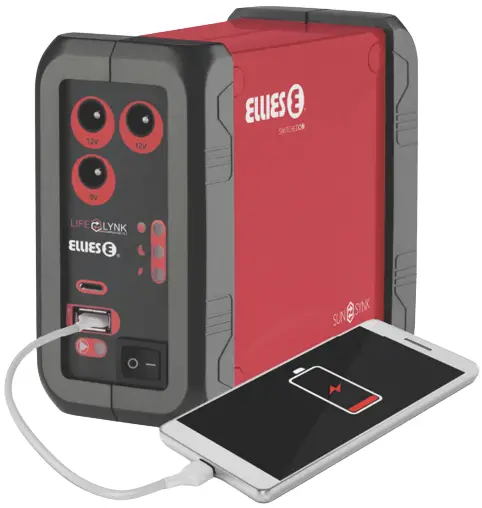
Lifelynk Mini All-In-One Solar Inverter
USER MANUAL
PRODUCT DESCRIPTION
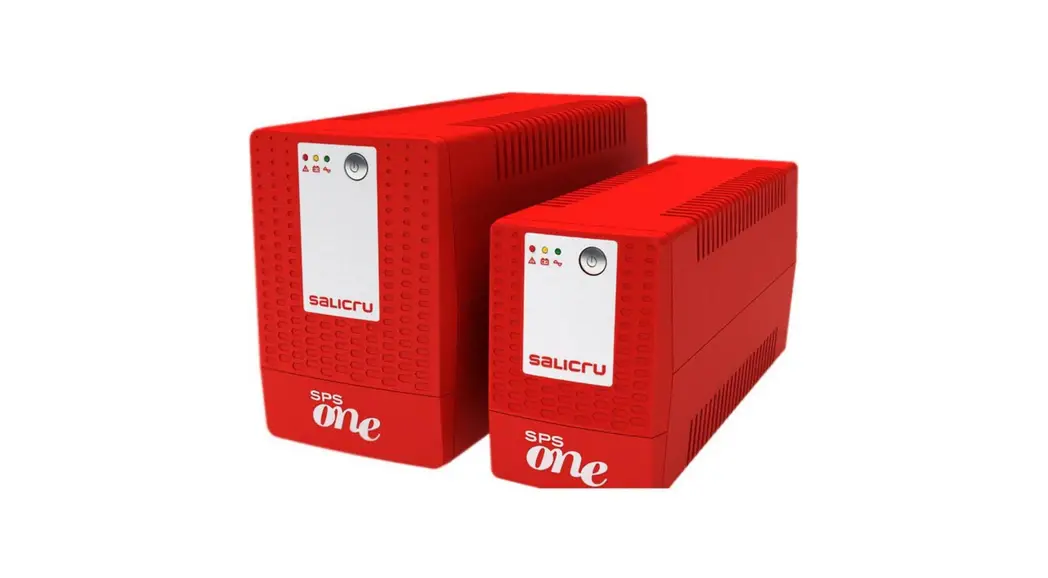
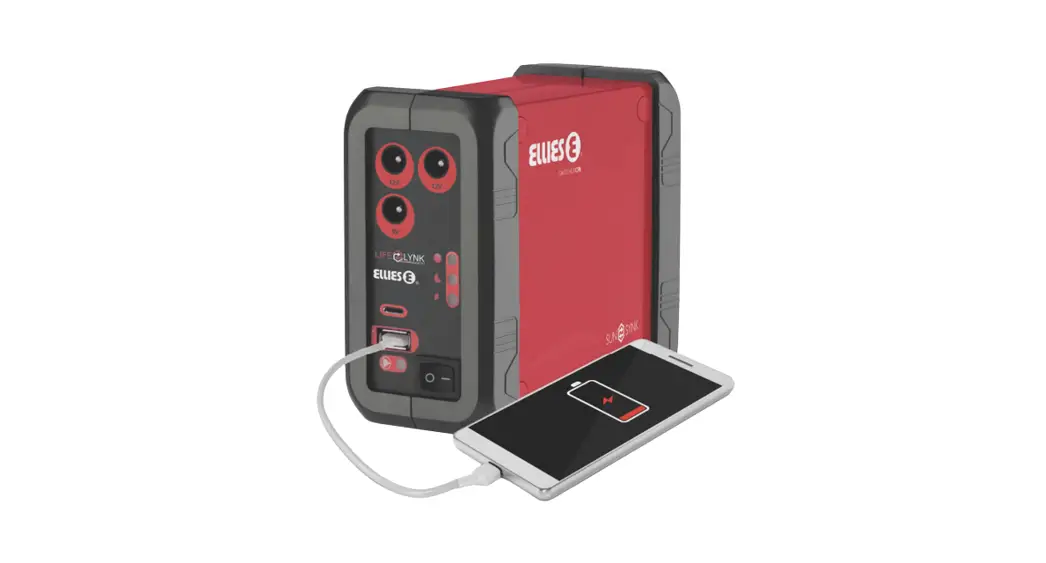
The LifeLink Mini is a personal UPS for your router, smartphone, tablet, etc. You can plug it into the outlet for charging its batteries, and then plug your devices into one of its outputs. It operates as a UPS, so when the mains are disconnected, it will continue to supply the output until the batteries are depleted. The LifeLink Mini can provide up to 1A total across all its outputs.
1.1. What the Kit Contains
- 1 x UPS unit with integral lithium battery
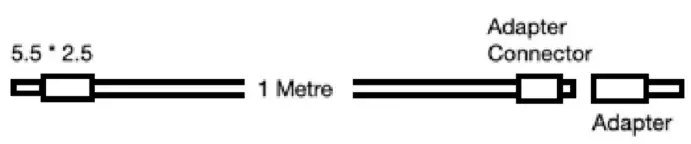
- 2 x DC Adapters Kit (As shown in the figure below)
- Mains connection cables with two pin Euro Plug
- 2 x 1-metre DC connection cables
Connectors for the Cube and LifeLynk Mini:
| 5.5 * 2.5mm | 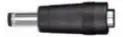 | x1 | |||
| 4.00 * 1.7mm | 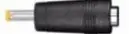 | x 1 | |||
| 3.5* 1.35mm | 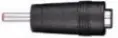 | x 1 | |||
| 3.0*1.1mm | 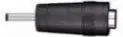 | x1 | |||
| 1 Metre Fig 8 cable with connectors | |||||
 | x 2 | 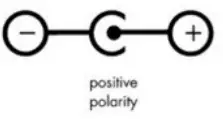 | |||
| LED Terminal | 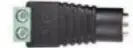 | x 1 | |||
1.2. What it can power
| Supply Voltage | SHOP | BRAND | MODEL | Supply Voltage | Compatible |
| 5V / 0.6A | Matrix Warehouse | Mercuresys | MW301R | 5V / 0.6A | Yes |
| Matrix Warehouse | Mercuresys | MW305R | 5V / 0.6A | Yes | |
| 12V / 0.5A | Matrix Warehouse | Asus | RT-N12E | 12V / 0.5A | Yes |
| Incredible Connection | D Link | DSL-124 | 12V / 0.5A | Yes | |
| IncredibleConnection | D Link | DSL-G225 | 12V / 0.5A | Yes | |
| 9V / 0.6A | DION Wired | TP Link | TL-WR845N | 9V / 0.6A | Yes |
| Incredible Connection | TP Link | TL- WR845N | 9V / 0.6A | Yes | |
| Incredible Connection | TP Link | TP- W8961N | 9V / 0.6A | Yes | |
| takealot | TP Link | TL- WR940N | 9V / 0.6A | Yes | |
| 9V / 0.85A | Matrix Warehouse | Mercuresys | AC12 | 9V / 0.85A | Yes |
| 12V / 1A | Incredible Connection | D Link | DSL- 2740U | 12V / 1A | Yes |
| Incredible Connection | D Link | DSL-224 | 12V / 1A | Yes | |
| Incredible Connection | D Link | DIR-816 | 12V / 1A | Yes | |
| PLAY in cresta | TP Link | TDW9970 | 12v / 1A | Yes | |
| PLAY in cresta | TP Link | TD- W9970 | 12v / 1A | Yes | |
| Incredible Connection | TP Link | TP-ARCHER C6 | 12V / 1A | Yes | |
| Incredible Connection | TP Link | TP-W9970 | 12v / 1A | Yes | |
| DION Wired | TP Link | TP-VR300 | 12v / 1A | Yes | |
| Incredible Connection | TP Link | TP-VR300 | 12v / 1A | Yes | |
| Incredible Connection | D Link | DWR-921 | 12V / 1A | Yes | |
| takealot | TP Link | ARCHER- MR200 | 12V / 1A | Yes | |
| 5V / 2A | Incredible Connection | D Link | DWR-116 | 5V / 2A | Yes |
| 12V / 1.2A | Matrix Warehouse | Netgear | D6000 | 12V / 1.2A | Yes |
| 9V/0.85A | PLAY in cresta | TP Link | TL- WA901 | 9V/0.85A | Yes |
| DION Wired | TP Link | TL-MR6400 | 9V/0.85A | Yes | |
| 9V/0.85A (EU) 12V/1A(US) | PLAY in cresta | TP Link | ARCHER C2 | 9V/0.85A (EU) 12V/1A(US) | Yes |
| 9VDC / 0.85A | DION Wired | TP Link | TP- ARCHERC50 | 9VDC / 0.85A | Yes |
| Incredible Connection | TP Link | TP- ARCHER C50 | 9VDC / 0.85A | Yes | |
| 12V / 1.5A | Matrix Warehouse | Asus | RT- AC51U | 12V / 1.5A | No |
| Incredible Connection | D Link | DSL- 2877AL | 12V / 1.5A | No |
| Incredible Connection | TP Link | TP-VR400 | 12V / 1.5A | No | |
| Incredible Connection | TP Link | TP- ARCHER C7 | 12V / 1.5A | No | |
| DION Wired | TP Link | TP- ARCHER C7 | 12V / 1.5A | No | |
| takealot | TP Link | Archer VR400 | 12V / 1.5A | No | |
| takealot | Netgear | R6120- 100PES | 12V / 1.5A | No | |
| 12V / 2A | Incredible Connection | TP Link | TP-VR600 | 12V / 2A | No |
| 12V / 2.5A | Incredible Connection | TP Link | TP-VR900 | 12V / 2.5A | No |
| 12VDC / 1A | takealot | TP Link | TL- WR841HP | 12VDC / 1A | Yes |
| 9V / 1A | takealot | Tenda | W-AC6 | 9V / 1A | Yes |
| 5v / 1A / 3.5W | takealot | MikroTik | RB941- 2nD | 5v / 1A / 3.5W | Yes |
| Output Port | Voltage | Max Current | Usage |
| USB | 5V | 1A | Charge Mobile Phone |
| Type C | 12V | 1A | Charge Mobile Phone |
| 12VDC | 12V | 1A | Power Router |
| 9VDC | 9V | 500mA | Power Router |
If running at 1A maximum, it can continuously provide power up to 4 hours on UPS mode.
WARNING INFORMATION
CONTAINS LITHIUM-ION CELLS
Lithium-ion cells and battery packs may get hot, explode, or ignite and cause serious injury if exposed to extreme conditions. Ensure to follow the safety warnings listed below:
- Do not connect the battery’s positive and negative terminal with any metal object, such as a wire.
- Do not carry or store batteries together with necklaces, hairpins, or other metal objects.
- Do not pierce the battery with nails, strike the battery with a hammer, step on the battery, or subject it to substantial impacts or shocks.
- Do not expose battery to water or saltwater, or allow the battery to get wet.
- Do not place the battery in or near a fire, on stoves, or in other high-temperature locations.
- Do not place the battery in direct sunlight, or use or store the battery inside cars in hot weather. Doing so may cause the battery to generate heat, explode, or ignite.
- Do not disassemble or modify the battery. The battery contains safety and protection devices, which, if damaged, may cause the battery to generate heat, explode or ignite.
- Immediately discontinue use of the battery if, while using, charging, or storing the battery, the battery emits an unusual smell, feels hot, changes color or shape, or appears abnormal in any other way.
- Do not place the battery in microwave ovens, high-pressure containers, or on induction cookware.
- In the event the battery leaks and the fluid gets into your eye, do not rub it. Rinse thoroughly with water and immediately seek medical care. If left untreated, the battery fluid could cause damage to the eye.
- ALWAYS maintain in good condition, with repairs only undertaken by a qualified engineer
 WARNING
If damaged, immediately unplug it from the mains supply and do not use the product.
PRODUCT SPECIFICATION
| HOME EMERGENCY POWER PACK | |
| Model | Lifelink Mini |
| Input | 230V AC 50 Hz |
| Outputs | USB Output |
| Type C Output | |
| 2x 12V Outputs | |
| 1 x 9V Output | |
| Colour | RED |
| Function | UPS |
| Max Current out | 1A |
| Max Wattage out | 12W |
| Battery Type | 6 Cell Lithium Ion |
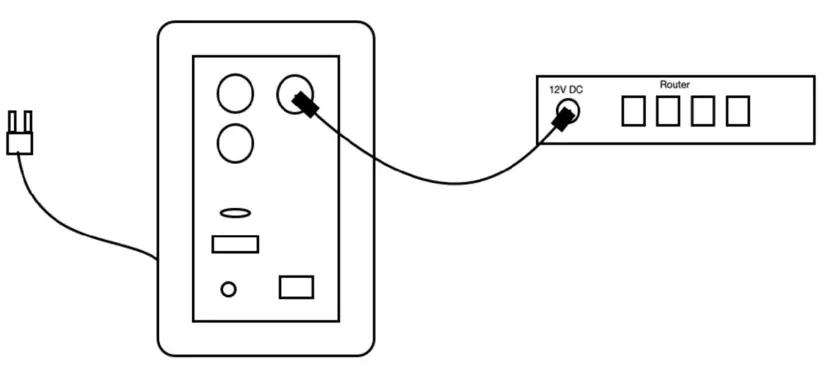
PRODUCT CONNECTION DRAWING
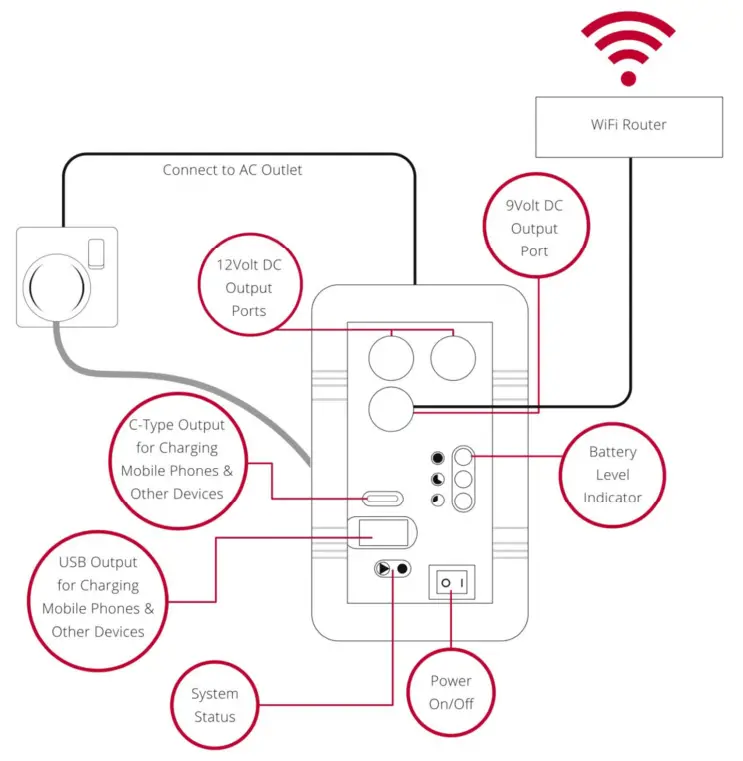
USING THE PRODUCT
Fully Charge before using:
Plug the UPS into the main socket with the cable provided and leave it to charge for up to 3 hours before you initially use the product.
- Check your device is suitable to run from the Lifelynk Mini (home emergency power pack)
- Check the voltage and current your device uses (See section 1.2). Most common is 9V and 12V 0.6Amp to 1Amp (Devices above 1Amp are not suitable for this UPS)
- Check the polarity of the cable. Normally, the meter is positive (It will show on the adapter). If the center is negative, you will need a special cable as it may damage your device

- Select a suitable adapter for your device

- Unplug your device from its original mains adapter and connect it to the new adapter cable.
- Plug the other end into the Lifelynk, ensure you use the correct socket that matches the same voltage of your device, using the wrong socket may damage your device Connect the Lifelynk mini to the mains socket and switch on
- Switch on the Lifelynk mini your device should power up immediately.
(If your device does not power up, unplug it and seek for advice)
FAULT FINDING
- If your power pack does not operate or charge after following all of the instructions, please try the following steps:
a) Check that the ON switch is in the correct position
b) Check that the battery is charged (look at the charge level LEDs) - The power supply is operating but not powering my equipment:
a) Check your unit is compatible with the Lifelink Mini
b) Check the connection cable
c) Check you are running of the correct voltage
d) Double-check the polarity of your device (Center positive)
If any of these recommendations solve your problem, unplug and seek professional help.
MANUFACTURER’S WARRANTY TERMS AND CONDITIONS
- Global Tech China Limited and Sunsynk Limited (from now on “the Company”) now warranty against manufacturing faults of the products for two years under the following terms and conditions:
a) The product must be purchased and installed within one of the following countries: The United Kingdom, the Isle of Man, the Channel Islands, South Africa, Zimbabwe, Botswana, Hong Kong, and Australia. Products purchased and/or installed outside of these countries will not be covered by this warranty under any circumstances.
b) The product must be installed and commissioned in full compliance with the installation instructions provided with the product packages. The product must also meet the requirement of the Benchmark initiative (if applicable).
c) The warranty period will commence from the date of installation. However, if the installation is made after more than six months from the date on which the product was dispatched by the company, the warranty period will commence immediately after six months from the date of manufacture.
d) The product must be confined to domestic or light commercial use only. For this warranty, “light commercial use” is referred to as a semi-domestic-commercial environment including but not limited to hair salons, small shops, and pubs). Should confusion arise regarding the determination of “light commercial use” the decision on the determination of the company will be final.
e) The product must be well-maintained following the User Manual guidelines. Failure to maintain the product, poor servicing, or no servicing of the products might invalidate this warranty. Proof of service by competent servicing centers might be required to obtain warranty facilities.
f) During the warranty period, the product must not be serviced, repaired, or altered in by any third party. Any change, alteration, modification, or servicing whatsoever from anyone other than the company will invalidate the warranty with full effect.
g) Following the servicing, repairment, or replacement, any parts or products removed from your product will be taken as owner by the company. You will not have any claim for such parts or products. - Warranty Limitations
This warranty does not include:
a) Any condition resulting from other than ordinary residential wear or any use for which the product was not intended, such as use in rental or contract trade or commercial use;
b) Any condition resulting from incorrect or inadequate maintenance or car;
c) Damage resulting from misuse, abuse, negligence, accidents, theft, tempering, flood, explosion, lightning, storms, frost, shipping damage, adverse weather, or any other similar event;
d) Dissatisfaction due to buyer’s remorse;
e) Normal wear and tear;
f) Damages incurred during transportation;
g) Damages incurred during assembly or maintenance (unless assembly or maintenance has been carried out by the company);
h) Any unauthorized adjustments made to the product by a third party; - The company makes no express warranty or condition, whether written or oral, and the company expressly disclaims all warranties and conditions not stated in this limited warranty. The company disclaims all implied warranties or conditions, including any implied warranties of merchantability and fitness for a particular purpose.
- All warranty claims must be filed by the consumer to the retailer of this product, who in turn is to contact the manufacturer regarding any warranty return or replacement. The company will not handle claims from the consumer directly. Please retain invoices for obtaining warranty facilities.
- All claims under this Warranty Statement must be made within the warranty period.
- The decision of the company regarding any issue relating to this warranty statement is final. For more information, training videos, software upgrades, helpline, and forum please refer to http://www.sunsynk.com – Tech Support (Do not forget to register first on the website).
 | Sunsynk |
 | @energysolutions |
 | @sunsynkofficial |
Sunsynk Limited & Global Tech China Ltd,
3 Floor, Wai Yip Industrial Building.
171 Wai Yip Street, Kwun Tong,
Kowloon, Hong Kong.
Tel. HK +852 2884 4318 Fax: +852 2884 4816
Tel. UK +44 151 528 9945
Tel. SA +27 1108 39837
[email protected]
Audio Training manuals on Apple Pod Cast and Spotify Full training support, manuals, and videos on www.sunsynk.com Global Tech China Ltd
3rd Floor, Wai Yip Street Kwun Tong, Kowloon, Hong Kong
Want to become a distributor? Or want to know more?
Email us: [email protected] Our website: www.sunsynk.com
GT website: www.globaltechchina.com http://www.sunsynk.com
 Sunsynk - Developing future eco-solutions