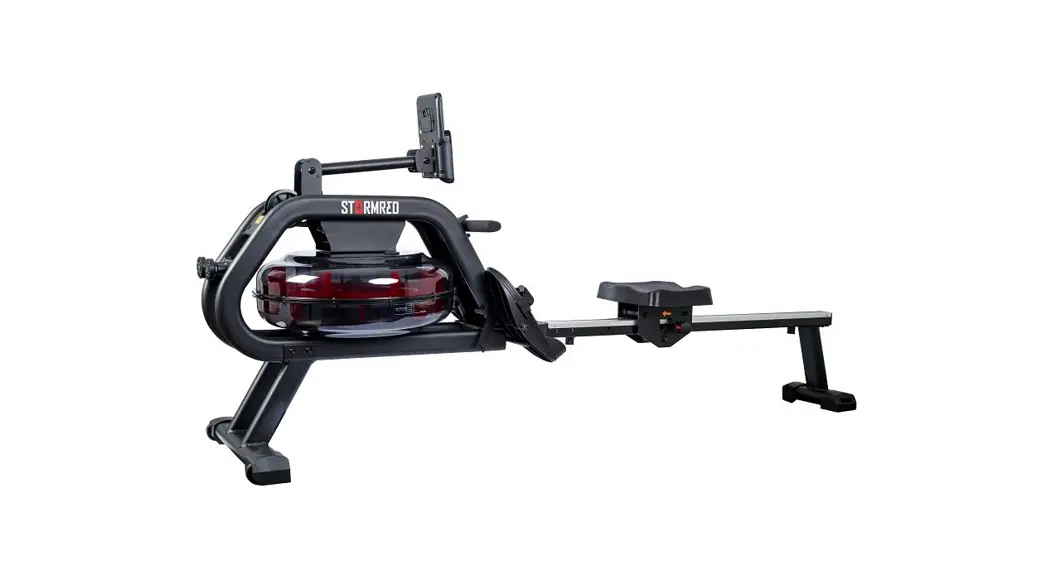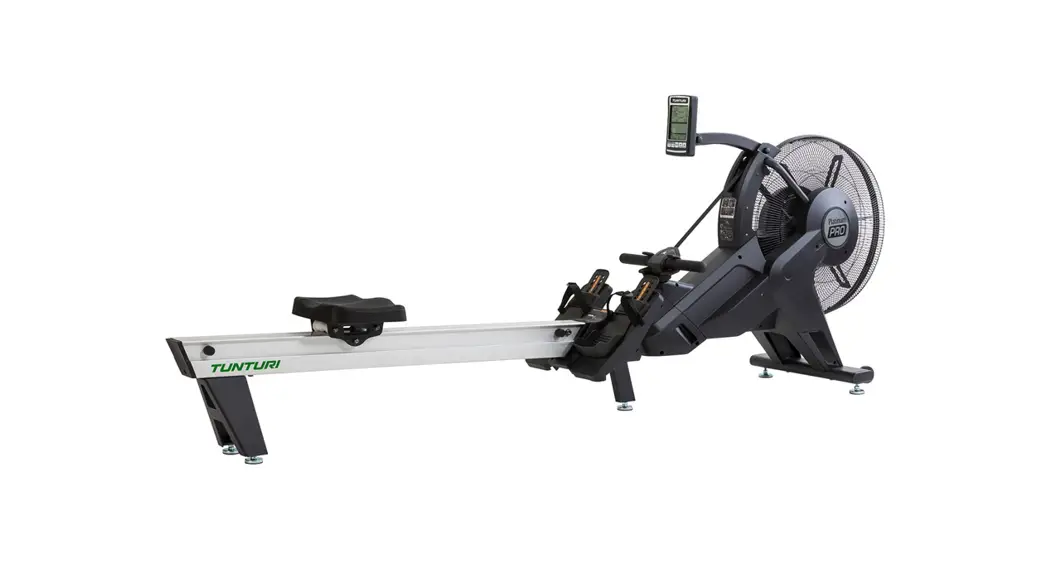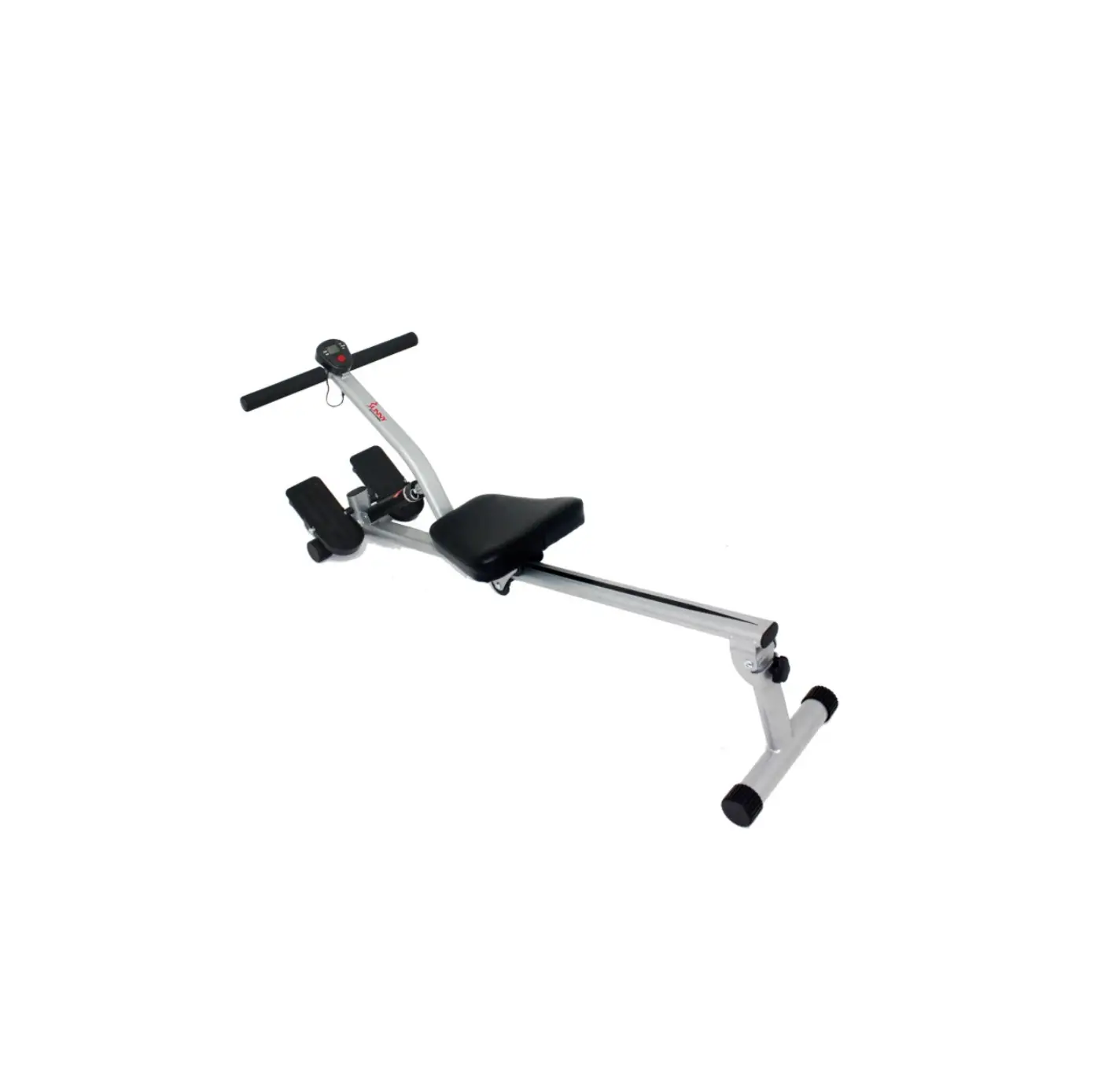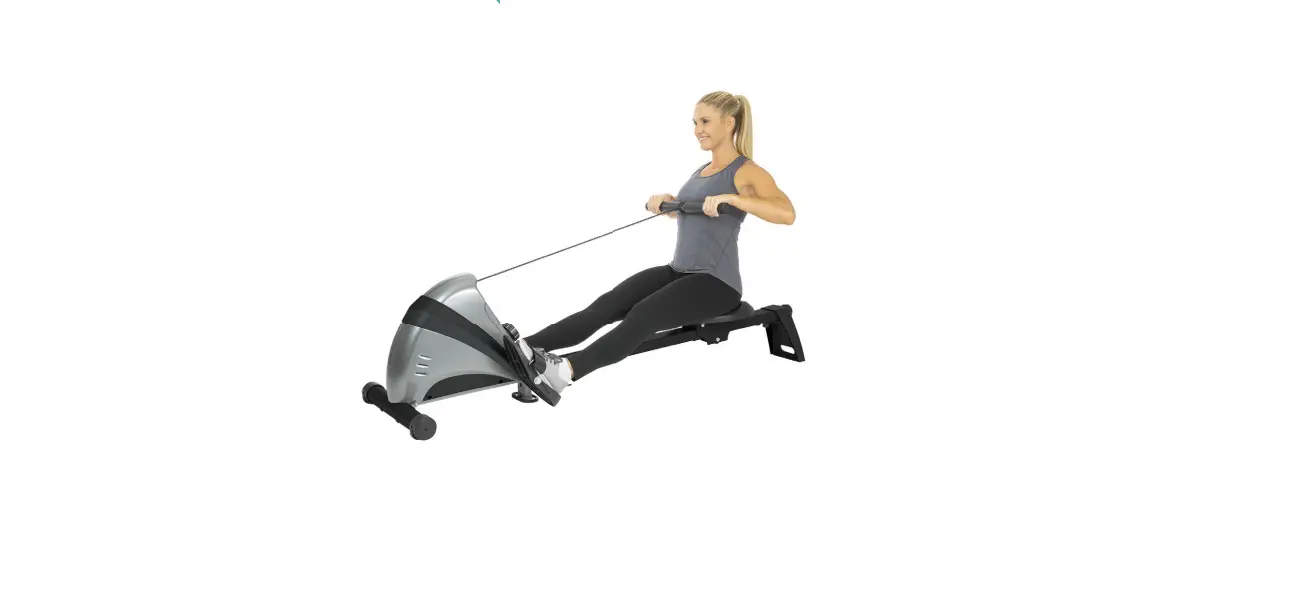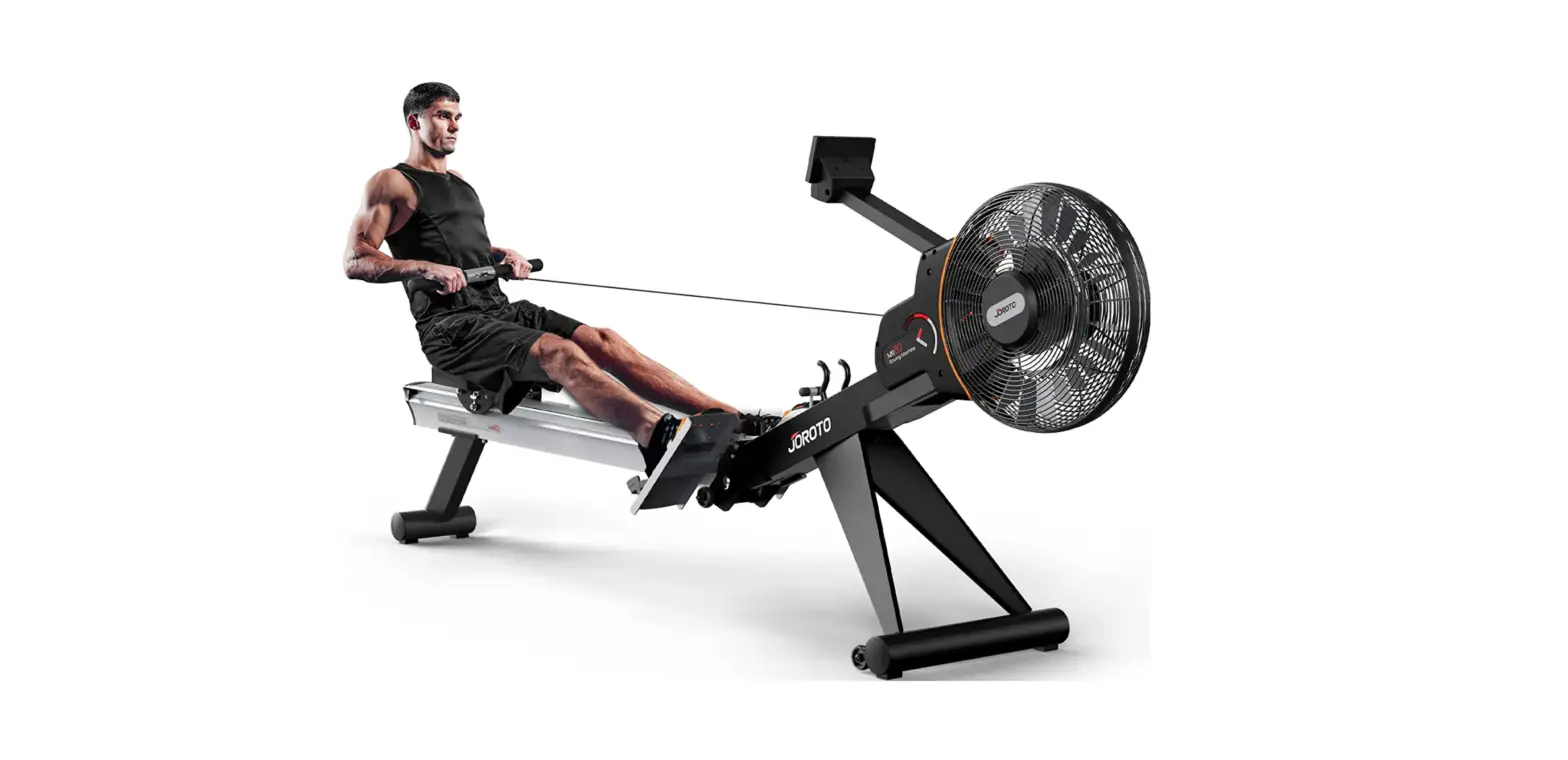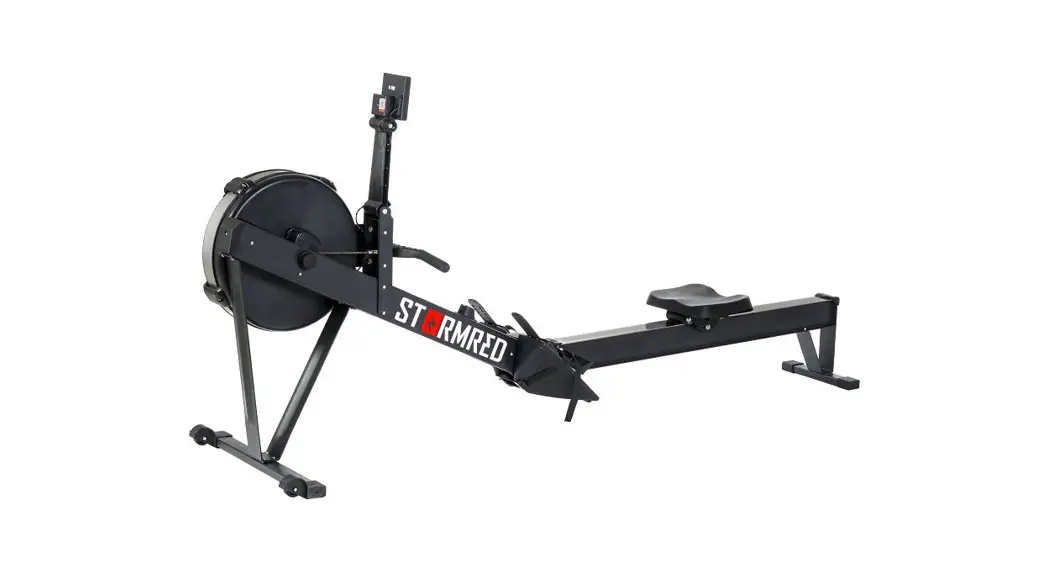

PREDATOR
User Manual
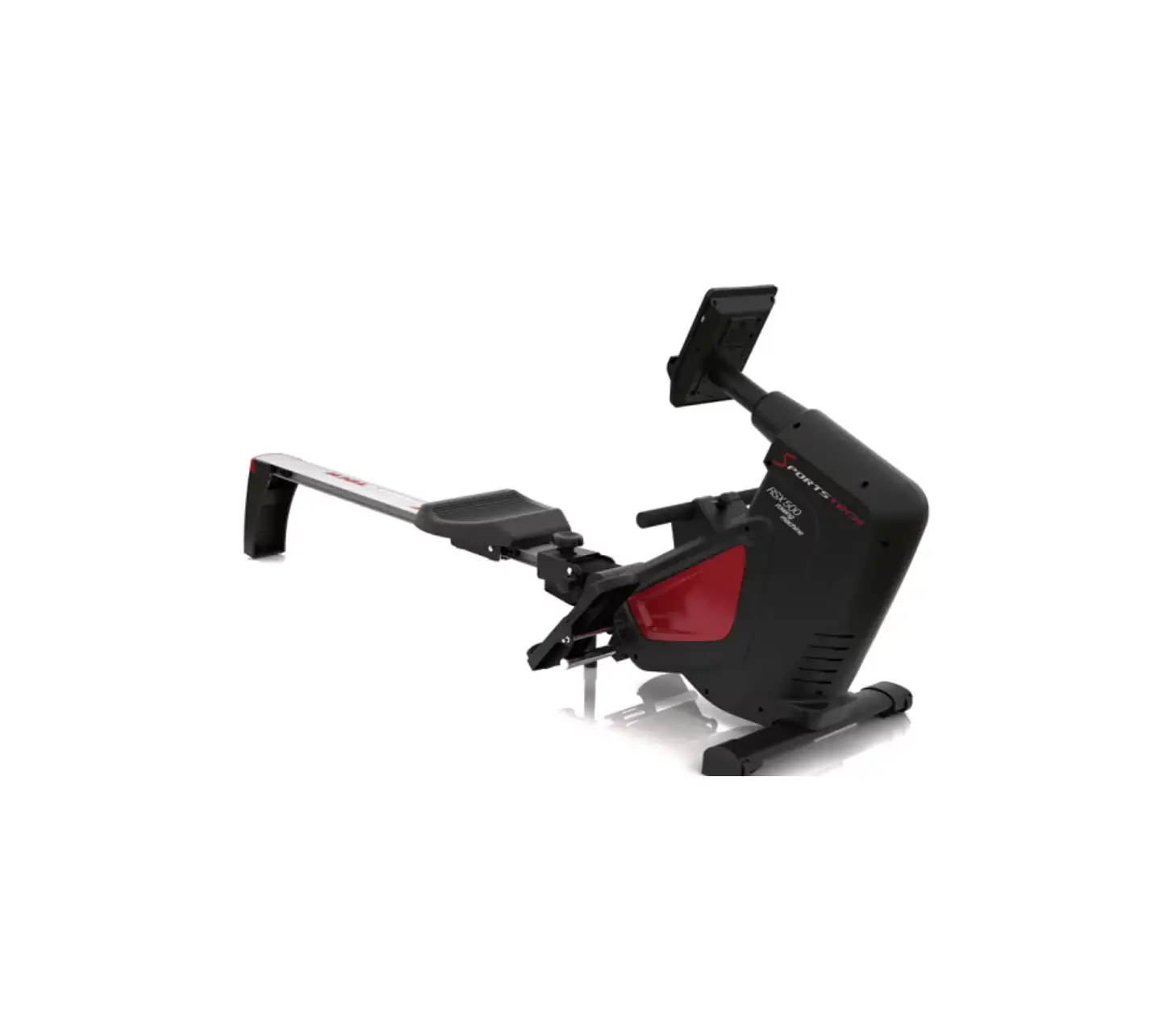
SPTstorm033 Predator Rowing Machine
The product user manual contains the product functions, instructions for use, and operating procedure. Read the user manual carefully to get the best experience and avoid unnecessary damage. Keep this manual for future reference. If you have any questions or comments about the equipment, please contact the customer service line.
 www.alza.cz/kontakt
 +420 225 340 111
Importer Alza.cz a.s. , Jankovcova 1522/53, Holesovice, 170 00 Prague 7, www.alza.cz
Important – Please read these instructions carefully before installation or use. The instructions contain important information to help you get the most out of your equipment and ensure safe and proper use and maintenance.
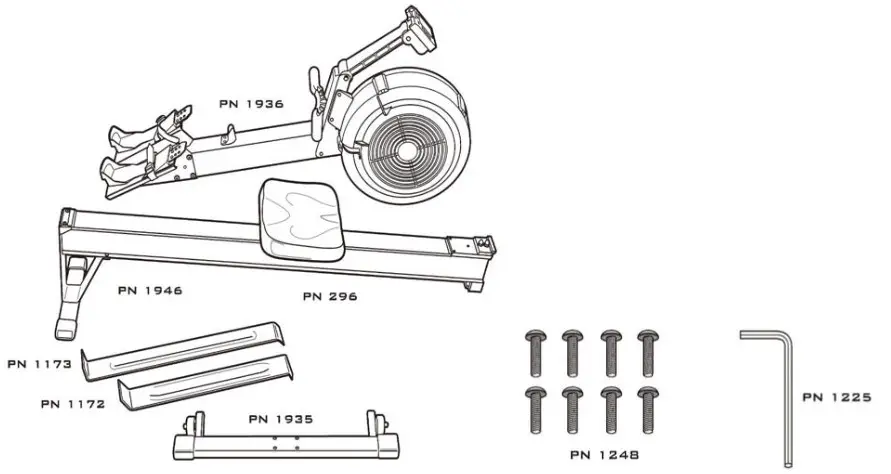
Package contents
In the package you should find the following parts for your indoor rowing machine. If any parts are missing, please contact your machine dealer through the contacts listed on the previous page.
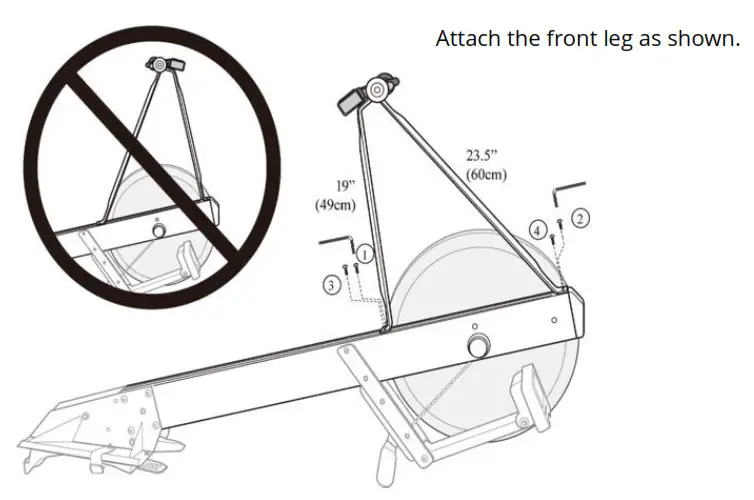
 Assembling the front rack
You need: 4× screws (3/4″), Allen wrench.
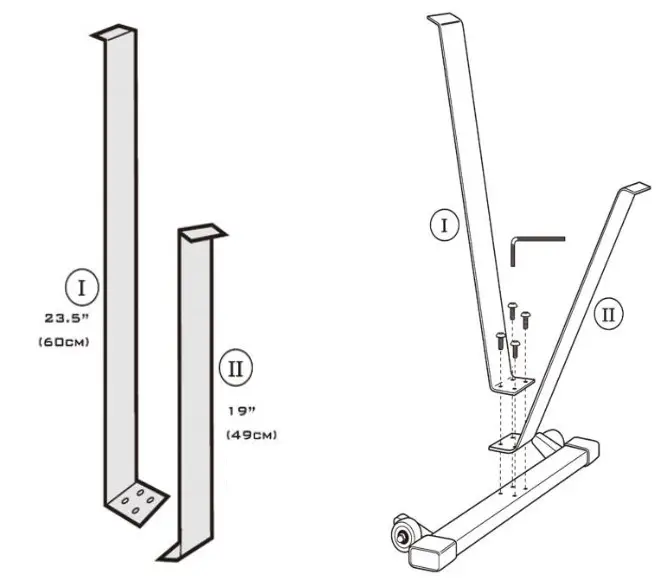
Note that the longer leg (I) attaches to the side where the wheels are.
Attaching the front rack to the frame
You need: 4× screws (3/4″), Allen wrench.
 Attaching the seat post
Raise the front of the frame by the back of the treadmill so that the wheels are on the ground. At the same time, lift the seat post to the same height behind the front of the treadmill, as shown in the picture.
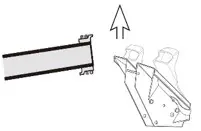
Join the two parts so that they fit together. You must insert the saddle part between the foot pegs. Make sure that the joint is correctly attached.
Lower the two parts to the ground and push downwards so that the two parts fit together properly. Make sure that the joint is properly secured.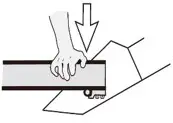
Storage
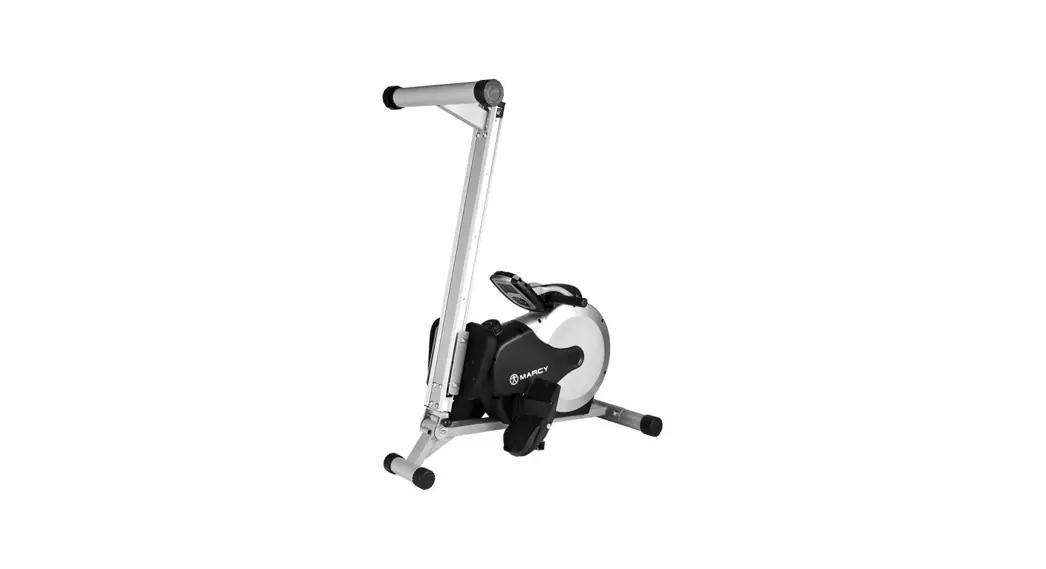
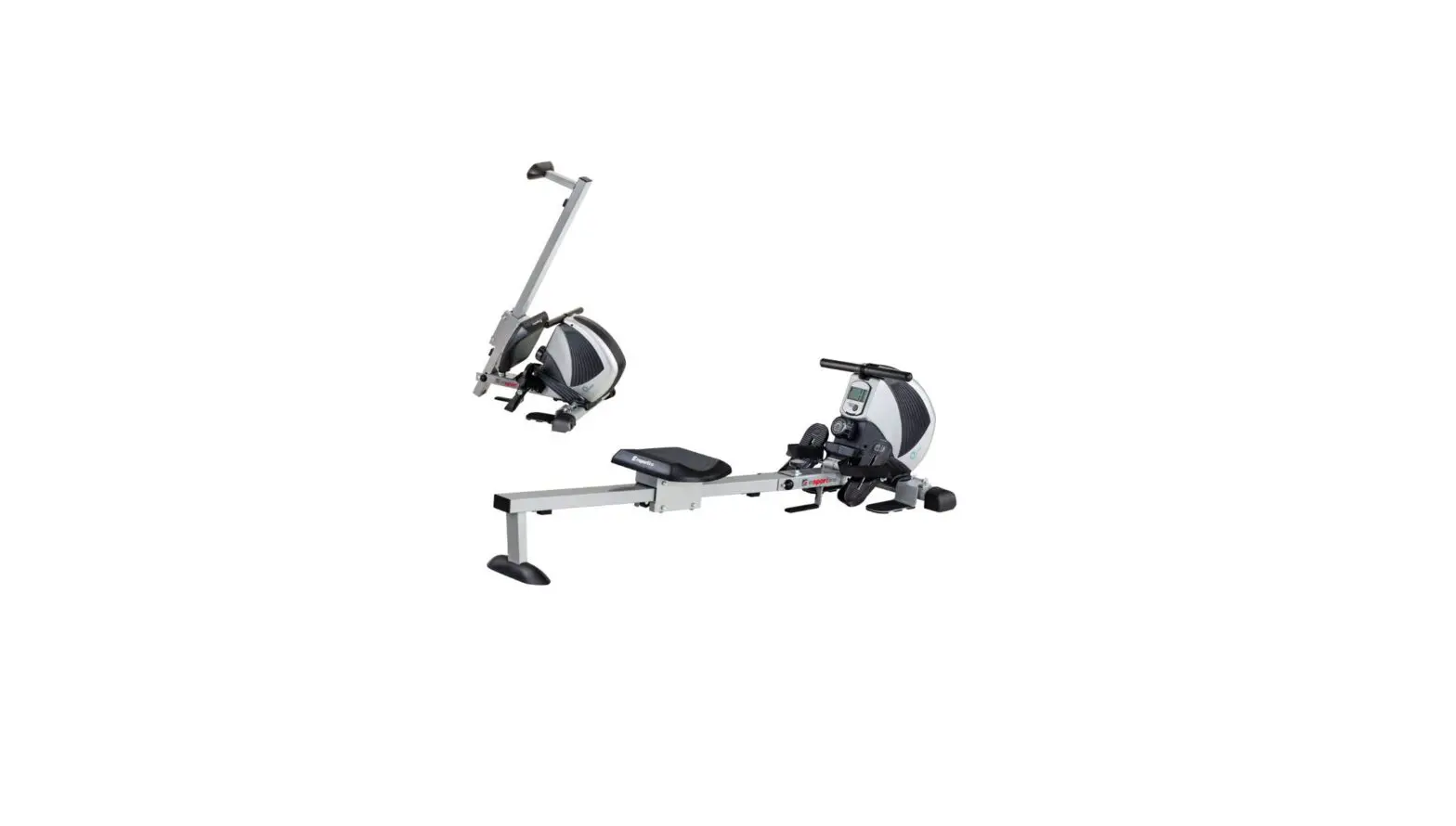
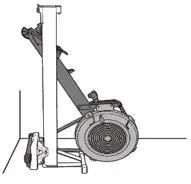
For more compact storage, both parts can be placed vertically as shown in the picture.
Extra caution must be taken when setting the flywheel section, as it may cause a sudden shift in the balance.
It is recommended to separate the seat post and frame when storing.
Note
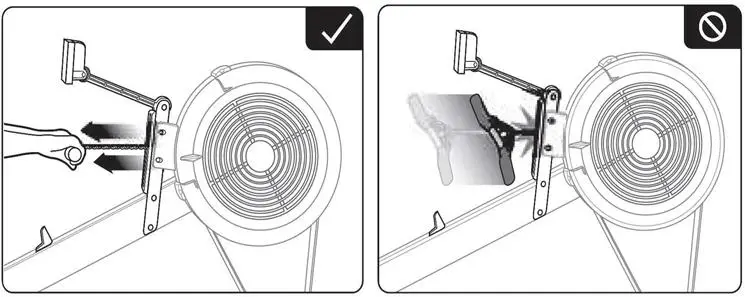 | |
| When rowing, use both hands at the same time. | Never let go of the handle from a distance. |
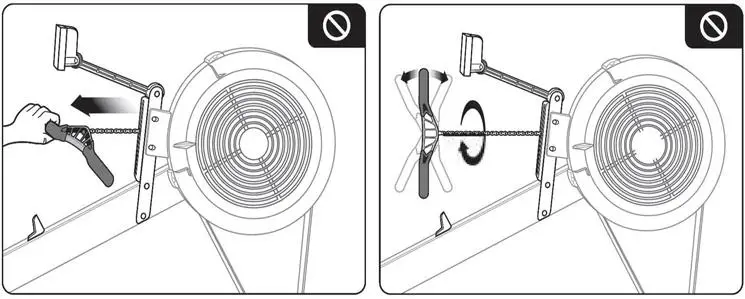 | |
| Do not use only one hand. | Do not twist the handle. |
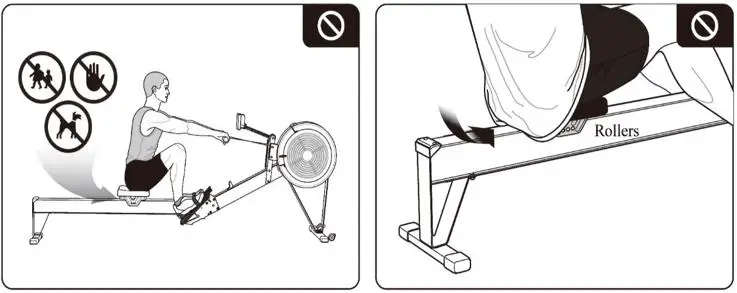 | |
| When exercising, make sure there is no child or pet around to prevent injury. Never place your fingers on the seat post. | Be careful not to get part of your clothing between the saddle and the seat post when exercising. |
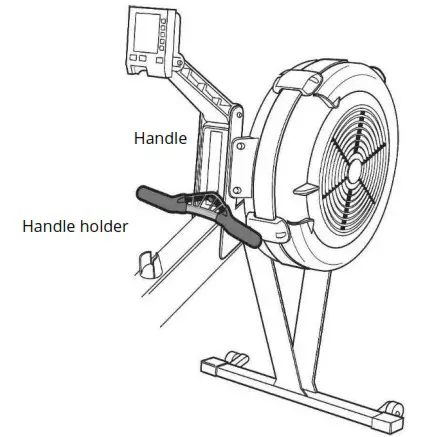
At the end of the exercise, insert the handle into the handle holder. The chain does not require oiling before first use. Perform proper maintenance as described in the Maintenance section.
Do not use the machine with worn parts such as chain, sprocket, swivel connector, handle clutch, or cable. If the parts are not in good condition, then do not use the machine. If in doubt about the condition of a part, we recommend replacing it with an original part.
Be careful when assembling the machine. When the machine is not in use, move the saddle forward to the footrests.
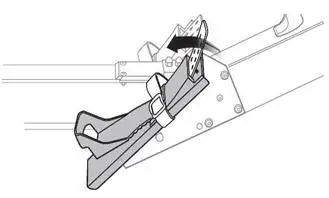 You can adjust the pedals.
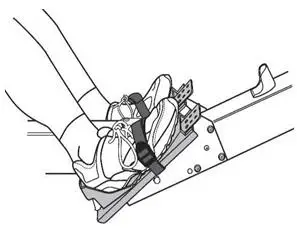 Adjust the pedal bands to your foot size.
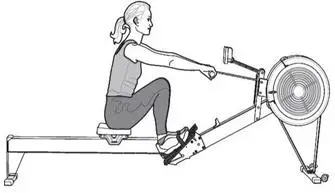
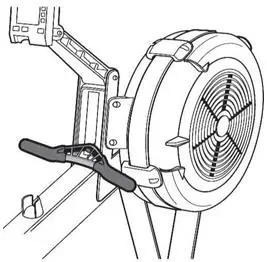
When you finish the exercise, insert the handle into the handle holder.
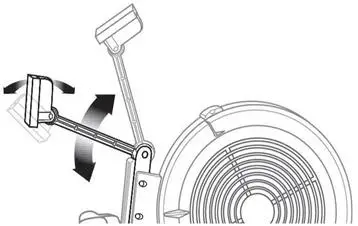 Adjust the monitor so that you can see the readings.
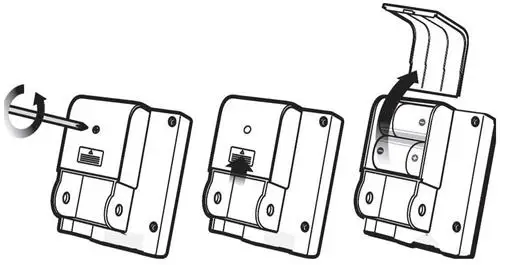
Replacing batteries
Maintenance
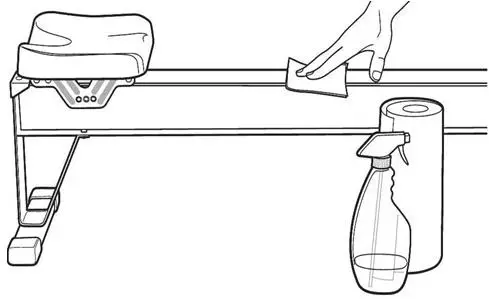
Cleaning the machine
Clean regularly after each use. Use a luring cloth and soapy water or glass cleaner. Do not use bleach or other abrasive cleaners.
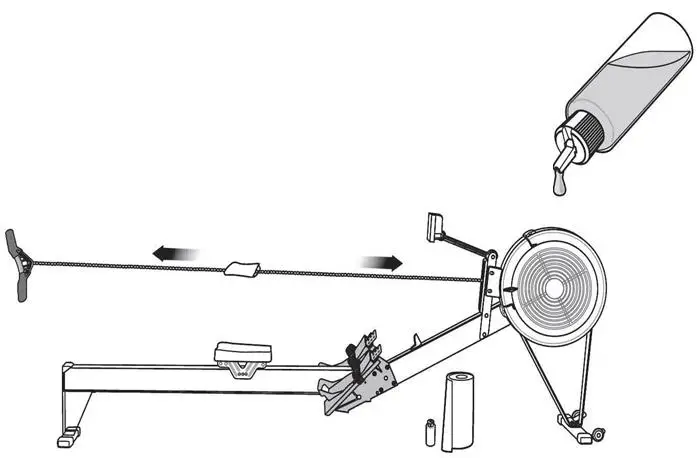
Chain lubrication
Every 50 hours of use. Before lubricating, clean the chain thoroughly, then apply oil along the entire length of the chain using a cloth.
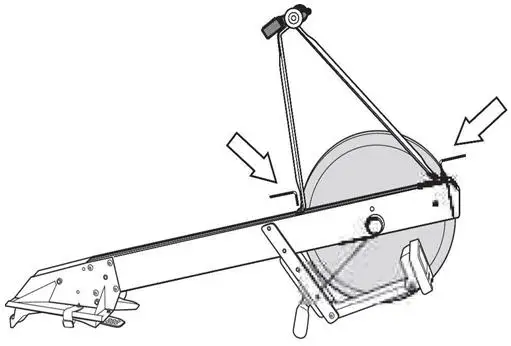
Checking the tightening of the front stabiliser
Every 250 hours of use.
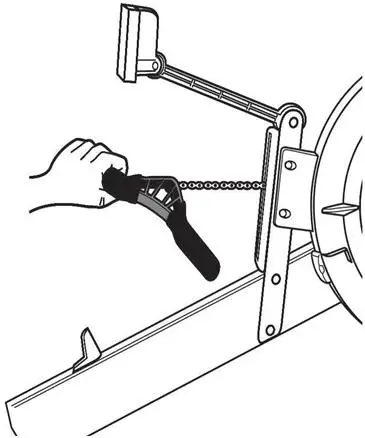
Chain and handle connection check
Every 250 hours of use. If the joint is deformed or weakened, we recommend replacing it.
Load wheel check
Every 250 hours of use.
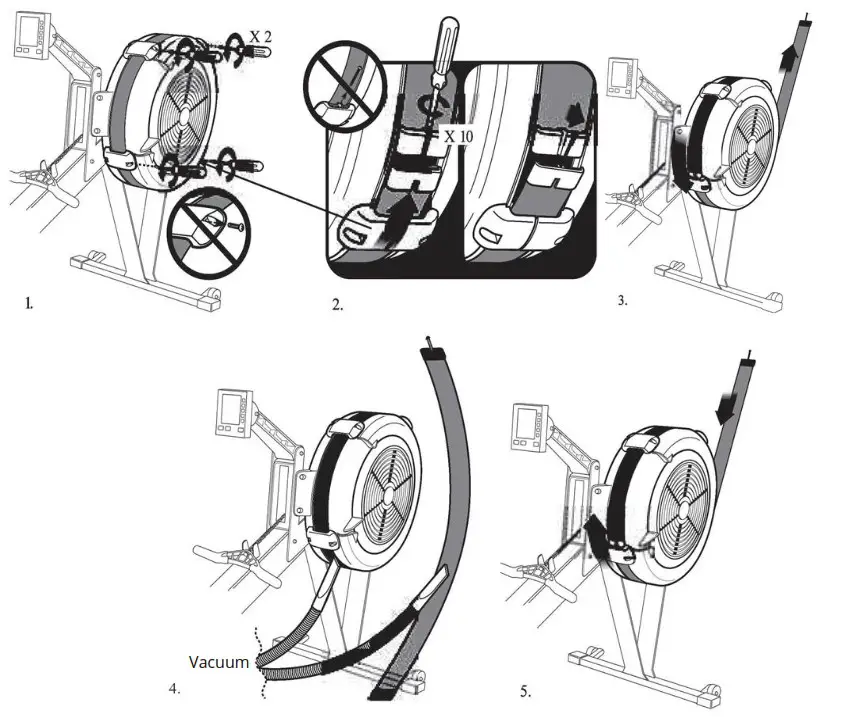
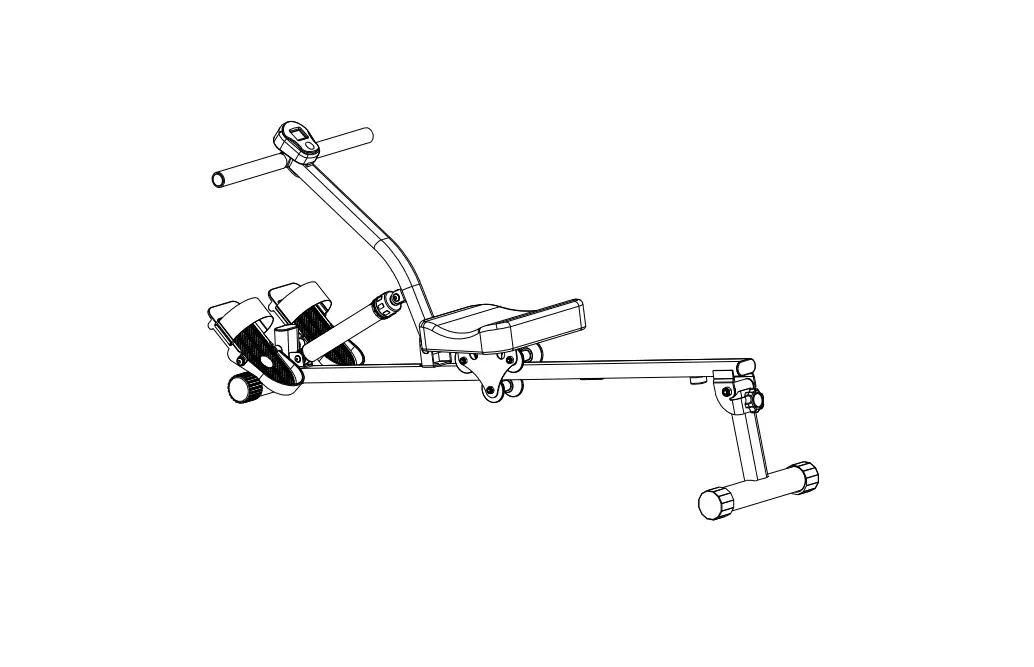
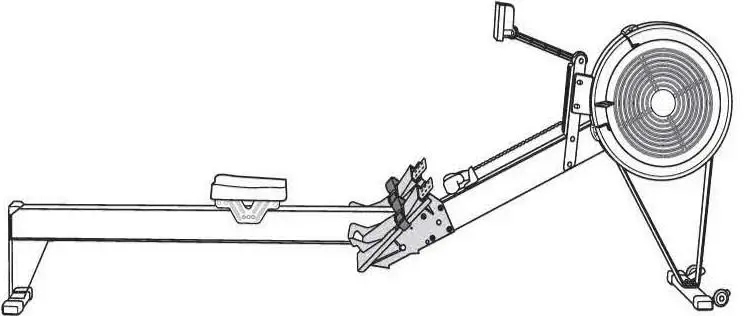
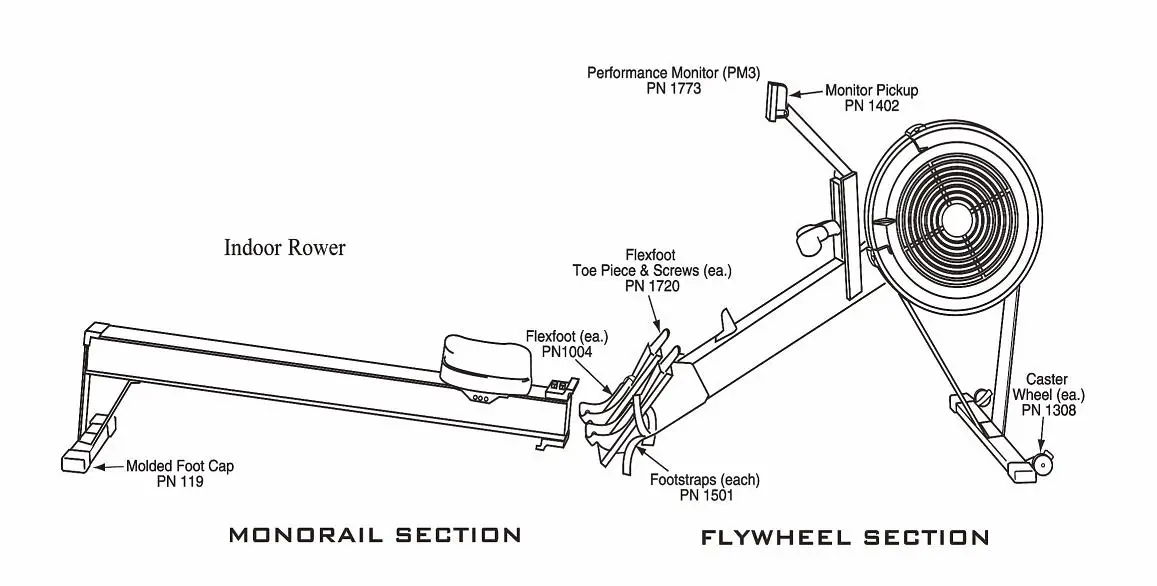
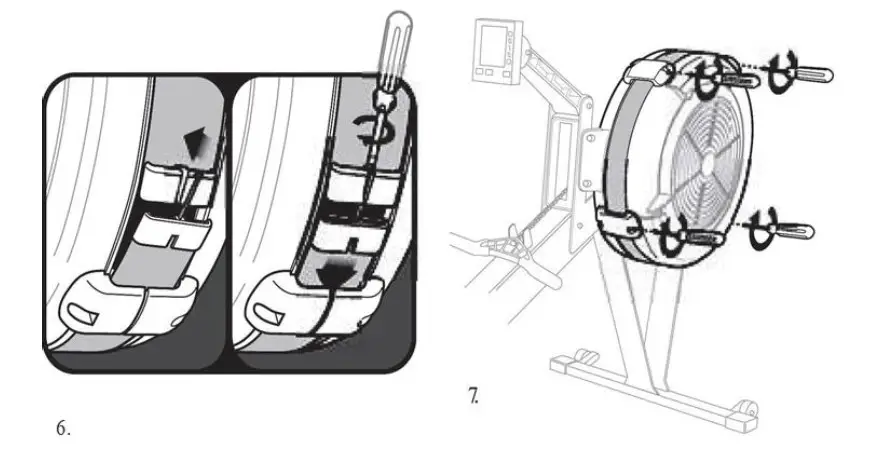 Product scheme
Instructions for using the computer Functions
| # | Position | Display range | Setting range | Memory | RZ | Description |
| 1 | TIME | 0:00~99:99 | ±1 minute | Yes | Yes | 1. If there is no setting, time will accumulate in the cycle. 2. If the user has a pre-set value, it will be subtracted from the pre-set value to zero. (with 4 BIBI sounds) 3. If there is no signal on the input for 4 minutes, the console will go into standby mode. |
| 2 | DISTANCE | 0~9999 cal | 0~9990 ±10K ±10M | Yes | Yes | 1. If there is no setting, time will accumulate in the cycle. 2. If the user has a pre-set value, it will be subtracted from the pre-set value to zero. (with 4 BIBI sounds) 3. If there is no signal on the input for 4 minutes, the console will go into standby mode. |
| 3 | CALORIES | 0~9999 | 0~9990 (±10) | Yes | Yes | 1. If there is no setting, time will accumulate in the cycle. 2. If the user has a preset value, it will be subtracted from the preset value to zero. |
| 4 | SPM | 0~999 | NO | NO | Yes | In START state: If the signal from the sensor is on the input for 3 seconds, the value is displayed. If there is no sensor signal at the input for 4 seconds, the value returns to zero after 6 seconds. SPM shares the same window with WATT and the display switches every 5 seconds. |
| 5 | STROKES | 0~9999 | 0~9990 (±10) | Yes | Yes | The number of strokes and the total number of strokes share the same window. They switch every 5 seconds. |
| 6 | TOTAL ATTACKS (TOTAL STROKES) | 0~9999 | NO | Yes | NO | Total number of strokes. |
| 7 | WATT | 0~999 | NO | NO | NO | If the signal from the sensor is on the input for 3 seconds, the value is displayed. If there is no sensor signal at the input for 4 seconds, the value returns to zero after 6 seconds. WATT shares the same window with WATT and the display switches every 5 seconds. |
| 8 | PULSE | Inappropriate | ||||
| 9 | MANUAL | If the monitor has not entered any mode and has detected the speed sensor, the computer performs a QUICK START. | ||||
| 10 | INTERVAL 20-10 | INTERVAL exercise mode. Exercise 20s, rest 10s. | ||||
| 11 | INTERVAL 10-20 | INTERVAL exercise mode. Exercise 10s, rest 20s. | ||||
| 12 | OWN INTERVAL | INTERVAL exercise mode. Exercise time and rest time are set by the user. | ||||
| 13 | TARGET TIME | The exercise time is set by the user. | ||||
| 14 | TARGET DISTANCE | The distance of the exercise is set by the user. | ||||
| 15 | TARGET CALORIES | Calories are set by the user. | ||||
| 16 | TARGET STROKES | Strokes are set by the user. | ||||
| 17 | TARGET PULSE | Inappropriate | ||||
| 18 | BLUETOOTH ON/ OFF | The user can turn Bluetooth on or off. If the user has turned Bluetooth on, the Bluetooth icon will appear on the display. If the user has turned Bluetooth off, the display will appear normal, but Bluetooth cannot be used. |
Turning the power on and off
When the power is turned on, everything on the display lights up for two seconds, then goes into standby mode. If the computer receives no signal for four minutes, it will go into sleep mode. When any button is pressed, it wakes up again.
Controls
Standby mode
The display will sequentially show the following screens: MANUAL, INTERVAL, TARGET, TIME, DISTANCE, CALORIE, PULSE, SPM, WATT, TOTAL STROKES, STROKES.
MANUAL
If the console receives a signal, it will automatically perform a quick start. In manual mode, all values will be displayed, with SPM and WATT values alternating every five seconds. Press the MODE button to change between the SPT and WATT displays.
INTERVAL
In standby mode, to enter INTERVAL function, press the MODE button and the up button until INTERVAL is displayed.
TARGET
In standby mode, to enter the TARGET function, press the MODE button and the up button until TARGET is displayed. In TARGET mode, you can set a goal in the following values: time, distance, calories, number of strokes.
Functions of the buttons
Up button
- One press to increase the value by one. Hold to accelerate the increase.
- In standby mode, by pressing the up button and the MODE button, you can switch between meter and mile displays.
MODE (mode button)
- From the feature selection screen, press this button to confirm your selection.
- From the settings screen, press this button to save the selected settings.
- During the exercise, use this button to pause/stop the exercise.
RESET
- On the function selection screen, use this button to return to the previous function.
- On the setup screen, this button resets the value to the default state.
BLUETOOTH
- Press this button to turn the Bluetooth app on or off. If the user turns Bluetooth on, the computer displays the Bluetooth icon. If the user turns Bluetooth off, the display will appear normally, but the Bluetooth function cannot be used.
- Recommended application: FITSHOW.
TOTAL RESET button
- Pressing this button completely resets the instrument (just as you would when removing and inserting the batteries).
Warranty conditions
A new product purchased from Alza.cz is covered by a 2-year warranty. In case of need for repair or other service within the warranty period, please contact the seller of the product directly, it is necessary to present the original proof of purchase with the date of purchase.
The following shall be deemed to be a breach of warranty for which the claim cannot be accepted:
- Using the product for a purpose other than that for which the product is intended or failing to follow the instructions for maintenance, operation and servicing of the product.
- Damage to the product due to natural disaster, unauthorized person or mechanical fault of the buyer (e.g. during transportation, cleaning by improper means, etc.).
- natural wear and aging of consumables or components during use (e.g. batteries, etc.).
- The action of adverse external influences such as solar and other radiation or electromagnetic fields, liquid ingress, object ingress, mains surges, electrostatic discharge (including lightning), faulty supply or input voltage and the improper polarity of this voltage, chemical processes, e.g. used power supplies, etc.
- If anyone has made alterations, modifications, design changes or adaptations to change or extend the product’s functions from the design purchased or use nonoriginal parts.
 alza.hu
 alza.sk