
Vallox Pureo
Control/ Model
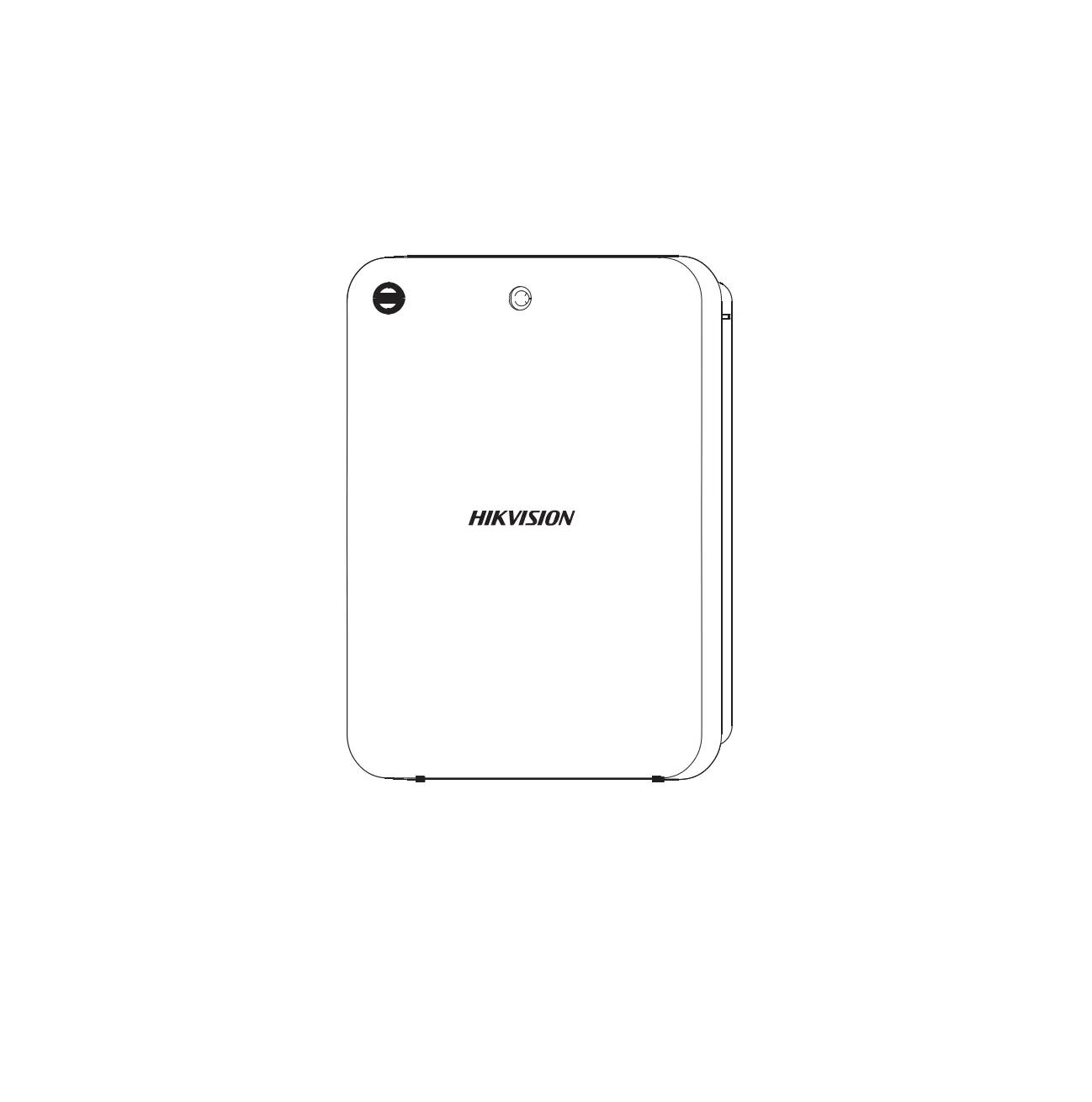
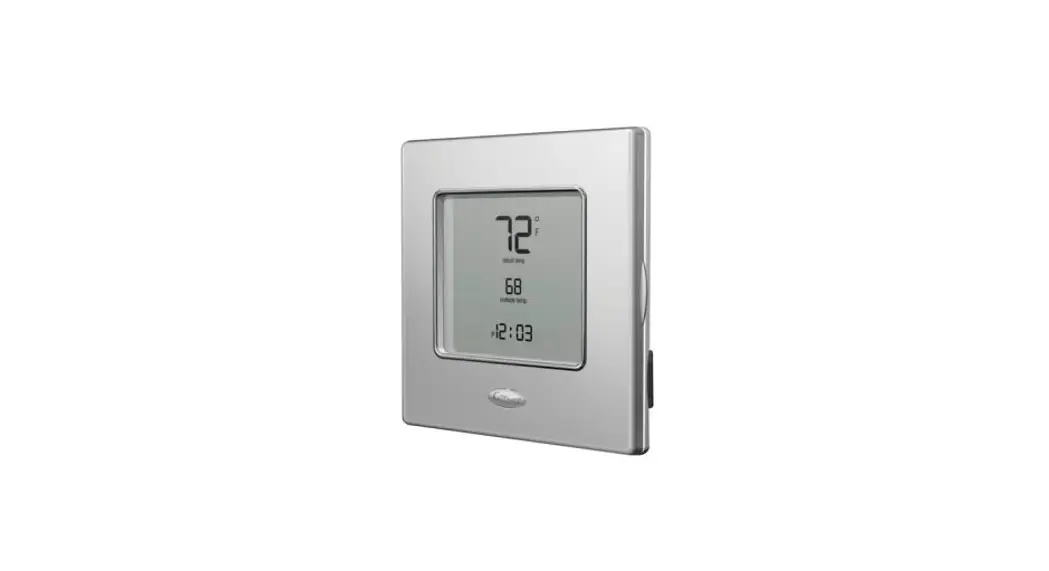
Vallox Pureo Control panel
Document /D10799
Valid from/25.06.2021
Updated/20.10.2021
Quick guide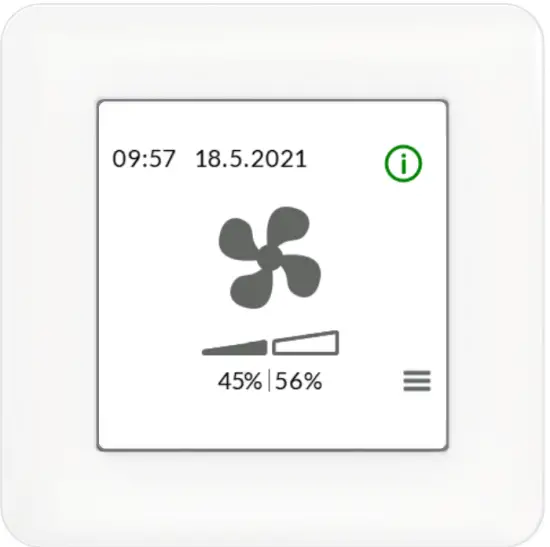
Control panel
SAFETY
Safe and appropriate handling requires knowledge of the basic safety regulations, and of the intended use of the ventilation system. Read this manual before operating the ventilation unit. Please keep the manual for later reference. If you lose the manual, it can be downloaded from our website. This user manual contains all the information necessary for the safe operation of the system. All persons who operate and maintain the ventilation system must follow the instructions provided in this manual. Furthermore, all local accident prevention regulations must be observed.
 NOTE
NOTE
For further information, go to www.vallox.com
Installation
Installation and setup should only be carried out by a qualified specialist. Electrical installations and connections must be carried out only by an electrician and in compliance with local regulations.
WARRANTY
The guarantee and liability exclude damage resulting from:
- Inappropriate use of the ventilation system or the control unit
- Incorrect or inappropriate installation, setup, or use
- Neglect of instructions concerning transportation, installation, use, or maintenance
- Structural or electronic modifications or changes made to the software
INTENDED USE
All Vallox air handling units have been designed to provide appropriate and continuous ventilation so as to present no threat to the health of people and to maintain structures in good condition.
 IMPORTANT
In order to ensure that the indoor air presents no harm to health and remains optimal also for the structures of the building, ventilation must be kept on without disruptions. It is recommended that ventilation be left turned on during long holidays also. This keeps the indoor air fresh and prevents humidity from condensing in the ventilation ducts and
structures. It also reduces the risk of moisture damage.
 WARNING The unit is not intended for use by children under 8 or by persons with reduced sensory, physical or mental capabilities, or whose lack of knowledge and experience does not ensure the safe operation of the unit. Such persons can use the unit under supervision, or by following the instructions of someone who is responsible for their safety. Children must be supervised and not be allowed to play with the device.
DISPOSAL OF THE AIR HANDLING UNIT
Do not dispose of electronic devices with household waste. Follow local laws and regulations on the safe and ecological disposal of the product.

SAFETY SIGNS USED IN THE INSTRUCTIONS
WARNING
Indicates a hazard that can result in death or serious injury if not avoided. IMPORTANT
Indicates a hazard that can result in damage to property or loss of data if not avoided. NOTE
Indicates essential information about the product.
COMPATIBILITY OF THE VALLOX PURE CONTROL PANEL
The control panel is compatible with the Vallox Pure TX 500, 900, 1300, and 1800 air handling units.
| BUTTON | DESCRIPTION |
 | The on/off status button provides more information on The unusual running status of the unit. |
 | The Back button takes you backward in the menu. |
 | The Left arrow button takes you leftward in the menu. |
 | The Right arrow button takes you rightward in the menu. |
 | Press the OK button to confirm the selection or to acknowledge active alarms. |
 | Press the Cancel button to cancel the selection. |
 | Press the Select button to select the desired option. |
 | The Up arrow button takes you upward in the menu. |
 | The Down arrow button takes you downwards in the menu. |
 | The Menu button takes you from the main display to the menu. |
NOTE
The Velox Pure The Control panel contains the buttons described in the adjacent table. The control panel has a touch screen.
Control panel symbols
The following icons are used in the Vallox Pure Control panel.
| SYMBOL | DESCRIPTION |
 | The used running status is slow |
 | The used running status is fast |
 | The week clock is in use |
 | On/off status information of the unusual running status of the unit |
 | Alarm class 1: An alarm that stops the unit has been activated |
 | Alarm class 2: An alarm that does not stop the unit has been active |
 | Fan speeds |
 | Temperatures |
 | Settings |
 | Alarms |
 | Adjustment chart |
 | Time settings |
 | Week clock |
 | Language |
 | Unit information and measurements |
 | Turn unit off |
VENTILATION SPEED SETTINGS
Ventilation speed is controlled by pressing the fan symbol on the display. The available speed options are slow, fast, and weak clock. NOTE
The week clock is activated from the week clock menu; the week clock icon is not shown on the main display at other times.
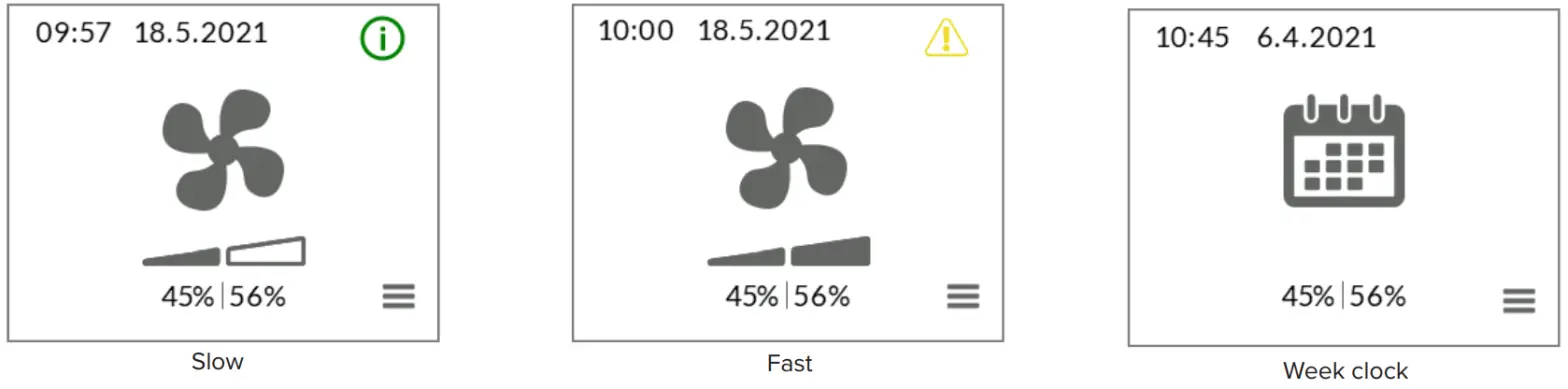
If the running status of the unit deviates from the setting shown on the control panel, the on/off status information icon will appear in the right top corner of the control panel. The on/off status options are:
- Starting up
- Stopping
- Stopped
- The outdoor air efficiency limit restricts the operating speed
- The supply air efficiency limit restricts the operating speed
- The extra time switch controls the speed
- Night cooling controls the speed
FAN SPEEDS
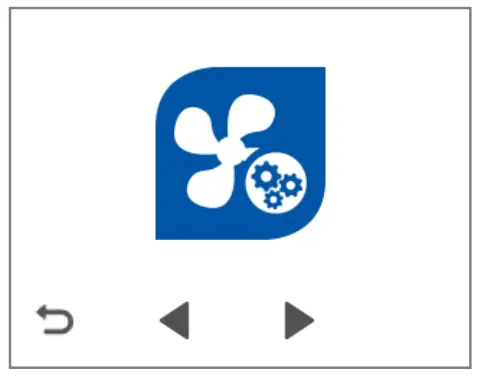
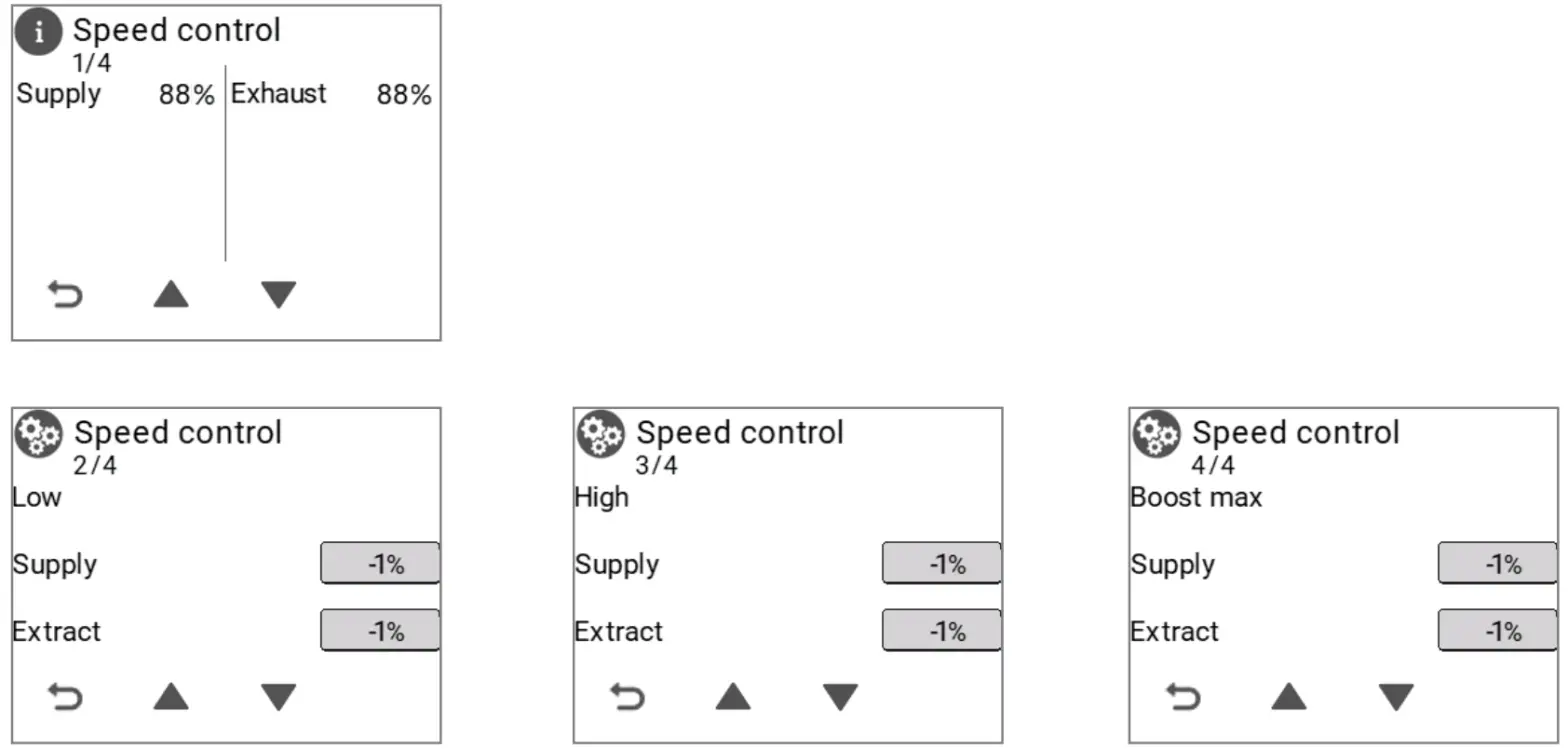
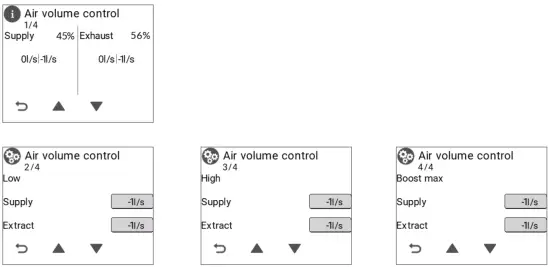
The fan speeds menu enables setting the control method to speed control, pressure control, or air volume control and the running status to either slow or fast, as required by the control method, or setting the maximum boost speed.
NOTE
The fan settings menu shows and enables editing the settings of the selected control method of the fan. The control method is selected from the fan settings and boost menu.
Speed control
Pressure control
IMPORTANT
Pressure control requires external duct pressure sensors.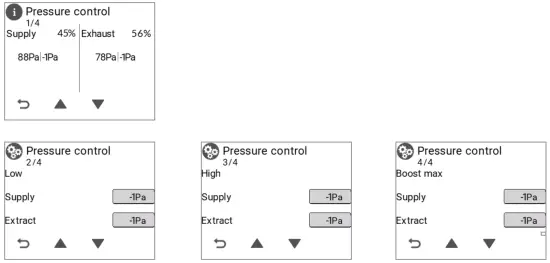
Air volume control
TEMPERATURES
The Temperaturesmenu is used to set either supply air control or extract air control as the temperature control method and to set the temperature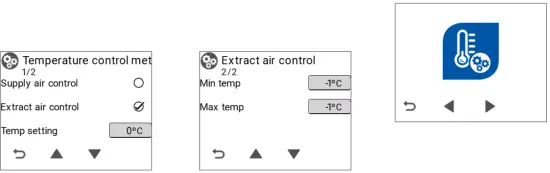
SETTINGS
The settings menu is used to modify the fan, heating/cooling, frost prevention, and efficiency limit settings and to start a test run.

Fan settings
The Fan settings menu is used to select speed control, pressure control, or air volume control as the control method and to specify the K factors of the fans and the boost settings.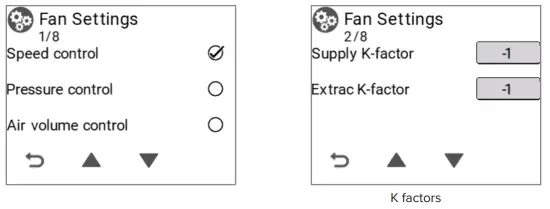 IMPORTANT
K factors must be set based on the type of air handling unit.
K FACTORS
| Vallox Pureo TX 500 | 60 |
| Vallox Pureo TX 900 | 121 |
| Vallox Pureo TX 1300 | 154 |
| Vallox Pureo TX 1800 | 197 |
Test run
Start the test run by selecting the Start the test run icon. The test run is started automatically at all speeds (slow, fast, and boost). During the test run, the tested speed is shown on the display and the Start the test run icon is not active.
To cancel an ongoing test run, select Return. When the unit requests a confirmation, select OK. To view the results of the test run, press the Down arrow. NOTE
The air handling unit must be turned on when the test run is activated. The test run does not turn on the air ventilation unit. NOTE
Before starting the test run, ensure that the filters and the HR cells are clean.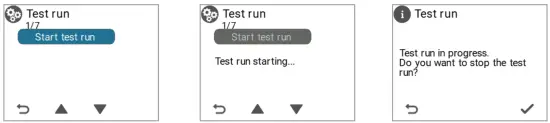 Alarms
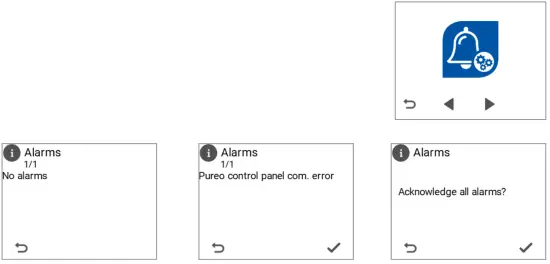
The Alarms menu shows any active alarms. Alarms can be acknowledged by pressing the OK button.
- Alarm class 1: An alarm that stops the unit has been activated
- Alarm class 2: An alarm that does not stop the unit has been activated
| ALARM CLASS 1 | CAUSE |
| Supply air sensor (UI3) | The supply air sensor has become damaged. |
| Supply air sensor/duct (UI9) | The supply air sensor located inside the duct has become damaged. |
| Heating radiator sensor, return water (UI6) | The sensor that measures the return water temperature has become damaged. |
| Emergency stop | The external emergency stop has become activated. |
| Extract air fan | The extract air fan has stopped. |
| Supply air fan | The supply air fan has stopped. |
| Fire hazard – supply air | The supply air temperature is too high. |
| Fire hazard – extract air | The extract air temperature is too high. |
| Heating radiator, return water temperature – low | The return water temperature of the post-heating liquid heater is too low. |
| Supply air fan, communication error | There are problems with the data transfer bus between the supply air fan and the controller. |
| Extract air fan, communication error | There are problems with the data transfer bus between the extract air fan and the controller. |
| Differential pressure transmitter, communication error | There are problems with the data transfer bus between the differential pressure transmitter and the controller. |
| ALARM CLASS 2 | CAUSE |
| Outdoor air sensor (UI1) | The outdoor air sensor has become damaged. |
| Outdoor air sensor/duct (UI8) | The outdoor air sensor located inside the duct has become damaged. |
| Extract air sensor (UI4) | The extract air sensor has become damaged. |
| Exhaust air sensor (UI5) | The exhaust air sensor has become damaged. |
| Supply air sensor after HR cell (UI2) | The supply air sensor is located after the heat recovery cell has become damaged. |
| Frost prevention max duration | Frost prevention has been on for the max duration. |
| The efficiency of the HR cell | Low efficiency of the heat recovery cell. |
| Filter alarm – supply air | The supply air filter must be changed. |
| Filter alarm – extract air | The extract air filter must be changed. |
| Heating radiator, return water temperature – high | The return water temperature of the post-heating liquid heater is too high. |
| Deviation in the supply air temperature | The supply air temperature deviates from the set value. |
| Supply air temperature – lower limit | The supply air temperature is too low. |
| Deviation in the extract air temperature | The extract air temperature deviates from the set value. |
| Pure control panel, communication error | There are problems with the data transfer bus between the control panel and the controller. |
| Deviation in the supply air volume | The supply air volume deviates from the set value. |
| Deviation in the extract air volume | The extract air volume deviates from the set value. |
| Deviation in the supply air pressure | The supply air pressure deviates from the set value. |
| Deviation in the extract air pressure | The extract air pressure deviates from the set value. |
Adjustment chart
You can view the temperatures and pressure measurements of the air handling units from the adjustment chart.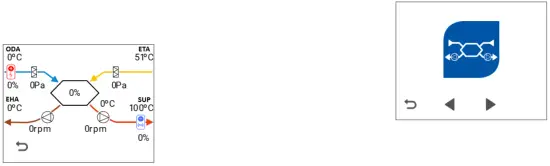
Time settings
The date and time are set from the Time settings menu.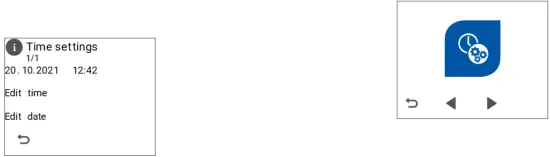 Week clock
The week clock allows you to pre-set a weekly ventilation program for the air handling unit. You can set one of the following speeds for every hour of the week: stop, slow, fast, or empty (the previously set speed will be used). Select the time and the day of the week by using the Arrow buttons and the speed by using the Fan icon.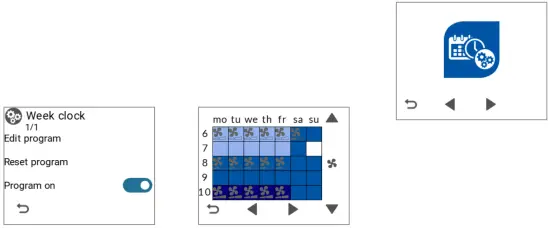
Measurements
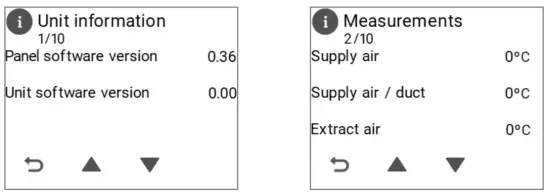
The software versions of the control panel and the unit can be found in the Unit information menu. The Measurements on the menu includes the following information:
- Supply air temperature
- The supply air temperature inside the duct
- Extract air temperature
- Exhaust air temperature
- Outdoor air temperature
- The supply air temperature inside the duct
- Supply air temperature after the HR cell
- Return the water temperature of the heating radiator
- The efficiency of the HR cell
- Supply air fan (rpm)
- Extract air fan (rpm)
- External boost voltage
- Supply air duct pressure (Pa)
- Extract air duct pressure (Pa)
- The pressure of the HR cell (Pa)
- Supply air filter pressure (Pa)
- Extract air filter pressure (Pa)
- Carbon dioxide level of the extract air (ppm)
- VOC level of the extract air (ppm)
- Supply air volume (l/s)
- Extract air volume (l/s)
- Post-heating adjustment position
- Preheating adjustment position
- Cooling adjustment position
Turning the unit off
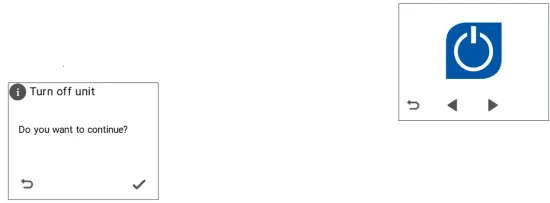
To turn off the air handling unit, select Turn off and confirm the selection by pressing OK.
If the unit has been turned off from the control panel, the air handling unit can be turned on by pressing on the display of the control panel.

www.vallox.com
Vallox Oy | Myllykyläntie 9-11 | 32200 LOIMAA | FINLAND
© Vallox Oy – All rights reserved
D10799/20.10.2021
 Vallox