VIP-998 SIP Strobe Alert
Product Information:
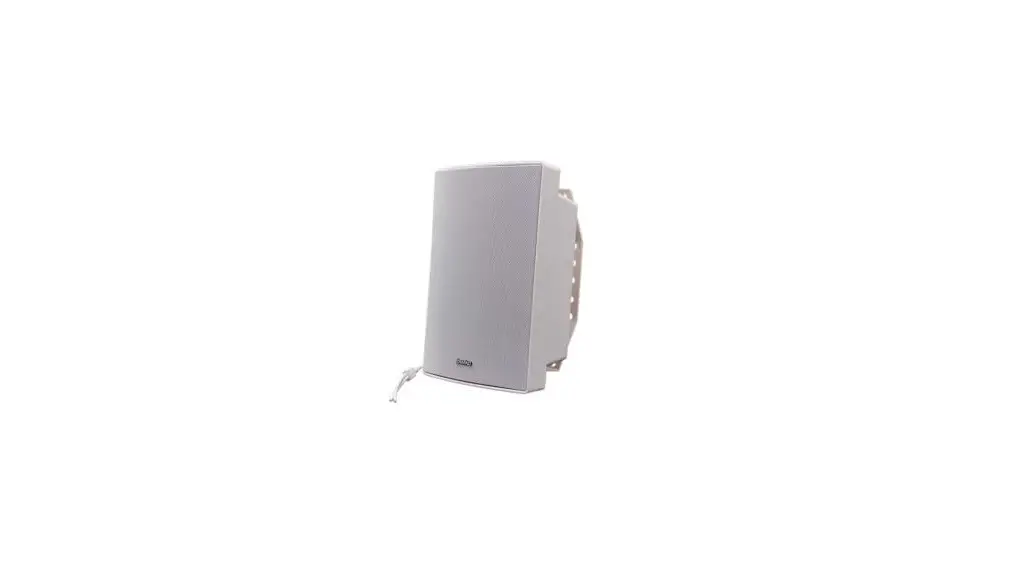
The VIP-998 SIP Strobe Alert is a private mode notification
appliance that provides bright strobe functionality. It operates
using power and activation provided by the IP network. The strobe
alert is available in three different colored flashers: Amber,
Blue, or White. It can be synchronized with multiple strobes to
flash in unison.
Some key features of the VIP-998 SIP Strobe Alert include:
- Cost-effective and versatile solution for applications
requiring visual alerts or strobes - Power over Ethernet (PoE) 802.3af compatible
- SIP Night Ring functionality when used with other Valcom IP
speakers - Synchronized strobing when used with additional Valcom IP
strobes
The dimensions of the VIP-998 are 5.5H x 5W x 2.0D inches
(13.9cm H x 12.7cm W x 5.08cm D), and it weighs 0.62 lbs. (0.27
kg). The nominal power requirements for the device are 6W, which
can be supplied via a 802.3af PoE Ethernet Switch.
The VIP-998 SIP Strobe Alert is designed for use with a UL
Listed power source marked Class 2 or LPS rated 24VDC or 48VDC
(PoE). It should be used in an intra-building environment.
Please note the safety information provided in the user manual
to ensure proper usage and precautions.
Product Usage Instructions:
- Connect the VIP-998 SIP Strobe Alert to an IP network using an
Ethernet cable. - Ensure that the power source is a UL Listed Class 2 or LPS
rated 24VDC or 48VDC (PoE). - Place the strobe alert in a suitable location where it can be
easily seen. - If synchronization with other Valcom IP strobes is desired,
connect the additional strobes to the network and configure them
accordingly. - To activate the strobe alert, use one of the following methods:
- Valcom Group Page: Initiate a group page using Valcom IP
speakers to trigger the strobe alert. - SIP Phone Call: Make a SIP phone call to the VIP-998 SIP Strobe
Alert to activate the strobe functionality.
- Valcom Group Page: Initiate a group page using Valcom IP
- The strobe alert will flash in the selected color (Amber, Blue,
or White) when activated. - To ensure safety, follow the provided safety instructions and
precautions. - If servicing or maintenance is required, refer to qualified
service personnel.
VIP-998 SIP STROBE ALERT (Amber, Blue or White)
ISSUE 1
INTRODUCTION
The VIP-998 SIP Strobe Alert is a private mode notification appliance providing bright strobe functionality with both power and activation provided by the IP network. The VIP-998 is available in three different colored flashers. Multiple strobes may be synchronized to flash in unison.
SPECIFICATIONS Features
Cost effective and versatile solution to applications requiring visual alerts or strobes
Power over Ethernet (PoE) 802.3af compatible
SIP Night Ring functionality in conjunction with other Valcom IP speakers
Synchronized strobing when used with additional Valcom IP strobes
Available in Amber, Blue or White Flashers
Activation Methods
Valcom Group Page SIP Phone Call
Dimensions / Weight
5.5″H x 5″W x 2.0″D (13.9cm H x 12.7cm W x 5.08cm D)
0.62 lbs. (0.27 kg)
Nominal Power Requirements
Via 802.3af PoE Ethernet Switch
6W
Environment
Temperature: 0 to +40° C Humidity: 0 to 85% non-precipitating Suitable for indoor installation
These products are intended for use with a UL Listed power source marked “Class 2” or “LPS” rated 24VDC, or 48VDC (PoE). PoE and all interconnected ITE are intended for intra-building.
Precautionary Designations · WARNING-To Reduce The Risk Of Fire
Or Electric Shock. Do Not Expose This Apparatus To Rain Or Moisture. · AVERTISSEMENT – Afin de réduire les risques d’incendie ou de décharge électrique, évitez d’exposer le système à la pluie ou à l’humidité. · Apparatus shall not be exposed to dripping or splashing and no objects filled with liquids, such as vases, shall be placed on the apparatus. · L’appareil ne doit pas être exposé à des égouttements et éclaboussures et aucun Objet Rempli de liquide, comme vase, ne doit être placé sur l’appareil.
CAUTION
RISK OF ELECTRIC SHOCK DO NOT OPEN
CAUTION: To reduce the risk of electric shock, Do not remove cover (or back).
No user serviceable parts inside. Refer servicing to qualified service personnel.
This symbol indicates that dangerous voltage constituting a risk of electric shock is present within this unit.
This symbol indicates that there are important operating and maintenance instructions in the literature accompanying this unit.
1
947590
IMPORTANT SAFETY INFORMATION
CONSIGNES DE SÉCURITÉ IMPORTANTES
1. Read these instructions. Lisez ces instructions.
2. Keep these instructions.
Conservez ces instructions.
3. Heed all warnings.
Respectez tous les avertissements.
4. Follow all instructions.
Suivez toutes les instructions.
5. Do not use this apparatus near water.
Ne pas utiliser cet appareil près de l’eau.
6. Clean only with dry cloth.
Nettoyer avec un chiffon sec.
7. Do not block any ventilation openings. Install in accordance with the manufacturer’s instructions.
Ne pas bloquer les ouvertures de ventilation. Installer formément aux instructions du
fabricant.
8. Do not install near any heat sources such as radiators, heat registers, stoves or other
apparatus (including amplifiers) that produce heat.
Ne pas installer à proximité de sources de chaleur telles que radiateurs, registres de
chaleur, poêles ou autres appareils (y compris les amplificateurs) produisant de la chaleur.
9. Do not defeat the safety purpose of the polarized or grounding-type plug. A polarized plug
has two blades with one wider than the other. A grounding type plug has two blades and a
third grounding prong. The wide blade and the third prong are provided for your safety. If
the provided plug does
not fit into your outlet consult an electrician for replacement of the
obsolete outlet.
Ne pas contourner le dispositif de sécurité de la fiche polarisée ou de mise à la terre. Une
fiche polarisée possède deux lames dont une plus large que l’autre. Une fiche de terre a
deux lames et une troisième broche de mise à la terre. La lame large et la troisième
broche sont fournies pour votre sécurité. Si la fiche fournie ne rentre pas dans votre prise,
veuillez consulter un électricien pour le remplacement de la prise obsolète.
10.Protect the power cord from being walked on or pinched particularly at plugs, convenience
receptacles and the point where they exit from the apparatus.
11.Only use attachments/accessories specified by the manufacturer.
N’utilisez que des fixations / accessoires spécifiés par le fabricant.
12. Use only with the cart, stand, tripod, bracket or table specified
by the manufacturer or sold with the apparatus. When a cart is
used, use caution when moving the cart/apparatus combination
to avoid injury from tip-over.
Utilisez uniquement avec le chariot, stand, trépied, support ou table spécifié par le
fabricant ou vendu avec l’appareil. Quand un chariot est utilisé, Soyez prudent lorsque
vous déplacez l’ensemble chariot / appareil pour éviter des blessures dues au
renversement.
13. Unplug this apparatus during lightning storms or when unused for a long period of time.
Débranchez cet appareil pendant les orages ou lorsqu’il n’est pas utilisé pendant une
longue période de temps.
14. Refer all servicing to qualified service personnel. Servicing is required when the
apparatus has been damaged in any way. Such as when the power supply cord or plug is
damaged, liquid has been spilled, objects have fallen into the apparatus or the
apparatus has been exposed to rain or moisture and does not operate normally or has
been dropped.
Confiez toute réparation à un personnel qualifié. Une réparation est nécessaire lorsque
l’appareil a été endommagé de quelque façon. Par exemple lorsque le cordon
d’alimentation ou la fiche est endommagé, du liquide a été renversé, si des objets sont
tombés dans l’appareil ou le appareil a été exposé à la pluie ou à l’humidité et ne
fonctionne pas normalement ou s’il est tombé.
FCC Information
This equipment has been tested and found to comply with the limits for a Class A digital device, pursuant to Part 15 of the FCC Rules. These limits are designed to provide reasonable protection against harmful interference when the equipment is operated in a commercial environment. This equipment generates, uses and can radiate radio frequency energy and if not installed and used in accordance with the instruction manual, may cause harmful interference to radio communications. Operation of this equipment in a residential area may cause harmful interference in which case the user will be required to correct the interference at his own expense.
INSTALLATION Operation
The VIP-998 provides private mode notification via network connection. Activation of the strobe is triggered by including the VIP-998 as a member of a Valcom IP Paging group. The VIP-998 can also operate as a visual Night Ring device in conjunction with a SIP PBX and can provide audio Night Ring to other Valcom IP speakers when activated. Interface to customer telephone system can be via SIP registration to a Voice over IP (VoIP) telephone system, or FXO port (when used with a Valcom Enhanced Station Port).
Mounting
The VIP-998 is designed for double gang FD electrical box mounting. Verify depth of electrical box is adequate for mounting the VIP-998. (See Figure 1)
NOTE: The VIP-998 can synchronize with other Valcom IP strobes, but not with other manufacturer’s devices. Therefore, it must not be installed where the flash from other, non-Valcom IP strobes may be seen.
Power Connections
The only method of powering the VIP-998 is via a Power over Ethernet (PoE) switch or power injector meeting the 802.3af specification. Make all required signal connections before connecting to Ethernet switch or power injector meeting the 802.3af specification.
Network Connection
The VIP-998 has one RJ-45 Network connector.
Green LED: (Link) Indicates Ethernet connection when illuminated.
Yellow LED: (Activity) Indicator flashes to indicate network activity.
Use a standard Ethernet patch cable to connect the NETWORK connector to an Ethernet switch.
2
947590
Setup
Information specific to your application will need to be programmed into the VIP-998 using a computer. The PC used for programming should be connected to the same subnet as the VIP-998. Setup will be done using the IP Solution Setup Tool. Download the latest version of the free IP Solutions Setup Tool from the Valcom web site at www.valcom.com/vipsetuptool.
TECHNICAL ASSISTANCE
Assistance in troubleshooting is available from the factory. Call (540) 563-2000 and press 1 for Technical Support or via email at [email protected].
When requesting assistance, you should include all available information. General information and troubleshooting procedures
are available on the Valcom website at www.valcom.com.
Valcom equipment is not field repairable. Valcom, Inc. maintains service facilities in Roanoke, VA.
Should repairs be necessary, attach a tag to the unit clearly stating your company name, address, phone number, contact person and the nature of the problem. Send the unit to:
Valcom, Inc. Repair & Return Dept.
5614 Hollins Road Roanoke, Va. 24019-5056
WARRANTY Warranty information may be found on our website at www.valcom.com/warranty
Figure 1 3
947590
 IP Communications and Notification Solutions | Valcom