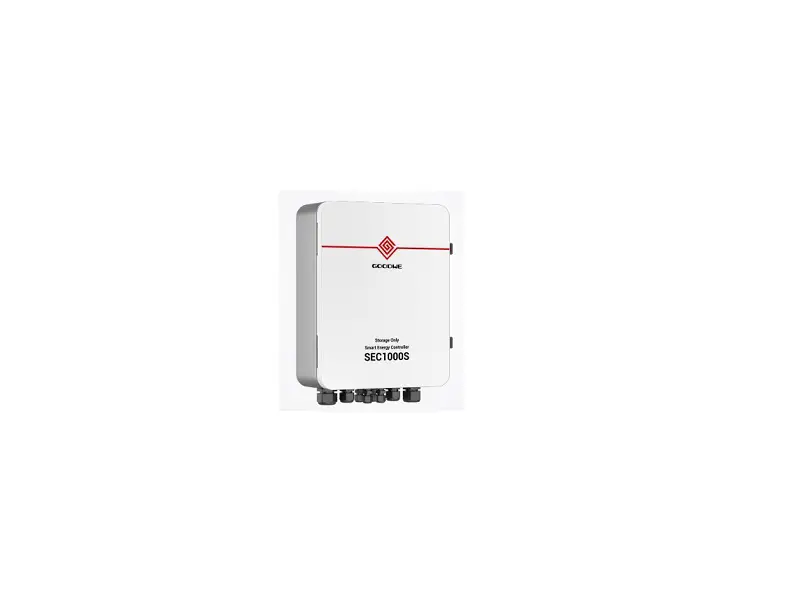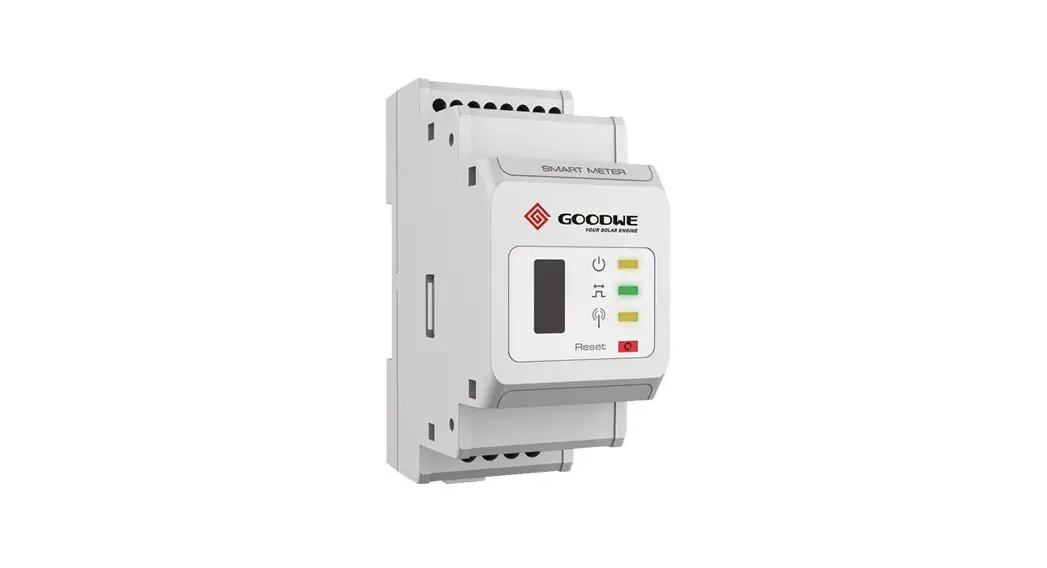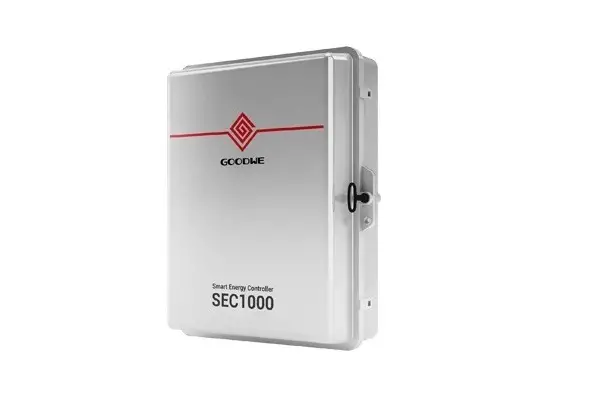
GOODWE SEC1000 Smart Energy Controller User Manual
Symbols
- Caution! – Failure to observe a warning indicated in this manual may result in minor or moderate injury.

- Danger of high voltage and electric shock!
- Product should not be disposed as normal household waste.

- CE Mark

- Keep Dry – The package/product must be protected from excessive humidity and must accordingly be stored under cover.

- Components of the product can be recycled.
- This side up – The package must always be transported, handled and stored in such a way that the arrows always point upwards.
- No more than six (6) identical packages be stacked on each other.
- The package/product should be handled carefully and never be tipped over or slung.








Safety and Warning
SEC1000 of Jiangsu GoodWe Power Supply Technology Co.,Ltd (hereinafter referred to as GoodWe) has been designed and tested strictly according to the international safety regulation. As electrical and electric equipment, Safety Regulation shall be followed during installation and maintenance. Improper operation may bring severe damage to the operator, the third party and other properties.
- Installation. maintenance of SEC1000 must be performed by qualified personnel.in compliance with local electrical standards. regulations and the requirements of local power authorities.
- To avoid electric shock, make sure the connection between SEC1000 and AC output of inverter. SEC1000 and Grid, is disconnected before performing any installation or maintenance.
- When in operation, users should not touch any of the electrical parts of SEC1000 ,like internal components. cables, to avoid electric shock.
- All electrical installations must comply with local electrical standards and obtain permission from local power authorities before SEC1000 can be connected to the grid by professionals.
- Before replacing any internal components of SEC1000, the connection between the inverter and SEC1000,the power grid and SEC1000 must be disconnected, and the newly replaced components must meet the requirements of SEC1000. Otherwise, GoodWe will not assume the responsibility and quality assurance for the personal harm.
- Make sure that the AC input voltage and input current match the rated voltage and current of SEC1000, otherwise the components will be damaged or cannot work properly, and GoodWe will not assume the responsibility and quality assurance for this case.
- There are lightning protection modules inside. Make sure to connect the internal PE with the ground when installing SEC1000.
- When in operation, do not plug or unplug cables of SEC1000.
- SEC1000 must be Installed out of reach of children.
- Appropriate antistatic measures should be taken.
Mounting
Mounting Instruction
- SEC1000 must be installed where there is no significant shaking, shock vibration and no rain or snow.
- SEC1000 shall be installed at eye level for easy operation and maintenance.
- SEC1000 should not be installed near inflammable and explosive items. Any strong electro magnetic equipment should be kept away from installation site.
- SEC1000 shall be installed at a location free from explosive hazardous media and free from gas and dust sufficient to corrode metals and destroy insulation.
- SEC1000 parameters and warning signs must be clearly visible after installation.
- SEC1000 should be installed without sunshine, rain and snow.


Overview and Packaging
After opening the package, confirm if it is consistent with specification of SEC1000 you purchased.
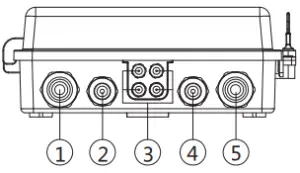
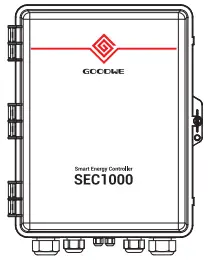
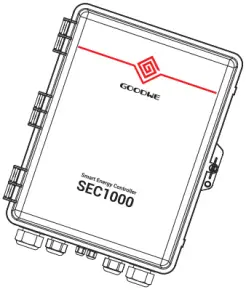
SEC1000 Overview
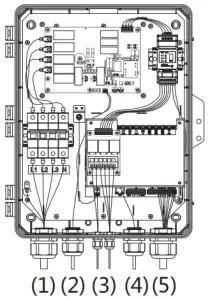
- Voltage input port
- GPRS antenna output port
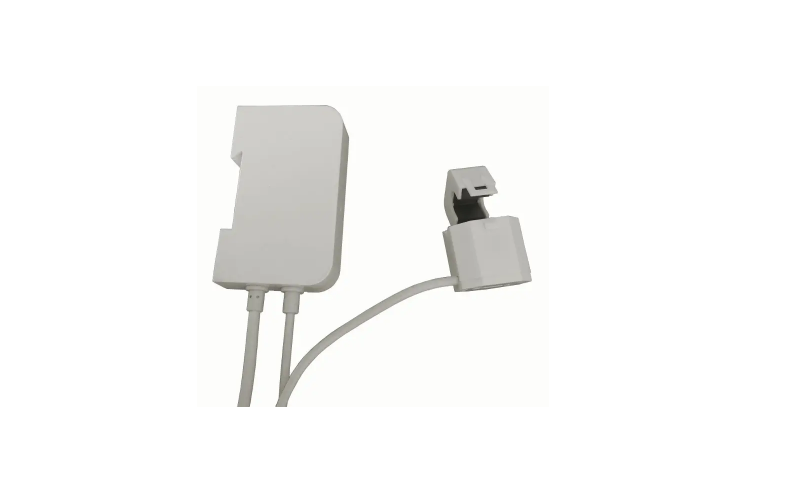
- Current input (external CT) port
- LAN network port
- Communication port


Package
- SEC1000×1

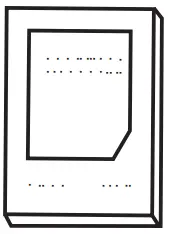
- User manual×1

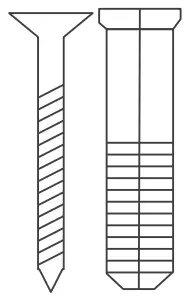
- Expansion screw×4

- 2 Pin terminal×3

- Key×1

- Tubular terminal×4

- O type terminal×6

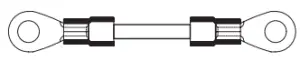
- Short wire×3

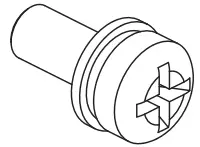
- Screw×2

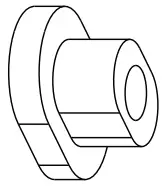
- Sealing element×4

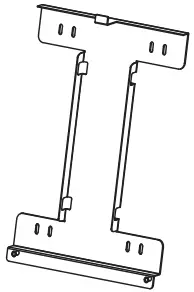
- Back hang×1

- Fireproofing mud×1

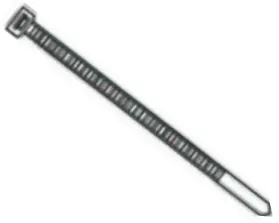
- Ribbon×5

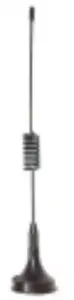
- Antenna×1 (only GPRS type)

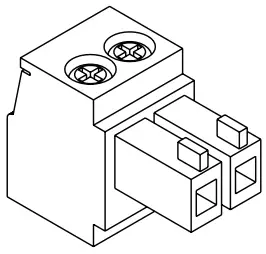
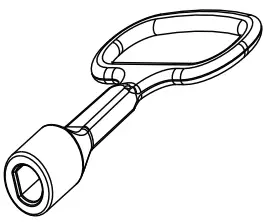
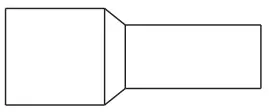
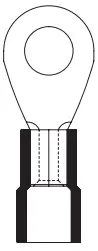
SEC1000 Installation
Selecting the installation location
The following must be considered when selecting the best location for an SEC1000.
- The mount and installation method must be appropriate for the SEC1000’s weight and dimensions.
- Install on a sturdy surface
- The installation location must be well ventilated
- SEC1000 can be placed horizontally or installed vertically
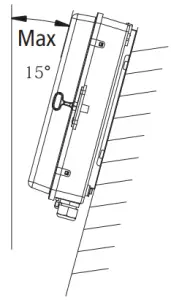
- The SEC1000 must be installed vertical or with a backward tilt less 15°.No side ways tilt is allowed. The connection area must point downwards. Refer to Figure.


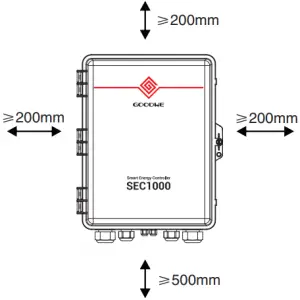
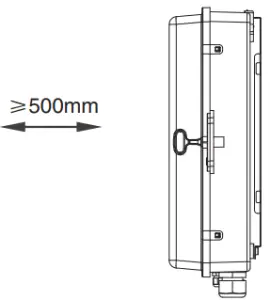
- To allow dissipation of heat, and for convenience of dismantling, clearances around the SEC1000 must be no less than the values, refer to figure.


- Upward ——- 200mm
- Downward — 500mm
- Front ———– 500mm
- Both sides —- 200mm

Mounting Procedure
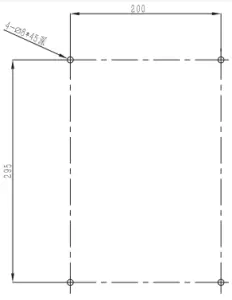
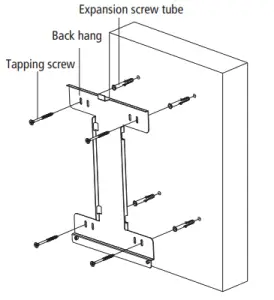
- Drill holes on the wall,8mm in diameter and 45mm deep; Refer to Figure.

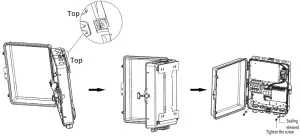
- Fix the wall mounting bracket on the wall with expansion bolts in accessory bag, refer to Figure.

- Place SEC1000 on the wall-mounted bracket as illustrated in figure.

SEC1000 can be placed horizontally to work, as shown in the figure.
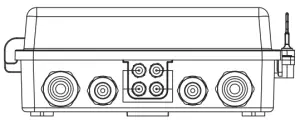
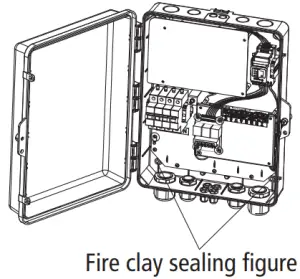
Before installation, the inner mounting hole shall be sealed with the accessory fireproof mud, as shown in the figure.
SEC1000 should be placed in a fixed place indoors.
Port and wiring instructions
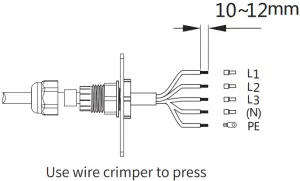
- Voltage Input Port(L1\L2\L3\(N)\PE)


Input phase voltage range:AC60V-AC280V;Input line voltage range: AC100V-AC480V;AC Frequency:50/60Hz;

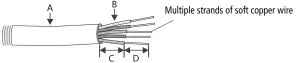
No.
Description
Content
A
B
Wire Diameter
Cross Sectional Area of Copper Wire
No more than 25 mm
R ecommend:2.5-4mm2
C
Wire Length
About 45 mm
D
Length of Bare Copper Wire
About 12mm(10mm for PE)
- GPRS Antenna Output Port SEC1000(GPRS) uses this port to access the antenna.
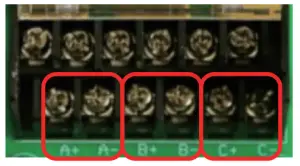
- Current Input Port (three sets of CT: A&B&C ) Connect three sets of external CT to the connector at the position shown in figure 3-1 (A+A-\B+B-\C+C-).
Each input current must be less than 5 A.
Note: Correction method for misconnecting each CT.
Take B+B- reverse connection as an example, and operate in the sequence from figure 3-2 to figure 3-5 below.
- (B+ and B- are reversed)
- (Connect the corresponding position with a short wire)
- (Switch the corresponding output terminal)
- (Remove the short wire)




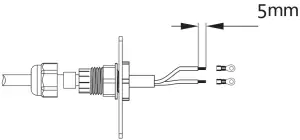
Specification and crimping of external CT input current wire

NO
Description
Content
A
B
Wire diameter
Cross sectional area of copper wire
No longer than 6 mm
0.75-2.0(recommended)
C
Wire length
45mm(more or less)
D
Length of bare copper wire
5mm(more or less)
LAN Network port
LAN SEC1000 uses this port when accessing a network cable; The access point is as shown in the “NET” position in the figure above.
Communication Port
The description of bottom label inside SEC1000 is as follows
No. | Port | Description |
| 1 | POWER | DC Power Input (Occupied) |
| 2 | NET | Ethernet Interface |
3 | DI | DRED or RCR functional interface |
| 4 | NC | reserve |
5 | COM1 | 485 interface1 with Inverter |
| 6 | COM2 | 485 interface2 with Inverter |
| 7 | COM3 | 485 interface3 with Inverter |
| 8 | COM4 | 485 interface4 with SEC1000 internal Meter(Occupied) |
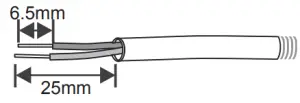
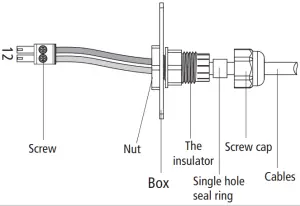
Wire specification and installation: It is recommended to use shielded twisted pair cables with conductor area 1mm2 for 485 communication cables.
| Line | Function |
| 1 | RS485+ |
| 2 | RS485- |
It is recommended to use Super Five Type of network cables. After wiring, use the fire-proof mud to seal the port, to ensure its protective performance.
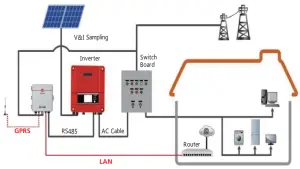
SEC1000 Grid Connection Diagram
Main functions of SEC1000
In the Grid Connection Diagram as shown in 3.3.4( quantity of Inverter can be more than one), SEC1000 will have the functions of Reactive Power Compensation, Active Power Regulation and Backflow prevention, etc. The corresponding parameters of the inverter are acquired and set through the software ProMate installed in computer for monitoring and configuring SEC1000.
ProMate is a kind of software that can configure EzLoggerPro, SEC1000 etc. It can modify the network IP address of EzLoggerPro and SEC1000, configure the number of connected inverters, time setting, RCR, DRED function, configuration and on-site debugging.
First, the user need to install “ProMate” in the computer by downloading ProMate from Internet
(http://www.goodwe-power.com/files/ProMate.rar), Please access to the website to download the program and compete the installation.
If the user needs to use ProMate software to configure SEC1000, it needs to be set in dynamic IP(DHCP) or static IP according to the network connection mode.
- If the user is in the dynamic IP mode, he/she only needs to connect the SEC1000 NET port to the Router LAN port with the network cable to connect to the network, namely plug and play.
- If the user has a static IP, it is necessary to switch SEC1000 to the static IP mode. That is, press the Reload key for about 10 seconds to reset and restart SEC1000,About 10 seconds after pressing the Reload button, the LED lights on the SEC1000 internal EzLogger Pro Panel will blink from right to left and reset and restart.
After restart, SEC1000 will be switched to static IP mode(default IP:192.168.1.200), then use cables to connect SEC1000“NET” port to the Ethernet port of the computer. At the same time, the IP address of the computer needs to be modified. The IP address and the default gateway should be set at 192.168.1.xxx segment (1 ≤XXX ≤250 and XXX ≠200). For example, the IP address can be set as 192.168.1.100 and the default gateway as 192.168.1.254.
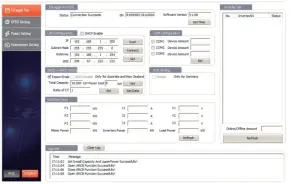
The interface of Promate is as follows:
SEC1000 Backflow Prevention Function
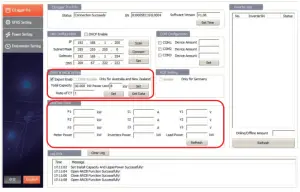
Firstly, set the Total Capacity, Power Limit and the Ratio of CT( of external CT)) , and then check the Export Enable (as shown in the figure below), so that the active voltage, current and power data can be monitored in real time.
SEC1000 Reactive Power Compensation Function
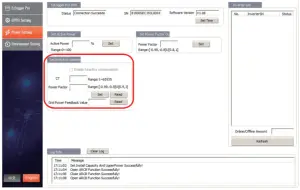
Set the variable ratio of external CT (note that the primary current value of external CT does not exceed 5000A, and the corresponding secondary current value does not exceed 5A).
Set the desired Power Factor value.
The Grid Power Feedback value is the actual value acquired after setting the expected Power Factor.
Technology parameter
Name | SEC1000(Smart Energy Controller 1000) |
Technology parameter | |
Input voltage range | Phase voltage:AC60V~280V |
| Line voltage:AC100V~480V | |
| Input voltage frequency | 50Hz/60Hz |
| Input current range | 0~5A(recommended CT see*1) |
| Rated power consumption | <10W |
| Communication with the inverter | RS485 |
| Maximum distance from the inverter | 1000m(use shielded twisted-pair cable) |
| Maximum number of inverters connected | 60pcs |
| Communication with terminals | LAN, GPRS |
| Operating temperature range | -25~60 |
| Relative humidity | 0~100% |
| Level of protection | IP65 |
| Size(L*W*H) | 320×420×131mm |
| Weight | 4KG |
Recommended CT
According to the external current range, GoodWe recommends the following specifications, for reference only.
No | Range of current tested | Content | Remark |
| 1 | Imax<250A | CT 200A Acrel/AKH-0.66(200A/5A) | Backflow CT, closed type(Hole size31mm*11mm,Φ22mm) |
| CT 250A/5A Acrel/AKH-0.66-K-30×20-250/5 | Backflow CT, open type(Opening size:32mm*22mm),accuracy 0.5% | ||
| CT 250A/5A Acrel/AKH-0.66-K-60×40-250/5 | Backflow CT, open type(Opening size:62mm*42mm),accuracy 1.0% | ||
2 | 250A≤Imax<1000A | CT 1000A/5A Acrel/AKH-0.66-K-60×40-1000/5 | Backflow CT, open type(Opening size:62mm*42mm),accuracy 0.5% |
| CT 1000A/5A Acrel/AKH-0.66-K-80×40-1000/5 | Backflow CT, open type(Opening size:82mm*42mm),accuracy 0.5% | ||
| CT 1000A/5A Acrel/AKH-0.66-K-80×80-1000/5 | Backflow CT, open type(Opening size:82mm*82mm),accuracy 0.5% | ||
3 | 1000A≤Imax<5000A | CT 5000A/5A Acrel/AKH-0.66-K-140×60-5000/5 | Backflow CT, open type(Opening size:142mm*62mm),accuracy 0.2% |
| CT 5000A/5A Acrel/AKH-0.66-K-160×80-5000/5 | Backflow CT, open type(Opening size:162mm*82mm),accuracy 0.2% |
Relevant Certification

- SEMS Portal app

- SEMS Portal website www.sems portal.com
- Company’s official website
- Company Wechat





GoodWe(China)
No.90 Zijin Rd., New Distric
Suzhou,215011, China
T: 400 998 1212
[email protected]
www.goodwe.com.cn
GoodWe(Netherlands)
[email protected]
www.goodwe.com.cn
GoodWe(Australia)
[email protected]
www.goodwe.com.cn
GoodWe(UK)
[email protected]
www.goodwe.co.uk
Note: The information above is subject to change without prior notice, details refer to www.goodwe.com.cn.

 Home - Novarion
 Under Construction
 固德威——以光伏逆变器为核心的整体解决方案服务商
 GoodWe: Smart Energy Innovator