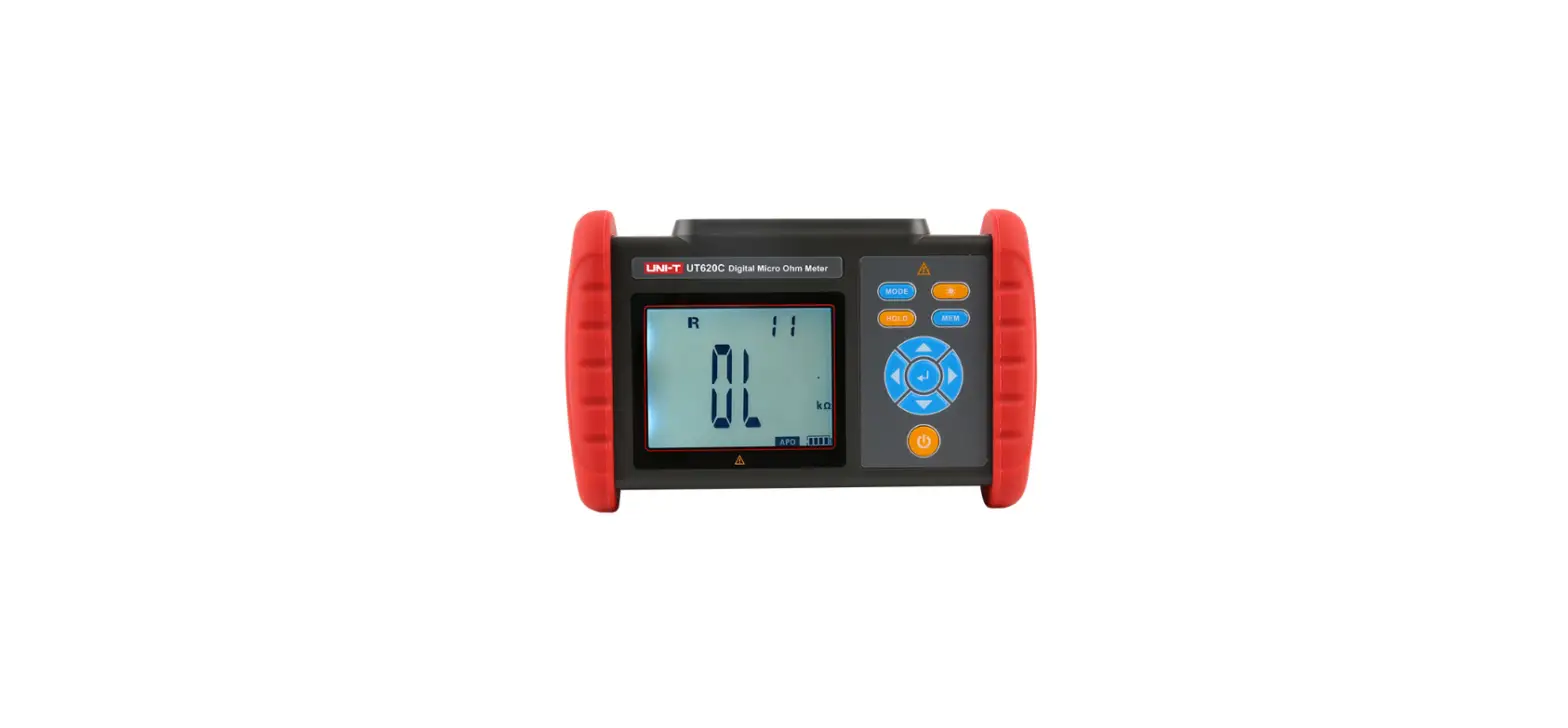
UTE9806 Plus Smart Digital Power Meter
SCPI Programming Manual UTE9806+Smart Digital Power Meter
Chapter 1: SCPI
SCPI stands for Standard Commands for Programmable Instruments.
It is a communication mode that defines how the bus controller
communicates with the instrument. It is an instrument command based
on ASCII for measuring instruments.
1.2 Instruction Format
A command consists of a keyword, separator, parameter domain,
and an end mark. For example, the command :VOLTage:RANGe 60
VOLTage, RANGe is a keyword, : and blank are separators, 60 is a
parameter (some commands have multiple parameters separated by ,),
and the line separator or carriage return after the command is the
end mark.
1.3 Parameter Format
The data type of programming parameters includes numeric,
character, and Boolean type. Regardless of the type, it is
expressed as an ASCII. The following table explains the different
types:
| Symbol | Meaning | Example |
|---|---|---|
| Integer | 123, 0123 | |
| Fixed floating point number | 123., 12.3, 0.123, .123 | |
| Floating point number | 123, 12.3, 123E+3 | |
| Boolean data | 0 | 1 | ON | OFF |
Chapter 2: Communication Interface and Setting
Refer to Chapter 6 Communication Setting and Chapter 8
Communication Interface in UTE9806+ User’s Manual for detailed
description.
Chapter 3: Instruction
3.1 Instruction List
- *IDN?
- *RST
- *STB?
- *SAV
- :ALARm:ALARmpar:DELy
- :ALARm:ALARmpar:BEEp
- :MEASure:FREQuency:VOLTage?
- :MEASure:FREQuency:CURRent?
- :MEASure:VOLTage?
- :MEASure:VOLTage:PEAK+?
- :MEASure:VOLTage:PEAK-?
- :MEASure:CURRent?
- :MEASure:CURRent:PEAK+?
- :MEASure:CURRent:PEAK-?
- :MEASure:POWer:ACTive?
- :MEASure:POWer:APParent?
- :MEASure:POWer:FACTor?
- :SYSTem:ERRor?
- :LOCK
3.2 Instruction Parsing
- *IDN? Function: Query the instrument information. Syntax:
*IDN?. Example: *IDN? -> UNI-T,UTE9806+,012345678,F1.02.
Description: The return format of instrument information is
manufacturer, model, serial number, firmware version. - *RST Function: Restore to the factory setting. Syntax: *RST.
Example: *RST. Description: Except communication configuration
parameter instruction type, baud rate, address, other configuration
parameters will be restored to the factory setting. - *STB? Function: Query status byte register. Syntax: *STB?.
Example: *STB? -> 4. Description: If the returned value is 4, it
represents the status byte register set to 00000100; it means the
error queue is not empty, which also means an error has been
generated. - *SAV Function: Save the current setting into nonvolatile memory
for next time use. Syntax: *SAV. Example: *SAV. - :HOLD Function: Turn on/off hold mode. Syntax: :HOLD {}.
Example: :HOLD OFF. :HOLD? -> 0. - :VOLTage:RANGe Function: Set the voltage range. Syntax:
:VOLTage:RANGe {}. Example: :VOLTage:RANGe 60. :VOLTage:RANGe?
-> 60. - :VOLTage:AUTo Function: Turn on or off auto range of voltage.
Syntax: :VOLTage:AUTo {}. Example: :VOLTage:AUTo 1.
Product Usage Instructions
To query the instrument information, send the command *IDN? and
the instrument will return the manufacturer, model, serial number,
and firmware version. To restore the instrument to the factory
setting, send the command *RST. To query the status byte register,
send the command *STB?. To save the current setting into
nonvolatile memory for next time use, send the command *SAV.
To turn on/off hold mode, send the command :HOLD {} with either
ON or OFF as the parameter. To set the voltage range, send the
command :VOLTage:RANGe {} with the desired voltage range as the
parameter. To turn on or off auto range of voltage, send the
command :VOLTage:AUTo {} with either 1 or 0 as the parameter.
SCPI Programming Manual UTE9806+Smart Digital Power Meter
SCPI Programming Manual
UTE9806+Smart Digital Power Meter
Chapter 1 SCPI
1.1 SCPI
SCPI is also called standard commands for programmable instruments. It defines the communication mode for bus controller communicate with the instrument. It is instrument command based on ASCII for measuring instrument.
1.2 Instruction Format
Command is consisting of a keyword, separator, parameter domain and end mark. Take the following command as an example.
:VOLTage:RANGe 60 VOLTage, RANGe is keyword, “:” and blank is separator, “60” is parameter (some commands have multiple
parameters and separated by”,”), the line separator or carriage return after the command is the end mark. For the convenience of description, the following conventions are adopted for subsequent symbols.
· Square Brackets “[ ]” The contents in square brackets (command keywords) can be omitted.
· Braces “{ }” It represents the parameter in command string.
· Angle Braces “< >” The parameter enclosed in the angle brackets must be a numerical parameter.
· Vertical Bar “|” It is used to separate multiple parameters.
· End Mark: line separator <LF>0x0Aor carriage return <CR>0x0D
1.3 Parameter Format
The data type of programming parameters include numeric, character and Boolean type. Regardless of the type, it
is expressed as an ASCII. For details, see the following table.
Symbol
Meaning
Example
<NR1>
Integer
123,0123
<NR2>
Fixed floating point number
123.,12.3,0.123,.123
<NR3>
Floating point number
123,12.3,123E+3
<NRF>
It may be <NR1>, <NR2> or <NR3>
<Boolean>
Boolean data
0|1|ON|OFF
Chapter 2 Communication Interface and Setting
The detailed description can refer to “Chapter 6 Communication Setting” and “Chapter 8 Communication Interface in UTE9806+ User’s Manual.
Instruments.uni-trend.com
2 / 9
SCPI Programming Manual
Chapter 3 Instruction
3.1 Instruction List
Instruction *IDN? *RST *STB?
*SAV
:HOLD :VOLTage:RANGe :VOLTage:AUTo :CURRent:RANGe :CURRent:AUTo :RATe :AVERaging :MUTe :ALARm:FLAG? :ALARm:VOLTageFLAG? :ALARm:CURRentFLAG? :ALARm:ACTiveFLAG? :ALARm:APParentFLAG? :ALARm:FACTorFLAG? :ALARm:SWItch:Total :ALARm:SWItch:VOLTage :ALARm:SWItch:CURRent :ALARm:SWItch:POWer:ACTive :ALARm:SWItch:POWer:APParent :ALARm:SWItch:POWer:FACtor :ALARm:SWItch:Oout :ALARm:SWItch:LEDf :ALARm:ALARmpar:VOLTage:HIGH :ALARm:ALARmpar:VOLTage:LOW :ALARm:ALARmpar:CURRent:HIGH :ALARm:ALARmpar:CURRent:LOW :ALARm:ALARmpar:POWer:ACTive:HIGH :ALARm:ALARmpar:POWer:ACTive:LOW :ALARm:ALARmpar:POWer:APParent:HIGH :ALARm:ALARmpar:POWer:APParent:LOW :ALARm:ALARmpar:POWer:FACTor:HIGH :ALARm:ALARmpar:POWer:FACTor:LOW
Instruments.uni-trend.com
UTE9806+Smart Digital Power Meter
Function Query the instrument information. Restore to the factory setting. Query status byte register. Save the current setting into nonvolatile memory for next time use. Turn on or off hold mode. Set the voltage range. Turn on or off auto range of voltage. Set the current range. Turn on or off auto range of current. Set update rate. Set the average switch state and average count. Turn on or off mute key. Query the alarm state. Query the voltage alarm state. Query the current alarm state. Query the alarm state of active power. Query the alarm state of apparent power. Query the alarm state of power factor. Set the main switch of alarm. Set the voltage alarm switch. Set the current alarm switch. Set the alarm switch of active power. Set the alarm switch of apparent power. Set the alarm switch of power factor. Set the alarm switch of zero point. Set the alarm switch of LED. Set the upper limit of voltage alarm. Set the lower limit of voltage alarm. Set the upper limit of current alarm. Set the lower limit of current alarm. Set the upper limit of active power. Set the lower limit of active power. Set the upper limit of apparent power. Set the lower limit of apparent power. Set the upper limit of power factor. Set the lower limit of power factor.
3 / 9
SCPI Programming Manual
:ALARm:ALARmpar:DELy :ALARm:ALARmpar:BEEp :MEASure:FREQuency:VOLTage? :MEASure:FREQuency:CURRent? :MEASure:VOLTage? :MEASure:VOLTage:PEAK+? :MEASure:VOLTage:PEAK-? :MEASure:CURRent? :MEASure:CURRent:PEAK+? :MEASure:CURRent:PEAK-? :MEASure:POWer:ACTive? :MEASure:POWer:APParent? :MEASure:POWer:FACTor? :SYSTem:ERRor? :LOCK
UTE9806+Smart Digital Power Meter
Set alarm delay times. Set alarm beeper times. Query the measuring frequency of voltage. Query the measuring frequency of current. Query the currently measured value of AC voltage. Query the currently measured value of voltage positive peak. Query the currently measured value of voltage negative peak. Query the currently measured value of current. Query the currently measured value of current positive peak. Query the currently measured value of current negative peak. Query the currently measured value of active power. Query the currently measured value of apparent value. Query the currently measured value of power factor. Query error information. Set the lock key state on the front panel.
3.2 Instruction Parsing
*IDN? Function Query the instrument information. Syntax *IDN? Example *IDN?
-> UNI-T,UTE9806+,012345678,F1.02 Description The return format of instrument information is <manufacturer>, <model>, <serial number>, < firmware version>.
*RST Function Restore to the factory setting. Syntax *RST Example *RST Description Except communication configuration parameterinstruction type, baud rate, address, other configuration parameter will restore to the factory setting.
*STB? Function Query status byte register. Syntax *STB? Example *STB? -> 4 Description If returned value is 4, it represents the status byte register set to 00000100; it means the error queue is not empty, which also means an error has been generated.
*SAV Function Save the current setting into nonvolatile memory for next time use. Syntax *SAV
Instruments.uni-trend.com
4 / 9
SCPI Programming Manual
Example *SAV
:HOLD Function Turn on/off hold mode. Syntax :HOLD {<Boolean>}
:HOLD? Example :HOLD OFF
:HOLD? -> 0
:VOLTage:RANGe Function Set the voltage range. Syntax :VOLTage:RANGe {<Voltage>}
:VOLTage:RANGe? <Voltage> = 60,600 Example :VOLTage:RANGe 60
:VOLTage:RANGe? -> 60
:VOLTage:AUTo Function Turn on or off auto range of voltage. Syntax :VOLTage:AUTo {<Boolean>}
:VOLTage:AUTo? Example :VOLTage:AUTo 1
:VOLTage:AUTo? -> 1
:CURRent:RANGe Function Set the current range. Syntax :CURRent:RANGe {<Current>}
:CURRent:RANGe? <Current> = 0.05, 0.1, 10 Example :CURRent:RANGe 0.05
:CURRent:RANGe? -> 0.05
:CURRent:AUTo Function Turn on or off auto range of current. Syntax :CURRent:AUTo {<Boolean>}
:CURRent:AUTo? Example :CURRent:AUTo 1
:CURRent:AUTo? -> 1
:AVERaging Function Set the average switch state and average count. Syntax :AVERaging {<Average>}
:AVERaging? <Average> = OFF, 8,16,32,64 ·OFF = Average is turned off. ·8,16,32,64 = Average is turned on and it represents the average count.
Instruments.uni-trend.com
UTE9806+Smart Digital Power Meter 5 / 9
SCPI Programming Manual
UTE9806+Smart Digital Power Meter
Example :AVERaging 16 :AVERaging? -> 16
:MUTe Function Turn on or off mute key. Syntax :MUTe {<Boolean>}
:MUTe? Example :MUTe 1
:MUTe? ->1
:ALARm:FLAG? Function Query the alarm state. Syntax :ALARm:FLAG? {<State>}
<State> = 0- not detecting, 1- PASS, 2- NG Example :ALARm:FLAG?-> 0 # acquire the alarm state.
:ALARm:VOLTageFLAG? Function Query the voltage alarm state. Syntax :ALARm:VOLTageFLAG? {<State>}
<State> = 0- not detecting, 1- PASS, 2- NG Example :ALARm:VOLTageFLAG?-> 0 # acquire the voltage alarm state.
:ALARm:SWItch:Total Function Set the main switch of alarm. Syntax :ALARm:SWItch:Total {<bool>}
:ALARm:SWItch:Total? Example :ALARm:SWItch:Total ON
:ALARm:SWItch:Total? -> ON Description If it need to read the main switch or other switch, change the third parameter Total.
:ALARm:ALARmpar:VOLTage:HIGH Function Set the upper limit of voltage alarm. Syntax :ALARm:ALARmpar:VOLTage:HIGH {<NR3>}
:ALARm:ALARmpar:VOLTage:HIGH? Example :ALARm:ALARmpar:VOLTage:HIGH 250.5
:ALARm:ALARmpar:VOLTage:HIGH? -> 250.5 Description If it need to read the upper limit of voltage alarm or the upper limit of other parameter, change the third parameter VOLTage.
Example
Set the upper limit of current alarm. :ALARm:ALARmpar:CURRent:HIGH 1.065 :ALARm:ALARmpar:VOLTage:HIGH? -> 1.065 Set the upper limit of power. :ALARm:ALARmpar:POWer:ACTive:HIGH 500 :ALARm:ALARmpar:POWer:ACTive:HIGH? -> 500
Instruments.uni-trend.com
6 / 9
SCPI Programming Manual
UTE9806+Smart Digital Power Meter
:ALARm:ALARmpar:VOLTage:LOW Function Set the lower limit of voltage alarm. Syntax :ALARm:ALARmpar:VOLTage:LOW {<NR3>}
:ALARm:ALARmpar:VOLTage:LOW? Example :ALARm:ALARmpar:VOLTage:LOW 250.5
:ALARm:ALARmpar:VOLTage:LOW? -> 250.5 Description If it need to read the lower limit of voltage alarm or the lower limit of other parameter, change the third parameter VOLTage.
Example
Set the lower limit of current alarm. :ALARm:ALARmpar:CURRent:LOW 1.065 :ALARm:ALARmpar:VOLTage:LOW? -> 1.065 Set the lower limit of power. :ALARm:ALARmpar:POWer:ACTive:LOW 500 :ALARm:ALARmpar:POWer:ACTive:LOW? -> 500
:ALARm:ALARmpar:DELy Function Set the alarm delay. Syntax :ALARm:ALARmpar:DELy {<NR1>}
:ALARm:ALARmpar:DELy? Example :ALARm:ALARmpar:DELy 5
:ALARm:ALARmpar:DELy? -> 5
:ALARm:ALARmpar:BEEp Function Set the alarm beeper times. Syntax :ALARm:ALARmpar:BEEp{<NR1>}
:ALARm:ALARmpar:BEEp? Example :ALARm:ALARmpar:BEEp 10
:ALARm:ALARmpar:BEEp? -> 10
:MEASure:FREQuency:VOLTage Function Query the measuring frequency of voltage. Syntax :MEASure:FREQuency:VOLTage? Example :MEASure:FREQuency:VOLTage? -> 50.00
:MEASure:VOLTage? Function Query the currently measured value of AC voltage. Syntax :MEASure:VOLTage? Example :MEASure:VOLTage? -> 110.36
:MEASure:VOLTage:PEAK+? Function Query the currently measured value of voltage positive peak. Syntax :MEASure:VOLTage:PEAK+? Example :MEASure:VOLTage:PEAK+? -> 110.36
Instruments.uni-trend.com
7 / 9
SCPI Programming Manual
:MEASure:VOLTage:PEAK-? Function Query the currently measured value of voltage negative peak. Syntax :MEASure:VOLTage:PEAK-? Example :MEASure:VOLTage:PEAK-? -> -110.36
:MEASure:CURRent? Function Query the currently measured value of current. Syntax :MEASure:CURRent? Example :MEASure:CURRent? -> 10.23
:MEASure:CURRent:PEAK+? Function Query the currently measured value of current positive peak. Syntax :MEASure:CURRent:PEAK+? Example :MEASure:CURRent:PEAK+? -> 14.53
:MEASure:CURRent:PEAK-? Function Query the currently measured value of current negative peak. Syntax :MEASure:CURRent:PEAK-? Example :MEASure:CURRent:PEAK-? -> -14.53
:MEASure:POWer:ACTive? Function Query the currently measured value of active power. Syntax :MEASure:POWer:ACTive? Example :MEASure:POWer:ACTive? -> 30.5
:MEASure:POWer:APParent? Function Query the currently measured value of apparent power. Syntax :MEASure:POWer:APParent? Example :MEASure:POWer:APParent? -> 30.5
:MEASure:POWer:PFACtor? Function Query the currently measured value of power factor. Syntax :MEASure:PFACtor? Example :MEASure:PFACtor? -> 0.519
:MEASure:POWer:PHAse? Function Query the currently measured value of phase. Syntax :MEASure:PHAse? Example :MEASure:PHAse? -> 60.5
UTE9806+Smart Digital Power Meter
Instruments.uni-trend.com
8 / 9
SCPI Programming Manual
:SYSTem:ERRor? Function Query the last error code and information. Syntax :SYSTem:ERRor? Example :SYSTem:ERRor? -> -113,”Undefined header” Description If there is no error, then it return 0,”No error”
:LOCK Function Set the lock key state on the front panel. Syntax :LOCK {<Boolean>}
:LOCK? Example :LOCK 1
:LOCK? -> 1
UTE9806+Smart Digital Power Meter
Instruments.uni-trend.com
9 / 9



![Itech Power Meter [it9121, It9121h, It9121c, It9121e] User Manual](https://static-data1.manualsee.com/1/img/72/17006/2020/12/iTech-Power-meter.jpg "Itech Power Meter [it9121, It9121h, It9121c, It9121e] User Manual")