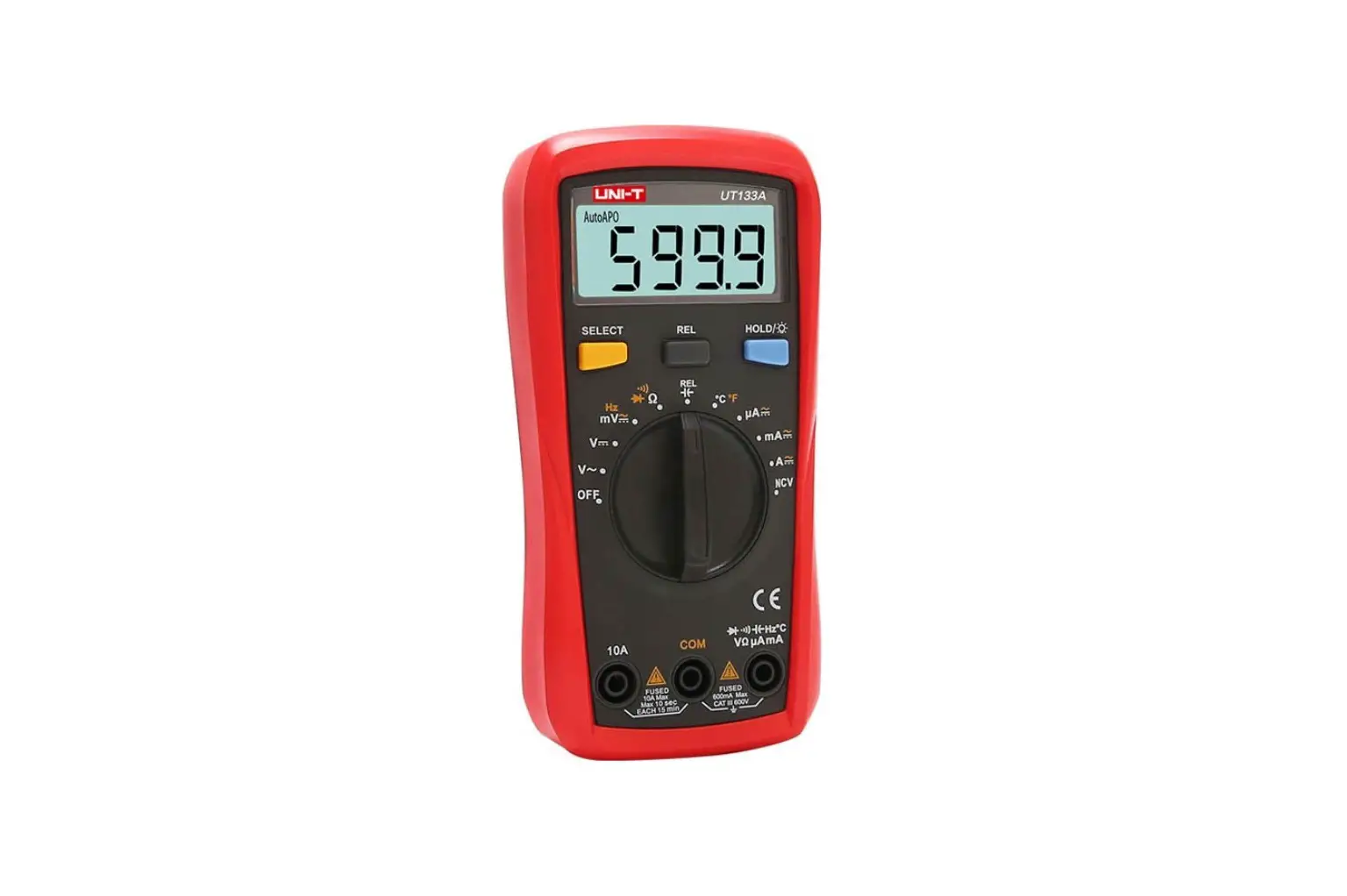
UTE9811+ Smart Digital Power Meter
UTE9811+ Smart Digital Power Meter
Modbus Programming Manual
REV 00 2023.2
Copyright 2023 Uni-Trend Technology (China) Co., Ltd.
Brand Information
UNI-T is the registered trademark of Uni-Trend
Technology (China) Co., Ltd.
Software Version
00.00.01 Software upgrade may have some change and add more
function, please subscribe UNI-T website to get the new version or
contact UNI-T.
Statement
UNI-T products are protected by patents (including obtained and
pending) in China and other countries and regions.
UNI-T reserves the right to change specifications and prices. The
information provided in this manual supersedes all previous
publications. The information provided in this manual is subject to
change without notice. UNI-T shall not be liable for any errors
that may be contained in this manual. For any incidental or
consequential damages arising out of the use or the information and
deductive functions provided in this manual. No part of this manual
shall be photocopied, reproduced or adapted without the prior
written permission of UNI-T.
Product Certification
UNI-T has certified that the product conforms to China national
product standard and industry product standard as well as
ISO9001:2008 standard and ISO14001:2004 standard. UNI-T will go
further to certificate product to meet the standard of other member
of the international standards organization.
Chapter 1 Modbus Programming
1.1 Modbus
Modbus is a widely used field bus protocol. Multiple slave
machines can easily network with the host through Modbus, the host
computer can be PC or PLC. Modbus has two varieties, which is
Modbus-RTU and ModbusASC. UTE9811+ only supports Modbus-RTU.
1.2 Communication Interface and Setting
The detailed explanation can refer to Chapter 6 Communication
Setting and Chapter 8 Communication Interface of UTE9811+ User’s
Manual.
1.3 Data Format of Communication
During communication, data is return in the format of word (two
bytes). Each returned word with the high byte in the front and low
byte in the behind. If two words continuous return (such as
floating point number number or long integer), then high byte in
the front, the low byte in the behind.
| Data Format | Byte Data | Number of Register | Number of Byte | Description |
|---|---|---|---|---|
| Integer Data | 1 | 2 | A return, high byte in the front and low byte in the behind | |
| Long Integer Data | 2 | 4 | Return in two words, high byte in the front and low byte in the behind | |
| Floating Point Number Data | 2 | 4 | Return in two words, high byte in the front and low byte in the behind |
1.4 Interconversion of Word and Float Point
A register in Modbus protocol is 16 bits, that is a word. The
previous section mentioned that floating-point take up two
registers, i.e., two words. After receiving byte data, user needs
to convert a word to a floating-point or a floating-point number to
a word. The following code is good example for interconversion of
word and float point.
/* C program for converting a floating point number to two words */
void FloatToWord(float Data,u16 *Word) {
union {
float Data; unsigned char Byte[4]; }FloatData;
FloatData.Data=Data;
Word[0]=(u16)FloatData.Byte[3]8)&0xFF;
FloatData.Byte[0]=(Word[1])&0xFF;
return FloatData.Data; }
1.5 Modbus-RTU
UTE9811+ only supports Modbus-RTU.
Product Usage Instructions:
The UTE9811+ Smart Digital Power Meter is compatible with
Modbus-RTU protocol. The communication interface and setting can be
found in Chapter 6 Communication Setting and Chapter 8
Communication Interface of the UTE9811+ User’s Manual. During
communication, data is returned in the format of word (two bytes)
with the high byte in the front and low byte in the behind. If two
words are continuously returned (such as floating point number or
long integer), then high byte is in the front and low byte is in
the behind. Users need to convert a word to a floating-point or a
floating-point number to a word using the provided code.
UTE9811+ Smart Digital Power Meter
Modbus Programming Manual
REV 00 2023.2
Copyright
2023 Uni-Trend Technology (China) Co., Ltd.
Brand Information
UNI-T is the registered trademark of Uni-Trend Technology (China) Co., Ltd.
Software Version
00.00.01 Software upgrade may have some change and add more function, please subscribe UNI-T website to get the new version or contact UNI-T.
Statement
UNI-T products are protected by patents (including obtained and pending) in China and other countries and regions.
UNI-T reserves the right to change specifications and prices. The information provided in this manual supersedes all previous publications. The information provided in this manual is subject to change without notice. UNI-T shall not be liable for any errors that may be contained in this manual. For any incidental or
consequential damages arising out of the use or the information and deductive functions provided in this manual. No part of this manual shall be photocopied, reproduced or adapted without the prior written permission of UNI-T.
Product Certification
UNI-T has certified that the product conforms to China national product standard and industry product standard as well as ISO9001:2008 standard and ISO14001:2004 standard. UNI-T will go further to certificate product to meet the standard of other member of the international standards organization.
2 / 10
Chapter 1 Modbus Progamming
1.1 Modbus
Modbus is a widely used field bus protocol. Multiple slave machines can easily network with the host through Modbus, the host computer can be PC or PLC. Modbus has two varieties, which is Modbus-RTU and ModbusASC. UTE9811+ only supports Modbus-RTU.
1.2 Communication Interface and Setting
The detailed explanation can refer to “Chapter 6 Communication Setting” and “Chapter 8 Communication Interface” of UTE9811+ User’s Manual.
1.3 Data Format of Communication
During communication, data is return in the format of word (two bytes) . Each returned word with the high byte in the front and low byte in the behind. If two words continuous return (such as floating point number number or long integer), then high byte in the front, the low byte in the behind.
Data Format Byte Data
Integer Data
Long Integer Data Floating Point Number Data
Number of Register 1 2
Number of Byte 1 2
4
Description
A return, high byte in the front and low byte in the behind Return in two words, high byte in the front and low byte in the behind
1.4 Interconversion of Word and Float Point
A register in Modbus protocol is 16 bits, that is a word. The previous section mentioned that floating-point take up two registers, i.e., two words. After receiving byte data, user needs to convert a word to a floating-point or a floating-point number to a word. The following code is good example for interconversion of word and float point.
/* C program for converting a floating point number to two words */ void FloatToWord(float Data,u16 *Word) { union {
float Data; unsigned char Byte[4]; }FloatData; FloatData.Data=Data;
3 / 10
Word[0]=(u16)FloatData.Byte[3]<<8|FloatData.Byte[2]; Word[1]=(u16)FloatData.Byte[1]<<8|FloatData.Byte[0]; } /* C program for converting two words to a floating point number */ float WordToFloat(const u16 *Word) { union {
float Data; unsigned char Byte[4]; }FloatData; FloatData.Byte[3]=(Word[0]>>8)&0xFF; FloatData.Byte[2]=(Word[0])&0xFF; FloatData.Byte[1]=(Word[1]>>8)&0xFF; FloatData.Byte[0]=(Word[1])&0xFF; return FloatData.Data; }
1.5 Modbus-RTU
1.5 1 Function code 03Hread multiple words
This command can read at least one word. The following example issues a read command from the master station to slave station 1, reading two consecutive words that start from address 0096H (150) .
Command Message of Master Station
Slave address Function code Position of initial data Data number (calculating in word) CRC(Check Low) CRC(Check High)
01H 03H 00H (high byte) 96H (low byte) 00H 02H
24H (low byte) 27H (high byte)
Respond Message of Slave StationNormal
Slave address
01H
Function code
03H
Data number
04H
( calculating in byte)
Start data address
40H (high byte)
0096H
DDH (low byte)
The second data
1EH (high byte)
address 0097H
B8H (low byte)
CRC(Check Low)
76H (low byte)
CRC(Check High)
1BH (high byte)
Respond Message of Slave StationAbnormal
Slave address
01H
Function code
83H
Error Code
02H
CRC(Check Low)
C0H (low byte)
4 / 10
CRC(Check High)
F1H (high byte)
1.5.2 Function code 10Hwriting multiple words
This command can write at least one word. The following example issues a write command from the master station to slave station 1, writing data of two words 0003H and 0002H from the start address 0065H(101) . That is write 0003H into address 0065H, write 0002H into address 00066H. The slave replies to the master station when the write is completed.
Command Message of Master Station
Slave address
01H
Function code
10H
Position of initial
00H
data
65H
Data number
00H (high byte)
(calculating in word)
02H (low byte)
Data number
04H
( calculating in
byte)
The first data
00H (high byte)
address
03H (low byte)
The second data
00H (high byte)
address
02H (low byte)
CRC(Check Low)
44 (low byte)
CRC(Check High)
79 (high byte)
Respond Message of Slave StationNormal
Slave address
01H
Function code
10H
Position of initial
00H (high byte)
data
65H (low byte)
Data number
00H (high byte)
(calculating in
02H (low byte)
word)
CRC(Check Low)
51H (low byte)
CRC(Check High)
D7H (high byte)
Respond Message of Slave StationAbnormal
Slave address Function code Error Code CRC(Check Low) CRC(Check High)
01H 90H 02H CDH (low byte) C1H (high byte)
1.5 3 Description of Error Code
Error code parsing for respond message of slave station (abnormal) as shown in the following figure.
Error Code
Name
Description
5 / 10
01
Illegal function code The slave machine does not support this function code.
02
Illegal data address The starting data position or a combination of the starting
data position and the number of transmitted data received
from the machine is not allowed.
03
Illegal data value
Data received from the machine is not allowed.
1.6 Register List
The data register of UTE9811+ as shown in the following table. *Notes
1.R represents it can be read and supports command 03H. W represents it can be written and supports
command 10H.
2. “Voltage range”, “current range”, “user’s defined input signal frequency” can only be used when set the user’s grade to High. The specific step can refer to section 7.3 user’s grade in UTE9811+ User’s Manaul.
Data Name
Data
Initial Number of
Unit
Read/Write Remarks
Format
Address Register
Product Information
Product information
ASCII
0
50
“UNIR
T,UTE9811+ ,012345678,F1.02”
Retain
50
50
R
Parameter Setting
0: normal TRMS (RMS)
1: harmonic distortion (THD%)
Measurement U16
mode
100
1
2: measured value of harmonic R/W
(THD)
3: crest factor (CF)
4: TRMS harmonic (HARM-RMS)
Voltage range* U16
101
1
0 (Auto), 1 (75V), 2 (150V), R/W
3 (300V), 4 (600V)
Current range* U16
102
1
0 (Auto), 1 (0.2A), 2 (1A), R/W
3 (4A),4 (20A)
Update cycle
U16
Average
U16
Data hold
U16
Display
U16
Mute
U16
103
1
104
1
105
1
106
1
107
1
0 (0.1s), 1 (0.25s), 2 (0.5s), R/W
3 (1s), 4 (2s), 5 (5s)
0 (the average is turned off), 1 (8
R/W
times), 2 (16 times),
3 (32 times), 4 (64 times)
R/W
0 (forbidden), 1 (enabled)
0 (display PF value), 1 (display R/W
frequency value)
R/W
0 (forbidden), 1 (enabled)
6 / 10
Upper limit of current alarm
Lower limit of current alarm
Upper limit of power limit
Lower limit of power limit
Alarm delay User’s defined input signal
frequency Measurement
data type
Float Float Float Float Float Float U16
Default setting
U16
Save parameter U16
Voltage value
Float
Current value
Active power Power factor Frequency of
voltage Alarm state of
current
Alarm state of power
Float Float Float Float
U16
U16
Data update U16
count
Voltage CF
Float
A
108
2
R/W
A
110
2
R/W
W
112
2
R/W
W
114
2
R/W
S
116
2
R/W
Hz
118
2
R/W
120
1
R/W
Parament Configuration of Instrument
140
1
W
141
1
W
Measurement Data
V
150
2
R
A
152
2
R
W
154
2
R
156
2
R
Hz
158
2
R
160
1
R
161
1
R
162
1
R
Measurement Data of Crest Factor
190
2
R
0.000~40.000 When the upper limit and the lower limit is set to 0 at the same time, it represents the alarm is forbidden. 0.000~48000.0 When the upper limit and the lower limit is set to 0 at the same time, it represents the alarm is forbidden. 0.0~99.9
0.0 or 40.0~70.00.0 represents this function is disabled.
0: real-time measurement data 1: recently update TRMS data
0 (forbidden), 1 (set the parameter to the default value) 0 (forbidden), 1 (save the parameter into system storage for next use)
The numerical value is related to the measurement model. The numerical value is related to the measurement model.
0 (alarm forbidden), 1 (wait for connect to the load), 2 (testing), 3 (the result is normal), 4 (the result is low), 5 (the result is high) The latest measurements are available when changes in this data are detected.
The ratio of voltage crest value and RMS voltage.
7 / 10
Current CF
Float
192
2
R
Measurement Data of Harmonic
Total voltage
Float
%
200
2
R
distortion factor
Measured value
of total voltage Float
V
202
2
R
distortion factor
Total current
Float
%
204
2
R
distortion factor
Measured value
of total current Float
A
206
2
R
distortion factor
Voltage
distortion factor Float
%
208
100
R
of 1~50 times
Measured
voltage value of Float
V
308
100
R
1~50 times
Current
distortion factor Float
%
408
100
R
of 1~50 times
Measured
current value of Float
A
508
100
R
1~50 times
Total RMS
Float
V
608
2
R
voltage
Total RMS
Float
A
610
2
R
current
Total RMS
Float
W
612
2
R
active power
The ratio of current crest value and RMS current.
Total voltage distortion factor
Measured value of total voltage distortion factor
Total current distortion factor
Measured value of total current distortion factor
Voltage distortion factor of 1~50 times
Measured voltage value of 1~50 times
Current distortion factor of 1~50 times
Measured current value of 1~50 times
Total RMS voltage
Total RMS current
Total RMS active power
The Meaning of Special Data
Floating point number 9.91E+37 in measurement data, which represents invalid data, window displays “—-“; Floating point number 9.9E+37 in measurement data, which represents the data is overrange or overflow, window displays ” –oL-” or “–oF-“.
Appendix 1 CRC Calculation
const unsigned char aucCRCHi[] = { 0x00, 0xC1, 0x81, 0x40, 0x01, 0xC0, 0x80, 0x41, 0x01, 0xC0, 0x80, 0x41,
8 / 10
0x00, 0xC1, 0x81, 0x40, 0x01, 0xC0, 0x80, 0x41, 0x00, 0xC1, 0x81, 0x40, 0x00, 0xC1, 0x81, 0x40, 0x01, 0xC0, 0x80, 0x41, 0x01, 0xC0, 0x80, 0x41, 0x00, 0xC1, 0x81, 0x40, 0x00, 0xC1, 0x81, 0x40, 0x01, 0xC0, 0x80, 0x41, 0x00, 0xC1, 0x81, 0x40, 0x01, 0xC0, 0x80, 0x41, 0x01, 0xC0, 0x80, 0x41, 0x00, 0xC1, 0x81, 0x40, 0x01, 0xC0, 0x80, 0x41, 0x00, 0xC1, 0x81, 0x40, 0x00, 0xC1, 0x81, 0x40, 0x01, 0xC0, 0x80, 0x41, 0x00, 0xC1, 0x81, 0x40, 0x01, 0xC0, 0x80, 0x41, 0x01, 0xC0, 0x80, 0x41, 0x00, 0xC1, 0x81, 0x40, 0x00, 0xC1, 0x81, 0x40, 0x01, 0xC0, 0x80, 0x41, 0x01, 0xC0, 0x80, 0x41, 0x00, 0xC1, 0x81, 0x40, 0x01, 0xC0, 0x80, 0x41, 0x00, 0xC1, 0x81, 0x40, 0x00, 0xC1, 0x81, 0x40, 0x01, 0xC0, 0x80, 0x41, 0x01, 0xC0, 0x80, 0x41, 0x00, 0xC1, 0x81, 0x40, 0x00, 0xC1, 0x81, 0x40, 0x01, 0xC0, 0x80, 0x41, 0x00, 0xC1, 0x81, 0x40, 0x01, 0xC0, 0x80, 0x41, 0x01, 0xC0, 0x80, 0x41, 0x00, 0xC1, 0x81, 0x40, 0x00, 0xC1, 0x81, 0x40, 0x01, 0xC0, 0x80, 0x41, 0x01, 0xC0, 0x80, 0x41, 0x00, 0xC1, 0x81, 0x40, 0x01, 0xC0, 0x80, 0x41, 0x00, 0xC1, 0x81, 0x40, 0x00, 0xC1, 0x81, 0x40, 0x01, 0xC0, 0x80, 0x41, 0x00, 0xC1, 0x81, 0x40, 0x01, 0xC0, 0x80, 0x41, 0x01, 0xC0, 0x80, 0x41, 0x00, 0xC1, 0x81, 0x40, 0x01, 0xC0, 0x80, 0x41, 0x00, 0xC1, 0x81, 0x40, 0x00, 0xC1, 0x81, 0x40, 0x01, 0xC0, 0x80, 0x41, 0x01, 0xC0, 0x80, 0x41, 0x00, 0xC1, 0x81, 0x40, 0x00, 0xC1, 0x81, 0x40, 0x01, 0xC0, 0x80, 0x41, 0x00, 0xC1, 0x81, 0x40, 0x01, 0xC0, 0x80, 0x41, 0x01, 0xC0, 0x80, 0x41, 0x00, 0xC1, 0x81, 0x40 };
const unsigned char aucCRCLo[] = { 0x00, 0xC0, 0xC1, 0x01, 0xC3, 0x03, 0x02, 0xC2, 0xC6, 0x06, 0x07, 0xC7, 0x05, 0xC5, 0xC4, 0x04, 0xCC, 0x0C, 0x0D, 0xCD, 0x0F, 0xCF, 0xCE, 0x0E, 0x0A, 0xCA, 0xCB, 0x0B, 0xC9, 0x09, 0x08, 0xC8, 0xD8, 0x18, 0x19, 0xD9, 0x1B, 0xDB, 0xDA, 0x1A, 0x1E, 0xDE, 0xDF, 0x1F, 0xDD, 0x1D, 0x1C, 0xDC, 0x14, 0xD4, 0xD5, 0x15, 0xD7, 0x17, 0x16, 0xD6, 0xD2, 0x12, 0x13, 0xD3, 0x11, 0xD1, 0xD0, 0x10, 0xF0, 0x30, 0x31, 0xF1, 0x33, 0xF3, 0xF2, 0x32, 0x36, 0xF6, 0xF7, 0x37, 0xF5, 0x35, 0x34, 0xF4, 0x3C, 0xFC, 0xFD, 0x3D, 0xFF, 0x3F, 0x3E, 0xFE, 0xFA, 0x3A, 0x3B, 0xFB, 0x39, 0xF9, 0xF8, 0x38, 0x28, 0xE8, 0xE9, 0x29, 0xEB, 0x2B, 0x2A, 0xEA, 0xEE, 0x2E, 0x2F, 0xEF, 0x2D, 0xED, 0xEC, 0x2C, 0xE4, 0x24, 0x25, 0xE5, 0x27, 0xE7, 0xE6, 0x26, 0x22, 0xE2, 0xE3, 0x23, 0xE1, 0x21, 0x20, 0xE0, 0xA0, 0x60, 0x61, 0xA1, 0x63, 0xA3, 0xA2, 0x62, 0x66, 0xA6, 0xA7, 0x67, 0xA5, 0x65, 0x64, 0xA4, 0x6C, 0xAC, 0xAD, 0x6D, 0xAF, 0x6F, 0x6E, 0xAE, 0xAA, 0x6A, 0x6B, 0xAB, 0x69, 0xA9, 0xA8, 0x68, 0x78, 0xB8, 0xB9, 0x79, 0xBB, 0x7B, 0x7A, 0xBA, 0xBE, 0x7E, 0x7F, 0xBF, 0x7D, 0xBD, 0xBC, 0x7C, 0xB4, 0x74, 0x75, 0xB5, 0x77, 0xB7, 0xB6, 0x76, 0x72, 0xB2, 0xB3, 0x73, 0xB1, 0x71, 0x70, 0xB0, 0x50, 0x90, 0x91, 0x51, 0x93, 0x53, 0x52, 0x92, 0x96, 0x56, 0x57, 0x97, 0x55, 0x95, 0x94, 0x54, 0x9C, 0x5C, 0x5D, 0x9D, 0x5F, 0x9F, 0x9E, 0x5E, 0x5A, 0x9A, 0x9B, 0x5B, 0x99, 0x59, 0x58, 0x98, 0x88, 0x48, 0x49, 0x89,
9 / 10
0x4B, 0x8B, 0x8A, 0x4A, 0x4E, 0x8E, 0x8F, 0x4F, 0x8D, 0x4D, 0x4C, 0x8C, 0x44, 0x84, 0x85, 0x45, 0x87, 0x47, 0x46, 0x86, 0x82, 0x42, 0x43, 0x83, 0x41, 0x81, 0x80, 0x40 };
unsigned short usMBCRC16( unsigned char * pucFrame, unsigned short usLen )
{
unsigned char ucCRCHi = 0xFF;
unsigned char ucCRCLo = 0xFF;
int
iIndex;
while( usLen– ) {
iIndex = ucCRCLo ^ *( pucFrame++ ); ucCRCLo = ( unsigned char)( ucCRCHi ^ aucCRCHi[iIndex] ); ucCRCHi = aucCRCLo[iIndex]; } return ( unsigned short )( ucCRCHi << 8 | ucCRCLo ); }
unsigned char SendBuf[30]; void main(void) {
unsigned short CRC; unsigned short SendLen; SendLen = 0;
SendBuf[SendLen++] = 0x01; SendBuf[SendLen++] = 0x03; SendBuf[SendLen++] = 0x00; SendBuf[SendLen++] = 0x96; SendBuf[SendLen++] = 0x00; SendBuf[SendLen++] = 0x02; CRC = usMBCRC16(SendBuf,SendLen); /*start to calculating CRC */ SendBuf[SendLen++] = CRC&0xFF; /* CRC low byte */ SendBuf[SendLen++] = (CRC>>8)&0xFF; /* CRC high byte */ }
10 / 10


![Itech Power Meter [it9121, It9121h, It9121c, It9121e] User Manual](https://static-data1.manualsee.com/1/img/72/17006/2020/12/iTech-Power-meter.jpg "Itech Power Meter [it9121, It9121h, It9121c, It9121e] User Manual")