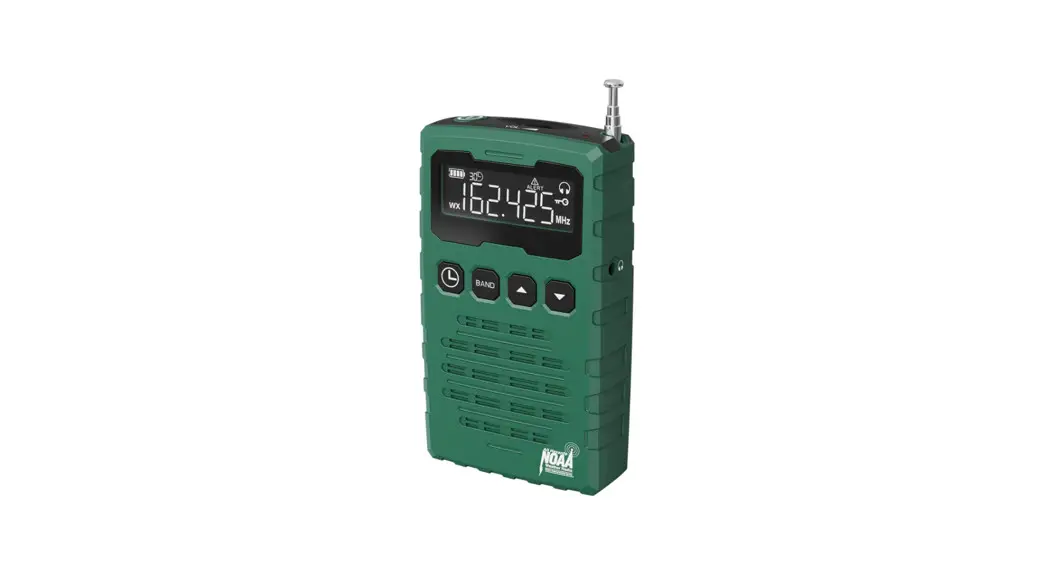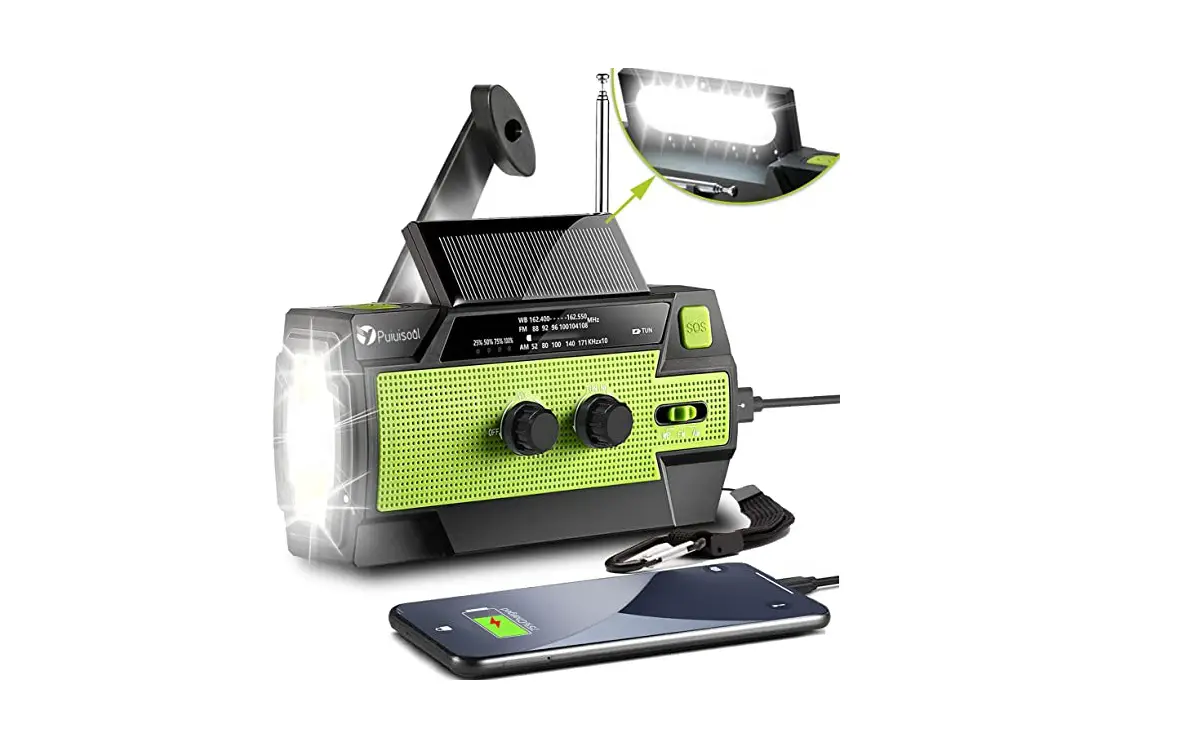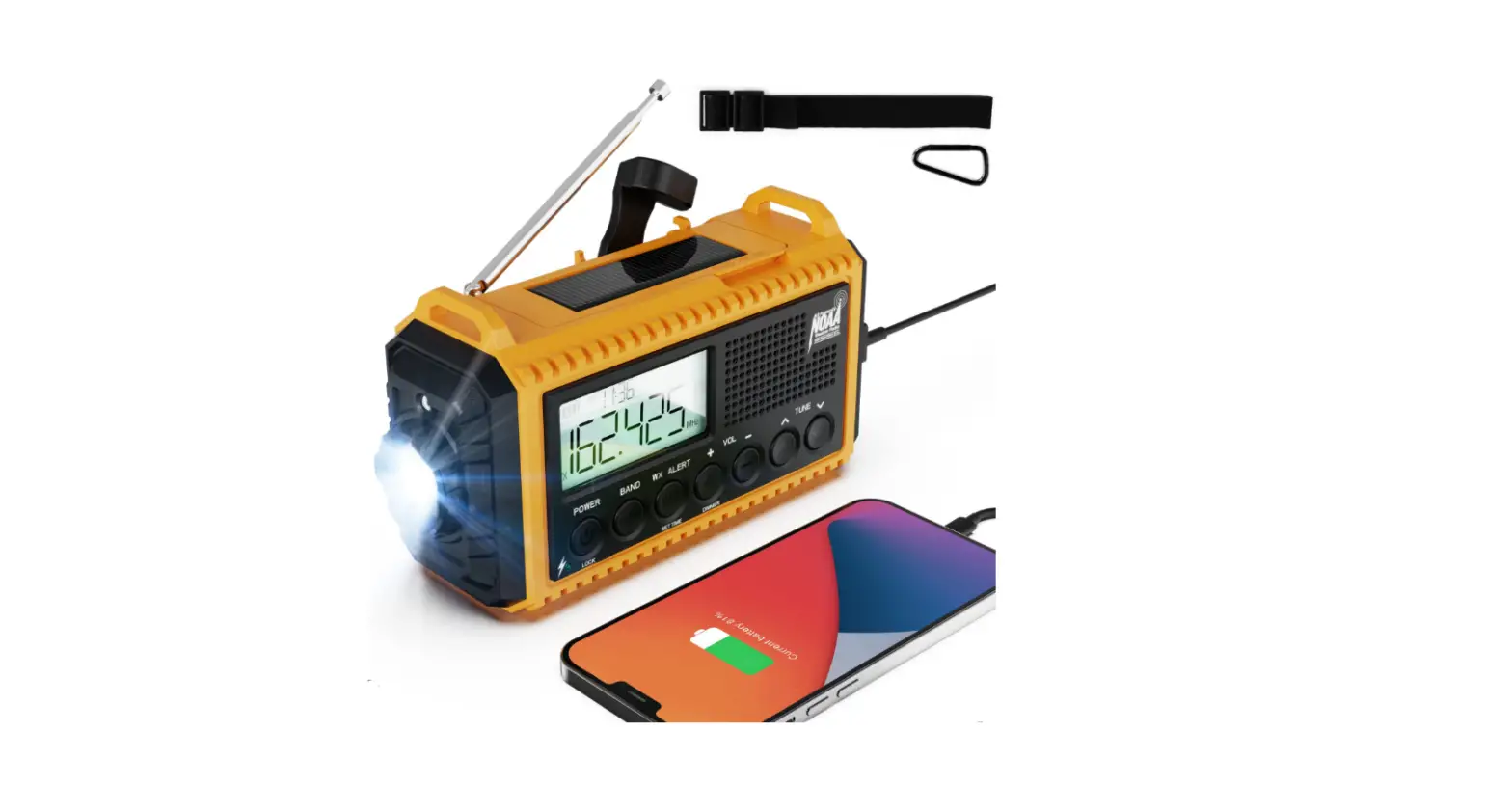

Mesqool CR1015 WB Rechargeable Emergency Radio
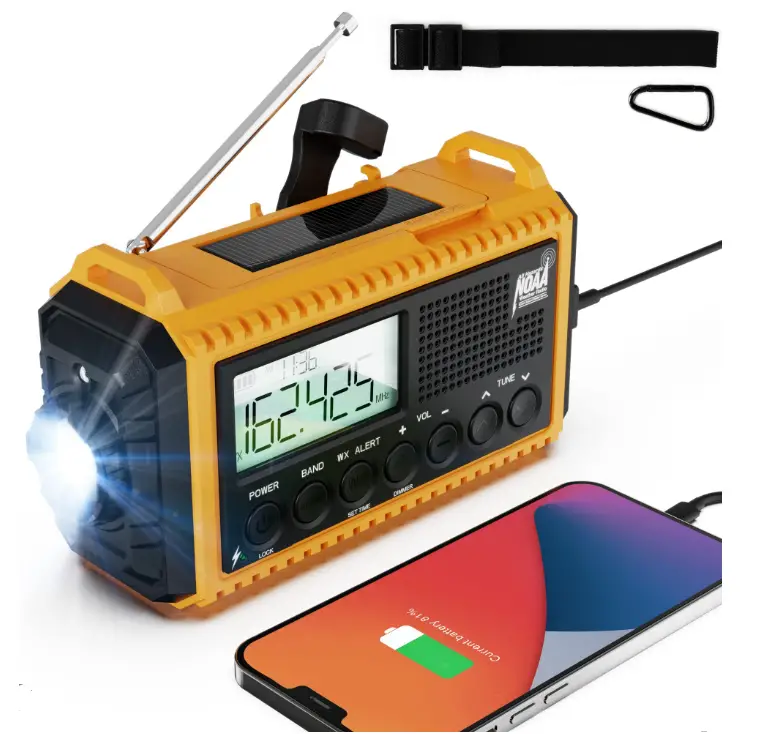
LOCATION OF CONTROLS
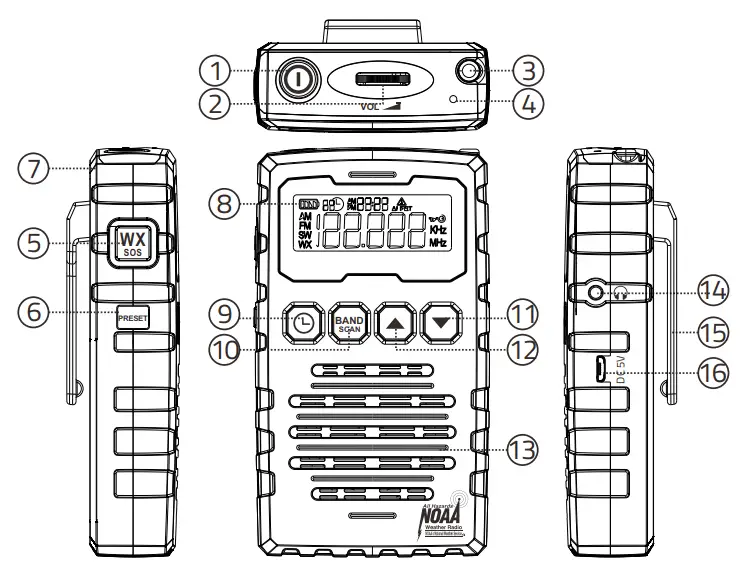
- Power Button
Press this button to turn on radio, press it again to turn off radio. Hold press this button to enable lock button function which will prevent unexpected changes of the radio settings. The symbol will appear on the display. Hold press this button again, lock button function will be turned off.
 - Volume Control Knob
- Telescopic Antenna
To enhance the broadcast signal, you may need to pull out the telescopic antenna. - Status Indicator
- WX/SOS Button
Press this button to enable WX function, hold press it for more than 3 seconds to enable SOS alert function. - Preset Button
Repeatly press button to switch preset store channel, after you select the channel which you desire, wait more than 3 seconds, radio will confirm your selection. - Lanyard hole
- LCD Display
- Timer/Clock Set Button
- Band Selection Button
Repeatedly press this button to switch from FM, SW1, SW2, WB or AM. Hold press this button to start preset channel store, radio will store available channel to M1, M2, M3……M19. - Tune- Button
- Tune+ Button
- Speaker
- Headphone Jack
- Belt Clip
- Micro USB Charging Jack

- Band Indicator: AM, FM, SW1, SW2, WX
- Battery Life Indicator
- Timer Indicator
- Time
- Alert Indicator
- Preset Store Channel
- Headphone Indicator
- Lock Switch Activated
- Frequence Indicator
 symbol will appear on the display. Hold press this button again, lock button function will be turned off.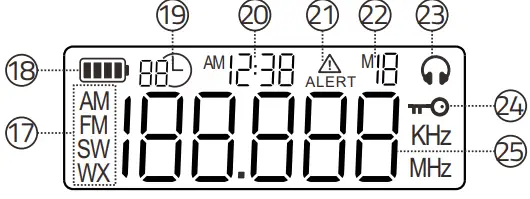
BATTERY CHARGING
Connect the USB cable(included) to micro USB jack on the radio, then kink it to a 120-220V standard outlet with an AC adapter(not included). The status indicator and  the LCD display will flash, which means the battery enters the charging state.
NOTE: During the battery charging, some of power adapters may generate electromagnetic waves, which may interfere with the AM or FM radio reception. If it happens, please replace the genuine AC power adapter. When the battery is fully charged, the radio can play continuously for 24- 32 hours, but depending on the signal and volume, the specific use time may be different.
RADIO OPERATION
Turn on radio
Press  the button to turn on radio, radio will enter FM mode or the band you listened to last time, press the button again to turn off the radio.
Band
Repeatedly press  the button to switch from FM, Shortwave 1, Shortwave 2, Weather band or AM.
Weather Band: Receives all 7 weather band from NOAA, the U.S. National Weather Service which broadcasts in all 50 states, Puerto Rico and the U.S. Virgin Islands. 162.400 /162.425/162.450/162.475/162.50/162.525/162.55MHz
- AM Band: Receives all local AM stations from 520KHz to 1710 Khz.
- FM band: Receives all local FM stations from 87.50Mhz – 108.0MHz.
- SW1 Band: Receives all Shortwave bands from 5.9MHz- 9MHz
- SW2 Band: Receives all Shortwave bands from 9.5MHz- 21MHz
Volume Control
Rotate VOL Volume knob to adjust the sound volume.
Manual Tuning Channel
Repeatedly press  button to tune into the desired channel.
- Press
 button once, FM frequency will tune up by 0.1.
 - Press
 button once, FM frequency will tune down by 0.1.
 button once, FM frequency will tune up by 0.1.
 button once, FM frequency will tune down by 0.1.
Auto Scanning Channel
Hold press button for more than 2 seconds to start auto scanning. Scanning will stop automatically once it receive an available channel.
Automatic Preset Channel Store
Hold press button to start preset channel store, radio will store available channel to M1, M2, M3……..M19
Manual Preset Channel Store
Select the channel which you desire, hold press  the button, LCD display will show <M+number>, such M5, press to select new < M+number> such M1, then wait more than 3 seconds or press button directly channel will be stored.
Preset Channel Recall
Press the button to switch preset channel, then press to select the channel which you desire, such as M3 please wait for more then 3 seconds or press , radio will confirm your selection.
Weather Band
Repeatedly press button to select WB band until  the show on the display, then Repeatedly press button to choose one of the WB band which is for your local weather station.
Weather Alert Function Manual Setting Mode
- To enable all 7 NOAA weather stations for receiving alerts , press
 button once.
 - When the NOAA weather Alert function is enabled, the
 and icon will show on the LCD display, the status indicator will flash.
 - Press
 the button to activate the timer for weather alert, press
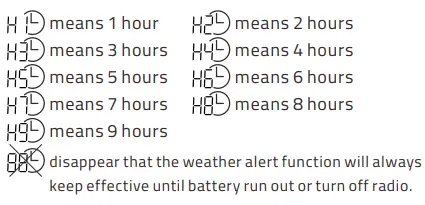
  button to set timer for weather alert, such as 1H, 2H, 3H, 4H, 5H, 6H, 7H, 8H, 9H or OFF.

- Press button again or wait 5 seconds to confirm the setting. in this case, even you press
 button to turn off the radio, the weather alert function will also keep effective, but when the weather alert timer that you set ends up, the radio will shut down automatically.
 - When a weather alert is received, there will be an audible siren comes out, the status indicator, the
 icon, and the backlight on the LCD display will flash.
 - After a weather alert is received, press any button, and the audible siren will be turned off, the status indicator and the backlight will be turned off, the and icon on the LCD will disappear. Radio will switch to the weather channel which sends weather alert automatically.
 button once.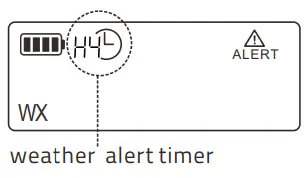
 icon,
icon, SETTING RADIO SLEEP TIMER
When you are listening to AM, FM, SW or WB, you can set a timer, when the time is up, Radio will auto turn off.
- Press button to activate the timer,
 symbol will appear on the LCD display.
 - Press button to adjust duration to 90min, 60min, 45min, 30min, 15min or OFF. OFF means that radio will alway keep effective until the batteries run out or press button to turn off it.
- Press button or wait for 5 seconds to confirm your selection.
 symbol will appear on the LCD display.
TIME SETTING
Press and hold the button for 3 seconds. Hour will flash, press thebutton to choose 24-hour or 12-hour clock and then press the button to confirm. Press the button to select the hour digit,and press the button to confirm. After completion of hour setting, minutes digit will then flash, following the above setting steps to set minute.
SOS ALERT
In an emergency, you can turn on the flashing status indicator and Alert sound.
- Hold press button more than 3 seconds to turn on SOS alert.
- Press button again, the SOS alert will be turned off.
SPECIFICATIONS
- FM: 87.5 ~108.0MHz
- AM: 520~1710 Khz
- SW1: 5.9MHz- 9MHz
- SW2: 9.5MHz – 21MHz
- WB: USA 1-7CH with Alert
- SIZE: 4.6 x 2.6 x 1.0 inch
- WEIGHT: 5.65oz
- POWER SUPPLY: 2000mAh rechargeable lithium battery( included)