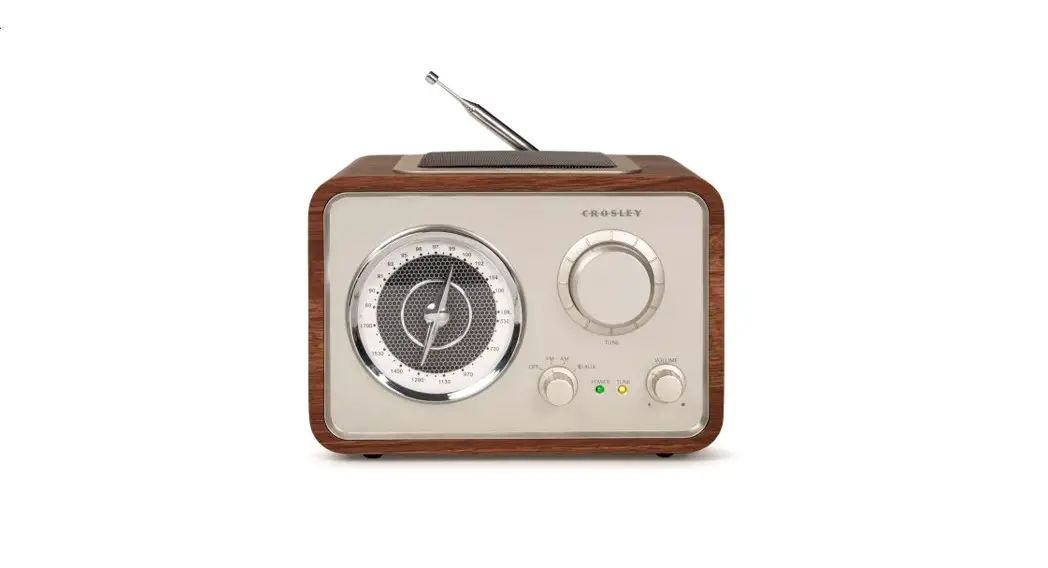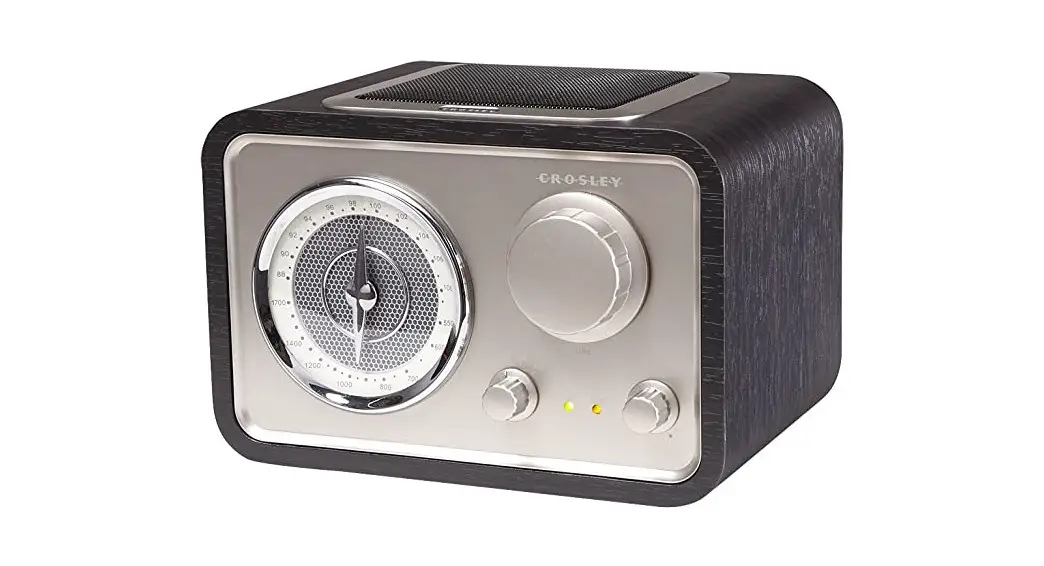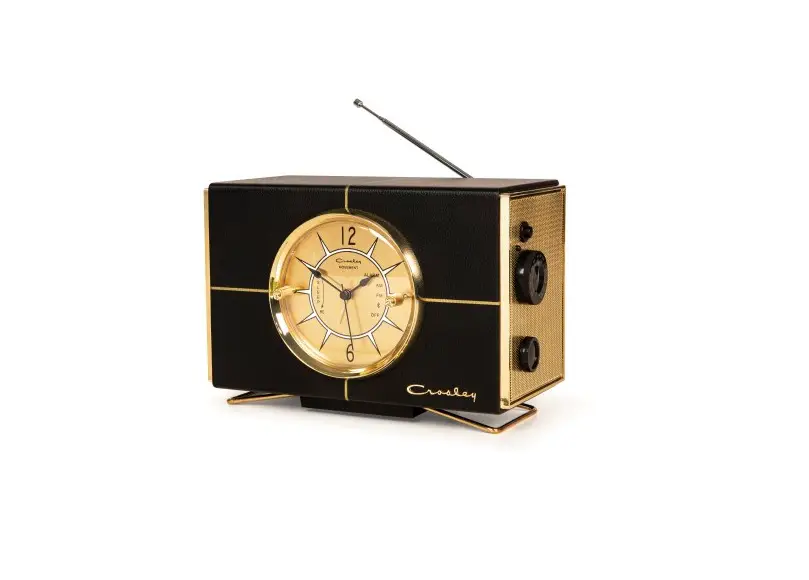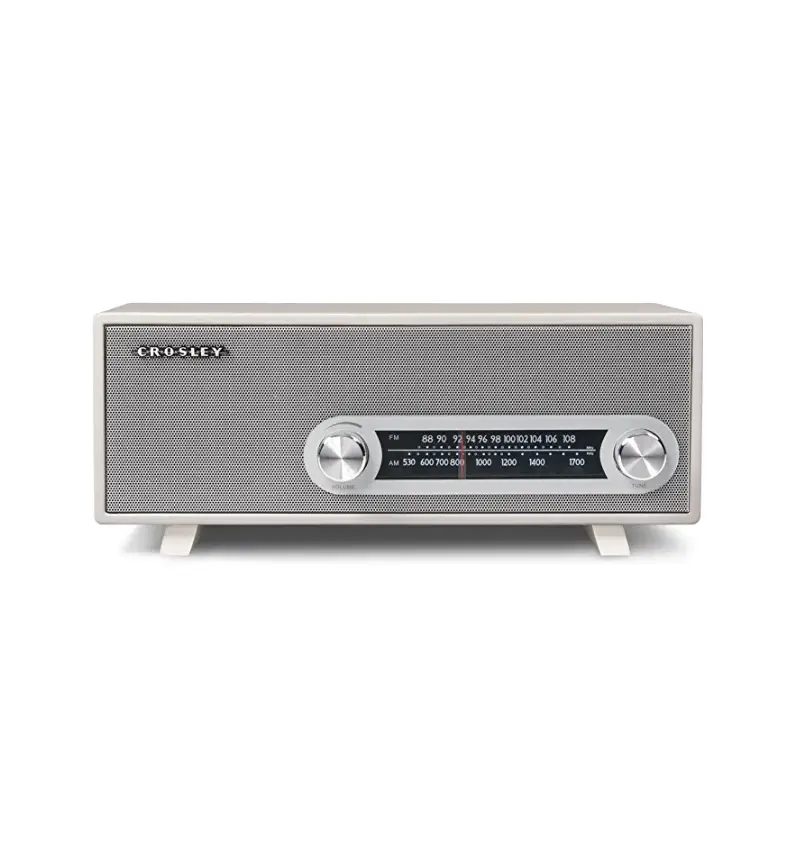

Crosley CR3022A-WH Ranchero Retro AM-FM Tabletop Radio
IMPORTANT INSTRUCTION
- Read Instructions All the safety and operating instructions should be read before the product is operated.
- Retain instructions Ihe safety and operating instructions should be retained for future reference.
- Heed Warnings All warnings on the product and in the operating Instructions should be adhered to.
- Follow Instructions- All operating and use instructions should be followed.
- Cleaning- Unplug this product from the wall outlet before cleaning. Do not use liquid cleaners or aerosol cleaners. Use a damp cloth for cleaning.
- Attachments – Do not use attachments not recommended by the product manufacturer as they may cause hazards.
- Water and Moisture – Do not use this product near water- for example, near a bathtub, wash bow, kitchen sink, or laundry , in a wet basement, or near a swimming p001, ana tne like.
- A product and cart combination should be moved with care. Quick stops, excessive force, and uneven surfaces may cause the product and cart combination to overturn.
- Ventilation slots and openings in the cabinet are provided for ventilation and to ensure the reliable operation of the product and to protect it from overheating, and these openings must not be blocked or covered
- The openings should never be blocked by placing the product on a bed, sofa, rug, or other similar surface.
- This product should not be placed in a built-in installation such as a bookcase or rack unless proper ventilation is provided or the manufacturer’s instructions have been adhered
- Power Sources This product should be operated only from the type of power source indicated on the marking label, IT you are not sure of the type or power supply to your home. consult your product dealer or local power company. or products intended to operate from battery power, or other sources, refer to the operating instructions.
- Grounding or Polarization- This product may be equipped with a polarized alternating-current line plug (a plug having one blade wider than the other.
- This plug will fit into the power outlet only one way. This is a safety feature. If you are unable to insert the plug fully into the outlet try reversing the plug
- If the plug should still fail to fit, contact your electrician to replace your obsolete outlet. Do not defeat the safety purpose of the polarized plug.
- Power- Cord Protection- Power- Supply cords should be routed so that they are not likely to be walked on or pinched by items placed upon or against them, paying particular attention to Cords at plugs, convenience receptacles, and the point where they exit from the product.
- Lightning – For added protection for this product during a lightning storm, or when it is left unattended and unused for long periods of time, unplug it from the wall outlet and disconnect the antenna or cable system. This will prevent damage to the product due to lightning and power line surges.
- Power Lines – An outside antenna system should not be located in the vicinity of overhead power lines or other electric light or power circuits, or where it can tall into such power lines or circuits.
- When installing an outside antenna system, extreme care should be taken to keep from touching such power lines or circuits as contact with them might be fatal.
- Overloading – Do not overload wall outlets, extension cords, or integral convenience receptacles as this can result in a risk of fire or electric shock.
Included in this package
- RANCHERO
- AC Adapter
- Auxiliary Cable
- Antenna
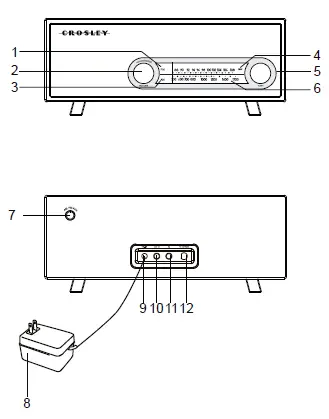
Controls Locators
- FM lndicator
- Volume Knob
- AM lndicator
- Aux lndicator
- Tuning Knob
- Tuner Dial
- Function Knob
- AC Adapter
- Power Jack
- Aux In
- Headphone Jack
- FM Antenna Jack
UNPACKING
- Remove packing material from unit.
- Remove plastic bag covering radio.
- Remove ties from AC adapter.
- Remove supplied audio cable from plastic bag.
SETUP
- Unwind the AC adapter.
- Plug AC end of the power cord into the appropriate outlet.
- Plug the small end of the power adapter into the Power Jack in the back of the unit.
Basic Operation
Radio Operation
- Turn the unit on by rotating the Volume Knob(2) clockwise.
- Turn the Function Knob(7) to the desired tuning band.The selected function indicator [AM Indicator(3) or FM Indicator(1)] will turn on.
- Rotate the Tuning Knob(5) to select the desired station.
- Adjust volume to the desired level by rotating the Volume Knob(2).
- Position the antenna for optimum reception.
(Headphone Jack Operation
- Connect headphone to the Headphone Jack (11).
- Adjust volume to the desired listening level.
Portable Audio Ready
- Turn the unit on by rotating the Volume Knob(2) clockwise.
- Turn the Function Knob(7) to “AUX”. Turn the volume to a lower level.
- The AUX Indicator(4) will turn on
- Using the supplied auxiliary cable to connect one end to the AUX INPUT jack (10) on the back of the unit.
- Turn on your portable audio device and set the volume on the device to approximately 10% of full volume.
Troubleshooting
There is no power
- Make sure AC adapter is plugged in at the wall and at the back of the unit.
There is no sound
- Make sure the Function Knob(7) is not in the AUX position.
The sound is distorted.
- Adjust the tuner and/or antenna to improve the signal strength. Under certain circumstances, the reception may be improved by relocating the unit.
- When using the “Aux in”‘mode, turn off any EQ settings on the portable device.
- Check the volume level of external device if listening to auxiliary input. It should be set as low as possible.
Warranty
Limited Manufacturer’s Warranty
Crosley Radio, Inc. warrants the product to be free from defects in material and workmanship under normal use for a period of one year from the original date of purchase. This warranty is not transferable. If the product is determined to be defective during the warranty period, the unit will be repaired or replaced at Crosley Radio’s sole discretion. This warranty covers manufacturing defects and normal consumer use and does NOT cover damage or failure as a result of abuse, accident, alterations, misuse, neglect, abnormal wear and tear, inadequate maintenance, commercial or unreasonable use, damage caused by power surges, mishandling, accident, acts of God or attempted repair by an unauthorized service agent. Also not covered are cosmetic damages, cords and antennas. Should this product fail to function in a satisfactory manner, it is best to first contact our technical support team for assistance to ensure it is being operated properly.
Tech Support and Product Questions
CALL TOLL FREE: 1.888.CROSLEY (1.888.276.7539)
If it is indeed determined that the unit is no longer operational, please contact the retailer from which it was purchased. In many cases, your retailer will be able to provide a replacement unit at no charge within the scope of their return policy. If the retail return period has expired, please contact Crosley Radio directly to participate in the one year protection program.
Crosley 1 Year Warranty Program CALL TOLL FREE: 1.800.926.7801
You will need to contact our offices M-F 8am-5pm EST to obtain an RA (Return Authorization) Number. You will be instructed to send the unit (at your cost) to our offices in its original packaging (or reasonable substitute to prevent damage.) You will need to clearly mark your RA number on the outside packaging and include the original sales receipt (or a copy) indicating date of purchase, amount paid, and place of purchase. You will also need to include your full name, shipping address and daytime contact number. You will be instructed to include a check or money order for any applicable return shipping and handling fees. A Crosley advisor will confirm the fees associated with your product’s shipping size/weight. Returned products will not be shipped to PO Boxes. Crosley Radio will not be responsible for delays or unprocessed claims resulting from a purchaser’s failure to provide any or all of the necessary information.
FAQS
Is it made in China?
Yes It made in china
is this stereo or mono
The tuner cannot hold a signal for my than five minutes without straying off! Most annoying radio
Can you tell me the dimensions?
The dimensions are: 5.5 inches high x 6 inches Long. Let me know if I can answer any other concerns.
Does it have a place to attach an AM antenna?
The radio comes with an fm external wire antenna that you plug into the back it says “FM Antenna” Am sounds fine thouhh. T
Where is the on/off switch on this?
To turn this on/off you would use the volume switch.
How is the AM Reception? How about inside office buildings?
AM reception has never been good in south of Boston. If it isn’t good at my house I’m sure it can’t be good in an office building.
Can i plug in my ipod?
No. There is no plug for it.
Which has better sound quality AM or FM?
AM has poorer sound quality compared with FM, but is cheaper and can be transmitted over long distances
Can you still get AM FM radio?
Radio stations will be allowed to continue broadcasting via analogue for another decade, the government has said, after several FM and AM commercial radio licences were set to expire from early 2022.
Are pocket radios worth it?
Even when you have a smartphone, pocket radios are still handy devices to have.
What is the disadvantages of FM or AM?
Frequency modulation requires a much wider channel (7 to 15 times) as compared to AM.
Why is FM clearer than AM?
Each FM station is allocated 150 kHz of bandwidth, which is 15 times that of an AM station. This means that an FM station can transmit 15 times as much information as an AM station and explains why music sounds so much better on FM.
How can I listen to AM FM radio?
Wired earbuds or headphones: FM radio only works with an antenna. When you listen to an FM radio broadcast on your phone
Why did AM stereo fail?
Initially adopted by many commercial AM broadcasters in the mid to late 1980s, AM stereo broadcasting soon began to decline due to a lack of receivers