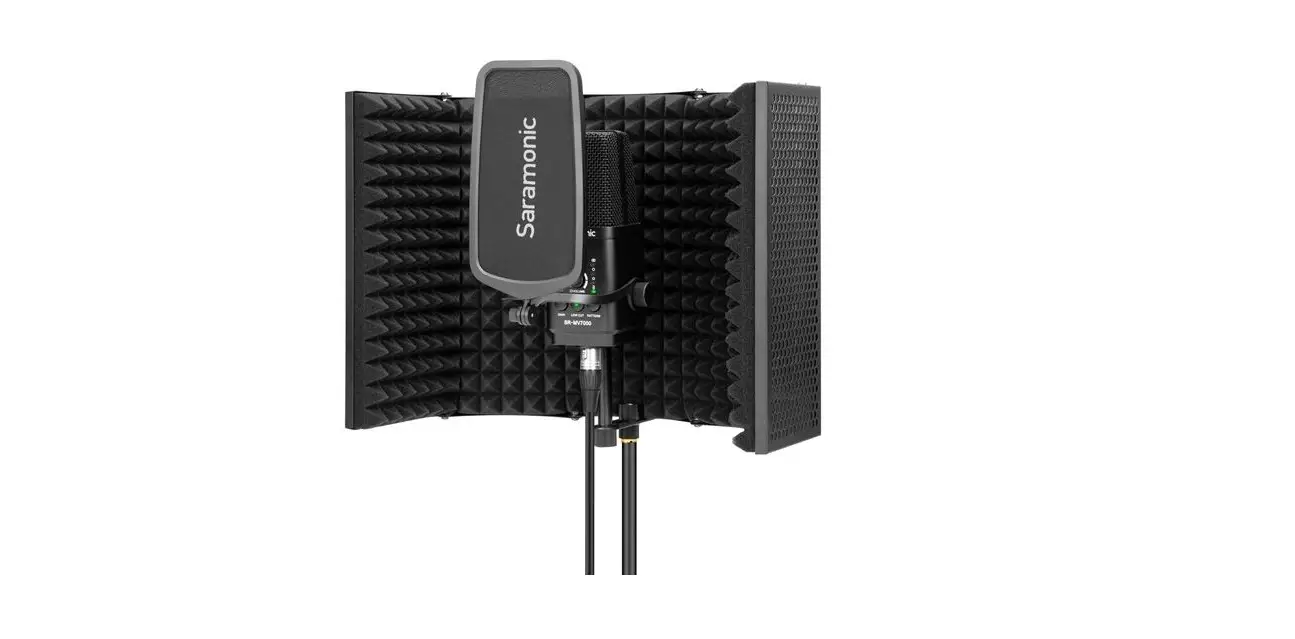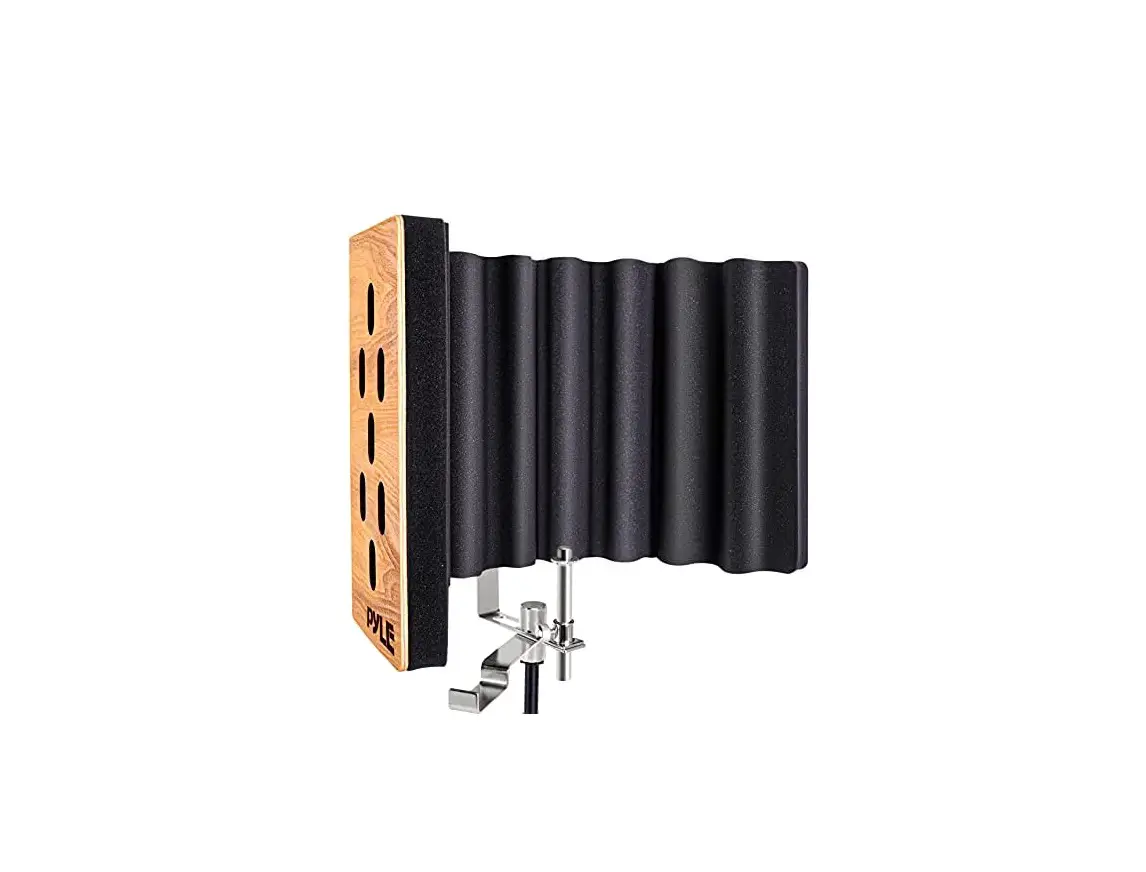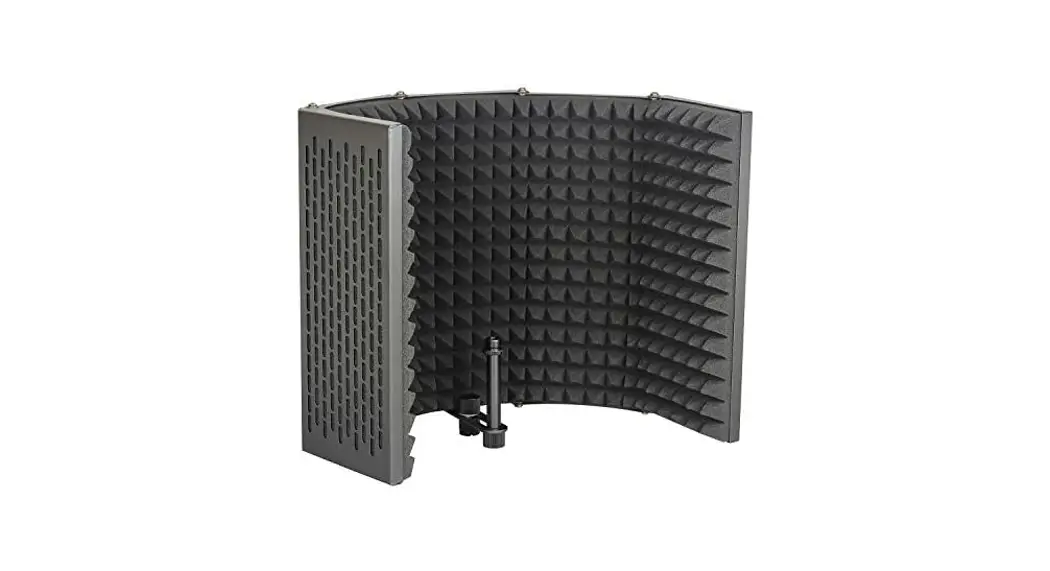

BOYA BY-RF5P Isolation Shield Microphone Instruction Manual
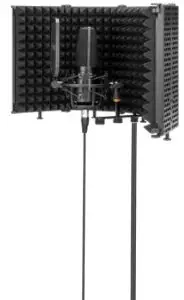
BY-RF5P
SHENZHEN JIAYZ PHOTO INDUSTRIAL., LTD.
The BOYA logo is a trademark which is registered and owned by
Shenzhen Jiayz Photo Industrial., Ltd.
TEL: 400 6131096
Email: [email protected]
www.boya-mic.com / www.jiayz.com
Package Contents
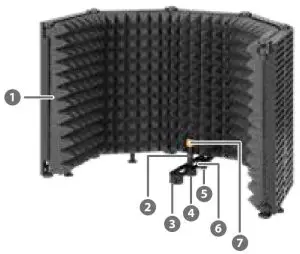
- Reflection Filter
- Connecting Rod
- Support Nut
- Connecting Rod Nut
- 3/8” Screw and washer
- Connecting Plate
- 5/8” to 3/8” Adapter x2
How to Install
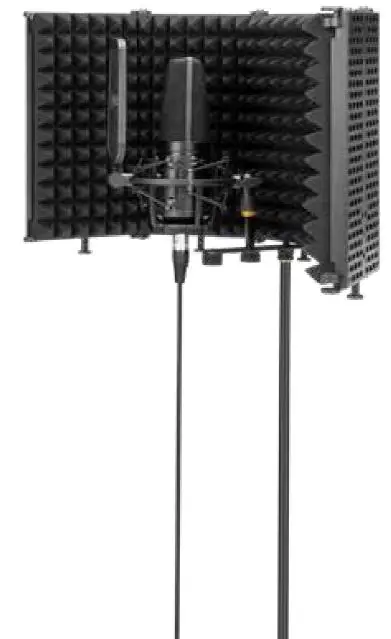
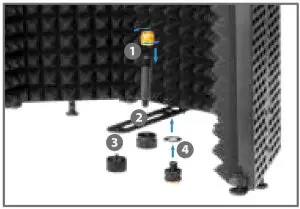
- Install the adapter on the connecting rod (and then install a microphone on the adapter)
- Pass the connecting rod through the connecting plate and then x it with the nut. (the connecting rod can move forward and backward to adjust the position)
- Install the support nut. Use the isolation shield on the desk.
- If used with a floor stand, x the washer and the screw on the connecting plate, then mount the isolation shield on a floor stand. (Install a 5/8” to 3/8” adapter if needed)
Note: microphone and floor stand not included.
Features
- Create cleaner, focused sound anywhere
- Reduce room reflections & attenuate room noise
- Five diffusion panels with high-density EVA acoustic foam
- Foldable and space-saving
- Ideal for professional vocal recording, personal live stream, etc.
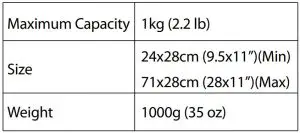
Specification
Read More About This Manual & Download PDF: