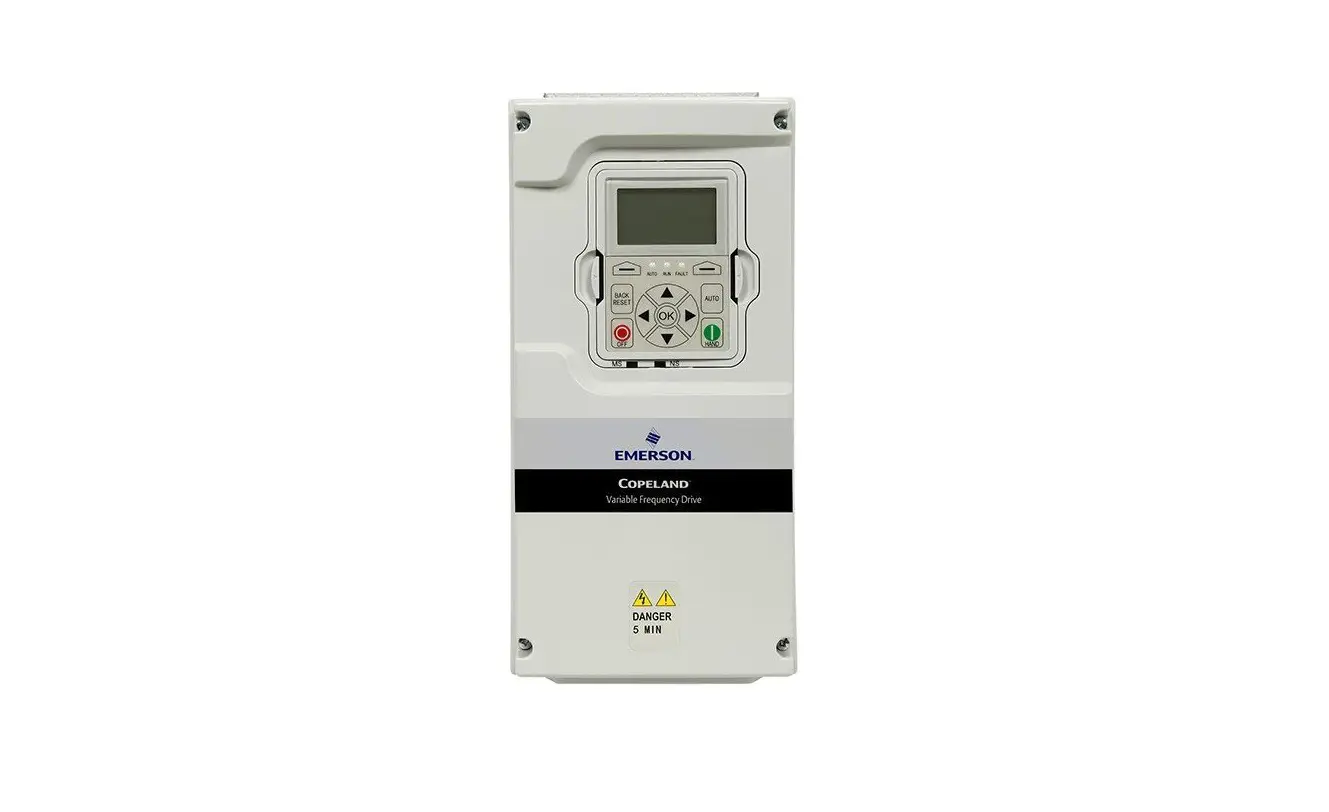
Copeland™ Commercial HVACR Variable Frequency Drive – EVH Series
QUICK START GUIDE
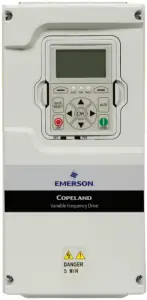
This guide is a supplement to the application manual supplied with the drive. Improper wiring can cause bodily harm and damage the equipment. Follow good wiring practices and all applicable codes and standards.
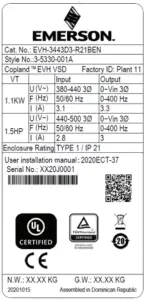
MODEL NAMEPLATE
- Verify you received the correct model drive.
- Compare the drive nameplate VOLTS and AMPS rating with the motor or compressor nameplate.
- Check that the power source meets the input power requirements.
- Output power from the drive should match the motor requirement.
KEYPAD AND DISPLAY
- Use
 and arrows to navigate a menu list and change parameter values.
 - Use
 arrow to enter parameter group mode and arrow to back up one step.
 and
and  arrows to navigate a menu list and change parameter values.
 arrow to enter parameter group mode and
  arrow to back up one step.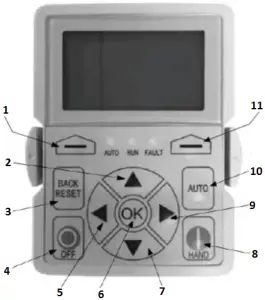
- Programmable Soft Key 1
- Increase Value Scroll Menu Up
- Back/Reset Button
- Stop/Off Button
- Move Cursor Left
- Enter Menu Confirm Selection
- Decrease Value Scroll Menu Down
- Start/Hand Button
- Move Cursor Right
- Change Control Place to Auto
- Programmable Soft Key 2
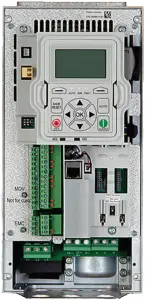
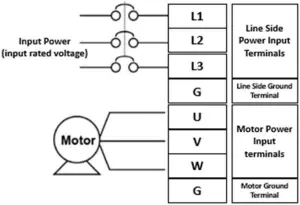
AC POWER WIRING
- Locate the power terminal strip.
- Check the AC voltage rating shown on the drive nameplate with the AC incoming voltage.
- Turn the power off and make connections.
I/O WIRING
Refer to the EVH Install Manual for the complete I/O wiring guide.


START UP WIZARD PARAMETERS
The following table lists the standard parameters in the Startup Wizard that happen when the drive is energized.
Refer to the application manual for parameter descriptions.
| Item | Par. Name | Description |
| 1 | Startup Wizard Enable | Press ok |
| 2 | Application | 0=Basic; 1=PID; 2=Advanced |
| 3 | Language | 0 = English; 2 = Deutsch |
| 4 | Real Time Clock | yy.mm.dd hh:mm:ss |
| 5 | Daylight Saving | 0 = Off; 1 = EU; 2 = US |
| 6 | Min Frequency | Min: 0.00 Hz Max: Max Freq |
| 7 | Max Frequency | Min: Min Frequency Max: 400.00 Hz |
| 8 | Motor Nom Current | Min: 0.1A Max: 500 A |
| 9 | Current Limit | Min: Ih*1/10 Max: Ih*2 |
| 10 | Motor Nom Speed | Min: Ih*1/10 Max: Ih*2 |
| 11 | Motor PF | Min: 0.30 Max: 1.0 |
| 12 | Motor Nom Voltage | Min: 180V Max: 690V |
| 13 | Motor Nom Frequency | Min: 30.00 Hz Max: 400.00 Hz |
| 14 | Accel Time | Min: 0.1 sec Max: 3000 sec |
| 15 | Decel Time | Min: 0.1 sec Max: 3000.0 sec |
| 16 | Hand Control Place | 0 = Keypad; 1 = I/O Terminal Start 1; 2 = I/O Terminal Start 2; 3 = Fieldbus |
| 17 | Hand Reference | 0 = AI1; 1 = AI2; 2 = Slot A: AI1; 3 = Slot B: AI1; 4 = AI1 Joystick; 5 = AI2 Joystick; 6 = Keypad; 7 = Fieldbus; 9 = Max Frequency; 10 = AI1 + AI2; 11 = AI1 –AI2; 12 = AI2 –AI1; 13 = AI1 * AI2; 14 = AI1 or AI2; 15 = Min(AI1,AI2); 16 = Max(AI1,AI2); 17 = PID1 Control Output; 18 = PID2 Control Output |
| 18 | Auto 1 Control Place | 0 = I/O Terminal Start 1; 1 = Fieldbus; 2 = I/O Terminal Start 2; 3 = Keypad |
| 19 | Auto 1 Control Reference | 0 = AI1; 1 = AI2; 2 = Slot A: AI1; 3 = Slot B: AI1; 4 = AI1 Joystick; 5 = AI2 Joystick; 6 = Keypad; 7 = Fieldbus; 9 = Max Frequency; 10 = AI1 + AI2; 11 = AI1 –AI2; 12 = AI2 –AI1; 13 = AI1 * AI2; 14 = AI1 or AI2; 15 = Min(AI1,AI2); 16 = Max(AI1,AI2); 17 = PID1 Control Output; 18 = PID2 Control Output |
| 20 | Bypass Enabled | 0 = Disabled; 1 = Enabled |
FREQUENTLY ASKED QUESTIONS
Q: How do I reset the drive back to factory default settings?
A: Hold the OFF/STOP and BACK/RESET buttons for 5 seconds to return drive to factory default.
Q: How do I adjust the time it takes the motor to speed up or slow down?
A: To adjust the time for the motor to accelerate to set speed, find parameter P1.3 (accel time). To adjust the time for the motor to decelerate to 0, find parameter P1.4 (decel time).
Q: How do I prevent the drive from tripping on an overvoltage fault while my motor is ramping down?
A: Make the deceleration time longer for your ramp down, check input voltage, or activate overvoltage controller in parameter P5.1.12.
Q: Can I run my motor above the nominal motor speed?
A: The motor should be run within the speed range specified by the manufacturer. For Copeland™ compressors, please see AE-1466 for allowed speed ranges.

Scan for more information or visit
Climate.Emerson.com/CopelandVariableFrequencyDrives
2020ECT-47 R1 (3/21) Emerson and Copeland are trademarks of Emerson Electric Co. or one of its affiliated companies.
©2021 Emerson Climate Technologies, Inc. All rights reserved.
 Climate Technologies Worldwide | Emerson US