LANCOM UF-360 Unified Firewall User Guide
MOUNTING AND CONNECTING THE DEVICE

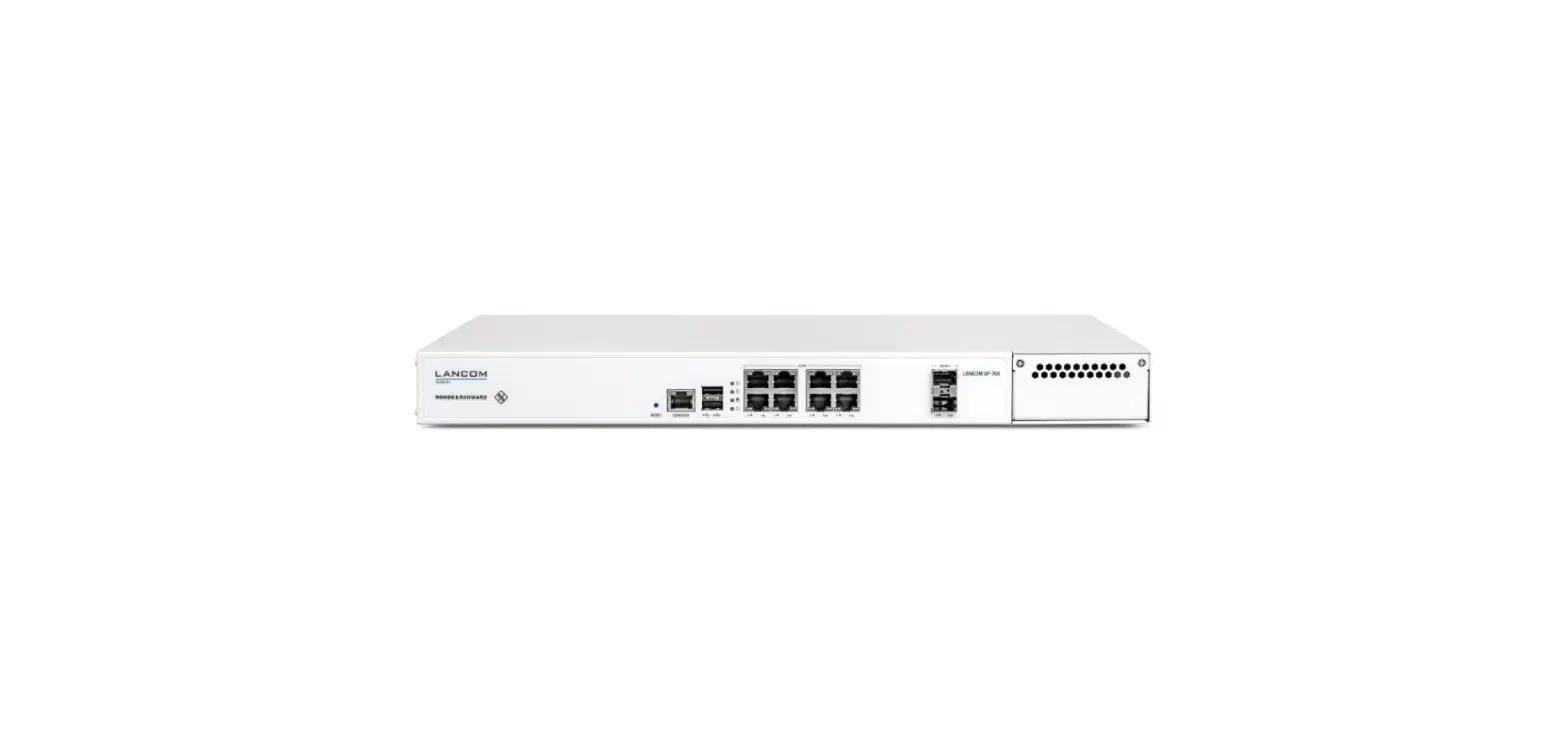
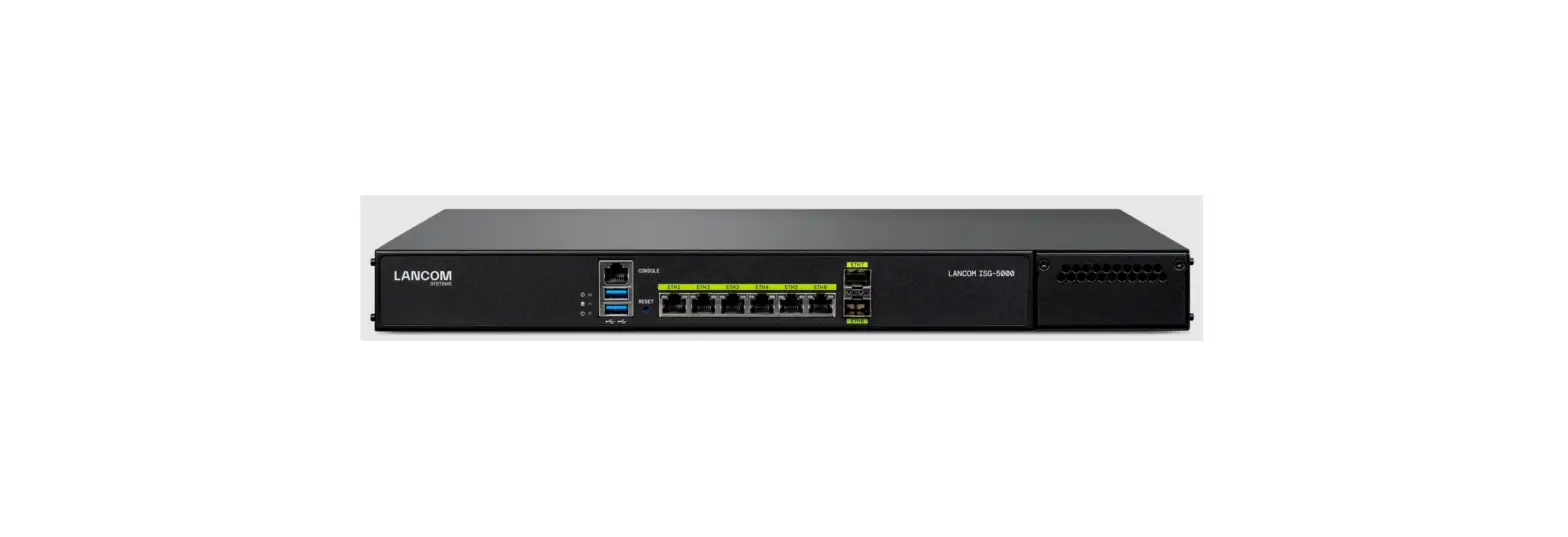
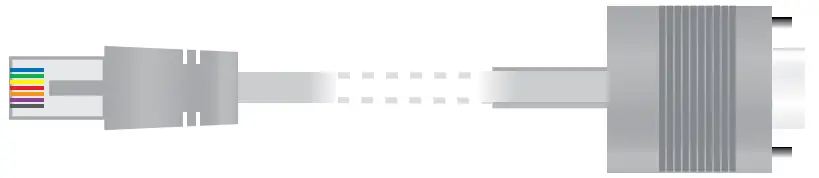
- Serial configuration interface RJ45 (CONSOLE)
Maintenance interface for expert configuration. Not necessary for initial commissioning.
- USB 3.0 interfaces
Interfaces for reinstallation of the device software.
Not necessary for initial commissioning. - RESET button
Press the reset button to restart the device.
RESET
- TP Ethernet interfaces ETH0 – ETH5
Connect the ETH0 – ETH5 TP Ethernet interfaces to additional network components using suitable Ethernet cables. - SFP+ interfaces ETH6 – ETH7
Connect the ETH6 – ETH7 SFP+ interfaces to other network components using suitable SFP(+) modules. - Slot for extension modules
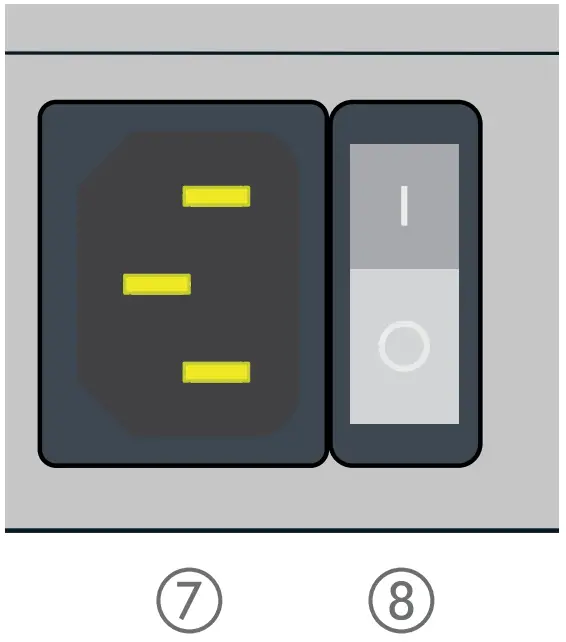
Slot for RJ45, SFP or SFP+ extension modules - Connection socket for power supply (device rear side)
Supply the device with power via the mains connection on the rear of the device. Use only the supplied power cord for this purpose. - Power switch (rear side)
Power on the device after having connected the power cable.

Please observe the following when setting up the device
- The mains plug of the device must be freely accessible.
- Do not rest any objects on top of the device and do not stack multiple devices.
- Keep the device’s ventilation slots clear of obstruction.
- Mount the device into a 19” unit in a server rack using the separately available rack mount.
Before initial startup, please make sure to take notice of the information regarding the intended use under www.lancom-systems.com/safety!
Operate the device only with a professionally installed power supply at a nearby power socket that is freely accessible at all times.
TECHNICAL DATA
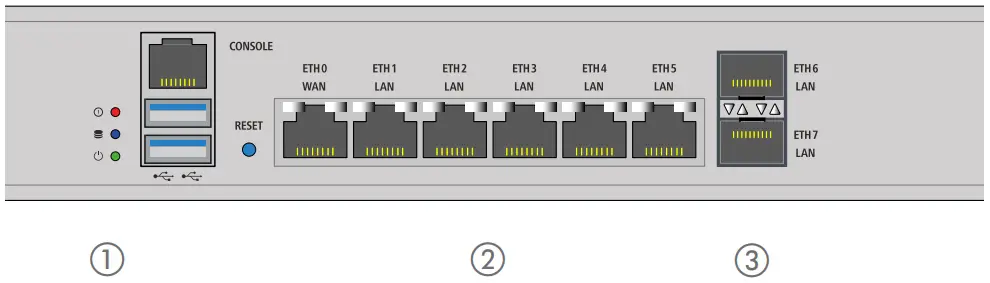
1 LEDs HDD / Power | |
| HDD off | No HDD read / write access |
| HDD green | HDD read / write access |
| POWER off | Device switched off |
| POWER green | Device ready and accessible |
| 2 LEDs ETH6 – ETH7 – SFP | |
| LEDs left – Link activity | |
| Off | no link detected |
| Green, permanently | Link detected, no port activity |
| Green, blinking | Link detected, port activity |
LEDs right – Link speed | |
| Off | No link detected |
| Green, permanently | Link detected |
3 LEDs ETH0 – ETH5 – TP Ethernet | |
| LEDs left – Link activity | |
| Off | no link detected |
| Green, permanently | Link detected, no port activity |
| Green, blinking | Link detected, port activity |
LEDs right – Link speed | |
| Off | Link speed 10 Mbps |
| Green, permanently | LinkSpeed 1000 Mbps |
| Orange, permanently | Link speed 100 Mbps |
| Hardware | |
| Power supply | Internal power supply unit (100–240 V, 50–60 Hz) |
| Power consumption | Max. 60 W |
| Environment | Temperature range 0–40 °C; humidity 10–85 %, non-condensing |
| Housing | Robust metal housing 1 HU, with mounting brackets for 19“ mounting; Network connections on the front side |
| Fans | 2 |
| Dimensions (mm) | 440 x 44 x 269.2 (W x H x D) |
| Interfaces | |
| ETH | 6x 10 / 100 / 1000 Mbps Gigabit Ethernet ports |
| SFP+ | 2x SFP+ ports |
| USB | 2x USB 3.0 ports |
| Console | 1x RJ45 configuration interface |
| Declaration of Conformity | |
| Hereby, LANCOM Systems GmbH | Adenauerstrasse 20/B2 | D-52146 Wuerselen, declares that this device is in compliance with Directives 2014/30/EU, 2014/35/EU, 2011/65/EU, and Regulation (EC) No. 1907/2006. The full text of the EU Declaration of Conformity is available at the following Internet address: www.lancom-systems.com/doc | |
| Package contents | |
| Documentation | Quick Reference Guide (DE/EN), Quick Install Guide (DE/EN), Service & Support Guide (DE/EN) |
| Accessories | 1x IEC power cable 230 V; 2x 19“ mounting brackets; 1 set adhesive rubber pads |
ANCOM, LANCOM Systems, LCOS, LANcommunity and Hyper Integration are registered trademarks. All other names or descriptions used may be trademarks or registered trademarks of their owners. This document contains statements relating to future products and their attributes. LANCOM Systems reserves the right to change these without notice. No liability for technical errors and / or omissions.

 DoC - LANCOM Systems GmbH