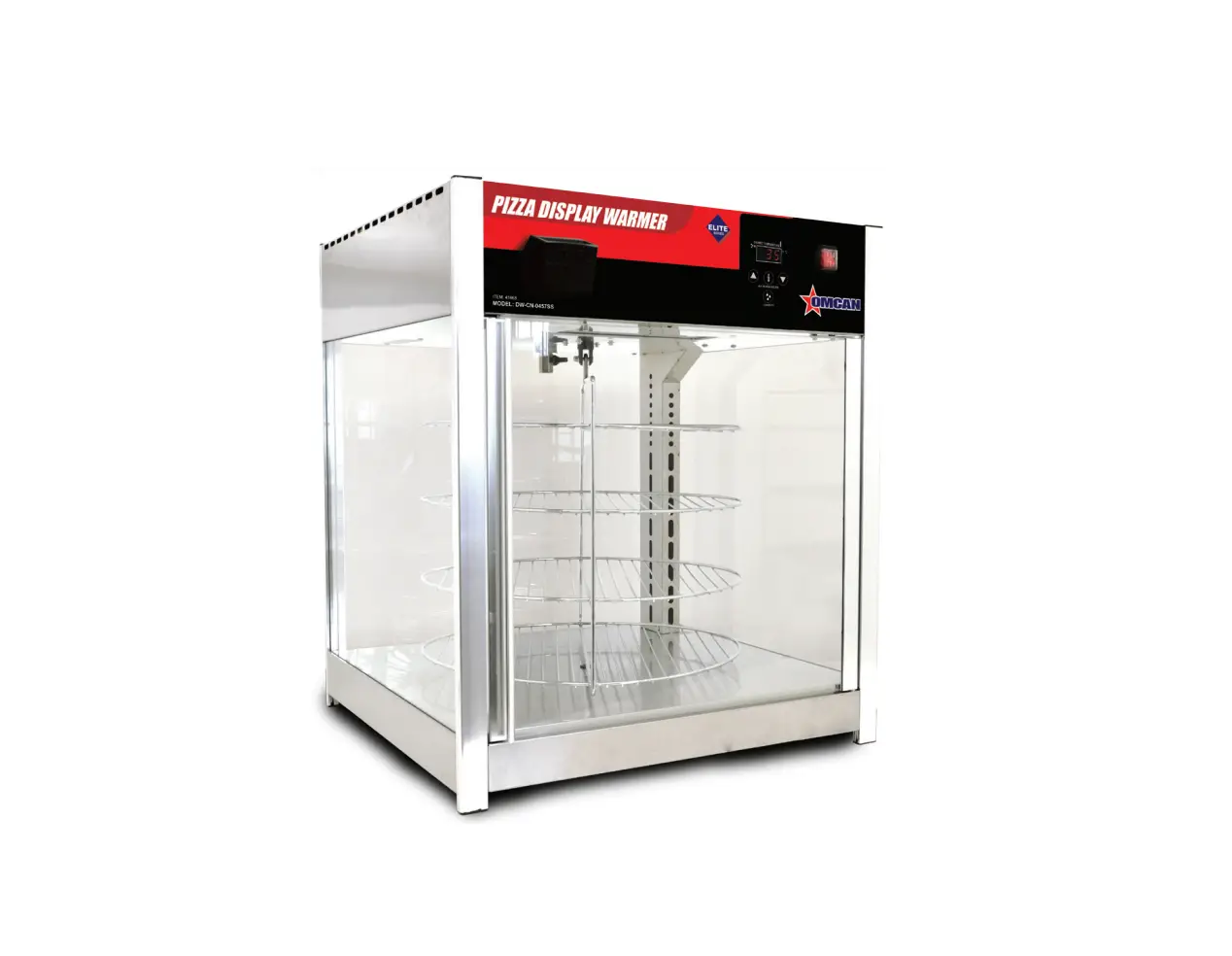
OMCAN DW-CN-0457-SS Pizza Warmer Instruction Manual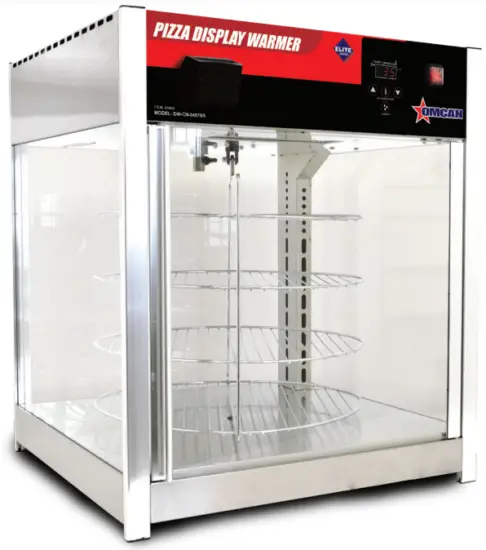
General Information
Omcan Manufacturing and Distributing Company Inc., Food Machinery of America, Inc. dba Omcan and Omcan Inc. are not responsible for any harm or injury caused due to any person’s improper or negligent use of this equipment. The product shall only be operated by someone over the age of 18, of sound mind, and not under the influence of any drugs or alcohol, who has been trained in the correct operation of this machine, and is wearing authorized, proper safety clothing. Any modification to the machine voids any warranty, and may cause harm to individuals using the machine or in the vicinity of the machine while in operation.
CHECK PACKAGE UPON ARRIVAL
Upon receipt of an Omcan shipment please inspect for external damage. If no damage is evident on the external packaging, open carton to ensure all ordered items are within the box, and there is no concealed damage to the machine. If the package has suffered rough handling, bumps or damage (visible or concealed), please note it on the bill of lading before accepting the delivery and contact Omcan within 24 hours, so we may initiate a claim with the carrier. A detailed report on the extent of the damage caused to the machine must be filled out within three days, from the delivery date shown in the shipping documents. Omcan has no recourse for damaged products that were shipped collect or third party.
Before operating any equipment, always read and familiarize yourself with all operation and safety
instructions.
Omcan would like to thank you for purchasing this machine. It’s of the utmost importance to save these instructions for future reference. Also save the original box and packaging for shipping the equipment if servicing or returning of the machine is required.
Safety and Warranty
WARNING
- If the supply cord is damaged it must be replaced by Omcan, or a qualified service agent in order to avoid any electrical hazards.
- This appliance shall not be cleaned with any type of liquid pressurized cleaning equipment.
- This appliance is not intended for use by persons (including children) with reduced physical, sensory or mental capabilities, or lack of experience and knowledge, unless they have been given specific instruction with proper supervision concerning the use of this appliance.
- Under no circumstances should any children be allowed to operate this equipment unless properly supervised.
- This equipment comes with a properly grounded power cord. All power receptacles should be installed with a properly installed grounded circuit.
SAFE OPERATION NOTICE
- All operators must strictly observe and follow local state or provincial electrical safety codes and guidelines.
- This unit must be used by qualified and trained personnel at all times. Staff should be instructed on proper daily operation and maintenance prior to usage.
- Before operating machine, ensure that all covers, doors and moving components are installed properly and working prior to usage. This will ensure unit is in safe operating order and provide years of long lasting service.
Warranty does not apply to the following conditions:
- Improper uses other than what the unit was originally designed.
- In the case of damaged parts, do not continue to use the unit as you will void the warranty. Contact Omcan or your local dealer.
- Neglect and improper operating procedures during installation and or in transportation, commissioning, maintenance or repair.
- All warranty repairs must be authorized by the original manufacture by means of written consent.
- Warranty parts can be supplied and installed by means of a authorized service agent hired or contracted by Omcan only. Unauthorized service will void all warranties without prior written consent from Omcan.
Improper daily maintenance. - Use of Force Majeure.
ELECTRICAL
When first installed, ensure proper power requirements are met. A standard 15A / 110-120V grounded receptacle must be utilized.
RESIDENTIAL USERS: Vendor assumes no liability for parts or labor coverage for component failure or other damages resulting from installation in non-commercial or residential applications. The right is reserved to deny shipment for residential usage; if this occurs, you will be notified as soon as possible.
1 YEAR PARTS AND LABOUR BENCH WARRANTY
Within the warranty period, contact Omcan Inc. at 1-800-465-0234 to schedule a drop off to either an Omcan authorized service depot in the area, or to an Omcan Service warehouse to repair the equipment.
Unauthorized maintenance will void the warranty. Warranty covers electrical and part failures, not improper use.
Please see https://omcan.com/disclaimer for complete info.
WARNING:
The packaging components are classified as normal solid urban waste and can therefore be disposed of without difficulty.
In any case, for suitable recycling, we suggest disposing of the products separately (differentiated waste) according to the current norms.
DO NOT DISCARD ANY PACKAGING MATERIALS IN THE ENVIRONMENT!
Technical Specifications
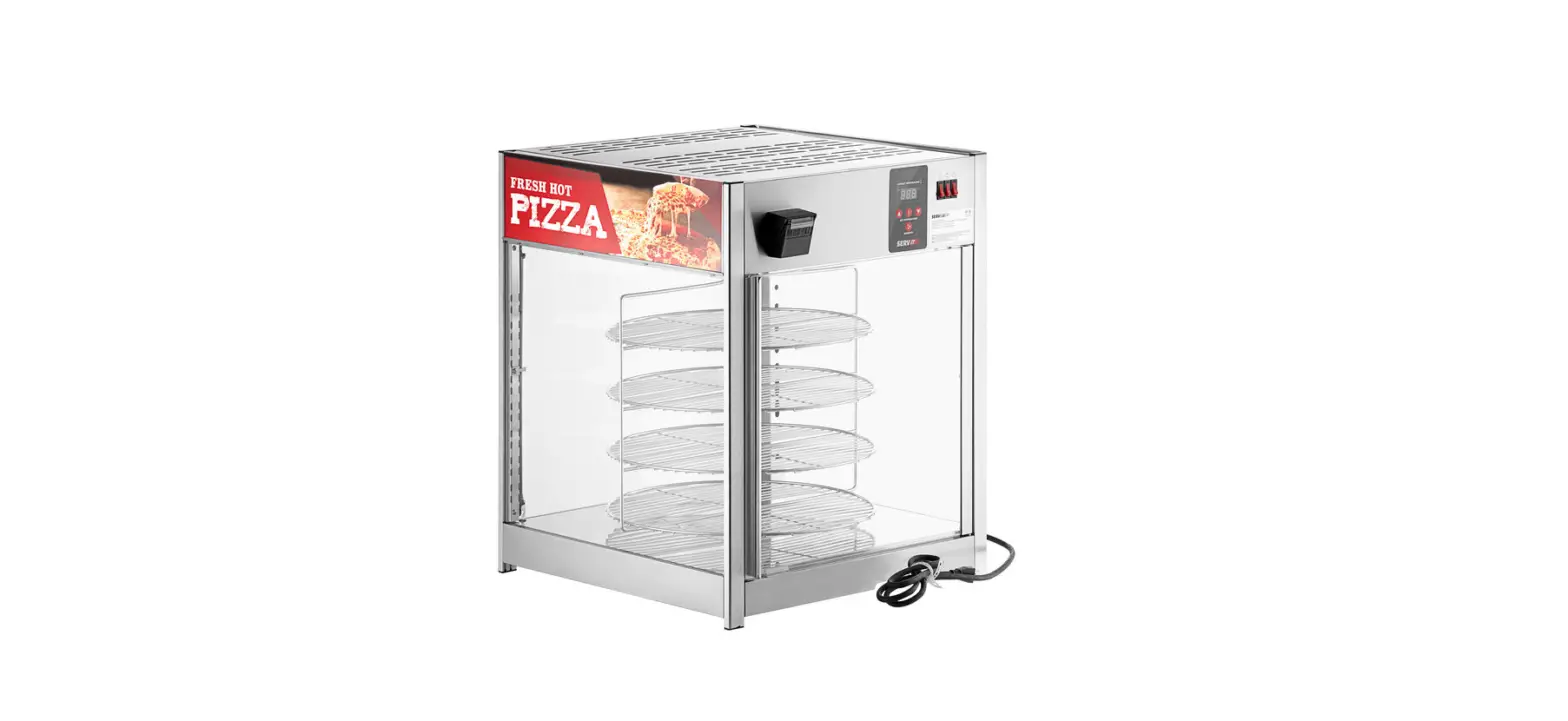
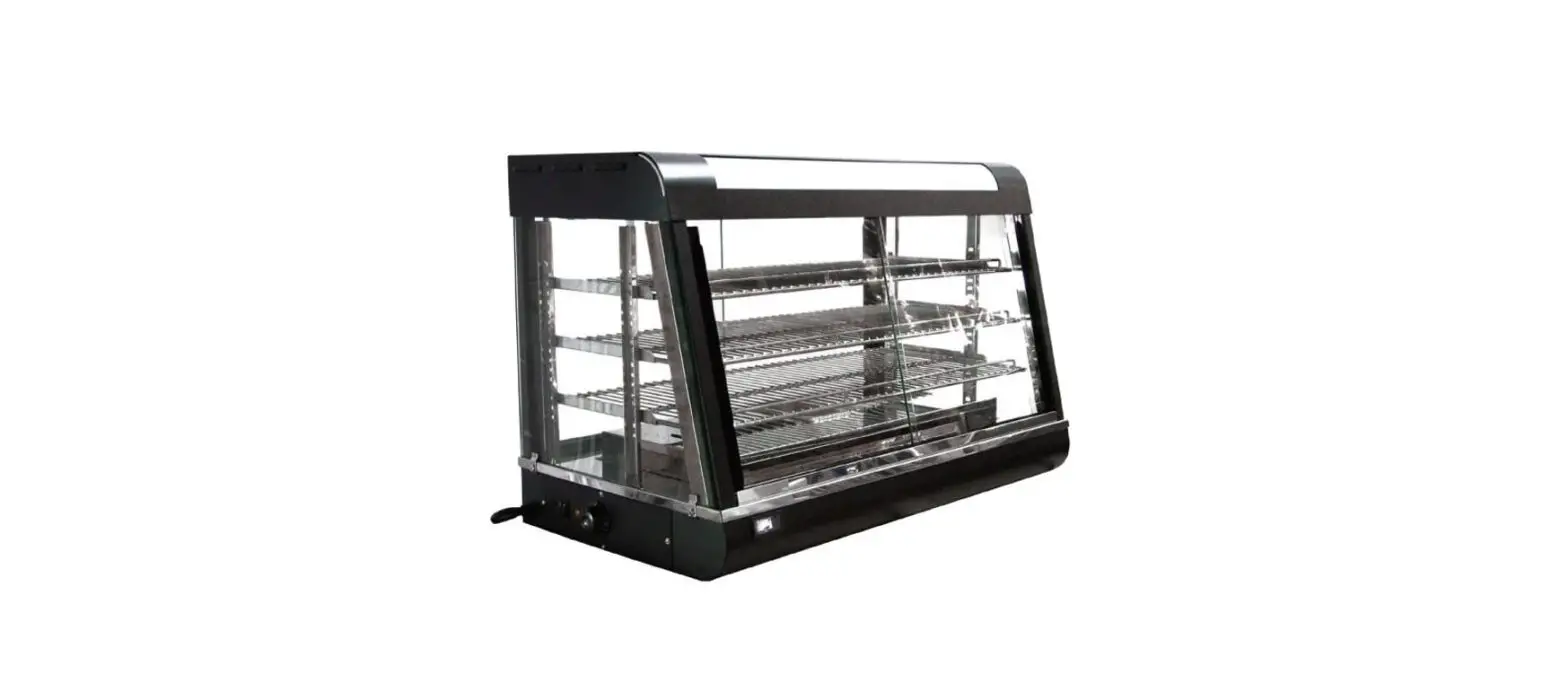
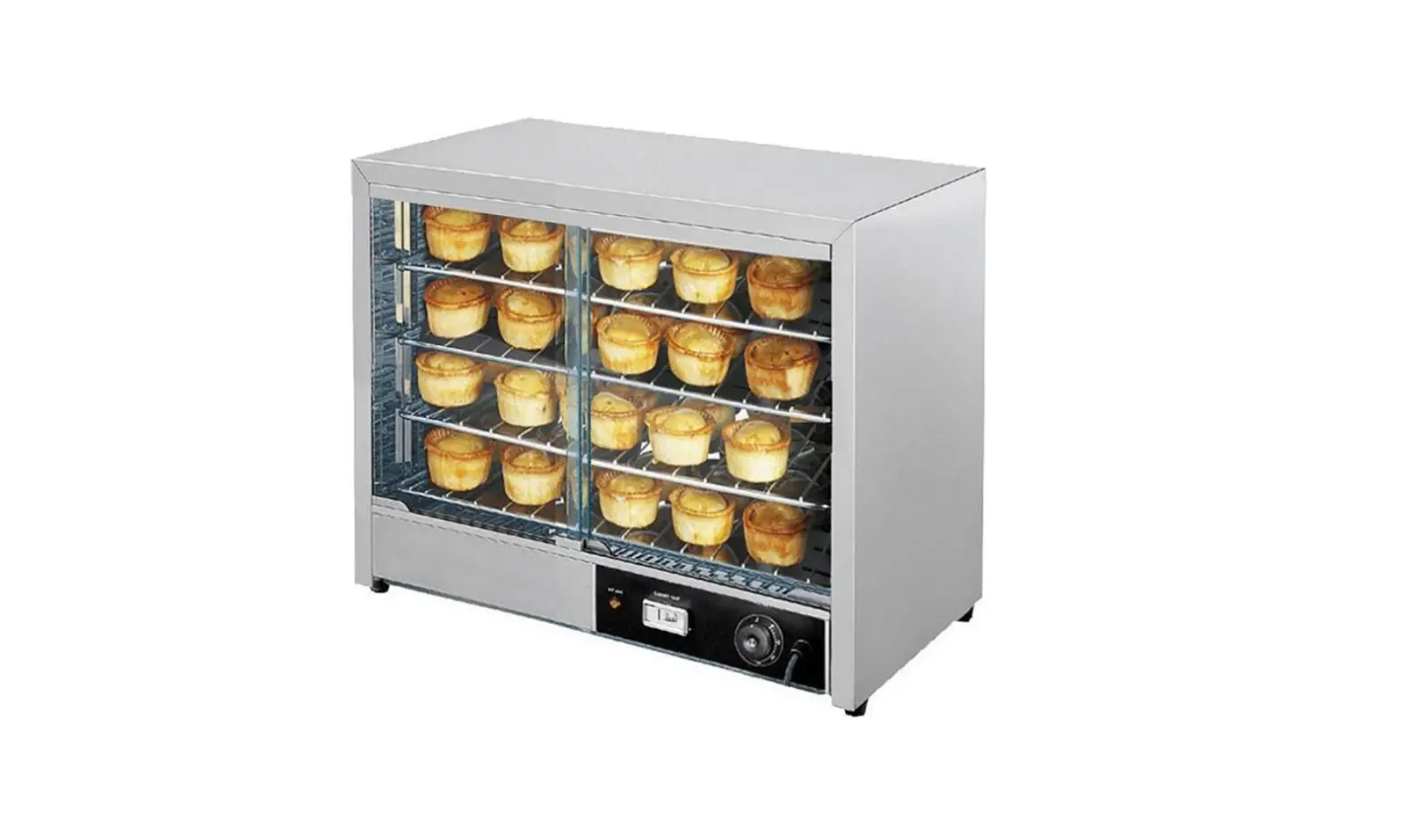
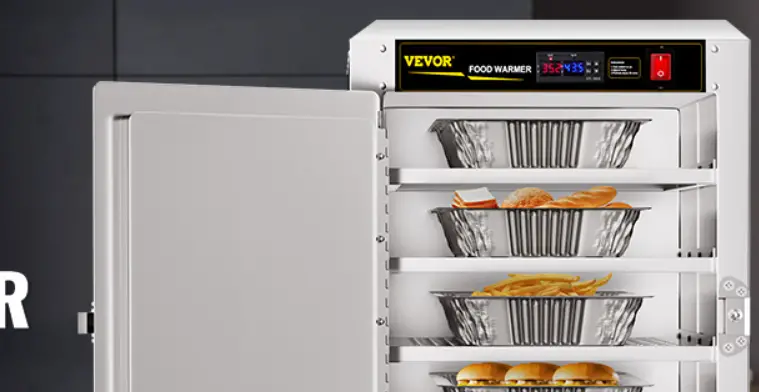
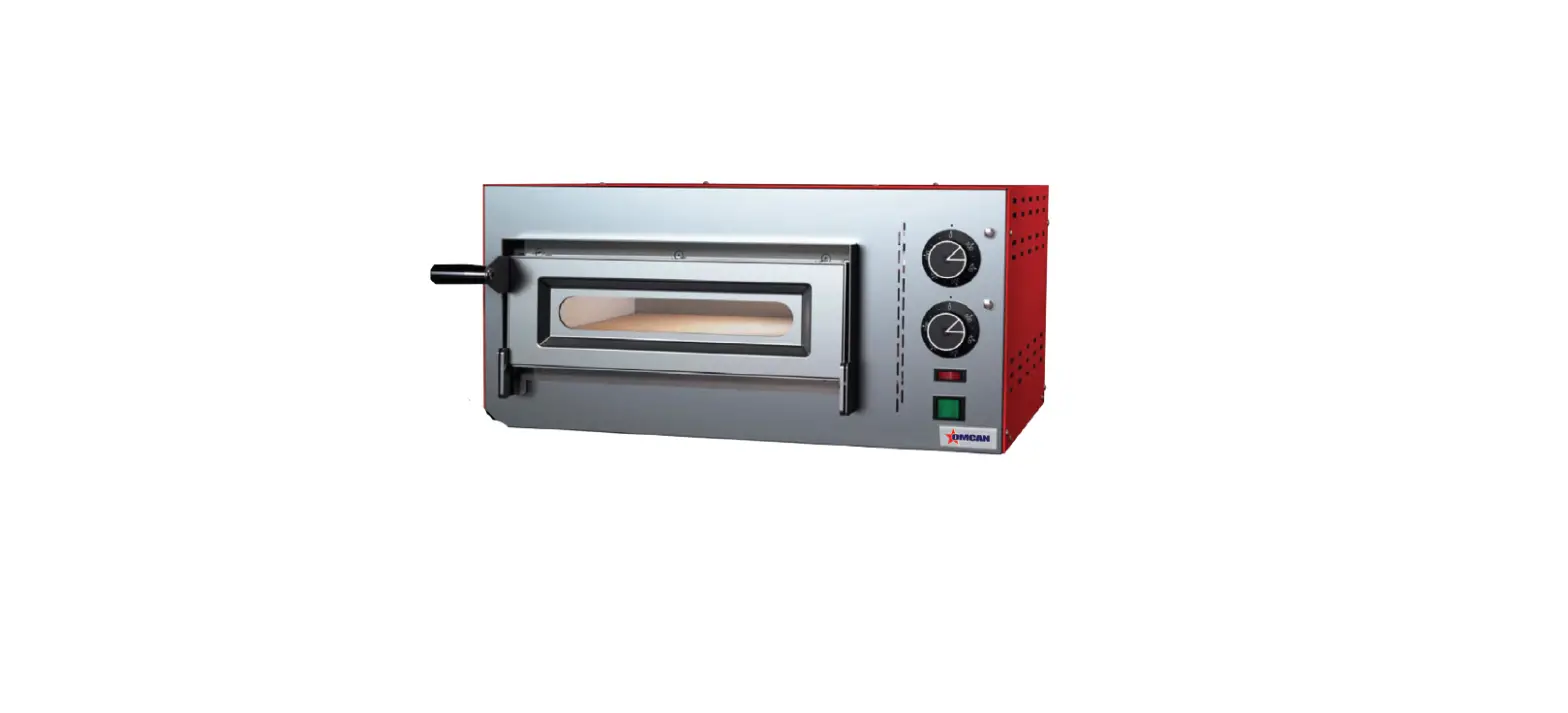
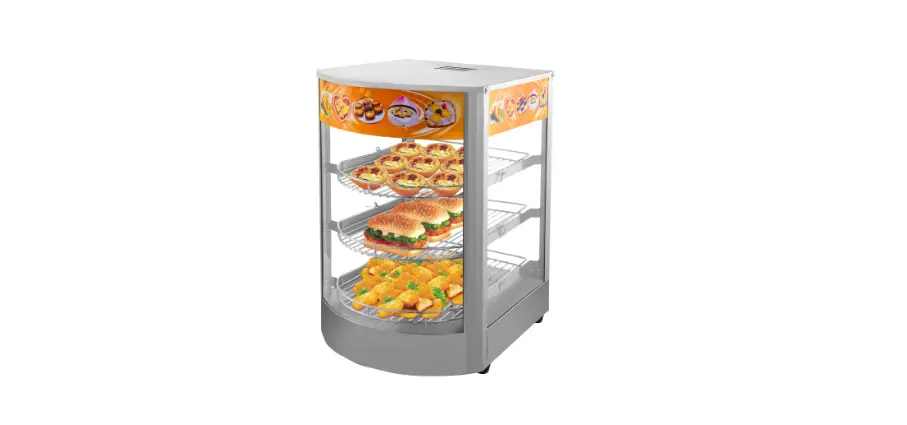
This pizza warmer is mainly utilized in commercial spaces such as fast-food restaurants, convenience stores along with self-service restaurants and supermarkets.
FEATURES OF OUR PRODUCTS
- The unit comes with two florescent lighting fixtures which increases the view ability of the product being displayed.
- The unit also features adjustable humidity and heat controls which allow greater flexibility to improve overall product freshness and consistency.
- The unit thermostat control allows for even heat during the warming period on all food surfaces.
TECHNICAL SPECIFICATIONS
| Model | DW-CN-0457-SS |
| Power | 1.5 kW |
| Temperature | 30 – 90°C / 86 – 194°F |
| Interior Lights | 2 W (LED) |
| Maximum Pizza Size | 18” / 457mm Diameter |
| Electrical | 110V / 60Hz / 1Ph |
| Weight | 70.5 lbs. / 32 kgs. |
| Packaging Weight | 77 lbs. / 35 kgs. |
| Dimensions | 23.6” x 25.3” x 27.6” / 600 x 642 x 700mm |
| Packaging Dimensions | 27” x 28” x 29.5” / 686 x 711 x 749mm |
| Item Number | 41468 |
Operation
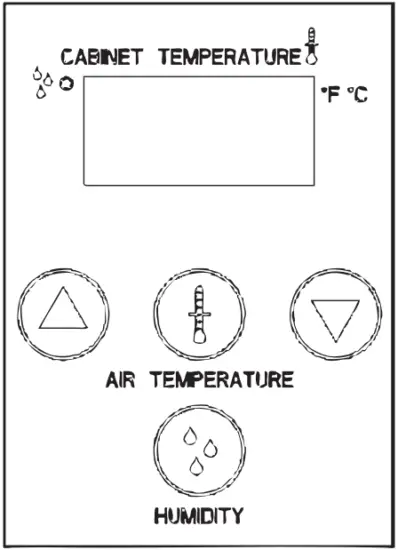
To start:
- Put plug in power source.
- Turn the power switch to the “I” position.
- The display will light up and the heating element will start.
- “LO H2O” will flash once on the display until water tank is filled with water. Once the tank is full, “LO H2O” will stop flashing and the display will show cabinet temperature.
- Fill the tank up with water.
- Turn up the tank cover.
- Inject water until “LO H2O” stops flashing.
Note: Don’t inject water excessively.
- Set the humidity parameters as required.
- Set the temperature parameters as required.
- Please wait 20 minutes before you put food into the machine.
SET TEMPERATURE
- Press the “
 ” button to start (the display will show “tSP”).
 - Press the “ ” button again, the display will show current cabinet temperature.
- Press “
 ” or “ ” to modify the temperature. The range is 30°C to 90°C.
 - Don’t press any buttons for 15 seconds, so the temperature setting will be stored. The display will come back to normal mode.
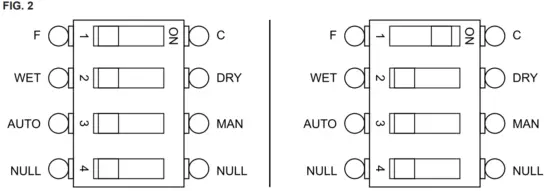
Note: The temperature values are set to °F when first received, to change between °F and °C please follow the below instructions.
 ” button to start (the display will show “tSP”).
 ” or “
  ” to modify the temperature. The range is 30°C to 90°C.
TO CHANGE THE TEMPERATURE VALUES FROM °F – °C
CAUTION
Ensure that the unit is turned off and removed from it’s power source before starting this process.
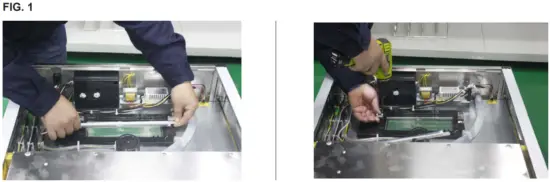
- Remove the three screws from the top cover of the machine.
- Remove the light tube and it’s left bracket (Fig. 1).
- Remove the six screws from the black control box, then remove the cover of the black control box.
- Locate the switch on the circuit board that shows °F and °C. Switch that part only to change the values from F to C (Fig. 2).
- Reassemble the machine by following these instructions in reverse order.
Note: please revisit these instructions if you need to change the values back to °F.

SET HUMIDITY
- Press the “ ” button to start (the display will show “hSP”).
- Press the “ ” button again, the display will show current cabinet humidity.
- Press “ ” or “ ” to modify the humidity. The range is 1 to 5.
- Don’t press any buttons for 15 seconds, so the humidity setting will be stored. The display will come back to normal mode.
 ” button to start (the display will show “hSP”).
NOTES
Different kind of food will affect temperature and humidity setting. Temperature on display is the lowest temperature in cabinet, not food temperature.
Full-injected water tank can continuously work for 3 to 6 hours. Working time depends on the different parameter setting, ambient humidity and frequency of door opening. When the display flashes “LO H2O” please add water immediately!
Maintenance
- Daily maintenance should be carried out with all power to the unit in the off position, and the electrical cord unplugged. Cleaning should be carried out by means of food grade cleaning solutions via a soft or damp cloth. Do not utilize any type of pressurized water equipment.
- Regular inspection on the outside and internal cabinet along with the power cord should be observed and carried out on a regular basis to isolate and or observe any unforeseen failure or safety concern.
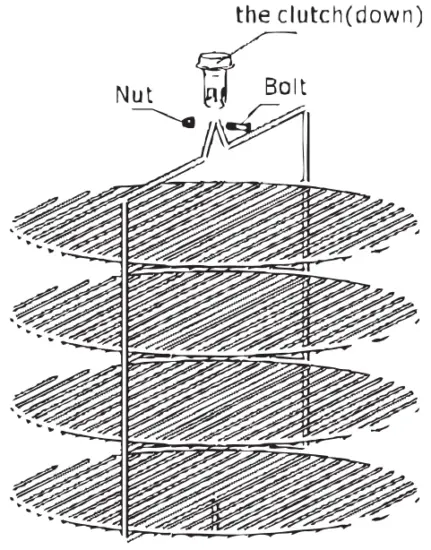
CLEANING AND INSTALL ROTARY SHELF
- Open glass door.
- Loosen top screws.
- Take out the rotary shelf

Warning: cleaning outside and inside the cabinet must be made with the power off at all times.
Note: An optional Pretzel Shelf (Omcan Item 44070) is also available and the procedure for assembly/ disassembly is the same as above.
Troubleshooting
| Problem | Possible Cause | Solution |
| No lighting in the interior cabinet. | No power. | Inspect power source. |
| Florescent lamps failure. | Replace fluorescent tubes. | |
| Rotating shelf has stopped. | Motor damage. | Replace motor. |
| Front door not completely closed. | Close front door / check magnetic door sensor. | |
| Interior cabinet heat is not warming up. | Thermostat off. | Dial in temperature. |
| Thermostat or heater coil failure. | Contact Omcan. |
ERROR CODES
| Error Code | Meaning |
| E1 | RT1 (Temperature probe of air inside) is short-circuited or disconnected. |
| E2 | RT2 (Temperature probe of water box) short-circuited or disconnected. |
| E3 | Low water level. |
| E4 | Water level probe is faulty. |
Parts Breakdown
Model DW-CN-0457-SS 41468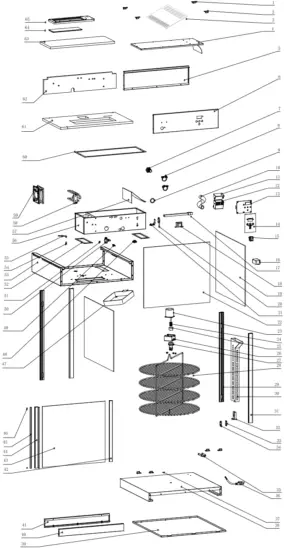
| Item No. | Description | Position | Item No. | Description | Position | Item No. | Description | Position |
| 70819 | Rubber Feet Left for 41468 | 1 | AJ413 | Motor for 41468 | 23 | AJ433 | Door Magnet Strip for 41468 | 45 |
| 70820 | Rubber Feet Right for 41468 | 2 | AJ414 | Spring for 41468 | 24 | 70866 | Magnet for 41468 | 46 |
| AJ396 | Top Cover for 41468 | 3 | AJ415 | Upper Clutch for 41468 | 25 | AJ434 | Water Box Cover for 41468 | 47 |
| AJ397 | U Cover for 41468 | 4 | AJ416 | Motor Bracket for 41468 | 26 | 70862 | Thermostat T1/33 for 41468 | 48 |
| AJ398 | Rear Top Cover for 41468 | 5 | AJ417 | Lower Clutch for 41468 | 27 | AJ435 | Temperature Sensor for 41468 | 49 |
| AJ399 | Front Top Cover for 41468 | 6 | AJ418 | Rotary Shelf for 41468 | 28 | AJ436 | Float for 41468 | 50 |
| AJ400 | Screw for 41468 | 7 | AJ419 | Rear Pillar for 41468 | 29 | 60212 | Double-Faced Protective Ring C6 for 41468 | 51 |
| AJ401 | Top Insulation for 41468 | 8 | AJ420 | Wind Guiding Path for 41468 | 30 | AJ437 | Seal for 41468 | 52 |
| AJ402 | O Ring for 41468 | 9 | AJ421 | Front Pillar for 41468 | 31 | AJ438 | Top Panel for 41468 | 53 |
| AJ403 | Inlet Pipe for 41468 | 10 | AJ422 | Wires Clip Holder for 41468 | 32 | 67295 | Door Pin for 41468 | 54 |
| AJ404 | Infall Box Cover for 41468 | 11 | 61246 | Wire Clip Holder for 41468 | 33 | 67296 | Upper Hinge Back for 41468 | 55 |
| AJ405 | Infall Box for 41468 | 12 | 61245 | Wire Clip Cover for 41468 | 34 | AJ439 | U Box for 41468 | 56 |
| AJ406 | Circuit Board for 41468 | 13 | AJ423 | Wind Guiding Path Bracket for 41468 | 35 | AJ440 | U Wind Guiding Panel for 41468 | 57 |
| AJ407 | Operation Sticker for 41468 | 14 | AJ424 | Power Plug for 41468 | 36 | AJ441 | Heating Element 1 for 41468 | 58 |
| 71514 | Switch for 41468 | 15 | AJ425 | Shelf Bearing for 41468 | 37 | AJ442 | Fan Motor for 41468 | 59 |
| 68356 | Driver for 41468 | 16 | AJ426 | Bottom Cover for 41468 | 38 | AJ443 | Seal for 41468 | 60 |
| AI741 | LED Light Tube for 41468 | 17 | AJ427 | Bottom Board for 41468 | 39 | AJ444 | Bottom Insulation for 41468 | 61 |
| AJ408 | Transformer for 41468 | 18 | AJ428 | Front Bottom Panel for 41468 | 40 | AJ445 | Front Insulation for 41468 | 62 |
| AJ409 | Side Glass for 41468 | 19 | AJ429 | Back Bottom Panel for 41468 | 41 | AJ446 | Top Insulation for 41468 | 63 |
| AJ410 | Micro Switch for 41468 | 20 | AJ430 | Door Frame for 41468 | 42 | AJ447 | Top Light Glass for 41468 | 64 |
| AJ411 | Micro Switch Bracket for 41468 | 21 | AJ431 | Door Glass for 41468 | 43 | 70844 | Transparent Lamp Cover for 41468 | 65 |
| AJ412 | Back Glass for 41468 | 22 | AJ432 | Door Handle for 41468 | 44 |
Electrical Schematics
Model DW-CN-0457-SS 41468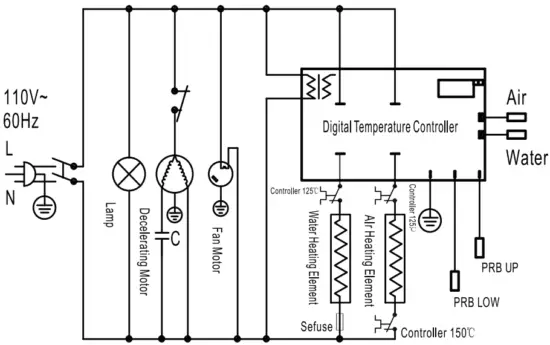
Warranty Registration
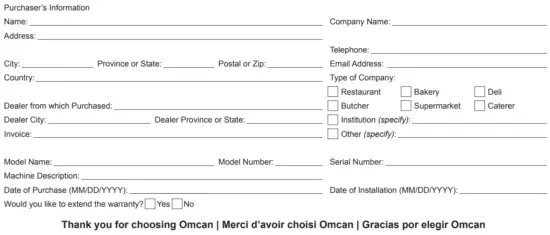
Thank you for purchasing an Omcan product. To register your warranty for this product, complete the information below, tear off the card at the perforation and then send to the address specified below.
You can also register online by visiting: https://omcan.com/warranty-registration/
For mailing in Canada
OMCAN
PRODUCT WARRANTY REGISTRATION
3115 Pepper Mill Court,
Mississauga, Ontario
Canada, L5L 4X5
For mailing in the US
OMCAN
PRODUCT WARRANTY REGISTRATION
4450 Witmer Industrial Estates, Unit 4,
Niagara Falls, New York
USA, 14305
or email to: [email protected]
Since 1951 Omcan has grown to become a leading distributor of equipment and supplies to the North American food service industry. Our success over these many years can be attributed to our commitment to strengthen and develop new and existing relationships with our valued customers and manufacturers.
Today with partners in North America, Europe, Asia and South America, we continually work to improve and grow the company. We strive to offer customers exceptional value through our qualified local sales and service representatives who provide convenient access to over 6,500 globally sourced products.



 Omcan
Omcan Disclaimer – Omcan