52 Inch and 100 Inch Clamp and Cutting
Product Information: 52 & 100 Clamp and Cutting Edge Guide
Assembly
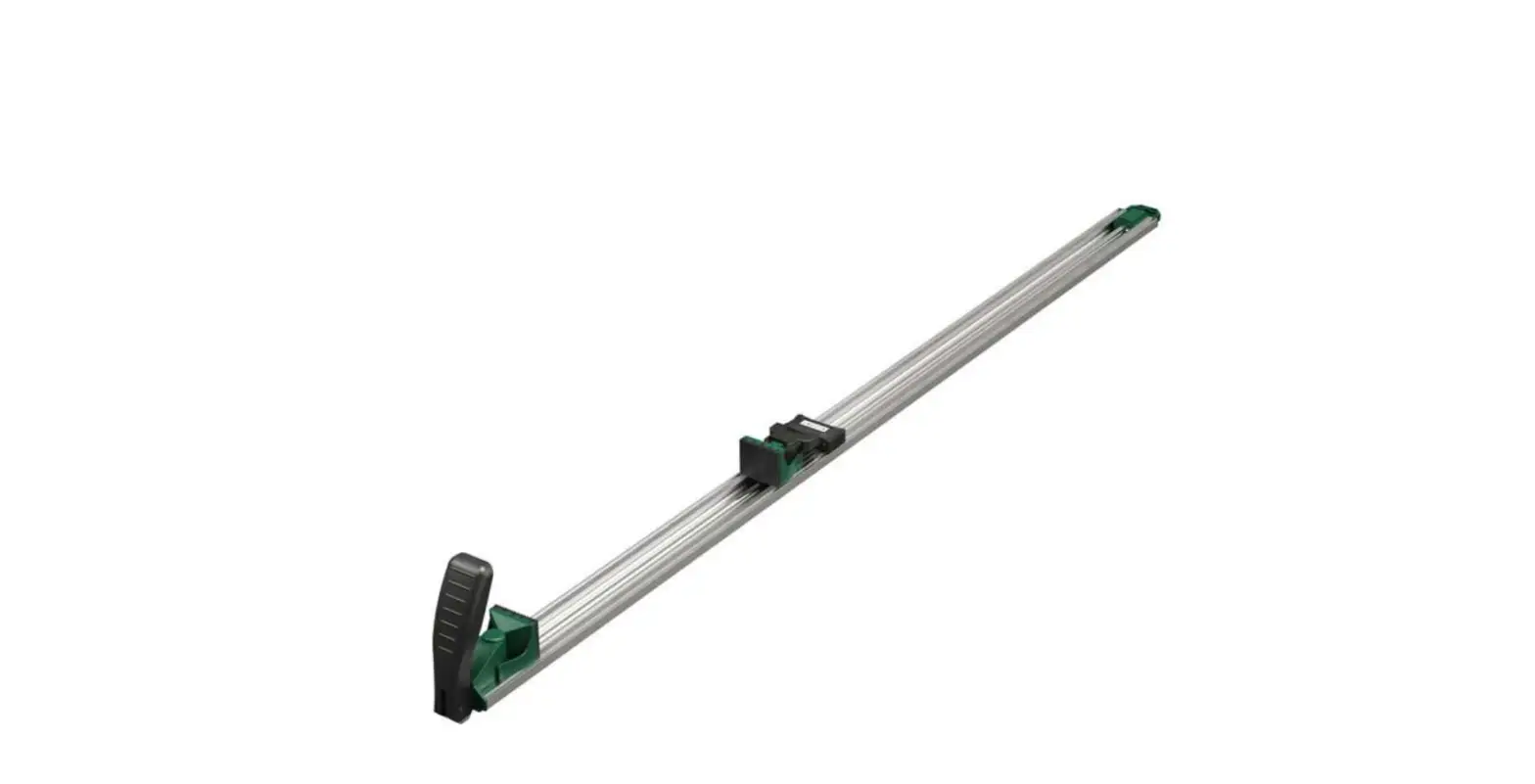
The 52 & 100 Clamp and Cutting Edge Guide Assembly is a tool
designed to assist in making straight cuts on various materials.
The assembly includes a Main Cutting Guide, a Movable Stop, a Fixed
Stop, and a Cutting Guide Extension. The Movable Stop can be
adjusted and locked in place to secure the workpiece during use.
The Cutting Guide Extension can be attached to the Main Cutting
Guide to provide additional length for longer cuts. The assembly
also includes four M4x5 Screws for attaching and detaching the
Cutting Guide Extension.
Product Usage Instructions:
- Read and save all safety warnings and instructions for future
reference before use. - Wear ANSI-approved safety goggles and heavy-duty work gloves
during use. - Inspect the assembly before every use and do not use if
damaged. - Secure the assembly tightly in place against solid points
before use, but do not overtighten. - Keep the assembly away from children.
- To assemble and operate the 52 & 100 Clamp and Cutting Edge
Guide Assembly:- Rotate the Movable Stop handle on the Main Cutting Guide 90
degrees to unlock the stop. - Position the Fixed Stop and Movable Stop on opposite sides of
the workpiece, adjust the Movable Stop until both stops are pressed
tightly against the workpiece, and rotate the Movable Stop handle
90 degrees to lock it in place. - To attach the Cutting Guide Extension for additional length,
remove the four M4x5 Screws from the stems on the Extension, insert
the stems on the Cutting Guide Extension into the grooves of the
Main Cutting Guide, and connect the two segments together with the
M4x5 Screws. Tighten securely. - To disassemble the assembly for storage after use, remove the
four M4x5 Screws, press the Release Button in the middle where the
two segments meet, and separate the Main Cutting Guide from the
Cutting Guide Extension. Replace the M4x5 Screws on the Cutting
Guide Extension.
- Rotate the Movable Stop handle on the Main Cutting Guide 90
52″ & 100″ CLAMP AND CUTTING EDGE GUIDE ASSEMBLY and OPERATION INSTRUCTIONS
IMPORTANT SAFETY INFORMATION
Read all safety warnings and all instructions. Save all warnings and instructions for future reference.
1. Wear ANSI-approved safety goggles and heavy-duty work gloves during use.
4. Inspect before every use; do not use if damaged.
2. Secure tightly in place against solid points before use. Do not overtighten.
5. Keep away from children.
3. Use as intended only.
Assembly/Operation
1. On the Main Cutting Guide rotate the Movable Stop handle 90 degrees to unlock Stop.
Movable Stop
Main Cutting Guide
Fixed Stop
Rotate 90 degrees to unlock
2. Position the Fixed Stop and Movable Stop on opposite sides of workpiece. Adjust Movable Stop until both Stops are pressed tightly against workpiece. Rotate the Movable Stop handle 90 degrees to lock Movable Stop and secure Guide in place.
Movable Stop handle in locked position.
Fixed Stop
Movable Stop
UPC 193175506849
Item 58363
SAVE THESE INSTRUCTIONS
For technical questions, please call 1-888-866-5797.
23b
Page 1
3. To attach Cutting Guide Extension for additional length, first remove four M4x5 Screws from the stems on the Extension.
M4x5 Cutting Guide
Screw
Extension
Remove four M4x5 Screws
4. Insert stems on Cutting Guide Extension into grooves of Main Cutting Guide and press together firmly. Connect the two segments together with the M4x5 Screws. Tighten securely.
Main Cutting Guide
Cutting Guide Extension
Cutting Guide Extension
Install
four
M4x5 Screws
Main Cutting Guide
5. To disassemble for storage after use, remove the four M4x5 Screws. Press the Release Button in the middle where the two segments meet and separate the Main Cutting Guide from the Cutting Guide Extension. Replace the M4x5 Screws on the Cutting Guide Extension.
Remove
four
M4x5 Screws
Press Release Button
Replace
four
M4x5 Screws
Record Serial Number Here: Note: If product has no serial number, record month and year of purchase instead.
UPC 193175506849
Page 2
SAVE THESE INSTRUCTIONS
For technical questions, please call 1-888-866-5797.
23b
Item 58363