 ZPDC30LVT Presentia C vT Presence Detector with Luminosity Sensor for Ceiling Mounting
User Manual
DOCUMENT UPDATES
| Version | Changes | Page(s) |
| [1.4]_a | Changes in the application program: • Optimisation of Logic Functions and Presence Detector modules. | – |
INTRODUCTION
PRESENCIA C VT
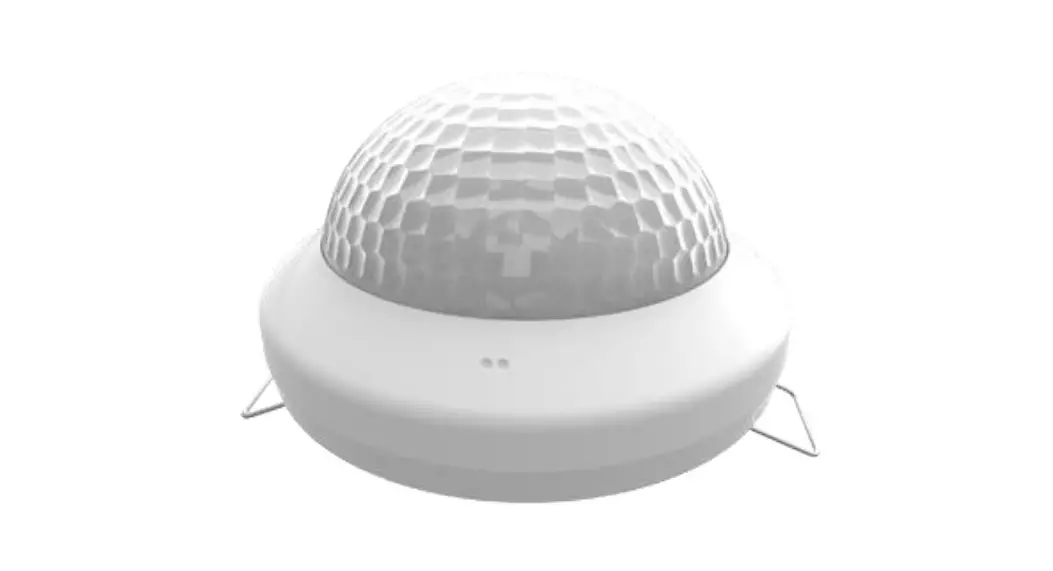
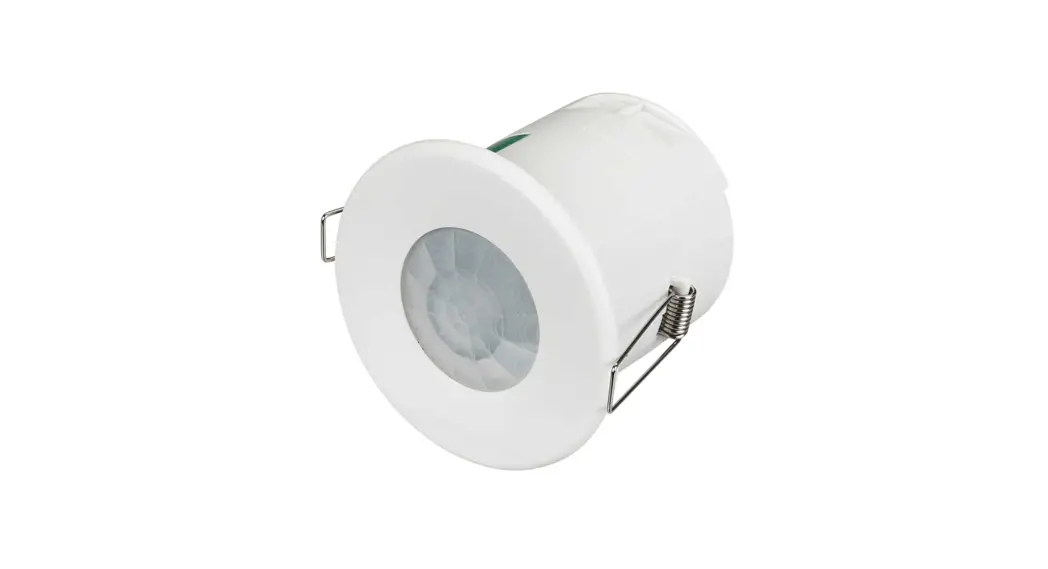
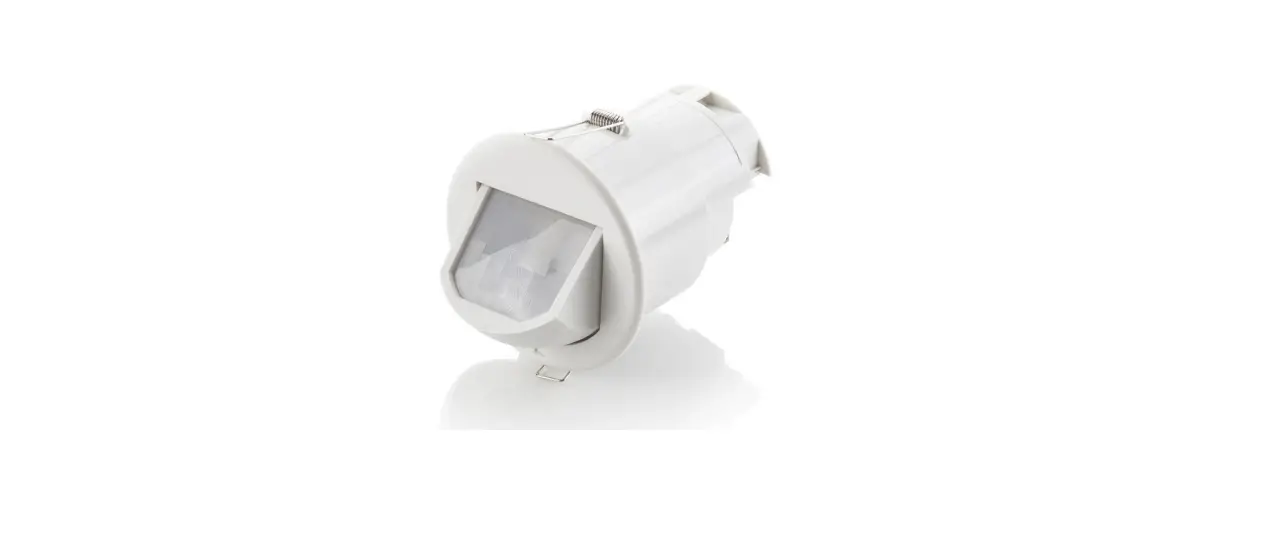
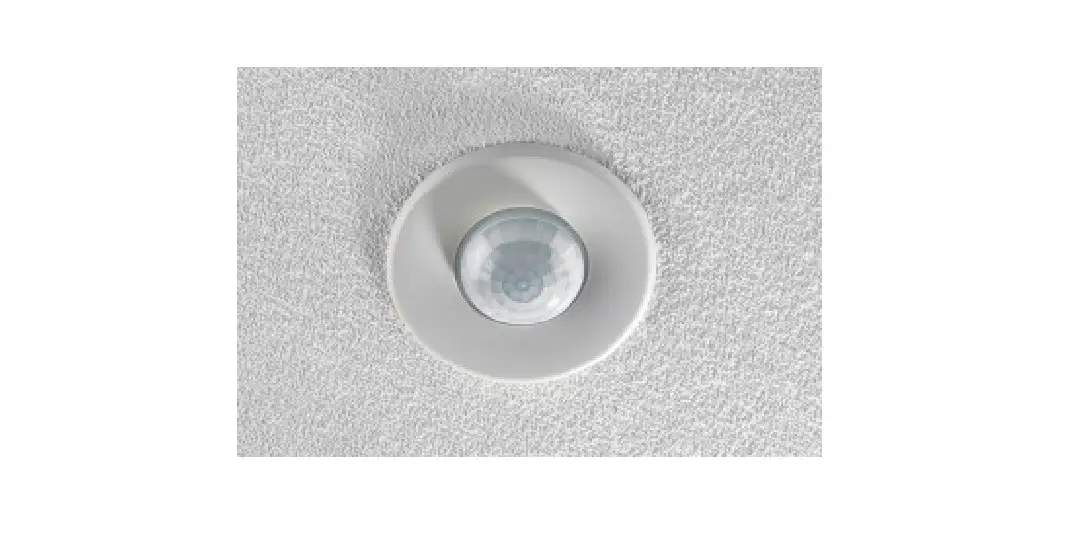
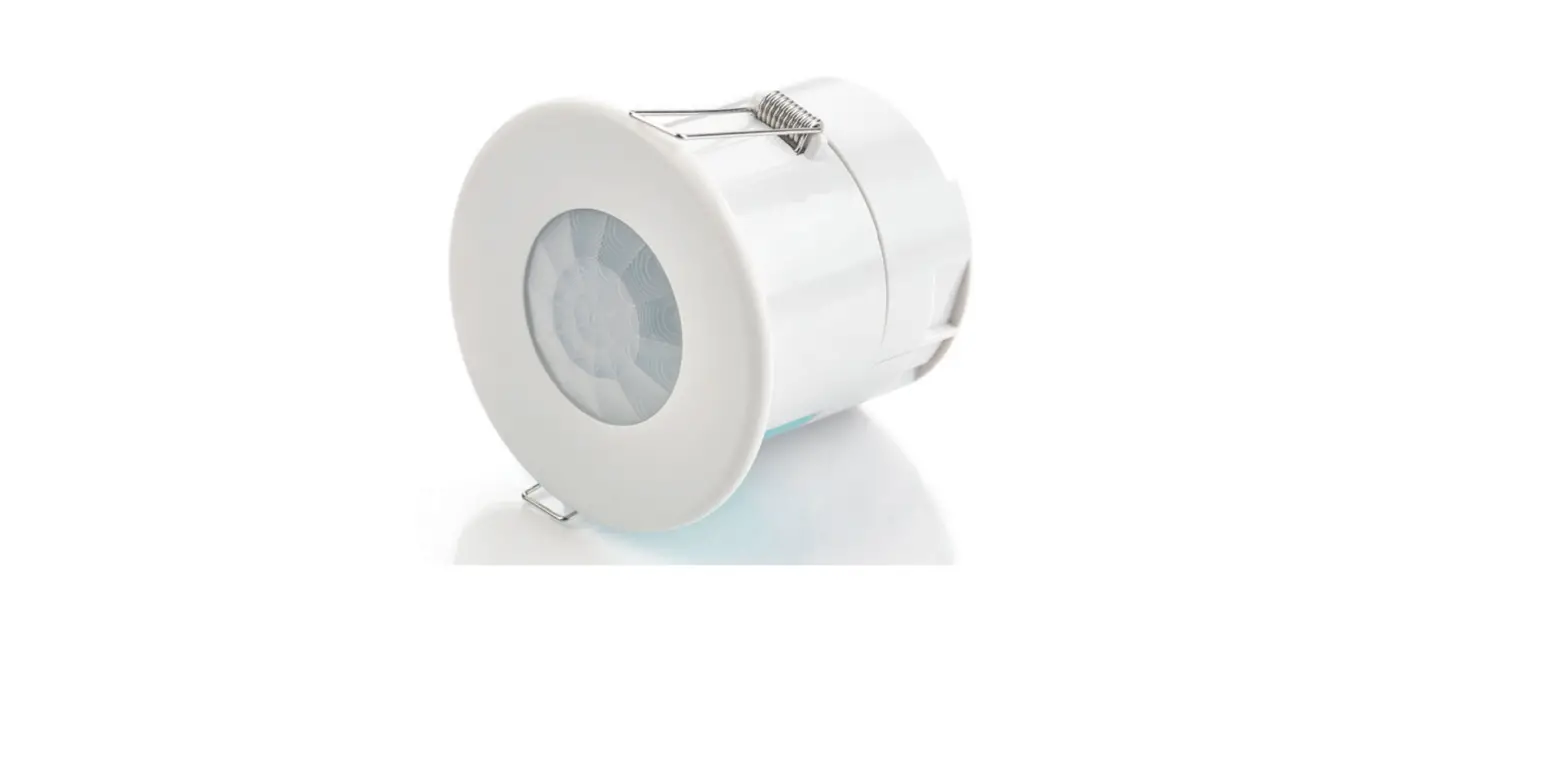
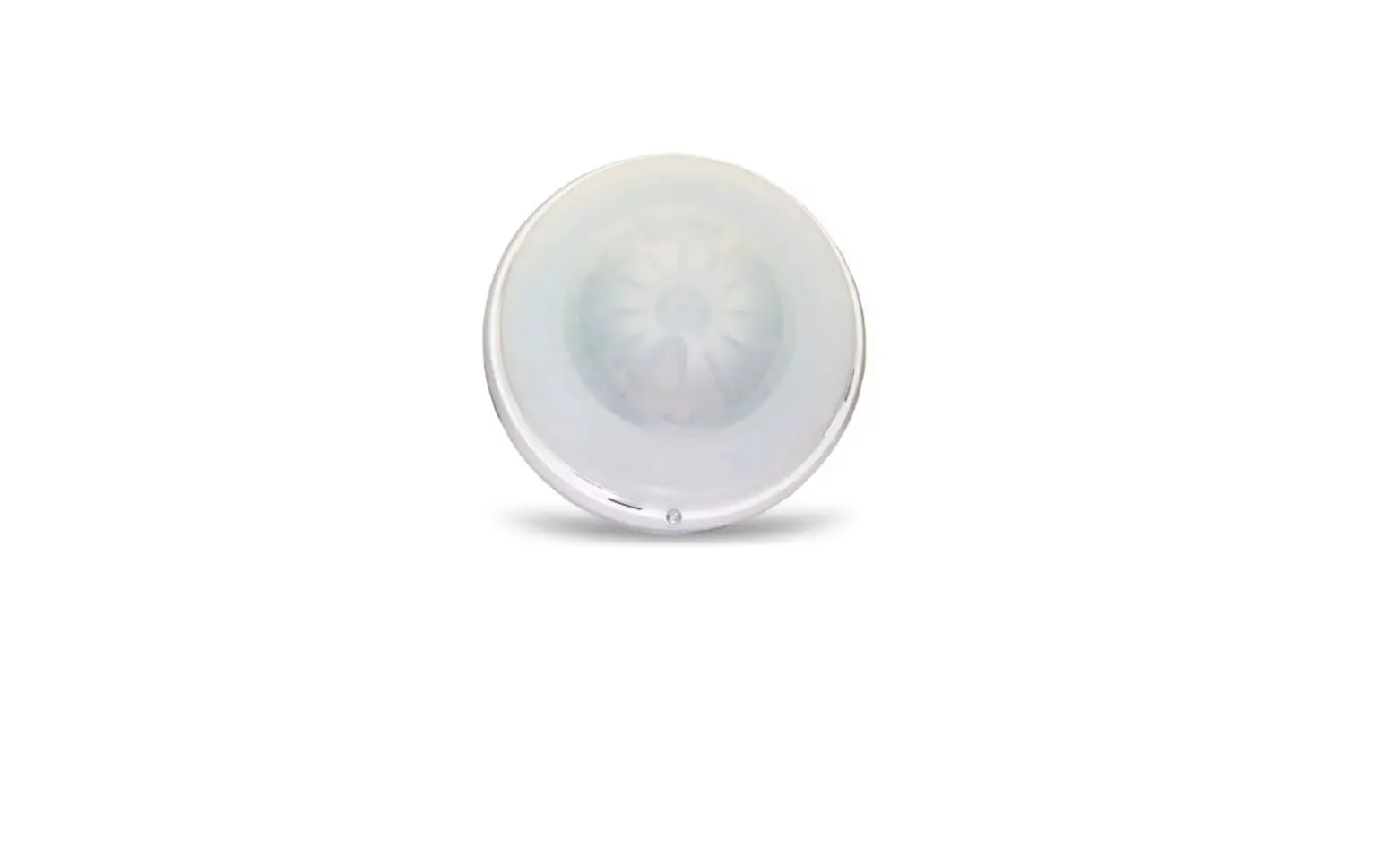
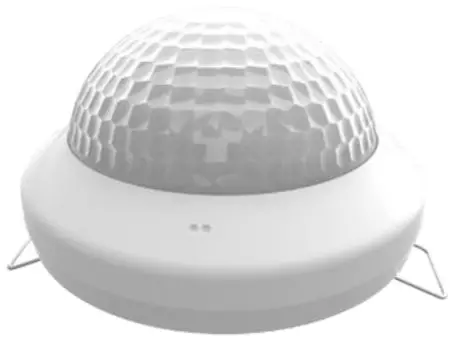
Presencia C vT from Zennio is a device that aims at, among other functions, the detection of presence, the measurement and control of the room luminosity, and the detection of occupancy within the room where it has been installed. It has been designed for ceiling or false ceiling mounting by means of bundled accessories.
The most outstanding features of Presencia C vT are:
- 4 sensors with configurable sensitivities.
- 4 LEDs to indicate motion.
- Presence detection:
➢ 6 presence detection channels.
➢ Luminosity-dependent presence detection (optional).
➢ Periodic and delayed sendings (binary, scene, HVAC, percentage). - Occupancy detection:
➢ 1x occupancy detection channel.
➢ Master / slave configuration.
➢ Trigger upon door opening or closing.
➢ Periodic and delayed sendings (binary, scene, HVAC, percentage). - Luminosity measurement:
➢ Configurable correction factor and offset.
➢ Periodic sending or upon value change. - 2 constant light control channels with configurable setpoints.
- 10 customizable, multi-operation logic functions.
- Heartbeat or periodic “still alive” notification.
- Day / night configuration.
INSTALLATION
Presencia C vT connects to the KNX bus through the onboard KNX connector.
Once the device is provided with power from the KNX bus, both the individual address and the associated application program may be downloaded.
This device does not need any additional external power since it is entirely powered through the KNX bus.
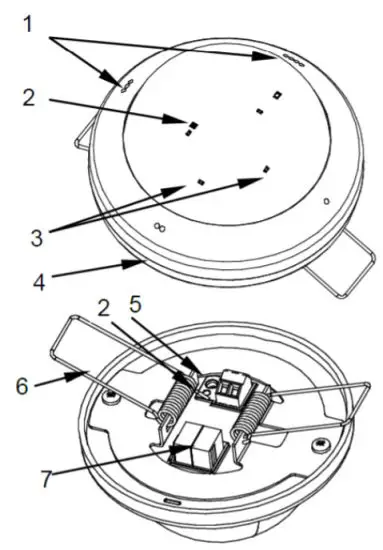 Figure 1. Presencia C vT. Elements
| 1. Orientation marks. 2. Test/Prog. LED. 3. Detection notification LEDs. 4. Base. | 5. Test/Prog. button. 6. Retaining spring. 7. KNX connector. |
The main elements of the device are described next.
- Programming button (5): a short press on this button sets the device into the programming mode, making the associated LED (2) light in red.
Note: if this button is held while plugging the device into the KNX bus, the device will enter the safe mode. In such a case, the LED will blink in red every 0.5 seconds. - Detection notification LEDs (3): each of them emits a light flash whenever the sensor associated to that zone observes motion.
To get detailed information about the technical features of this device, as well as on the installation process and on security procedures, please refer to the corresponding
Datasheet, bundled with the original packaging of the device and also available at www.zennio.com.
START-UP AND POWER LOSS
During the start-up of the device, the Test/Prog. LED will blink in blue color for one minute before the motion sensors are ready.
Depending on the configuration, some specific actions will also be performed during the start-up. For example, the integrator can set whether the detection channels should be start-up enabled or disabled. Please consult the next sections of this document for further details.
On the other hand, when a bus power failure takes place, the device will interrupt any pending actions and will save its state so it can be recovered once the power supply is restored.
CONFIGURATION
GENERAL
After importing the corresponding database in ETS and adding the device into the topology of the desired project, the configuration process begins by entering the parameters window of the device.
ETS PARAMETERISATION
From the General screen, it is possible to activate/deactivate all the required functionality.
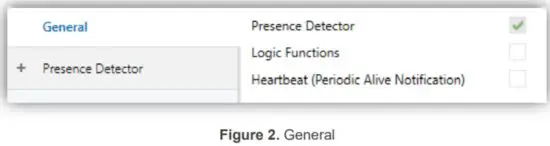
- Presence Detection [enabled[1: enables the “Presence Detector” tab in the tree on the left. For more information, see section 2.2.
- Logic Functions [enabled/disabled] enables or disable the “Logic Functions” tab in the tree on the left. For more information, see section 2.3.
- Heartbeat (Periodic Alive Notification) (enabled/disabled]: incorporates a one-bit object to the project (“[Heartbeat] Object to Send ‘1”) that will be sent periodically with a value of “1” to notify that the device is still working (still alive).

Note: the first sending after download or bus failure takes place with a delay of up to 255 seconds, to prevent bus overload. The following sendings match the
period set.
¹The default values of each parameter will be highlighted in blue in this document, as follows: [default/rest of options].
PRESENCE DETECTOR
Presencia C vT incorporates six independent presence detection channels, two more for constant light control and one for occupancy detection.
- Presence detection consists in sending objects to the bus whenever the device observes a moving body (or no longer observes it) in the environment of the room where it has been installed.
- Constant light control consists in sending KNX orders to the dimmer device that controls the in-room luminaries so the ambient light level remains constant even if other light sources are present.
- Occupancy detection is an algorithm that allows determining, through multiple sensor configurations, whether a particular space is under occupation no matter if the occupant moves or not (i.e., no matter if the device is detecting the presence in the room or not).
Please refer to the specific manual “Presence Sensor” available in the Presencia C vT product section at the Zennio website (www.zennio.com) for detailed information about the functionality and the configuration of the related parameters.
LOGIC FUNCTIONS
This module makes it possible to perform numeric and binary operations on incoming values received from the KNX bus and to send the results through other communication objects specifically enabled for this purpose.
Presencia C vT can implement up to 10 different and independent functions, each of them entirely customizable and consisting of up to 4 consecutive operations.
The execution of each function can depend on a configurable condition, which will be evaluated every time the function is triggered through specific, parameterizable communication objects. The result after executing the operations of the function can also be evaluated according to certain conditions and afterward sent (or not) to the KNX bus, which can be done every time the function is executed, periodically or only when the result differs from the last one.
Please refer to the “Logic Functions” user manual available under the Presencia C vT product section at the Zennio homepage (www.zennio.com) for detailed information about the functionality and the configuration of the related parameters.
ANNEX I. COMMUNICATION OBJECTS
- “Functional range” shows the values that, with the independence of any other values permitted by the bus according to the object size, may be of any use or have a particular meaning because of the specifications or restrictions from both the KNX standard or the application program itself.
| Number | Size | I/O | Flags | Data type (DPT) | Functional Range | Name | Function | |||||||||||||||||||||||
| 1 | 1 bit | C – – T – | DFT_Tngger | 0/1 | [Heartbeat] Object to Send ‘1’ | Sending of •1* Periodically | ||||||||||||||||||||||||
| 2 | 1 Byte | I | C – W – – | DPT_SceneNumber | 0 – 63 | Scene Input | Scene Value | |||||||||||||||||||||||
| 3 | 1 Byte | C – – T – | DPT_SceneControl | 0-63; 128-191 | Scene Output | Scene Value | ||||||||||||||||||||||||
| 4 | 2 Bytes | I/O | C R W – – | 1. xxx | 0/1 | Correction Factor – Internal Sensor | [0, 80] x0.1 | |||||||||||||||||||||||
| 5 | 2 Bytes | I/O | C R W – – | 1. xxx | 0/1 | Offset – Internal Sensor | [-200, 200] Luxes | |||||||||||||||||||||||
| 6 | 2 Bytes | 0 | C R – T – | DPT_Value_Lux | Luminosity – Internal Sensor | Luxes | ||||||||||||||||||||||||
| 10 | 1 Bit | I | C – W – – | DPT_DayNight | 0/1 | Day/Night | 0 = Day; 1 = Night | |||||||||||||||||||||||
| 1 Bit | I | C – W – – | DPT_DayNight | 0/1 | Day/Night | 0 = Night; 1 = Day | ||||||||||||||||||||||||
| 11 | 1 Bit | I | C – W – – | DPT_Enable | 0/1 | Detection LEDs | 0 = Disable; 1 = Enable | |||||||||||||||||||||||
| 1 Bit | I | C – W – – | DPT Enable — | 0/1 | Detection LEDs | 0 = Disable; 1 = Enable Only During the Day | ||||||||||||||||||||||||
| 12 | 1 Bit | 0 | C R – T – | DPT_Switch | 0/1 | Occupancy: Output (Binary) | Binary Value | |||||||||||||||||||||||
| 1 Bit | C – – T – | DPT_Start | 0/1 | Occupancy: Slave Output | 1 = Motion Detected | |||||||||||||||||||||||||
| 13 | 1 Byte | 0 | C R – T – | DPT_Scaling | 0% – 100% | Occupancy: Output (Scaling) | 0-100% | |||||||||||||||||||||||
| 14 | 1 Byte | 0 | C R – T – | DPT_HVACMode | 1=Comfort 2=Standby 3=Economy 4=Building Protection | Occupancy: Output (FIVAC) | Auto, Comfort, Standby, Economy, Building Protection | |||||||||||||||||||||||
| 15 | 1 Bit | I | C – W – – | DPT_Window_Door | 0/1 | Occupancy: Trigger | Binary Value to Trigger the Occupancy Detection | |||||||||||||||||||||||
| 16 | 1 Bit | I | C – W – – | DPT_Start | 0/1 | Occupancy: Slave Input | 1 = Detection from slave device | |||||||||||||||||||||||
| 17 | 2 Bytes | I | C – W – – | DPT_TimePeriodSec | 0 – 65535 | Occupancy: Waiting Time | 0-65535 s. | |||||||||||||||||||||||
| 18 | 2 Bytes | I | C – W – – | DPT_TimePeriodSec | 0 – 65535 | Occupancy: Listening Time | 1-65535 s. | |||||||||||||||||||||||
| 19 | 1 Bit | I | C – W – – | DPT_Enable | 0/1 | Occupancy: Lock | 0 = Unlock; 1 = Lock | |||||||||||||||||||||||
| 1 Bit | I | C – W – – | DPT_Enable | 0/1 | Occupancy: Lock | 0 = Lock; 1 = Unlock | ||||||||||||||||||||||||
| 20 | 1 Bit | 0 | C R – T – | DPT_Occupancy | 0/1 | Occupancy: Occupancy State | 0 = Not Occupied; 1 = Occupied | |||||||||||||||||||||||
| 21 | 1 Byte | I | C – W – – | DPT_Scaling | 0% – 100% | Sensor 1 Sensitivity | 1-100% | |||||||||||||||||||||||
| 22 | 1 Byte | I | C – W – – | DPT_Scaling | 0% – 100% | Sensor 2 Sensitivity | 1-100% | |||||||||||||||||||||||
| 23 | 1 Byte | I | C – W – – | DPT_Scaling | 0% – 100% | Sensor 3 Sensitivity | 1-100% | |||||||||||||||||||||||
| 24 | 1 Byte | I | C – W – – | DPT_Scaling | 0% – 100% | Sensor 4 Sensitivity | 1-100% | |||||||||||||||||||||||
| 25, | 35, 45, | 55, | 65, | 75 | 1 Bit | I | C – W – – | DPT_Start | 0/1 | [Cx] External Motion Detection | 1 = Motion detected by an external sensor | |||||||||||||||||||
| 26, | 36, 46, | 56, | 66, | 76 | 1 Bit | 0 | C R – T – | DPT Switch _ | 0/1 | [Cx] Output (Binary) | Binary Value | |||||||||||||||||||
| 27, | 37, 47, | 57, | 67, | 77 | 1 Byte | 0 | C R – T – | DPT_Scaling | 0% – 100% | [Cx] Output (Scaling) | 0-100% | |||||||||||||||||||
| 28, | 38, 48, | 58, | 68, | 78 | 1 Byte | 0 | C R – T – | OPT_HVACMode | 1=Comfort 2=Standby 3=Economy 4=Building Protection | [Cx] Output (HVAC) | Auto, Comfort, Standby, Economy, Building Protection | |||||||||||||||||||
| 29, | 39, 49, | 59, | 69, | 79 | 1 Bit | I | C – W – – | DPT- Enable | 0/1 | [Cx] Lock Status | 0 = Unlock; 1 = Lock | |||||||||||||||||||
| 1 Bit | I | C – W – – | DPT_Enable | 0/1 | [Cx] Lock Status | 0 = Lock; 1 = Unlock | ||||||||||||||||||||||||
| 30, | 40, 50, | 60, | 70, | 80 | 1 Bit | I | C – W – – | DPT_Start | 0/1 | [Cx] Force State | 0 = No Detection; 1 = Detection | |||||||||||||||||||
| 31, | 41, 51, | 61, | 71, | 81 | 1 Bit | I | C – W – – | DPT_Start | 0/1 | [Cx] External Switch | 0 = No Detection; 1 = Detection | |||||||||||||||||||
| 32, | 42, 52, | 62, | 72, | 82 | 2 Bytes | I/O | C R W – – | DPT_TimePeriodSec | 0 – 65535 | [Cx] Length of Detection | 1-65535 s. | |||||||||||||||||||
| 34, | 44, 54, | 64, | 74, | 84 | 1 Byte | 0 | C R – T – | DPT_Value_l_Ucount | 0 – 255 | [Cx] Observation Window (Testing) | Current Observation Window | |||||||||||||||||||
| 85, | 101 | 1 Bit | I | C – W – – | DPT_Start | 0/1 | [CLCx] External Motion Detection | 1 = Motion detected by an external sensor | ||||||||||||||||||||||
| 86, | 102 | 1 Bit | I | C – W – – | DPT- Enable | 0/1 | [CLCx] Lock Status | 0 = Unlock; 1 = Lock | ||||||||||||||||||||||
| 1 Bit | I | C – W – – | DPT_Enable | 0/1 | [CLCx] Lock Status | 0 = Lock; 1 = Unlock | ||||||||||||||||||||||||
| 87, | 103 | 1 Bit | I | C – W – – | DPT_Start | 0/1 | [CLCx] Force State | 0 = No Detection; 1 = Detection | ||||||||||||||||||||||
| 88, | 104 | 1 Bit | I | C – W – – | DPT_Start | 0/1 | [CLCx] External Switch | 0 = No Detection; 1 = Detection | ||||||||||||||||||||||
| 89, | 105 | 2 Bytes | I | C – W – – | DPT_Value_Lux | [CLCx] Setpoint | Setpoint Value (1-2000) | |||||||||||||||||||||||
| 2 Bytes | I | C – W – – | OPT_Value_Lux | [CLCx] Setpoint During Day | Setpoint Value (1-2000) | |||||||||||||||||||||||||
| 1 Byte | I | C – W – – | DPT_Scaling | 0% – 100% | [CLCx] Setpcint | Setpoint Value (1-100)% | ||||||||||||||||||||||||
| 1 Byte | I | C – W – – | DPT_Scaling | 0% – 100% | [CLCx] Setpoint During Day | Setpoint Value (1-100)% | ||||||||||||||||||||||||
| 90, | 106 | 2 Bytes | I | C – W – – | DPT_Value_Lux | [CLCx] Setpoint During Night | Setpoint Value (1-2000) | |||||||||||||||||||||||
| 1 Byte | I | C – W – – | DPT_Scaling | 0% – 100% | [CLCx] Setpoint During Night | Setpoint Value (1-100)% | ||||||||||||||||||||||||
| 91, | 107 | 1 Byte | 0 | C R – T – | DPT_Scaling | 0% – 100% | [CLCx] Dimming Value | Dimming Value (%) | ||||||||||||||||||||||
| 92, | 108 | 2 Bytes | I/O | C R W – – | DPT_TimePeriodSec | 0 – 65535 | [CLCx] Length of Detection | 1-65535 s. | ||||||||||||||||||||||
| 94, | 110 | 1 Bit | I | C – W – – | DPT_Switch | 0/1 | [CLCx] Manual Control: On/Off (Input) | 1-Bit Control | ||||||||||||||||||||||
| 95, | 111 | 4 Bit | I | 3 ul | DPT_Control_Dimming | Ox0 (Stop) Olx (Dec. by 100%) ••• 0x7 (Dec. by 1%) 0x8 (Stop) OCD (Inc. by 100%) •-• Oxf (Inc. by 1%) | [CLCx] Manual Control: Relative Dimming (Input) | 4-Bit Control | ||||||||||||||||||||||
| 96, | 112 | 1 Byte | I | C – W – – | DPT_Scaling | 0% – 100% | [CLCx] Manual Control: Absolute Dimming (Input) | 1-Byte Control | ||||||||||||||||||||||
| 97, | 113 | 1 Bit | 0 | C R – T – | DPT Switch _ | 0/1 | [CLCx] Manual Control: On/Off (Output) | 1-Bit Control | ||||||||||||||||||||||
| 98, | 114 | 4 Bit | 0 | C R – T – | DPT_Control_Dimming | Ox0 (Stop) | [CLCx] Manual Control: Relative Dimming | 4-Bit Control | ||||||||||||||||||||||
| Olx (Dec. by 100%) 0x7 (Dec. by 1%) 0x8 (Stop) OxD (Inc. by 100%) OxF (Inc. by 1%) | (Output) | |||||||||||||||||||||||||||||
| 99, | 115 | 1 Bit | I | C – W – – | DPT Enable _ | 0/1 | [CLCx] Manual Control | 0 = Disable; 1 = Enable | ||||||||||||||||||||||
| 100, | 116 | 1 Bit | 0 | C R – T – | DPT Enable _ | 0/1 | [CLCx] Manual Control (Status) | 0 = Disabled; 1 = Enabled | ||||||||||||||||||||||
| 117, 121, 125, 129, 133, 137, 141, 145, | 118, 122, 126, 130, 134, 138, 142, 146, | 119, 123, 127, 131, 135, 139, 143, 147, | 120, 124, 128, 132, 136, 140, 144, 148 | 1 Bit | I | 3 i.) | DPT Bool – | 0/1 | ELF] (1-Bit) Data Entry x | Binary Data Entry (0/1) | ||||||||||||||||||||
| 149, 153, 157, 161, | 150, 154, 158, 162, | 151, 155, 159, 163, | #### | 1 Byte | I | 3 i.) | DPT_Value_1_Ucount | 0 – 255 | ELF] (1-Byte) Data Entry x | 1-Byte Data Entry (0-255) | ||||||||||||||||||||
| 165, 169, 173, 177, | 166, 170, 174, 178, | 167, 171, 175, 179, | #### | 2 Bytes | I | 3 ‘-) | DPT_Value_2_Ucount | 0 – 65535 | [LF] (2-Byte) Data Entry x | 2-Byte Data Entry | ||||||||||||||||||||
| DPT_Value_2_Count | -32768 – 32767 | |||||||||||||||||||||||||||||
| DPT_Value_Tempo | -273, 00 – 670760, 00 | |||||||||||||||||||||||||||||
| 181, 185, | 182, 186, | 183, 187, | 184, 188 | 4 Bytes | I | C – W – – | DPT_Value_4_Count | -2211447744833664487- 8 | [LF] (4-Byte) Data Entry x | 4-Byte Data Entry | ||||||||||||||||||||
| 189, 193, | 190, 194, 197, | 191, 195, 198 | 192, 196, | 1 Bit | 0 | C R – T – | DPT Bool _ | 0/1 | [LF] Function x – Result | (1-Bit) Boolean | ||||||||||||||||||||
| 1 Byte | 0 | C R – T – | DPT_Value_1_Ucount | 0 – 255 | ELF] Function x – Result | (1-Byte) Unsigned | ||||||||||||||||||||||||
| 2 Bytes | 0 | C R – T – | DPT_Value_2_Ucount | 0 – 65535 | ELF] Function x – Result | (2-Byte) Unsigned | ||||||||||||||||||||||||
| 4 By tes | 0 | C R – T – | DPTValue4Count _ _ _ | -22114477448833664487- | [LF] Function x – Result | (4-Byte) Signed | ||||||||||||||||||||||||
| 1 Byte | 0 | C R – T – | DPT_Scaling | 0% – 100% | ELF] Function x – Result | (1-Byte) Percentage | ||||||||||||||||||||||||
| 2 Bytes | 0 | C R – T – | DPT_Value_2_Count | -32768 – 32767 | [LF] Function x – Result | (2-Byte) Signed | ||||||||||||||||||||||||
| 2 Bytes | 0 | C R – T – | 9.xxx | 64 – -671088,64 670433.28 | ELF] Function x – Result | (2-Byte) Float | ||||||||||||||||||||||||
Join and send us your inquiries about Zennio devices:
https://support.zennio.com
Zennio Avance y Tecnología S.L.
C/ Río Jarama, 132. Nave P-8.11
45007 Toledo (Spain).
Tel. +34 925 232 002.
www.zennio.com
[email protected]