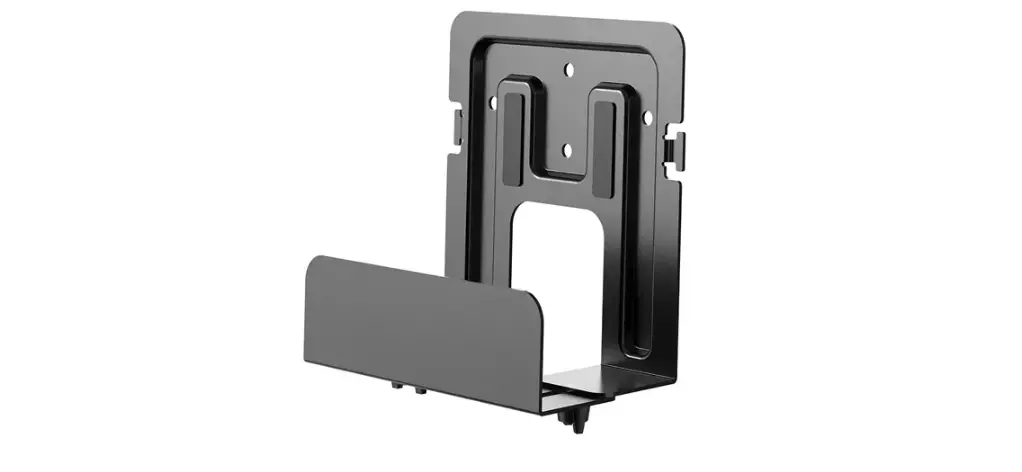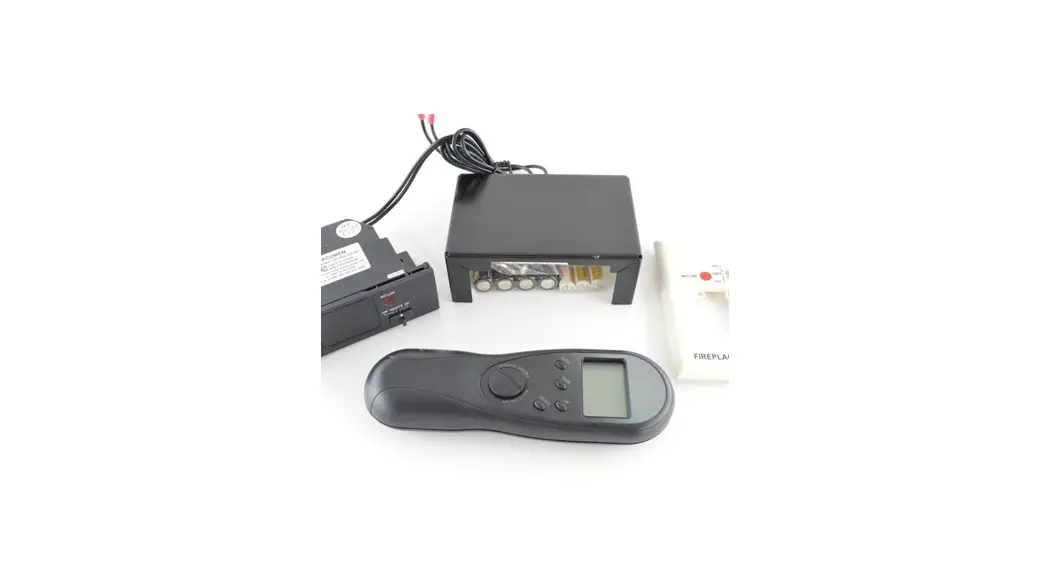

GSB/MV Basic Wall Mount Remote AC Adapter
SKU# 250-06096
Compatibility
| • Radiant Large GSB2 & MV • Radiant Medium GSB2 & MV • Radiant Small GSB2 & MV | • 42 PB Linear GSB2 & MV • 54 PB Linear GSB2 & MV • 72 PB Linear GSB2 & MV | • Northfield MV • Berkshire MV • Greenfield MV | • 36 PB CF GSB2 & MV • 42 PB CF GSB2 & MV • Previous GS & MV units except for the PB24CF |
Packing List
| • (1) AC Adapter | 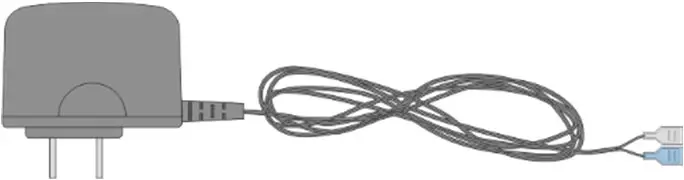 |
| • (1) Power Harness Adapter | 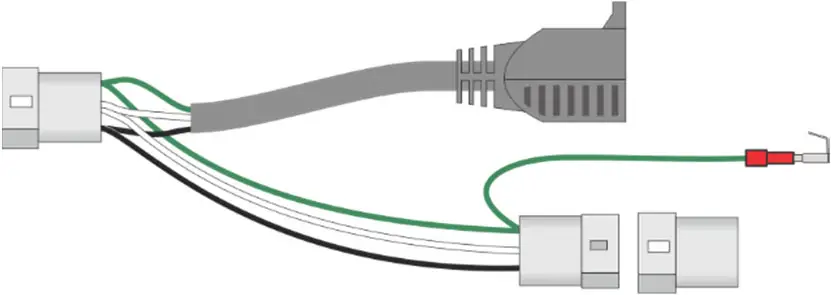 |
| • (1) Power Cord |  |
| • (1) Receiver Adapter Harness | 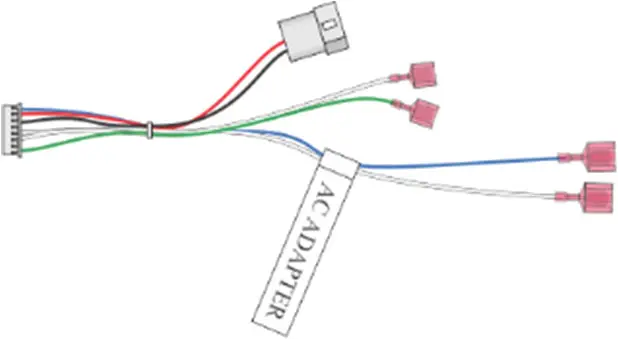 |
| • (1) Strain Relief | 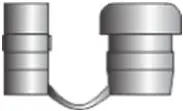 |
| • (2) Strain Relief Brackets (Insert and Stove) |  |
| • (1) 8-32 nut |  |
| • (1) ¼” drive screw |  |
| • (2) zip-ties |  |
Warnings
 | The transmitter and receiver are radio frequency devices. Placing the transmitter in or near metal may severely reduce the signal range. |
 | Turn off power to the heater during installation or maintenance (unplug or turn off power at the breaker). |
| Turn off the main gas supply to the appliance during appliance installation or maintenance. |
| GS UNITS ONLY – REMOTE CONTROL / PILOT WARNING: Installing batteries in the battery holder or connecting the appliance to power may automatically initiate the CPI pilot mode, resulting in a lit pilot flame. Do not place combustibles inside the firebox. |
If using the option blower, ember-glo lights or under lighting, install them first.
The optional accessories should be installed before installing the remote.
Overview
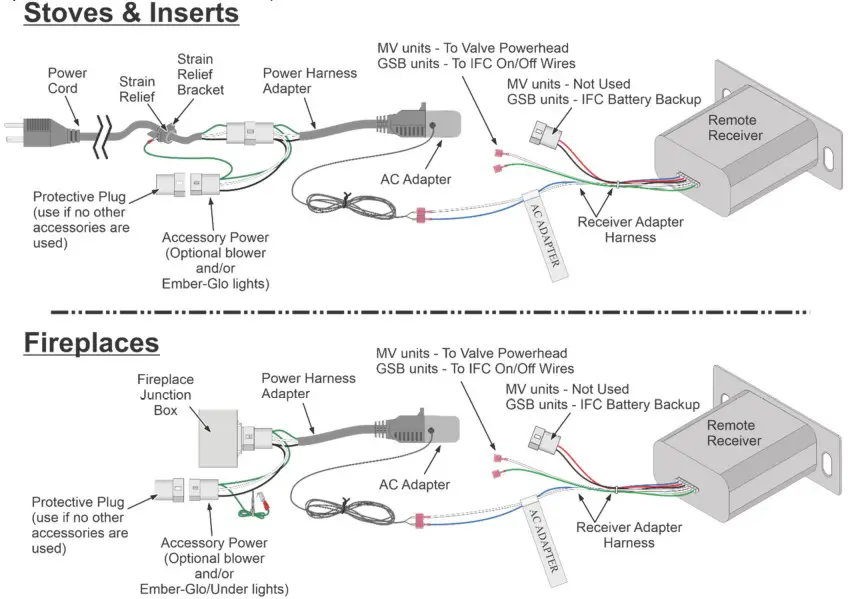
This kit is added to the basic wall-mount remote kit to supply AC power to the remote receiver. The basic installation is the same for MV and GSB stoves and inserts. This kit can also be used with MV and GSB fireplaces but the way the kit connects to AC power is slightly different than with the inserts and stoves (see fireplace installation section for details).
Fireplace, Insert, and Radiant Stove Installations
This set of installation instructions shows a summary of the remote installation.
For detailed instructions on the placement of the receiver and other details, refer to the installation manual included with your appliance.
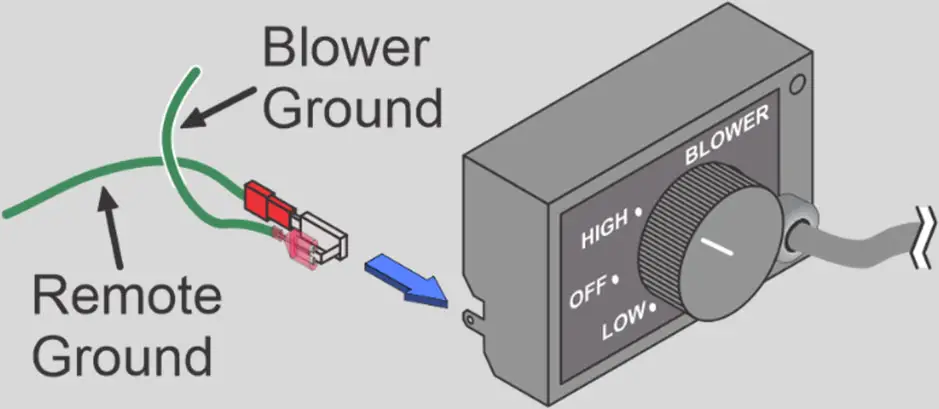
NOTE: If a blower is used you will not use the strain-relief bracket that is included with this kit and can skip step one. When a blower is used, the ground for the remote AC adapter will connect to the blower rheostat housing and the blower ground wire will be attached to the extra tab on the AC adapter grounding quick connect.
RADIANT STOVE NOTE: If a blower is being uesd, install the blower kit first and discard the power cord and strain relief bracket from this kit. With the blower kit installed follow the steps below to electricly ground the accessories to the appliance belly pan.
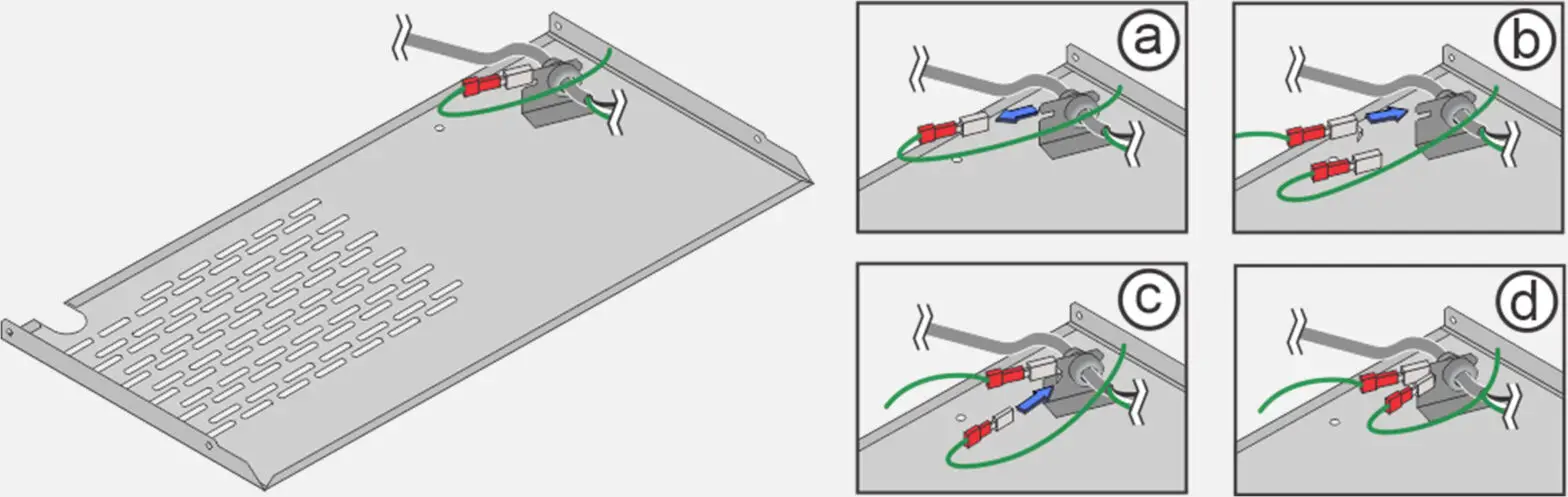
a. Disconnect the blower ground from the strain relief bracket
b. Install the AC adapter ground to the strain relief bracket where you just removed the blower ground.
c. Reinstall the blower ground on the extra ground tab attached to the remote reciever ground quick reliease.
- Install the new strain-relief bracket (stoves and inserts).
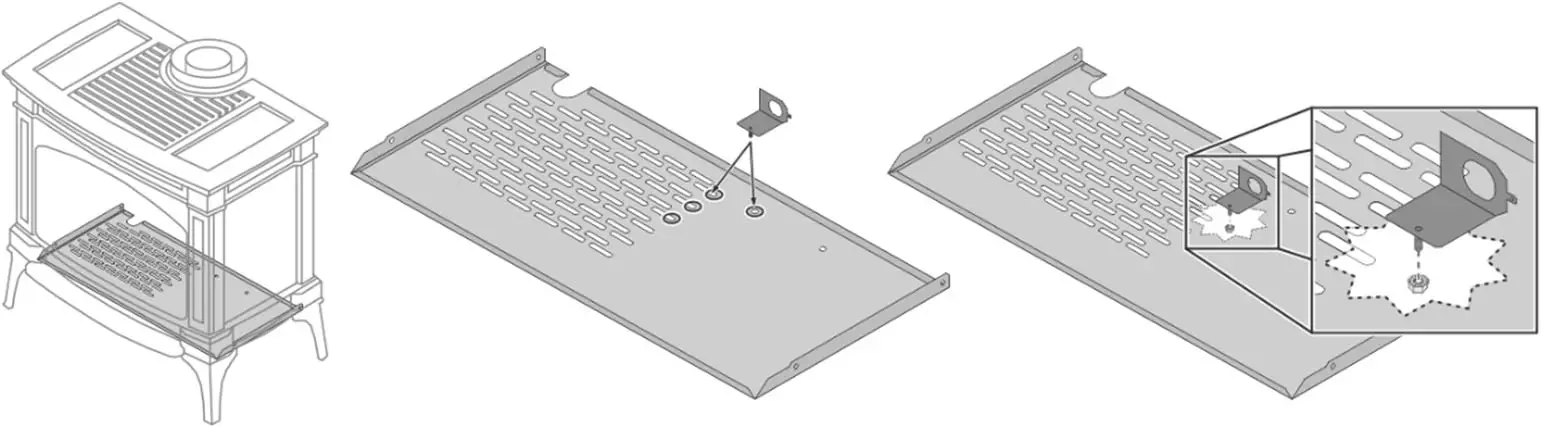
 For stoves, the strain relief bracket can be installed anywhere on the belly pan of the appliance that is out of the way of other components (see suggestions to the right). Insert the stud on the bracket through an available hole in the belly pan. Secure the bracket with the included 8-32 nut.
 With inserts, the bracket installs on the front of the right wall of the gas control area below the firebox. Use the included screw to secure the bracket. Use the included screw to secure the bracket to one of the two existing holes in the side of the insert (as shown to the right).
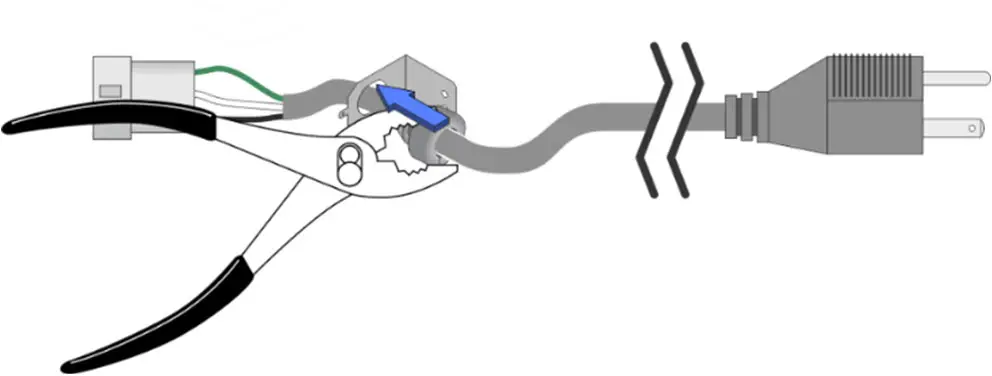
- Install the power cord with a strain relief clamp into the bracket. Feed the Molex end of the power cord through the hole in the bracket. Close to the end of the wire insulation place the strain relief on the wire with the sloped end facing the plug end of the cord. Bend the attached plug portion of the strain relief over until it is in line with the slot in the strain relief. Pinch the two portions of the strain relief together with pliers and insert the sloped end of the strain relief into the hole in the bracket until the strain relief snaps into place.

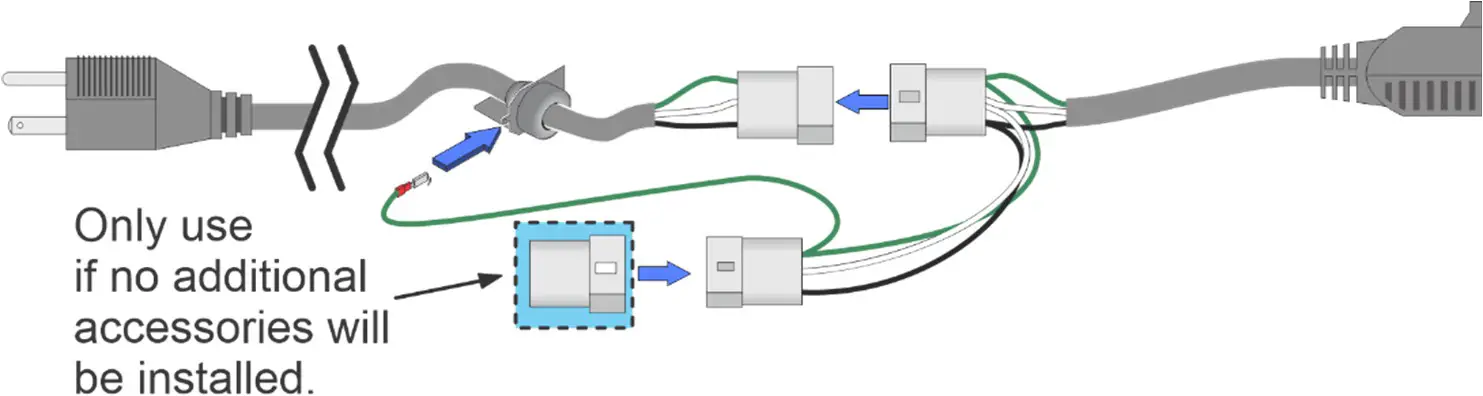
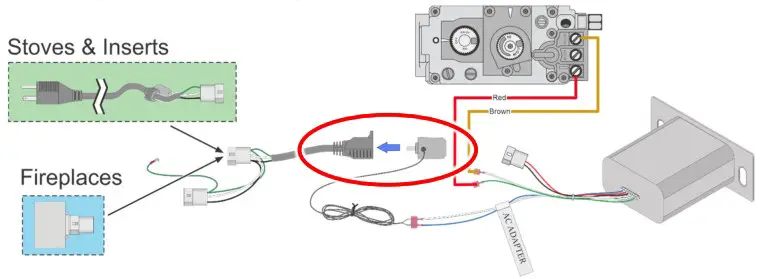
- STOVES & INSERTS Attach the power harness adapter to the power cord. Attach the ground wire to the grounding tab on the power cord bracket on stoves and inserts.
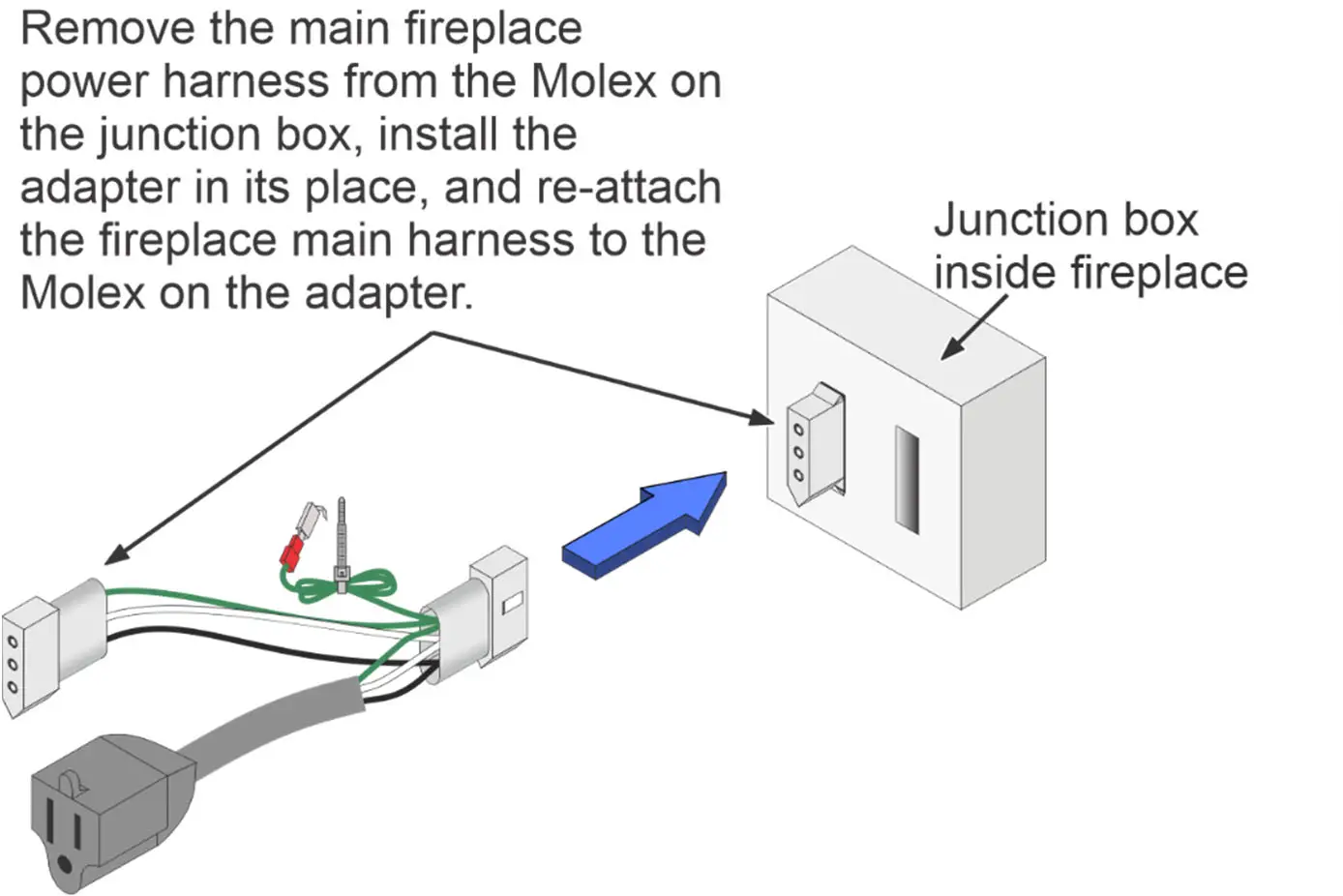
 FIREPLACES Disconnect the main power harness from the junction box inside the fireplace. Install the power harness adapter on the junction box where you just disconnect the main power harness. Plug the main power harness into the Molex that is attached to the adapter. Bunch the ground wire up and use one of the included zip ties to secure the ground.
 NOTE: If no other accessories are going to be installed on the appliance, use the female Molex connector to ensure that the electrical connections on the unused power Molex don’t contact the appliance and short out.
If using a blower and/or Ember-Glo/Under Lights, use this Molex to supply power for those accessories. - Connect the green and white wires to the corresponding On/Off switch wires.

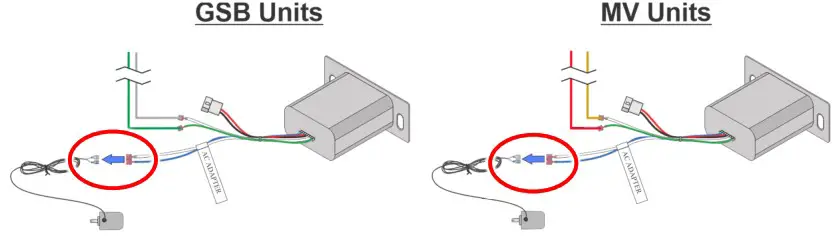
- Connect the blue and white wires from the back of the receiver to the AC adapter. The insulation that covers the quick connects on the AC adapter are different colors. The blue connector should be attached to the blue wire from the receiver and the clear connector should be attached to the white wire.
Orientation DOES matter.
- Plug the AC adapter into the pigtail outlet on the power harness adapter.


 With inserts, the bracket installs on the front of the right wall of the gas control area below the firebox. Use the included screw to secure the bracket. Use the included screw to secure the bracket to one of the two existing holes in the side of the insert (as shown to the right).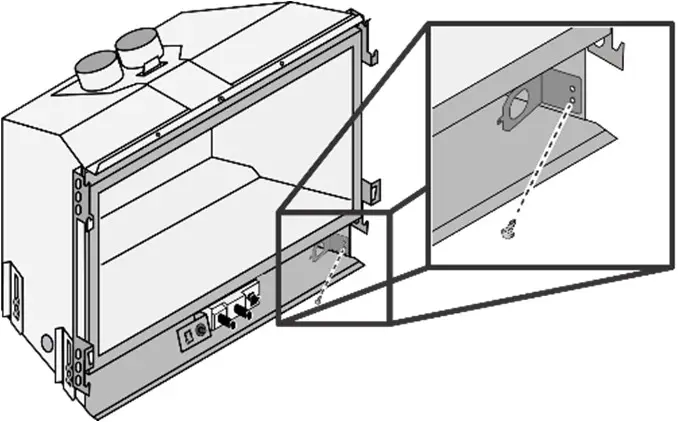
 FIREPLACES Disconnect the main power harness from the junction box inside the fireplace. Install the power harness adapter on the junction box where you just disconnect the main power harness. Plug the main power harness into the Molex that is attached to the adapter. Bunch the ground wire up and use one of the included zip ties to secure the ground.
 NOTE: If no other accessories are going to be installed on the appliance, use the female Molex connector to ensure that the electrical connections on the unused power Molex don’t contact the appliance and short out.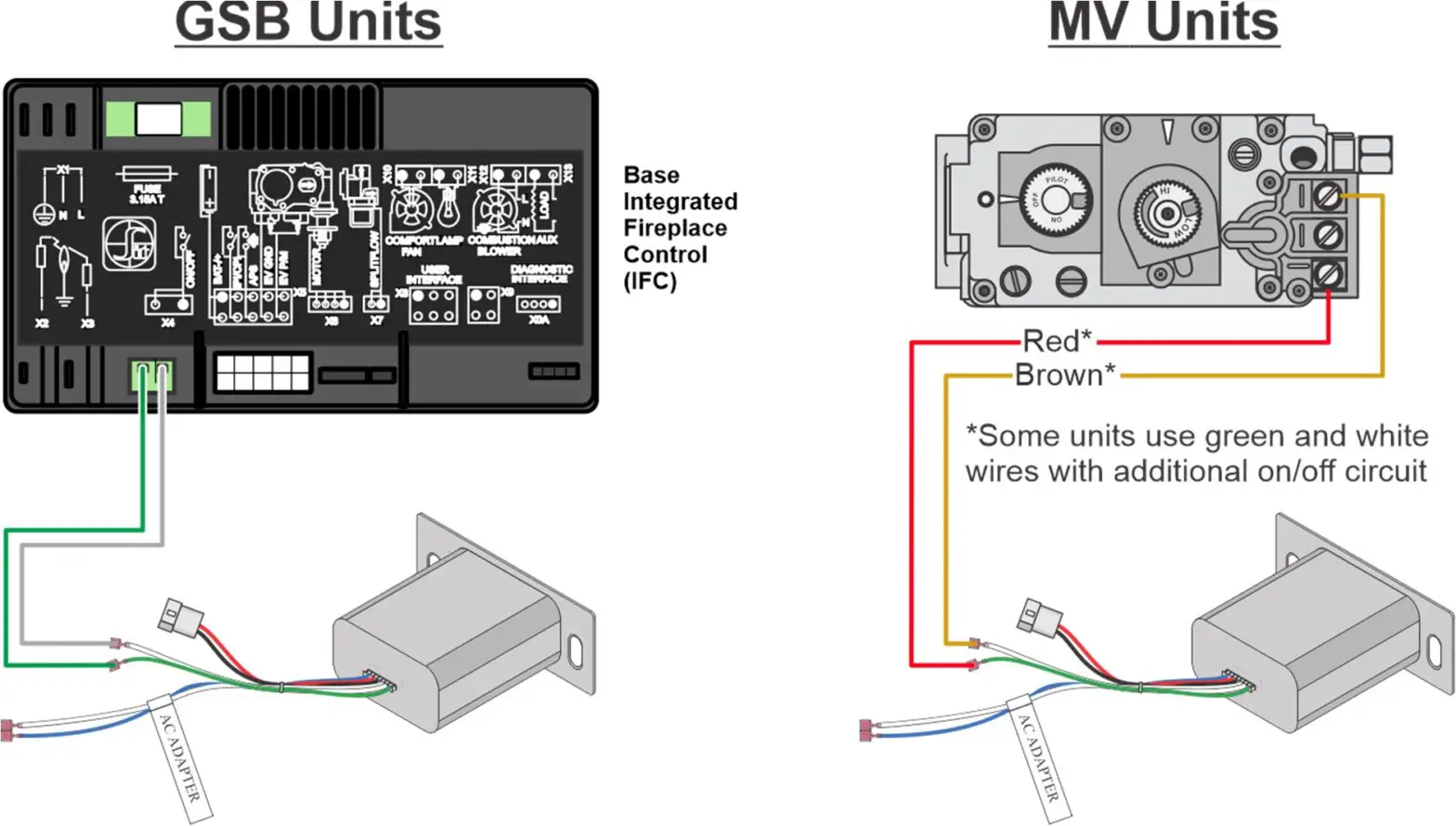
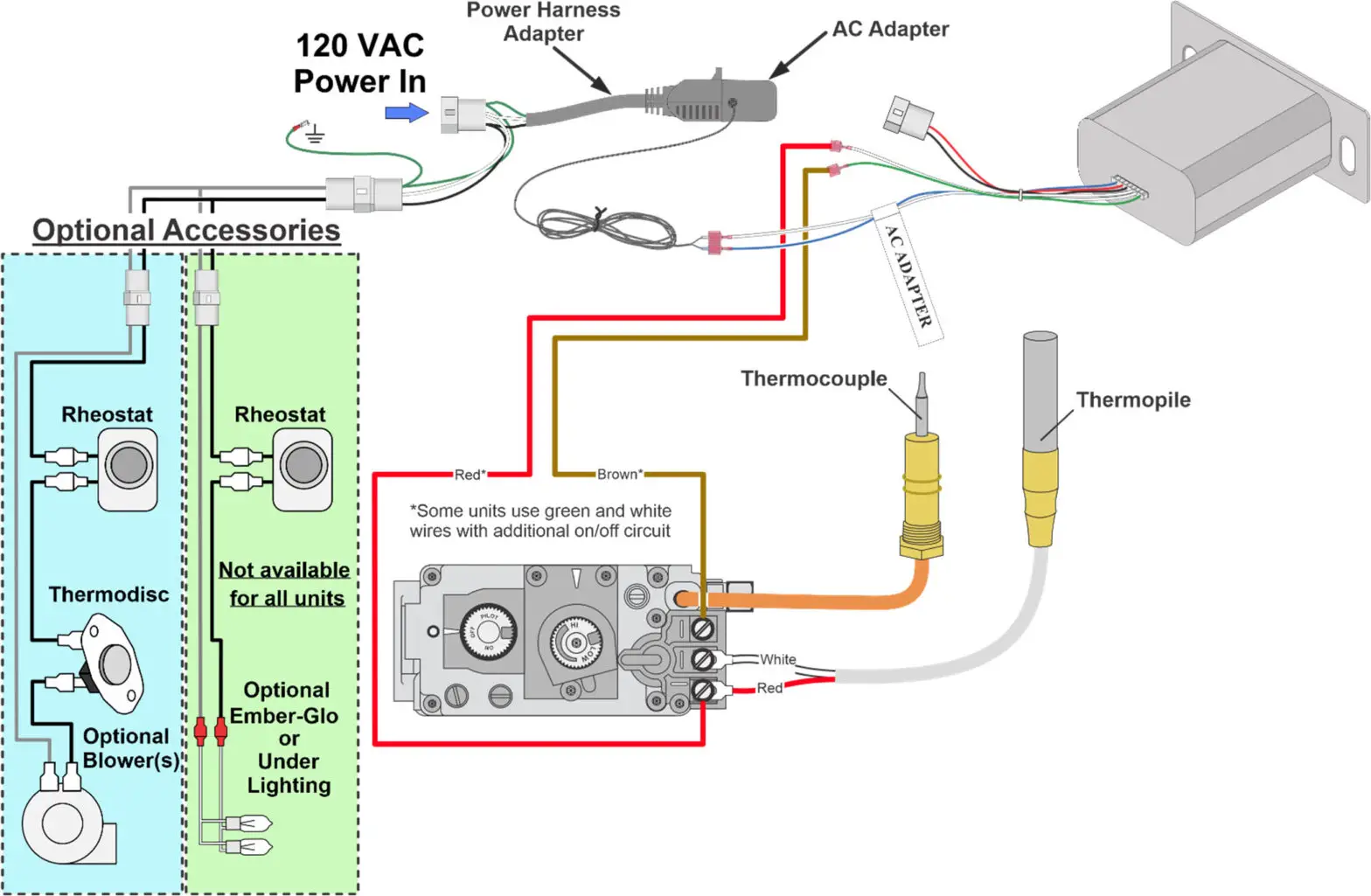
Wiring Diagram MV
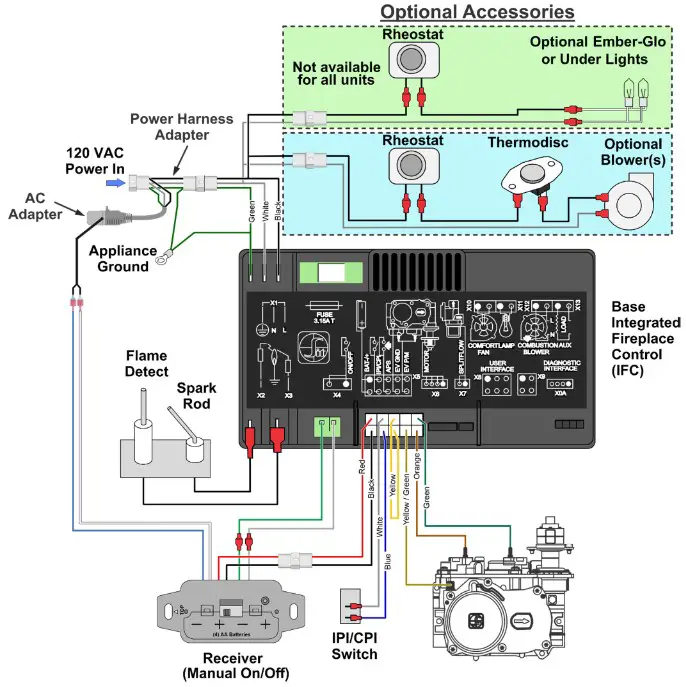
Wiring Diagram GSB2
17602253 10/7/22
© Travis Industries, Inc.